ODOO'S FUNCTION
In standard Odoo hotel management, bookings are mainly handled around room numbers, while customer selection in POS is still based on searching the client name, making it difficult to identify guests by their assigned room.
CLUEDOO'S FUNCTION
CLuedoo makes hotel operations smoother by connecting guests directly to their rooms:
CONFIGURATION | |
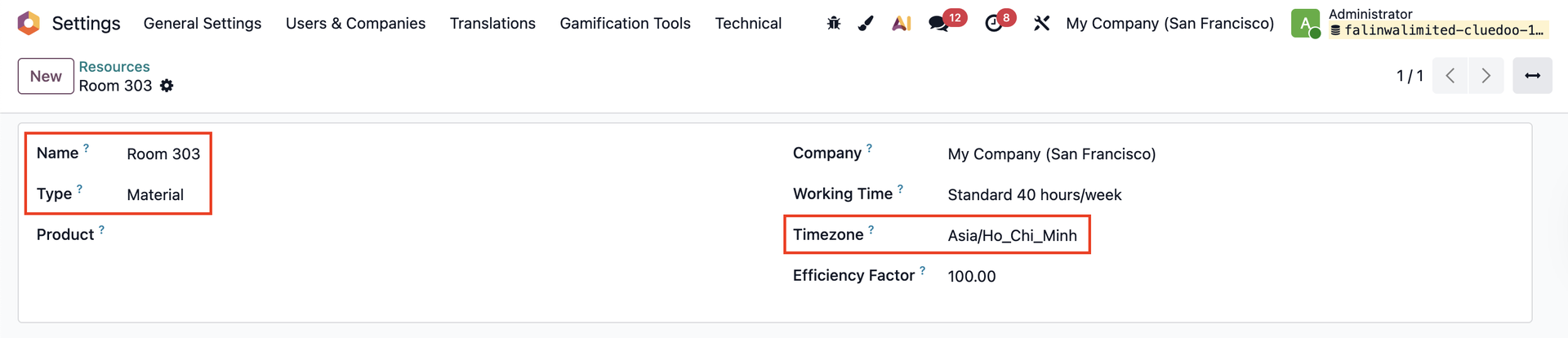
Go to Settings → Technical → Resources and create a new resource. |
|
USAGE | |
1. Go to Planning → Create a new booking for the current day or a booking that spans across the current day. | 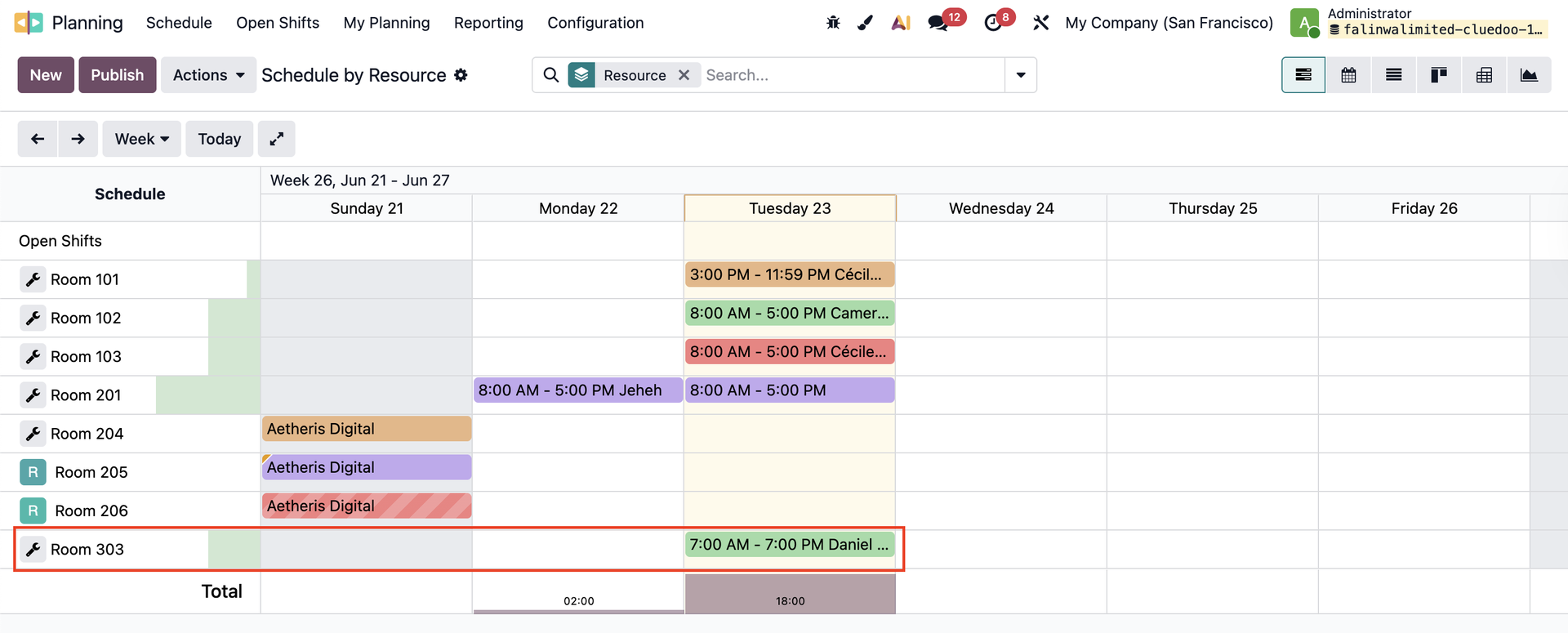 |
2. Open the booking → Select a Customer → Save | 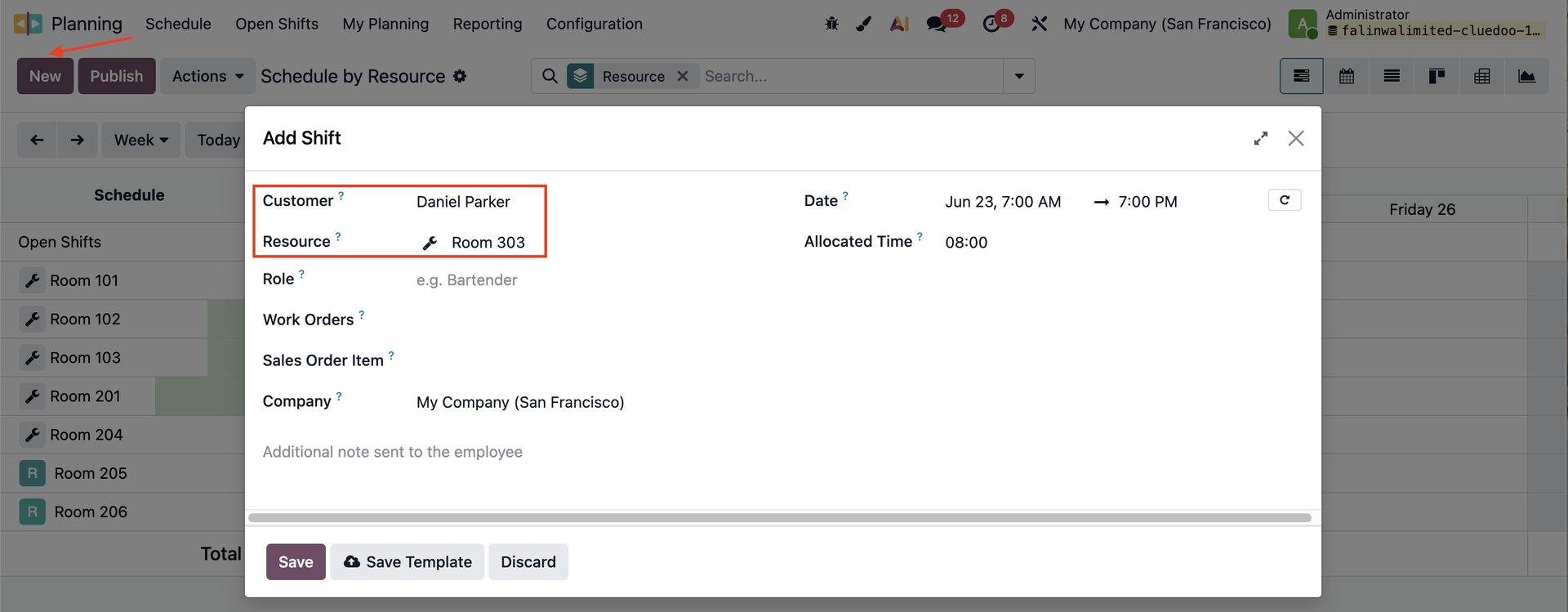 |
3. Open the Customer form directly from the planning pop-up or go to Contacts → The Current Room is automatically filled based on the Resource in the booking. | 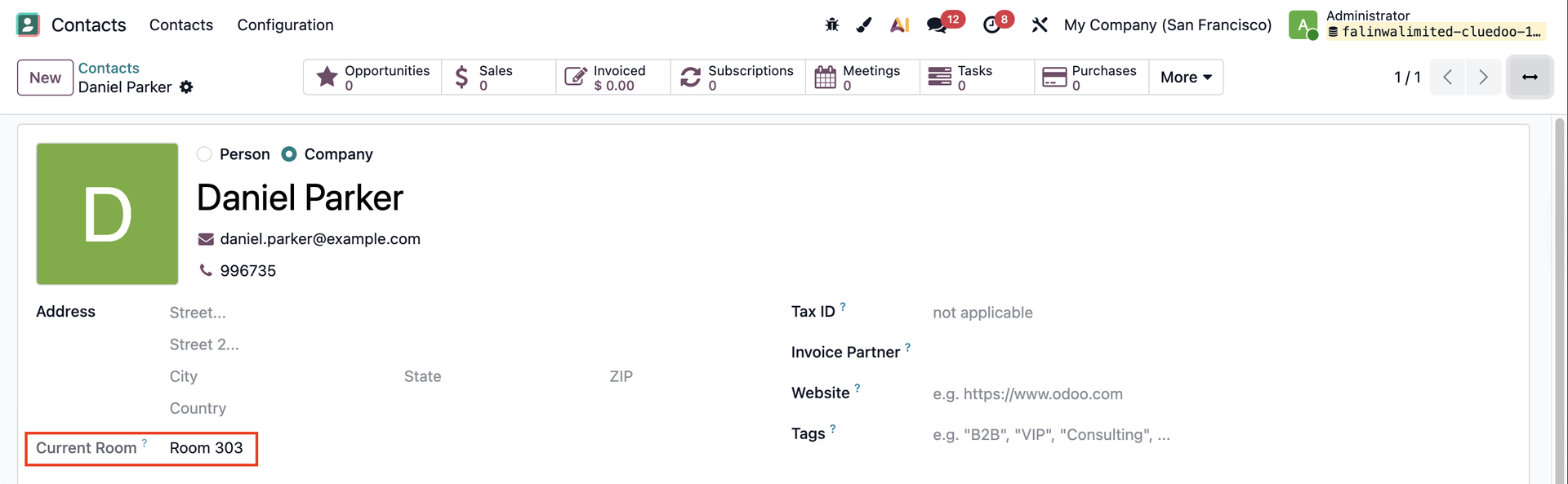 |
Note: If there are existing plannings before installing this module → Click on Actions and choose the server action to get the current room for the contact. | 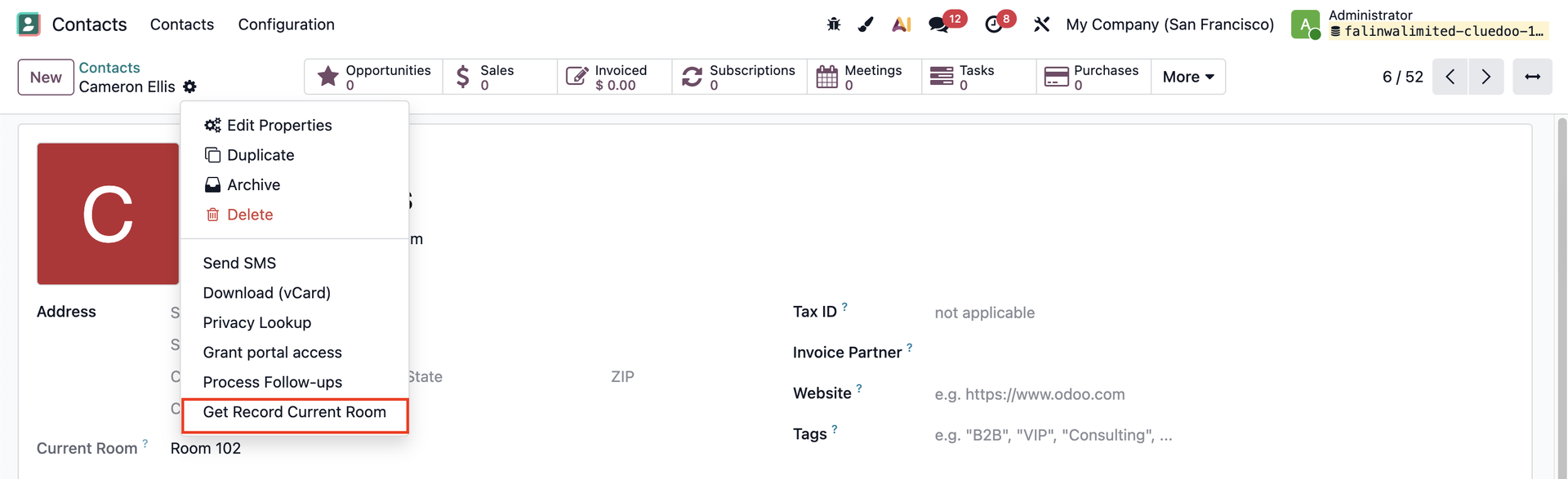 |
4. You can search using the Current Number in Contacts. |
|
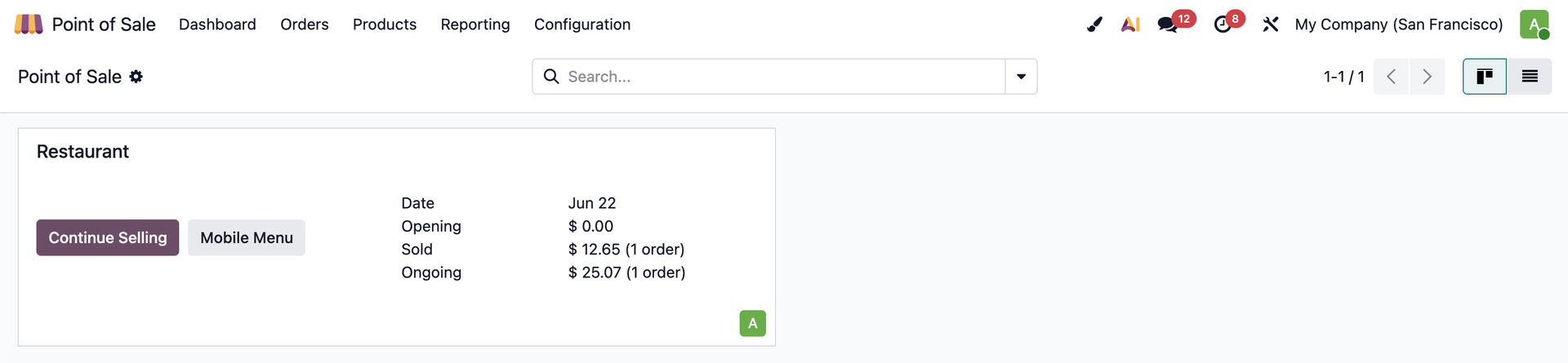
5. Go to Point of Sale → Access a shop. |
|
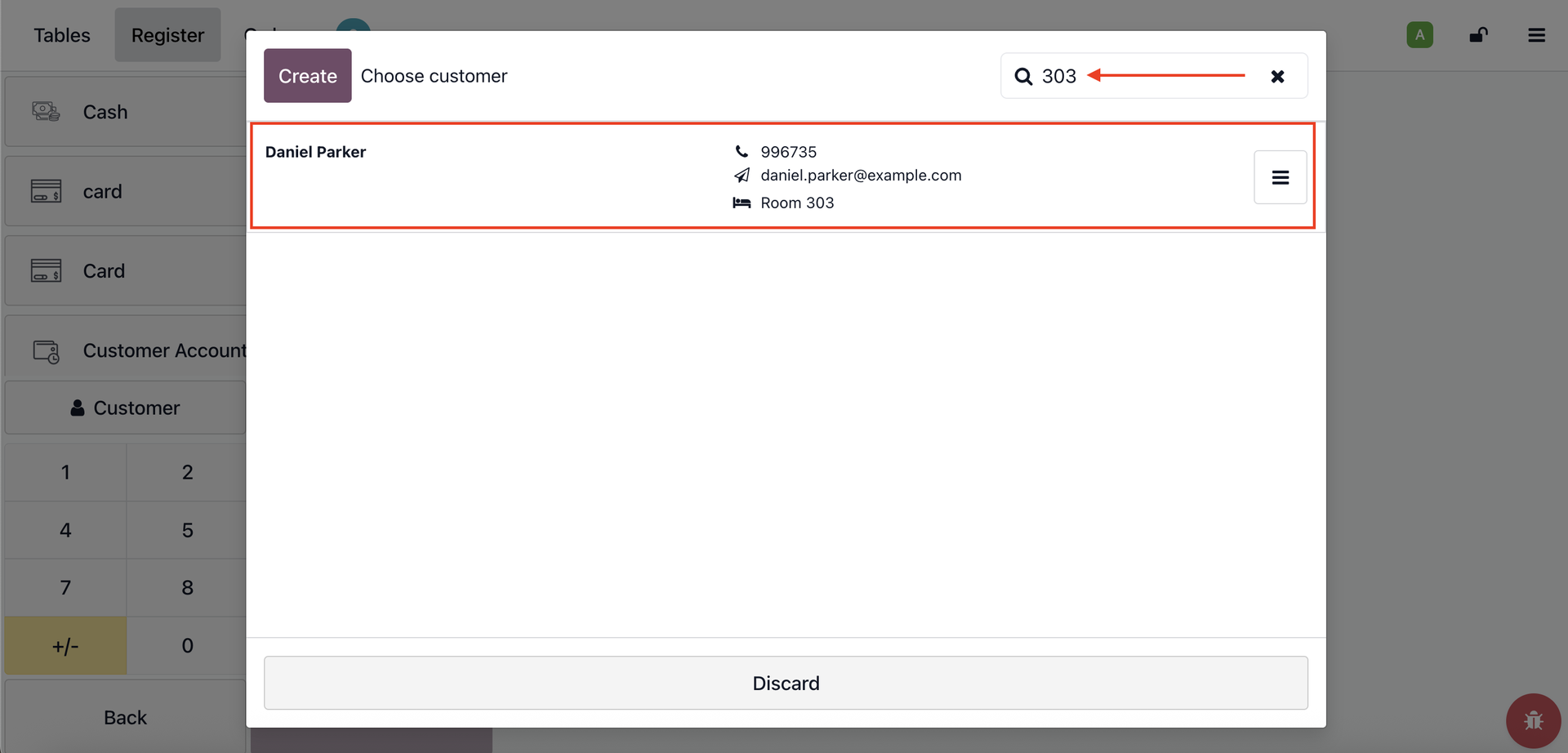
Place an order → Payment → You can search using the Current Number in the POS Customer search. |
|