
ODOO'S FUNCTION
Odoo Standard provides a Global Note feature across its QR and Kiosk platforms, allowing customers to leave one general message for the entire order at the final checkout step. This is suitable for simple delivery or timing instructions, but it can create confusion for staff when a customer has different special requests for multiple different items within a single order.
CLUEDOO'S FUNCTION
CLuedoo enhances the QR Ordering and Kiosk experience by offering Line Notes, which allow customers to attach specific instructions to each individual item in their cart. This ensures that every unique request is tied directly to the correct product, providing a more personalized service and eliminating errors for the fulfillment team.
CONFIGURATION1. Go to Settings > Point of Sale Choose Shop and Self-Ordering type. | 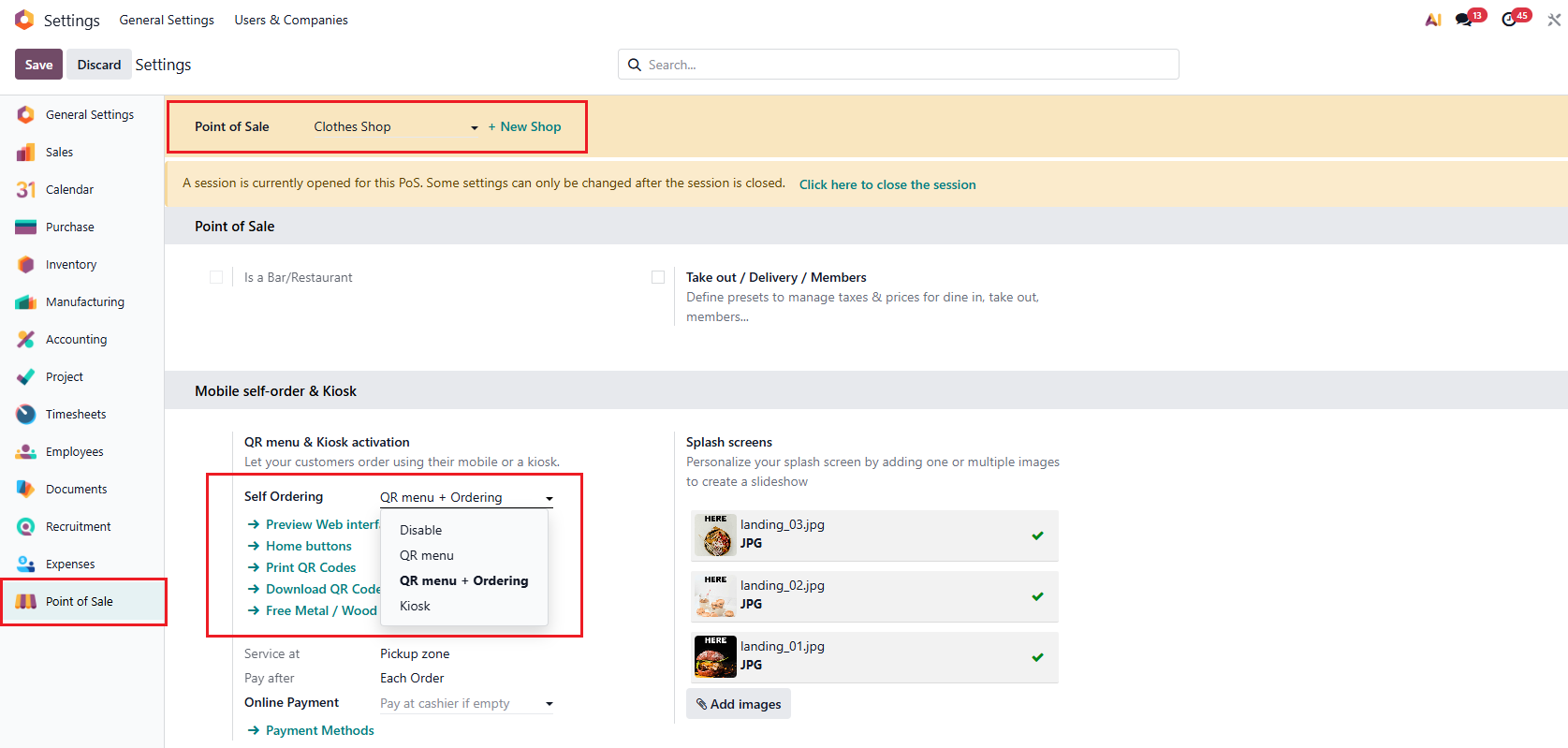 |
For example, set up:
|  |
USAGE1. Go to Shop > Choose the products > Go to Checkout | 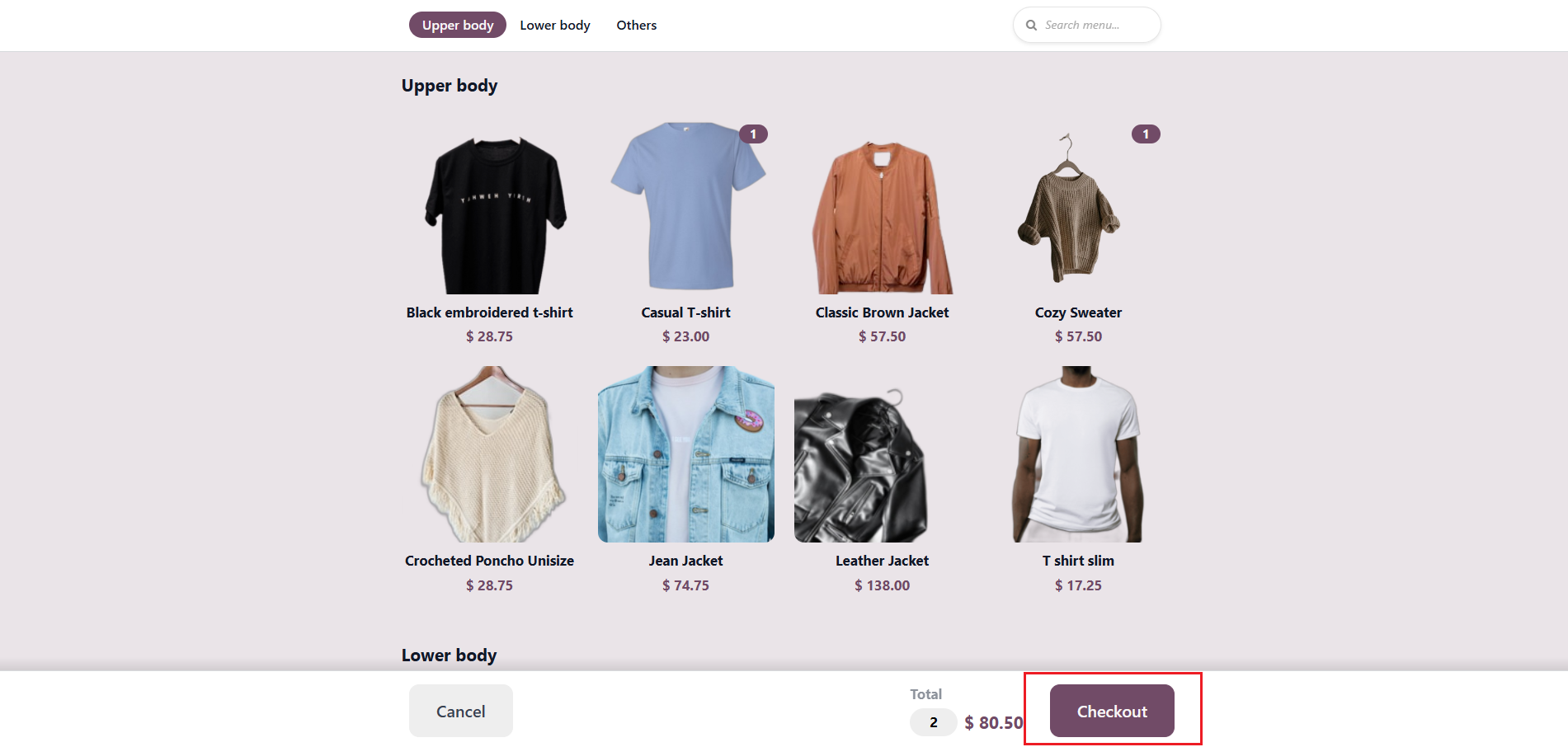 |
2. Fill in the note for each product. Notes appear on both Checkout window and POS end. | 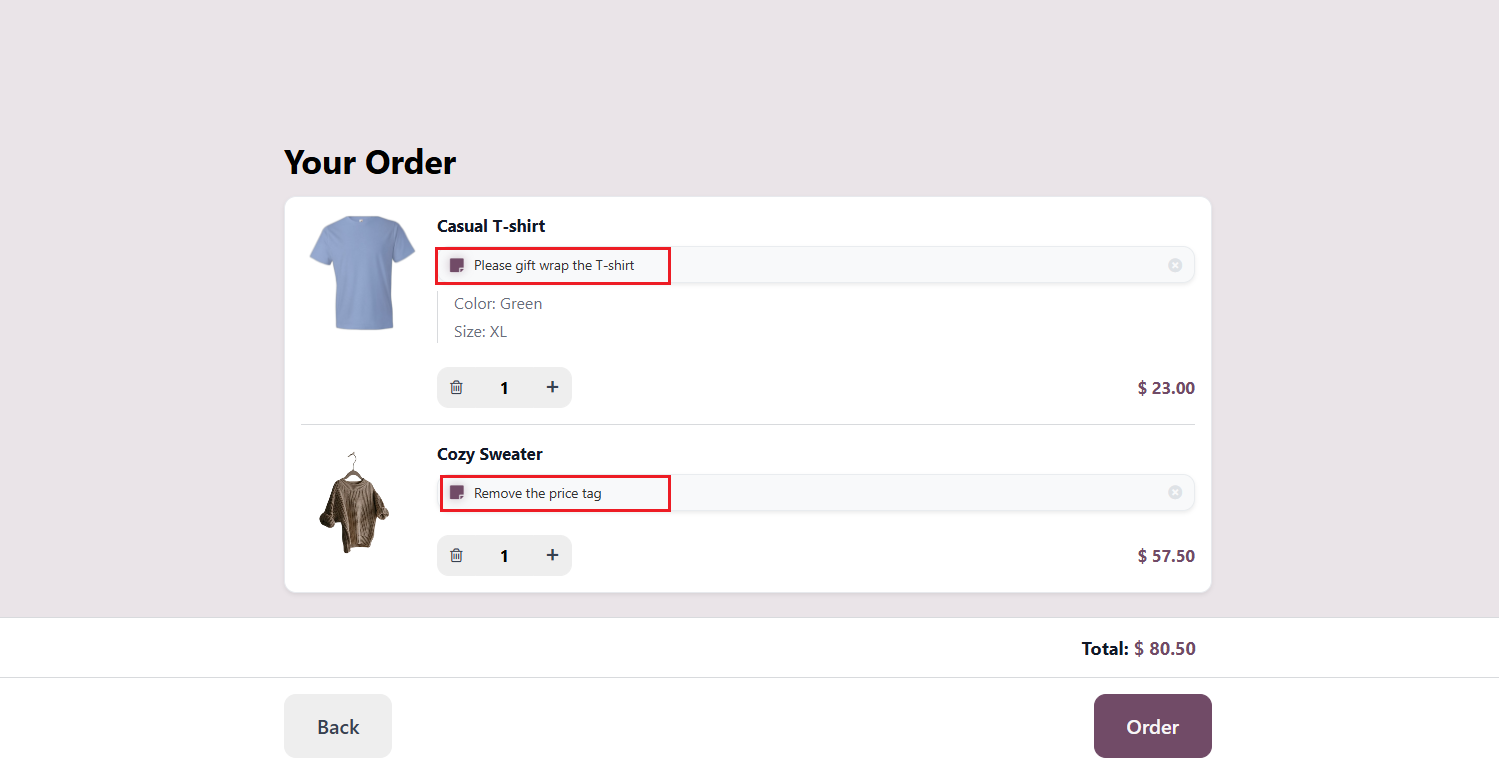 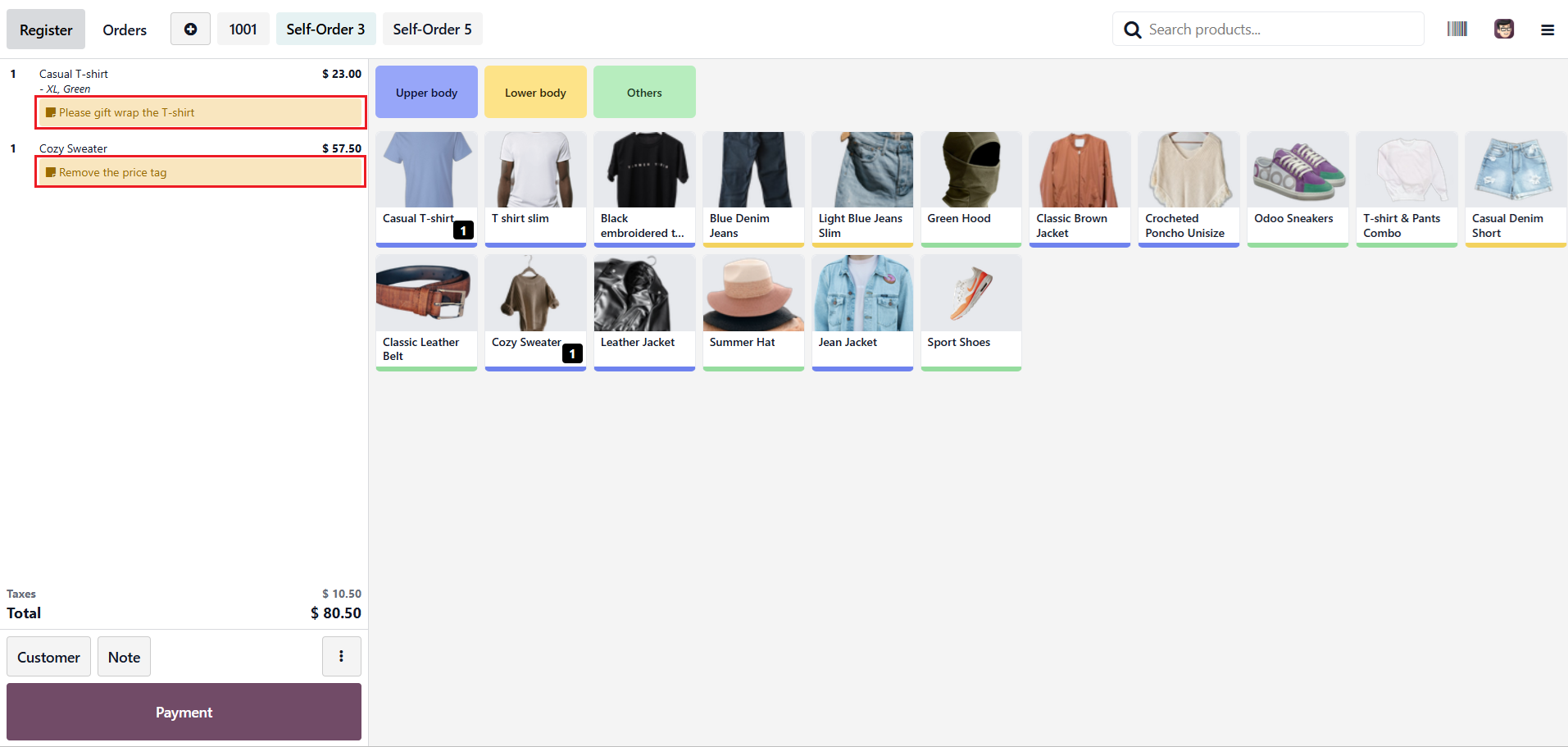 |