


STORY BEHIND THE FEATURES
ODOO BEHAVIOR
In Odoo's standard functionality, there is no option to set a default report per partner. When printing a document, such as a Quotation/Order, Odoo always generates the same default report template for all customers. Users must manually select an alternative report if needed. This limitation means that even if a specific customer requires a different default format, users must manually switch reports every time, leading to inefficiency and potential errors.
CLUEDOO BEHAVIOR
Cluedoo introduces a default report per partner feature, allowing users to configure a specific report for each partner. When printing a document, Odoo automatically selects the assigned default report for the respective partner instead of the standard report. This feature ensures consistency in document formatting, reduces manual selection errors, and streamlines reporting processes tailored to each partner’s requirements.
CLUEDOO RECOMMENDATIONS
Install on 100% of your database.
HOW TO USE THIS MODULE?
1.
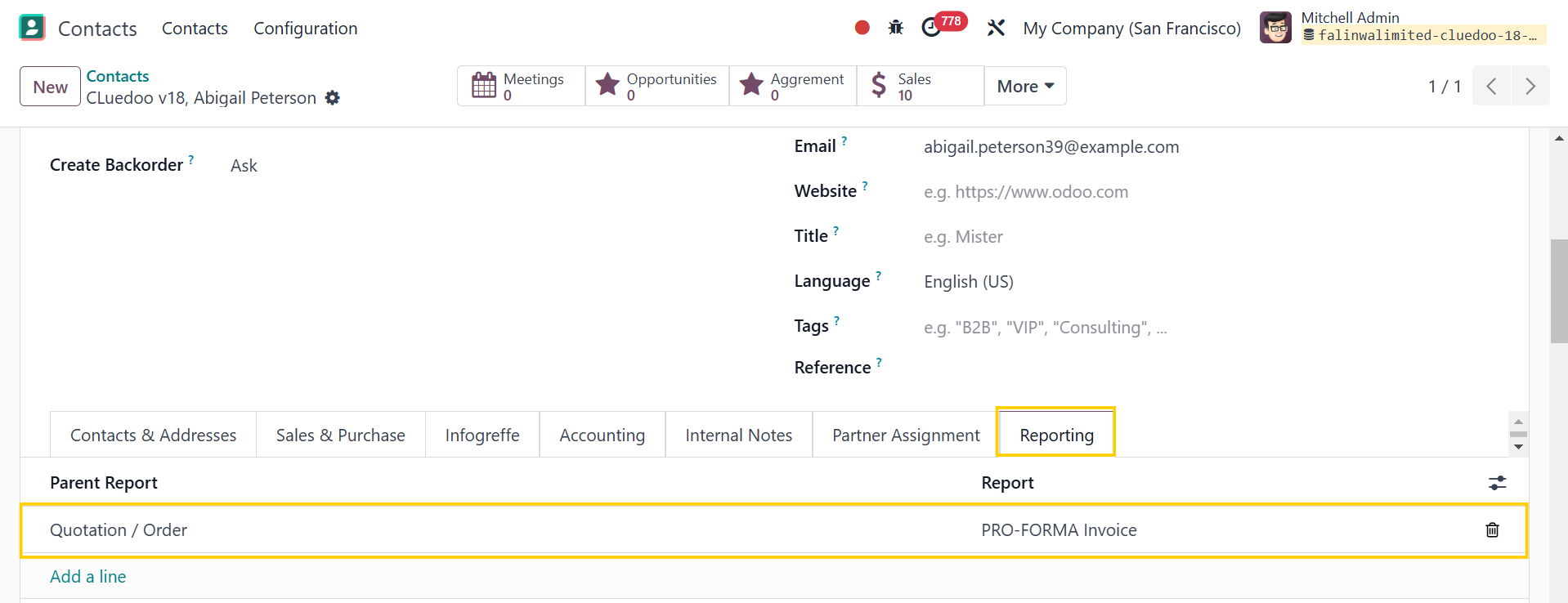
Go to Contacts > On the partner form view, Reporting tab, we can set parent report and report for each partner
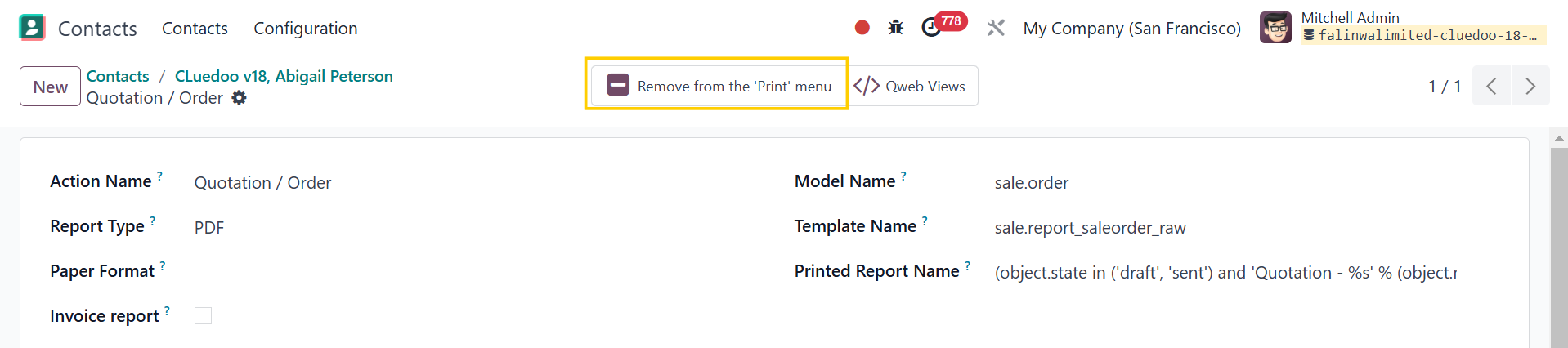
Note: Make sure the report is already added to the "Print" menu or you will not see it when you want to print
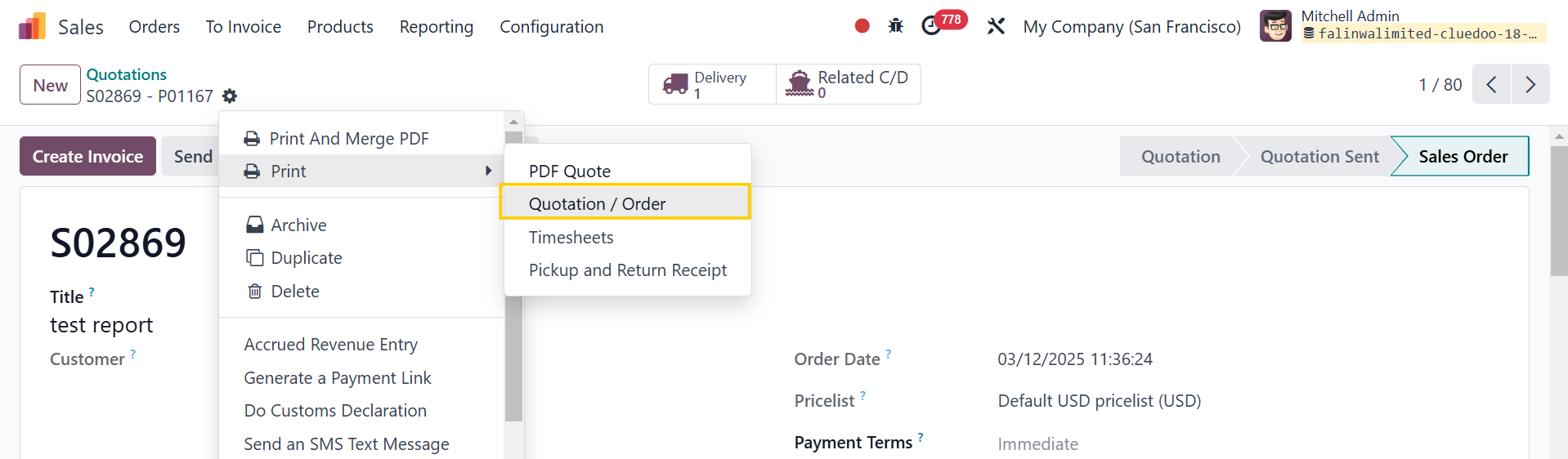
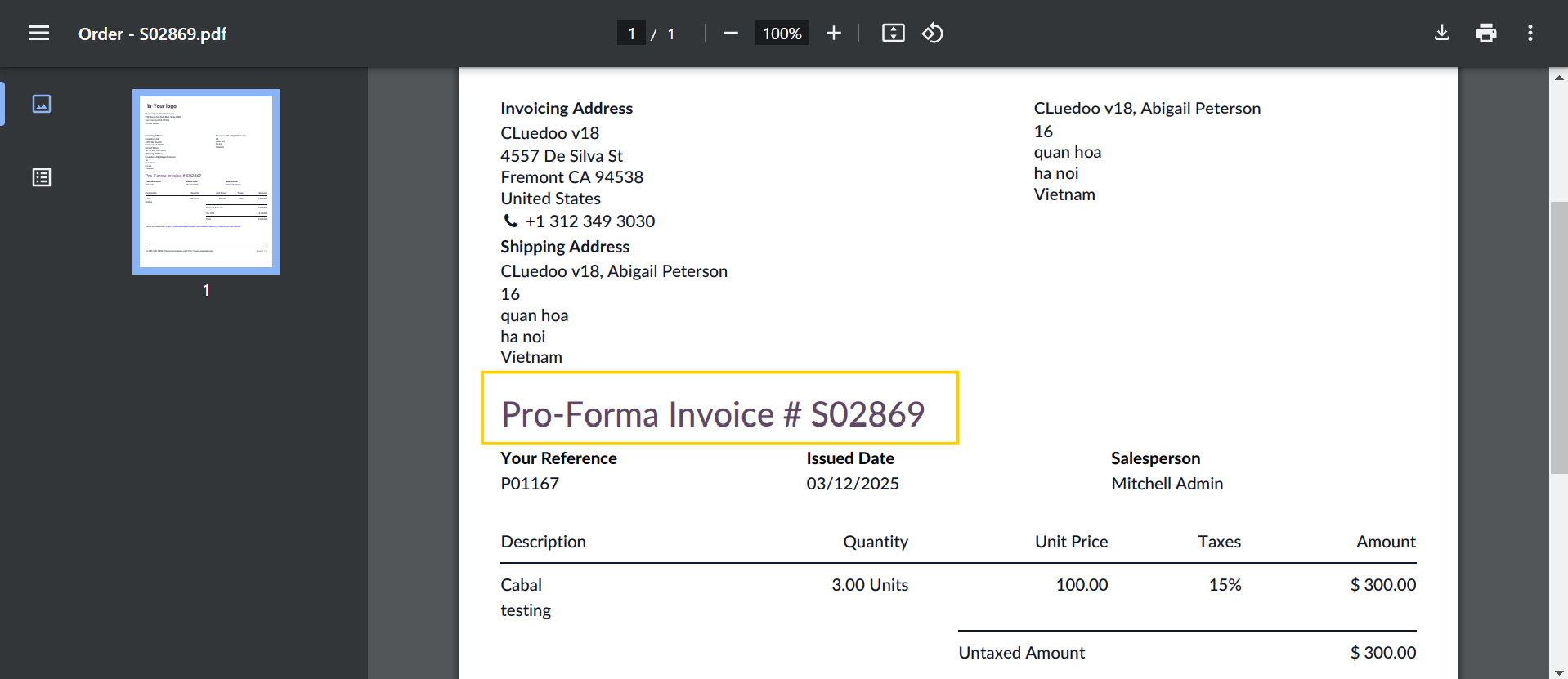
2. Create a sales order > Choose customer = partner > Confirm
If the parent report is Quotation/Order but the default report is PRO-FORMA Invoice, the result will be PRO-FORMA Invoice when we print the Quotation/Order.