



ODOO'S FUNCTION
Odoo provides the barcode widget to print barcodes in different reports.
CLUEDOO'S FUNCTION
CLuedoo adds a QR code generator, which can:
1️⃣ generate a QR code from any text field that you like
2️⃣ show the QR code directly on the Odoo interface
3️⃣ add the QR code in the report
1. Go to any record of any model > Studio > Create 2 fields:
e.g., x_studio_qr_code_full_sequence
e.g., x_studio_qr_code_full_2 | 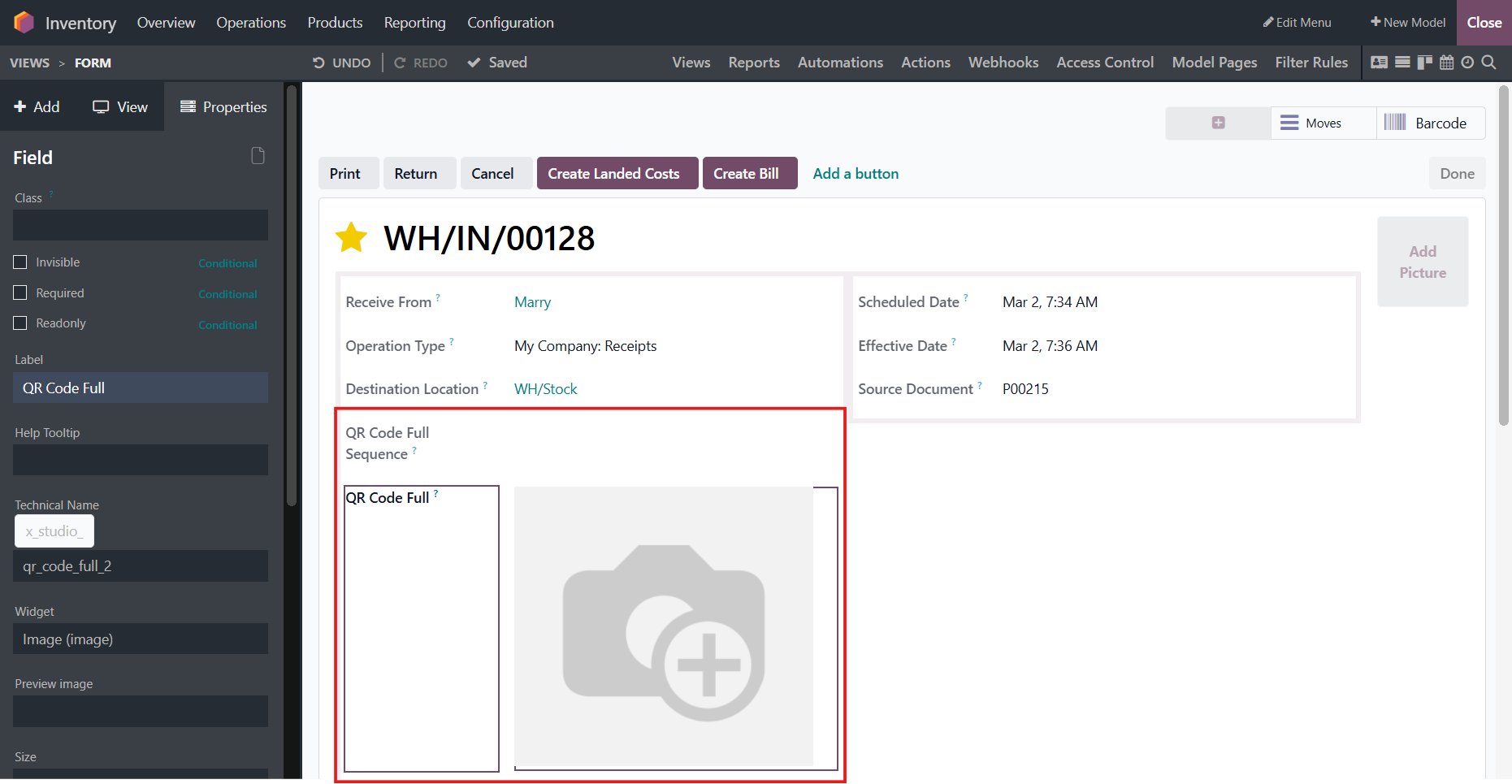 |
2. Add Dependencies and Computation to the binary field Dependencies: x_studio_qr_code_full_sequence Compute: for record in self: record['x_studio_qr_code_full_2'] = record.generate_qr(record.x_studio_qr_code_full_sequence) | 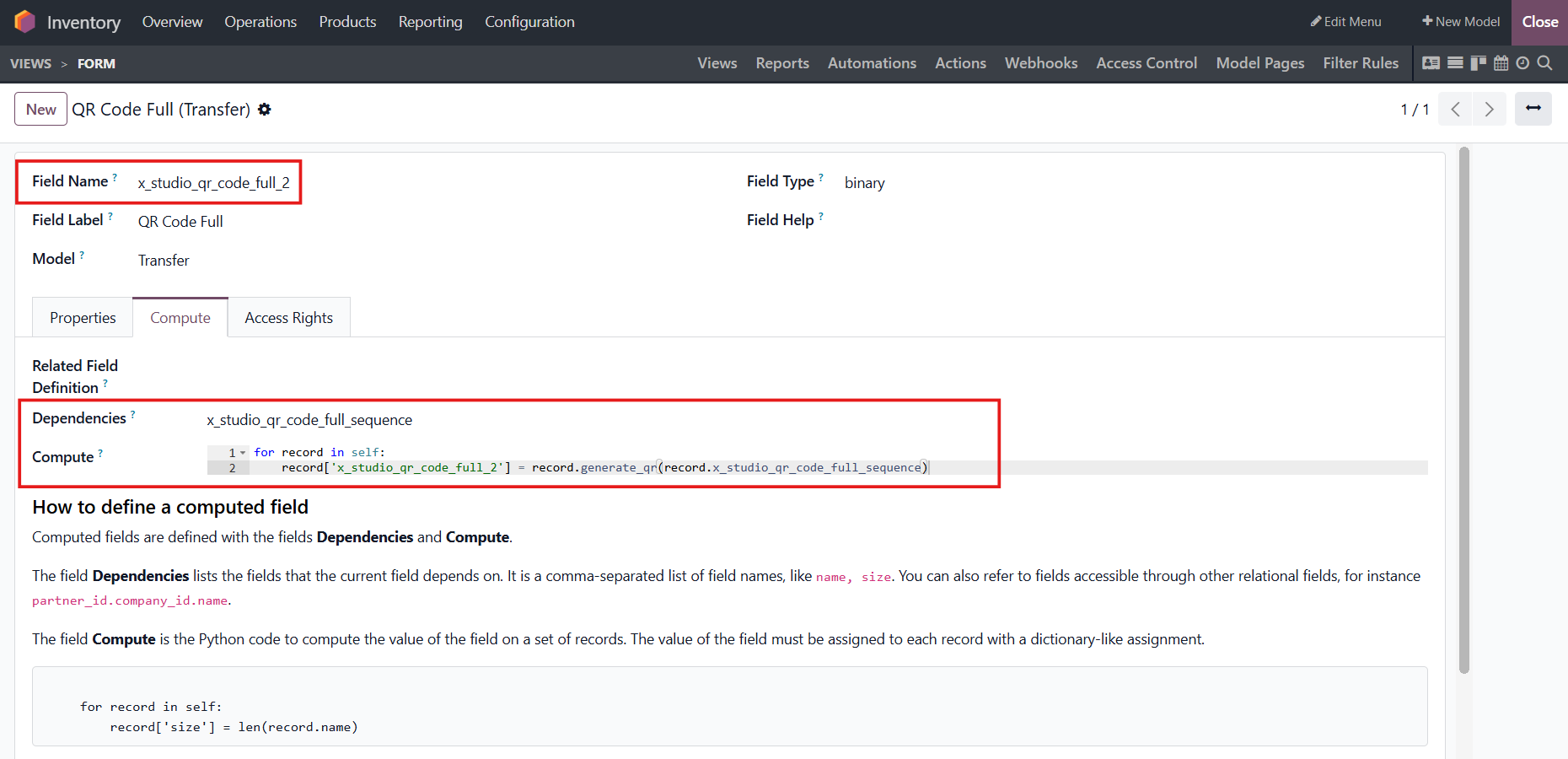 |
3. When we fill in the char field > It will automatically generate QR code in the binary field | 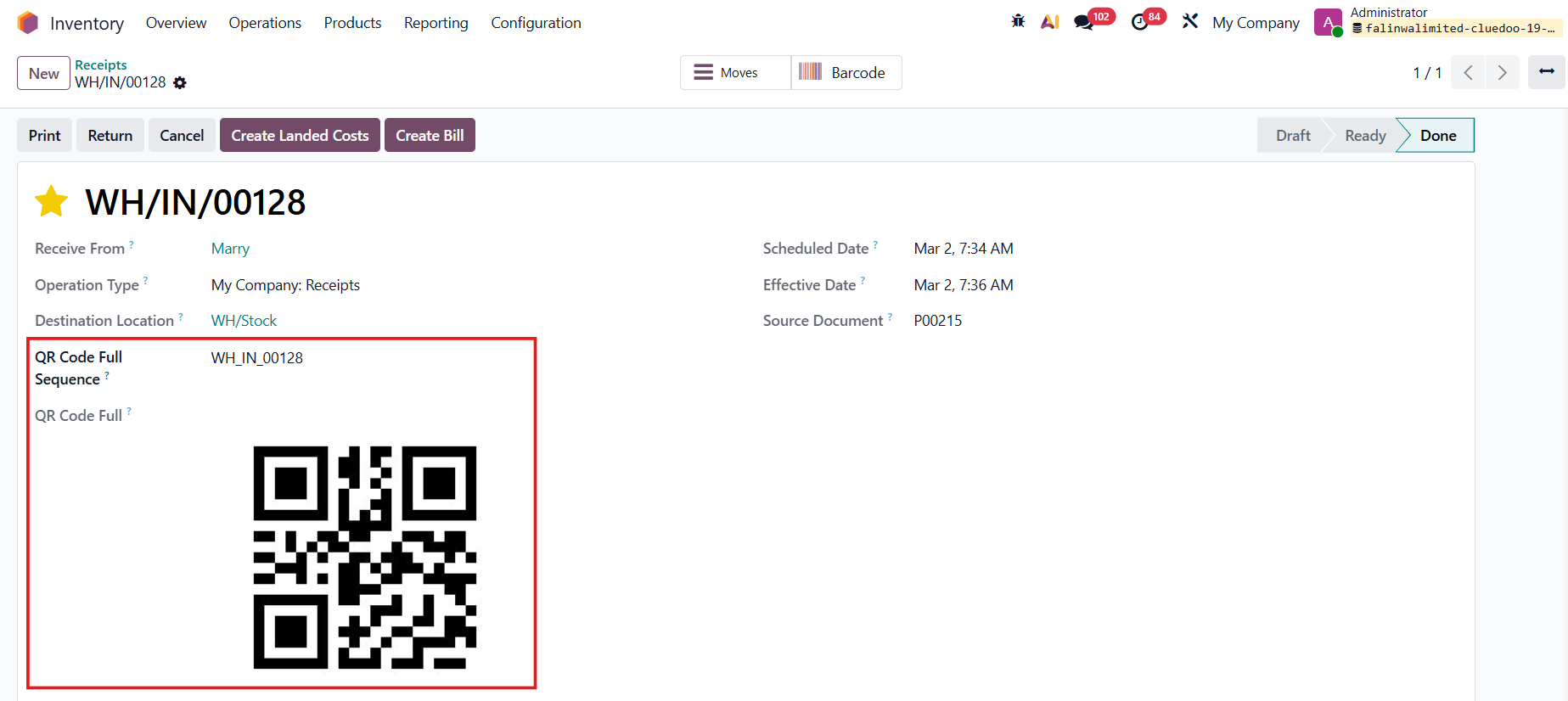 |