



ODOO'S FUNCTION
In Odoo, when using a Kit or Manufacture type of Bill of Materials (BoM), the delivery or production process requires strict adherence to the exact components specified in the BOM. If the specified components are unavailable, the delivery remains incomplete (status 0), or the manufacturing process is halted. This rigid approach conflicts with practical kitting and manufacturing strategies, where timely delivery or production often requires flexibility to substitute materials or adjust quantities.
CLUEDOO'S FUNCTION
CLuedoo enhances the Bill of Materials functionality by introducing: The BOM Alternative Materials feature for both Kit and Manufacture BoMs.
This allows businesses to align with real-world operational needs and adapt to material shortages or changes on the fly. By enabling substitutions and adjustments during delivery or production, the feature ensures on-time deliveries and uninterrupted workflows, significantly improving customer satisfaction and operational efficiency.
A. FOR BOM TYPE: MANUFACTURE1. On Manufacturing → Product → Bill of Materials (BoM), we can set an Alternative Component for BoM by clicking on a line. | 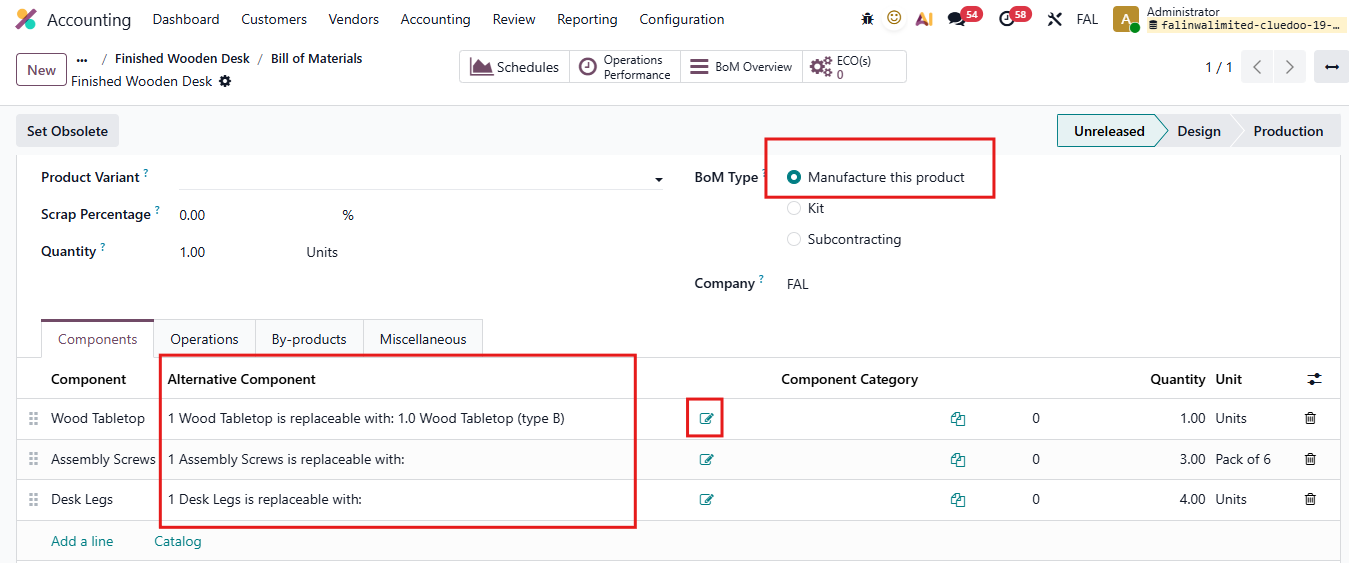 |
2. It will show the BoM Lines wizard, where we can select which product to add as an alternative component and set the quantity. | 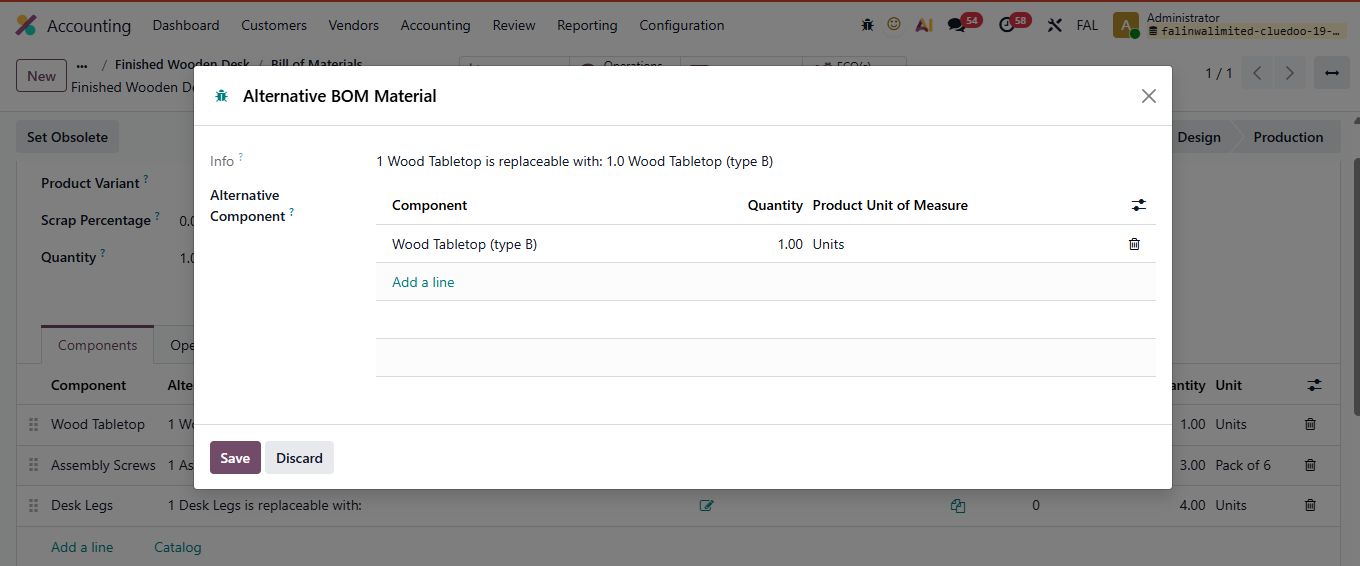 |
3. Now create a manufacturing order; on the MO line, we now have a button to change the component. | 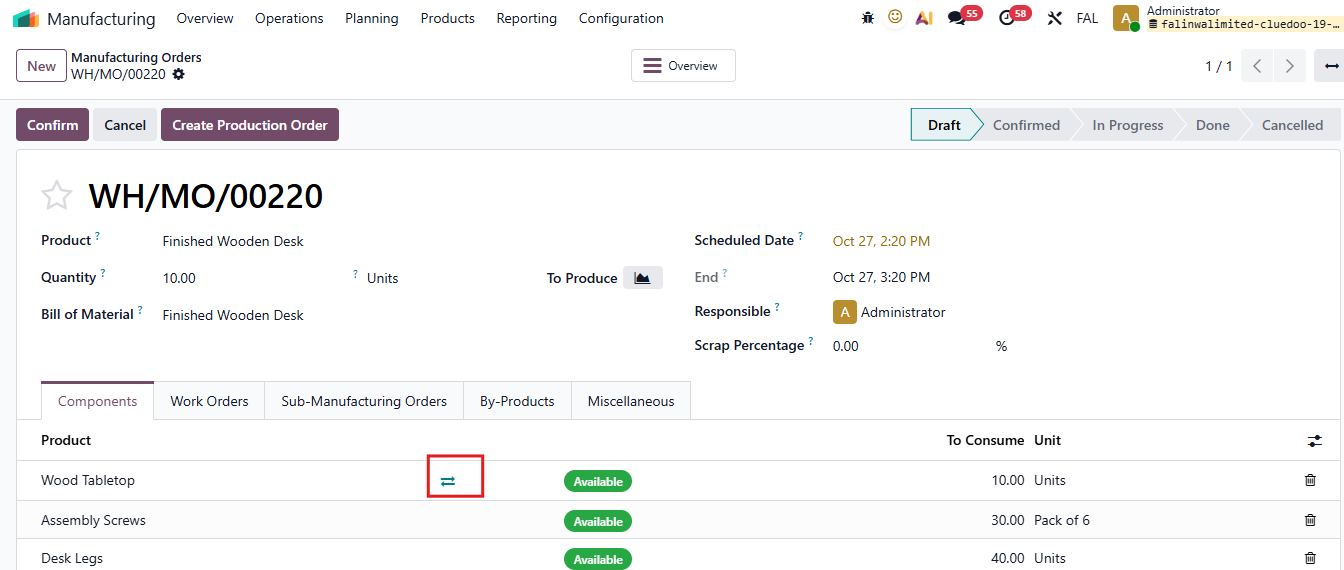 |
4. A pop-up will appear to change the component. Click the checklist button to select a component. | 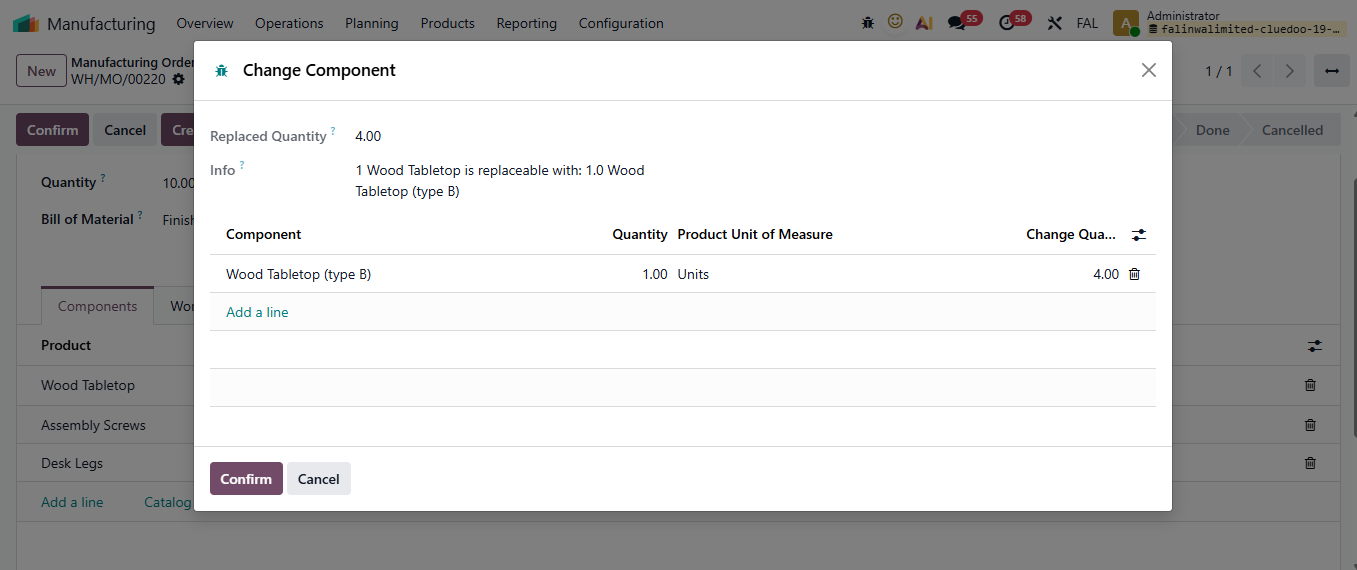 |
5. The component has now been changed on the MO line. | 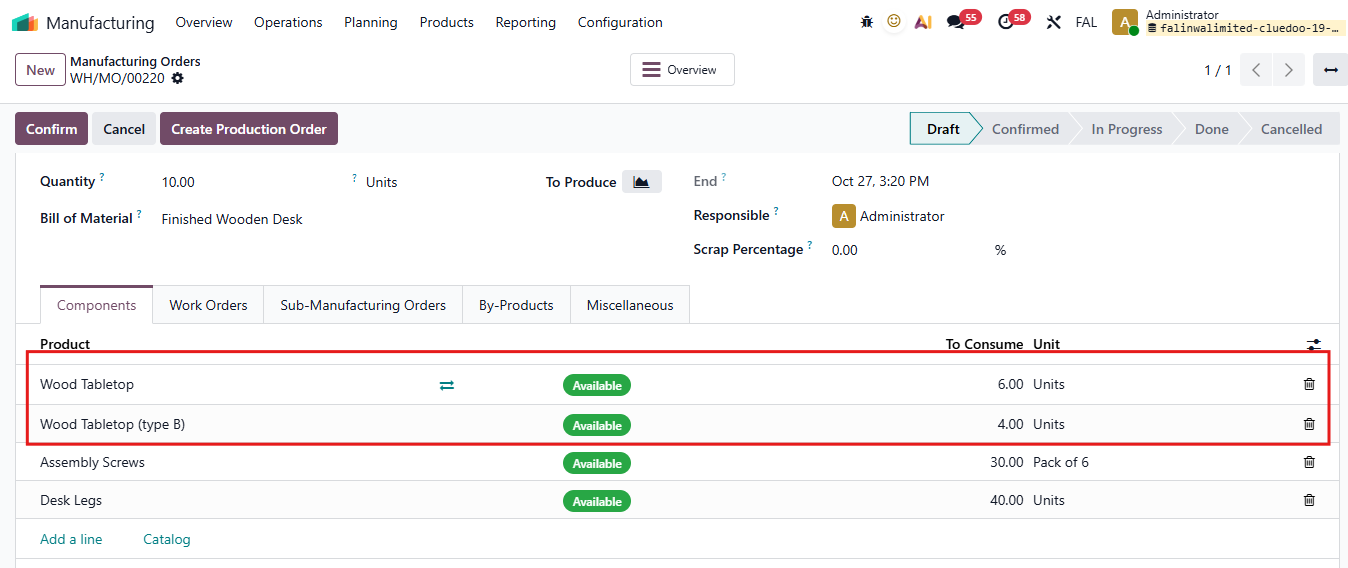 |
B. FOR BOM TYPE: KIT1. Fill in Component and Alternative Component |  |
2. Sales Orders > Create a quotation > Confirm |   |
3. In Delivery, we have the button to change the components |  |
A wizard will pop up and we can choose the alternative component that we set in BoM > Confirm The components have now been changed.
|  |
Validate the Delivery > On SO line, the Delivered quantity has moved to 2. |  |
Validate the remaining 3 quantity |  |
On SO line, the Delivered quantity has moved to 5. |  |