



ODOO'S FUNCTION
In manufacturing, accurate Units of Measure (UoM) are essential to ensure production consistency and correct cost calculations. However, mismatches between the UoM category in the product and the UoM used in the Bill of Materials (BoM) can lead to confusion, errors in production, incorrect quantity conversions, and ultimately, financial misstatements.
Odoo does not block or warn users when different UoM categories are used between product and BoM, which increases the risk of invalid configurations, especially during mass imports or updates.
CLUEDOO'S FUNCTION
1️⃣ Prevents UoM inconsistencies between product and BoM by enforcing the same UoM category:
On BoM creation: The UoM field only shows UoMs from the same category as the product’s UoM.
On product UoM change: If you change the UoM of the product to a different category than the one used in the existing BoMs, a warning is displayed.
On BoM import: During mass import of BoMs, if any UoM mismatch is detected, a warning is raised to notify the user of the issue.
2️⃣ Supports multi-BoM setups and continuous validation.
1. Create or choose a product, fill in the UoM | 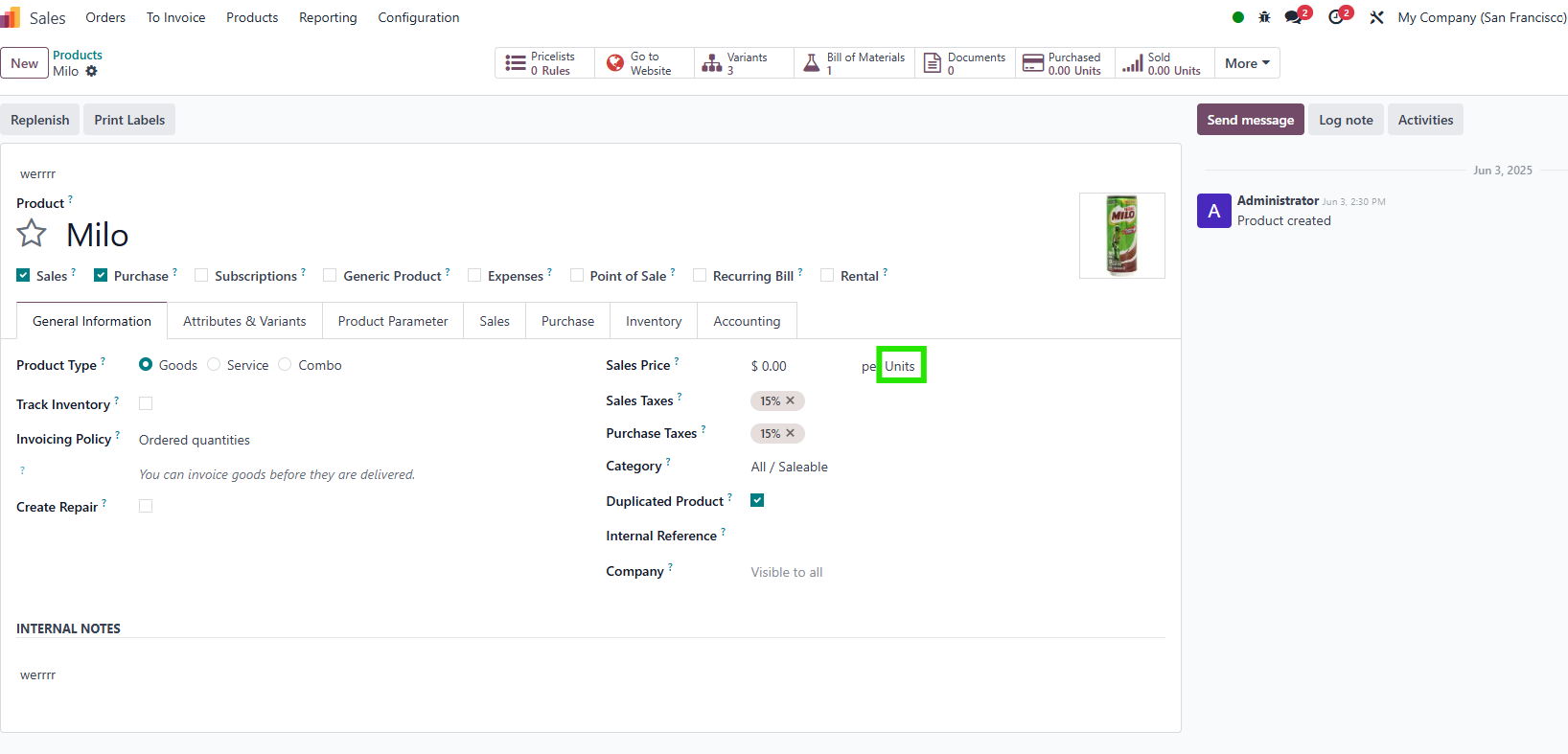 |
2. Create a BoM > fill in the information > you can only select the UoM that belongs to the same category. The behavior is the same when you create more BoMs. | 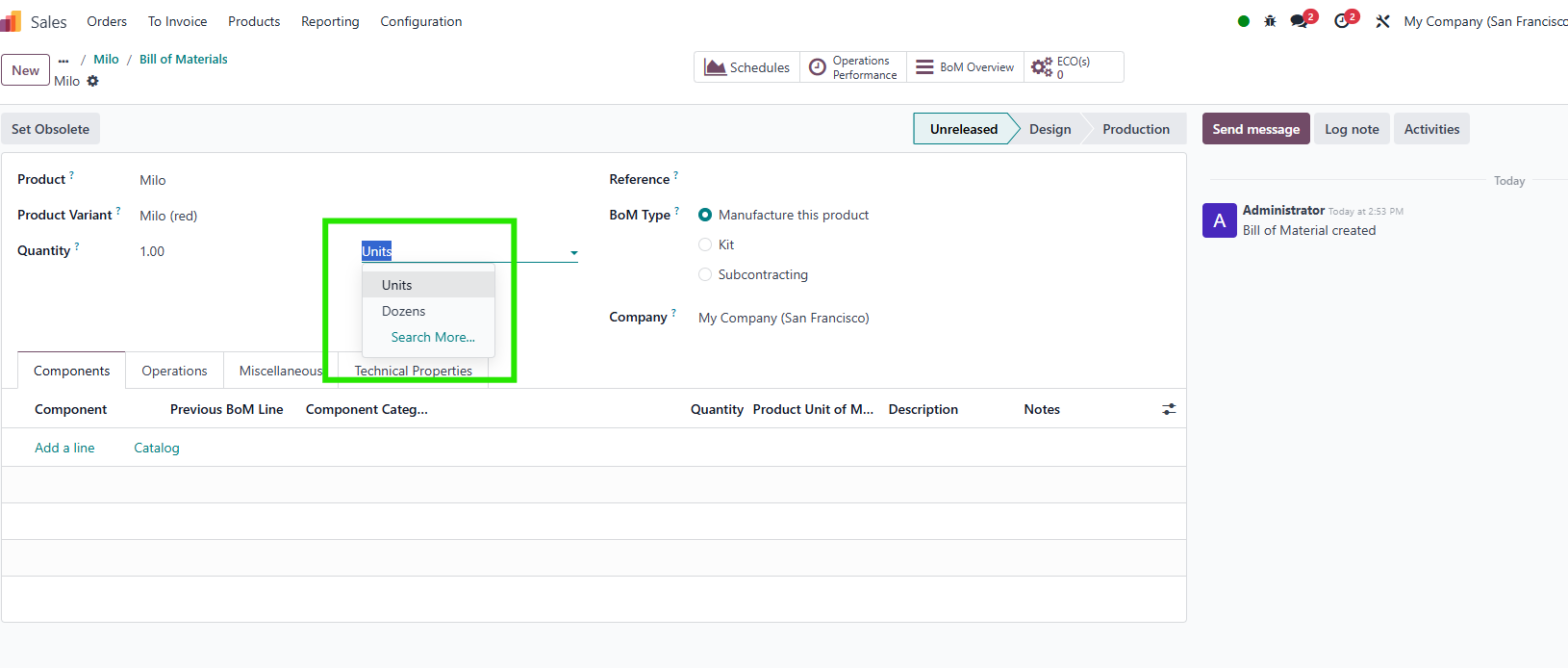 |
3. If you change the UoM in the product template to a different category from the BoM, a warning will display. | 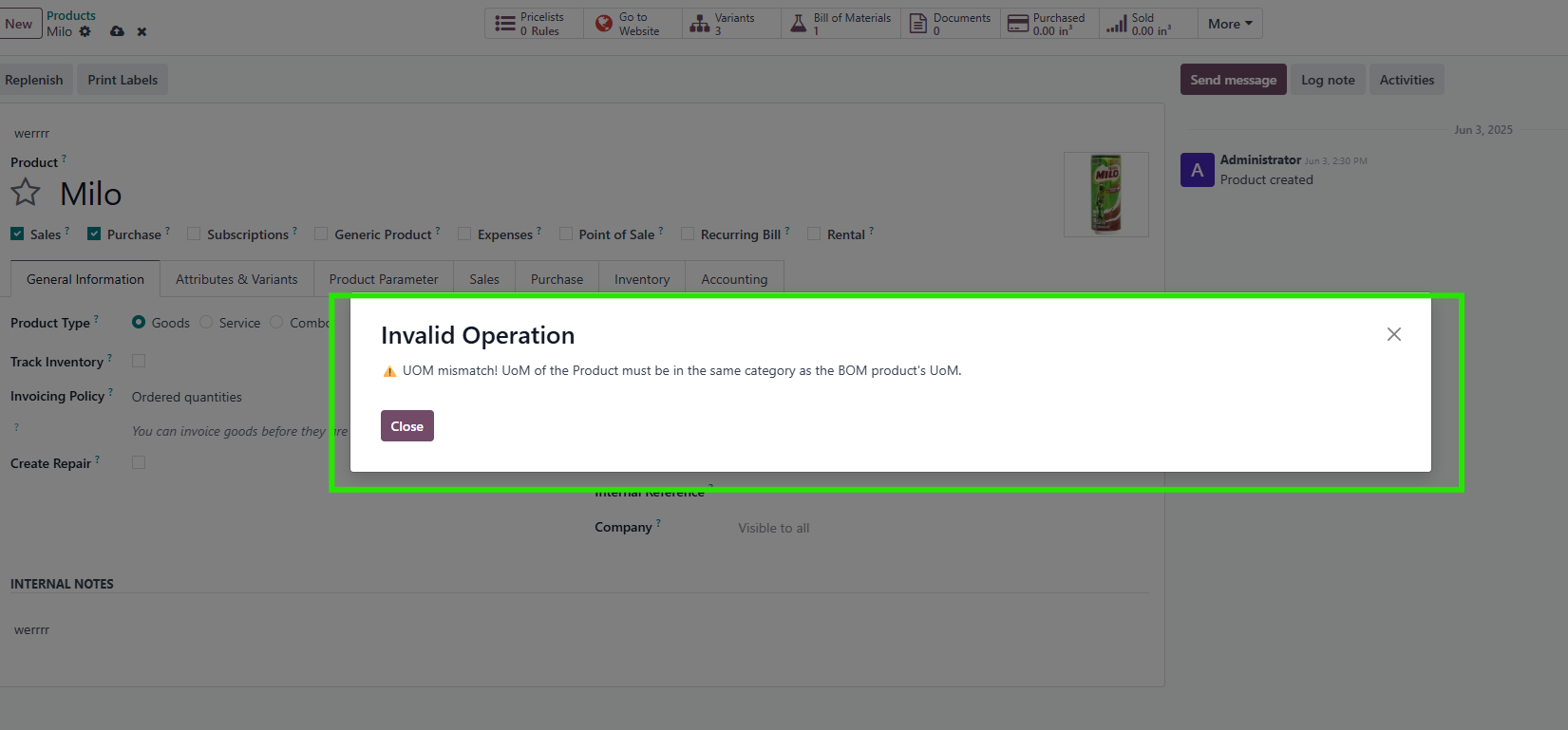 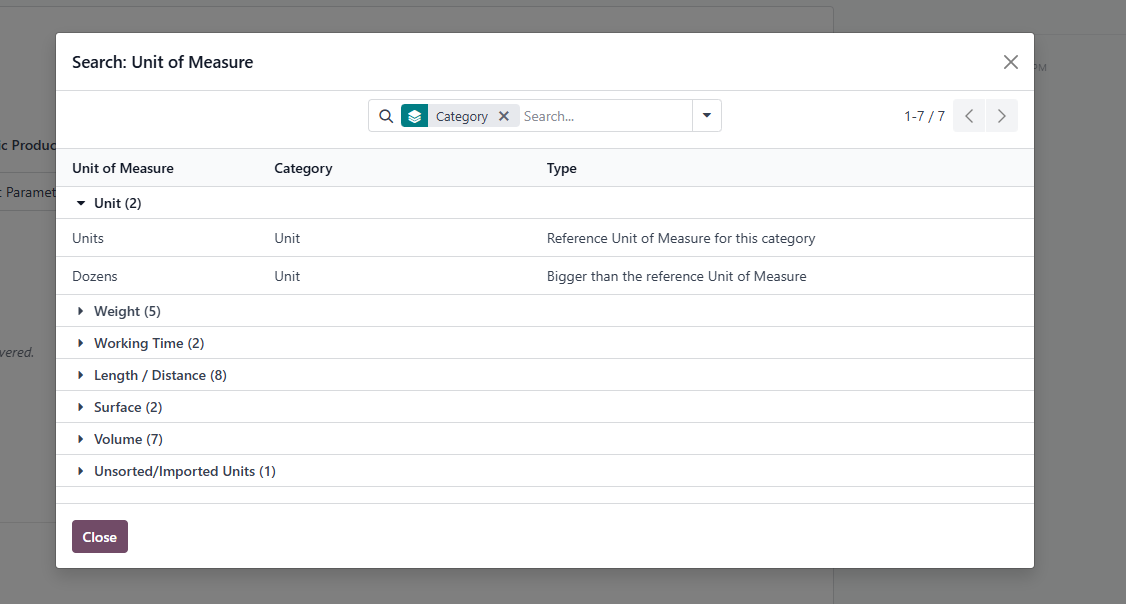 |
4. The warning is the same when you import the BoM | 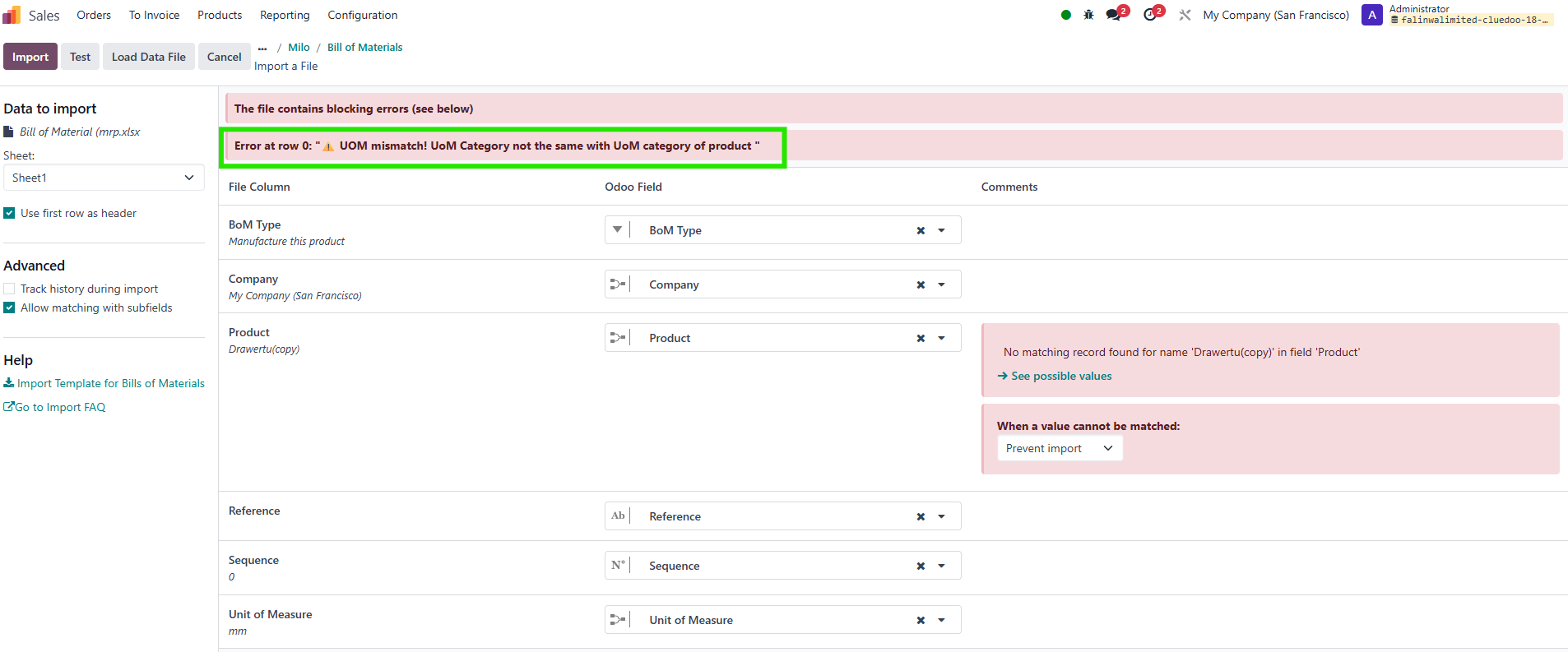 |