



ODOO'S FUNCTION
When validating a transfer, Odoo will automatically generate an effective date which is the date at which you validate the transfer. This overlooks the actual delivery date, thus failing to accurately represent the reality of the situation.
CLUEDOO'S FUNCTION
CLuedoo allows you to adjust the effective date by specifying a value for the force delivery date, which aligns production order records with actual operations.
1 Create a warehouse with a 2-step or 3-step manufacture | 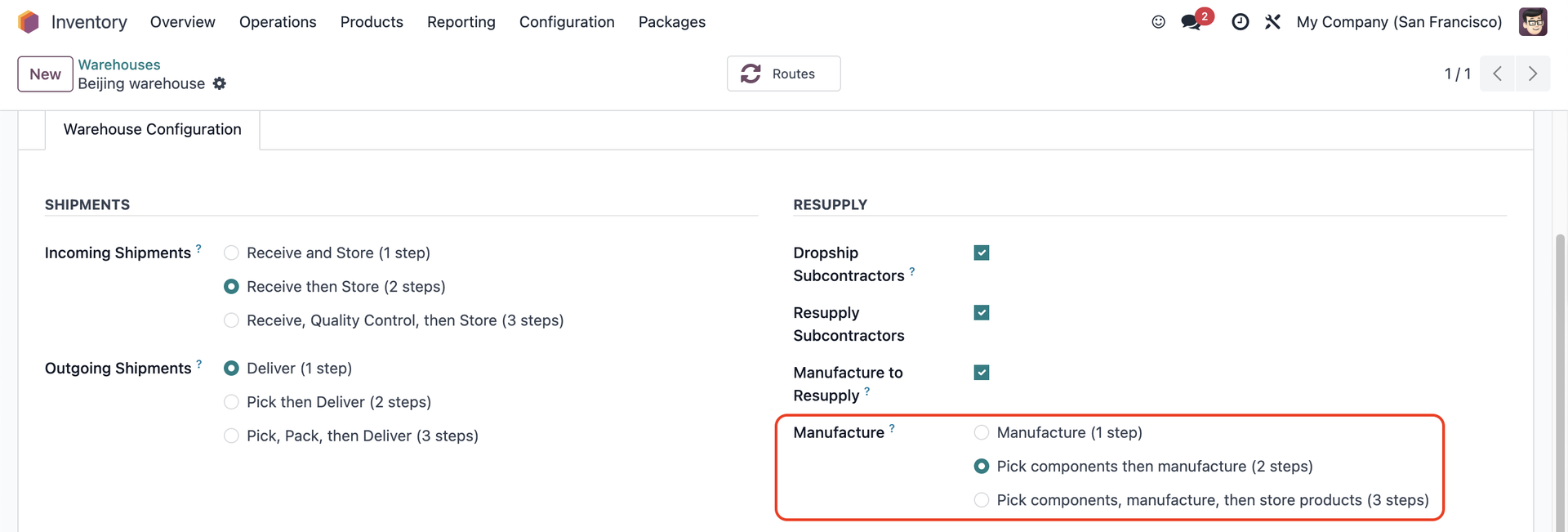 |
2 Choose a product with an MTO route and make sure it has a BoM with component(s) | 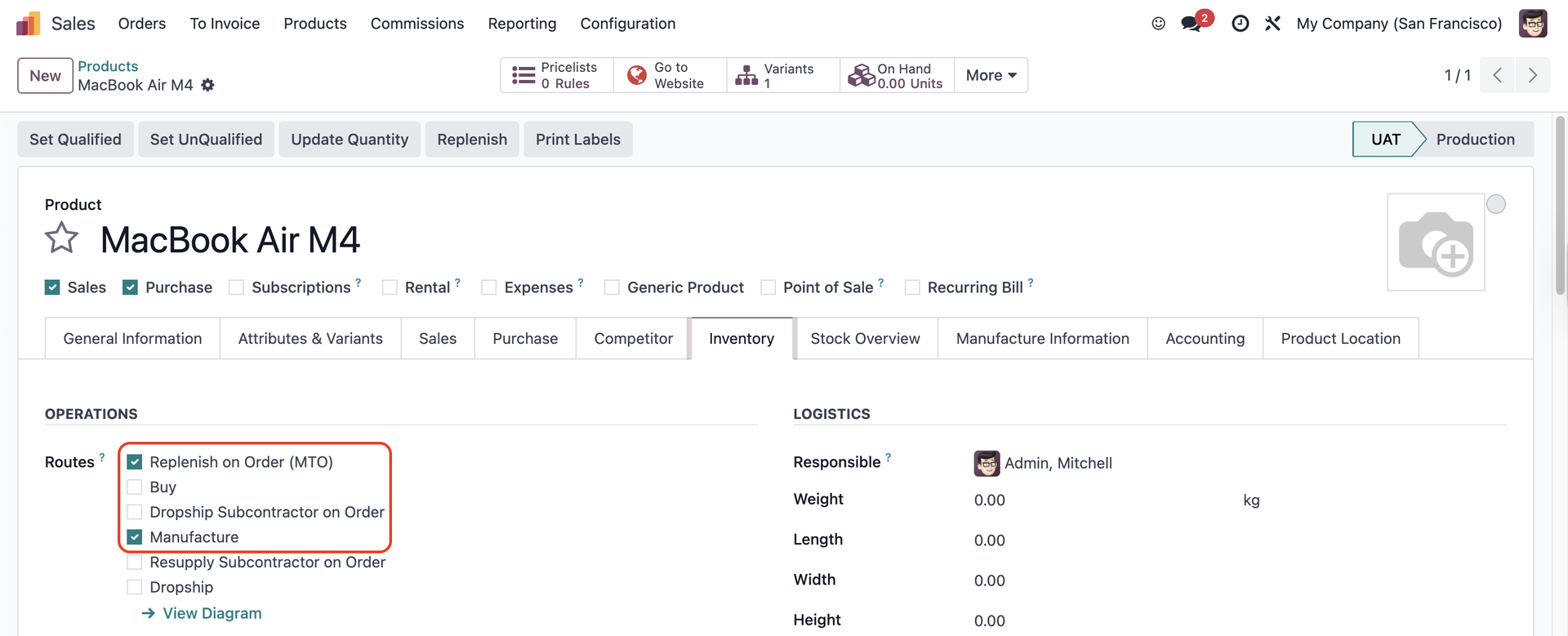 |
3 Go to Manufacturing > Operations > Production Order > Create a production order with the MTO product > Create Manufacturing Orders > We have a field to assign a Force Effective Date | 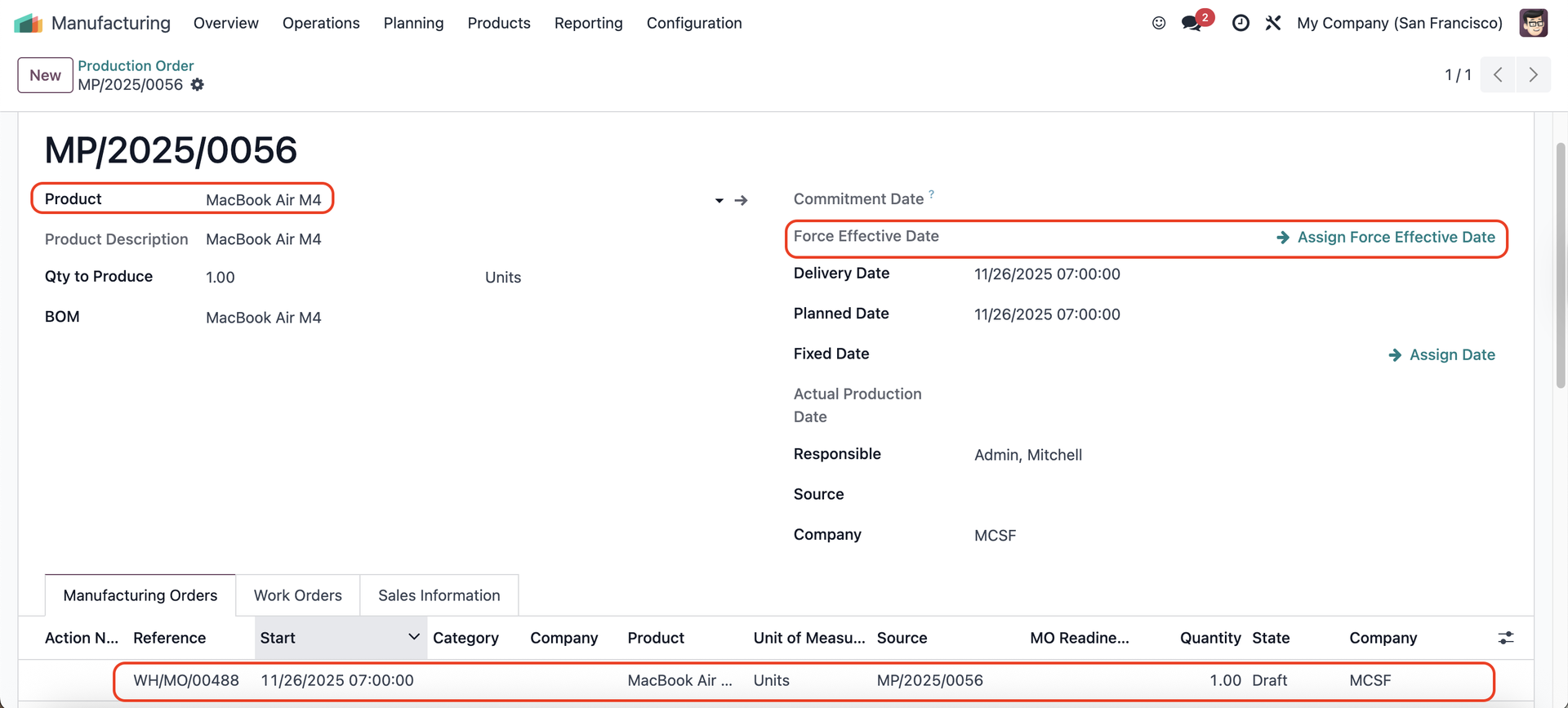 |
Choose a date > Apply > Assign Production Force Effective Date For example, I choose 01 Dec 2025 | 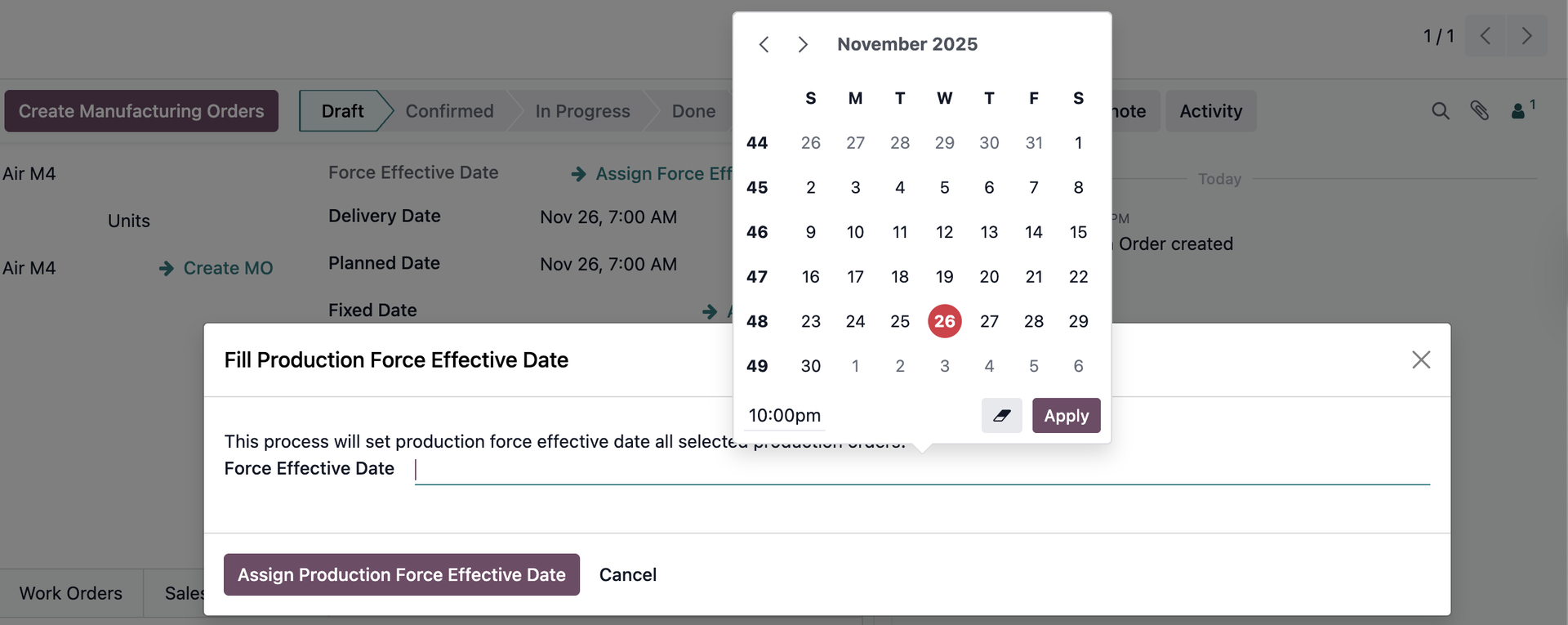 |
4 Open the MO, the Force Effective Date that you choose in the Production Order will be inherited to the Manufacturing Order > Confirm | 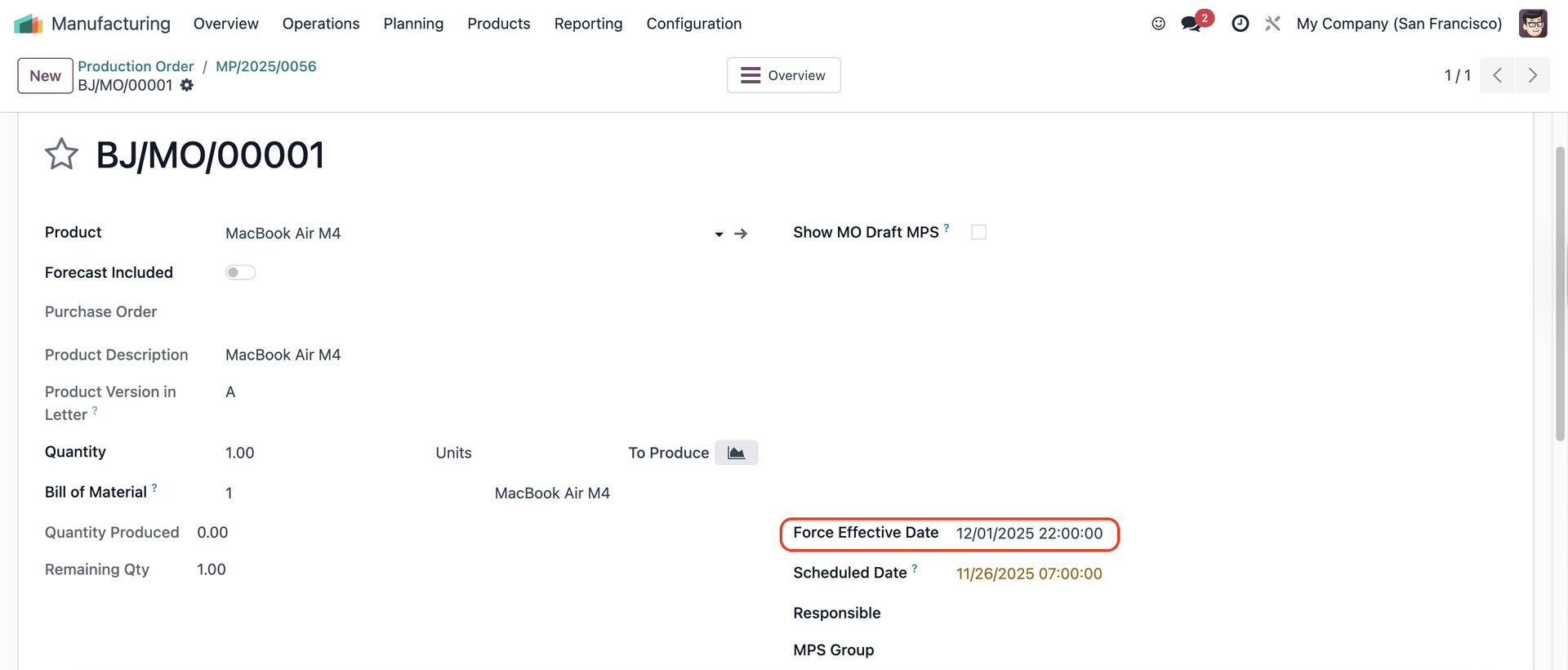 |
5 Produce All > The Transfers, Traceability, and Product Moves smart buttons appear Note: The Force Effective Date is not inherited to the Child MOs | 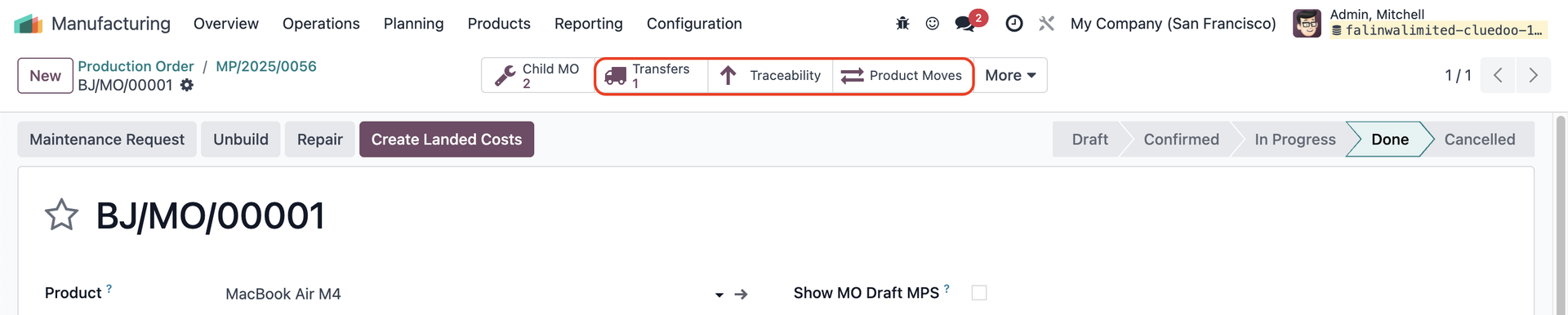 |
6 Go to the transfer > Validate > The Force Effective Date is propagated to the transfer, and it is the same as the Move Date | 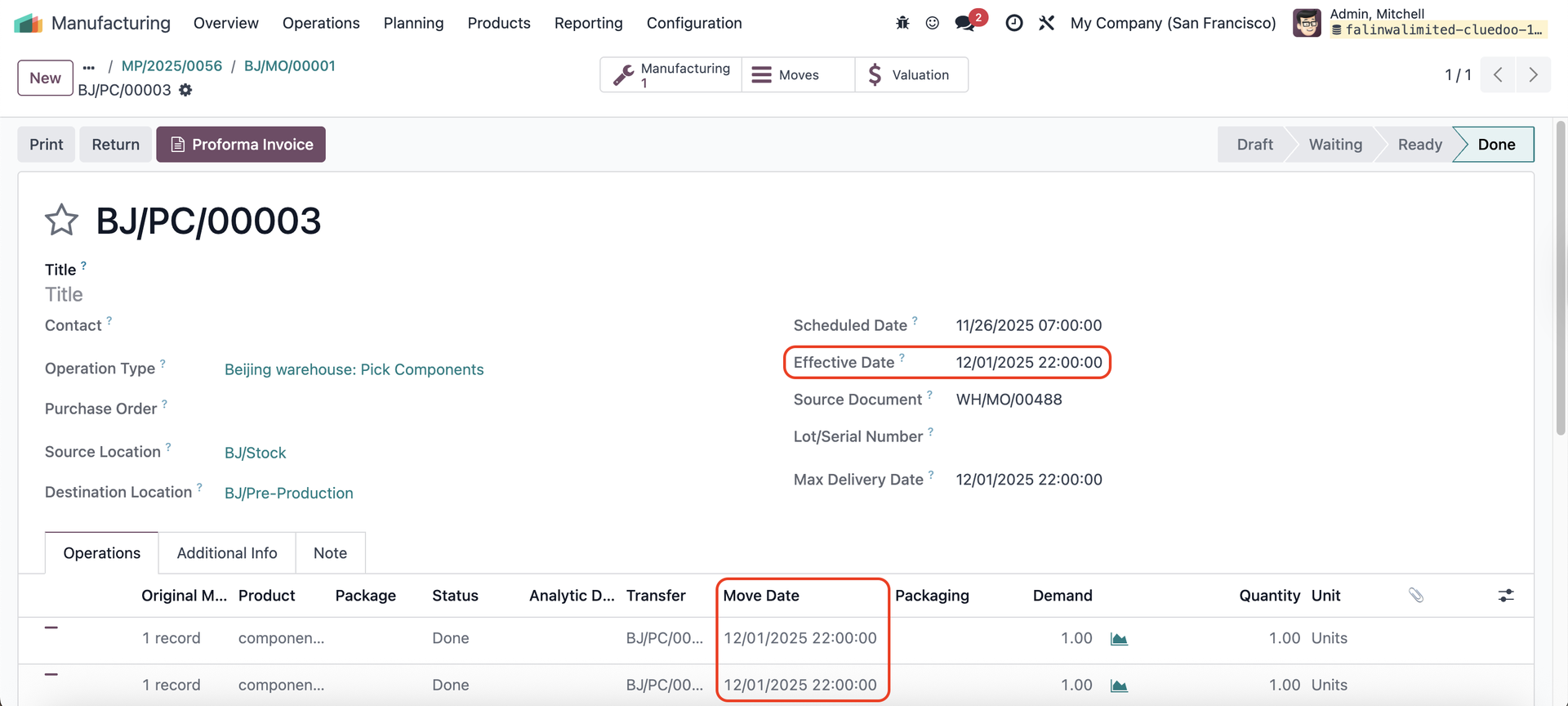 |
7 Date in Traceability Report for finished product and components | 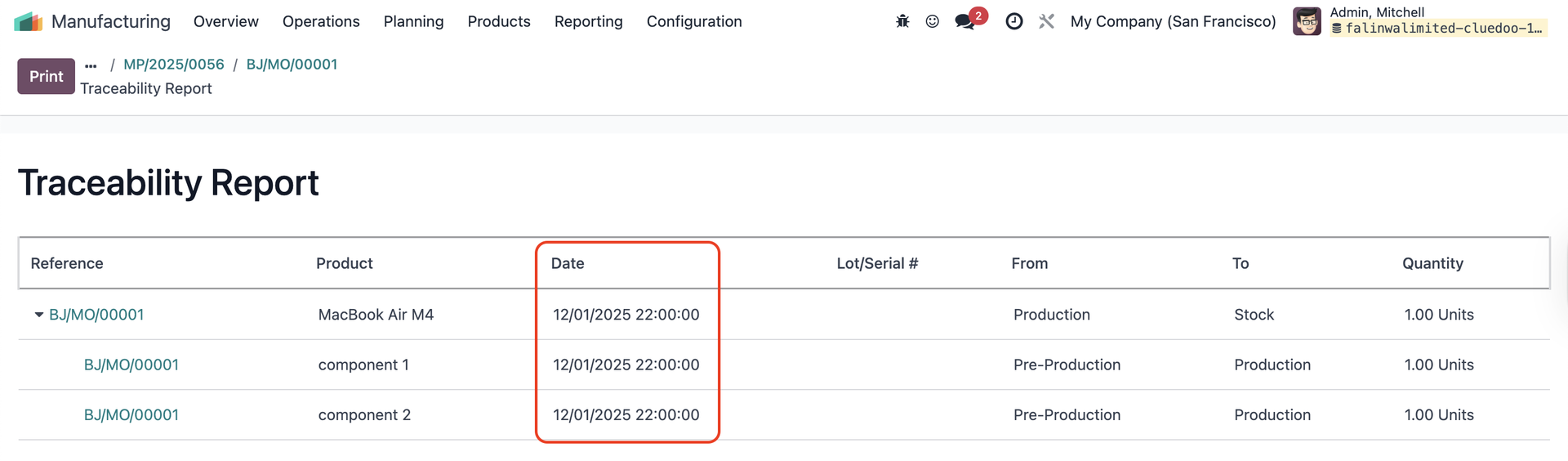 |
8 Date in Product Moves | 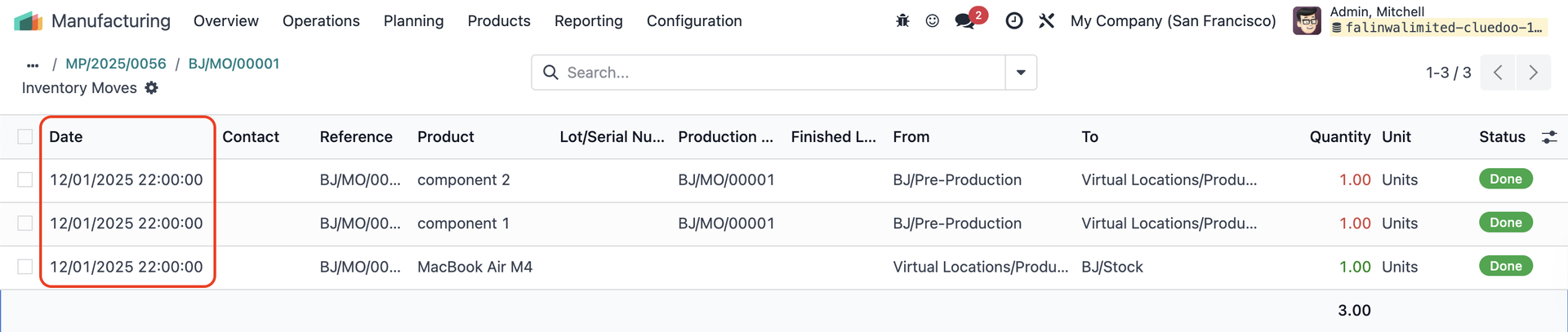 |
9 Date in the MO's Valuation | 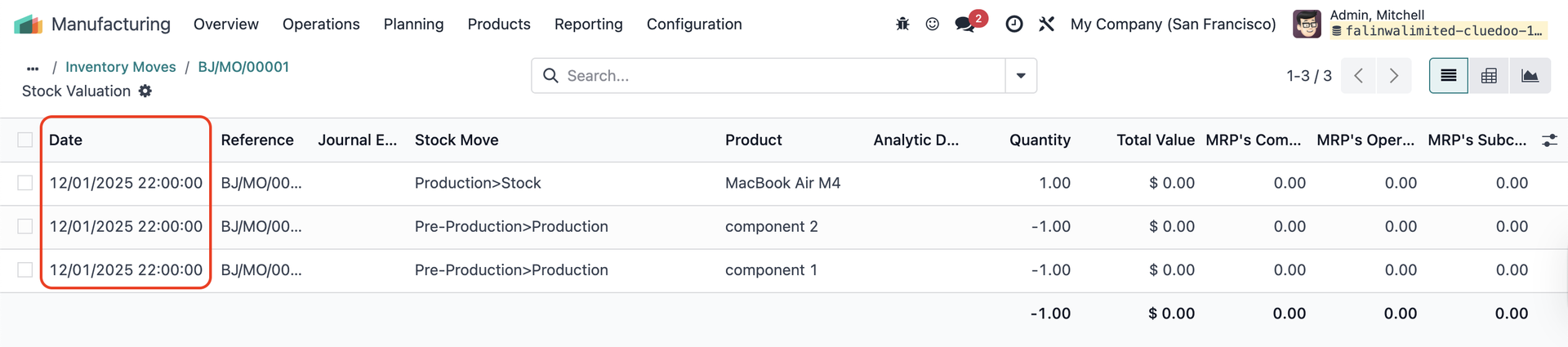 |