
ODOO'S FUNCTION
When a customer raises a product complaint, the support team needs to review the related Bill of Materials (BOM) or Manufacturing Order (MO) to identify the required replacement components and generate a quotation. However, in Odoo, there is no function to create Sales Order directly from the Manufacturing Order Overview (report.mrp.report_mo_overview) and the Bill of Materials Overview (report.mrp.report_bom_structure).
CLUEDOO'S FUNCTION
CLuedoo extends Odoo's native capabilities by introducing two key additions to both the Manufacturing Order Overview and the Bill of Materials Overview:
- A new Replaced Qty input column, allowing users to specify the desired quantity for each component
- A Create Sale Order button that instantly generates a Sales Order with order lines reflecting the quantities entered
1. Open the Bill of Materials / Manufacturing Order Overview | 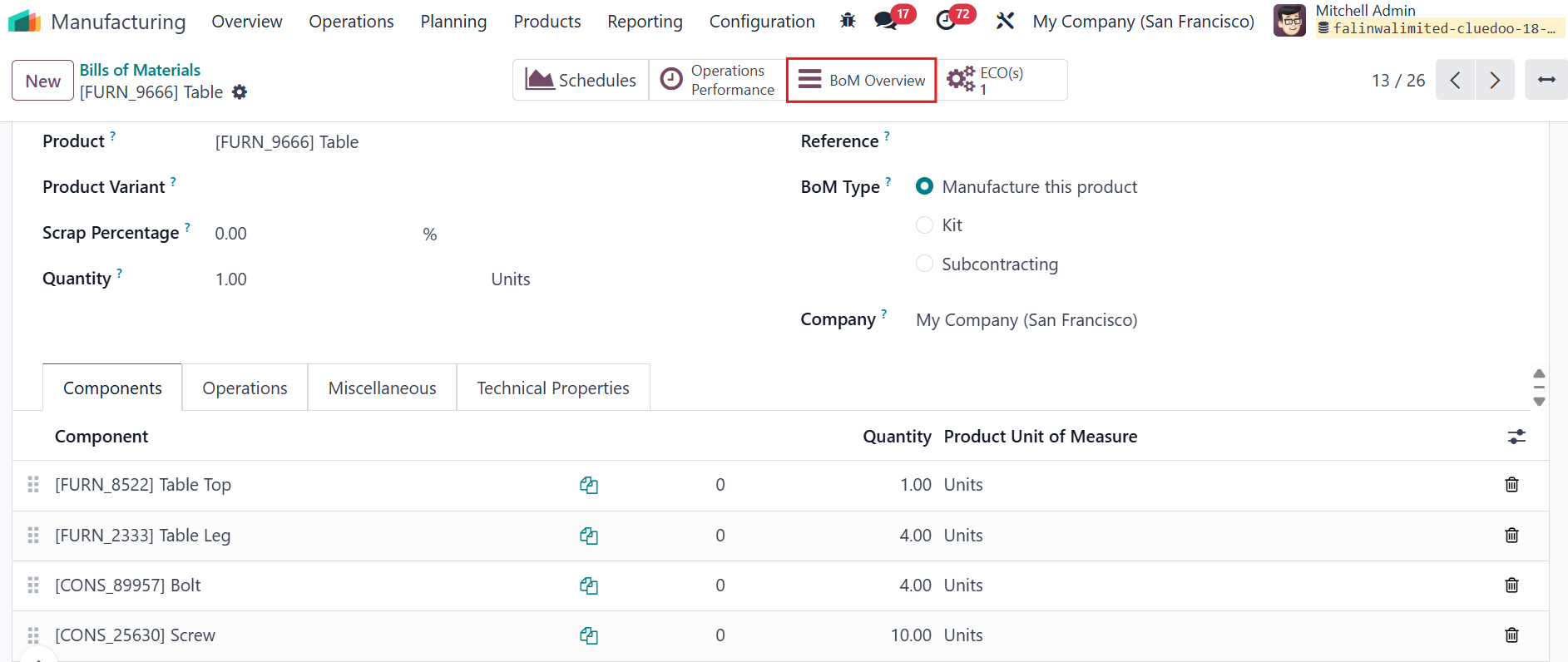 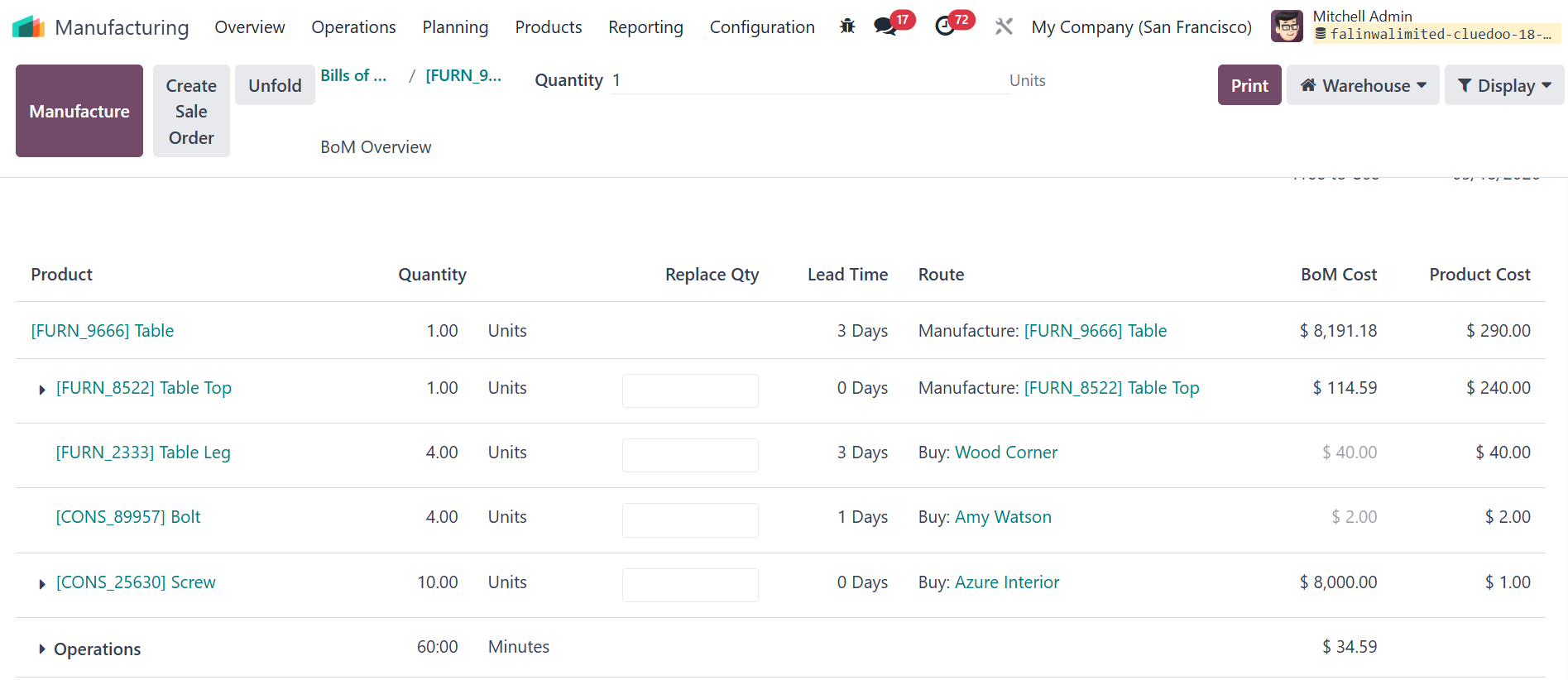 |
2. Fill the desired quantity number in the Replaced Qty column then click the Create Sale Order button | 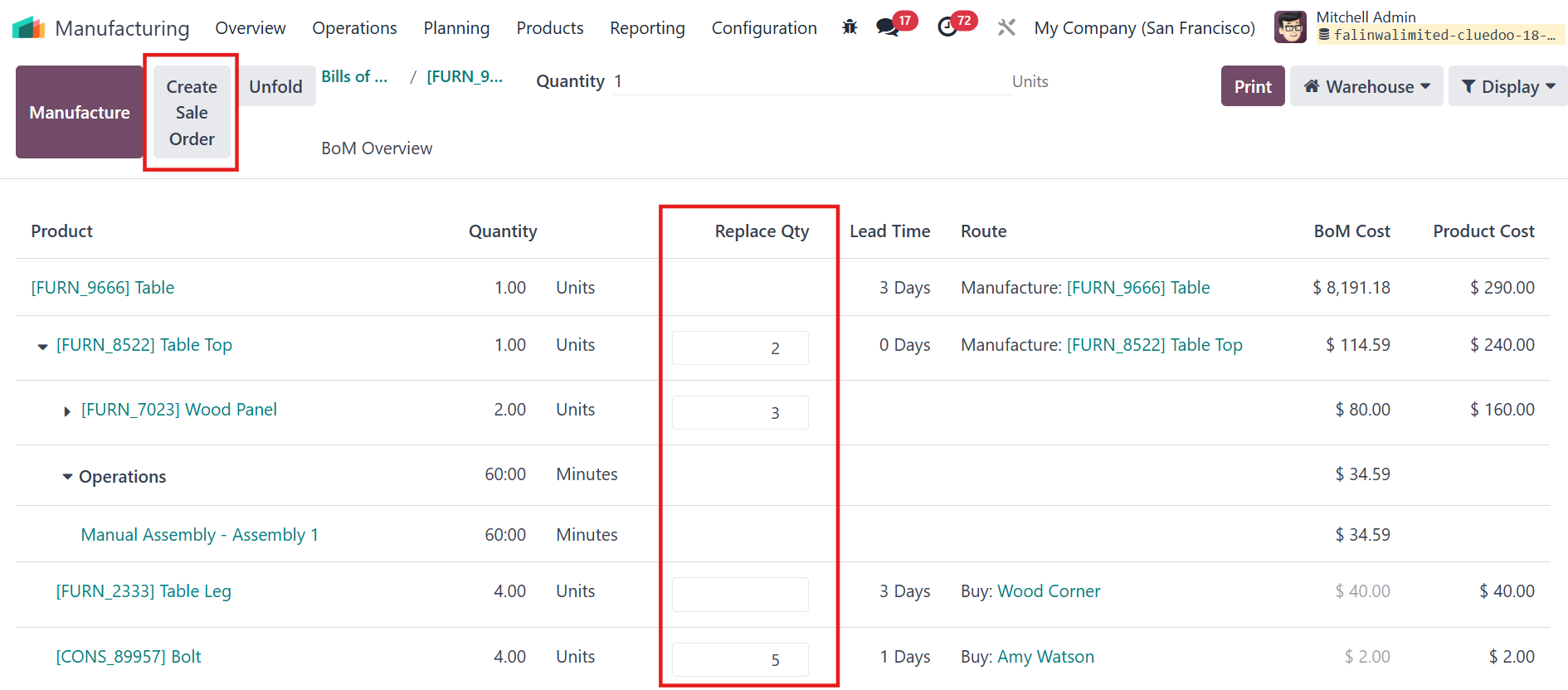 |
3. The system will automatically create a Sales Order containing one line for each component/sub-component with a non-zero Replaced Qty, using the entered quantity. | 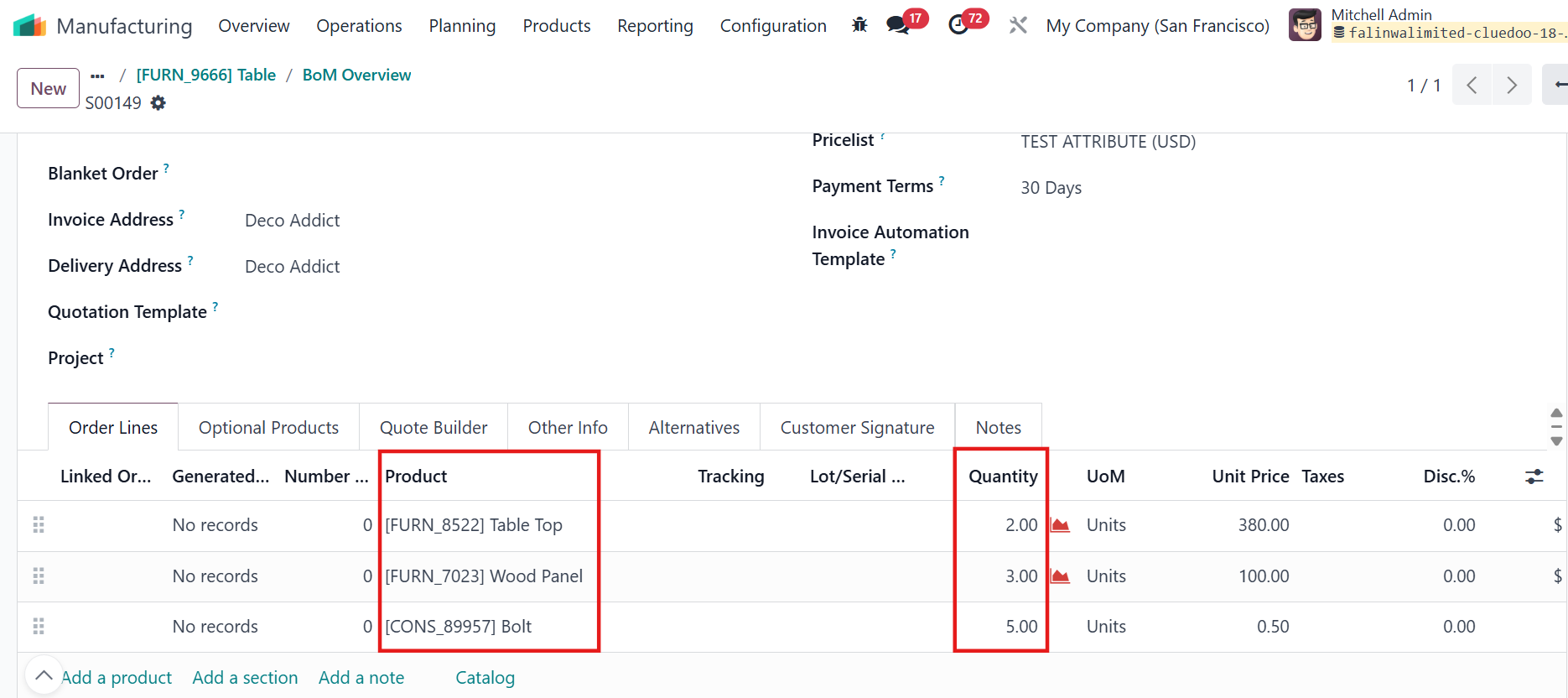 |