ODOO'S FUNCTION
By default, Odoo provides an Operation Dependencies setting designed to enforce operation sequencing - however, it does not function as intended.
CLUEDOO'S FUNCTION
CLuedoo Cluedoo resolves this by allowing operations to be blocked until all prerequisite operations are completed, ensuring each step is executed in the correct order.
CONFIGURATIONGo to Bills of Materials > select a BoM, or create a new one by clicking New Open the Miscellaneous tab then enable the Operation Dependencies checkbox. | 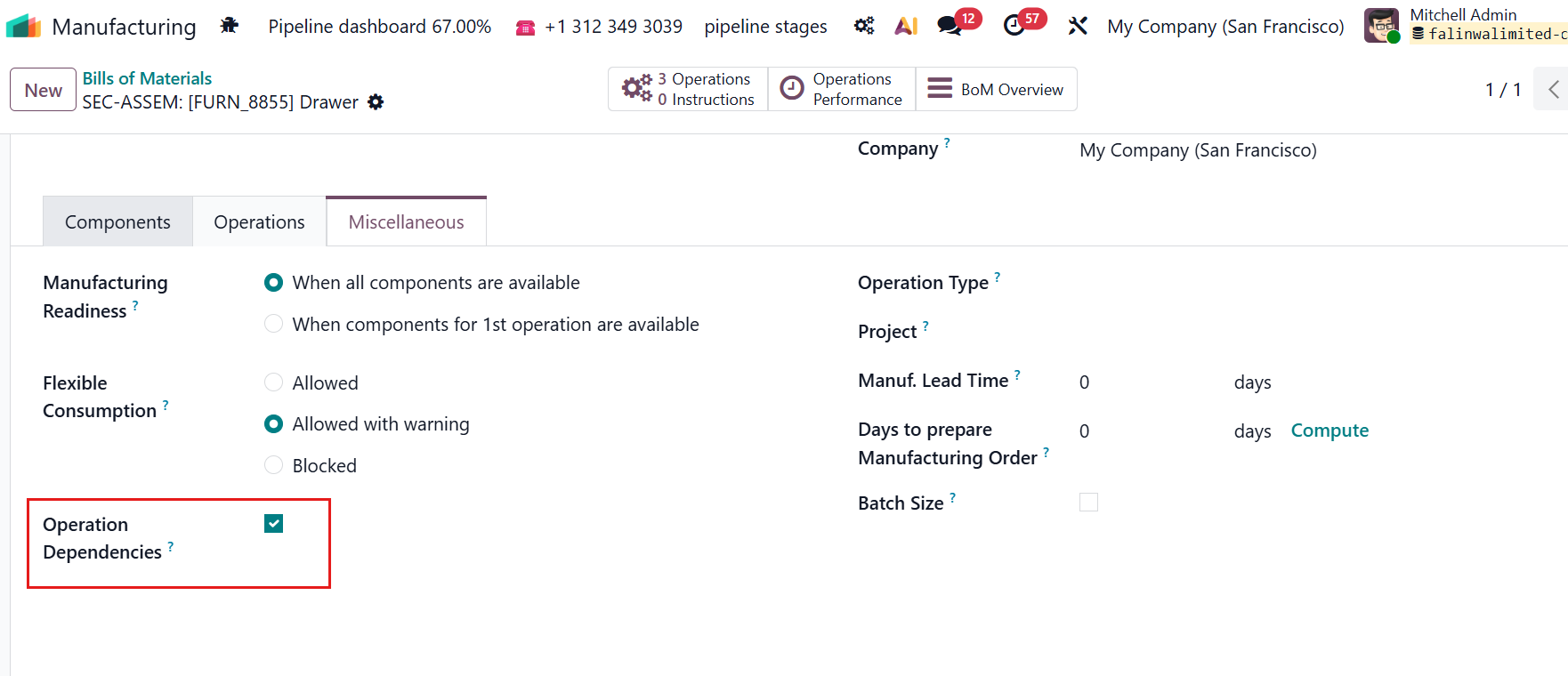 |
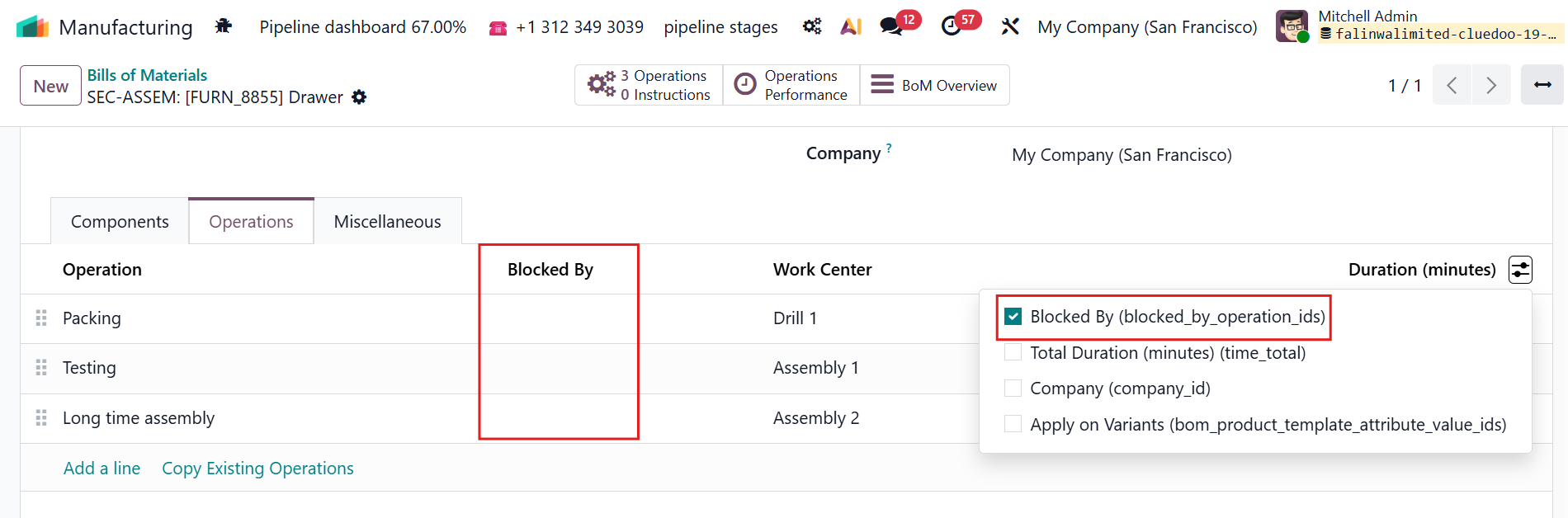
Open the Operations tab > Click the settings icon, then enable the Blocked By checkbox. The Blocked By field appears for each operation in the tab. |
|
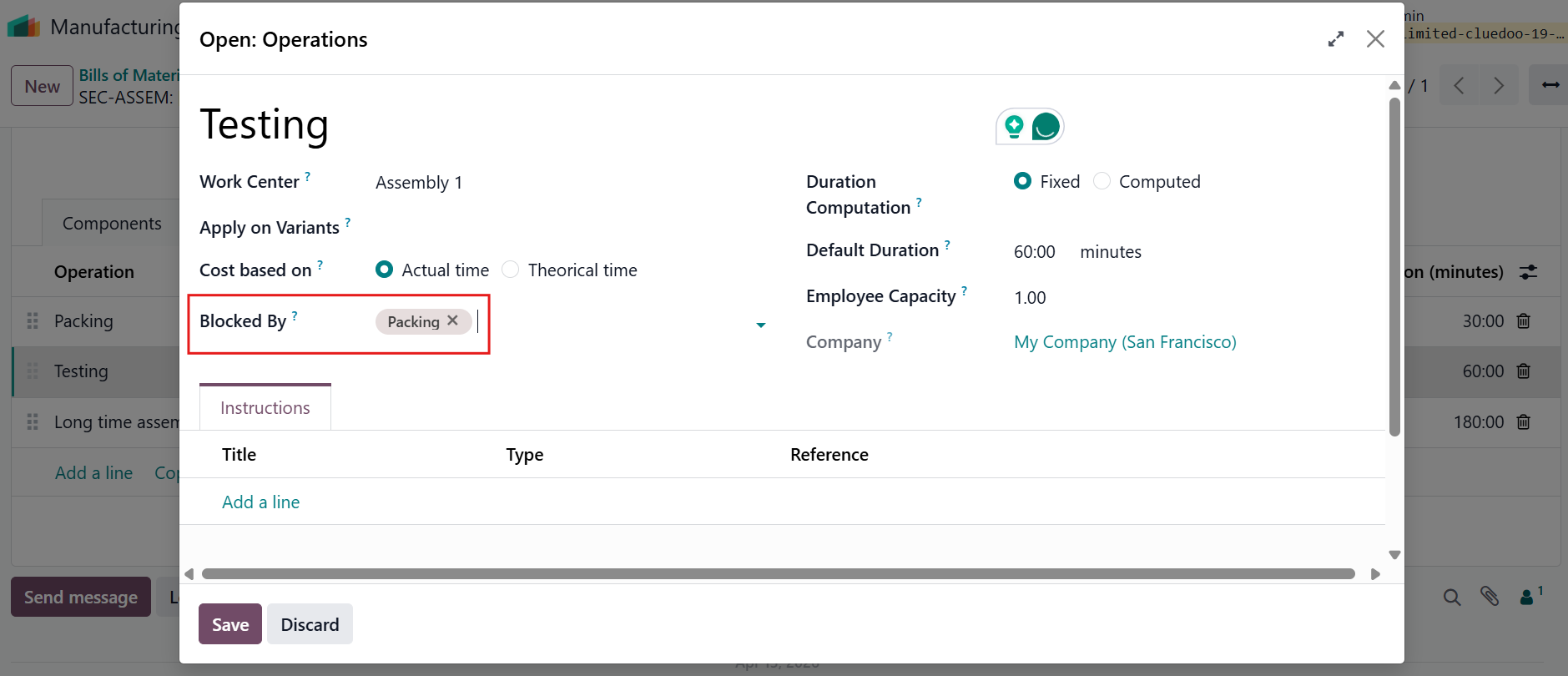
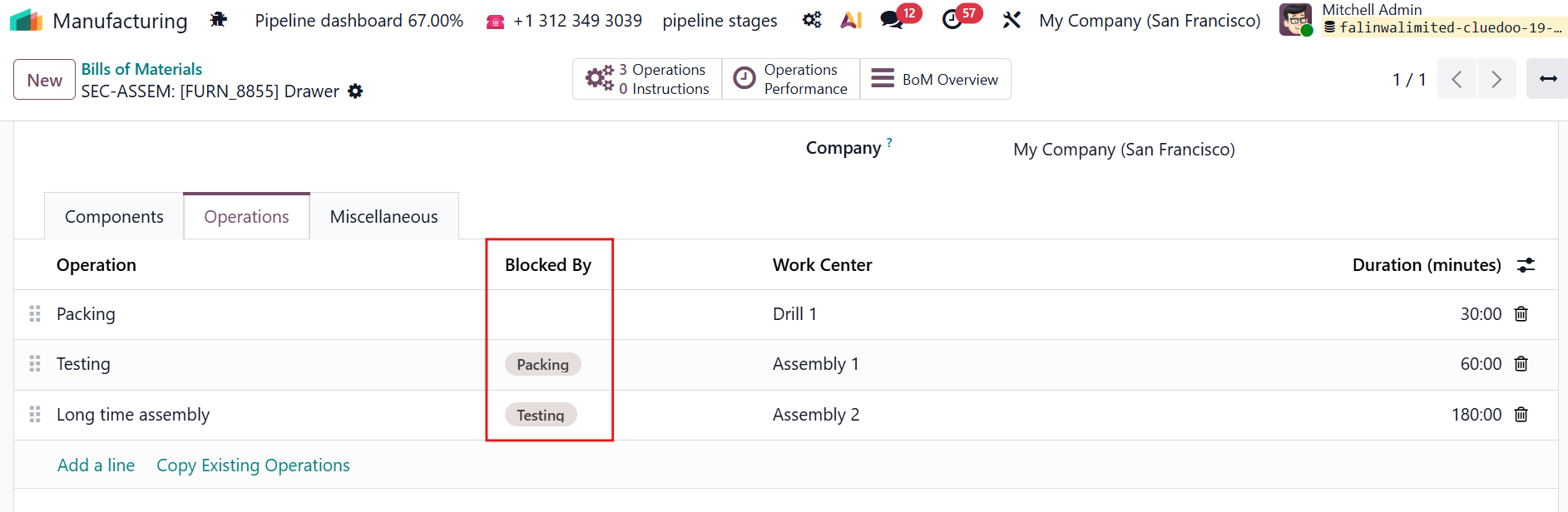
Click the Blocked By field in one of the operations to open the pop-up window > In the Blocked By field, select the blocking operation that must be completed before this operation. |
|
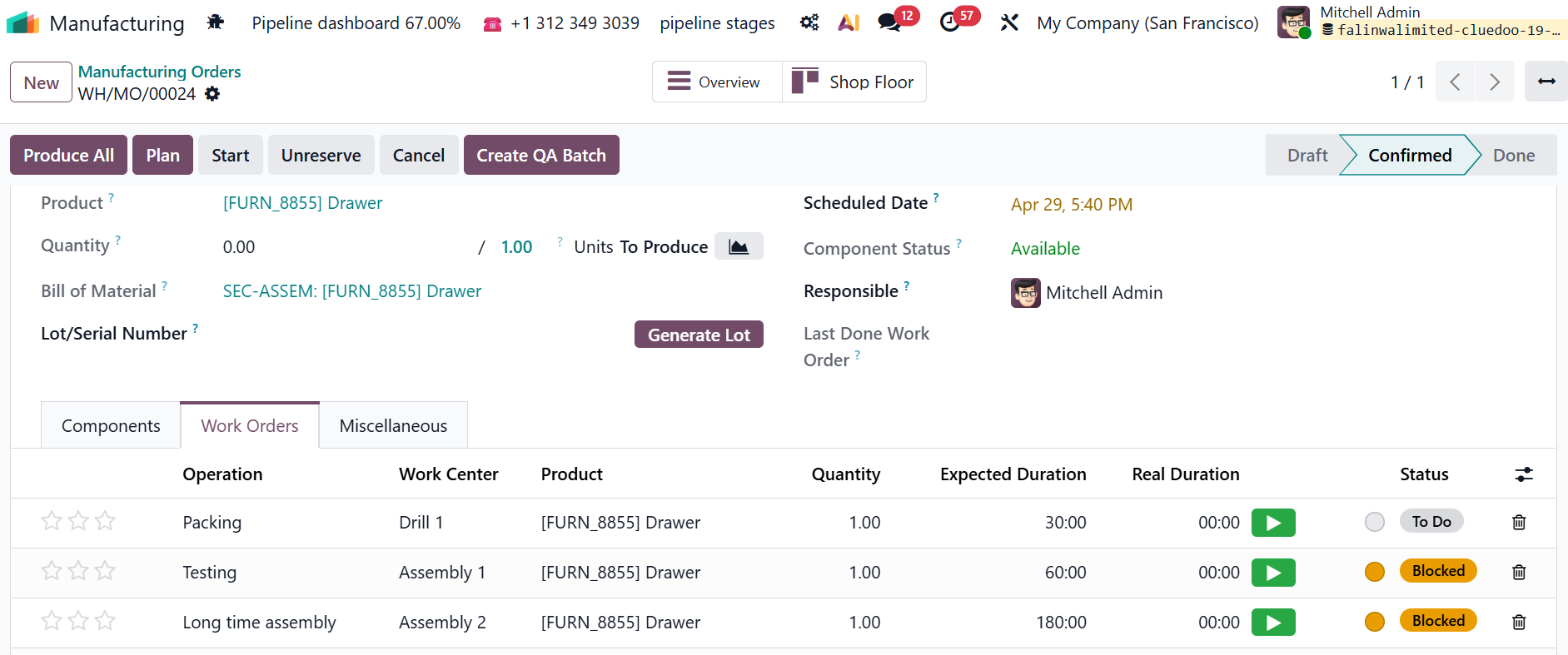
USAGE1. Create a manufacturing order > open the Work Orders tab to view the work orders
|
|
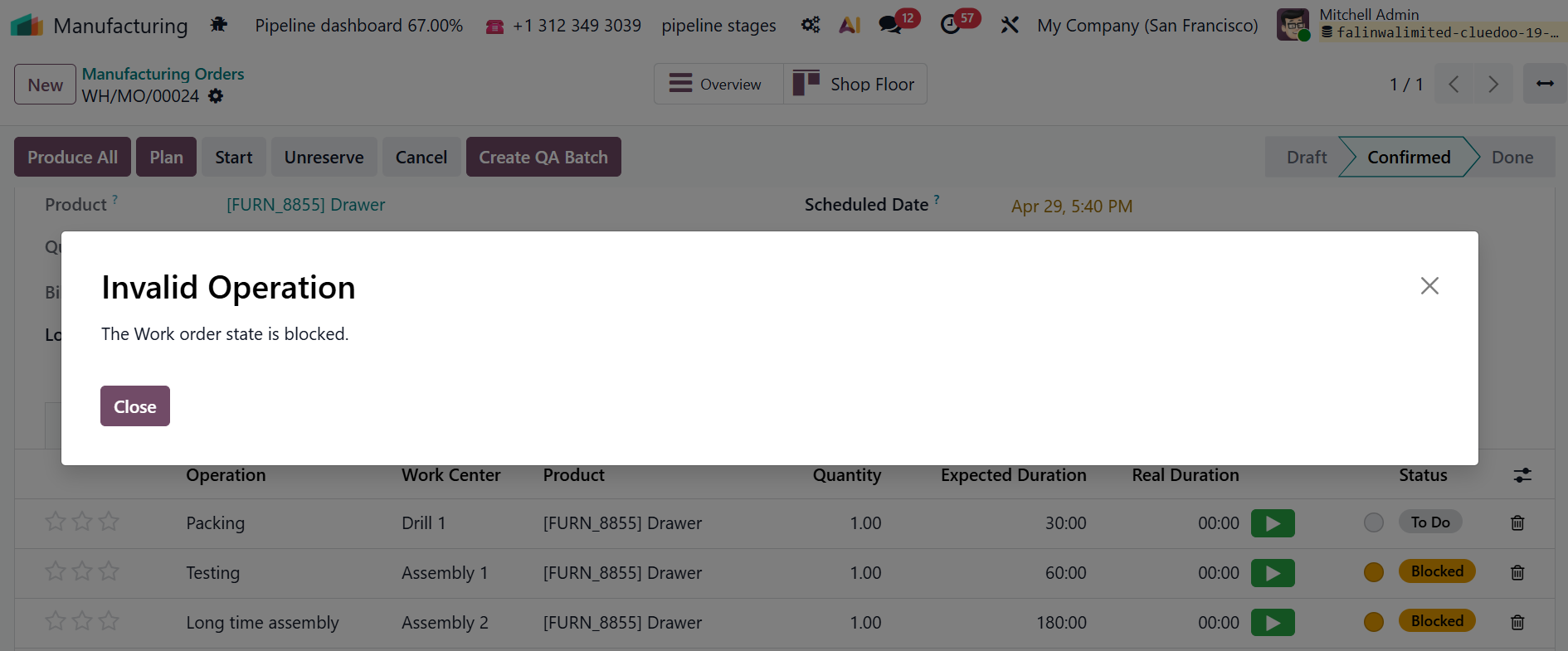
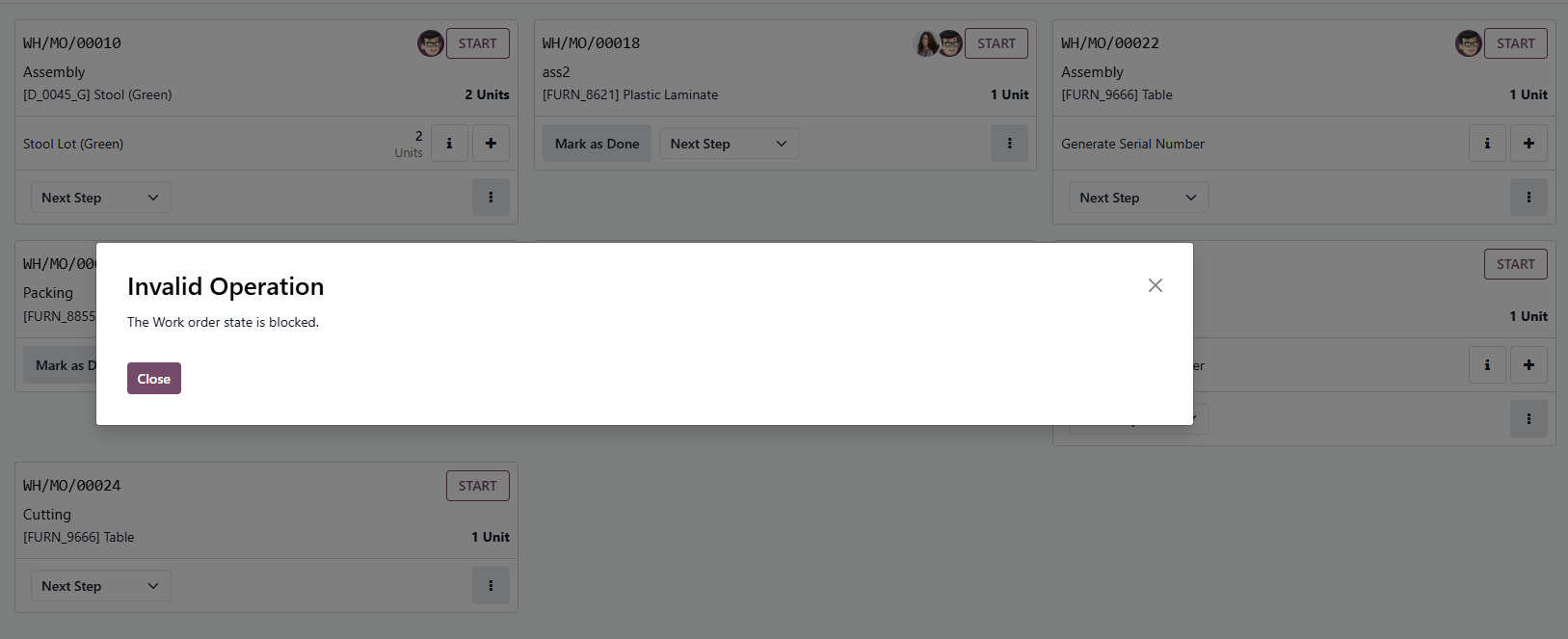
| 2. The Blocked Work Order can not be started first | From MO form view
|