

STORY BEHIND THE FEATURE
ODOO BEHAVIOR
In Odoo,
the Work Order Dependencies setting allows you to enforce sequential execution of operations. This means operators must follow the designated order of operations (e.g., completing the first operation before proceeding to the second and third). However, operators can perform the steps in any order within each operation, providing flexibility within a controlled framework for process flow.
CLUEDOO BEHAVIOR
With Cluedoo’s enhanced Work Order Dependencies feature,
activating this setting enforces a strict sequential order both for operations and for the steps within each operation (e.g., completing step 1 before moving to step 2 or 3). However, if Dependency is unchecked, operators retain the flexibility to perform steps within each operation in any order, allowing for adaptable workflows when a strict sequence is unnecessary.
MODULE +
This feature enhances precision by ensuring step-by-step order when required, which is ideal for quality control and compliance with complex production protocols.
This improves quality control, as each step builds sequentially upon the previous one, aligning with structured production workflows and increasing efficiency, especially in complex manufacturing environments.
HOW TO USE THIS MODULE
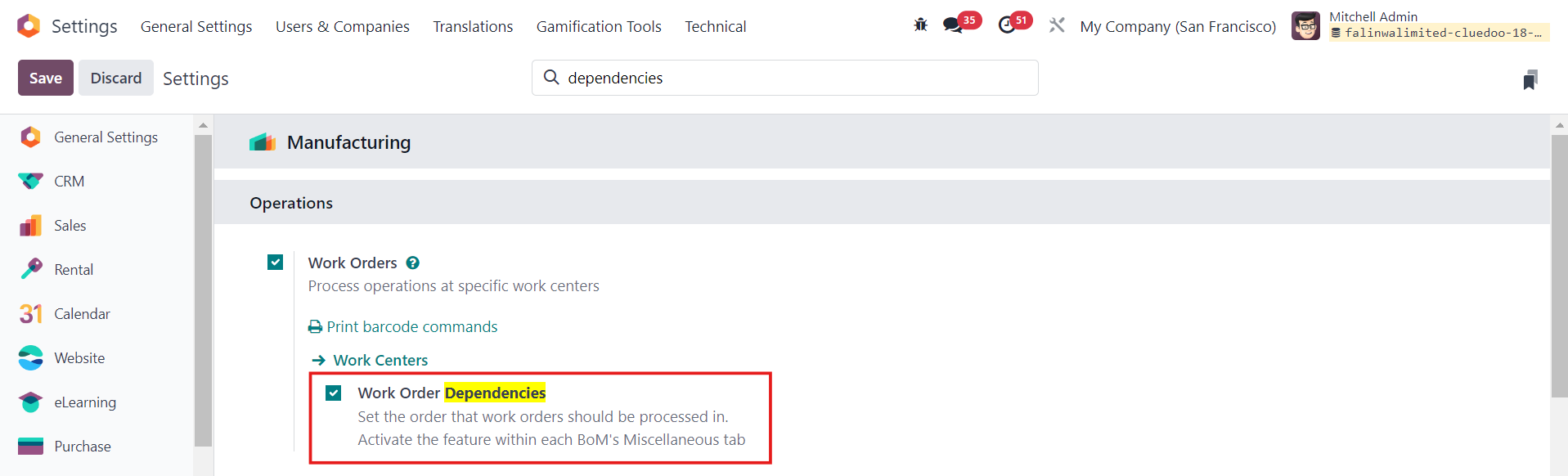
1. Go to Settings > Tick Work Order Dependencies under Work Orders > Save |
|
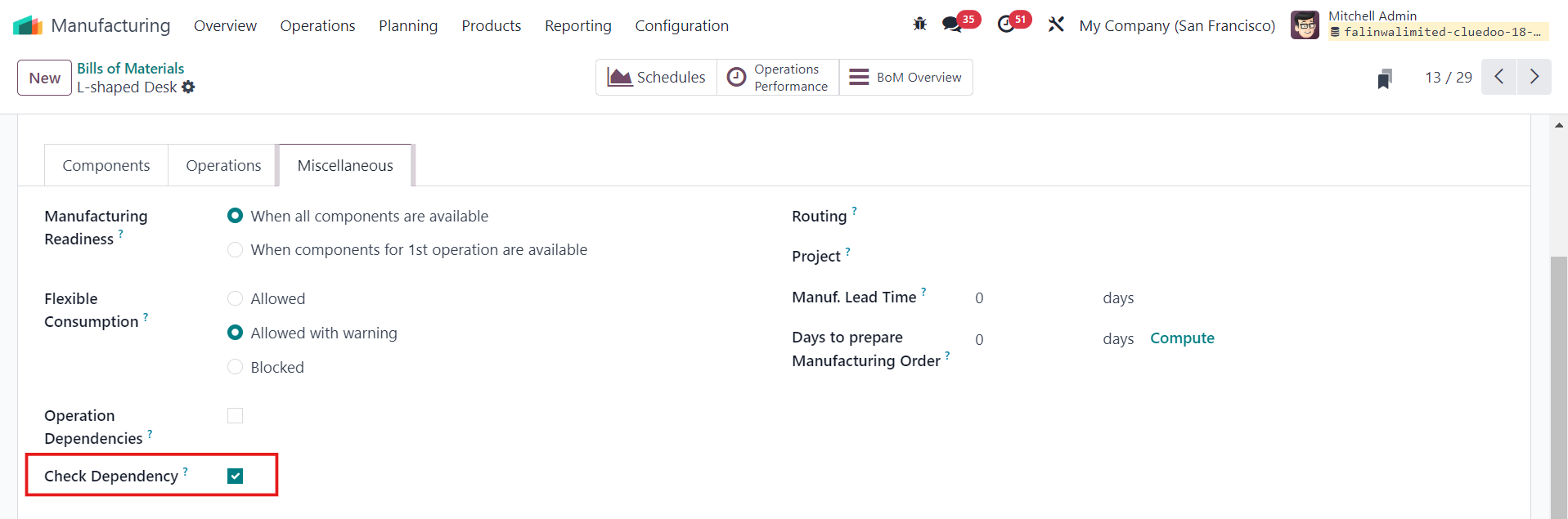
2. Go to Manufacturing > Products > Bills of Materials > New to create a new BOM or choose an existing one > Miscellaneous > Tick Check Dependency |
|
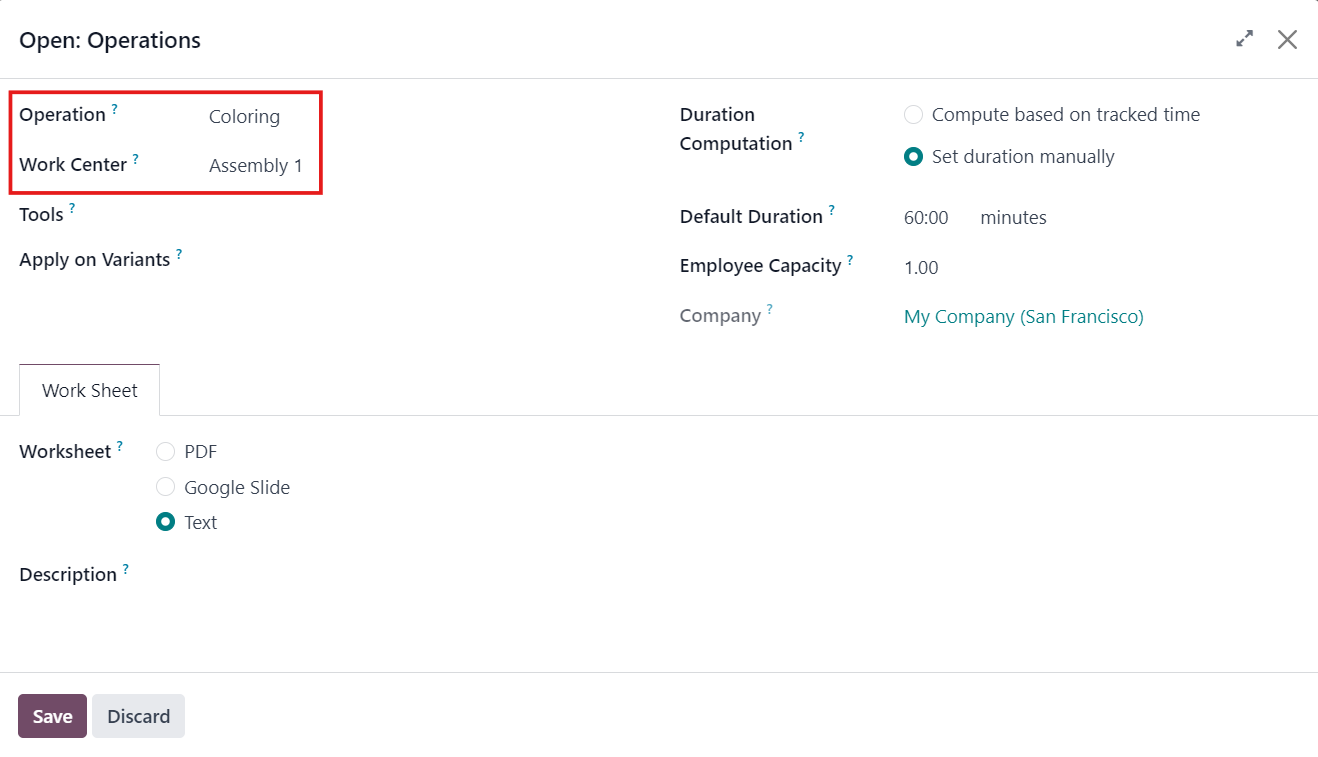
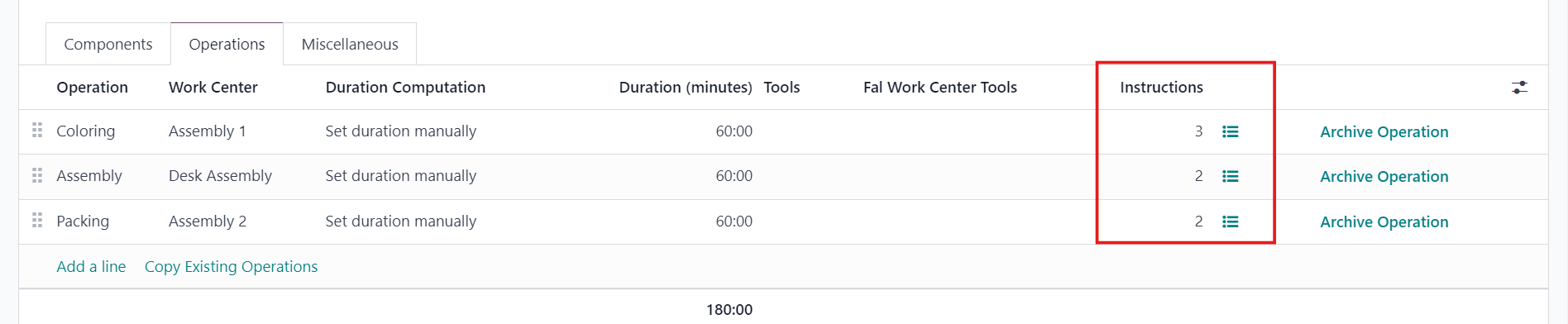
3. Under Operations, fill in the necessary information > Save |
|
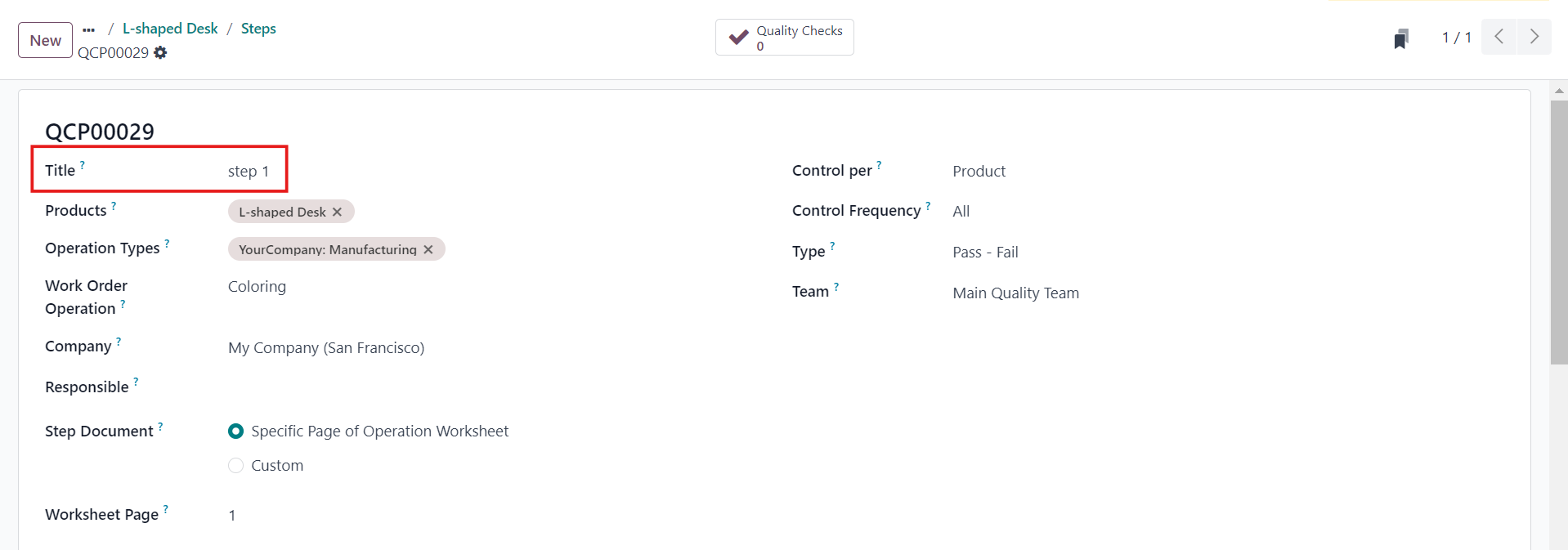
4. Fill in the steps in the Instructions > Save |
|
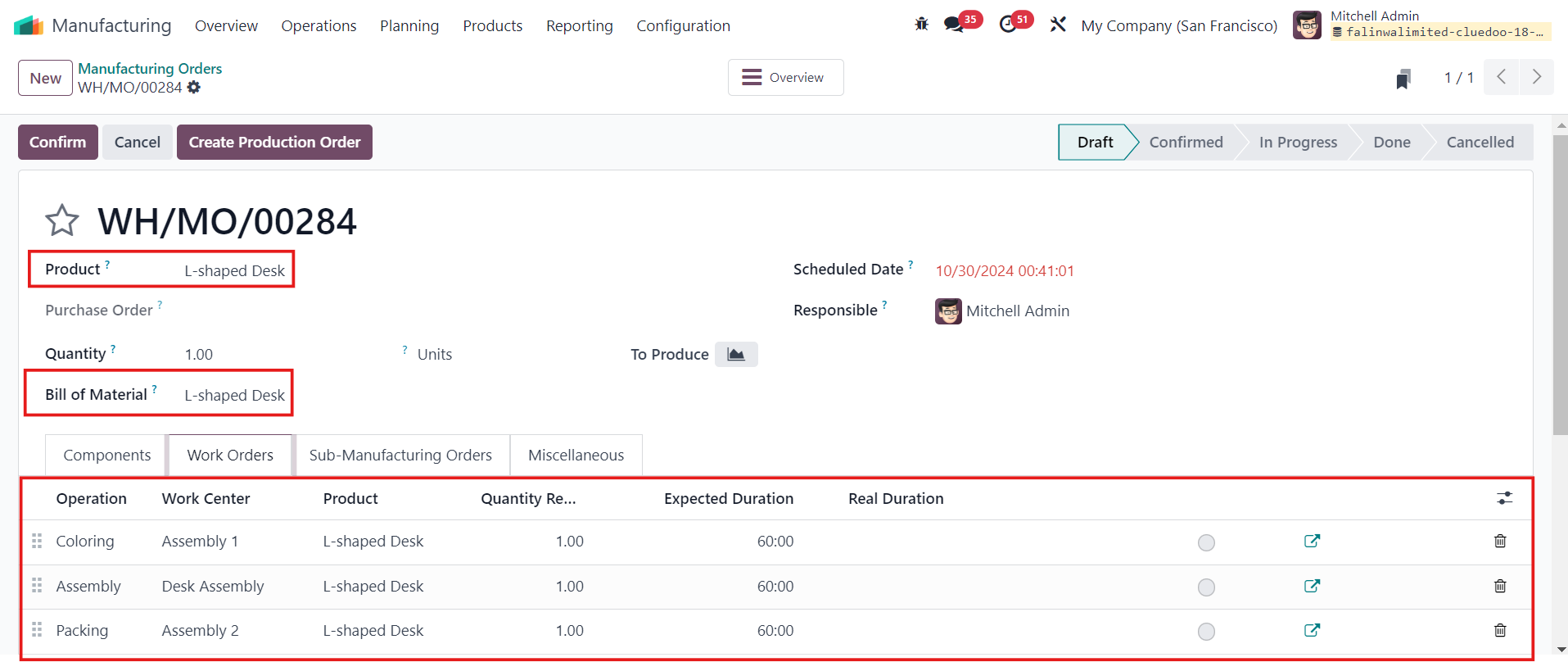
5. Head to Manufacturing > Operations > Manufacturing Orders > New > Select Product > BOM and Work Orders should be automatically added > Confirm |
|
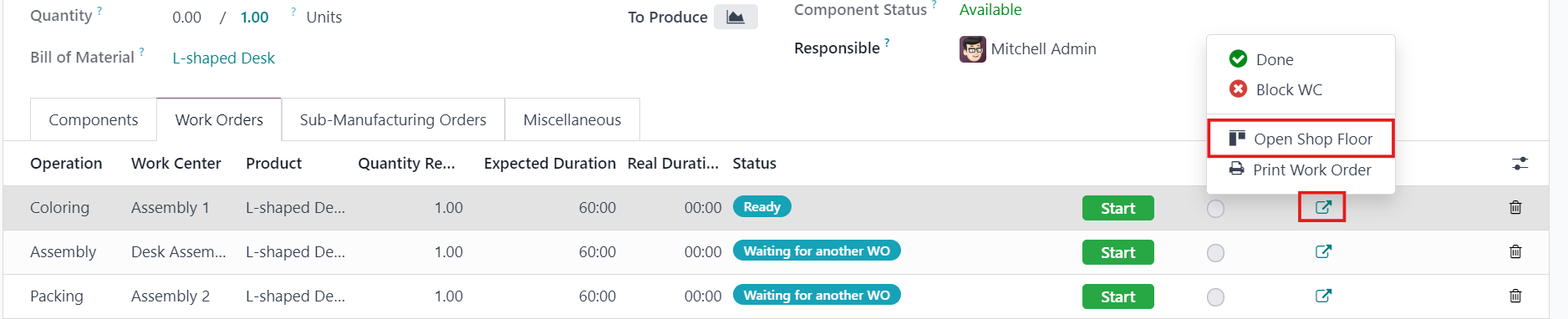
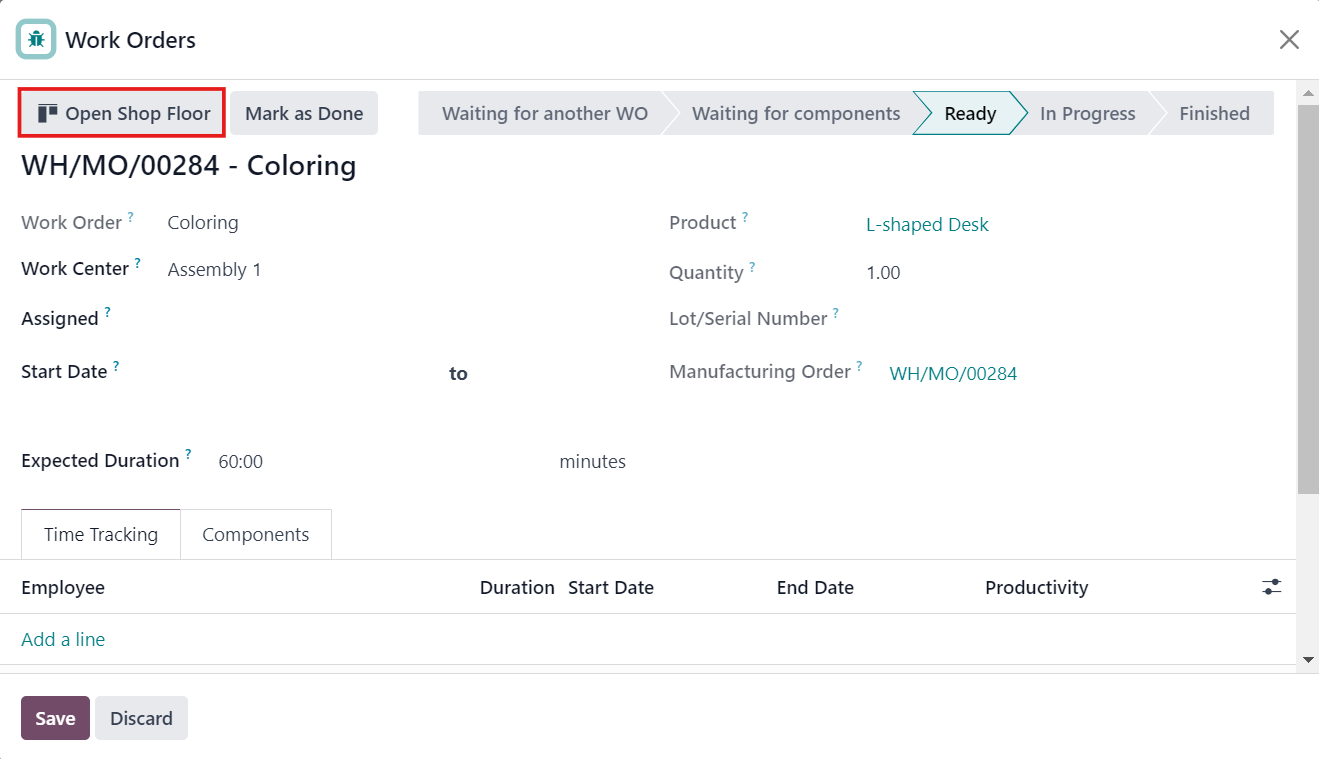
6. Open Shop Floor with the circle button or open Shop Floor via Work Order (blue button) |
|
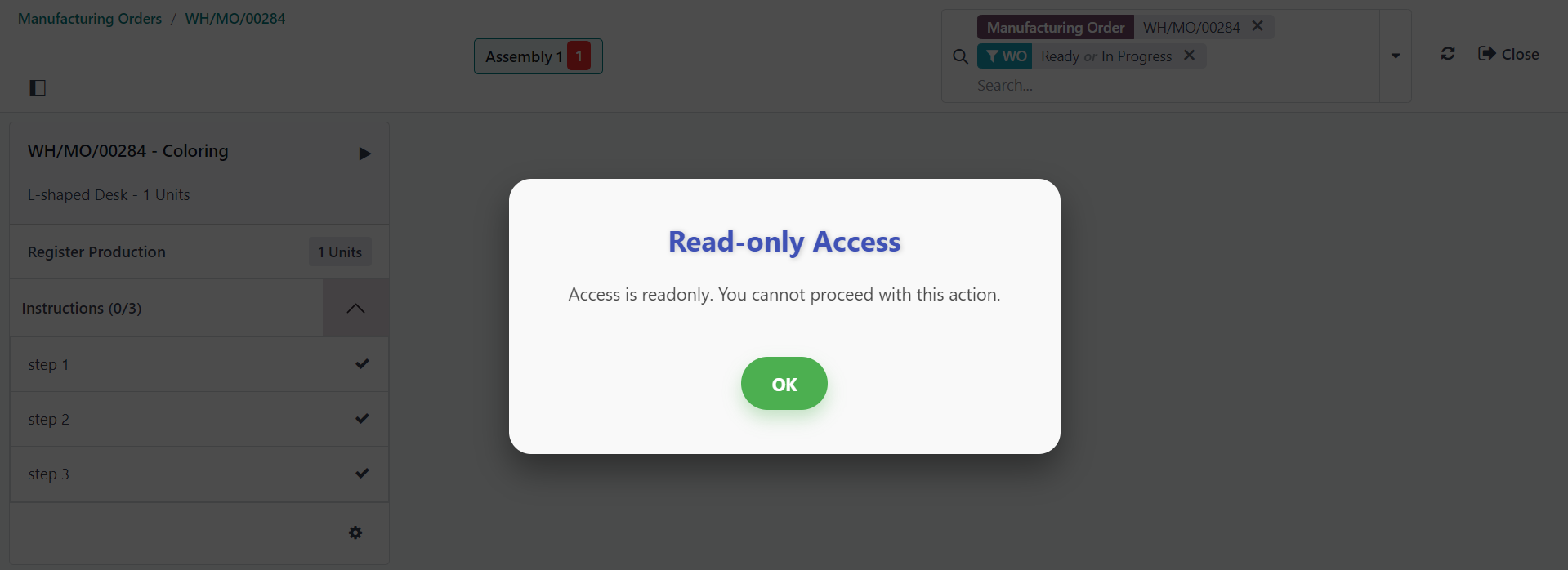
7. If you do step 2 first, a warning will raise, indicating that you have not done step 1 before doing step 2. If you want to continue, you need to do step 1 before step 2. |
|