


STORY BEHIND THE FEATURE
ODOO BEHAVIOUR
In inventory and accounting workflows, accurate landed cost allocation is essential to reflect the true value of incoming products. However, mismatches between landed cost date, stock valuation date, and accounting date in journal entry can result in inconsistencies in reporting, leading to confusion in cost tracking and misalignment in the general ledger.
CLUEDOO BEHAVIOUR
✅ Automatically synchronizes:
Landed cost date
Valuation date in stock accounting
Accounting date in journal entry
✅ Ensures consistency in all related dates for inventory and financial records.
✅ Fully integrates with Odoo's automatic accounting settings.
✅ Prevents misalignments that could affect cost of goods sold (COGS) or inventory asset value.
COMPARISON: ODOO AND CLUEDOO
Odoo:
Allows manual application of landed costs.
Does not align valuation date and landed cost date.
May lead to accounting inconsistencies.
Cluedoo:
✅ Automatically synchronizes all key dates involved in landed cost processing
✅ Ensures accurate financial reporting.
✅ Reduces manual correction and improves audit readiness.
BUSINESS CASE
Companies importing goods or incurring additional logistics costs (freight, insurance, customs) must apply landed costs accurately.
OUR FEATURES AS SOLUTIONS
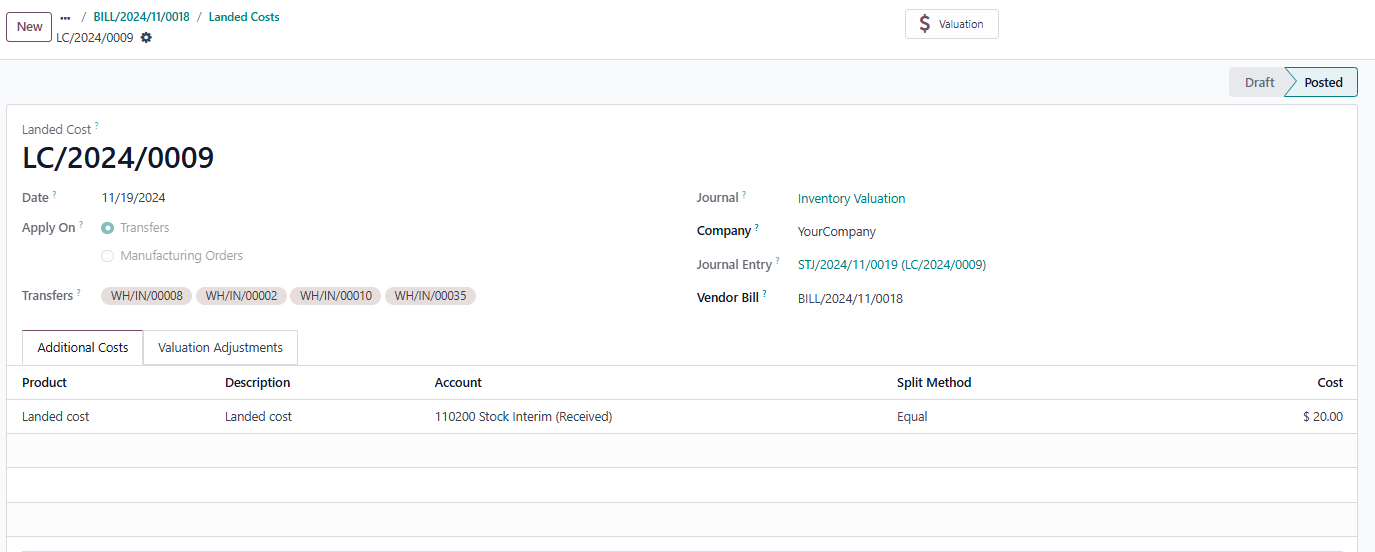
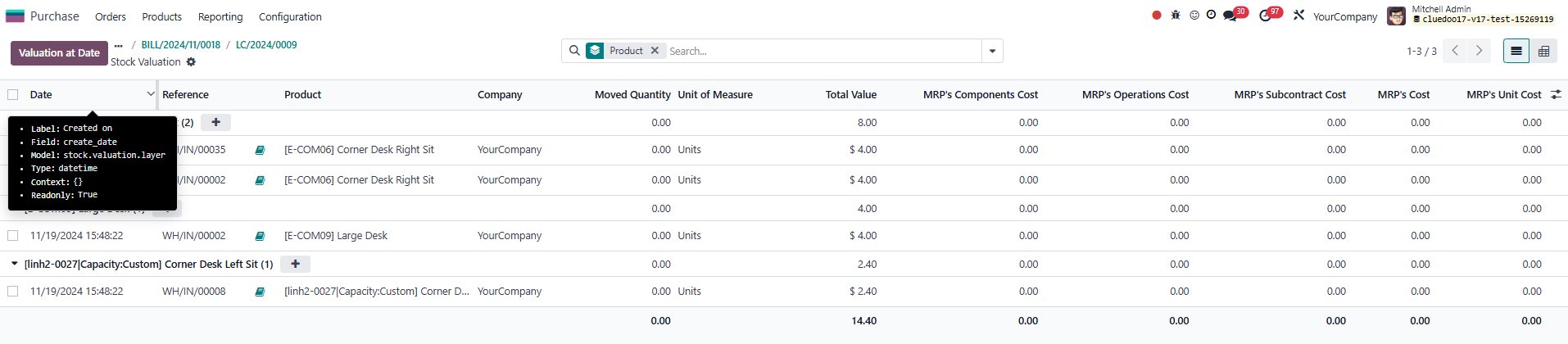
Automatically synchronizes valuation layer date = landed cost date = journal entry date
HOW TO USE THIS MODULE
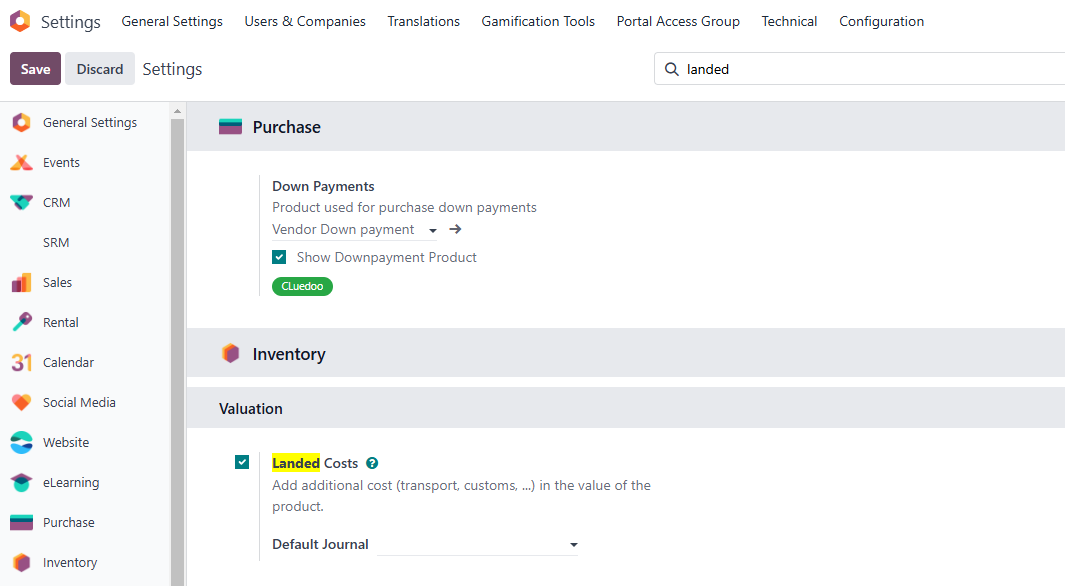
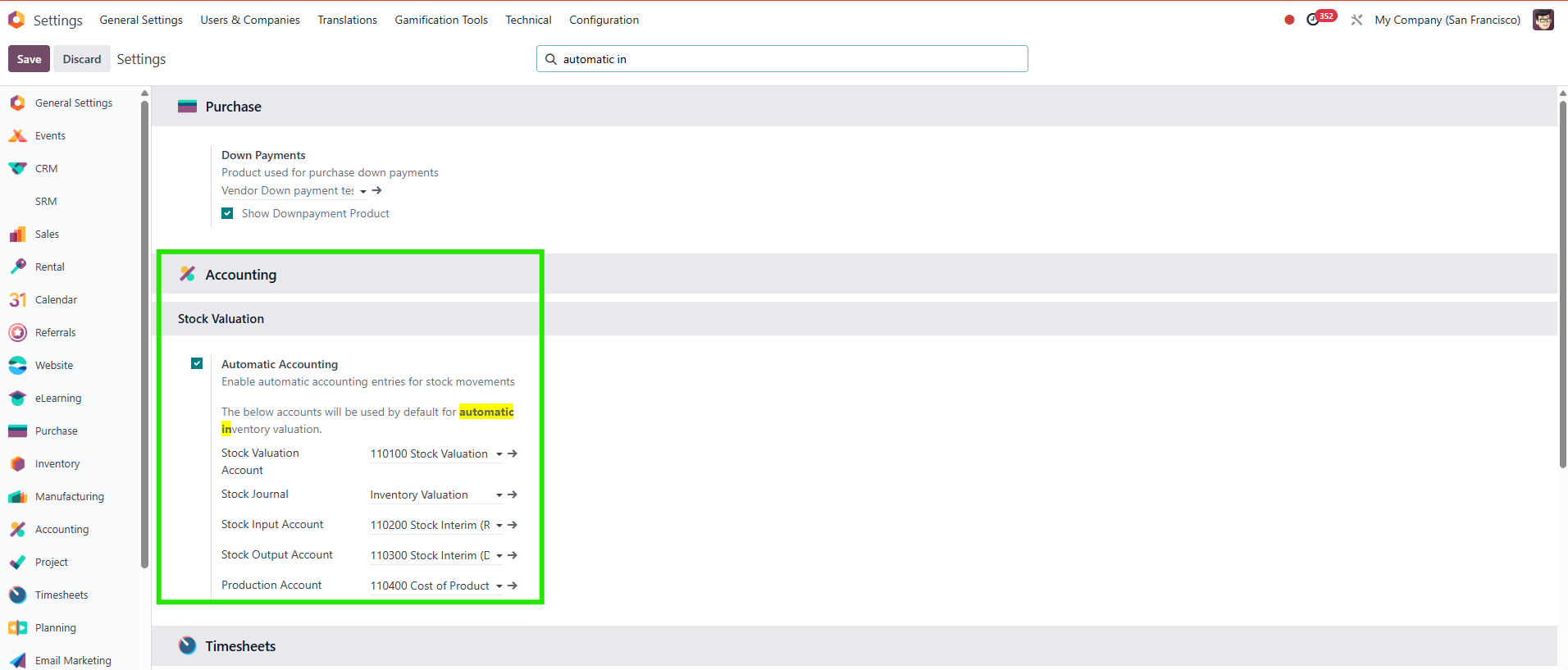
1. Make sure you already checked this box |
|
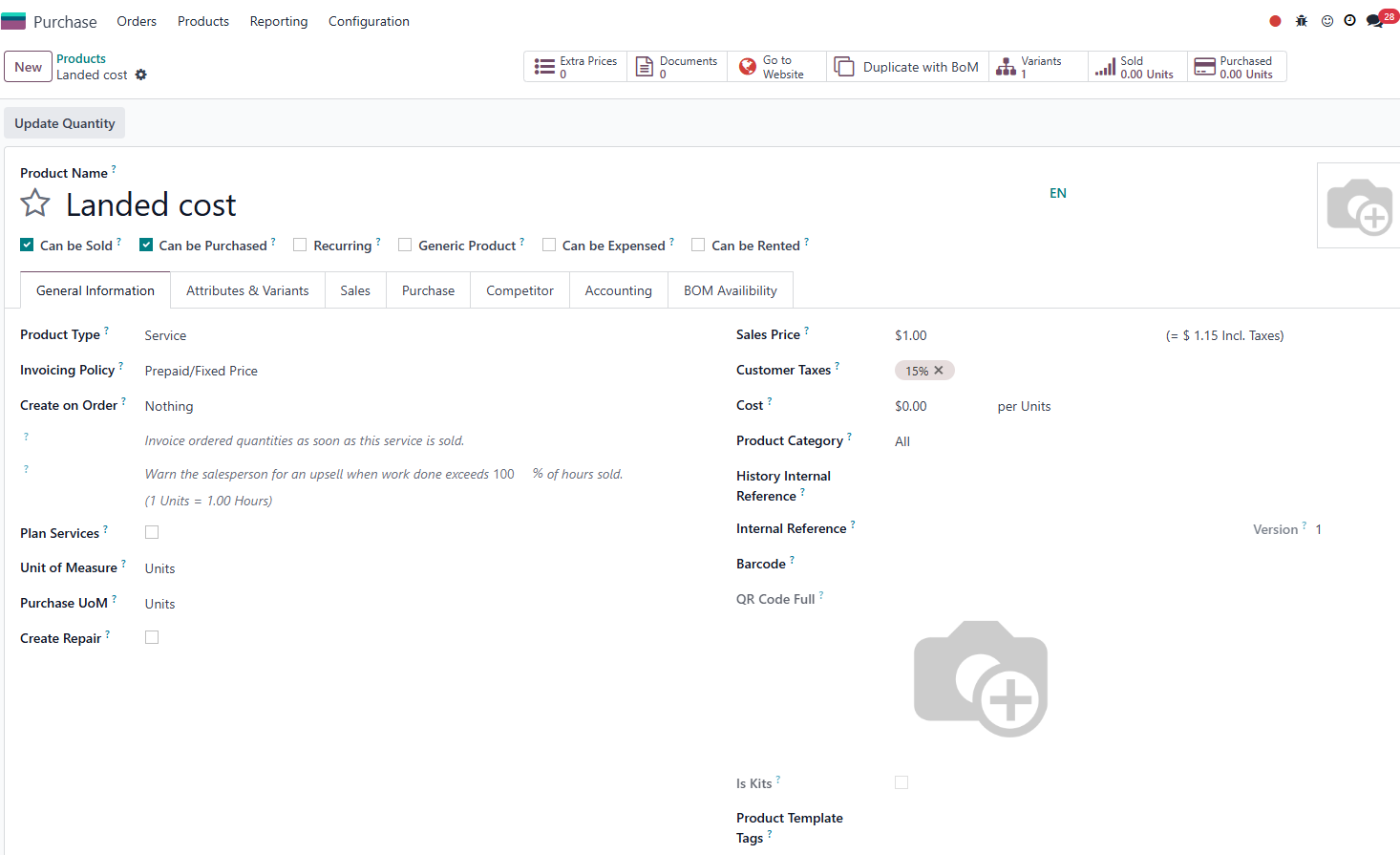
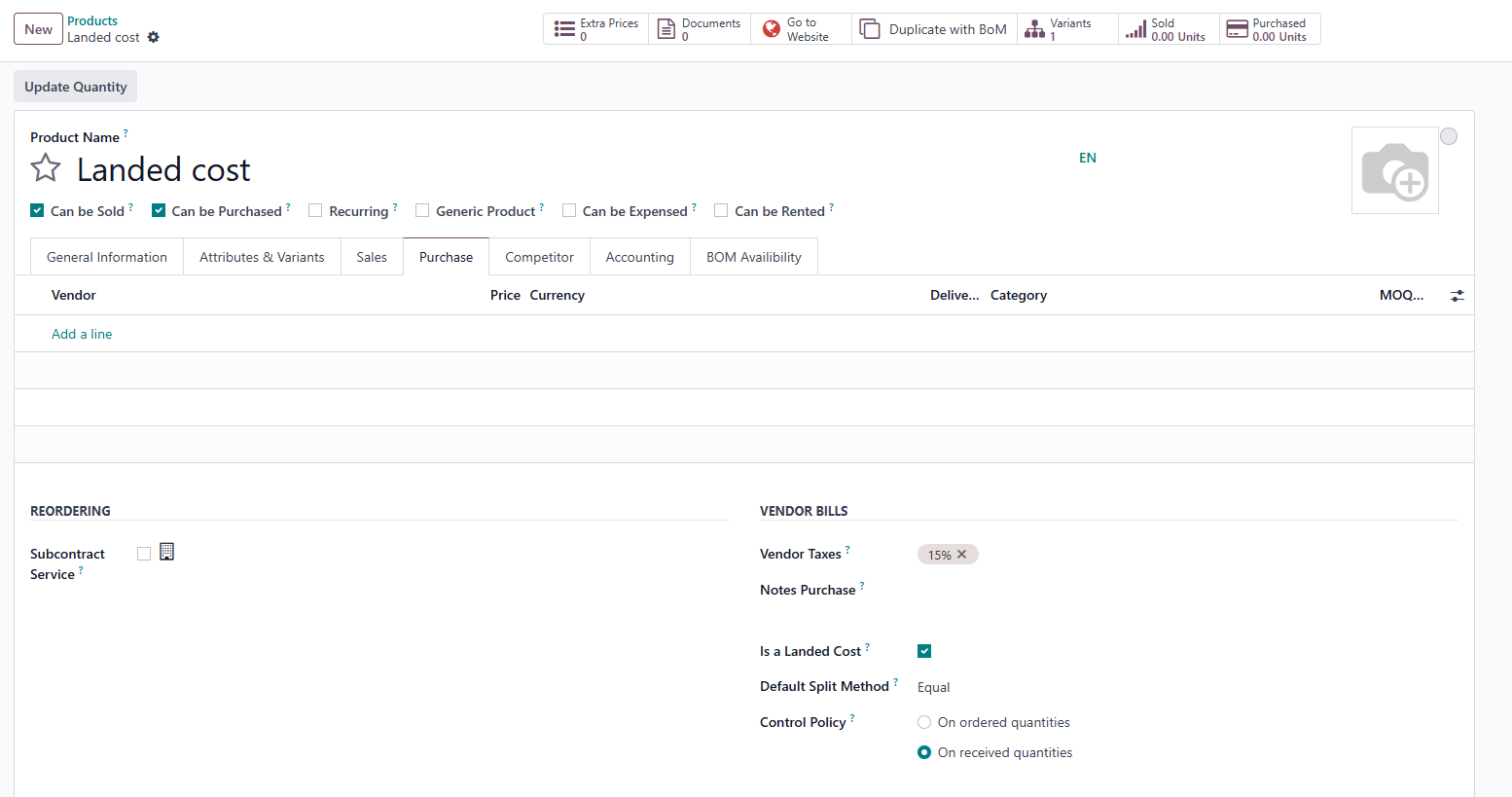
2. Create "landed cost" product - Checked box "is a landed cost" in purchase tab and set default split method |
|
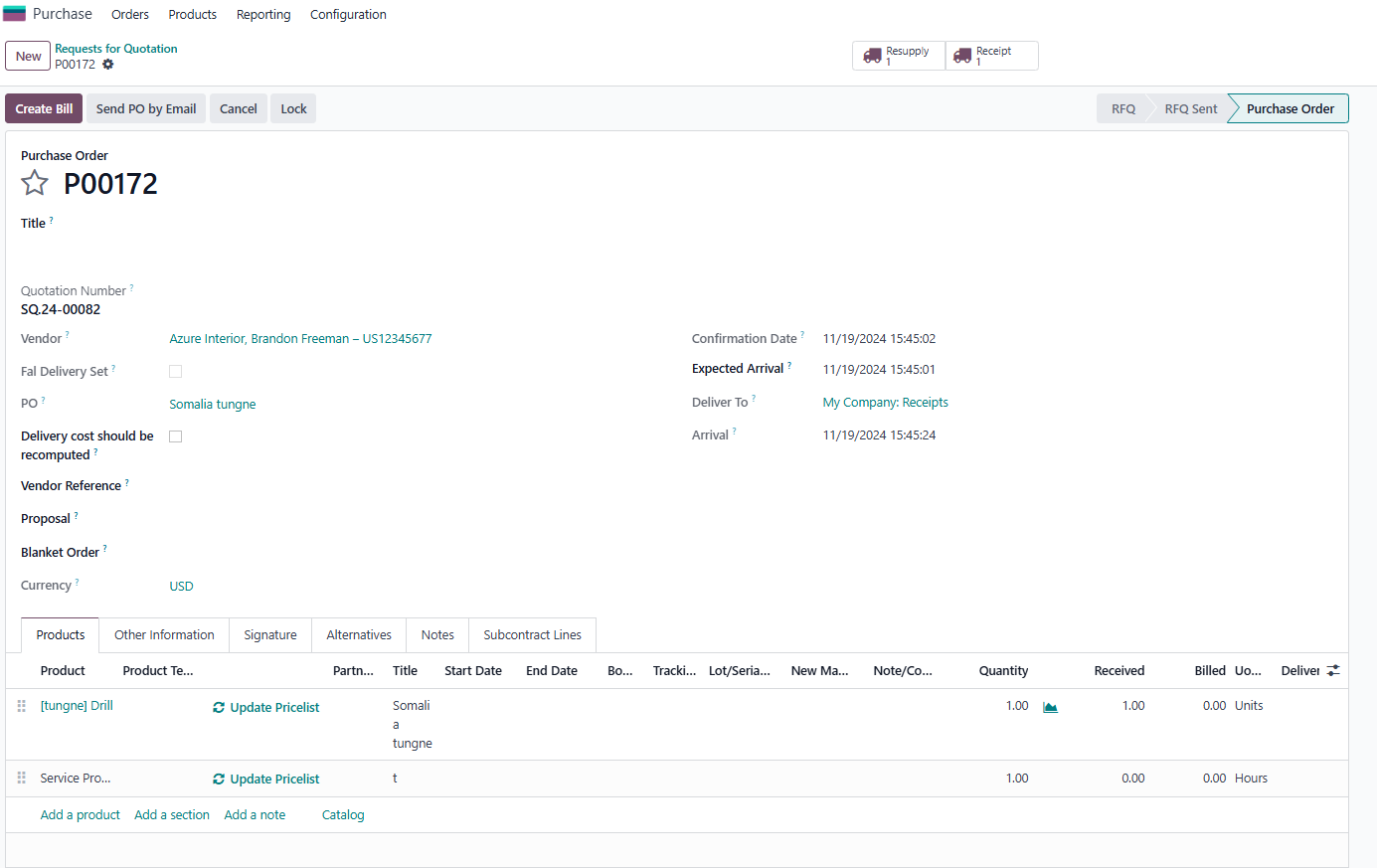
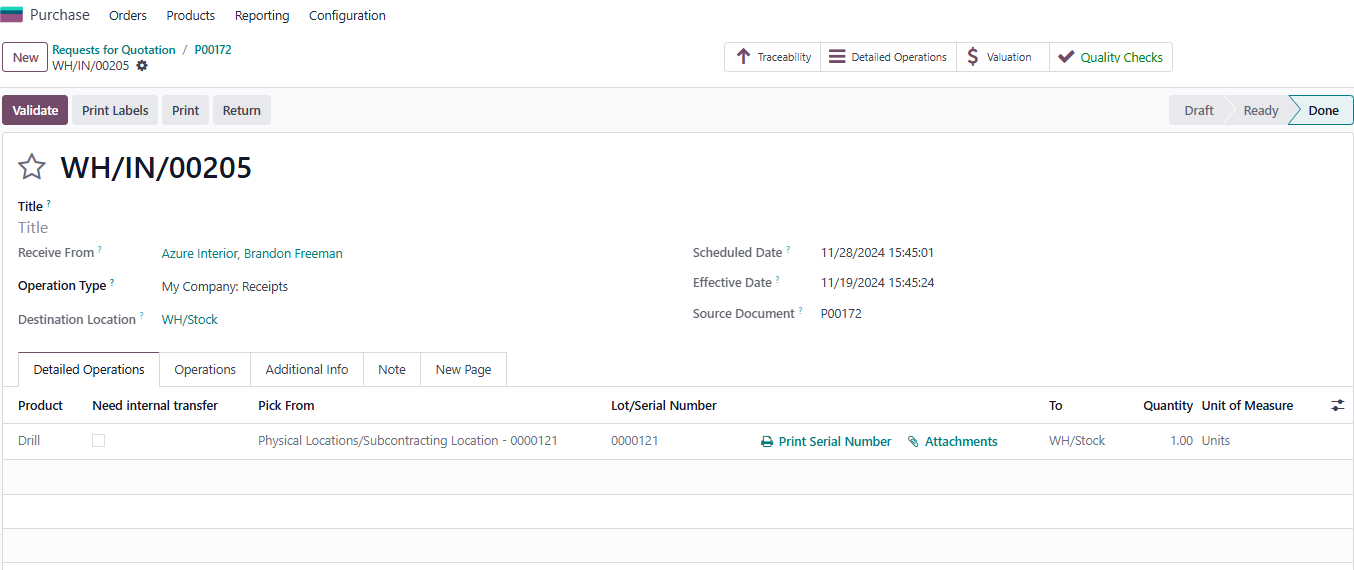
3. Create PO > validate receipt > check effective date Note:
|
|
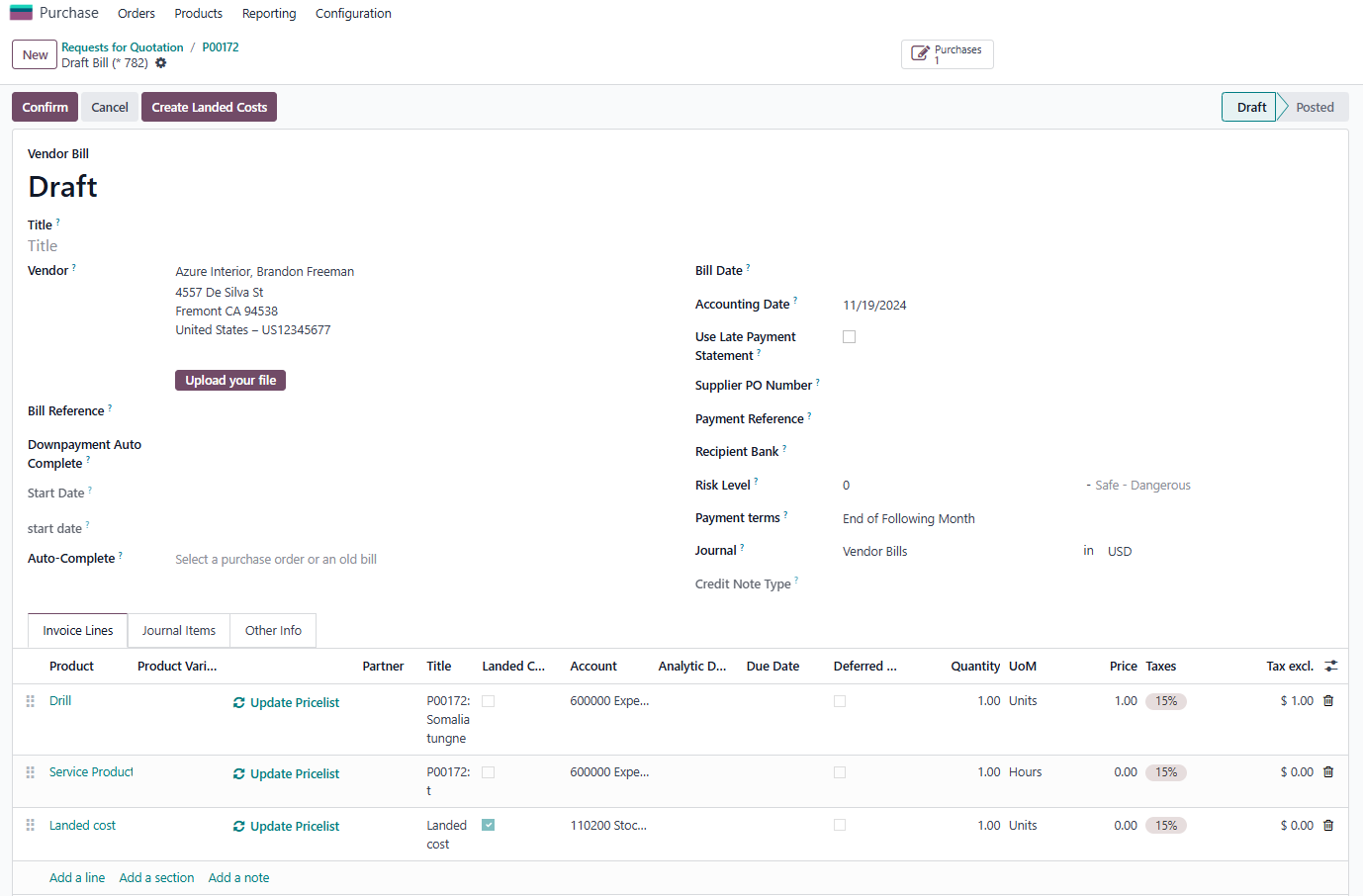
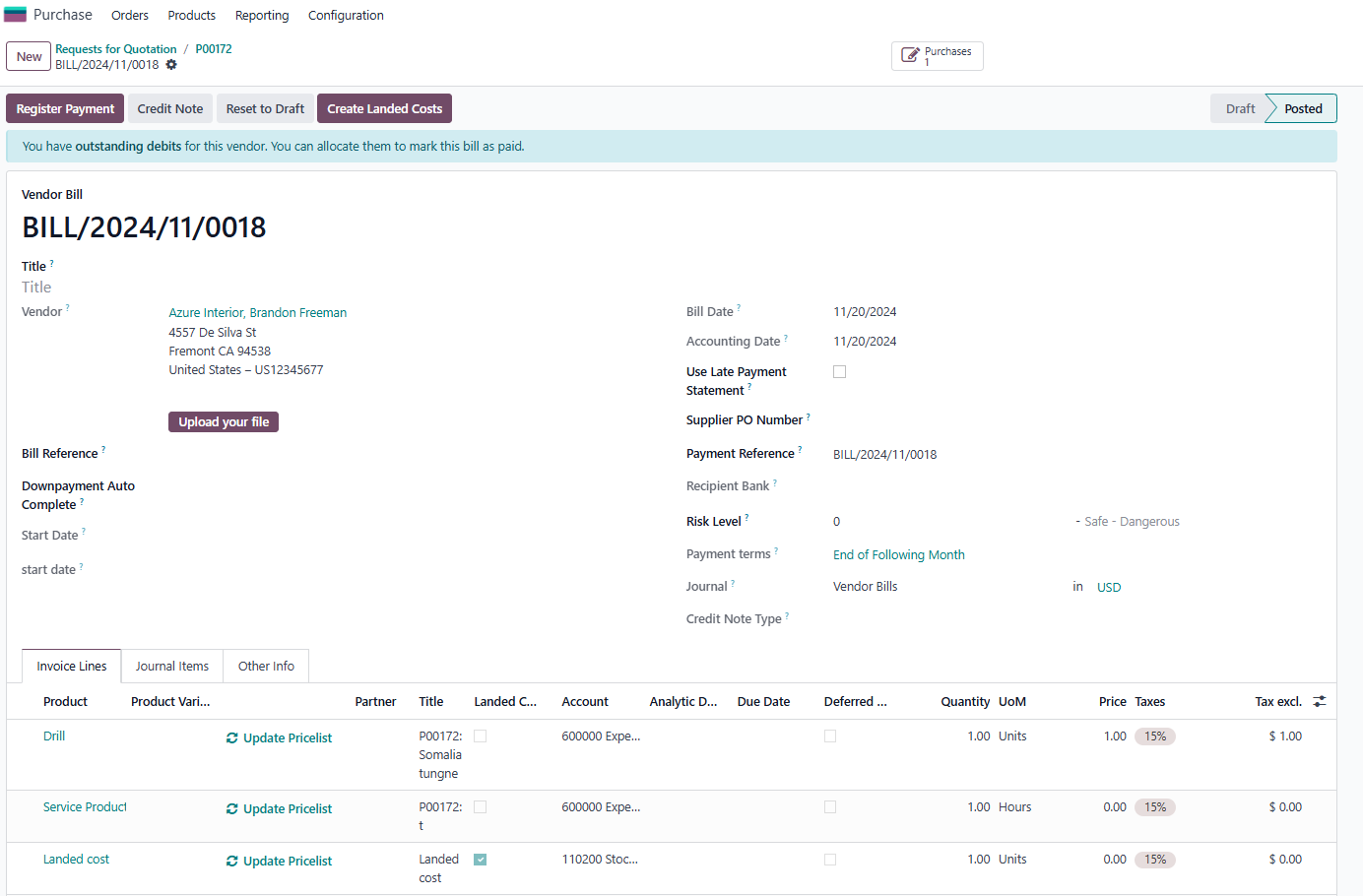
4. Create Bill > add product "landed cost" in order line > button "create Landed costs" will appear after add product > Choose bill date > confirm |
|
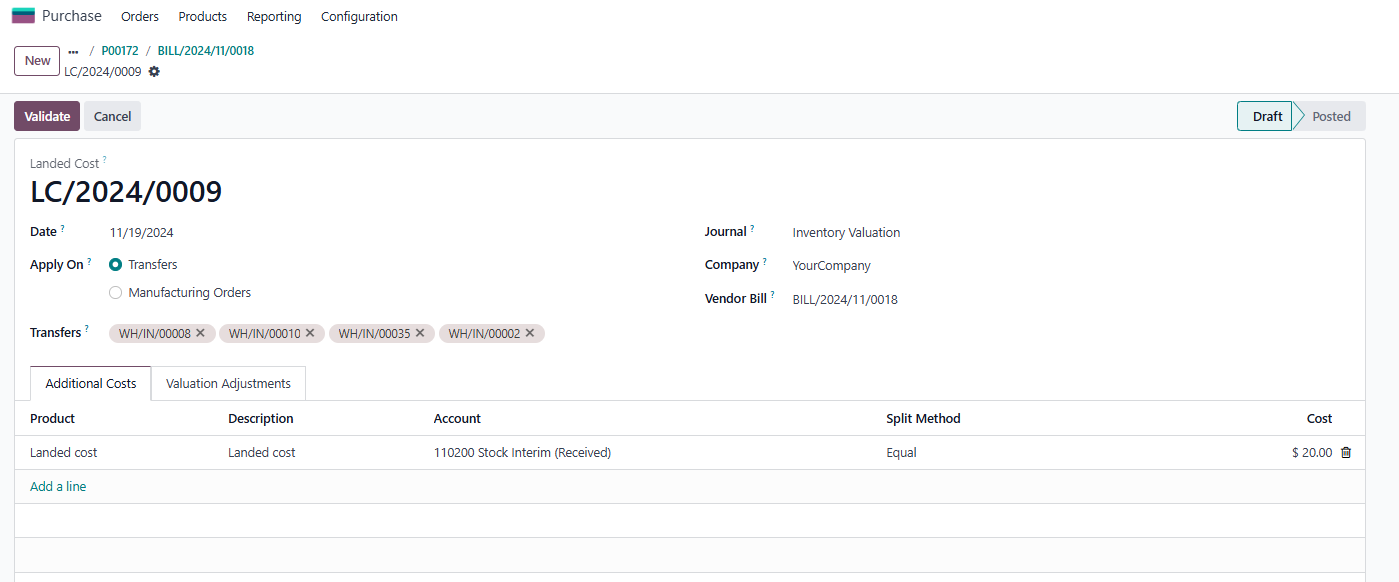
5. Click button "create landed cost" > choose transfer and adjust the cost in line > validate |
|
6. after validate > it will show smart button "valuation" in the top of LC |
|
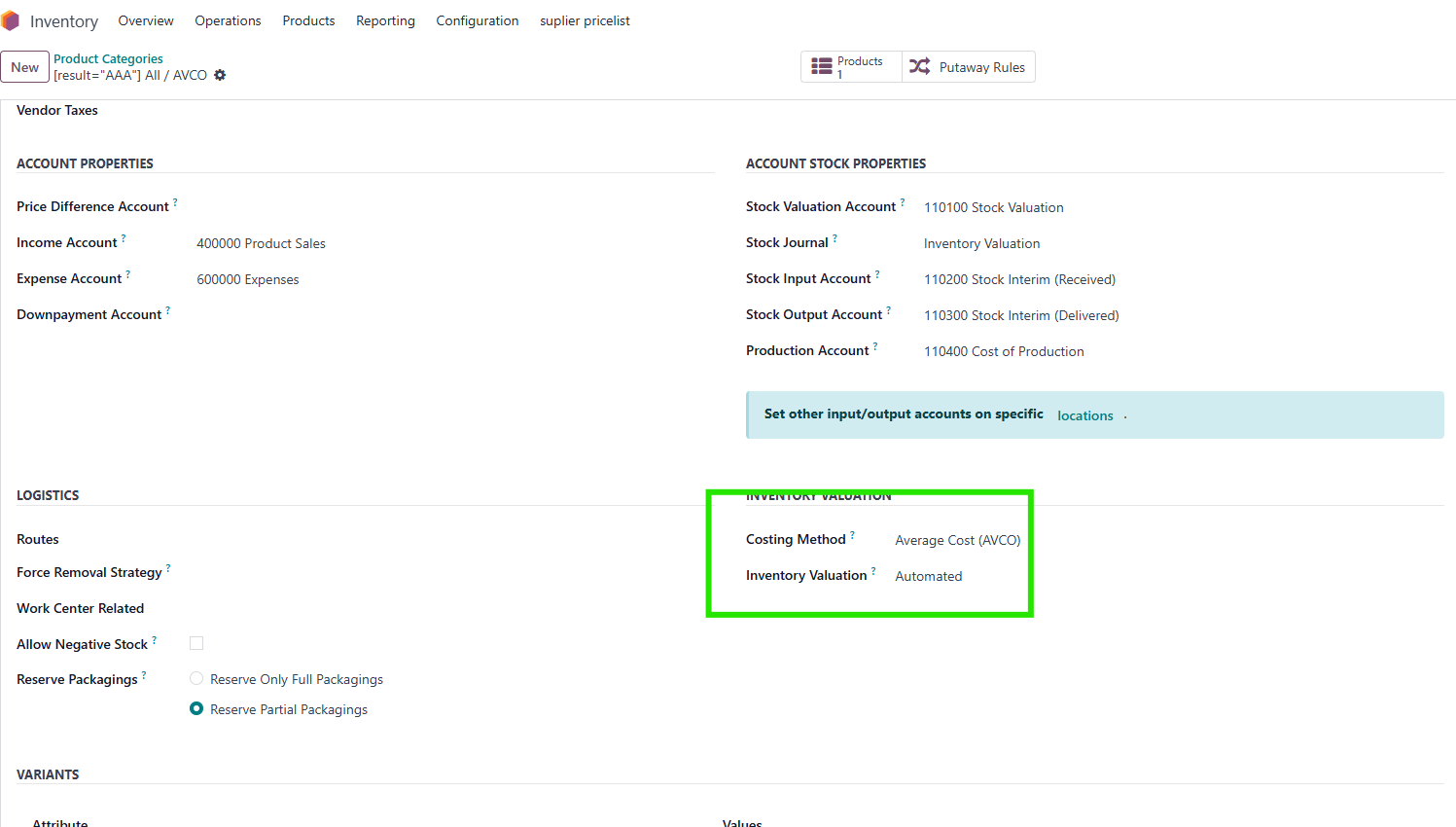
7. In order to have valuation button, you need do some steps: - Go to Setting, find Automatic Accounting and enable it - Set automated for Inventory Valuation |
|
8. Go to Valuation and check that the date in LC and date in model "stock.valuation.layer" is the same, also accounting date in journal entry |
|