



ODOO'S FUNCTION
By default, Odoo’s Time Off module allows users to create and validate time off requests, which are reflected in the employee’s leave balance. However, it does not automatically generate planning data in the Planning module based on approved time off requests. Additionally, there is no direct integration between time off requests and Work Entries in the Payroll module, requiring users to manually create or adjust work entries to account for leave periods.
CLUEDOO'S FUNCTION
1️⃣ Automatically generates planning data in the Planning module upon validation of a Time Off, populating relevant planning slots with leave details.
2️⃣ Links the Work Entry Type and Time Off details within the work entries, allowing users to view and verify the connection directly in the entry details.
1. Go to Time Off and create a new time off request | 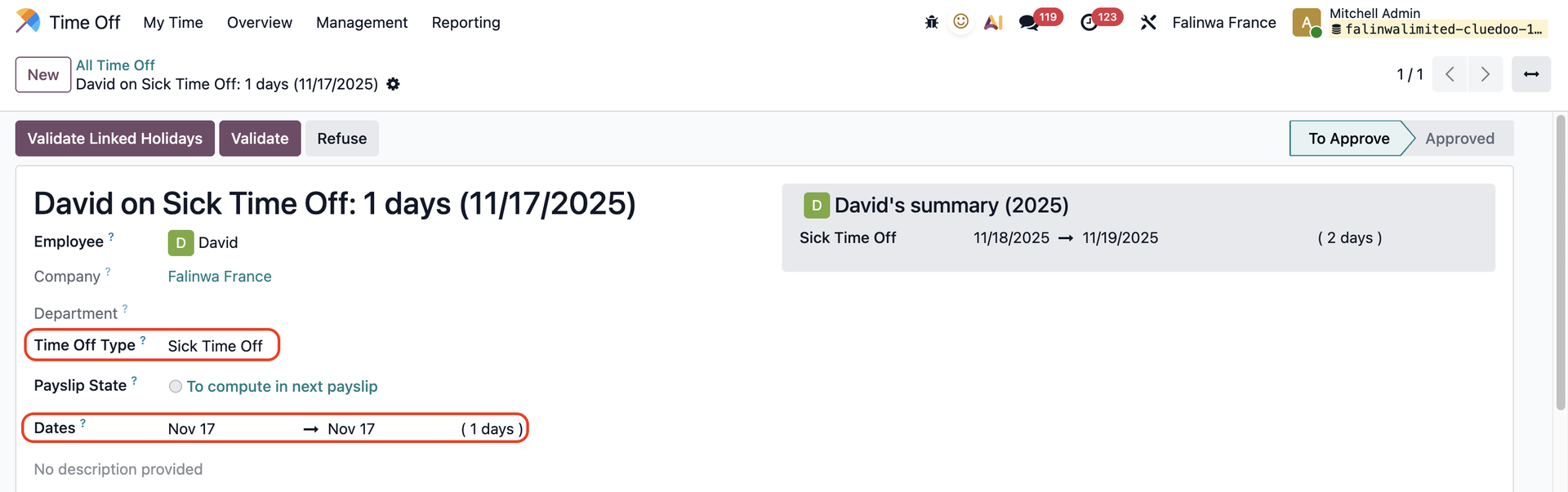 |
2. Go to Planning > The time off request has been added to the schedule Note: If the time off is refused/cancelled, it will not show up in the planning | 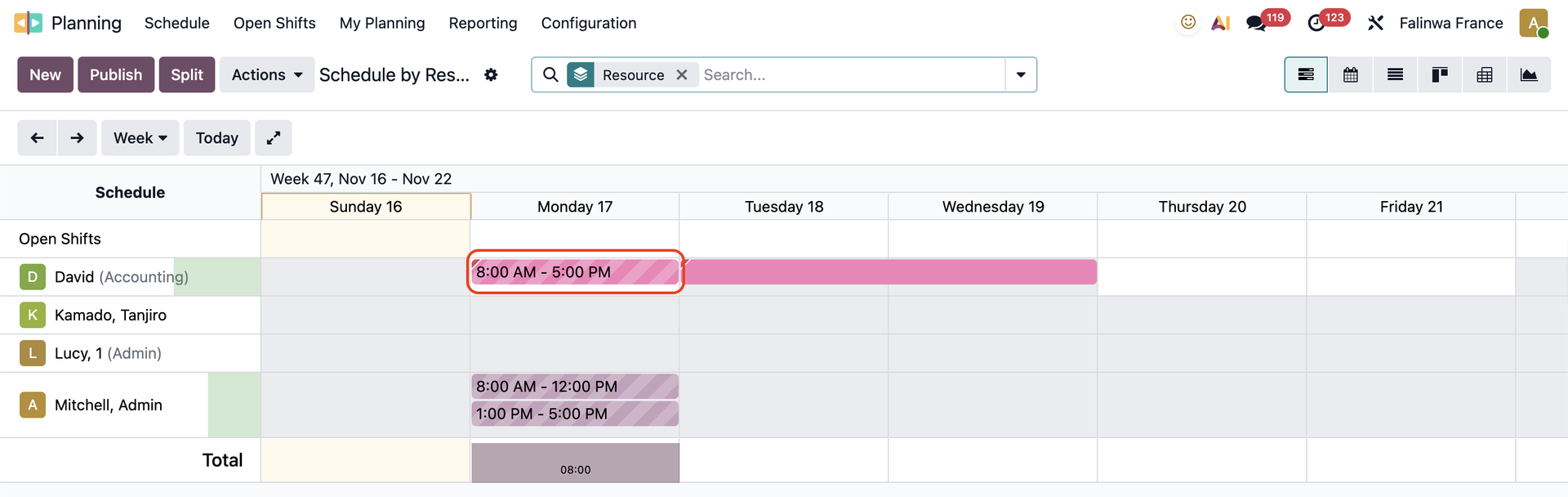 |
After the time off is approved/validated > Split the planning Click on the planning > You will see the Work Entry Type has been inherited from the Time Off Type | 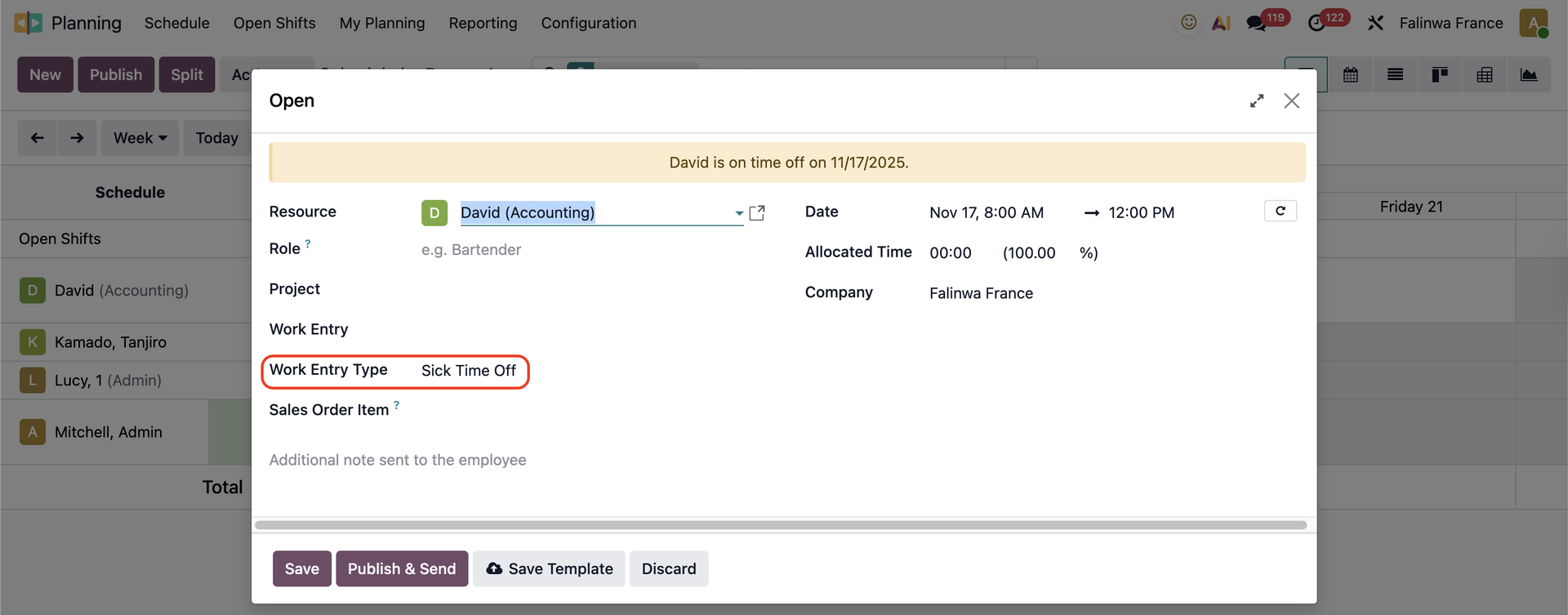 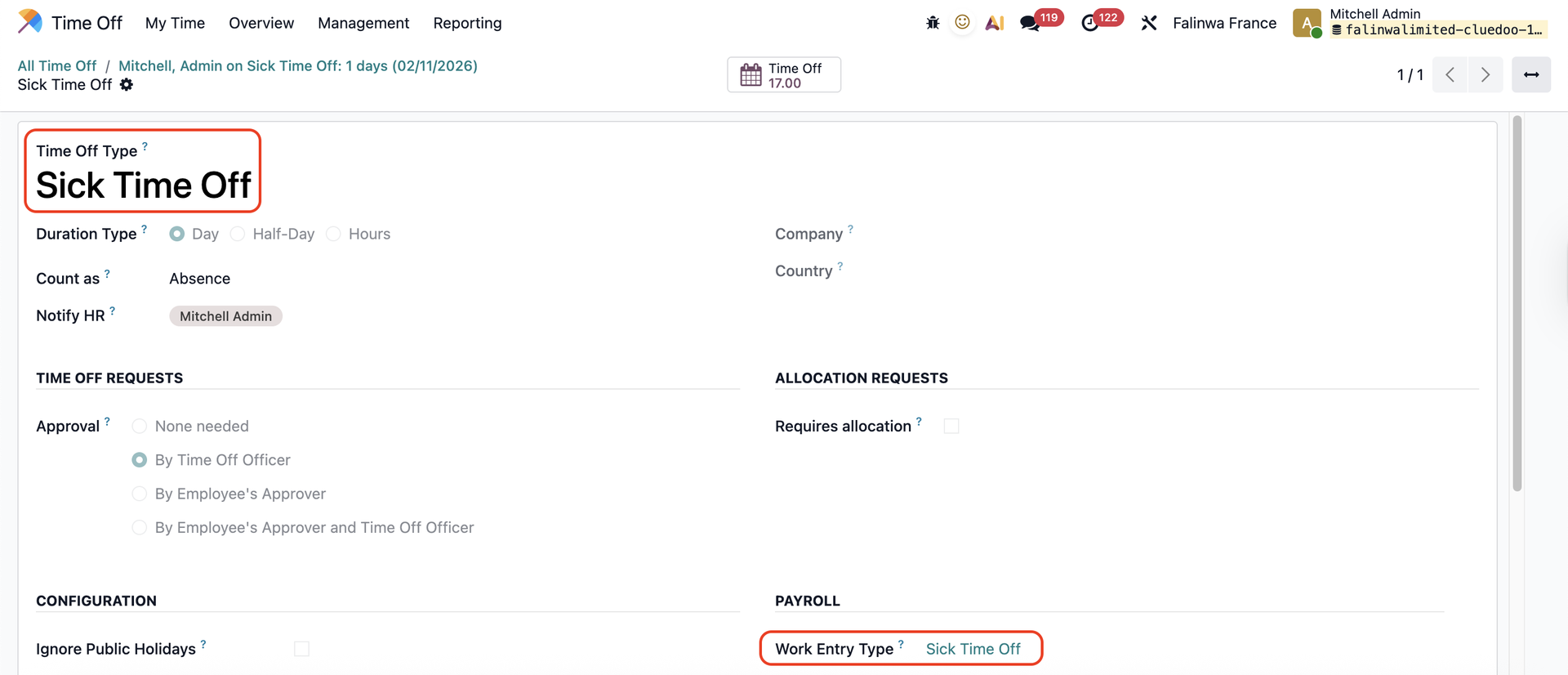 |
3. Publish the planning and go to Payroll > Work Entries > The work entry linked to your time off is added | 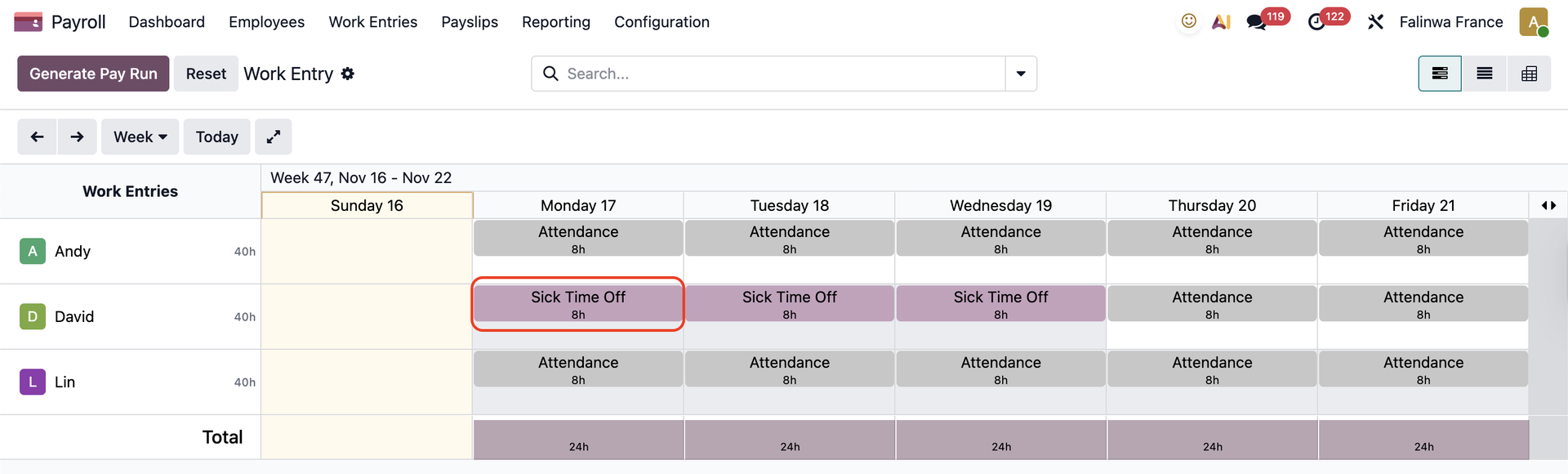 |
Click on the work entry and you will see the Work Entry Type has been inherited as well | 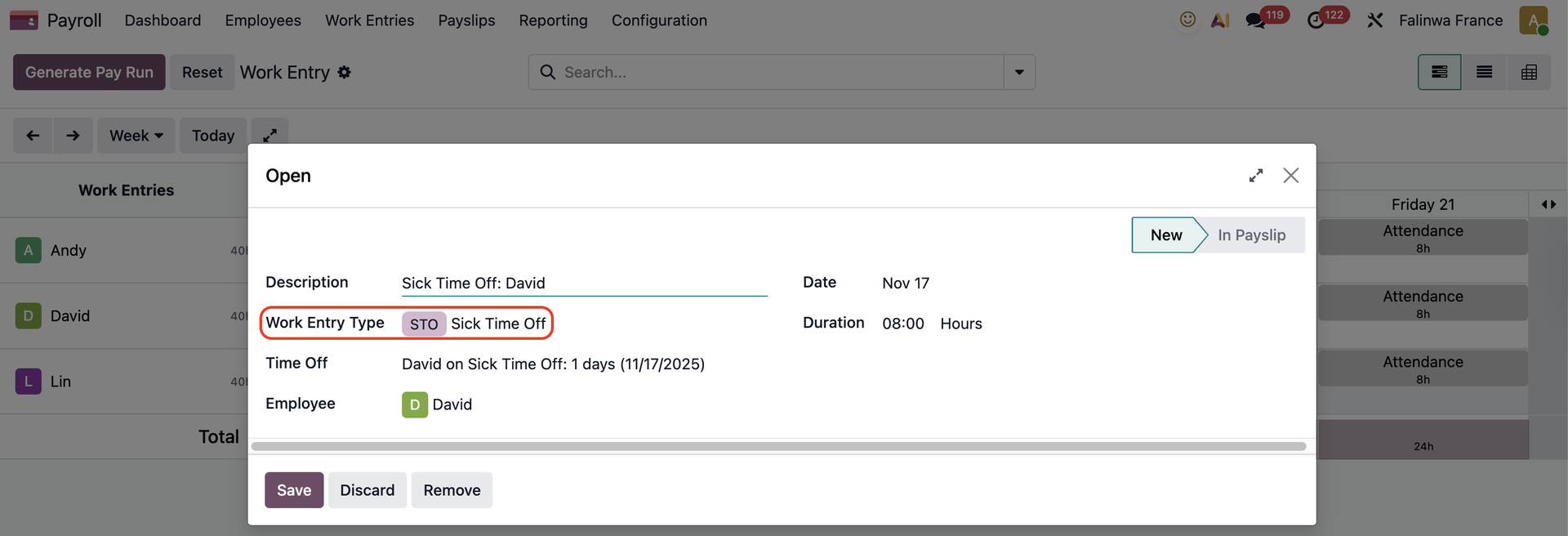 |
4. When an employees creates a planning on his time off day > Both the time off and the planning will be linked to the work entries. | 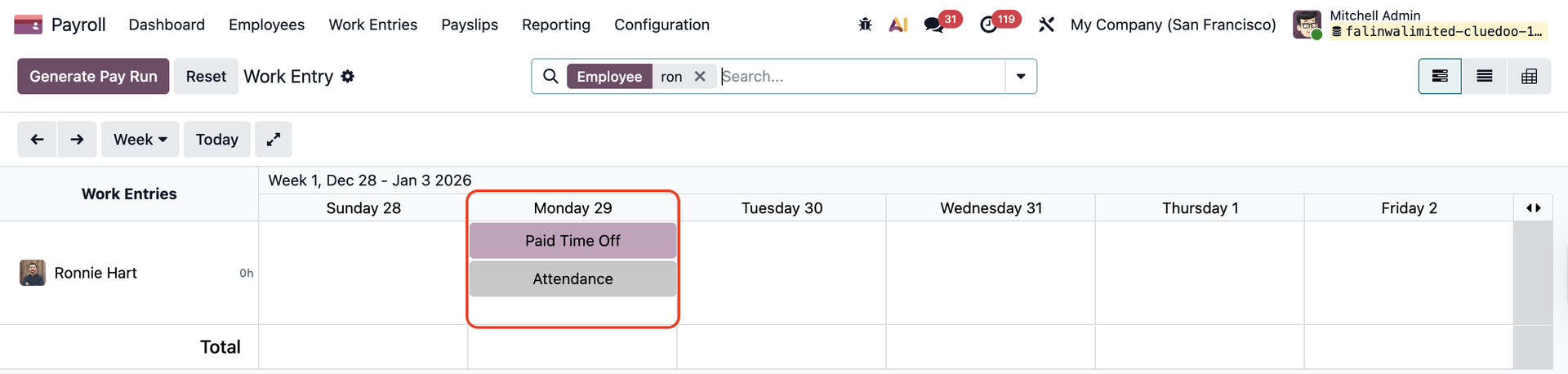 |