



ODOO'S FUNCTION
In Odoo, you can schedule a 'Meeting' as an activity type. However, clicking this option redirects you to a generic calendar view, losing the context of the original record (like a lead or project task). The meeting form is not pre-filled, requiring users to manually re-enter all the information.
CLUEDOO'S FUNCTION
Cluedoo enhances Odoo's meeting scheduling from activities by introducing:
1️⃣ A direct meeting creation function from within the activity, keeping the user in context.
2️⃣ Automatic pre-filling of key meeting details like the subject, attendees, and duration based on the source document.
3️⃣ A feature to adjust the date and time based on participants' availability.
This allows for a much faster and more intuitive workflow, ensuring that meetings are created with the correct context and information. By making the process seamless, it encourages users to adopt the scheduling feature and properly link calendar events back to their original records.
1. Create Schedule Activity with Activity Type 'Meeting'. Fill in the fields for Meeting Subject, Starting at, and Duration. Then click 'Create Meeting'. It will create a Meeting automatically on Calendar. |  |
From V19, it looks like this | 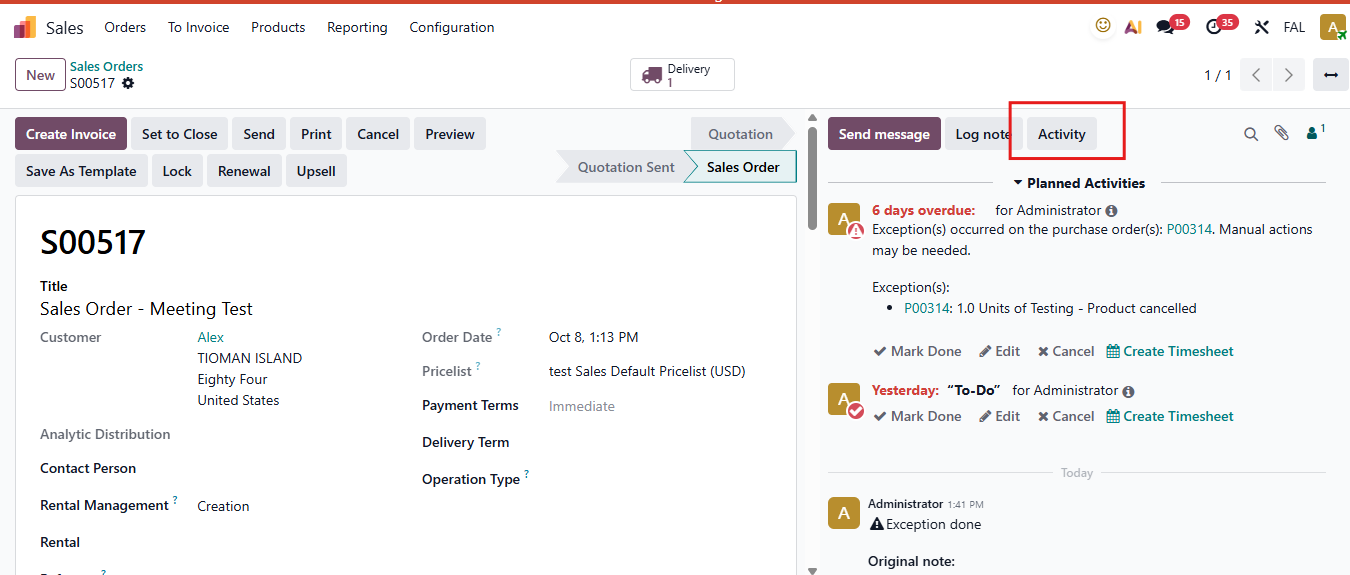 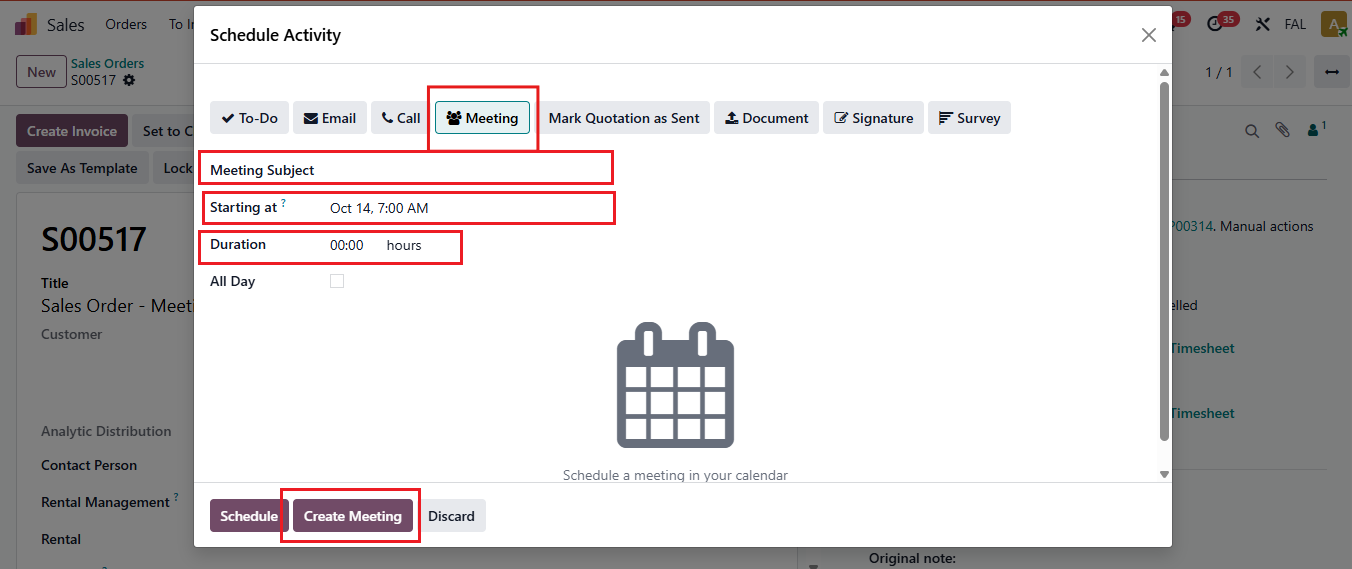 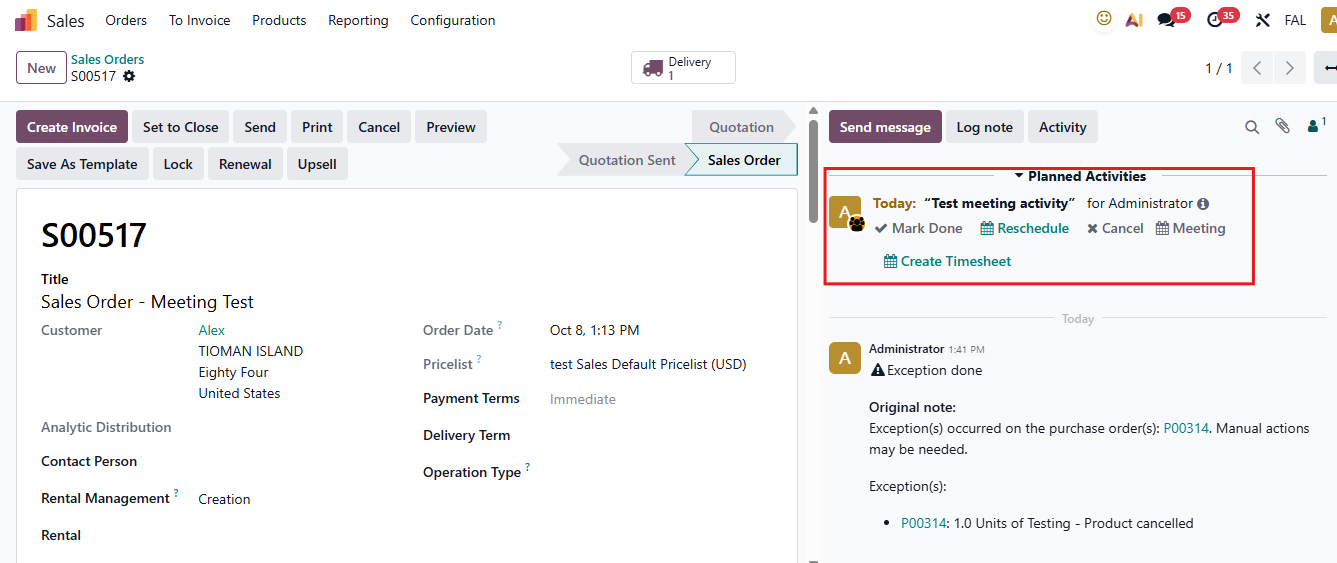 |