



ODOO'S FUNCTION
In standard Odoo:
- There is no concept of invoice automation templates for Purchase Orders.
- Users must manually fill in start and end dates or use external documents to track billing periods.
- This lack of structure can lead to missing or inconsistent information across Purchase Orders, especially for recurring services.
CLUEDOO'S FUNCTION
CLuedoo enhances Odoo's purchasing features by:
1️⃣ Introducing invoice automation templates that include fields for Start Date and End Date.
2️⃣ Automatically propagating these date fields into the Purchase Order lines when an invoice template is selected - either before or after adding PO lines.
1. Go to Purchase > Invoice Automation Template > Create a new invoice template | 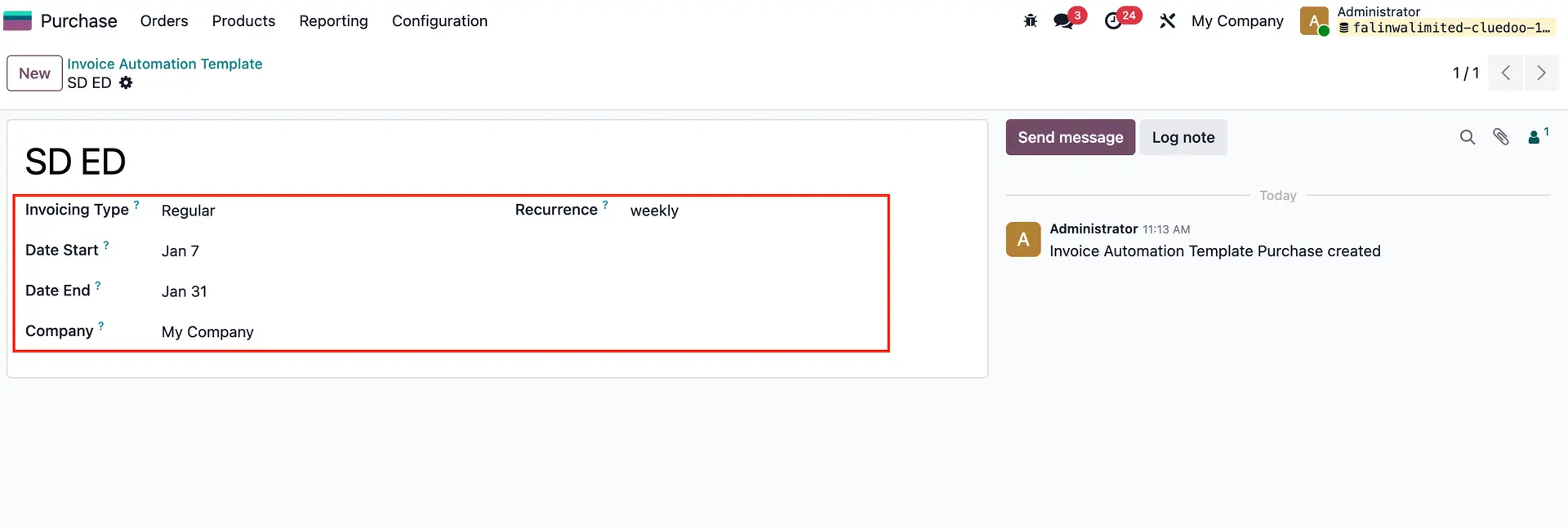 |
2. Create a new RFQ. If we select the invoice template first, the start date and end date will appear when we add a PO line. Likewise, if we add the PO line first and then select the invoice template, the start date and end date will also appear. | 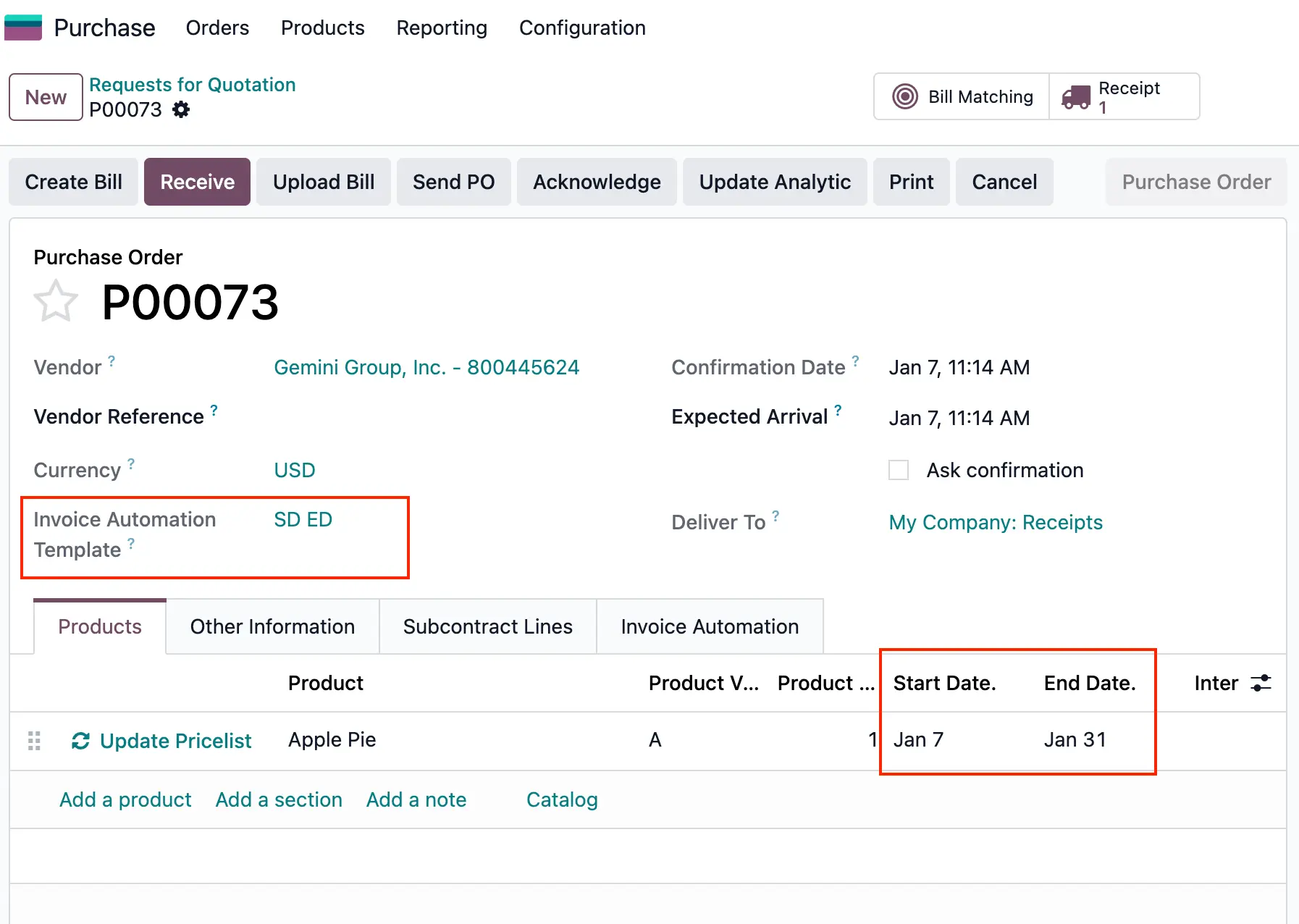 |