



ODOO'S FUNCTION
Standard Odoo does not provide a native solution to display multiple contacts (res.partner) on a single interactive map on the website.
CLUEDOO'S FUNCTION
CLuedoo enhances the website's visualization capabilities by introducing:
1️⃣ A Partner Map View that integrates directly with Google Maps.
2️⃣ Pin and display partner records on the website map.
This giving website visitors a clear visual representation of all partner locations in real-time.
1. Go to Settings > Geolocation > Enable Geolocation | 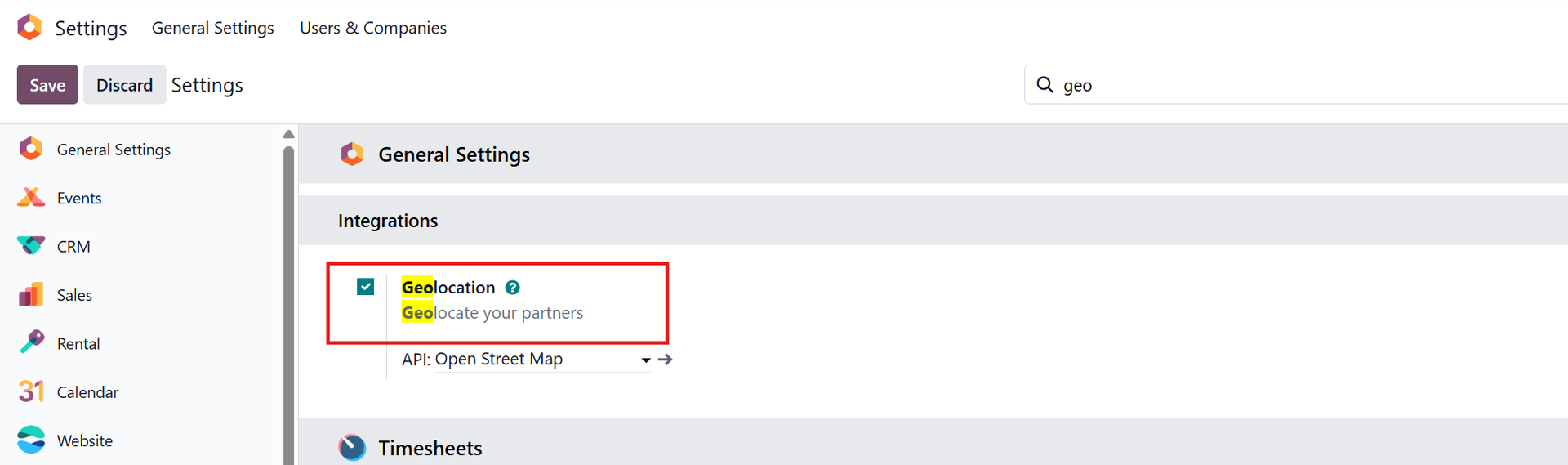 |
2. Debug > Go to Website > Configuration > Websites > Choose your published website Fill in your Google Maps API Key | 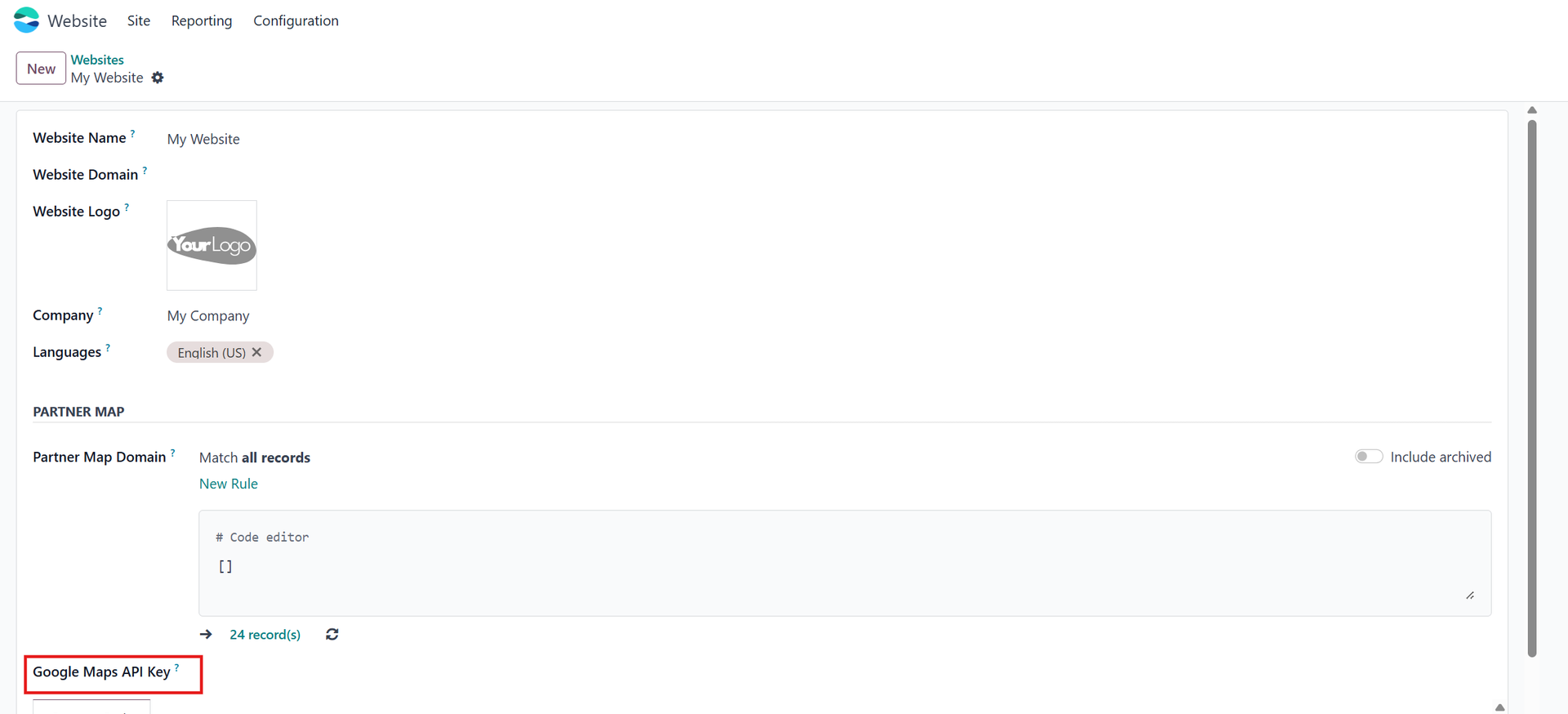 |
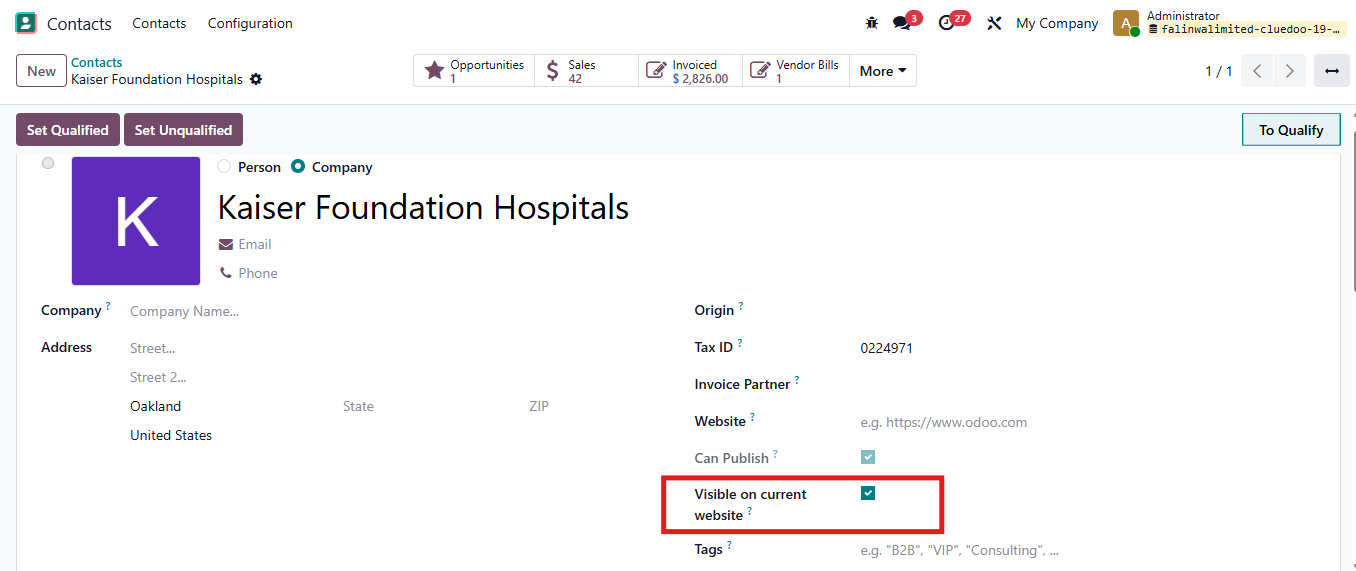
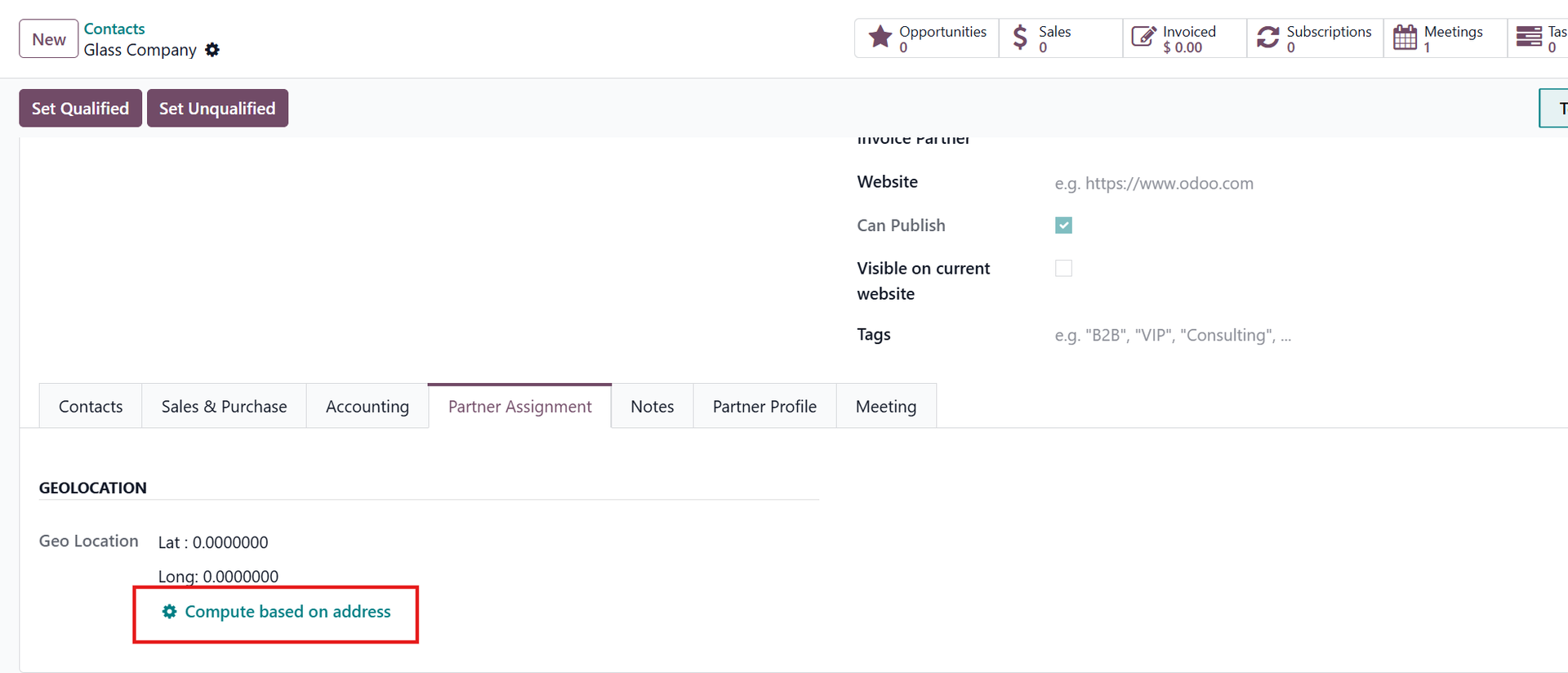
3. Go to Contacts to see the partner location pin in Partner Map:
|   |
4. Go to Website > Site > Page Create a new page for Partner Map Fill Page Title and Click on Create NOTE: In case you want to insert the Partner Map into an existing page, just click to the page | 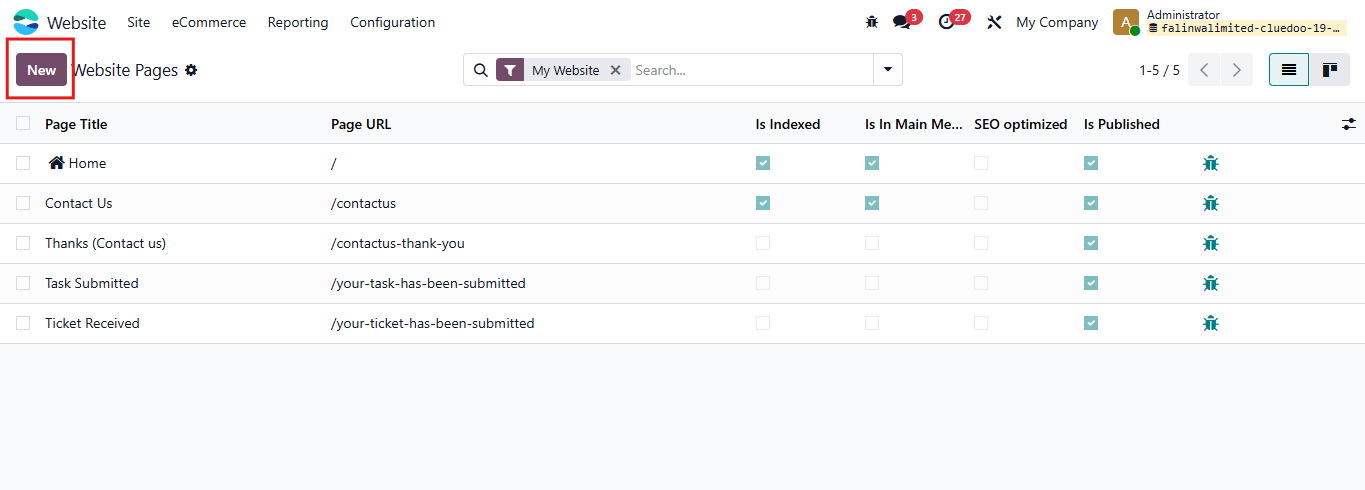 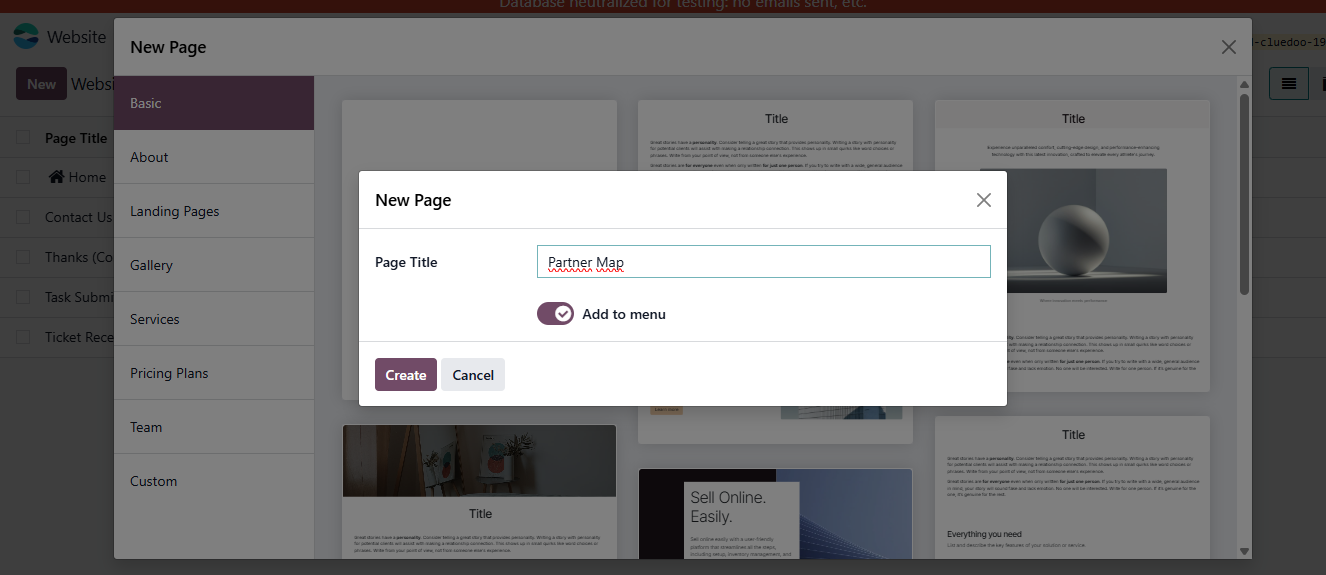 |
5. Turn on Edit Then find the Partner Map block and drag to the location you want to put it in. | 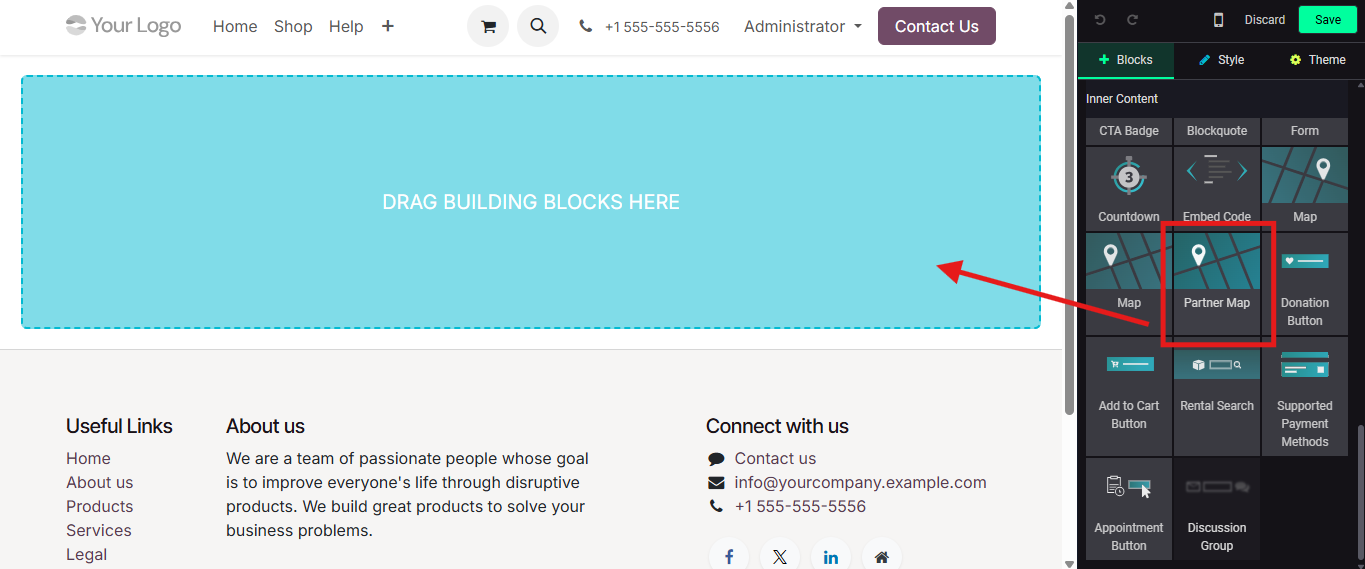 |
6. On Partner Map, You can see the partner location pin Move the mouse to location pin, the information of partner will appear | 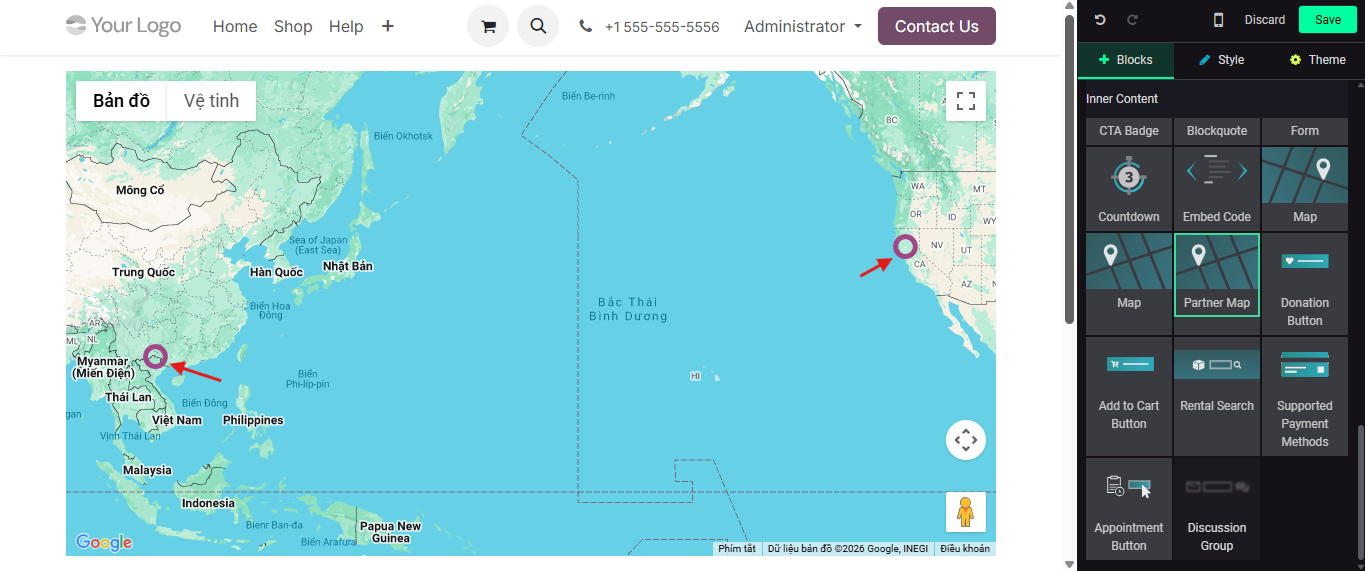 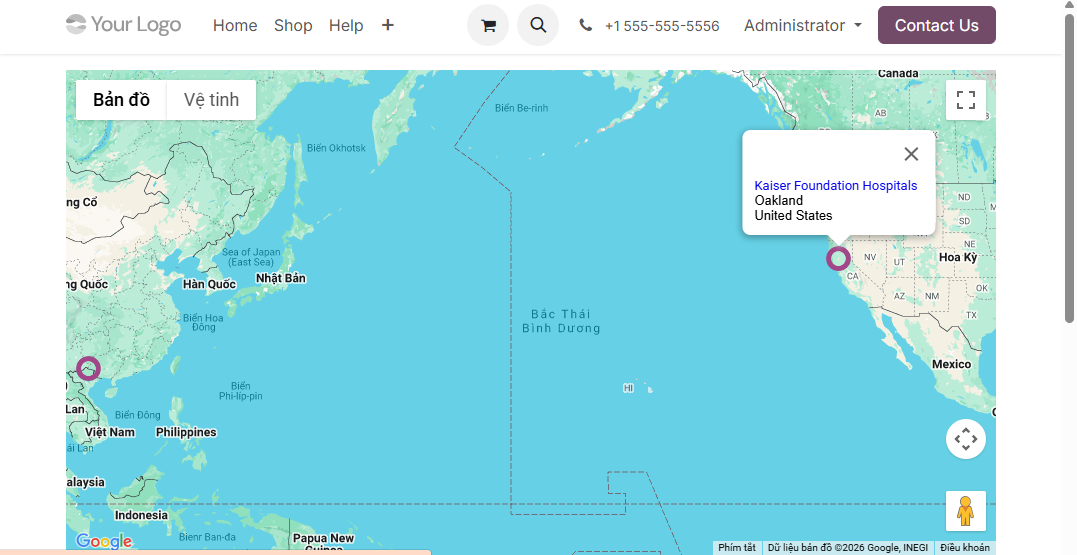 |
7. You can also select the partner you want to show in map Debug > Go to Website > Configuration > Websites > Choose Website Set the rules for Partner Map > Only partners sastifying the rules are shown | 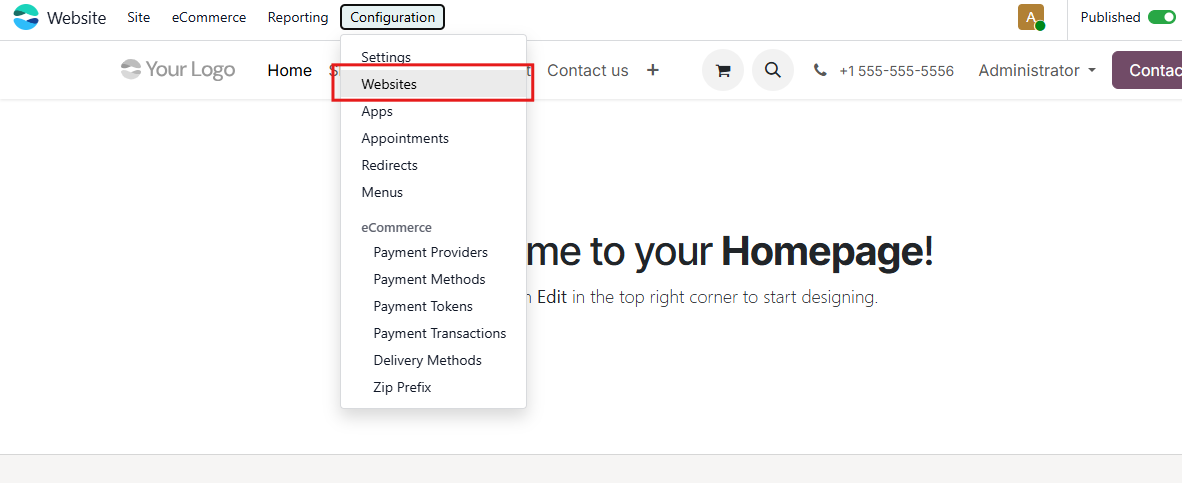 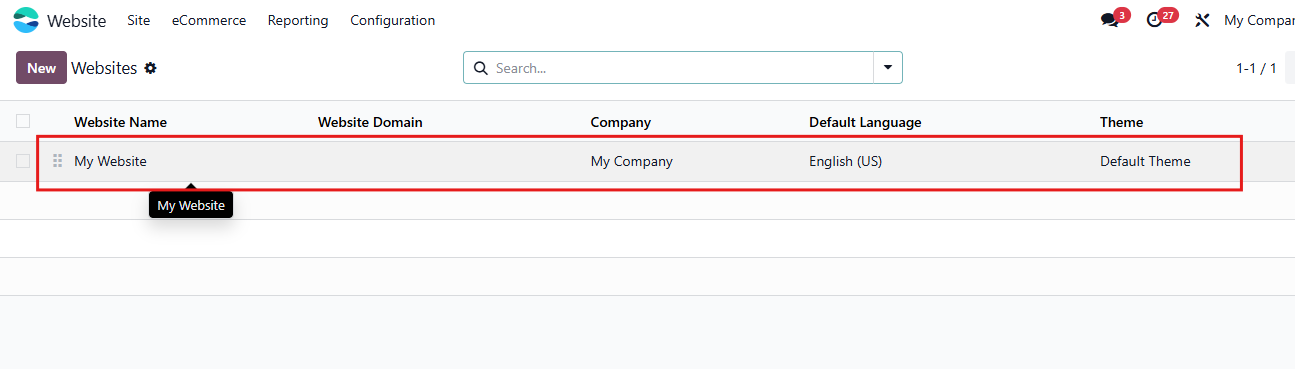 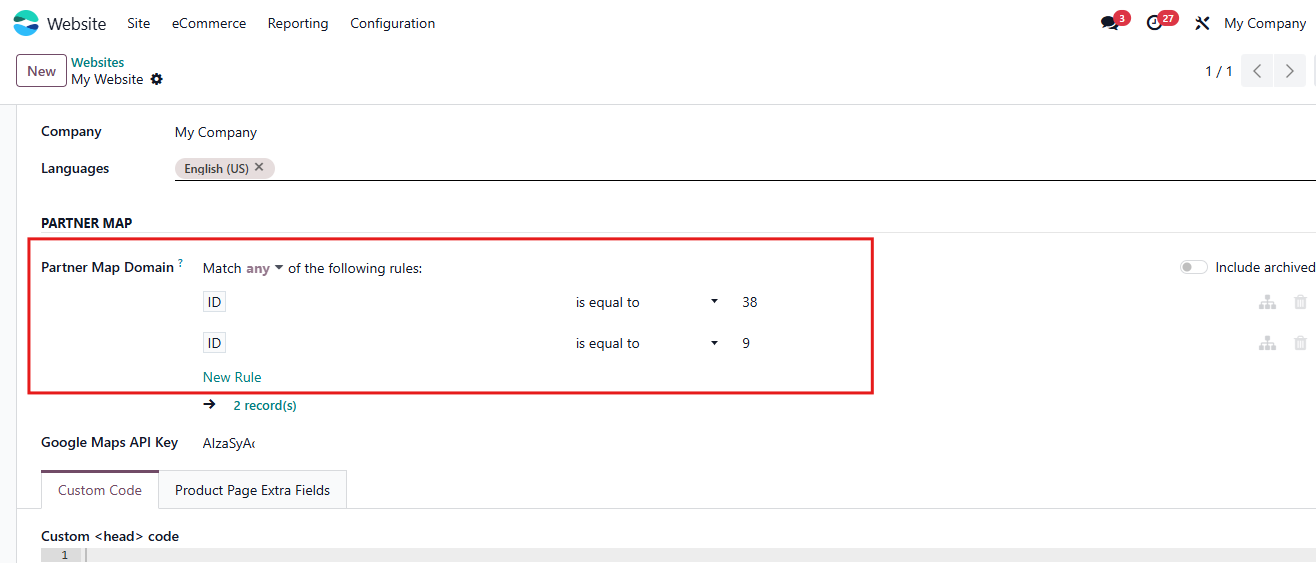 |