ODOO'S FUNCTION
In Odoo Accounting, any account from your Chart of Accounts can be used in any journal. This means a user could accidentally use a Bank account in a Sales journal, leading to booking errors and messy financial reports.
CLUEDOO'S FUNCTION
CLuedoo enhances Odoo Accounting by letting you set strict rules: you can Allow or Exclude specific Journals (or Journal Types) for each account. This helps prevent errors by ensuring your team can only select the right accounts for the right journal entries.
CONFIGURATION | |
Go to Accounting > Chart of Account > Choose one account > Journal restictions tab > Set Allowed/ Excluded Journal. | 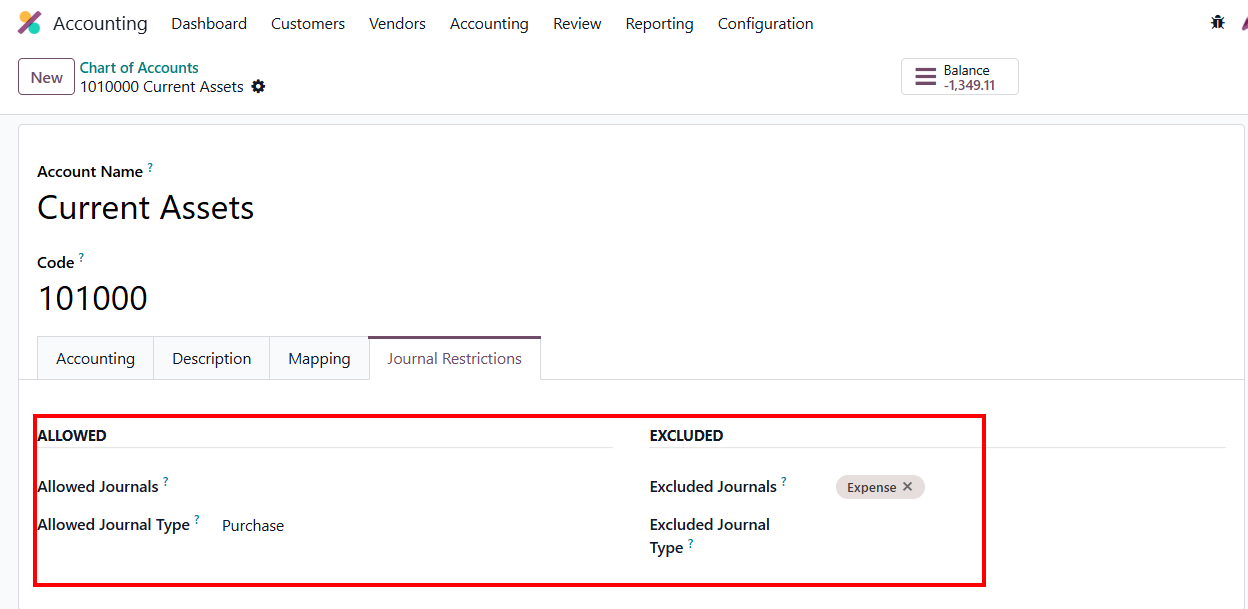 |
USAGE | |
ALLOWED JOURNALS/JOURNAL TYPESAllowed Journals Set up Allowed Journals for the CoA | 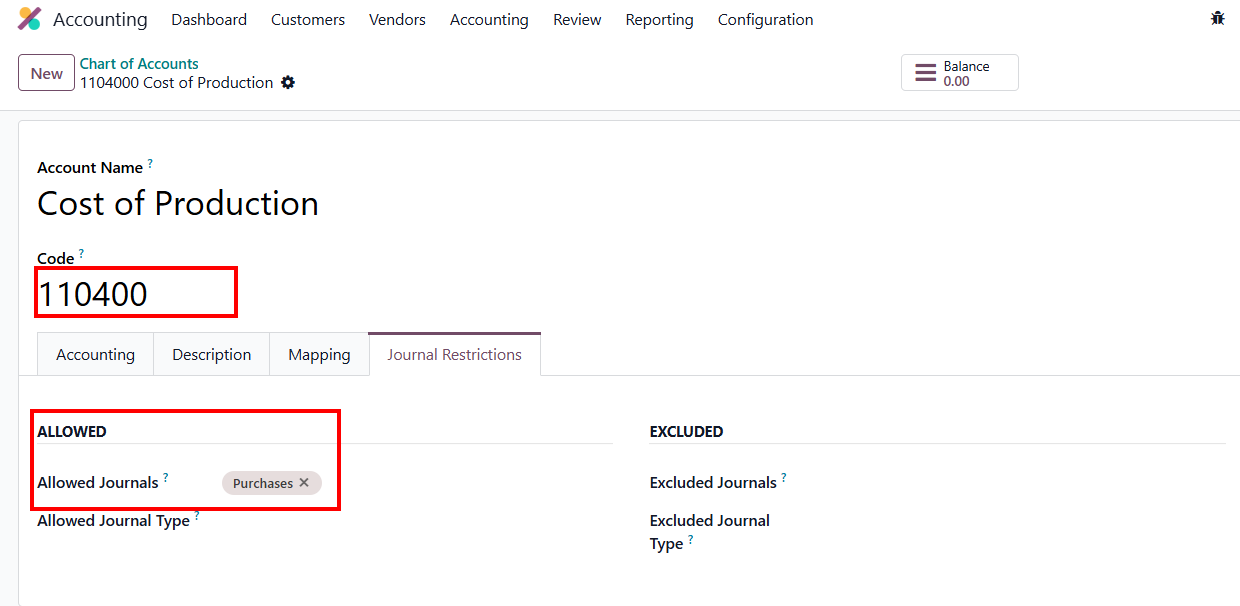 |
Create a Sales Orders > Confirm > Create Invoice > Choose account in the Journal Items tab > Confirm Invoice |
|
Result:
|
|
|
|
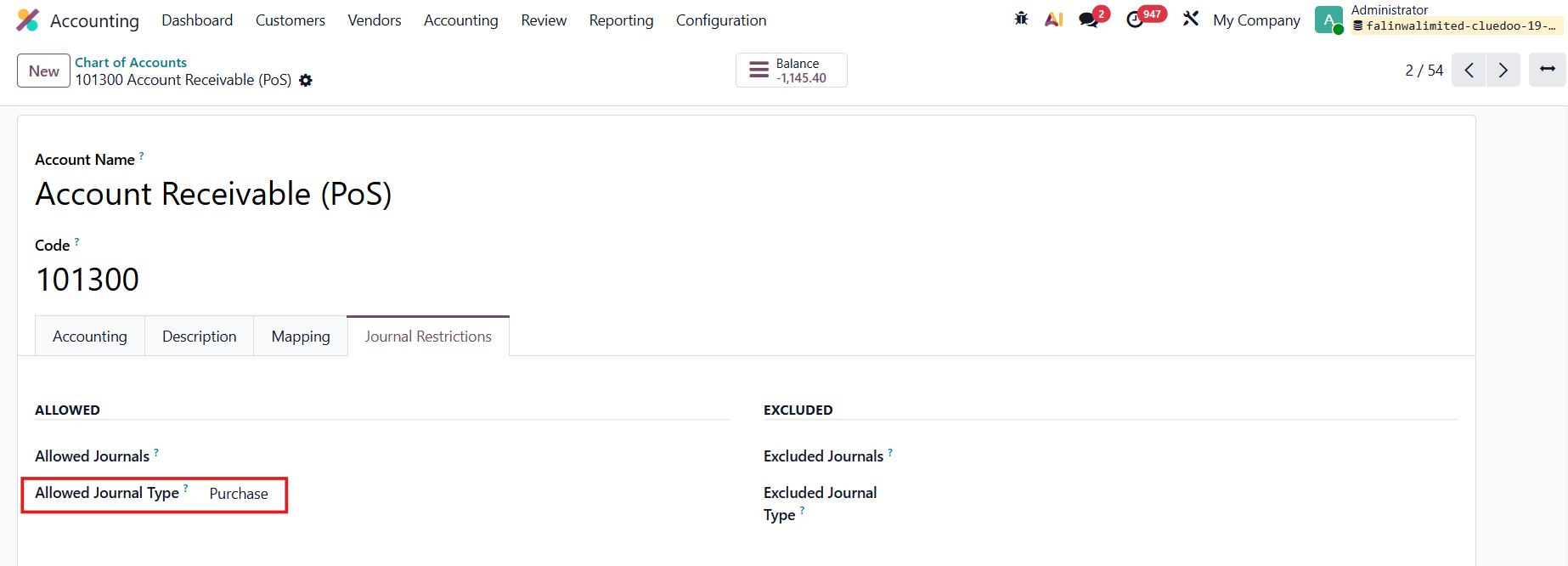
Allowed Journal Types Same logic as Allowed Journals but applied at the Journal Type level. e.g., select Purchase > this CoA can only be used with journals that have type Purchase |
|
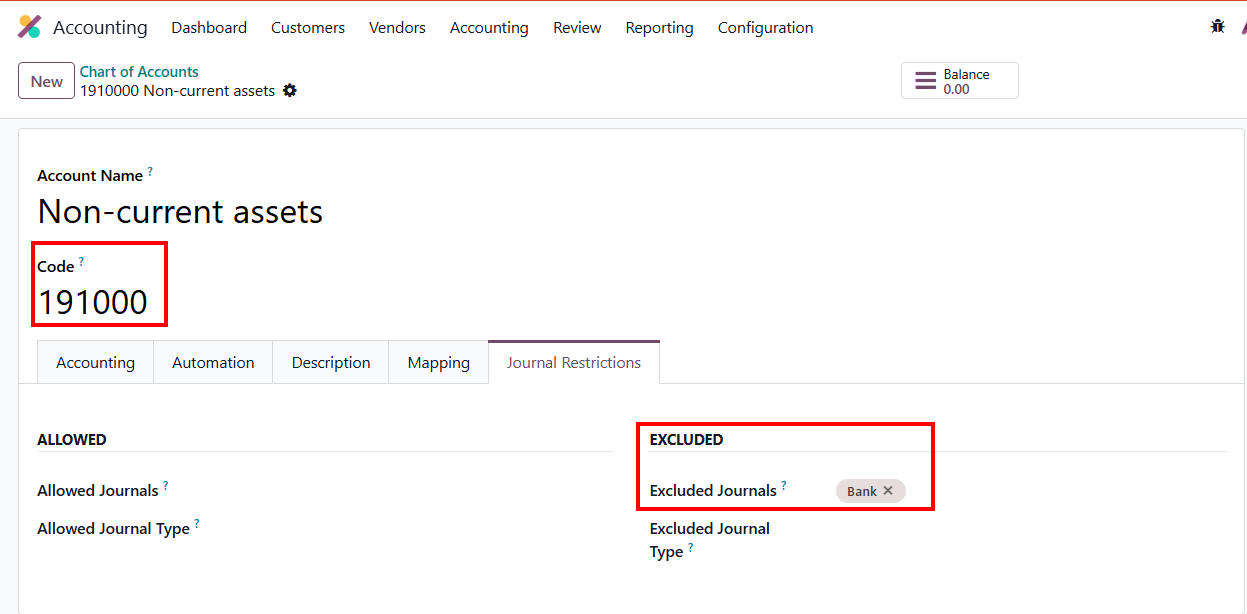
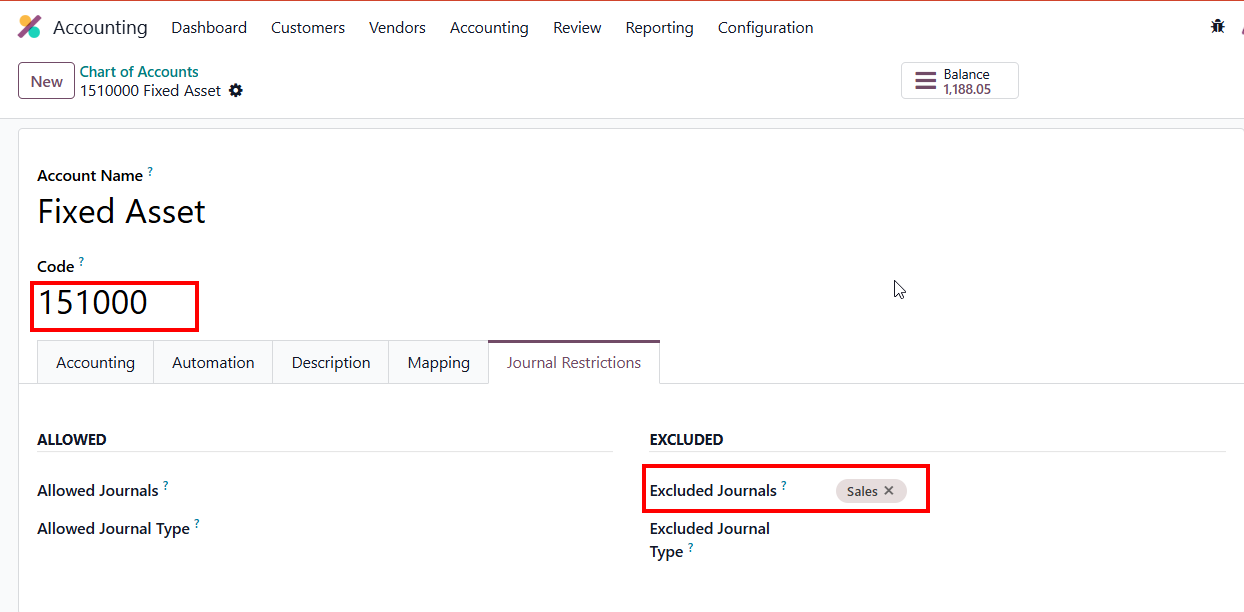
EXCLUDED JOURNALS/JOURNAL TYPESExcluded Journals
|
|
Result:
|
|
|
|
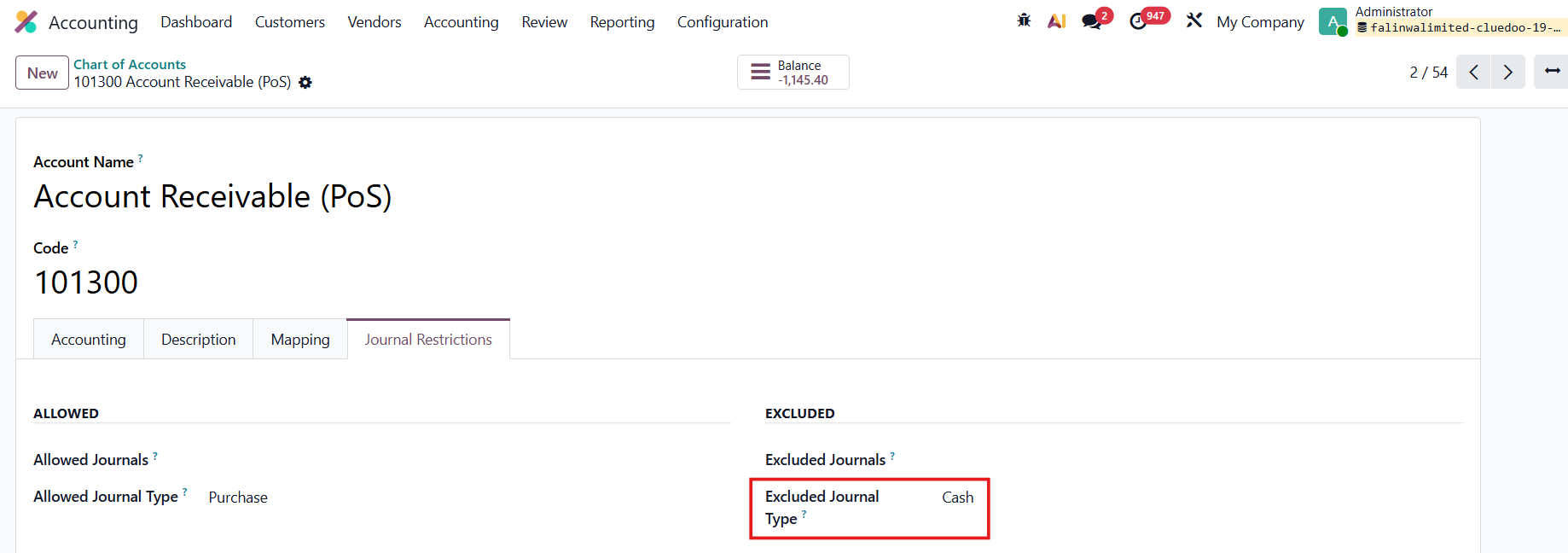
Excluded Journal Types Same logic as Excluded Journals but applied at the Journal Type level. e.g., select Cash > this CoA can be used for all journal types, except type Cash |
|
FOR EXPENSESSet the excluded journal = Expenses for the CoA. | 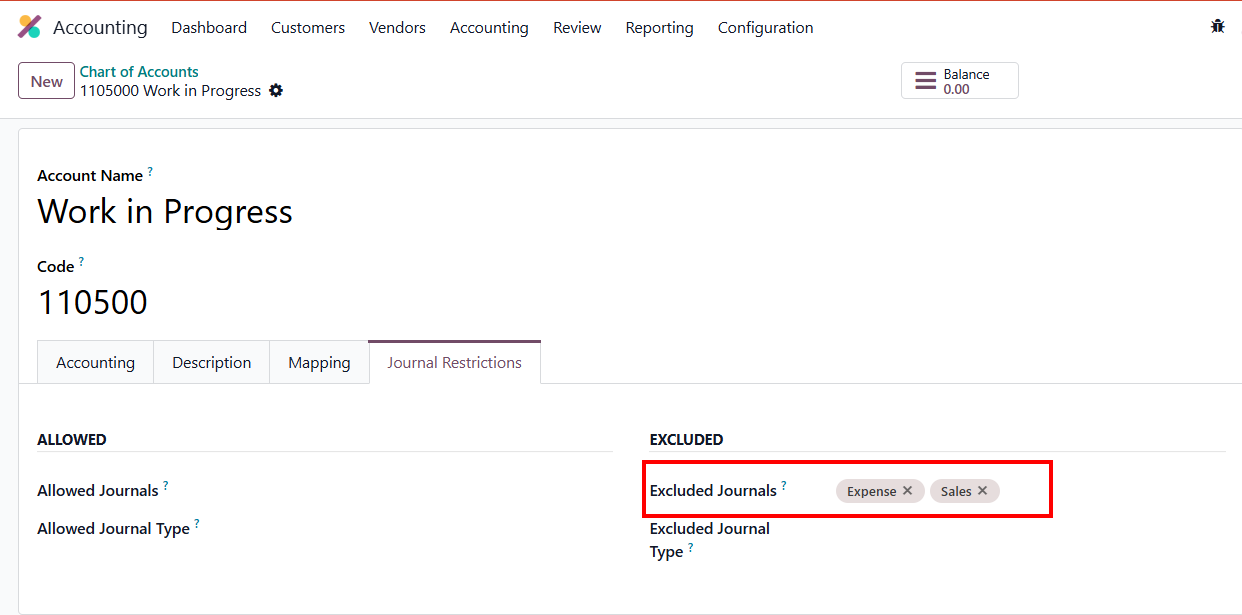 |
Create a new expense, choose the account/ financial account = the configured CoA Submit > Post Journal Entries > Post Expenses |
|
Result: A validation Error notification pops up - cannot choose this account in Journal Expenses |
|