

ODOO'S FUNCTION
In Odoo, journals do not have a specific classification by accounting standard (e.g., Local or IFRS), and financial reports include all journal entries by default.
CLUEDOO'S FUNCTION
CLuedoo adds a new Journal Type field (Common/ Local/ IFRS) in Journals, with Common as the default. Financial reports can include or exclude journals by type, and two new menu filters are available for journal items: Local + Common and IFRS + Common.
1. Go to Accounting > Configuration > Journals > There is a new field Journal Type, which you can select By default, it will be Common e.g., I choose Customer Invoices and Journal Type = Common | 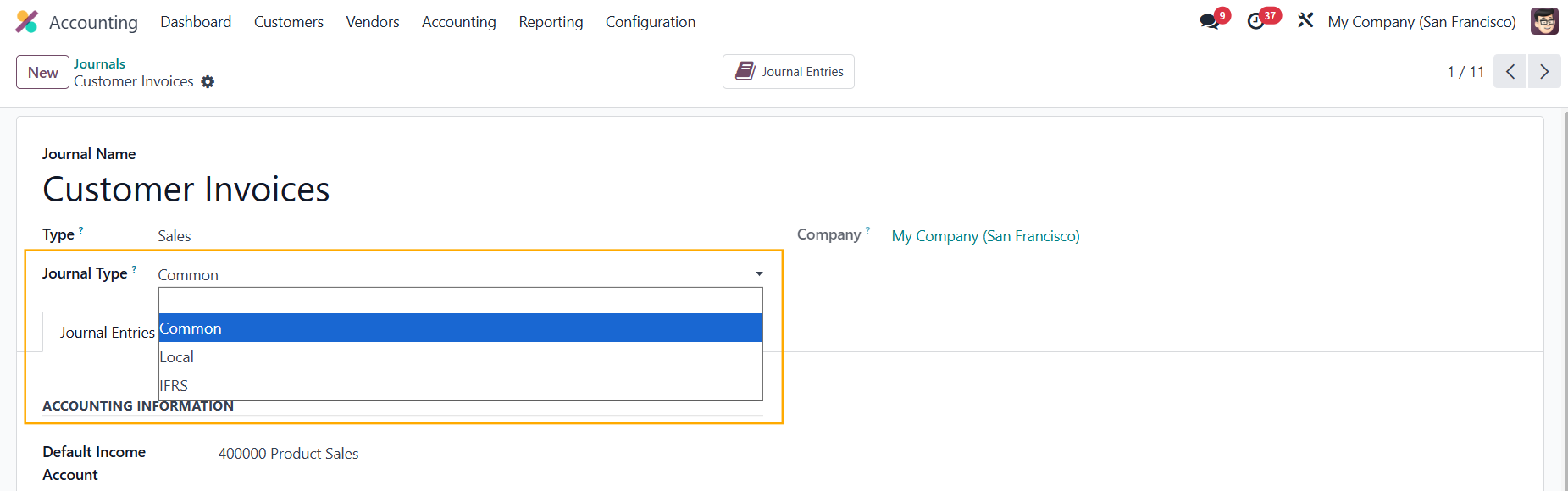 |
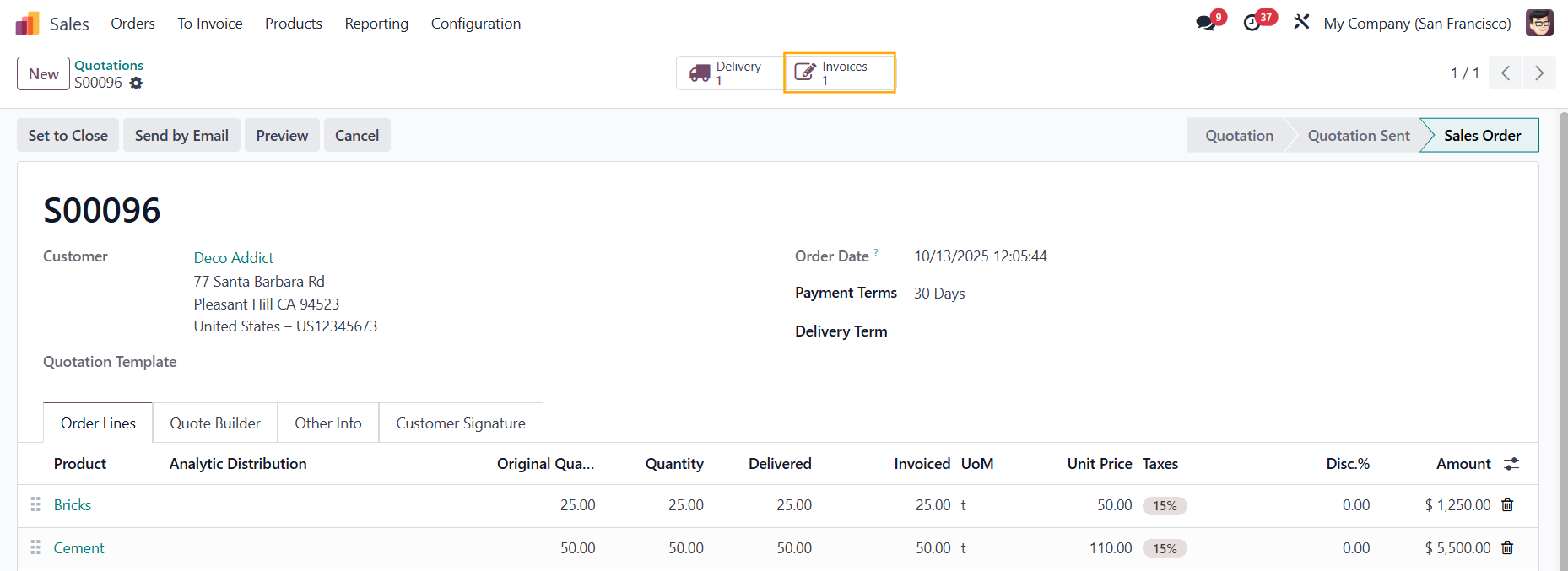
2. Create a Sales Order > Confirm > Create Invoice |
|
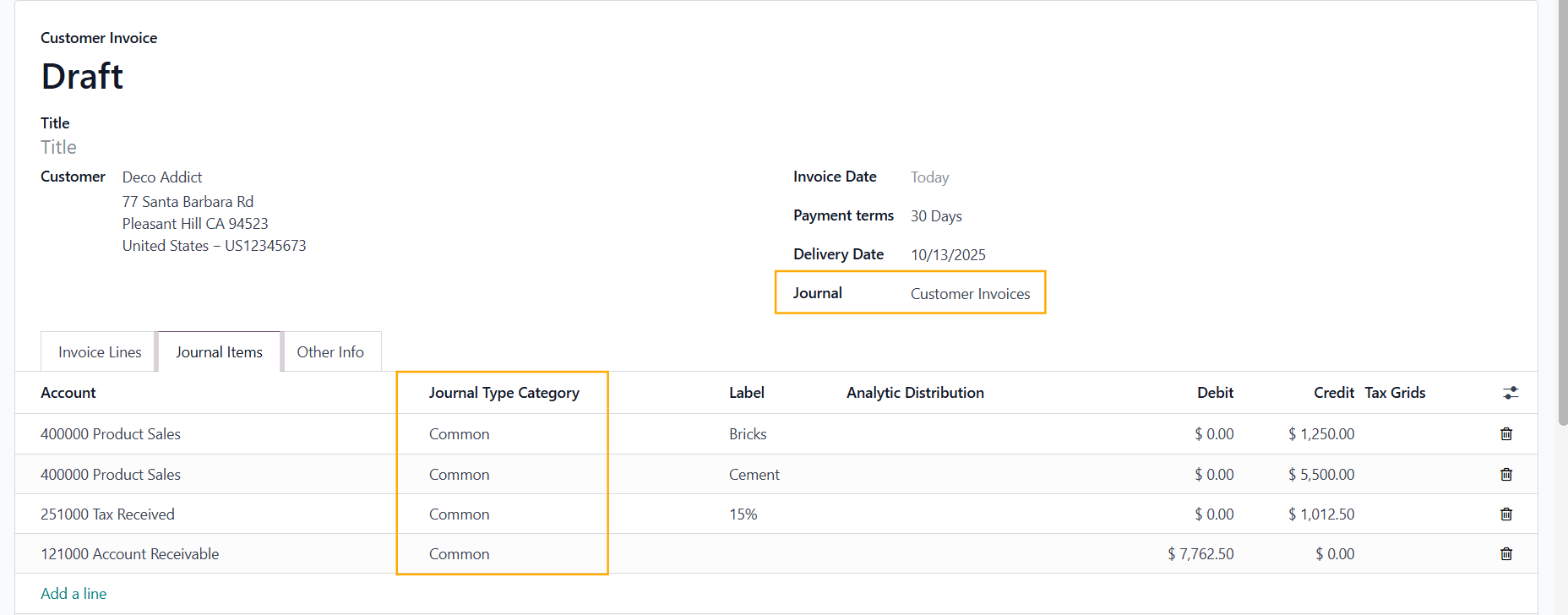
On the invoice, you can see the Journal is Customer Invoices, and the Journal Type Common will be automatically inherited |
|
3. In Accounting > Accounting > Two new menus have been created:
|
|
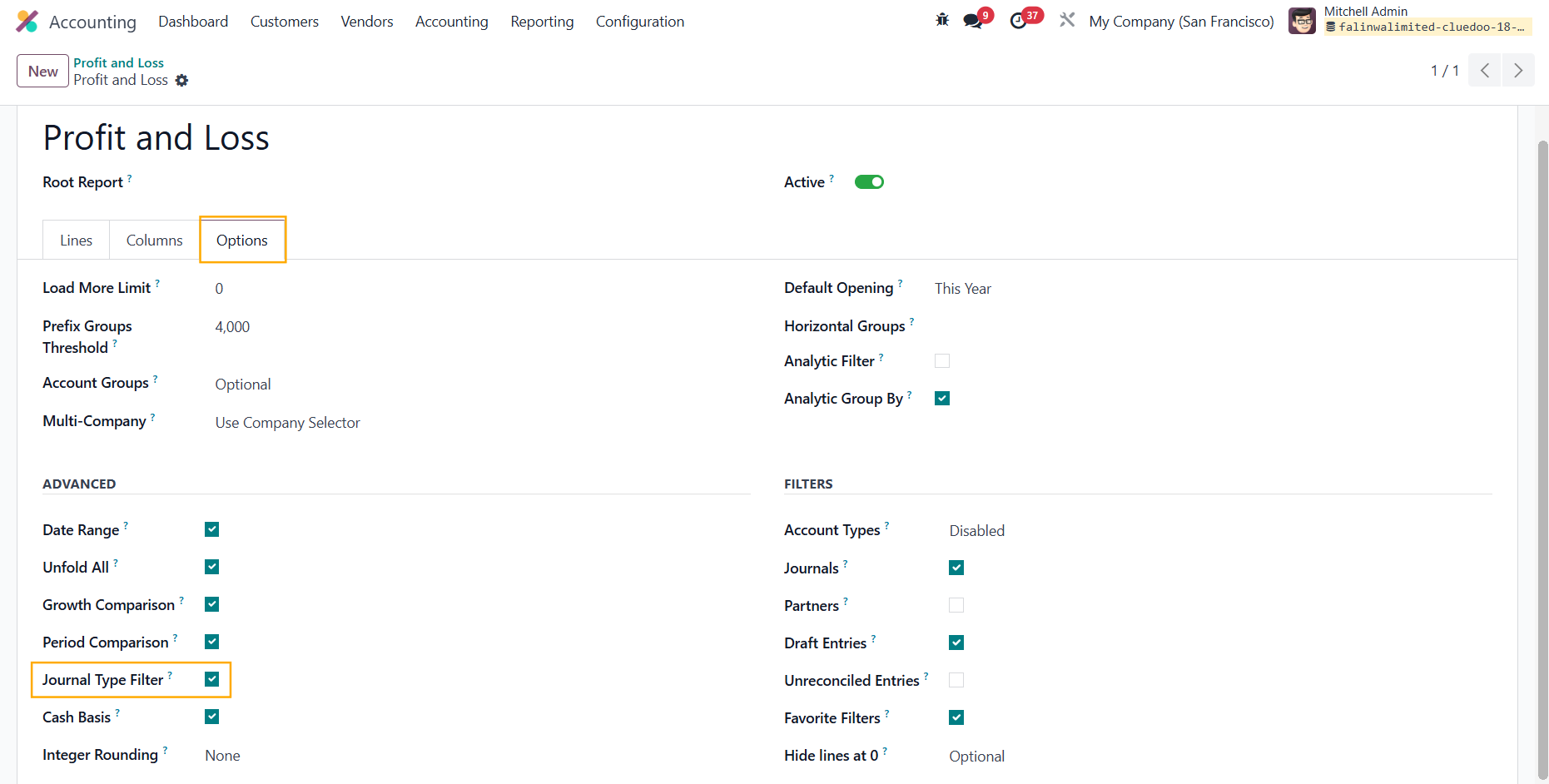
4. Head to Reporting > Choose a financial report > Click on the Settings icon |
|
Under the Options tab, tick the Journal Type Filter checkbox |
|
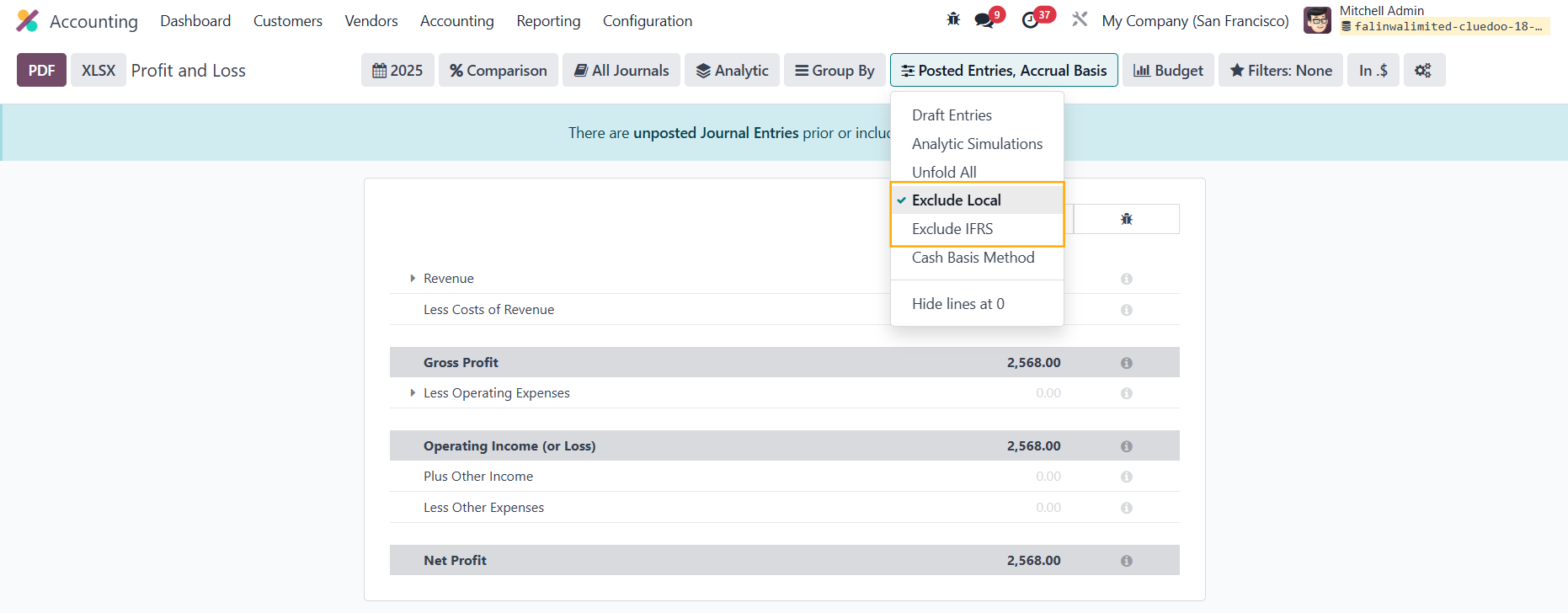
5. Go back to the report > You will see 2 filters:
|
|