



ODOO'S FUNCTION
In standard Odoo, Analytic Accounting allows tracking costs and revenues using Analytic Accounts, but it lacks a structured way to manage analytic resources separately. Users can create Analytic Accounts and allocate them to projects or expenses, but there is no predefined mechanism to categorize or restrict them based on specific types like Resource.
CLUEDOO'S FUNCTION
Cluedoo enhances analytic tracking by introducing:
1️⃣ A comprehensive Analytic Resource Management system.
2️⃣ The ability for users to define Analytic Plan Categories and Analytic Resources.
3️⃣ Automatic creation of an analytic account (with the same name as the Analytic Resource and categorized under Resource) if no analytic account is chosen.
This allows for streamlined analytic tracking, improved data consistency, and an automated resource allocation process in Odoo.
1. Go to Accounting > Configuration > Analytic Accounting > Analytic Plan Category. Create an analytic plan category. Select type: Resource | 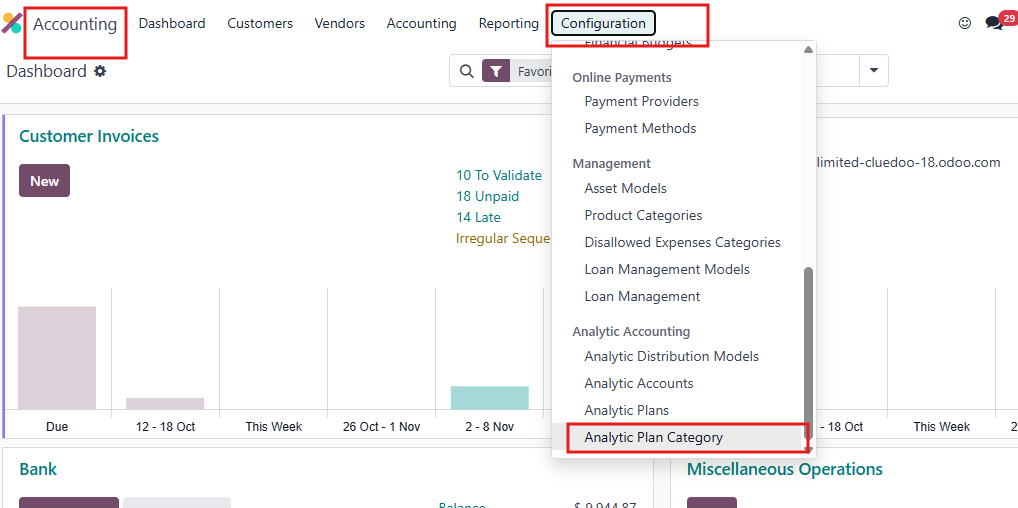 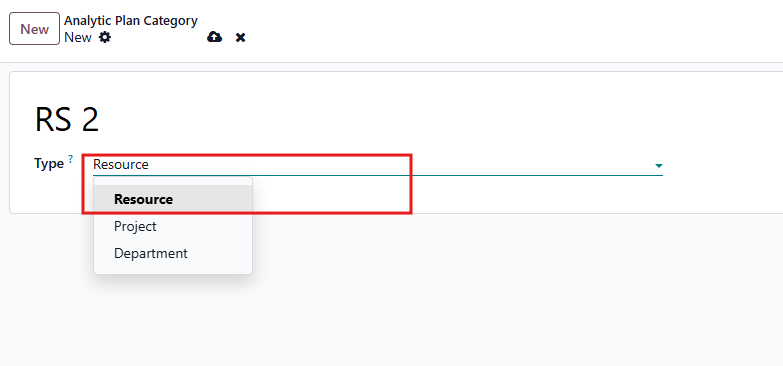 |
2. Go to Analytic Resource. Create an Analytic resource | 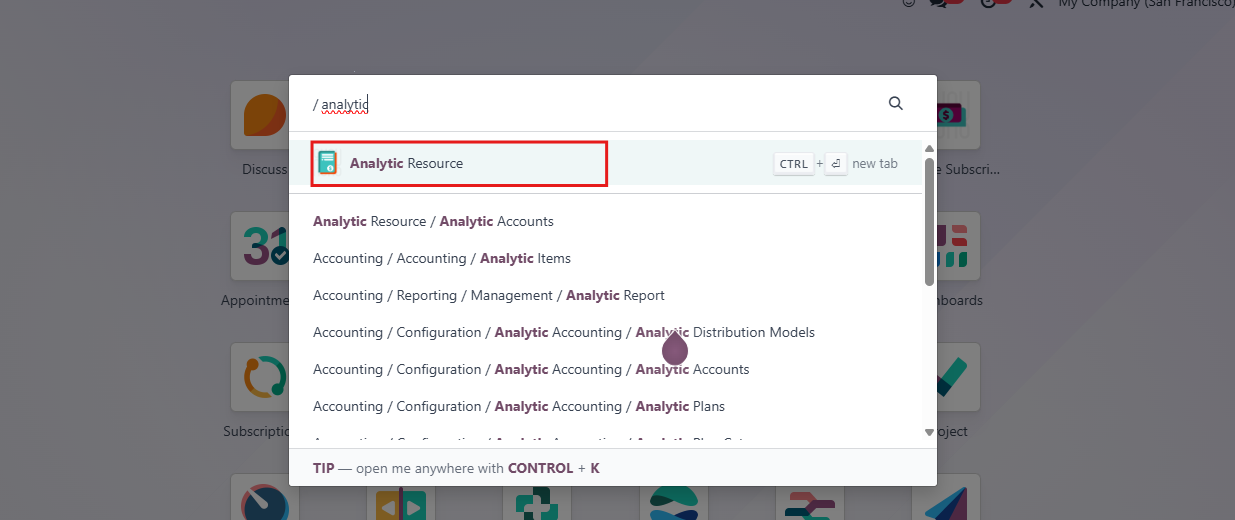  |
3. Choose the analytic account. This analytic account has the condition that it will only take the analytic account whose analytic plan is type Resource. |   |
4. If we don't choose the analytic account when we create analytic resource, the analytic account will be automatically created with the same name as the analytic resource and it will have the type Resource. |  |