



ODOO FUNCTION
Odoo does not offer a Contacts tab within projects to link multiple partners with defined roles. There is no native way to display or manage the roles of several related partners directly inside the project interface.
CLUEDOO'S FUNCTION
CLuedoo enhances project management in Odoo by adding a Contacts tab in the Project app with the ability to:
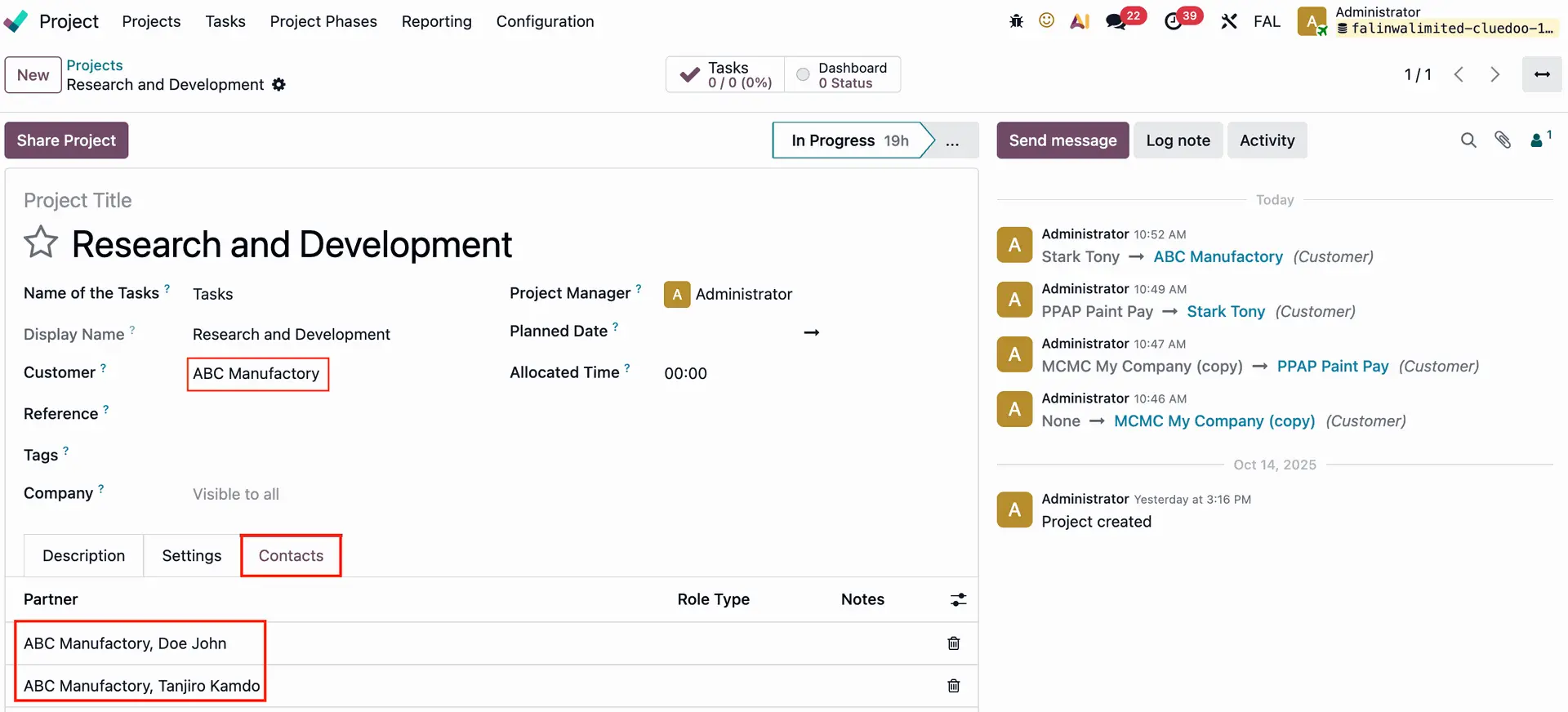
1️⃣ Link individual contacts directly to specific projects, making all client-related contacts visible by default in the project.
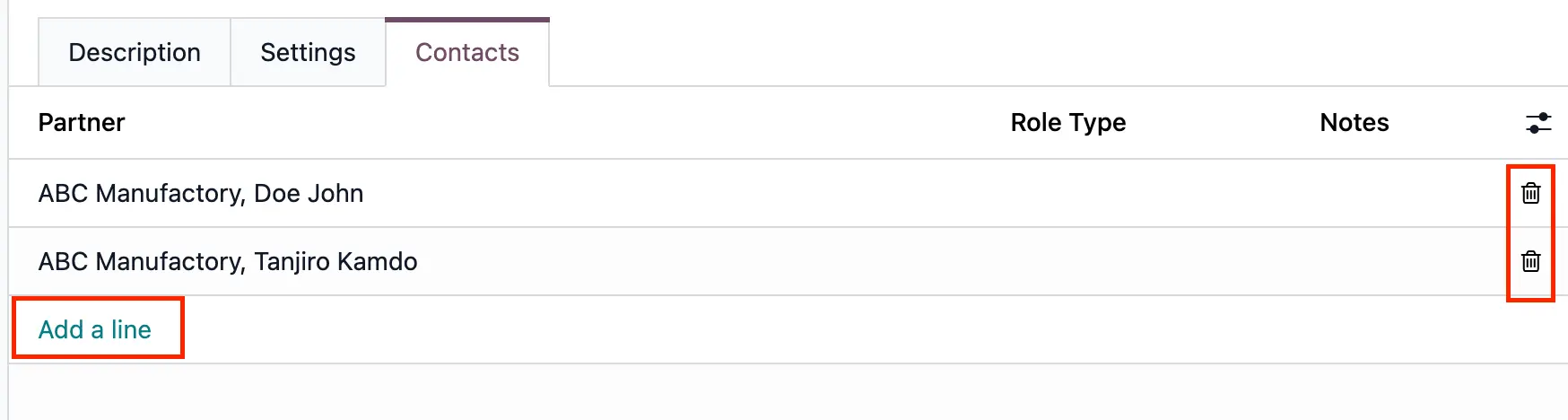
2️⃣ Allow users to easily add or remove contacts from the project list, effectively managing the attachment of contacts to projects directly from the interface.
3️⃣ Automatically create an individual contact record linked to the client when a contact is added from the project, ensuring consistent client-contact relationships.
This improvement streamlines contact management within projects, facilitates better client communication, and simplifies project-related contact tracking for users.
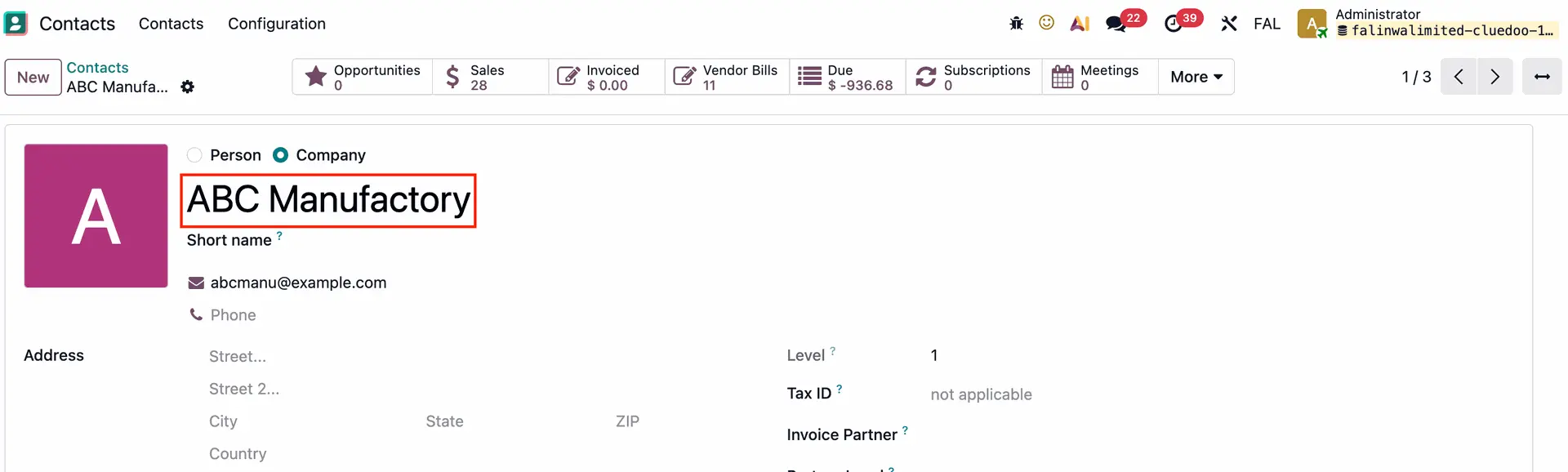
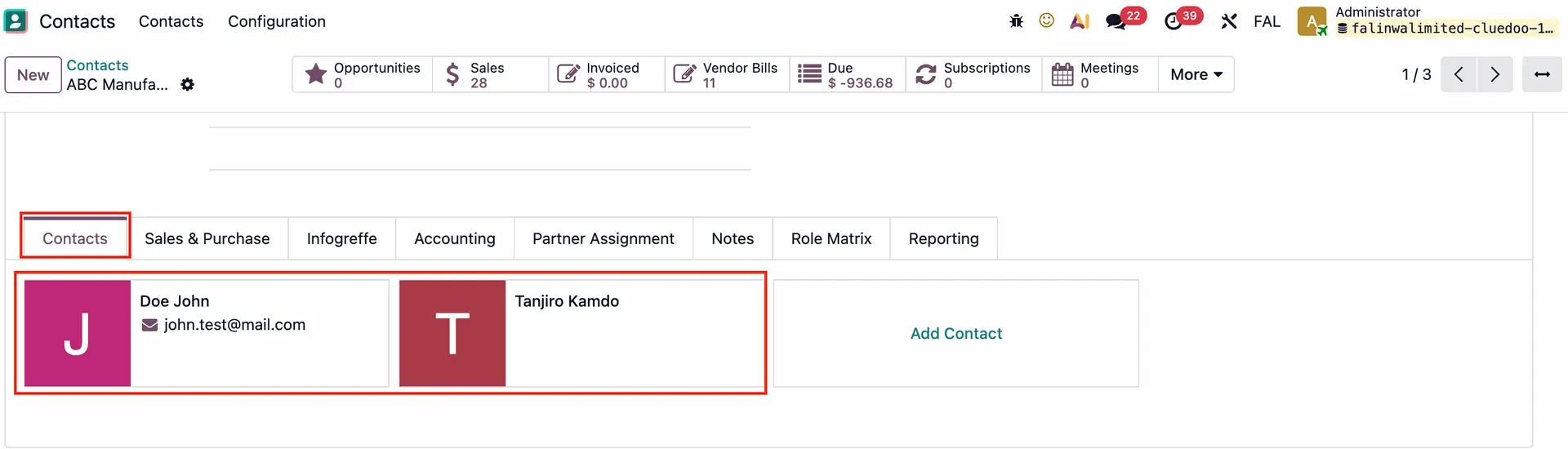
| Go to Contacts > choose a contact that has individual contacts
|  |
|  |
Go to Projects > choose an existing project or create a new one A Contacts tab is added to the project > the customer's individual contacts are linked to this tab automatically
|  |
You can add/remove the project contacts from the list.
|  |
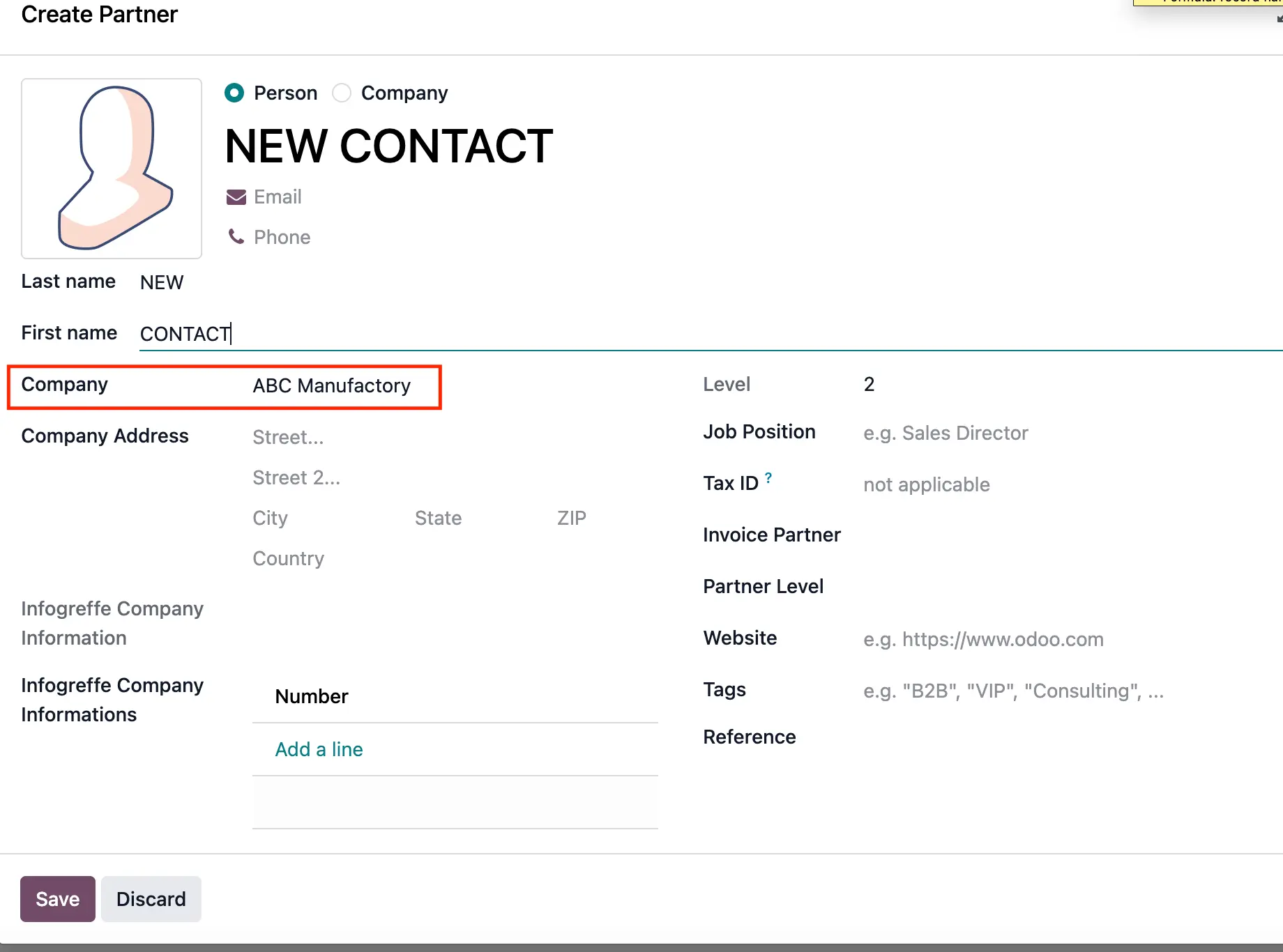
If you create a new contact from this list, it will automatically have the project's customer as the company. | 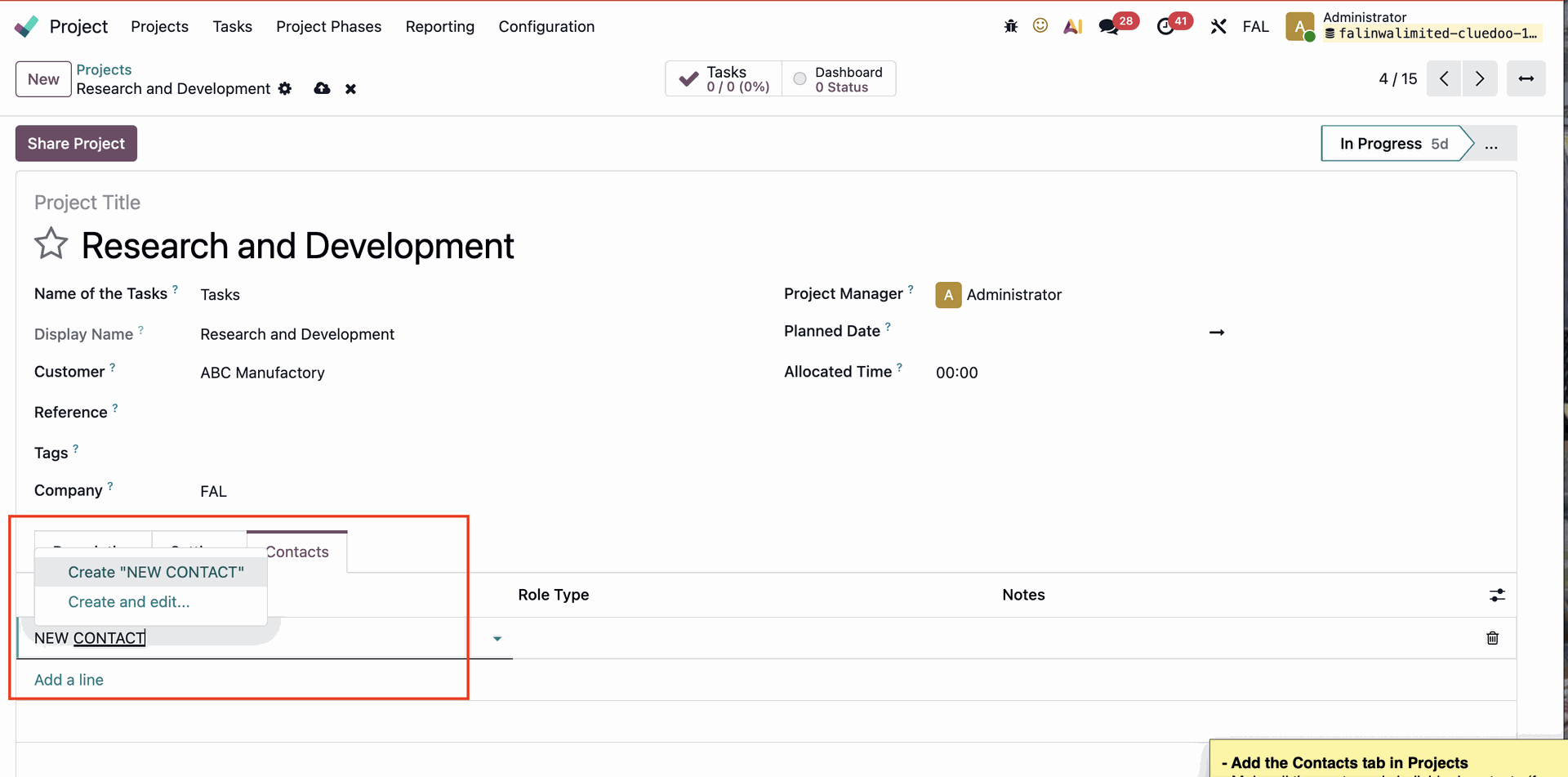 |
|  |
You can assign role for each contact from the list in the Role Type field, or create a new one on the fly. | 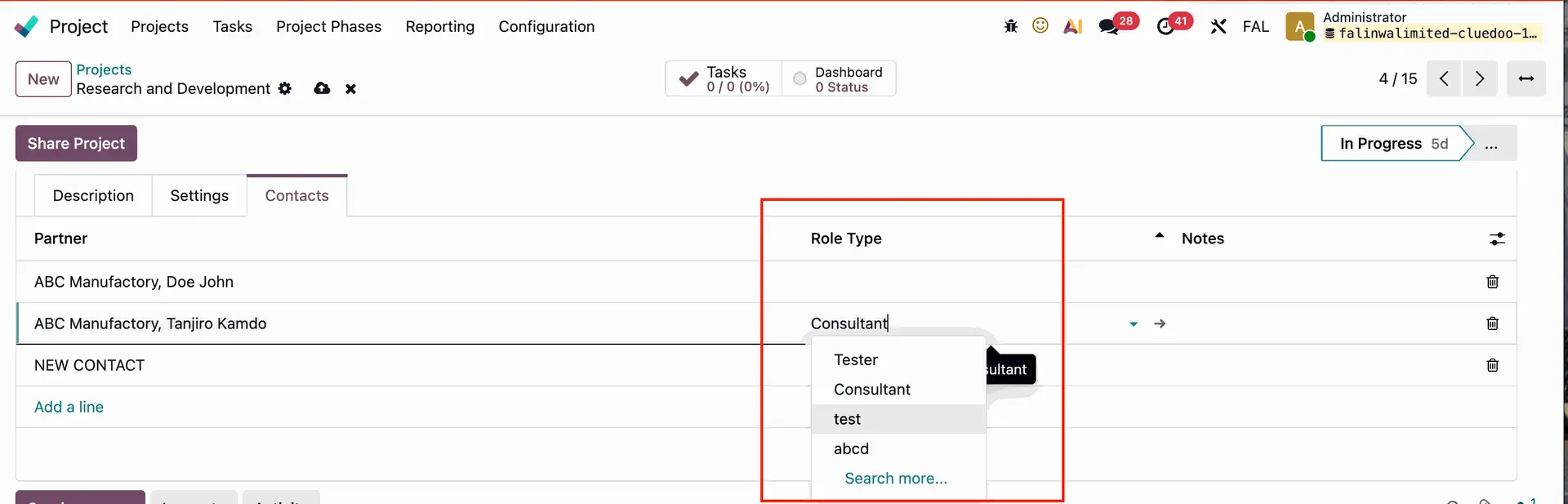 |