



ODOO'S FUNCTION
In Odoo, there is no internal message box chat in several sections, making it difficult for users to track work progress and communicate efficiently.
CLUEDOO'S FUNCTION
CLuedoo enhances this by adding internal chatter and schedule activities to Inventory: Replenishment/Reordering Rules, allowing users to follow progress and communicate directly.
In Inventory, the internal chat fields have now been updated into Replenishment Report/Reordering Rules (model stock.warehouse.orderpoint) Go to Inventory > Operations > Replenishment | 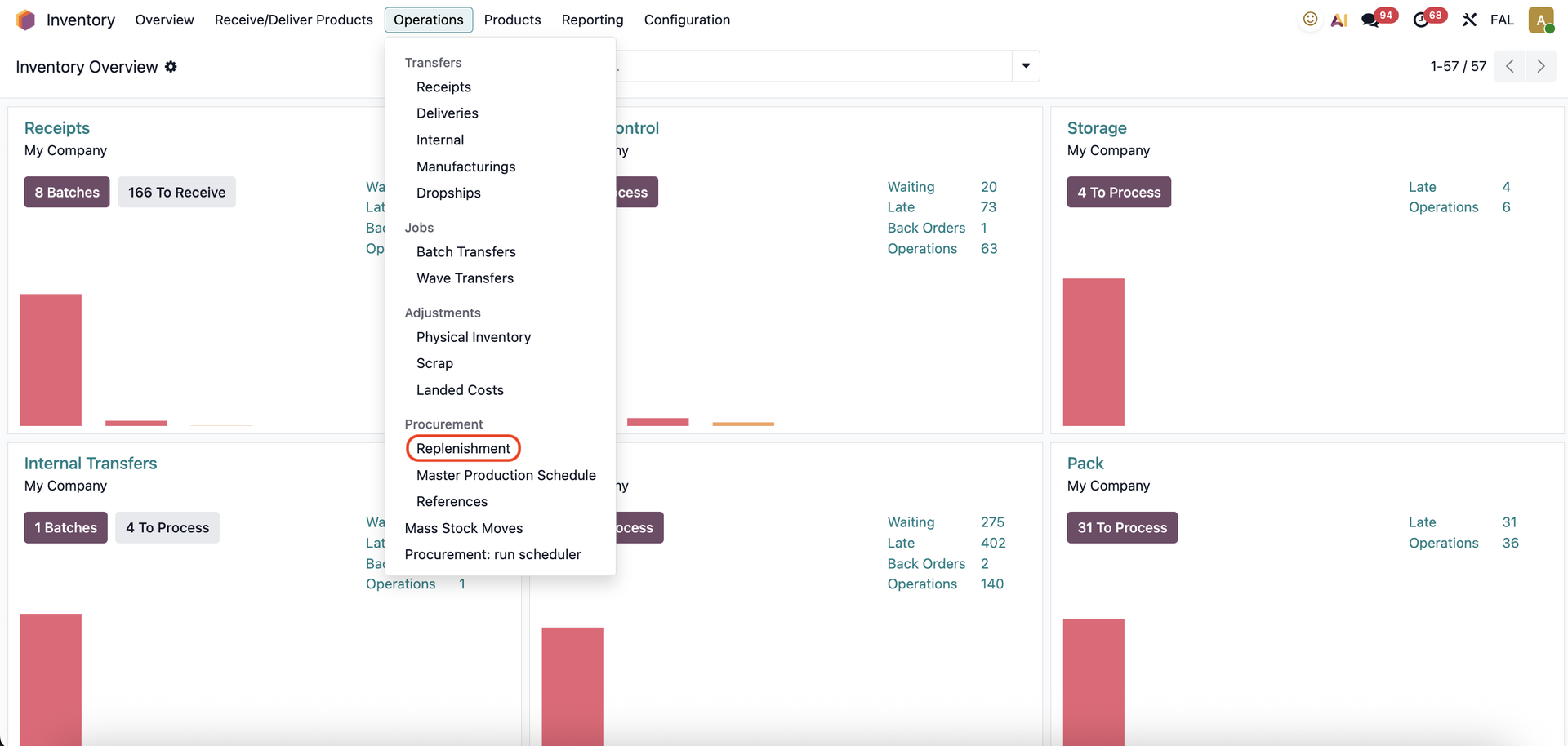 |
Switch to Kanban View and click on one of the Replenishment records. | 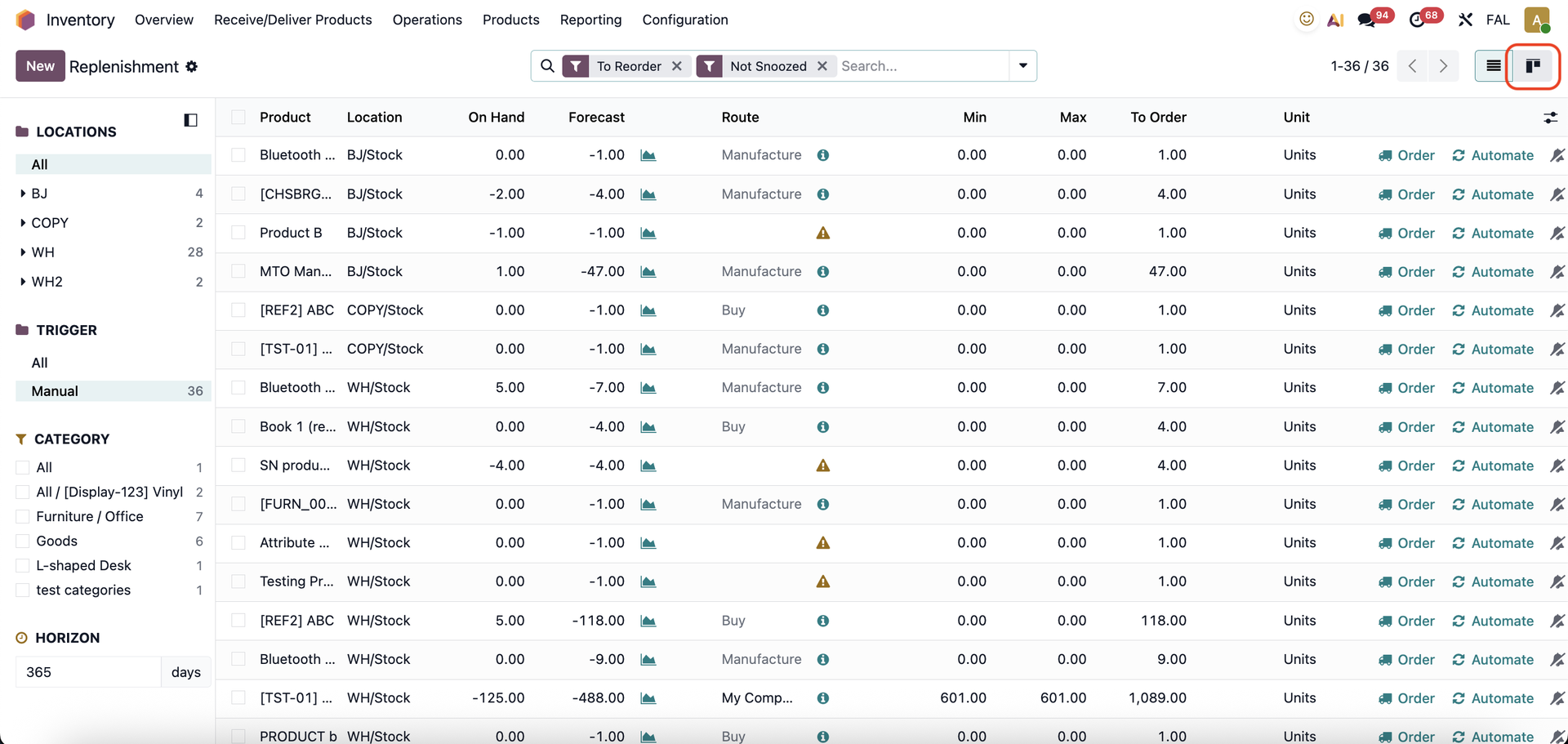 |
You can see the chatter inside the Replenishment report. | 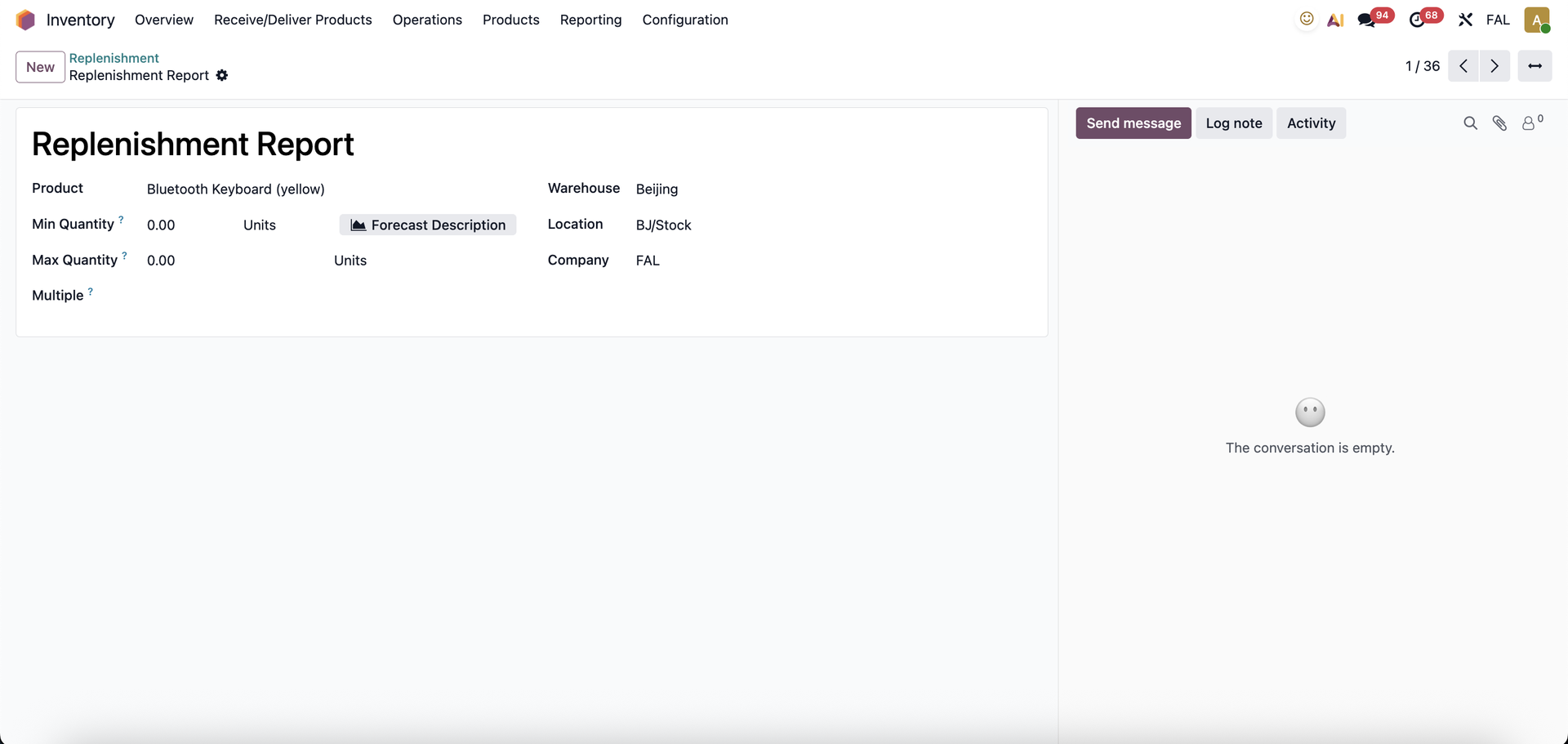 |
You can also go the the Reordering Rules page by clicking on 'Reordering Rules' inside a product template. | 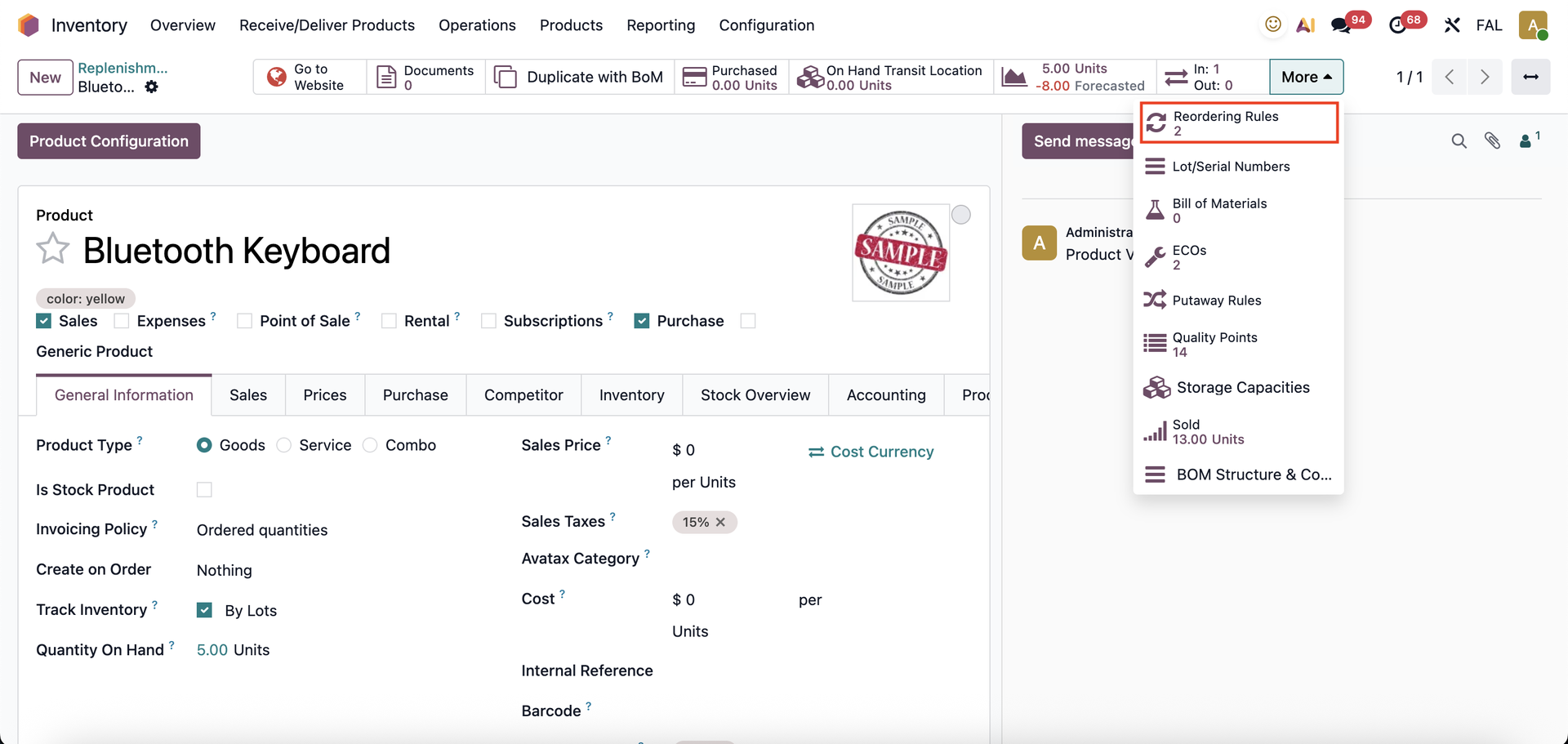 |
The chatter will be shown. | 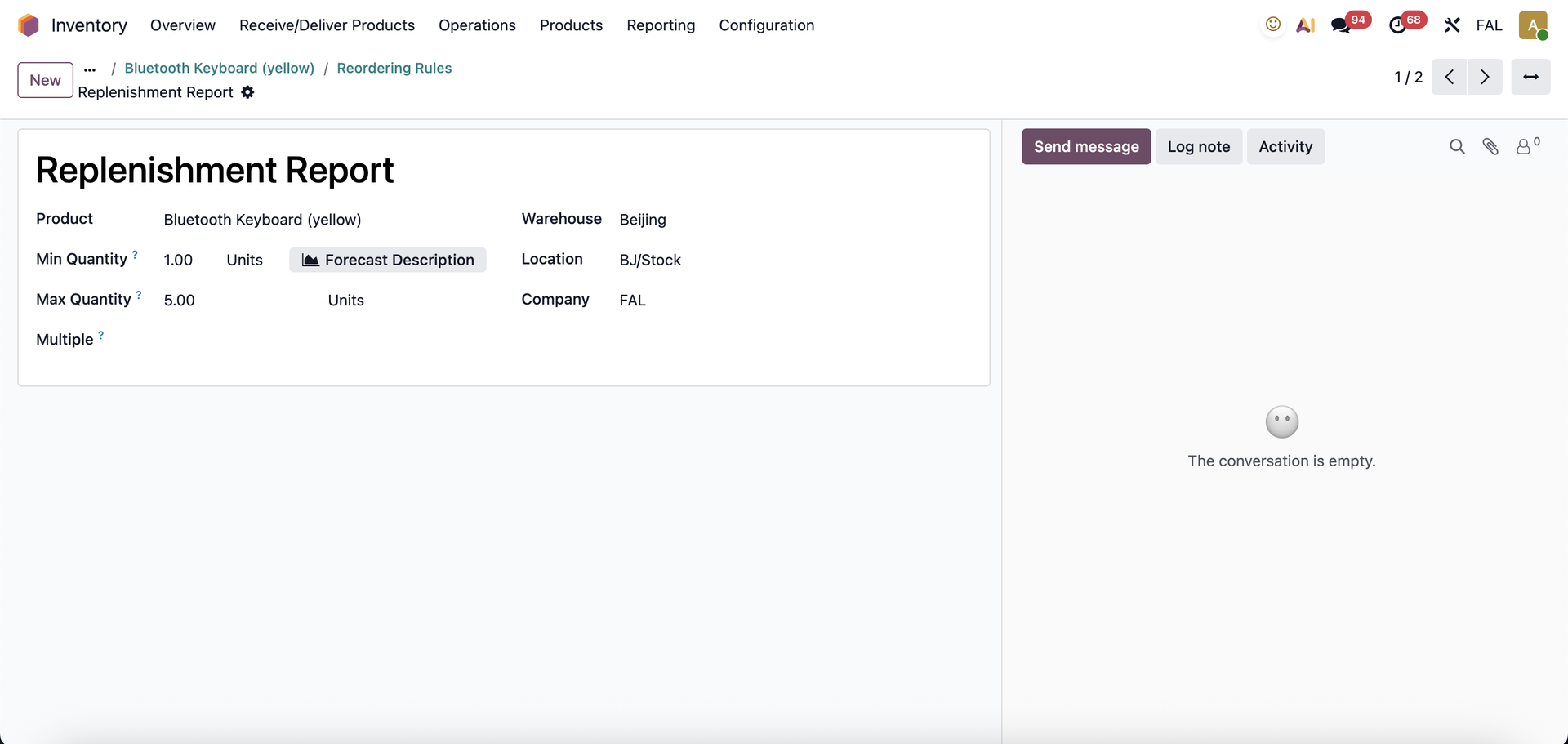 |
We have Activities in the list view and can schedule an activity from Replenishment and Reordering Rules |  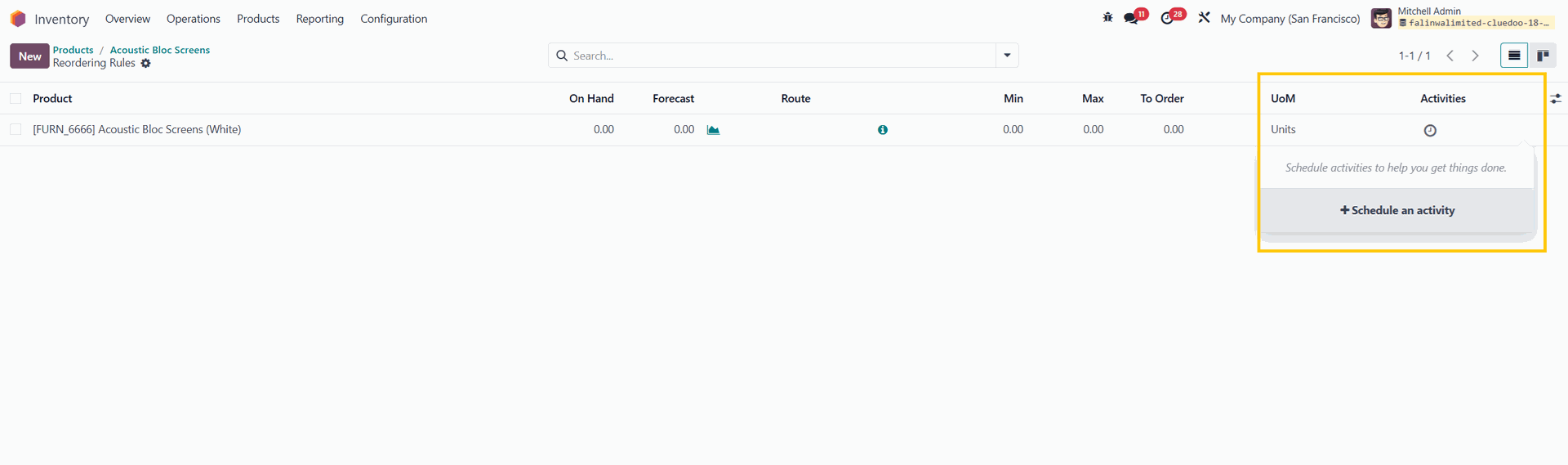 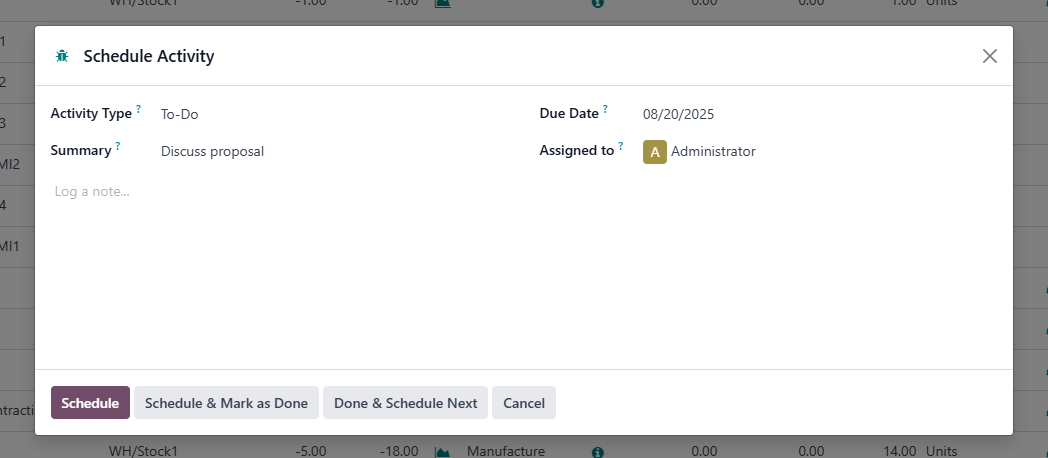 |