



- CLuedoo Connector Base (cds_connector_base)
ODOO'S FUNCTION
Odoo does not provide native integration with Zalo. This means conversations with Zalo clients must be handled outside Odoo, leading to scattered discussions, manual follow-ups, and no direct link between chats and business data.
CLUEDOO'S FUNCTION
Cluedoo enhances Odoo by integrating Zalo OA directly into the Odoo Discuss app, centralizing all client communications in one place. This connector enables teams to:
1️⃣ Send and receive Zalo OA messages directly from Odoo Discuss.
2️⃣ Exchange text, images, and documents seamlessly.
3️⃣ Automatically create or link contacts from Zalo conversations.
4️⃣ Keep all client discussions connected to Odoo records, improving traceability and collaboration.
1. Go to Apps > Install CLuedoo Connector Base and Zalo Connector | 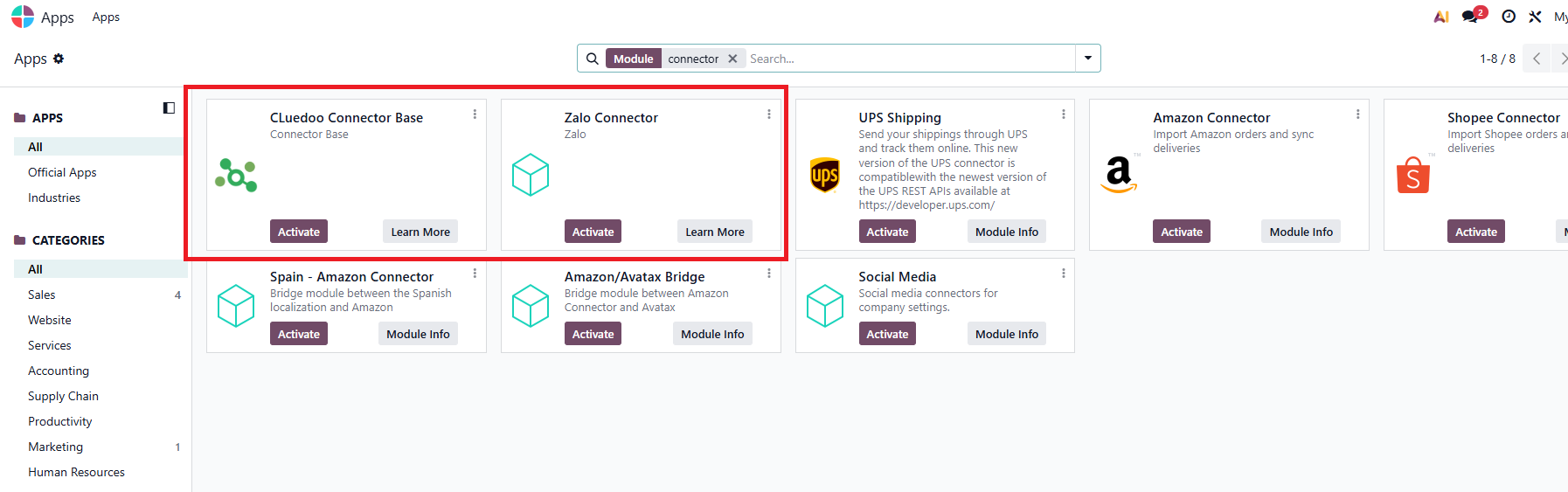 |
2. Go to Zalo For Developers > Login & go to your app > Copy Application ID & Application's private key | 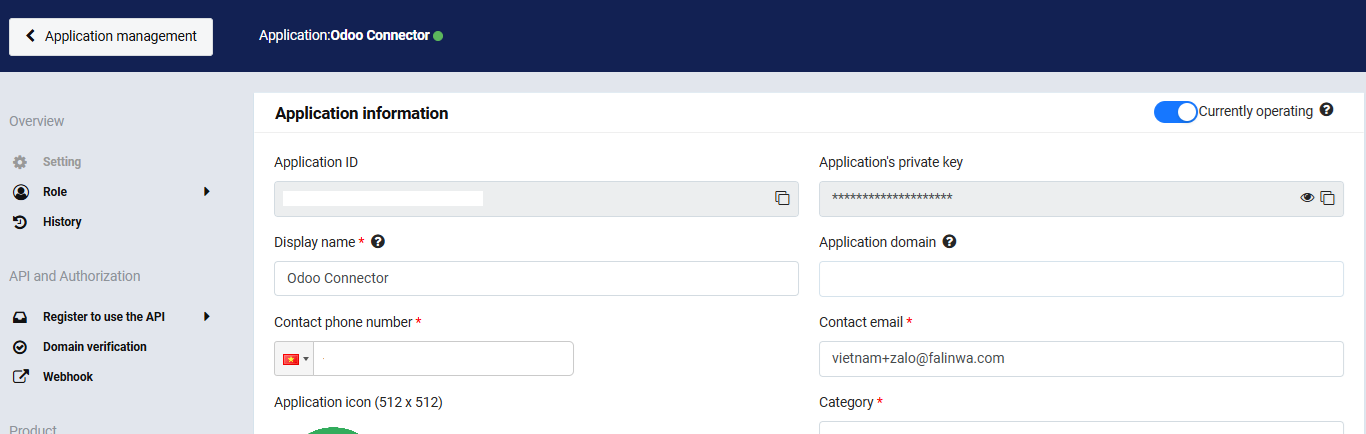 |
3. Back to Odoo > Connector > Add Auth > Paste your Zalo App ID & Zalo Secret Key > Confirm | 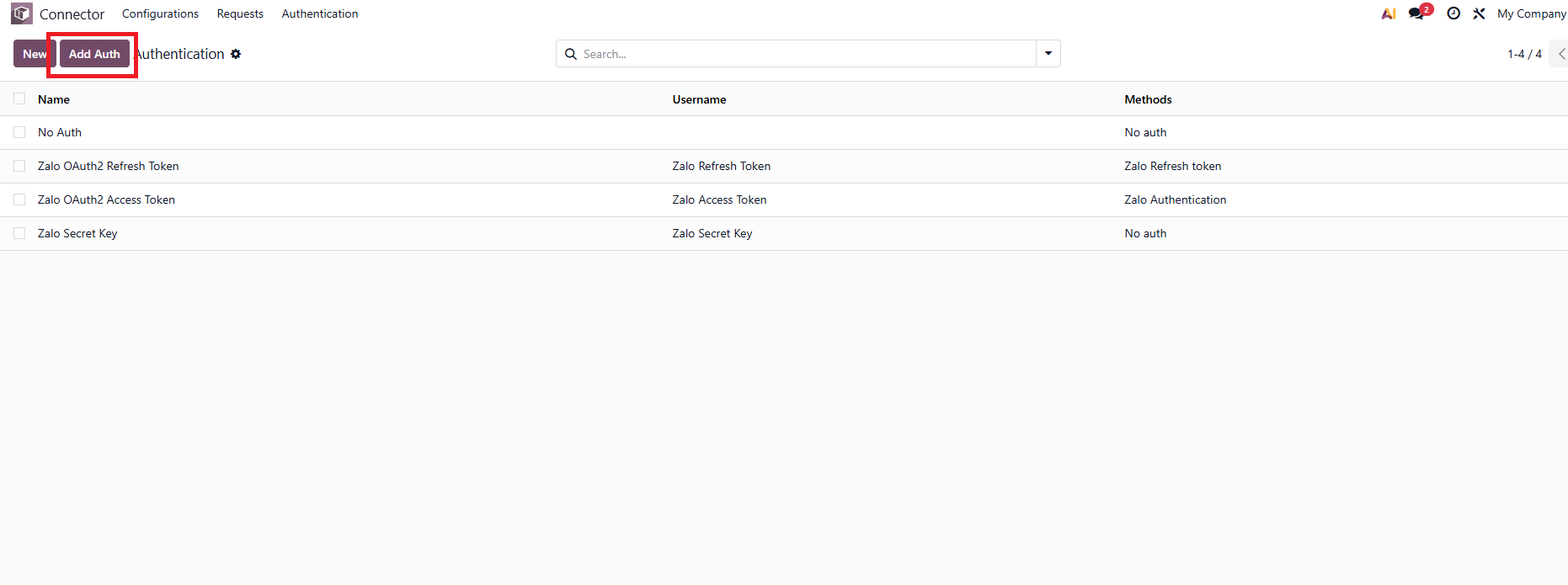 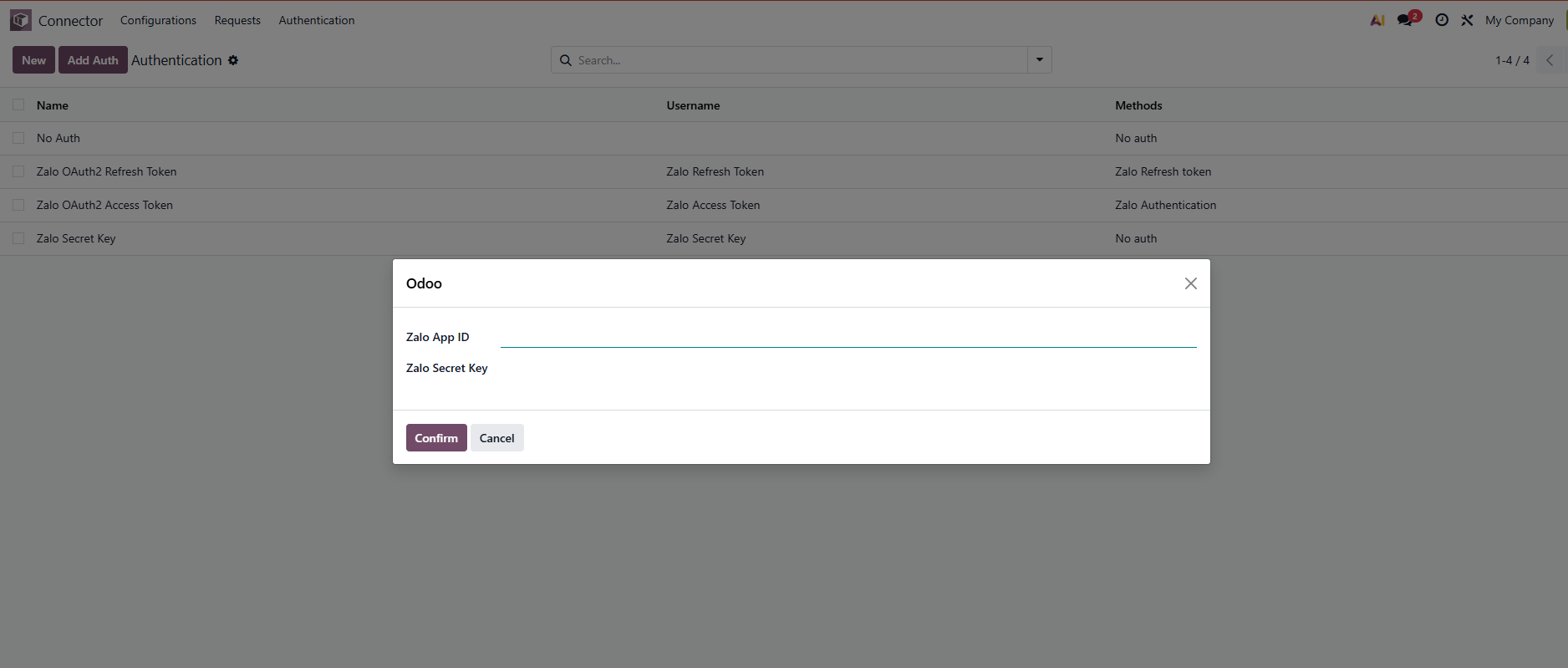 |
4. Go to Zalo For Developers > API and Authorization > Domain verification > Paste your domain in URL Prefix and add /cds_connector/zalo in the end of the URL > Authentication | 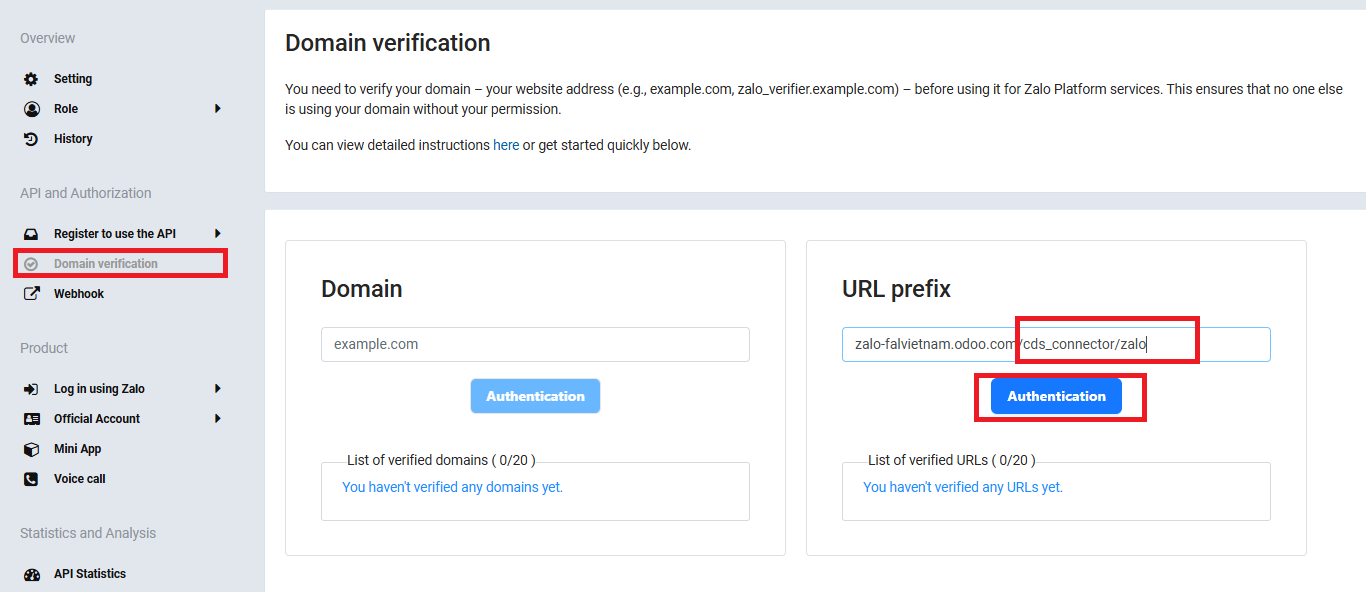 |
5. Copy the verified URL in the last step > go to Webhook > Change > Paste the URL > Check > Update > Webhook Retry will be enable | 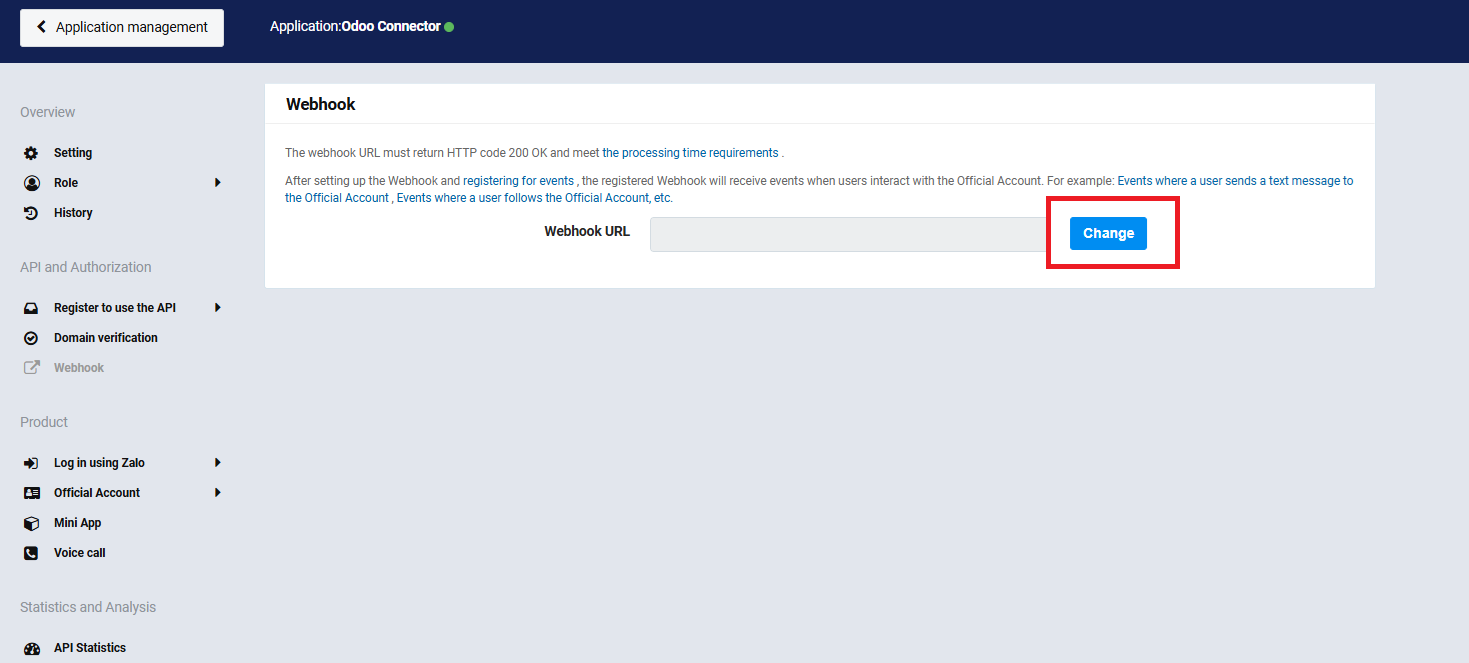 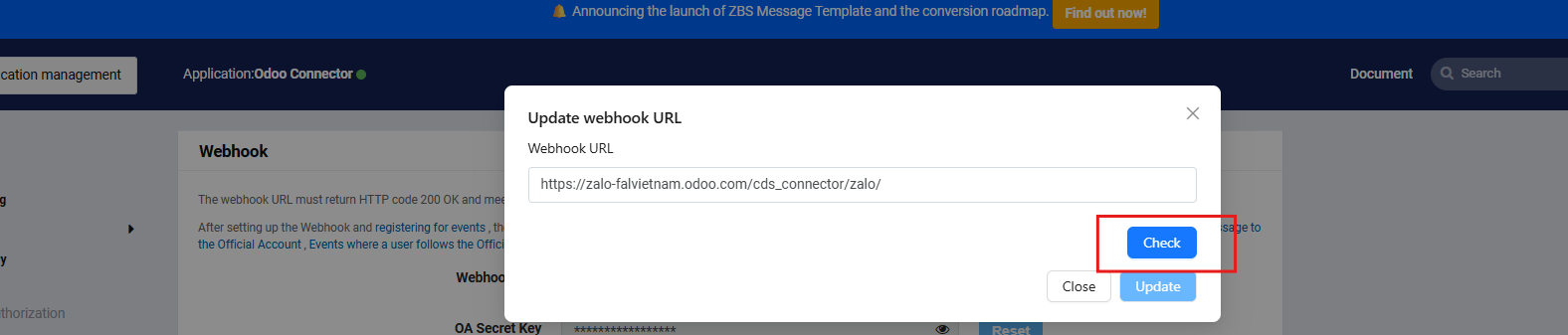 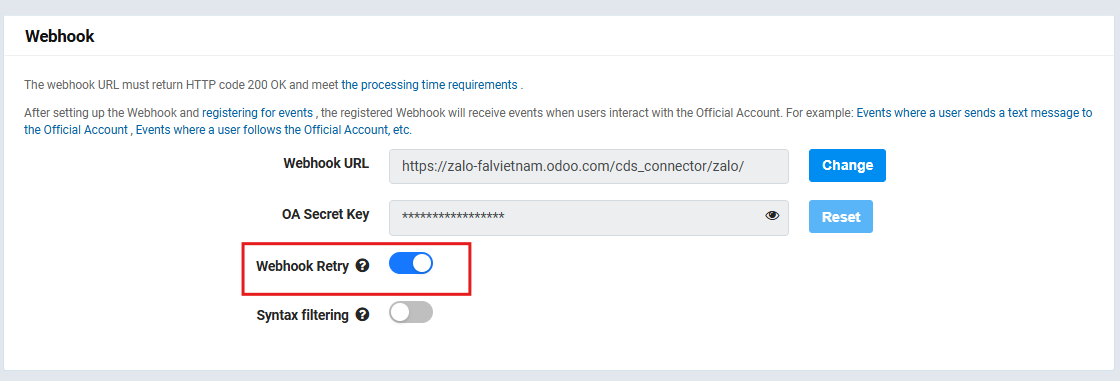 |
6. Copy OA Secret Key Back to Odoo > Authentication > Zalo Webhook Key (OA Secret Key) > Paste the password | 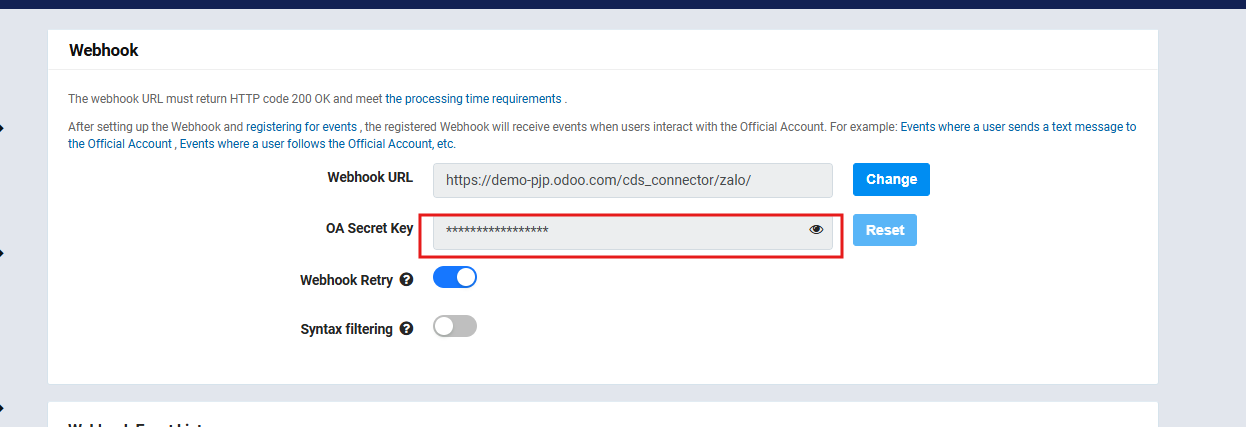 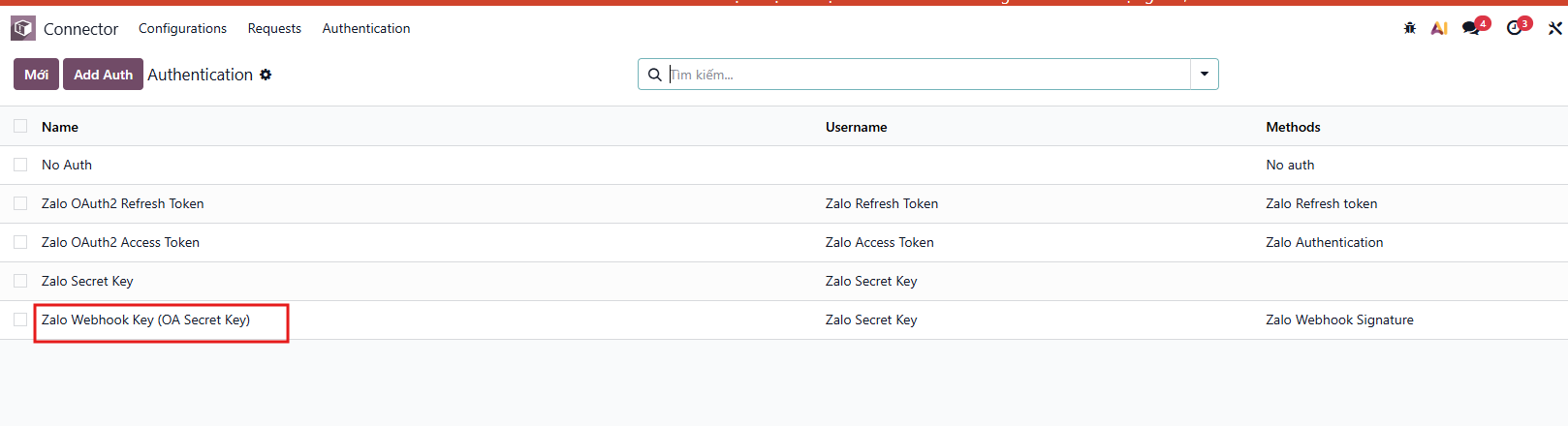 \ \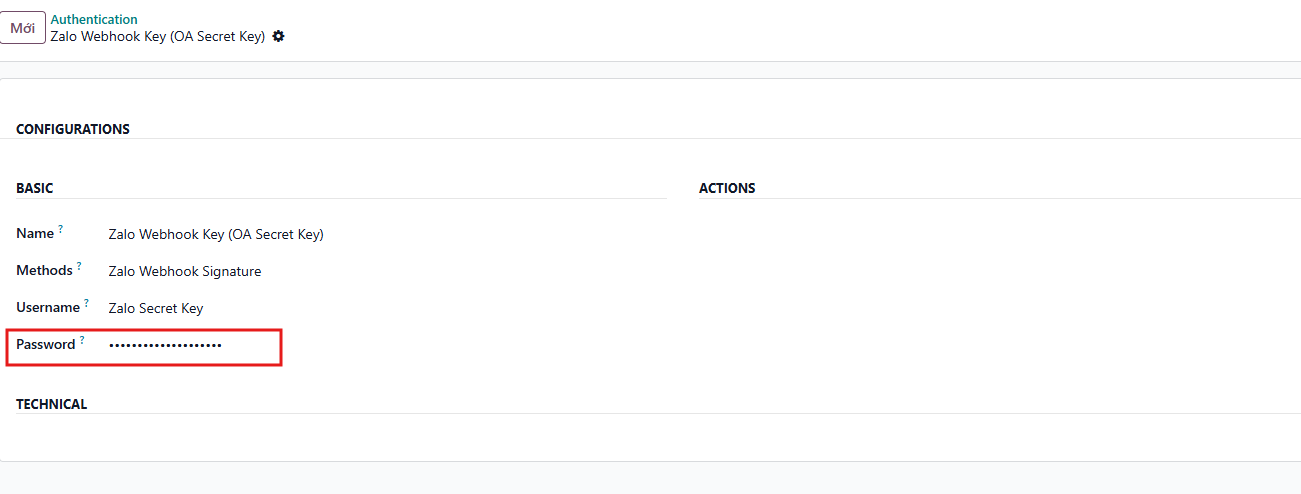 |
7. Go to API and Authorization > Register to use the API > Official Account API > Enable Send message and User management | 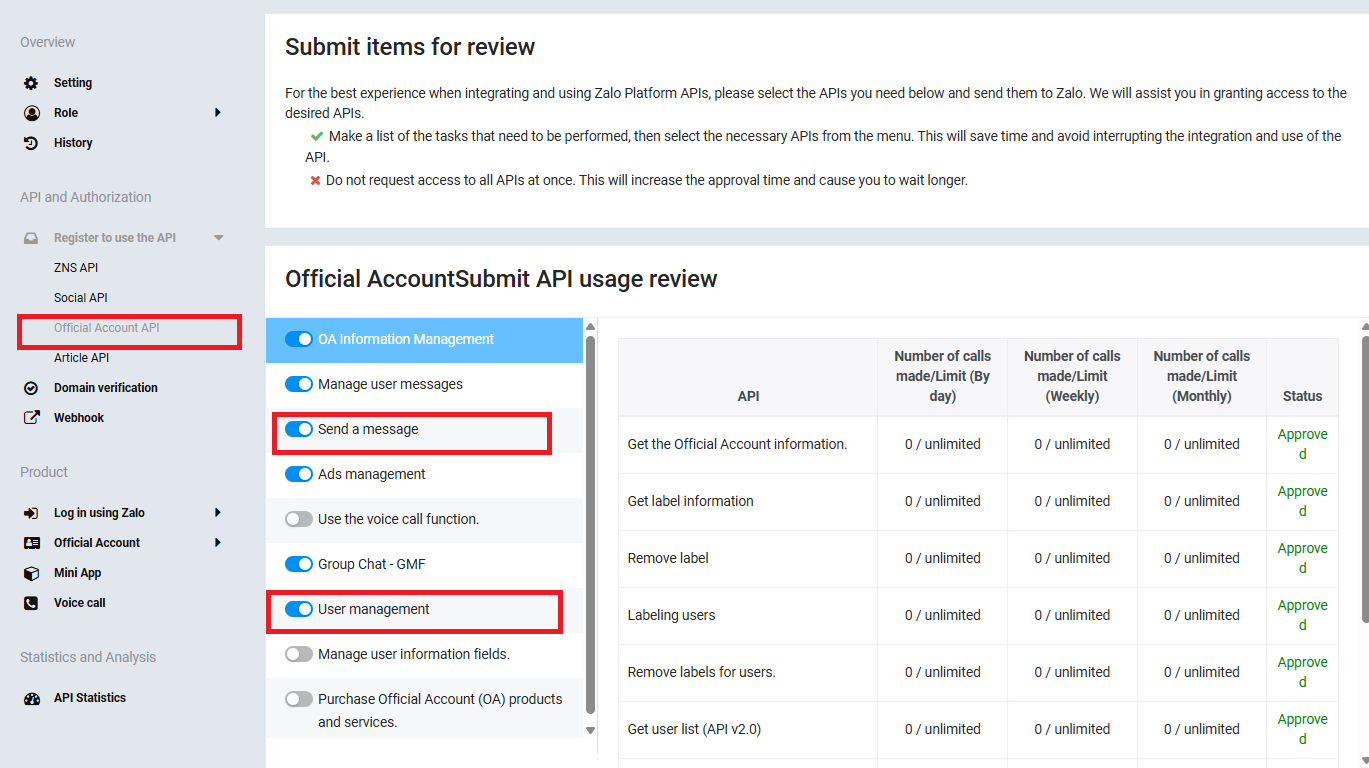 |
8. Go to Product > Official Account > General settings > Paste your verified URL (in step 4) to Official Account Callback Url > Save Copy Permisssion request path URL | 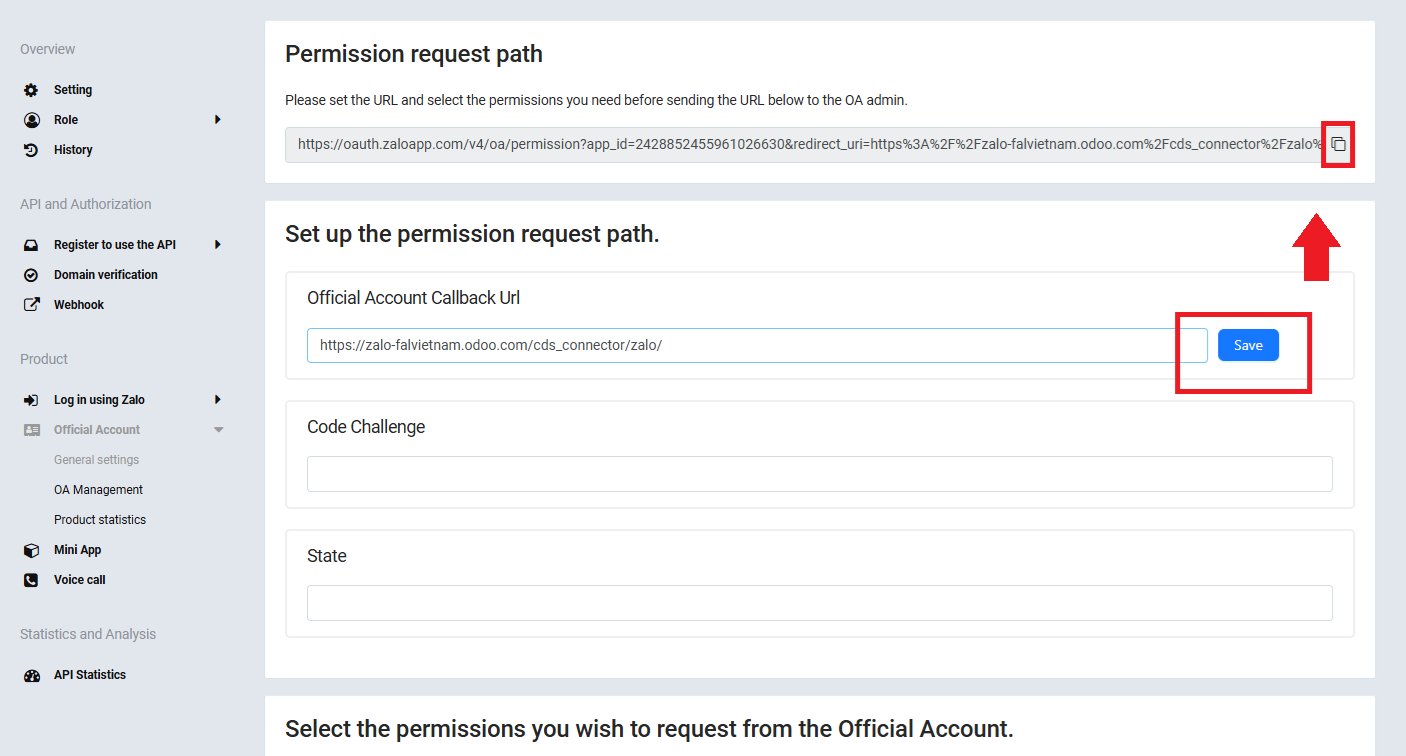 |
9. Open a new tab > Paste Permisssion request path URL > Accept Zalo's terms of use | 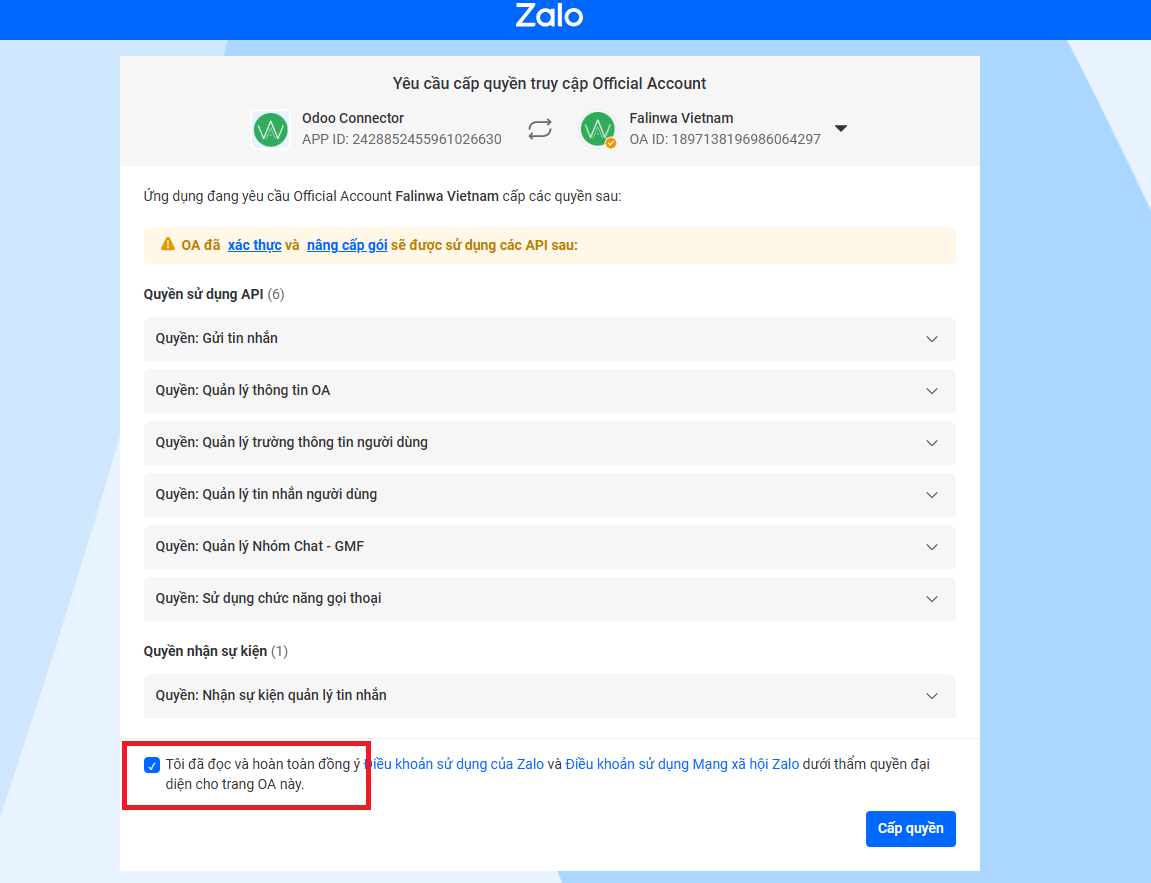 |
10. Odoo now supports full two-way communication (messages, images, and files) with your Zalo OA. | 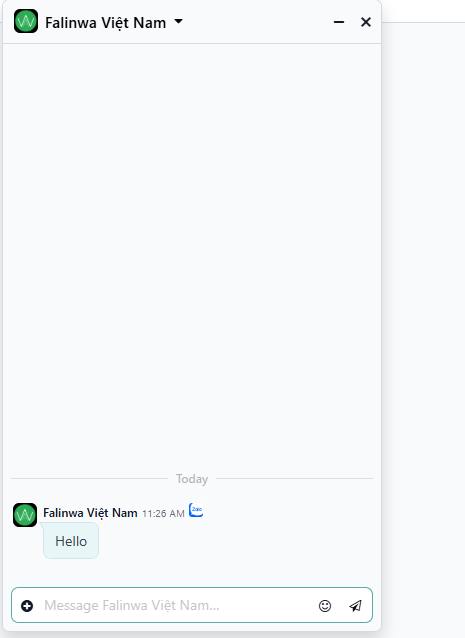 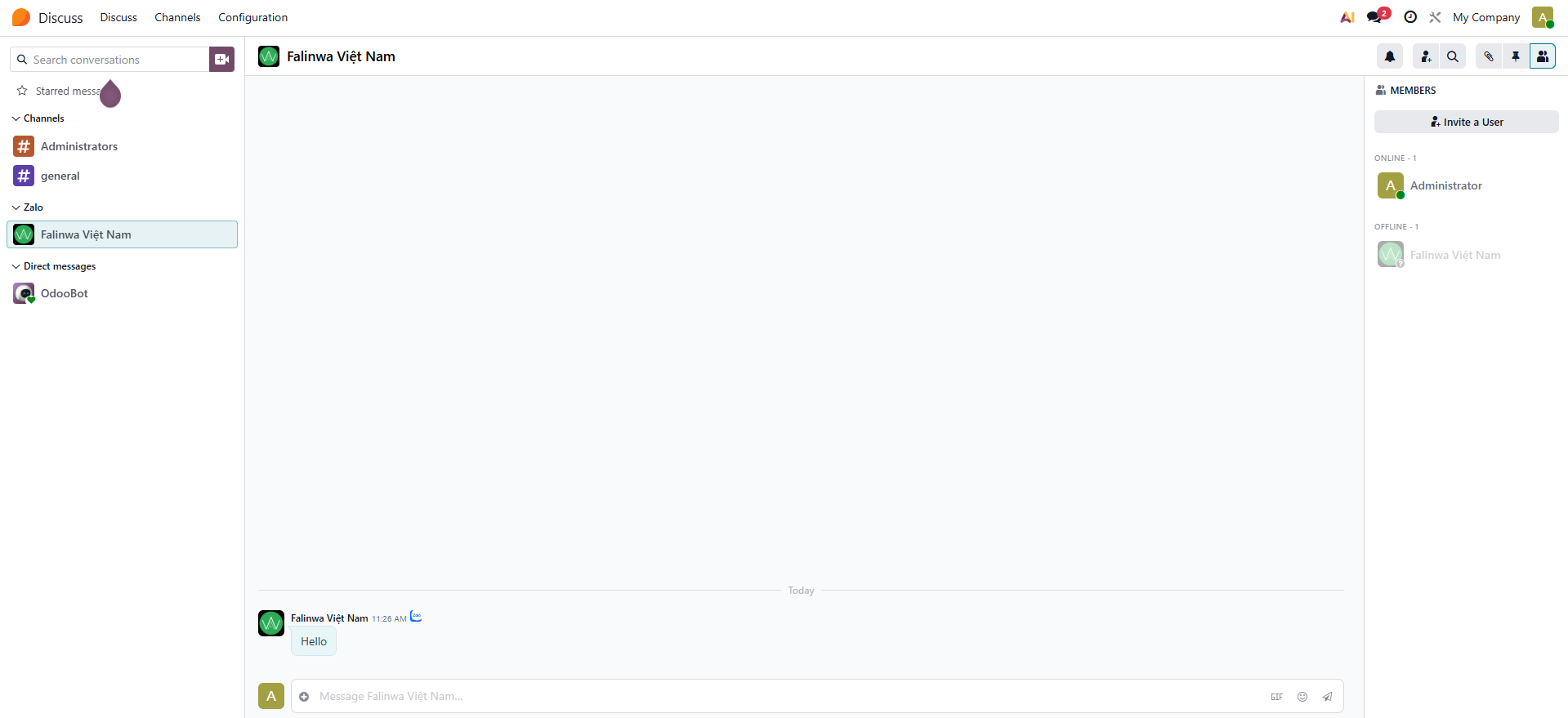 |