



ODOO'S FUNCTION
Odoo doesn't allow us to grant specific permissions to portal users to perform actions.
CLUEDOO'S FUNCTION
CLuedoo simplifies your user management by letting you configure exactly what portal users can access, introducing:
1️⃣ Customizable Access Setup: Easily add and define specific access rights for your portal users to control what they can see or do.
2️⃣ Profile Management: Grant users permission to either view or update their own personal details, including login, password, first name, last name, language, street 2 and siret.
1. Go to Settings > Users > Create or choose a user with type Portal | 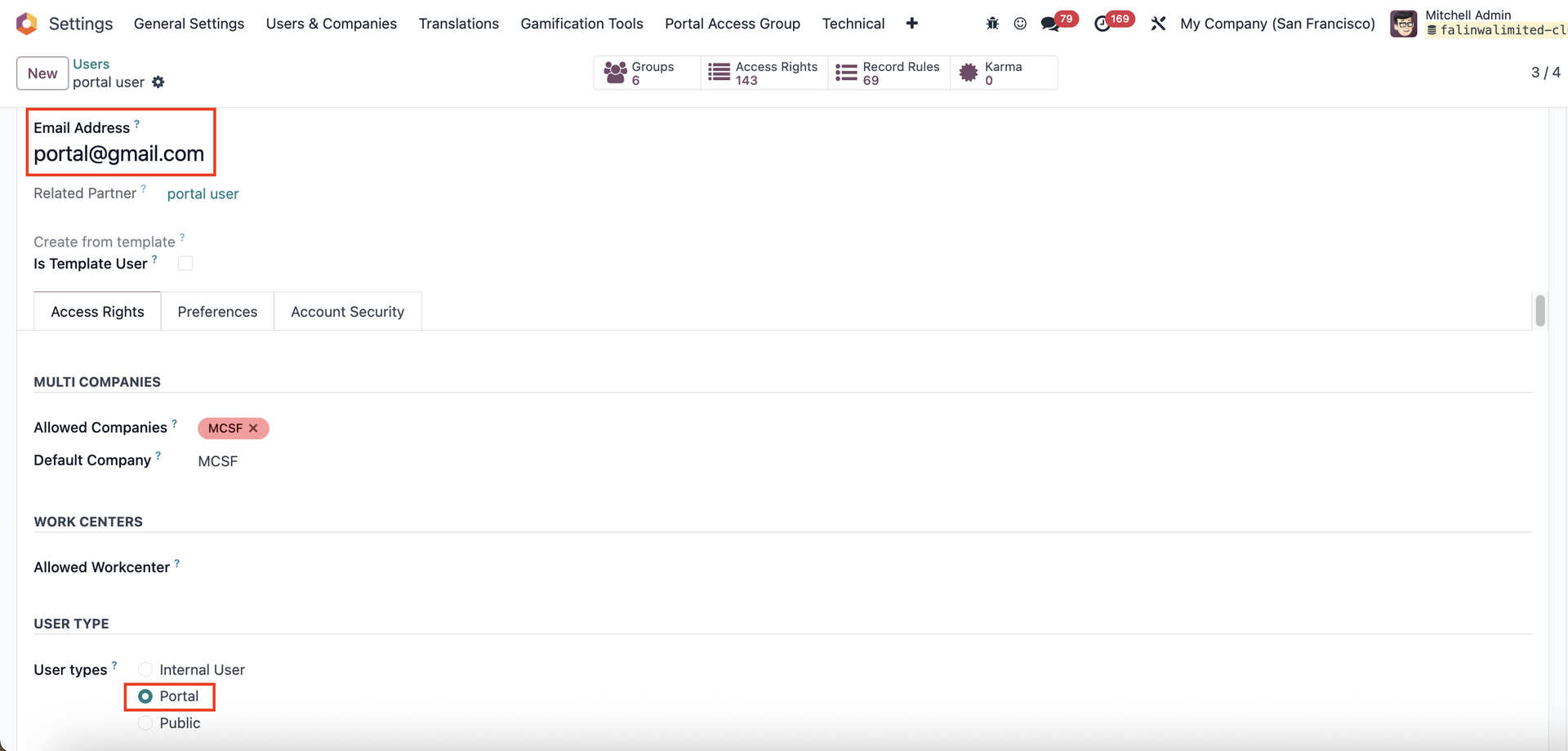 |
Note from v19: Under Extra Rights, check Role / Portal to create a portal user |  |
2. Go to Settings > Portal Access Group > There are 7 new selections: login, password, last name, first name, lang, street 2 and siret | 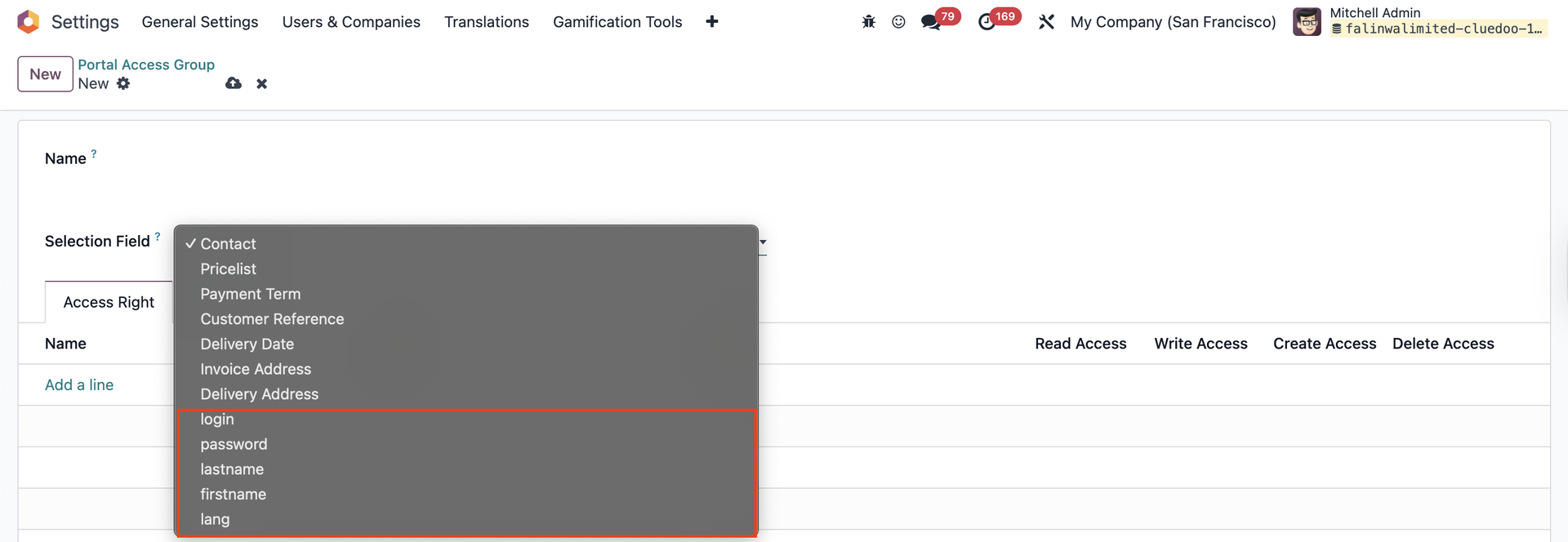 |
LOGIN
Set up the access rights e.g., Read and Write access rights if we want the portal users to be able to see and edit their login information | 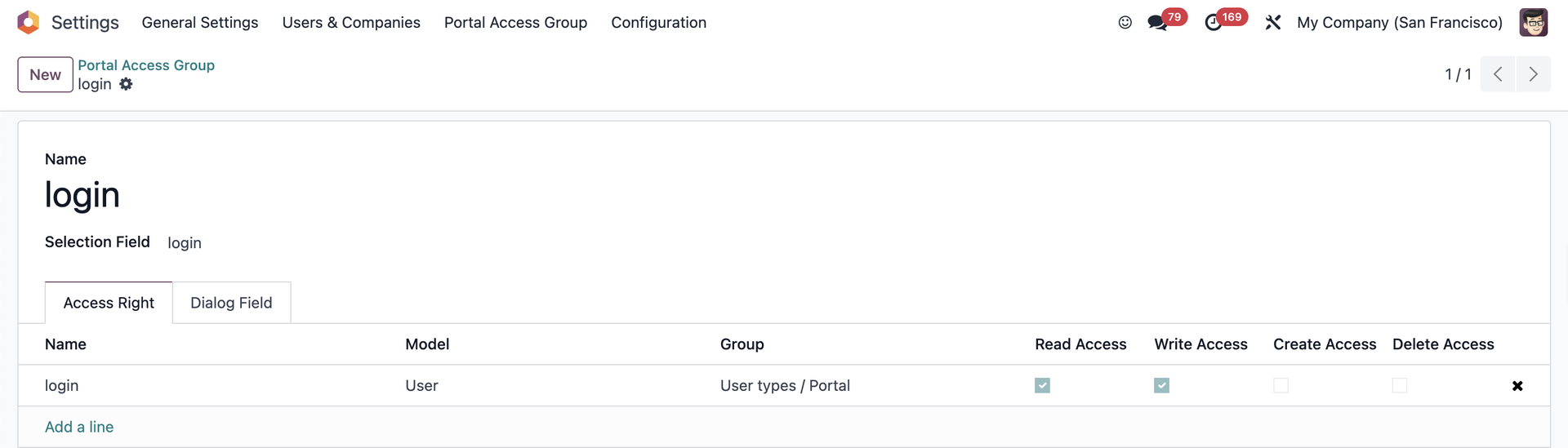 |
Log into the portal user account > We will see the Edit information field The portal user can change their login account from here | 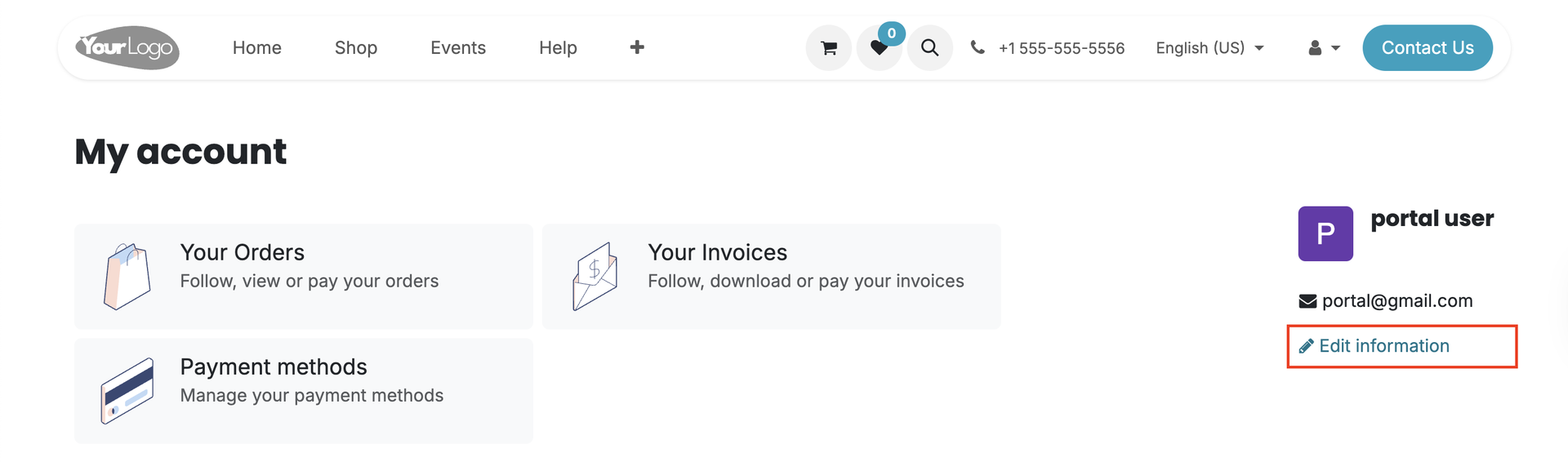  |
PASSWORD
Set up the access rights e.g., Write access if we want the portal users to be able to change their password | 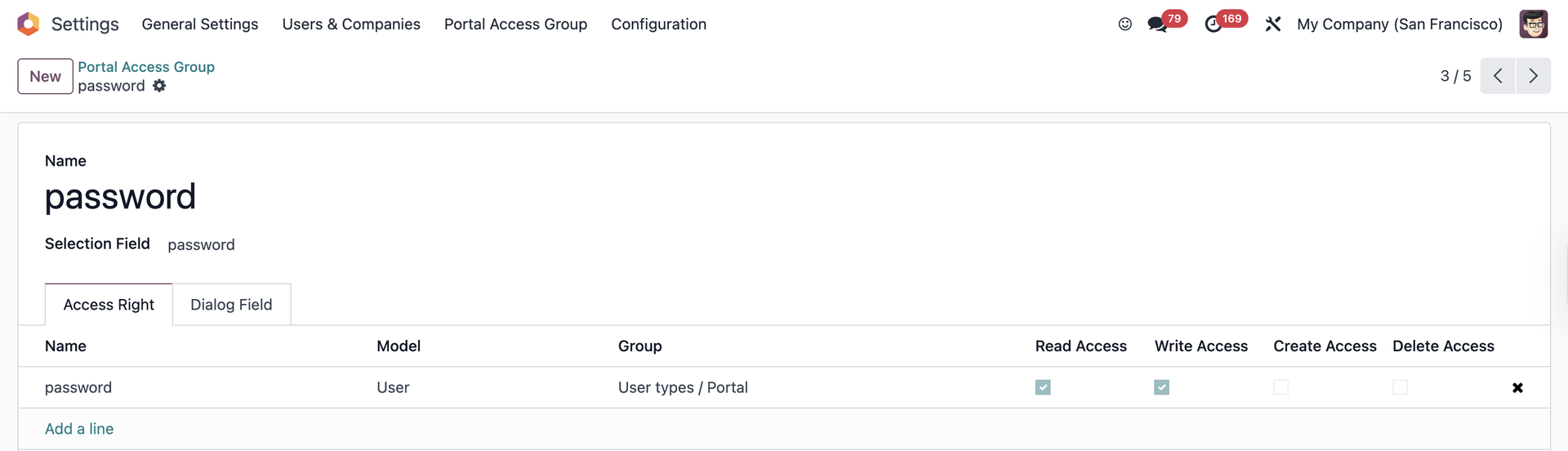 |
Note: they cannot see these fields if they only have Read access | 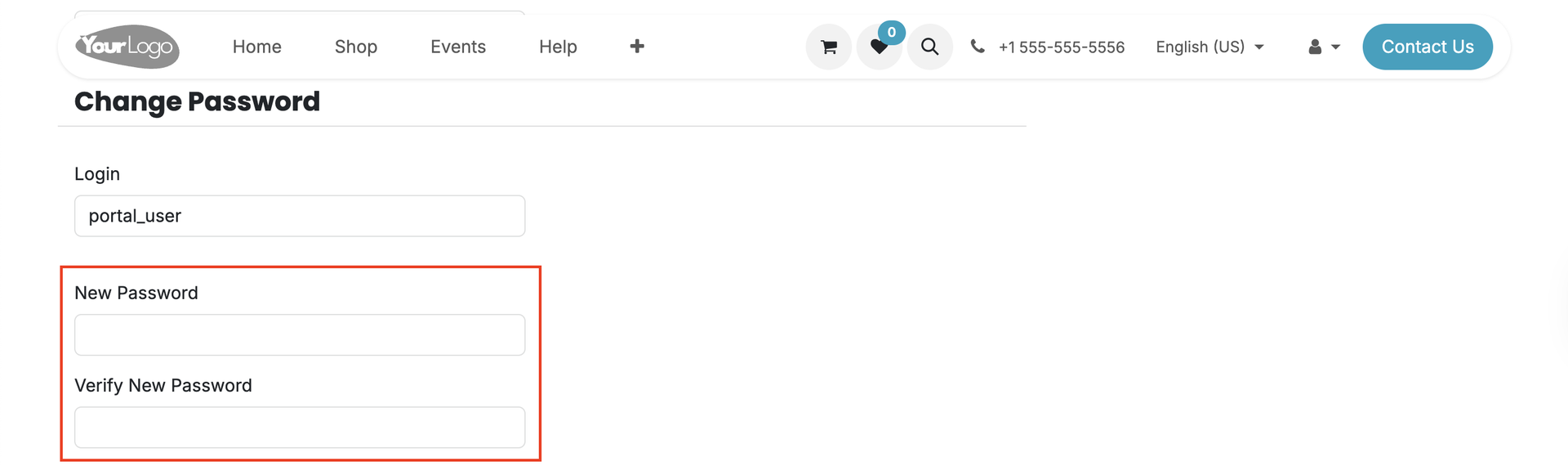 |
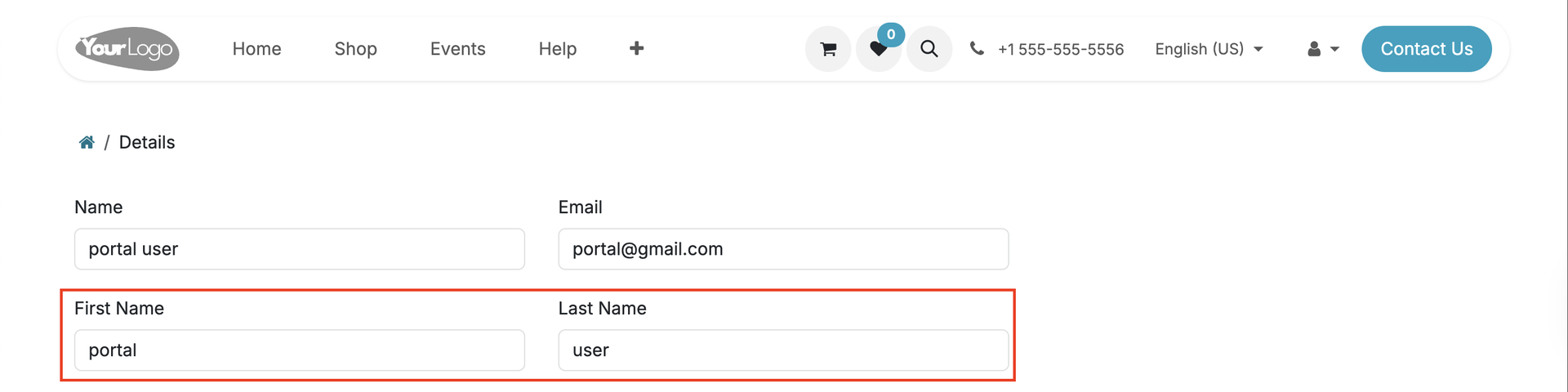
FIRST NAME / LAST NAME
Set up the access rights e.g., Read access if we want the portal users to see their first name/last name only, Write access if we want them to be able to edit their first name/last name | 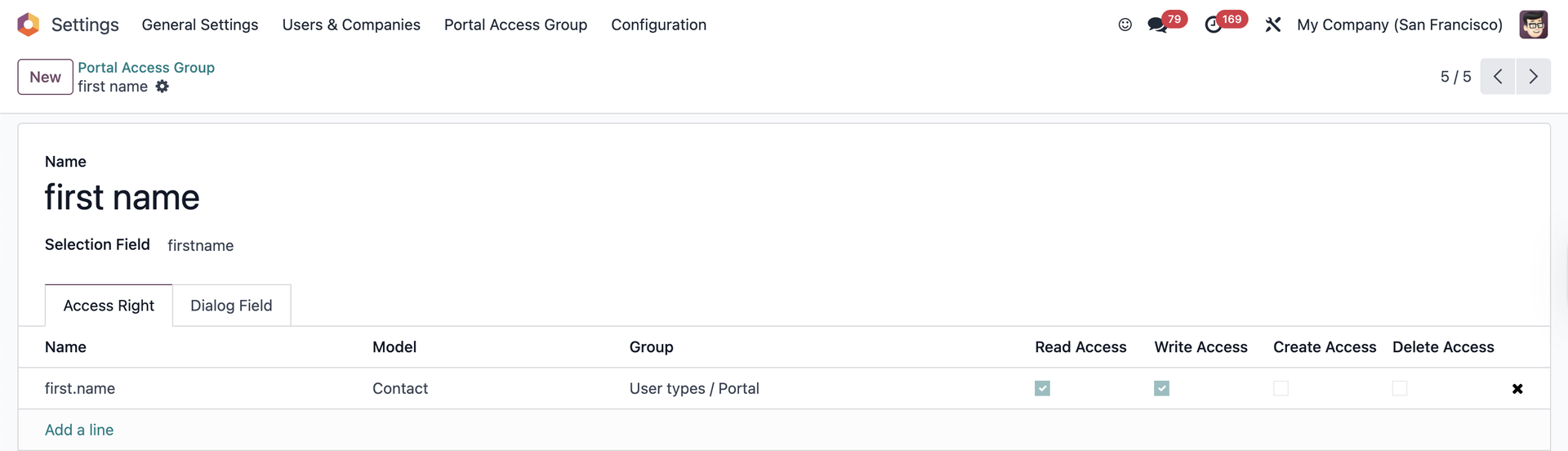 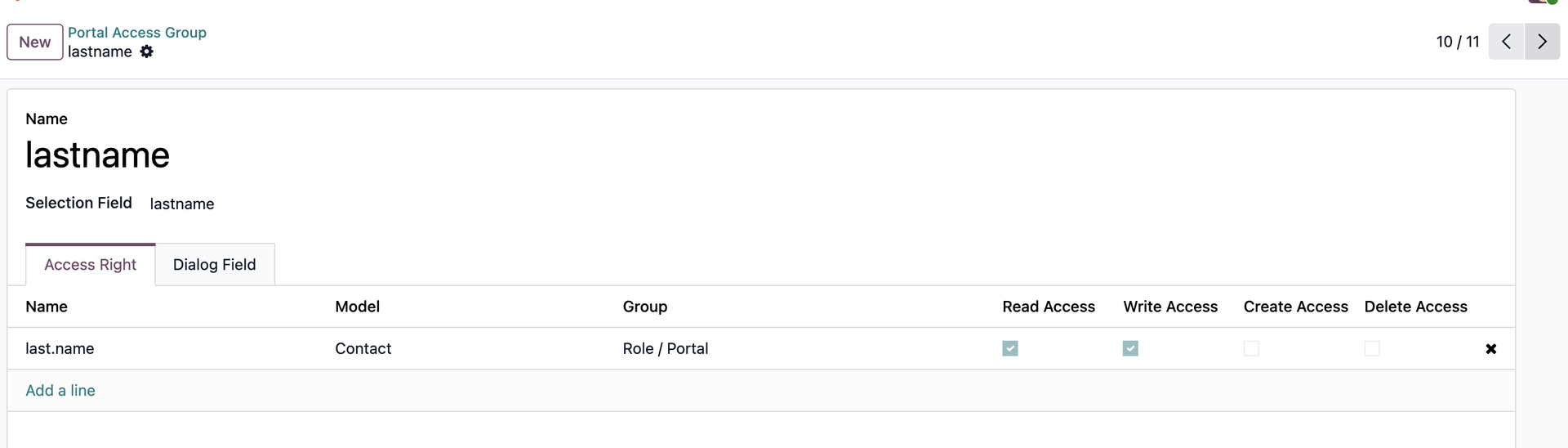 |
 | |
LANGUAGE
Set up the access rights | 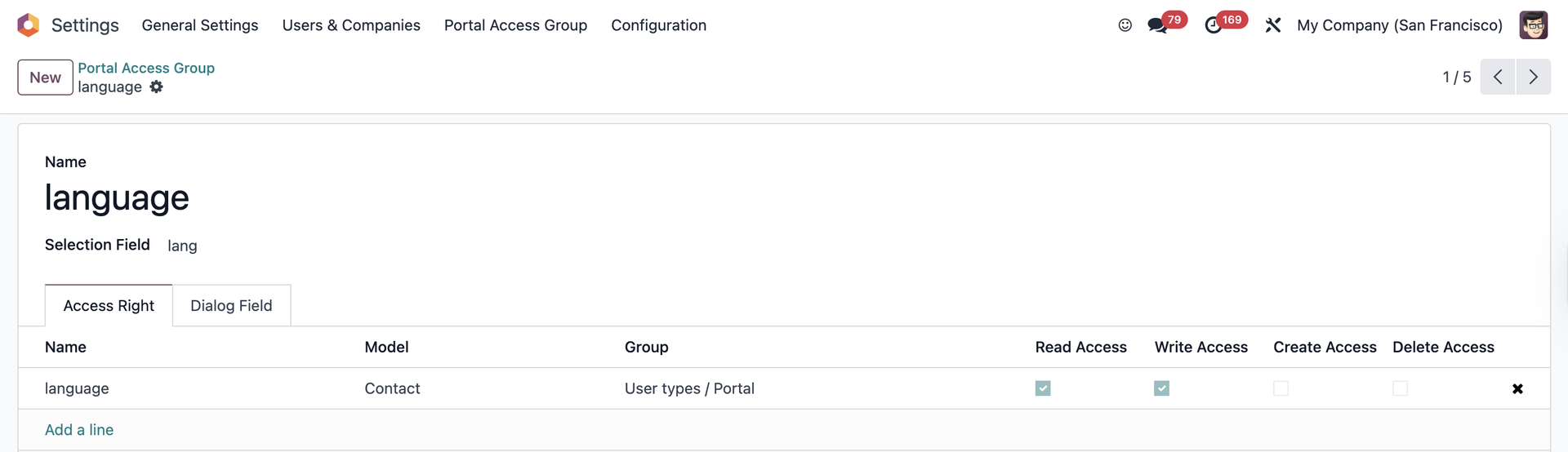 |
The portal users will be able to select the preferred language from the company's active languages | 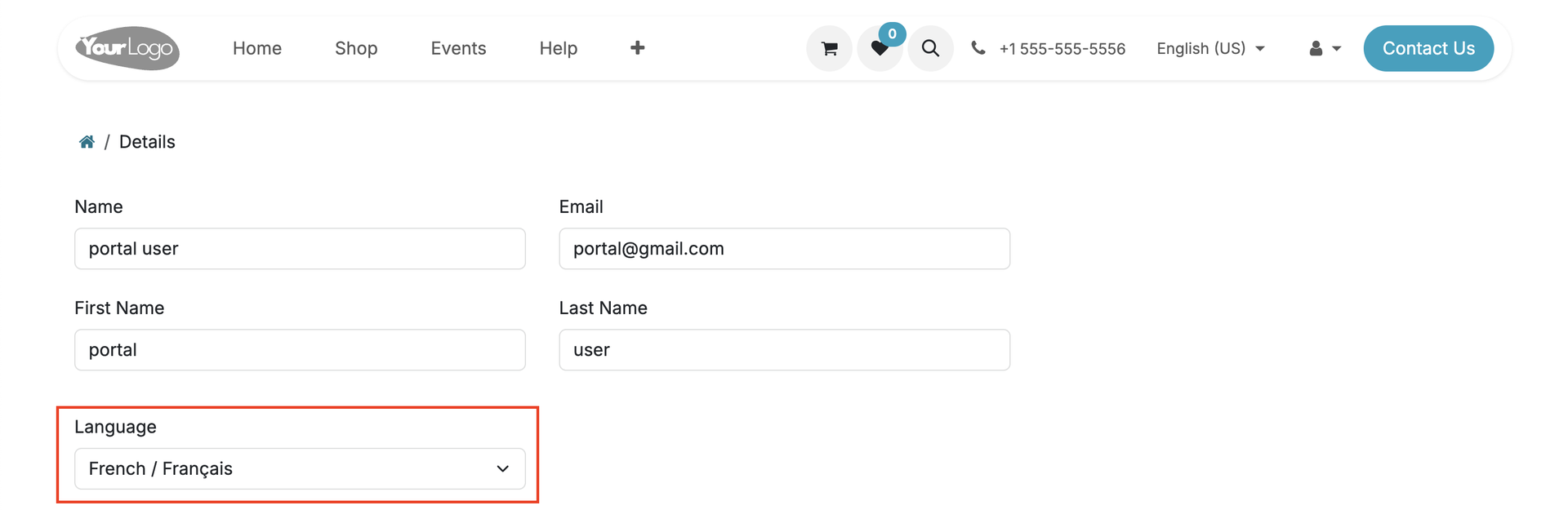 |
If the portal user changes their language, their language from the contact form will change as well | 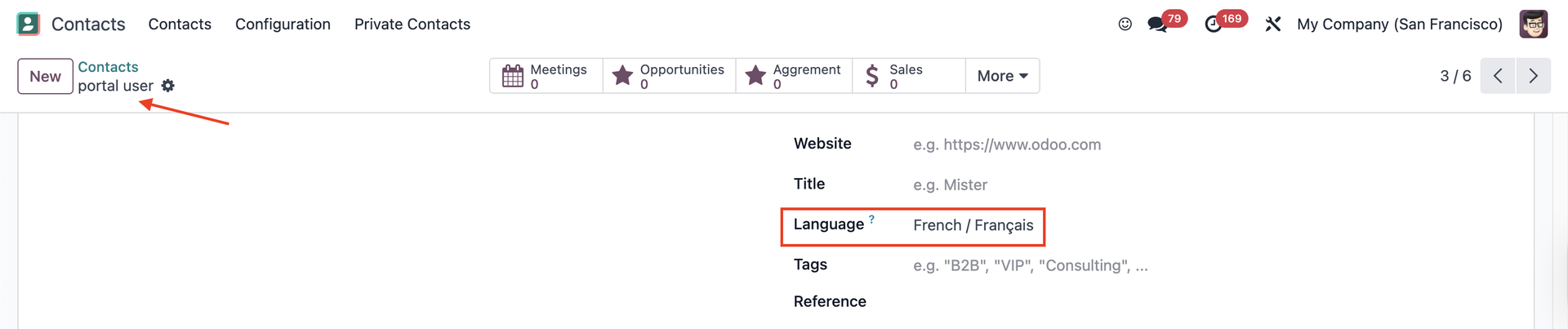 |
STREET 2
Set up the access rights | 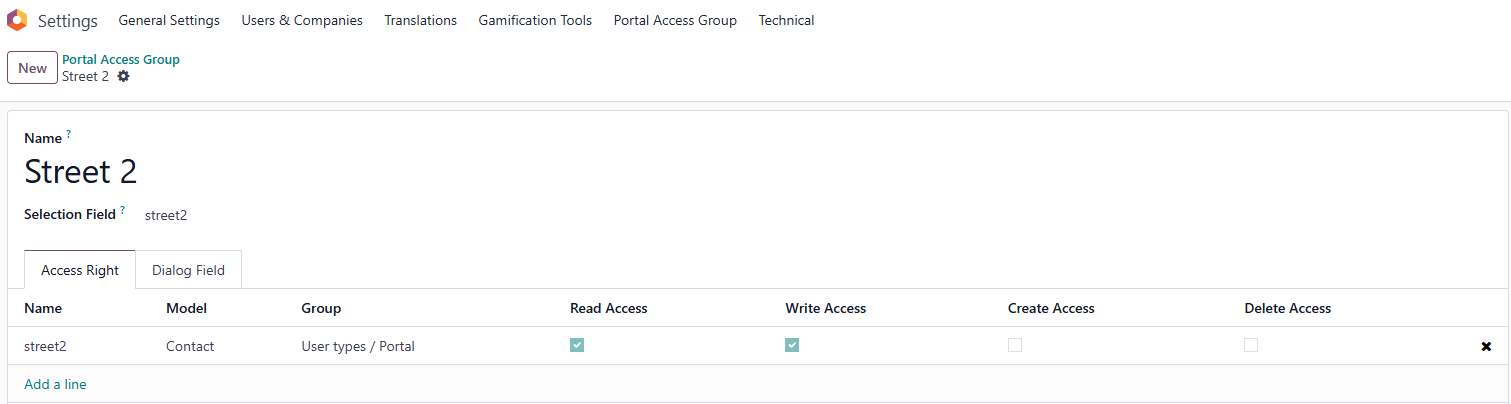 |
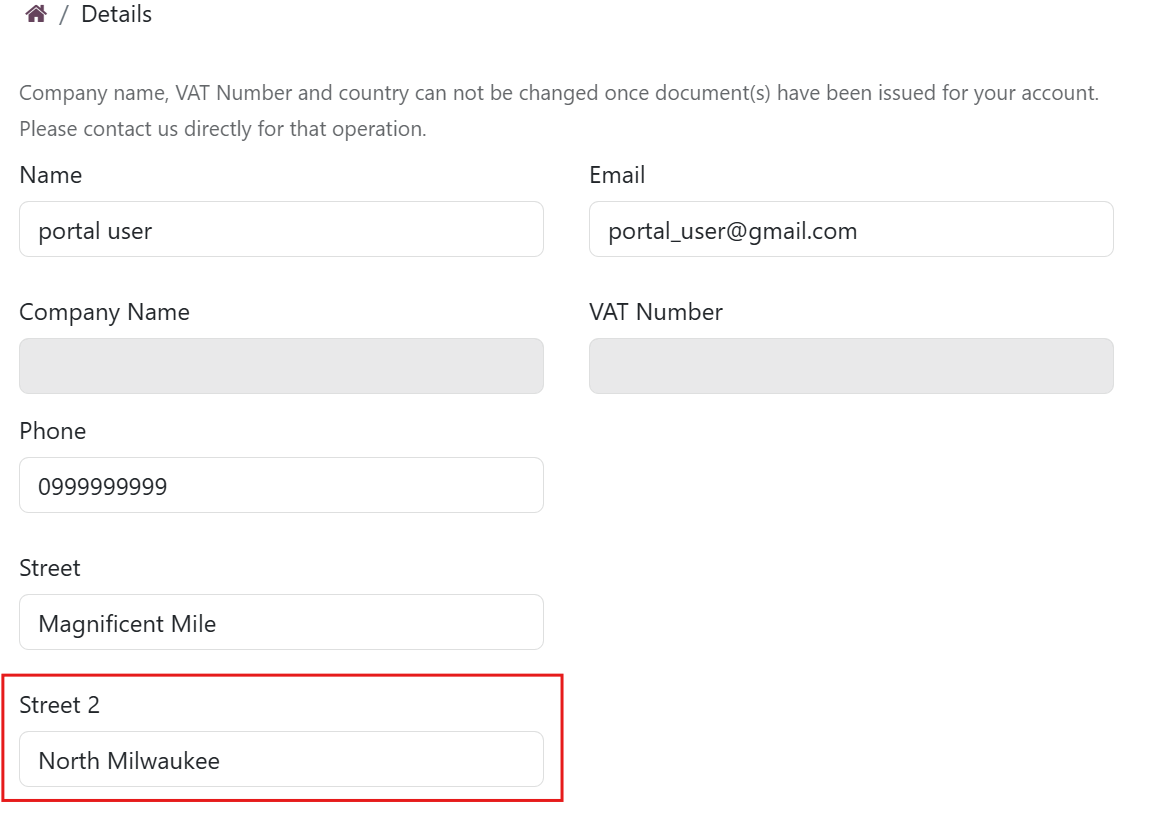 | |
If the portal user changes their street, their street from the contact form will change as well | 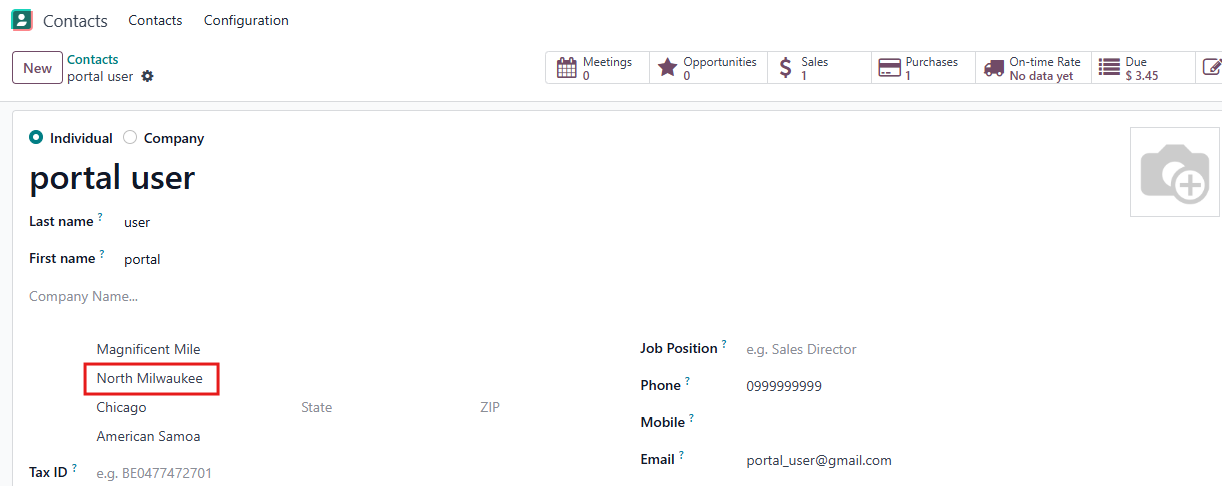 |
SIRET
Set up the access rights | 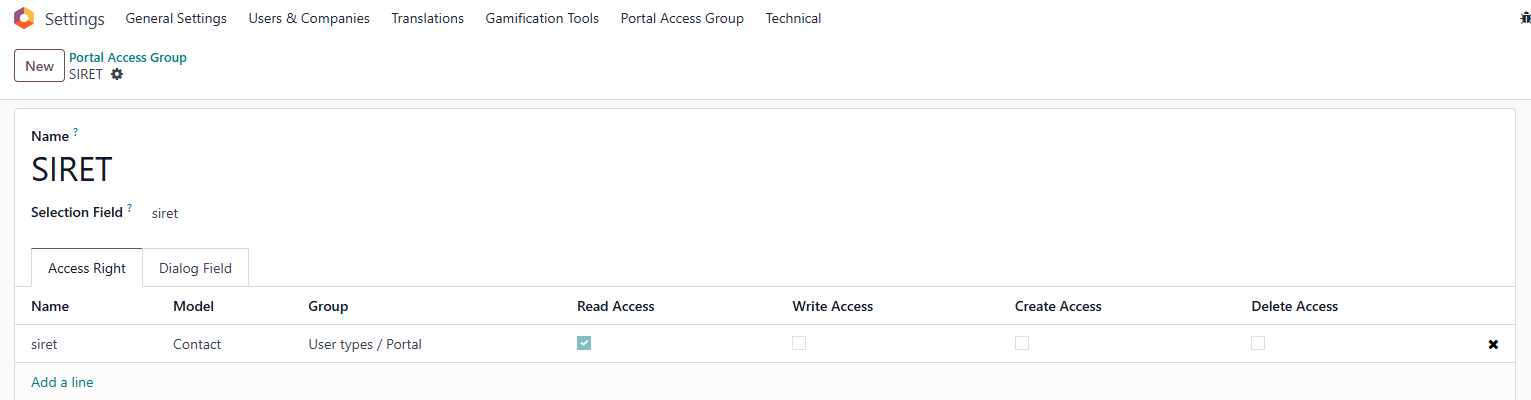 |
e.g., Read access if we want the portal users to see their SIRET number only In case the portal user has the access right to change their SIRET number, their SIRET from the contact form will change as well | 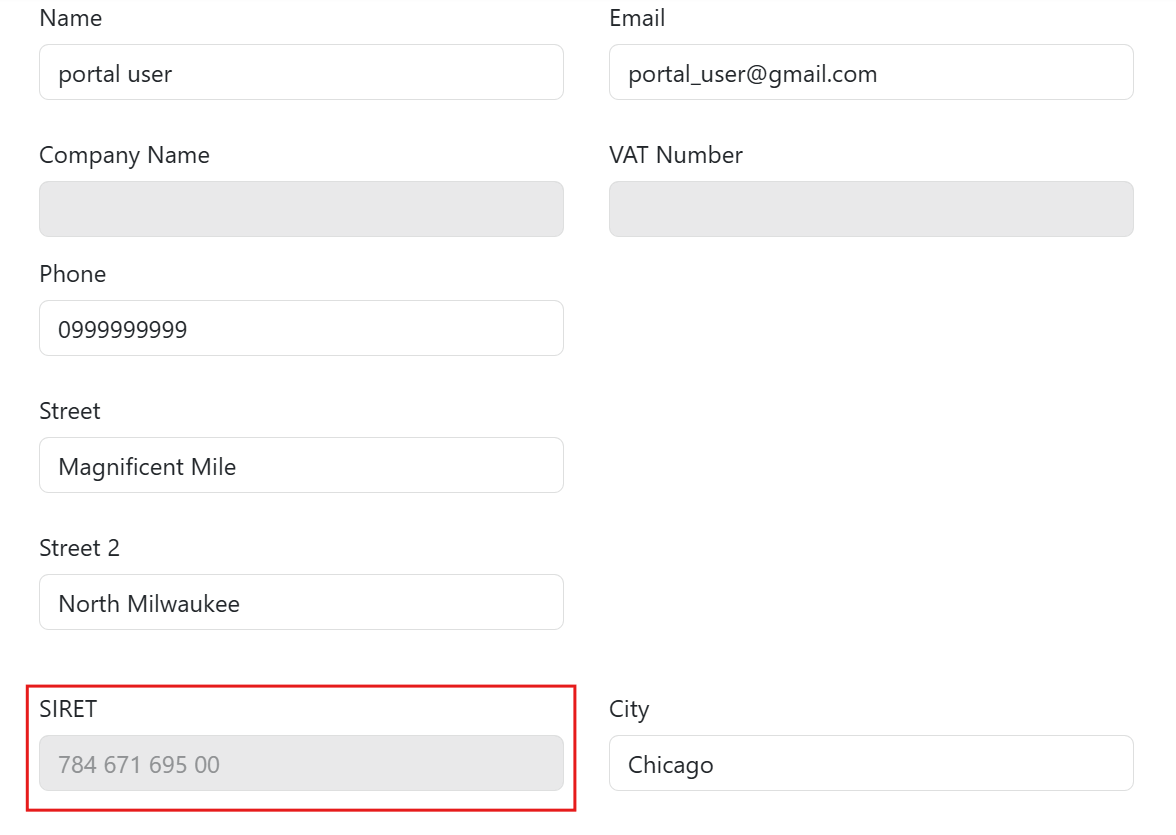 |