
ODOO'S FUNCTION
In Odoo, Timesheets do not include Timesheet Revenue or Timesheet Revenue IFRS. As a result, it is not possible to automatically calculate the revenue generated per employee directly from timesheet entries.
CLUEDOO'S FUNCTION
CLuedoo enhances this functionality by introducing a new field Timesheet Revenue IFRS, which enables the automatic calculation of Timesheet Revenue in IFRS currency.
This module depends on the module Quick Sales & Project Control (Timesheet Revenue), which adds the base Timesheet Revenue field to timesheets.
Go to Timesheets > You will see a new field Timesheet Revenue IFRS is added to My Timesheets/All Timesheets. Calculation Logic: Timesheet Revenue IFRS = Timesheet Revenue x Daily Exchange Rate | 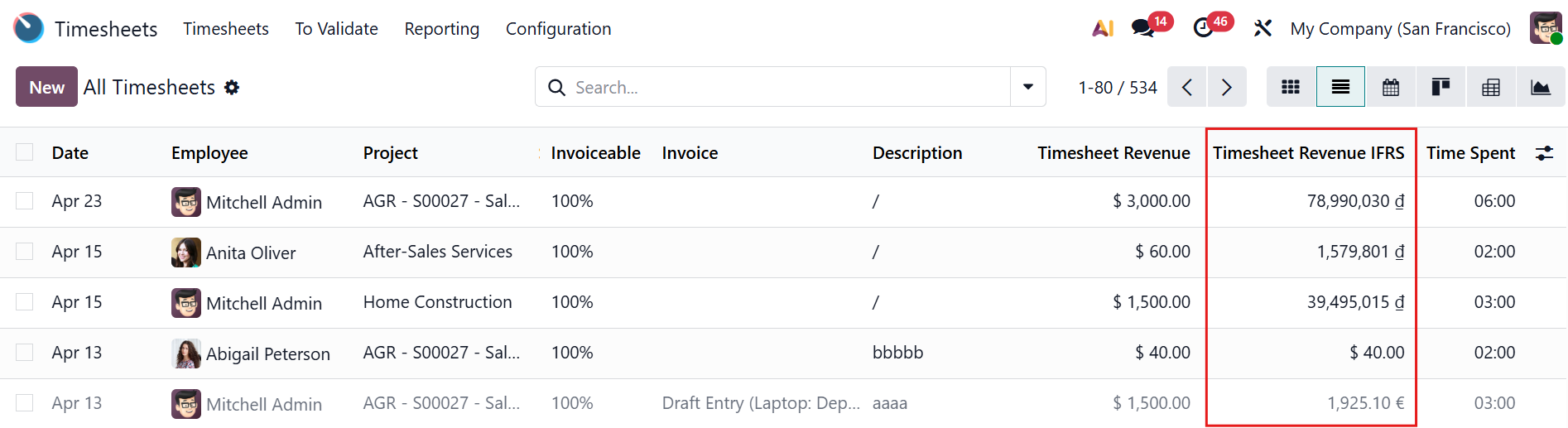 |
For example, IFRS Currency of My Company (San Francisco) is VND. The Timesheet Revenue IFRS on April 24 = Timesheet Revenue x Unit per USD on April 24 = 3000 x 26,530.01 = 79,590,030 VND | 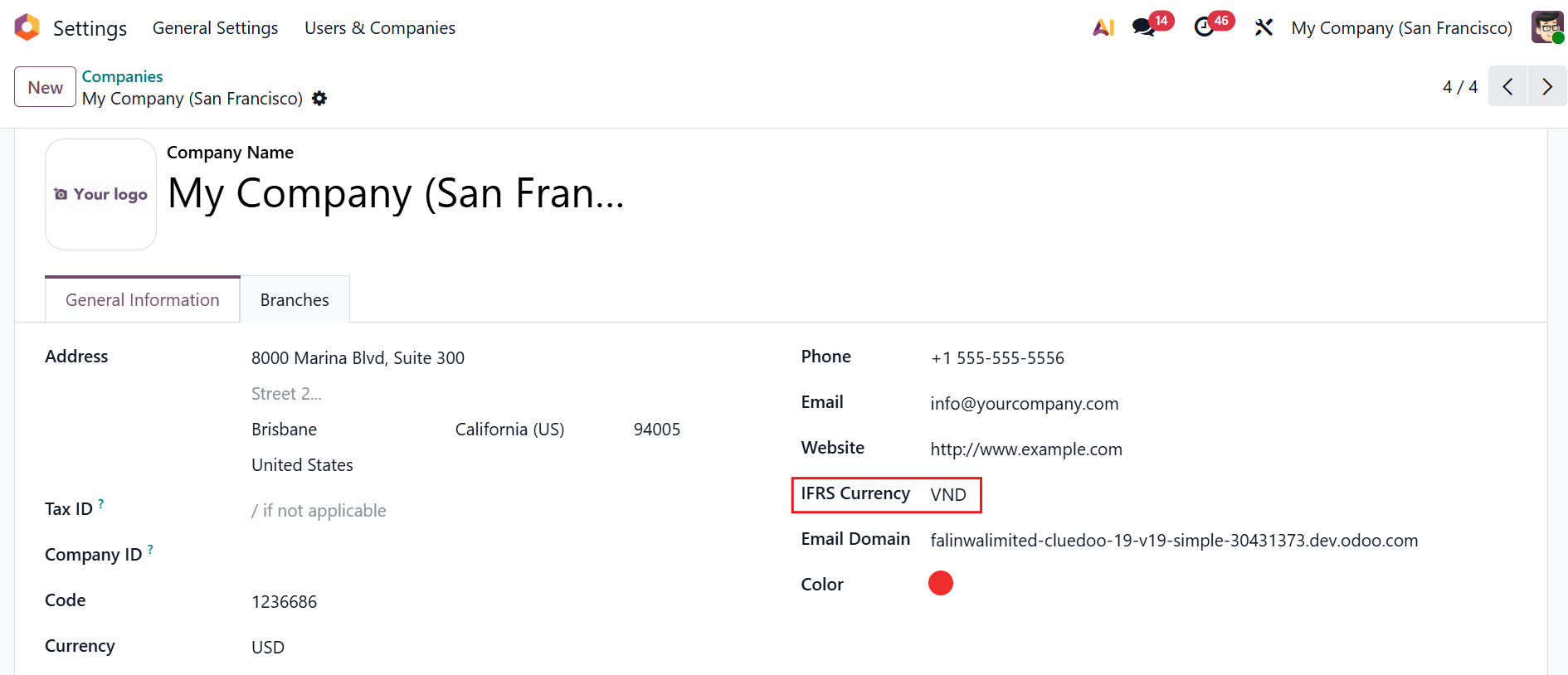 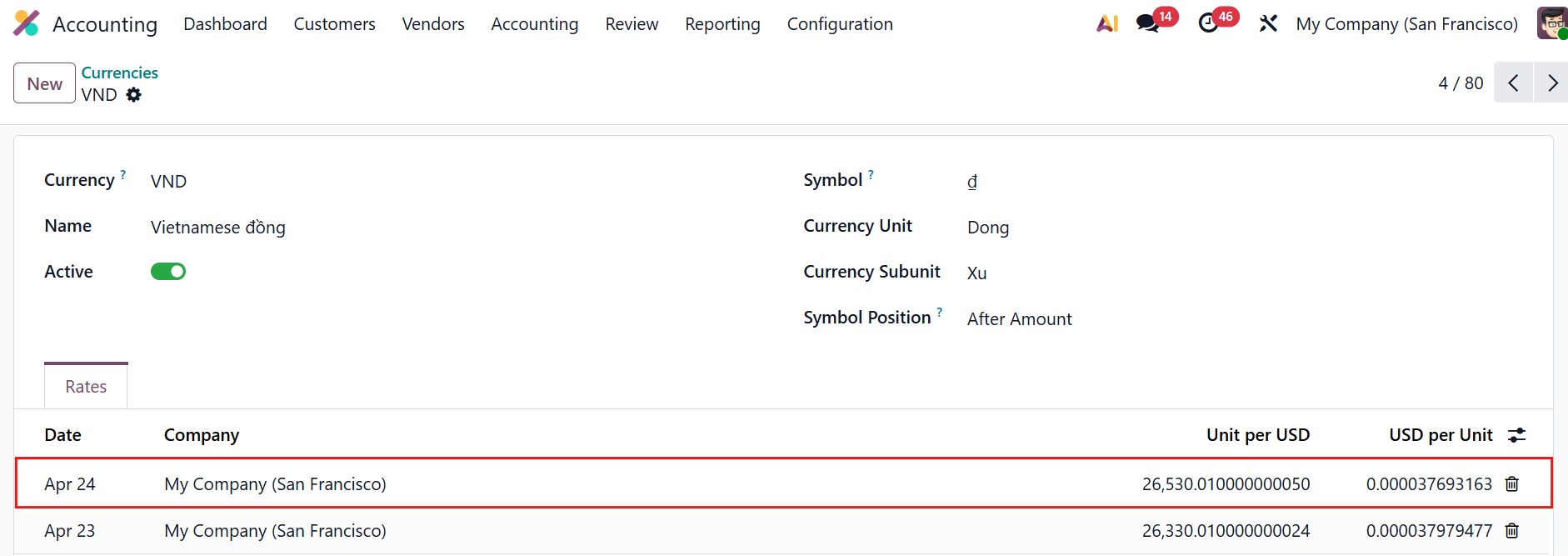 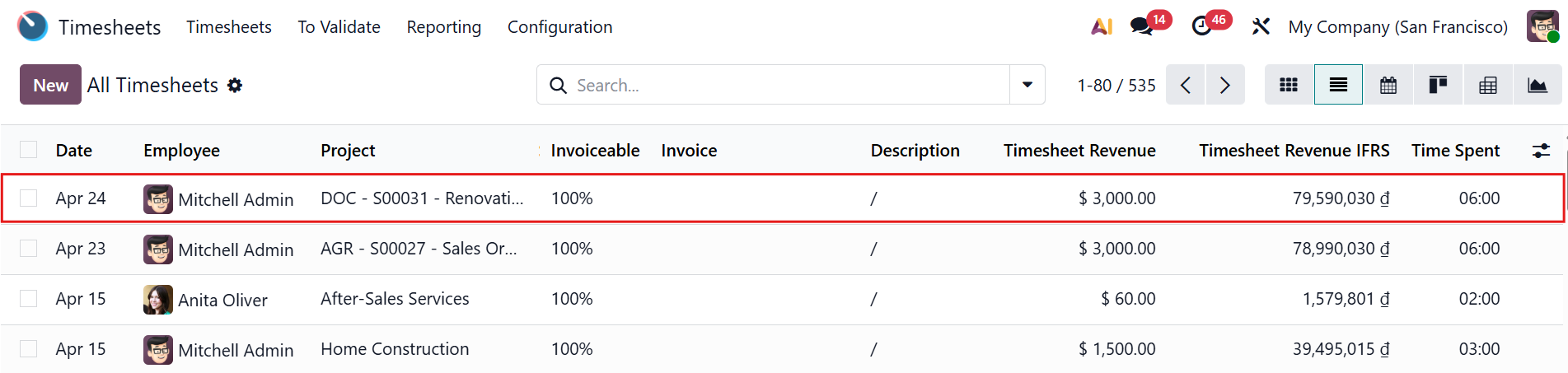 |