



ODOO'S FUNCTION
In standard Odoo, there is no restriction to control the minimum or maximum hours an employee can put on a timesheet.
CLUEDOO'S FUNCTION
CLuedoo enhances timesheet validation by introducing:
1️⃣ A rule requiring employees to record timesheets according to the standard weekly working schedule defined in their contract type.
2️⃣ A configurable "According to" setting based on your HR Policy, which can be set to rules like:
Timesheet hours is equal to Weekly Working Schedule.
Timesheet hours is less than Weekly Working Schedule.
Timesheet hours is more than Weekly Working Schedule.
This allows the system to ensure that timesheets are filled according to your HR policy and the contract type of each employee.
1. Go to Employees > Configuration > Working Schedules Choose a Working Schedule > Under the Timesheet Reports Rules section, set the minimum and maximum hours | 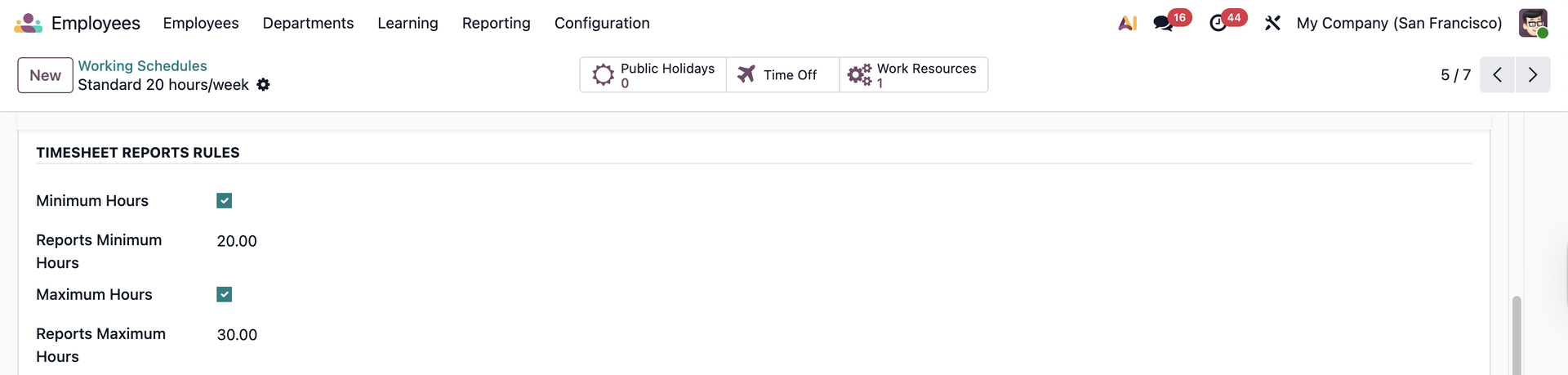 |
2. Go to Employees > choose an employee > Work Information Choose the configured Working Hours. | 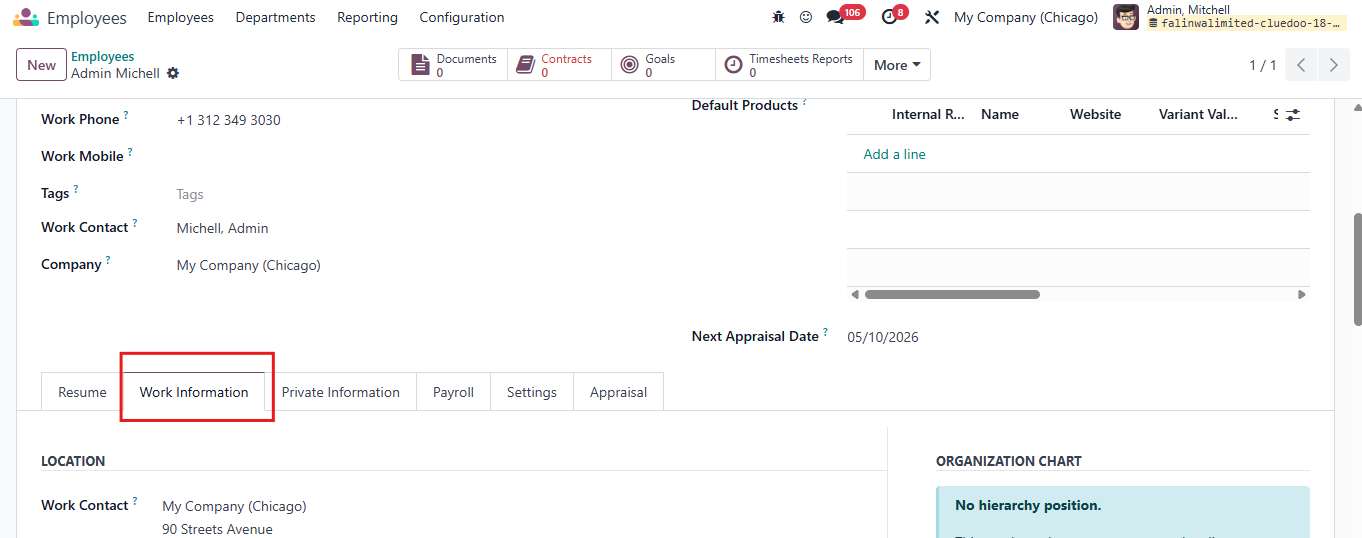 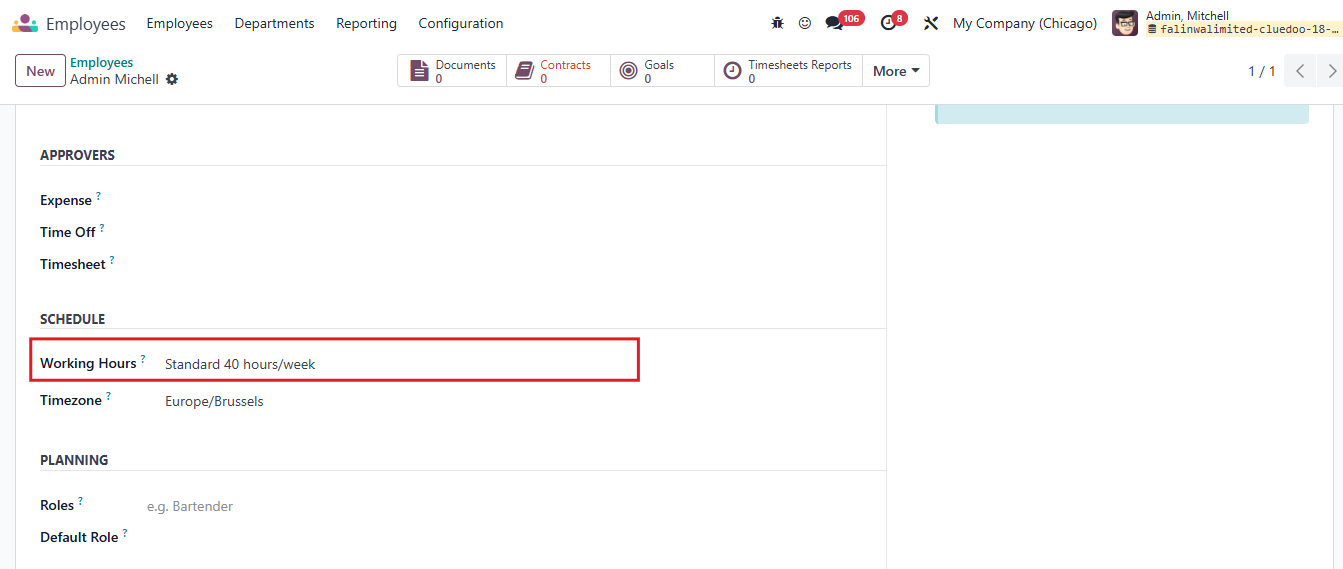 |
From v19, choose the Working Hours under the Payroll tab | 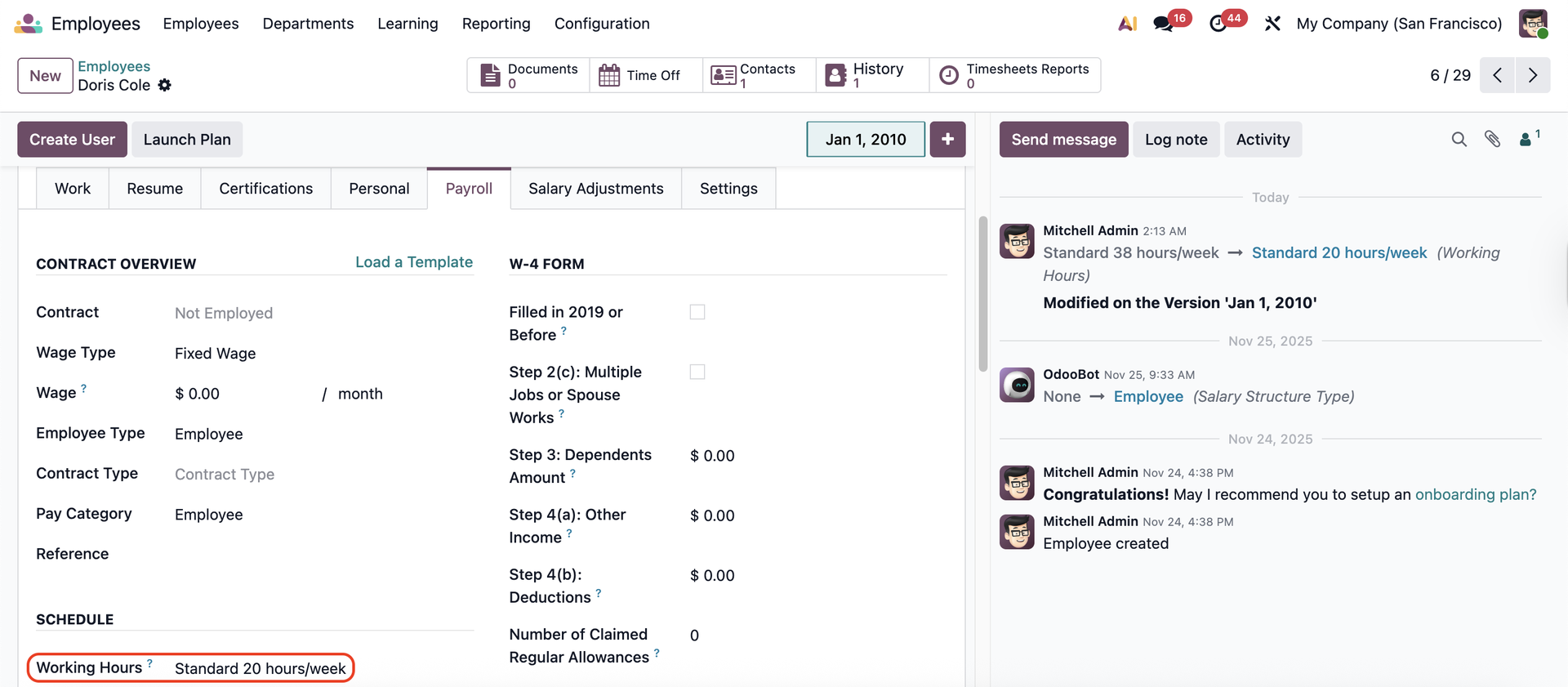 |
3. In All/My Timesheet Reports, an employee submit their timesheet report to a reviewer. Two alerts appear corresponding to 2 following cases:
If the timesheet report falls within the minimum and maximum weekly working hours, the employee submits the report successfully. | 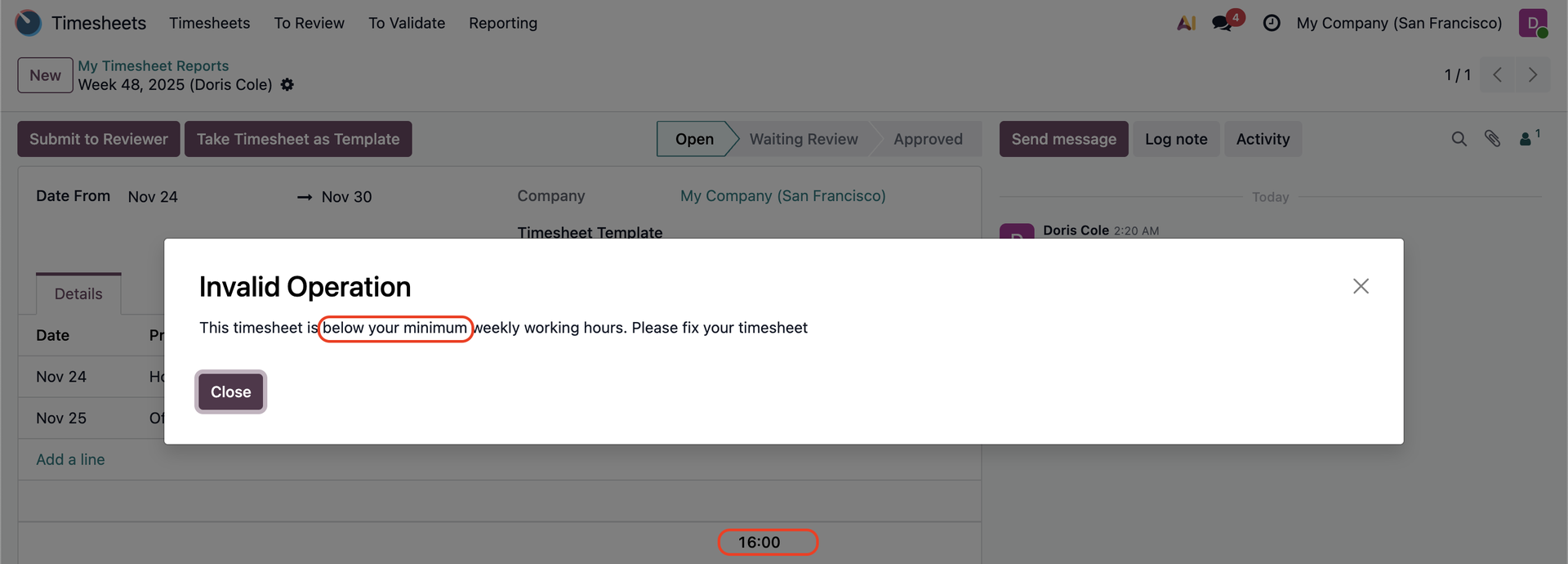 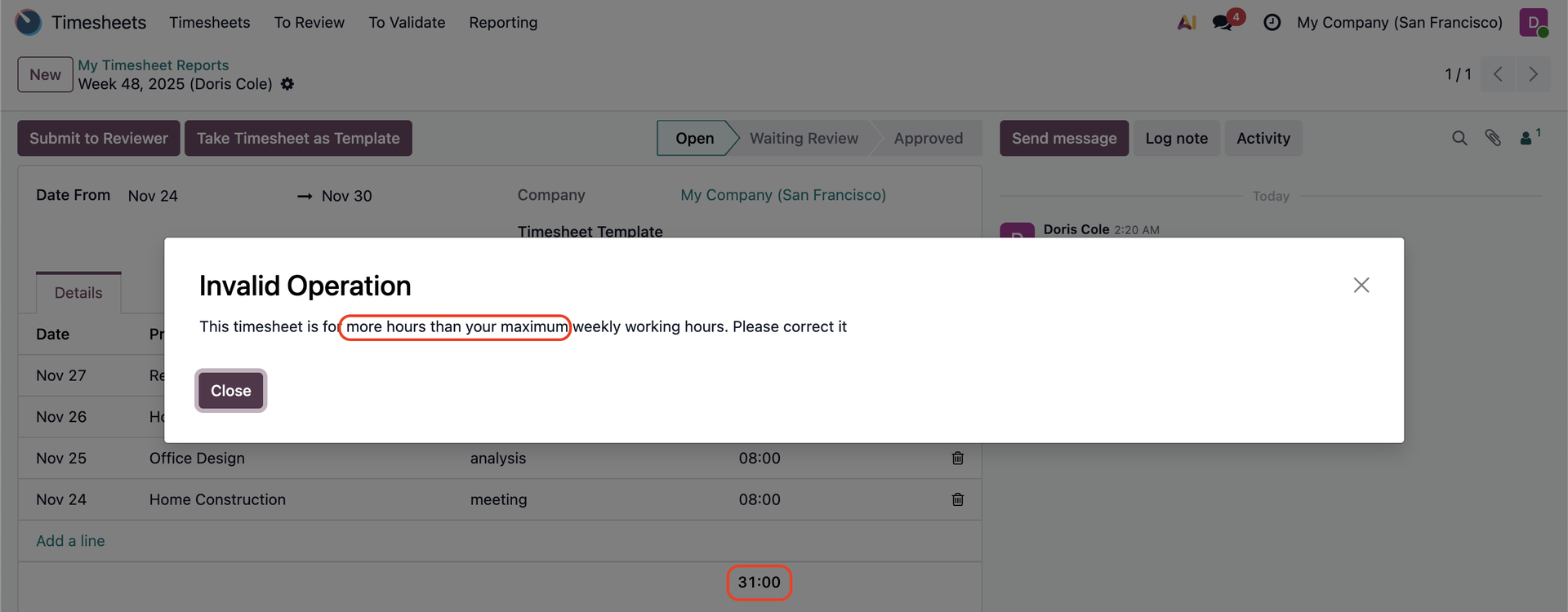 |