


ODOO'S FUNCTION
In Odoo, if you need to give a special comment or a tailor-made description of your product to your customer, you need to manually do it each time you sell the product to this customer.
CLUEDOO'S FUNCTION
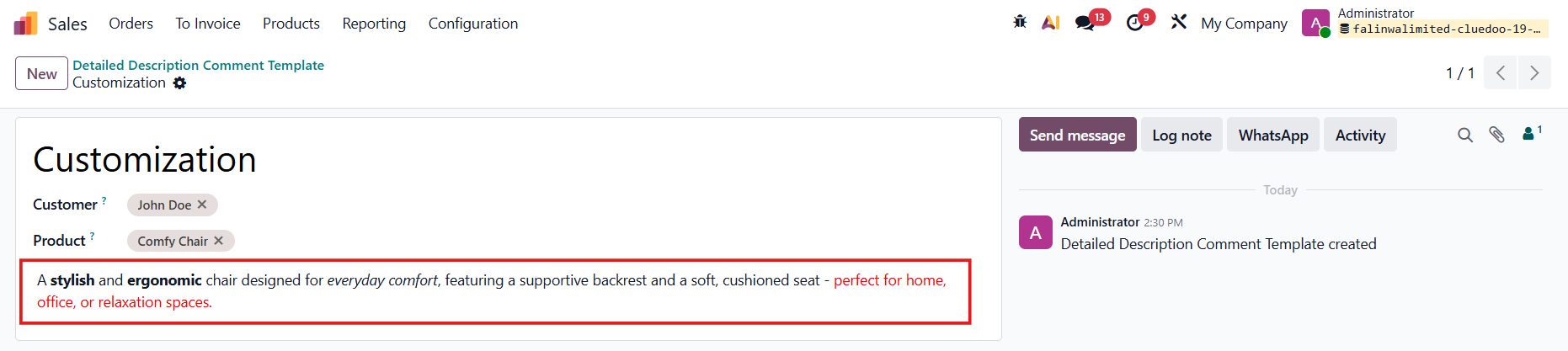
CLuedoo adds the notion of a comment template, giving you the possibility to address a special HTML comment with a condition on the product and/or the customer.
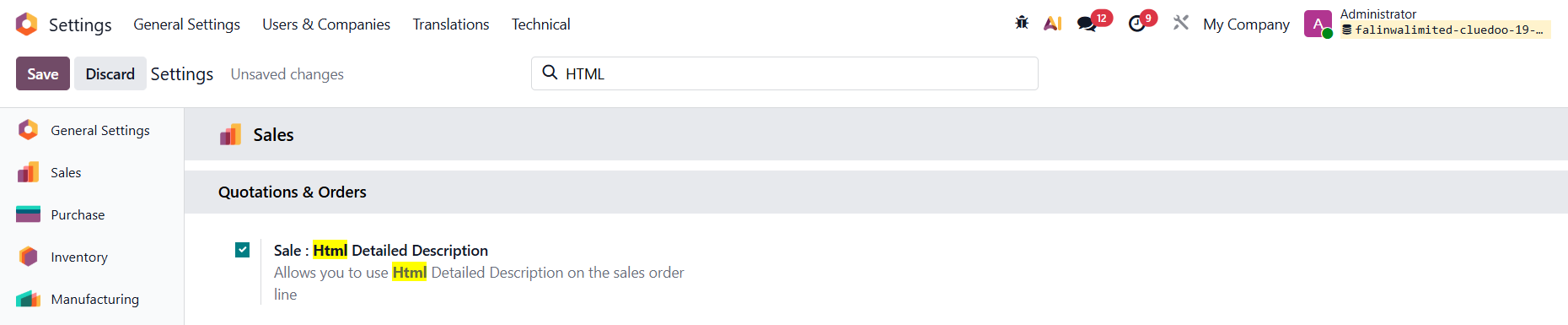
| 1. Go to Settings > Enable Sale: HTML Detailed Description |
|
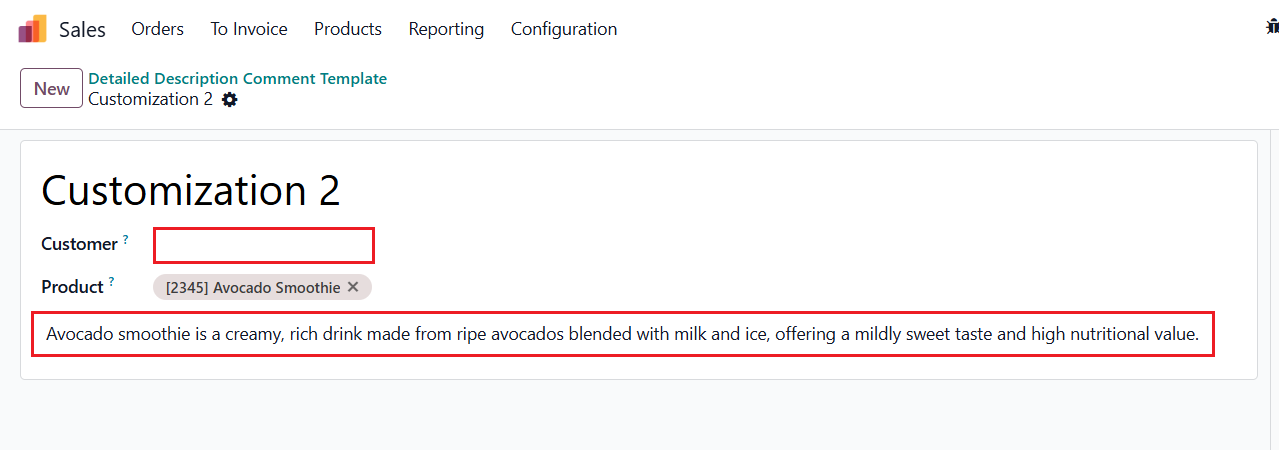
2. Go to Sales > Configuration > Detailed Description Comment Template > Create a new one and fill in the information
|  |
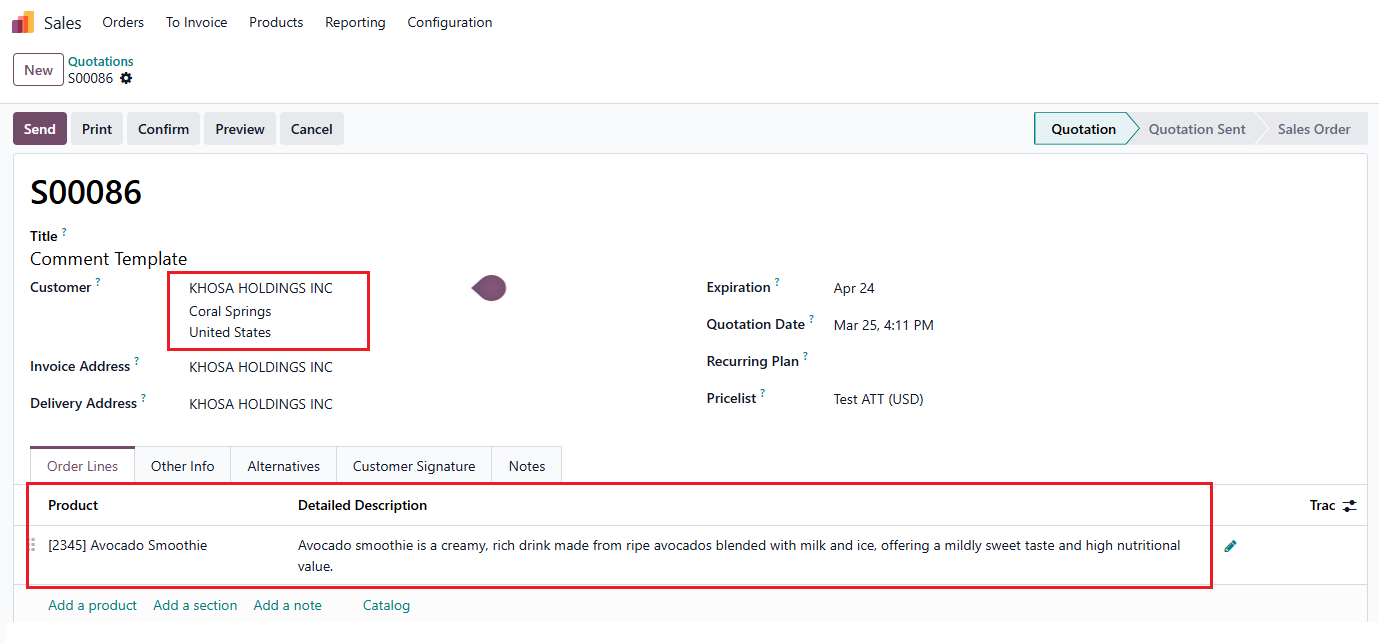
3. Creat a Sales Order and choose the customer and product(s) that you set in the template > The comment template will be automatically displayed in the Detailed Description field. | 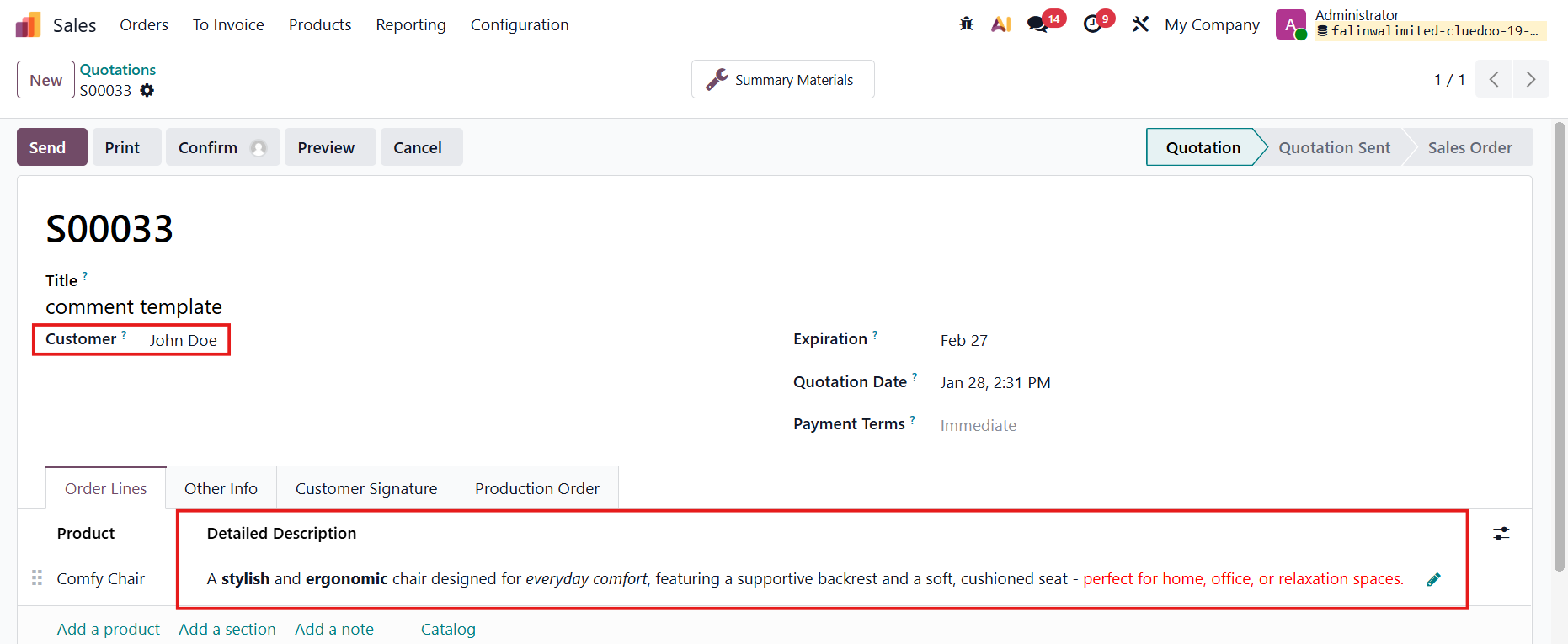 |
Note: If no specific customer is defined in the Detailed Description Comment Template, the description will be automatically applied to all customers when the selected product is added to a Sales Order. |
|