



ODOO'S FUNCTION
In Odoo, loyalty points can include decimal values, meaning points are not automatically rounded.
CLUEDOO'S FUNCTION
CLuedoo adds a loyalty point rounding option in the Loyalty Program settings, allowing users to choose between Normal Rounding, Always Round Up, or Always Round Down for point calculation.
1. Go to Discount & Loyalty and create a new program with Program Type = Loyalty Cards You will see 2 added fields:
| 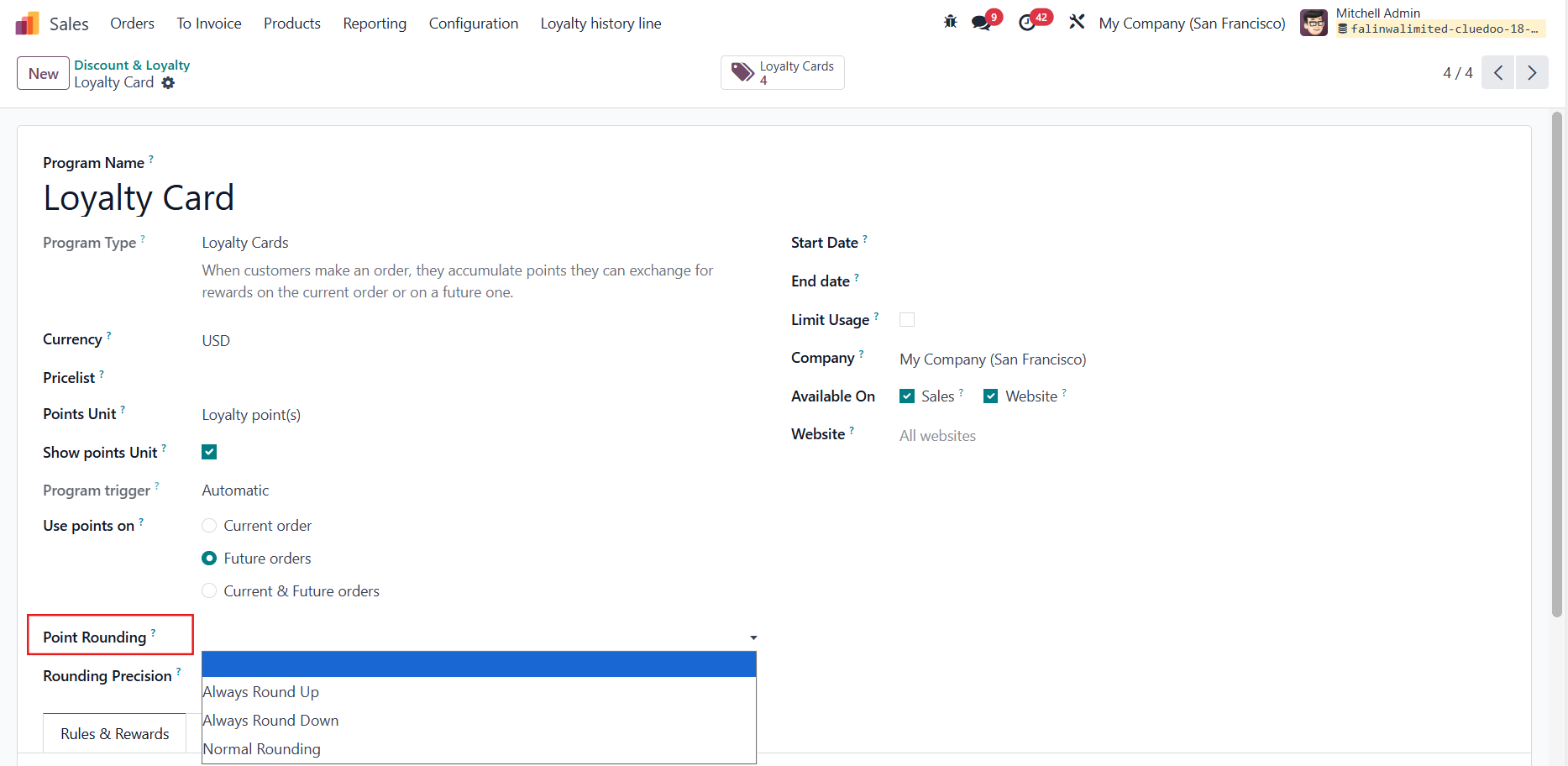 |
2. Open the Conditional Rules and set up a rule e.g., Customers will gain $0.02 per $ spent on each order | 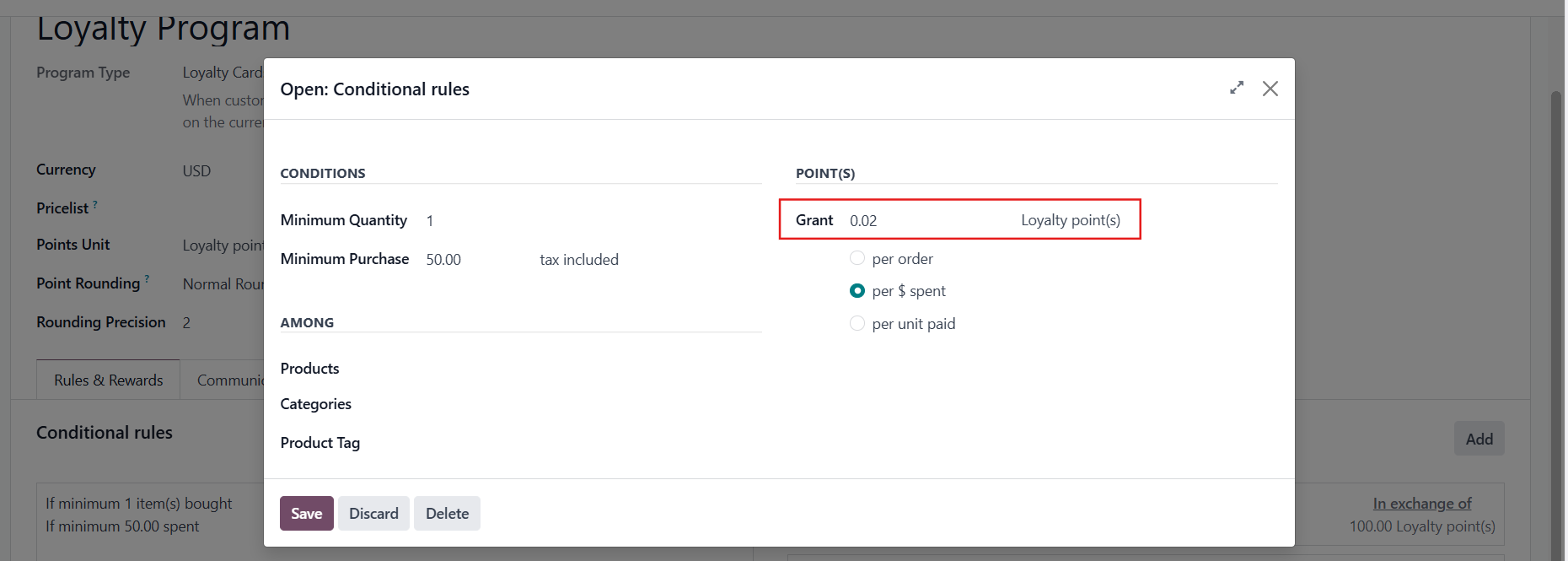 |
3. Create a Sales Order CASE 1: POUNT ROUNDING = EMPTYThe Loyalty Points granted will follow ODS, regardless of the Rounding Precision e.g., the default decimal places of Odoo is 2, then even when you set the Rounding Precision to 0, the Loyalty Points are still rounded to 2 decimal places |  Result 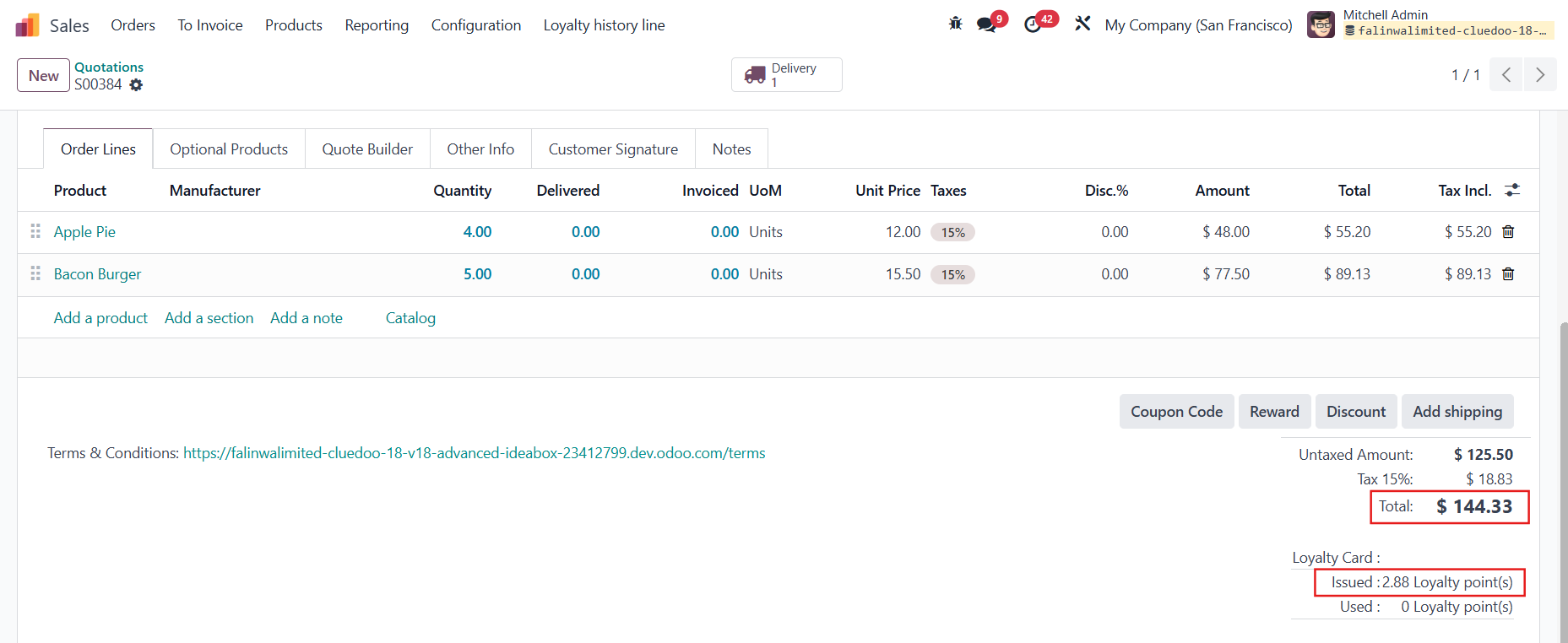 |
CASE 2: POINT ROUNDING = ALWAYS ROUND UPBased on your Rounding Precision e.g., Rounding Precision = 0, meaning round up to the next whole number Loyalty Points 2.88 → 3 |  Result 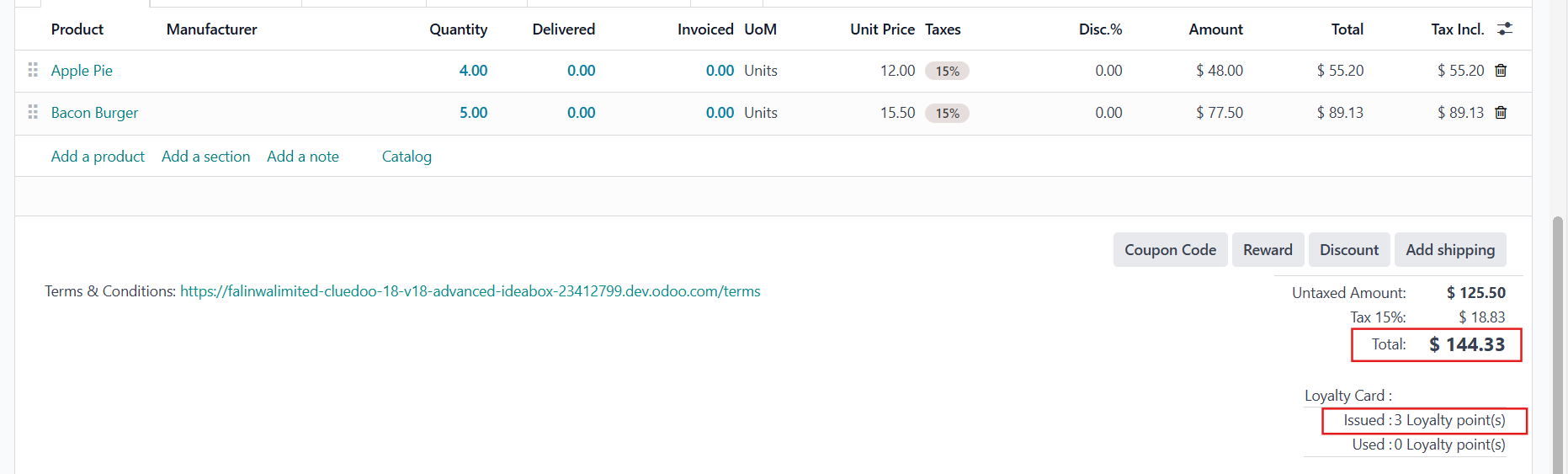 |
CASE 3: POINT ROUNDING = ALWAYS ROUND DOWNBased on your Rounding Precision e.g., Rounding Precision = 0, meaning round
down to the nearest whole number
Loyalty Points 2.88 → 2 |  Result 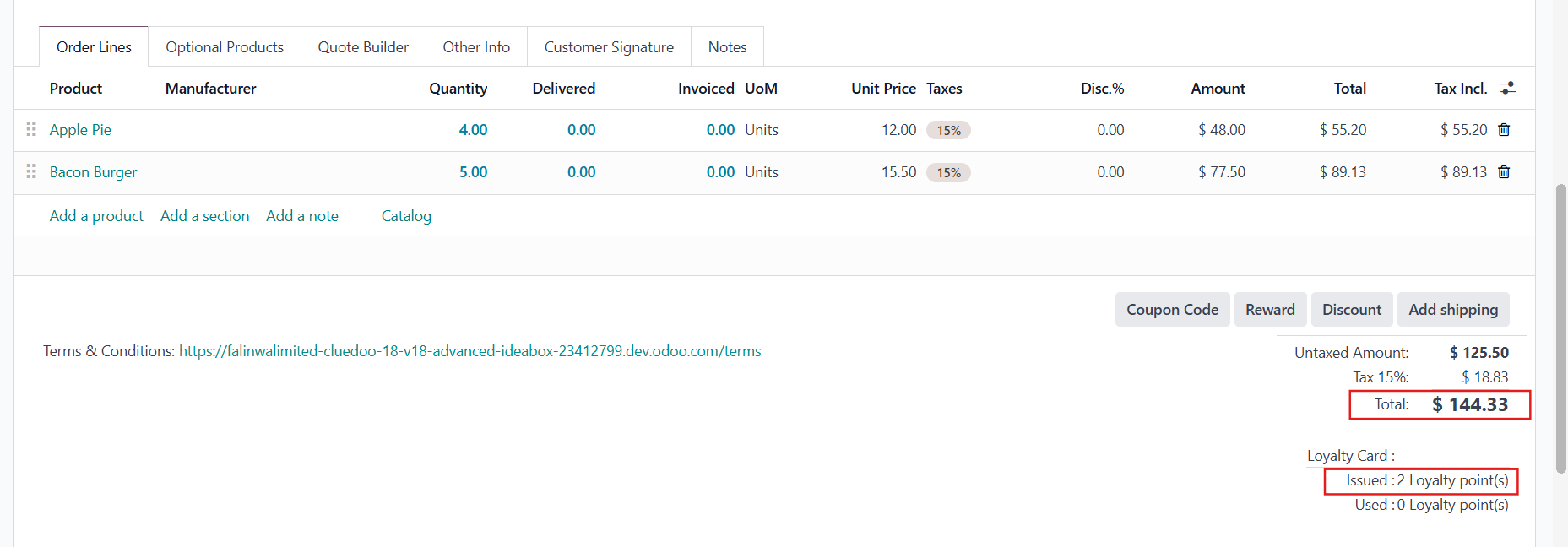 |
CASE 4: POINT ROUNDING = NORMAL ROUNDINGBased on your Rounding Precision e.g., Rounding Precision = 1, meaning round to the nearest value based on standard mathematical rules - not always up or always down
Loyalty Points 2.88 → 2.9 Loyalty Points 1.42 → 1.4 |  Result 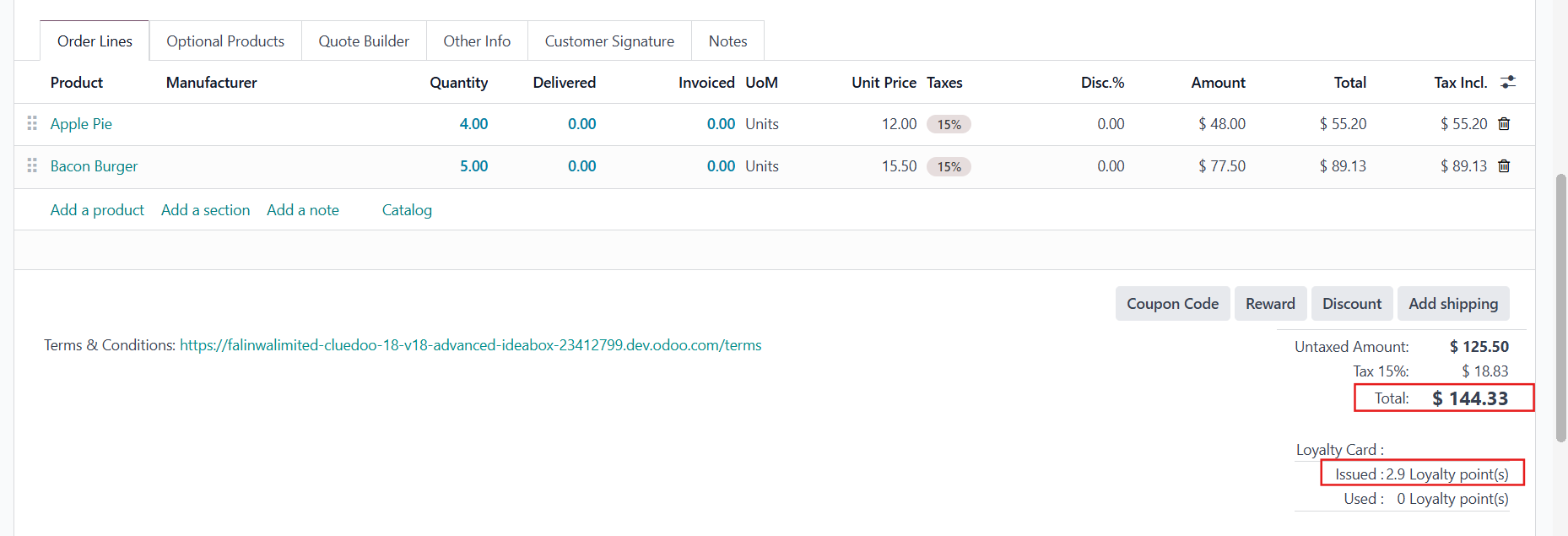 |