



ODOO'S FUNCTION
Odoo provides three costing methods (Standard Price, FIFO, AVCO) and offers tracking policies by lots or unique serial numbers. This traceability approach effectively addresses most requirements for up and down traceability, including reporting and tracking. However, it may not fully cover the aspects of product life management.
CLUEDOO'S FUNCTION
Cluedoo expands the concept of serial numbers from an inventory-focused notion to a master data concept at a sub-level of the product variant. This allows for comprehensive tracking of the life of each lot/serial number from its initiation to the conclusion of the corresponding product. The extension of lot/serial numbers from inventory information to master data objects necessitates integration into various Odoo apps.
Additionally, Cluedoo introduces a new "Lot/Serial Number" costing method.
1. Go to Product Categories Choose a category you want to change to costing method for product tracked by Lot/Serial Number Set
Note: In v18 and earlier version, in Inventory Valuation, Automated = Perpetual The Costing method and Inventory Valuation will be applied for product in this category | 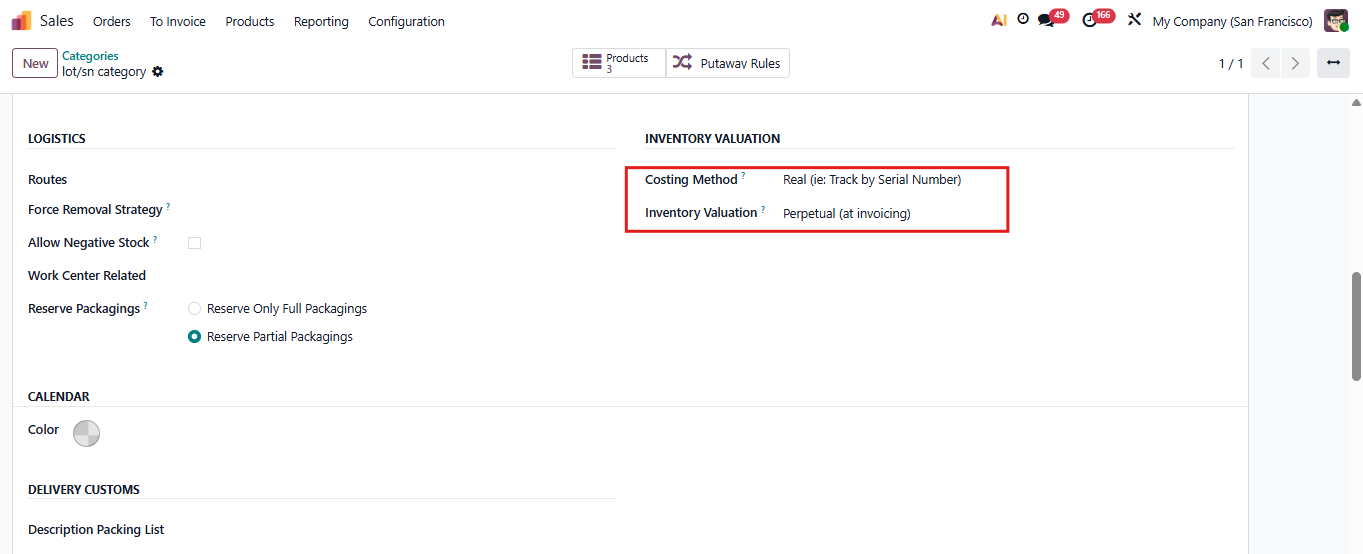 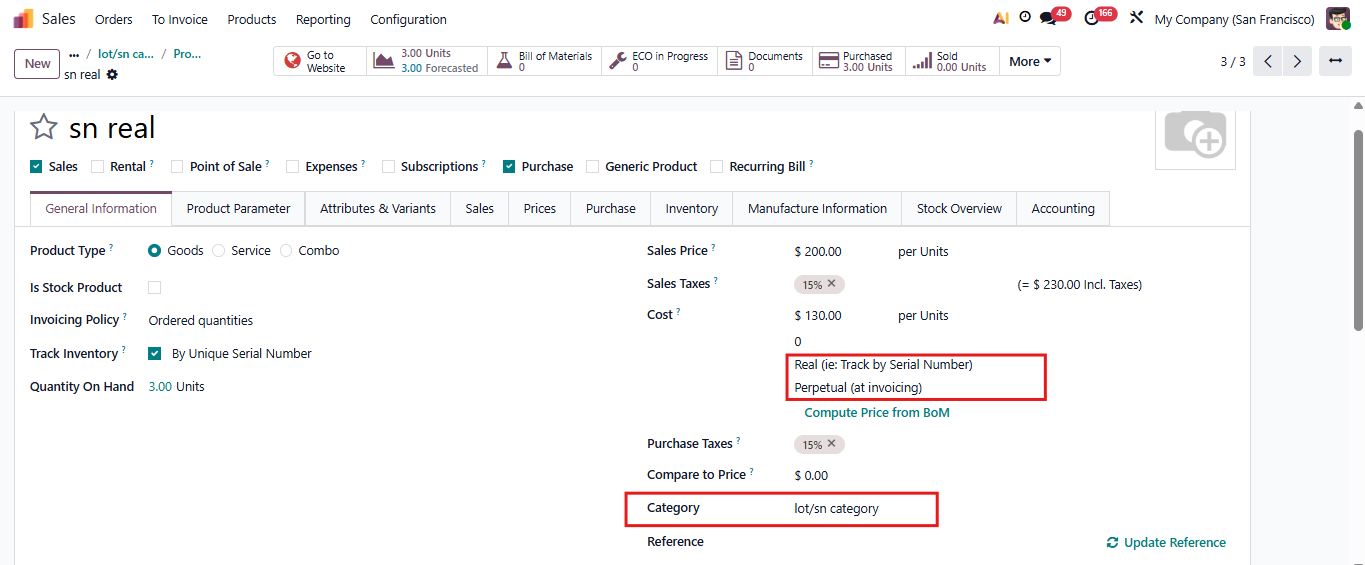 |
2. The cost in product template is calculated as the average of all the quantity received. | 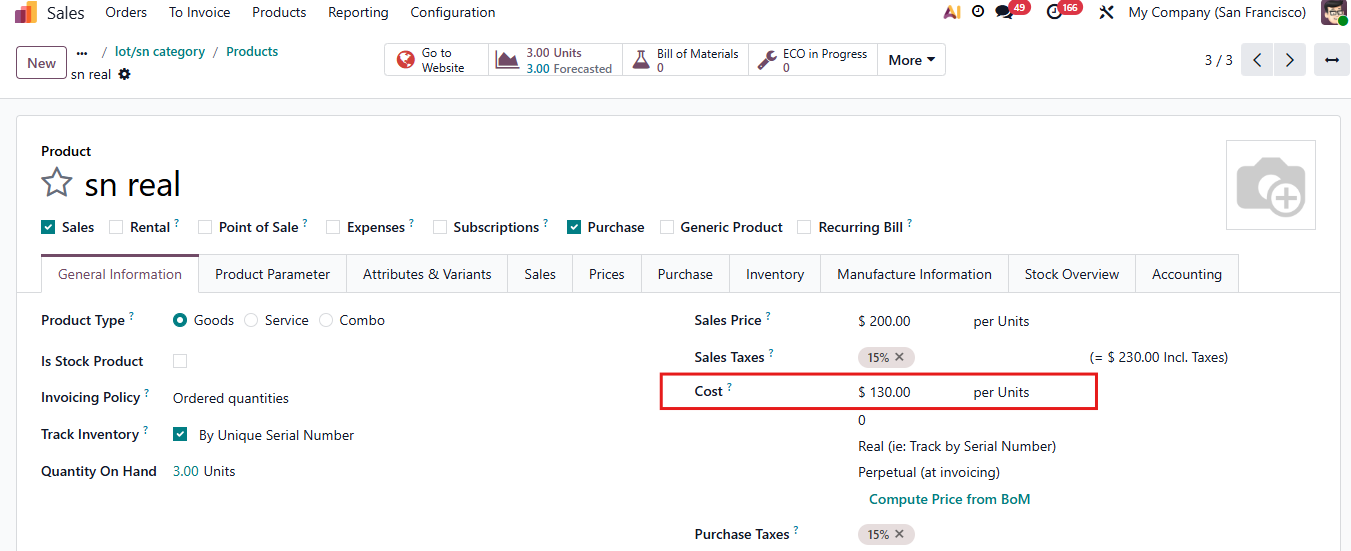 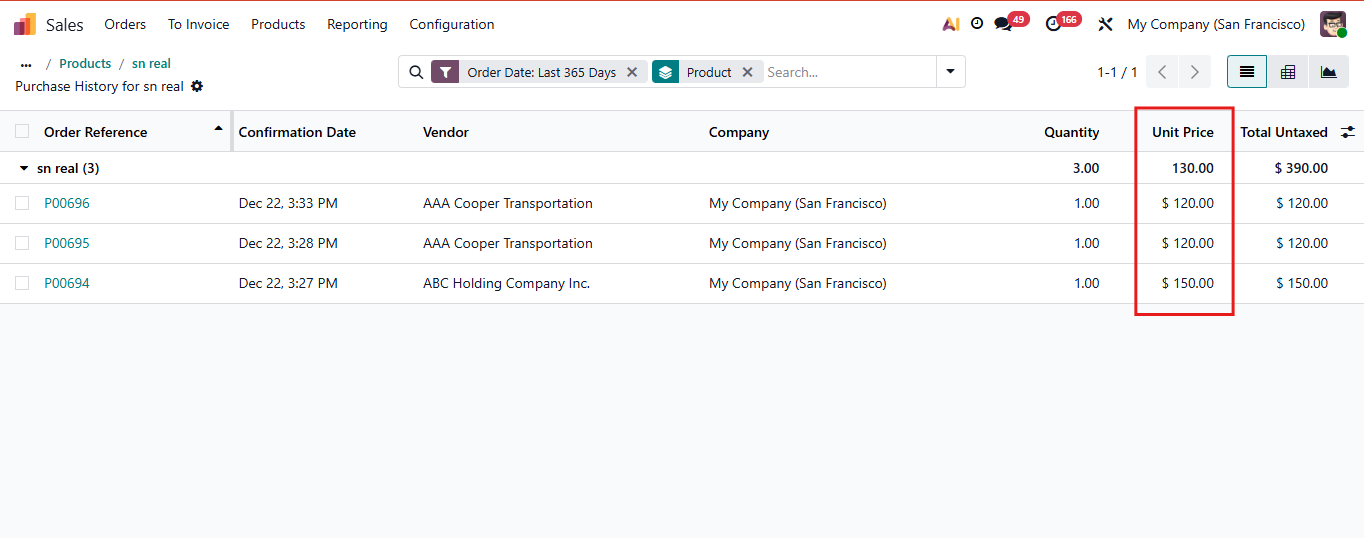 |
3. A Lots/Serial Numbers menu is added in Accounting → Customers. | 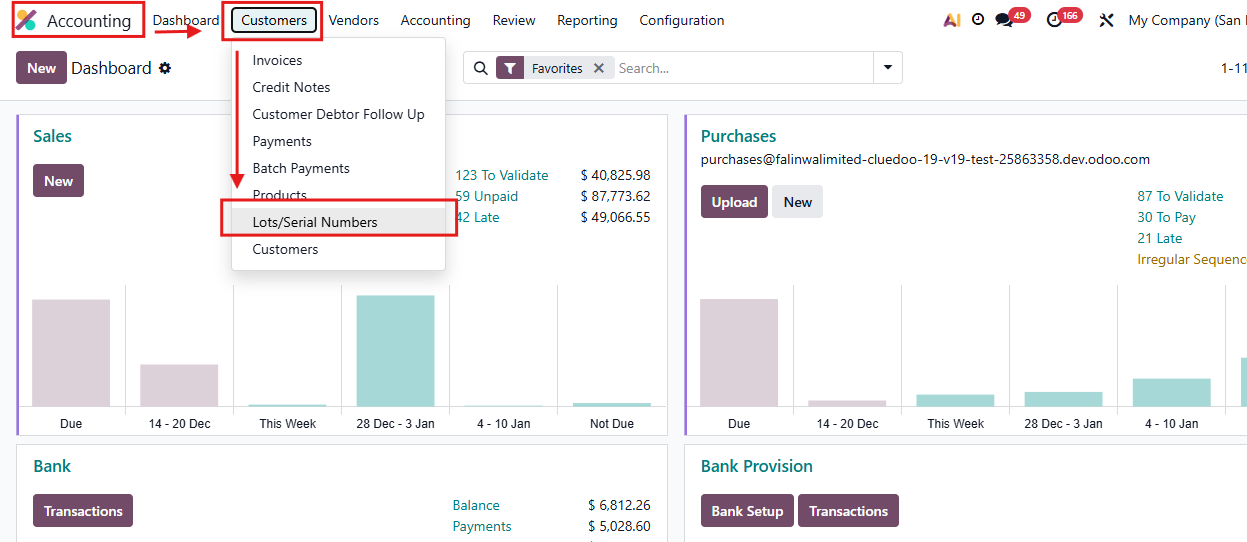 |