



ODOO'S FUNCTION
In Odoo, users need to manually perform each step of the sales workflow - from confirming the order to validating the delivery, creating and confirming the invoice, and finally registering the payment.
CLUEDOO'S FUNCTION
CLuedoo enhances the standard process by introducing a new automation rule, allowing the sales workflow to run automatically without manual intervention.
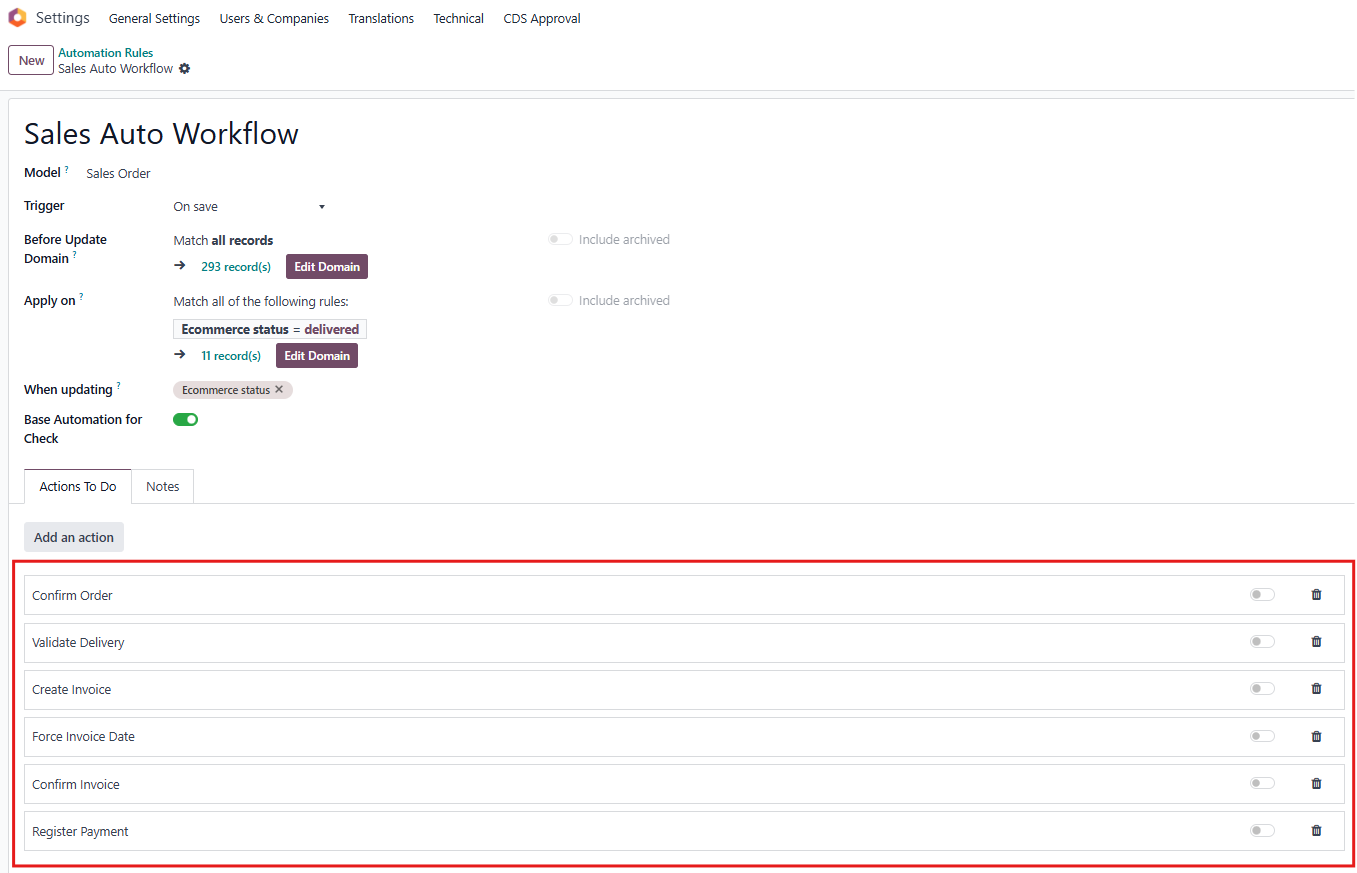
1. Go to Automation Rules and open the rule named Sales Auto Workflow. Here you can see the defined sales workflow, which includes steps from Confirm Order to Register Payment. Actions available in this automation:
|  |
2. Activate or deactivate the actions you want to be executed automatically. For example:
Note: The Validate Delivery action will only run automatically if there is sufficient stock available. Otherwise, the delivery will stay in Ready status. | 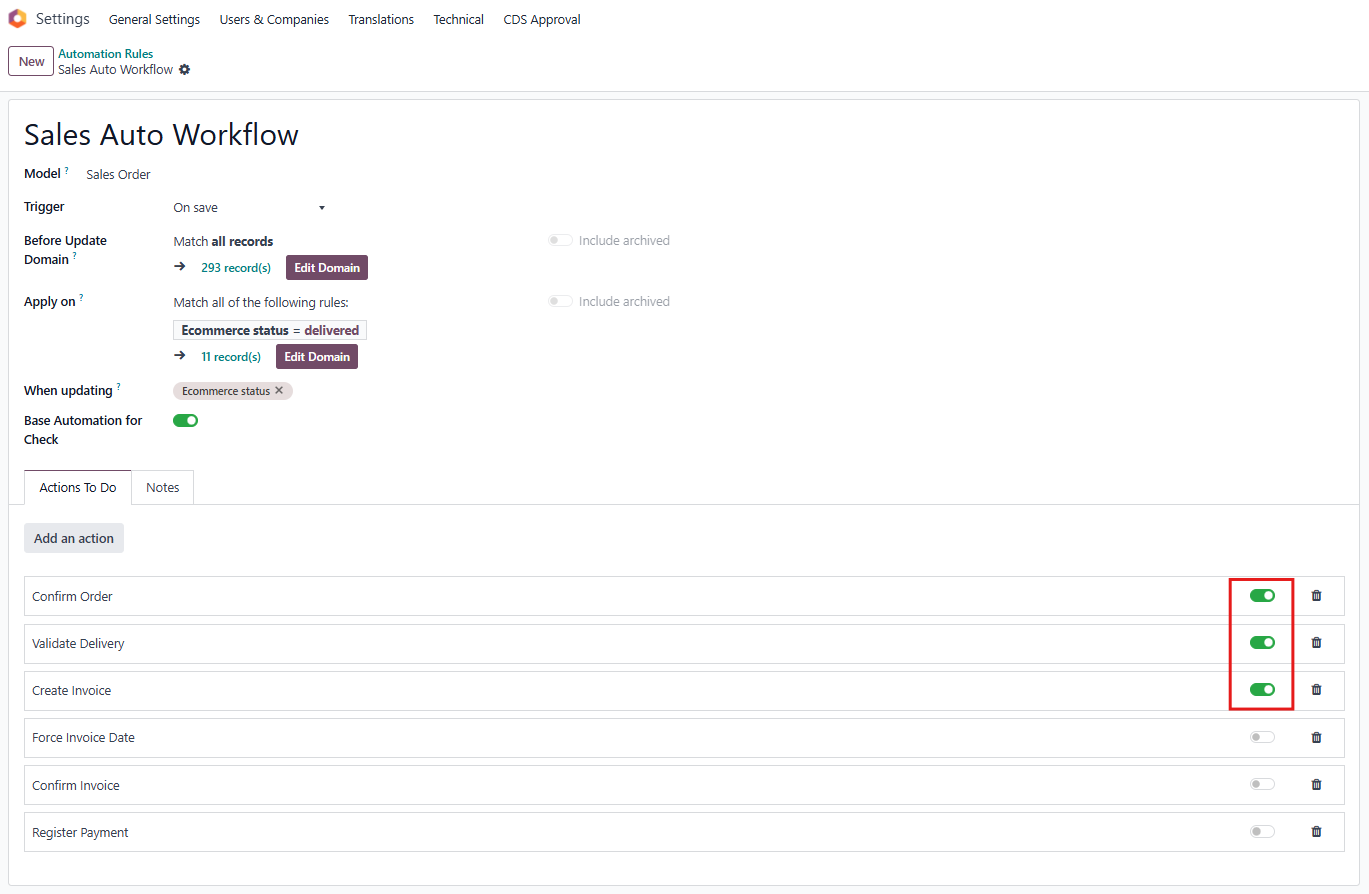 |