



ODOO'S FUNCTION
In Odoo, invoices for subscriptions are automatically posted to the system.
CLUEDOO'S FUNCTION
CLuedoo generates subscription invoices in draft mode, allowing for review prior to posting.
1. Go to Settings and check the Generate Subscription Invoice as Draft. If this is checked, the invoice in subscription will be automatically created in draft. | 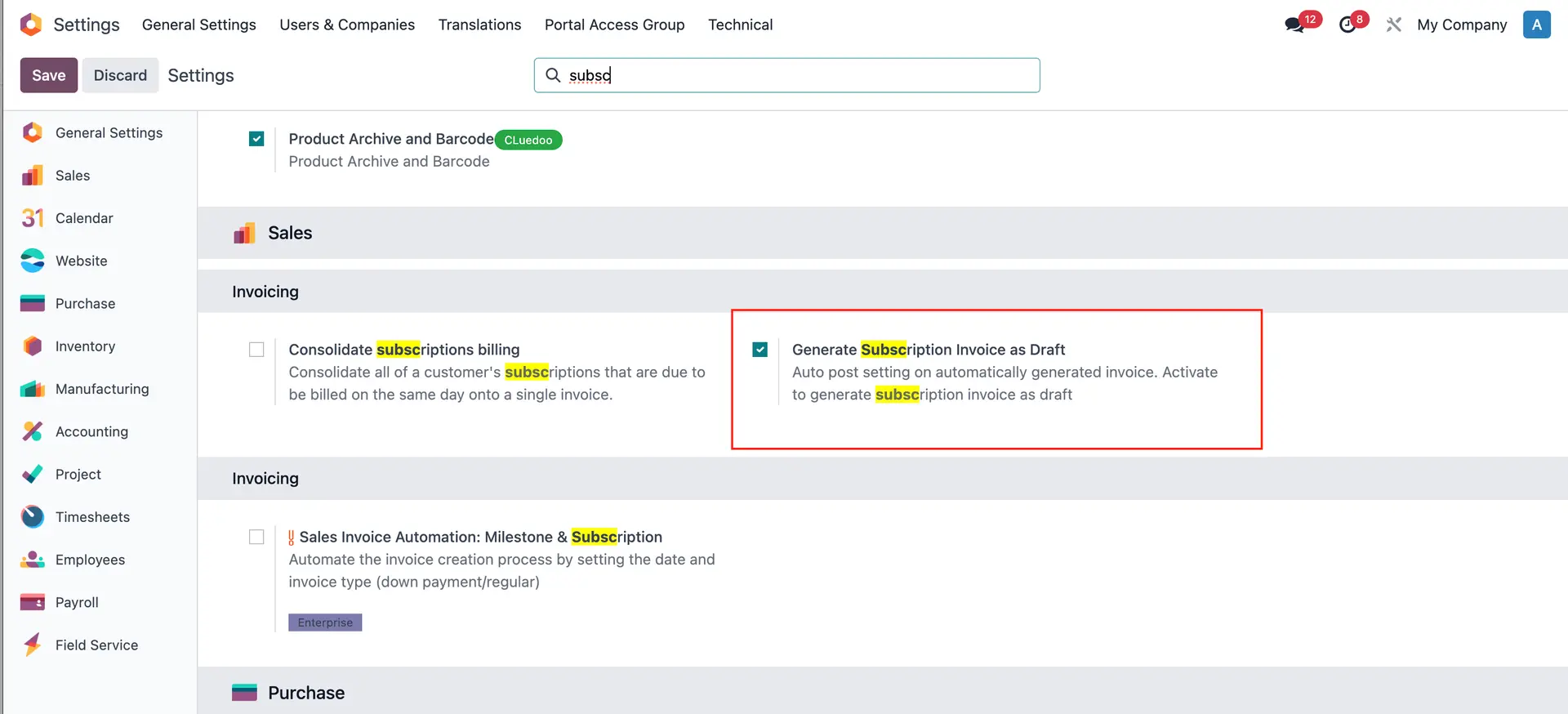 |
Alternatively, go to Companies and we can also check the box here. If we check in Companies, it will automatically check the box in Settings too and vice versa. | 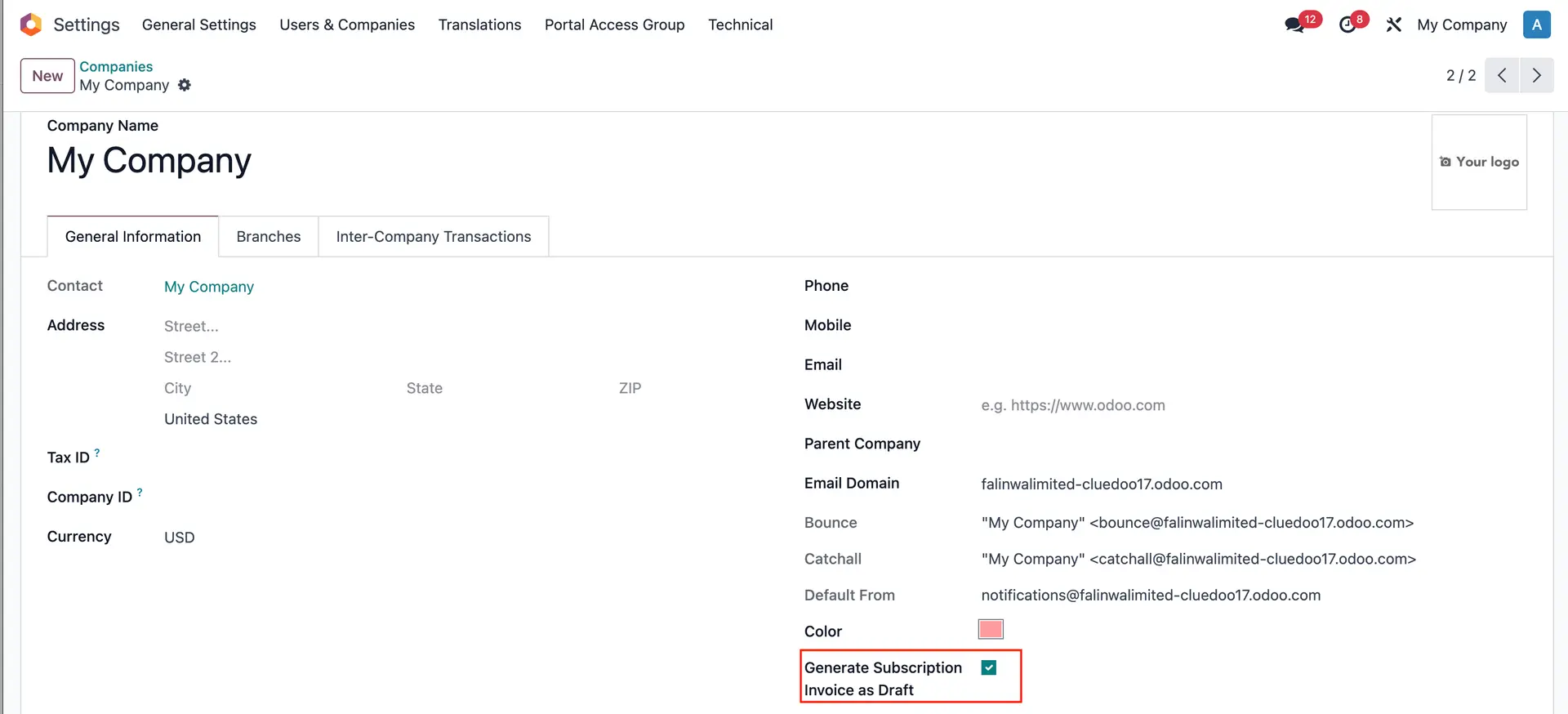 |
2. Create a Subscription order and confirm. | 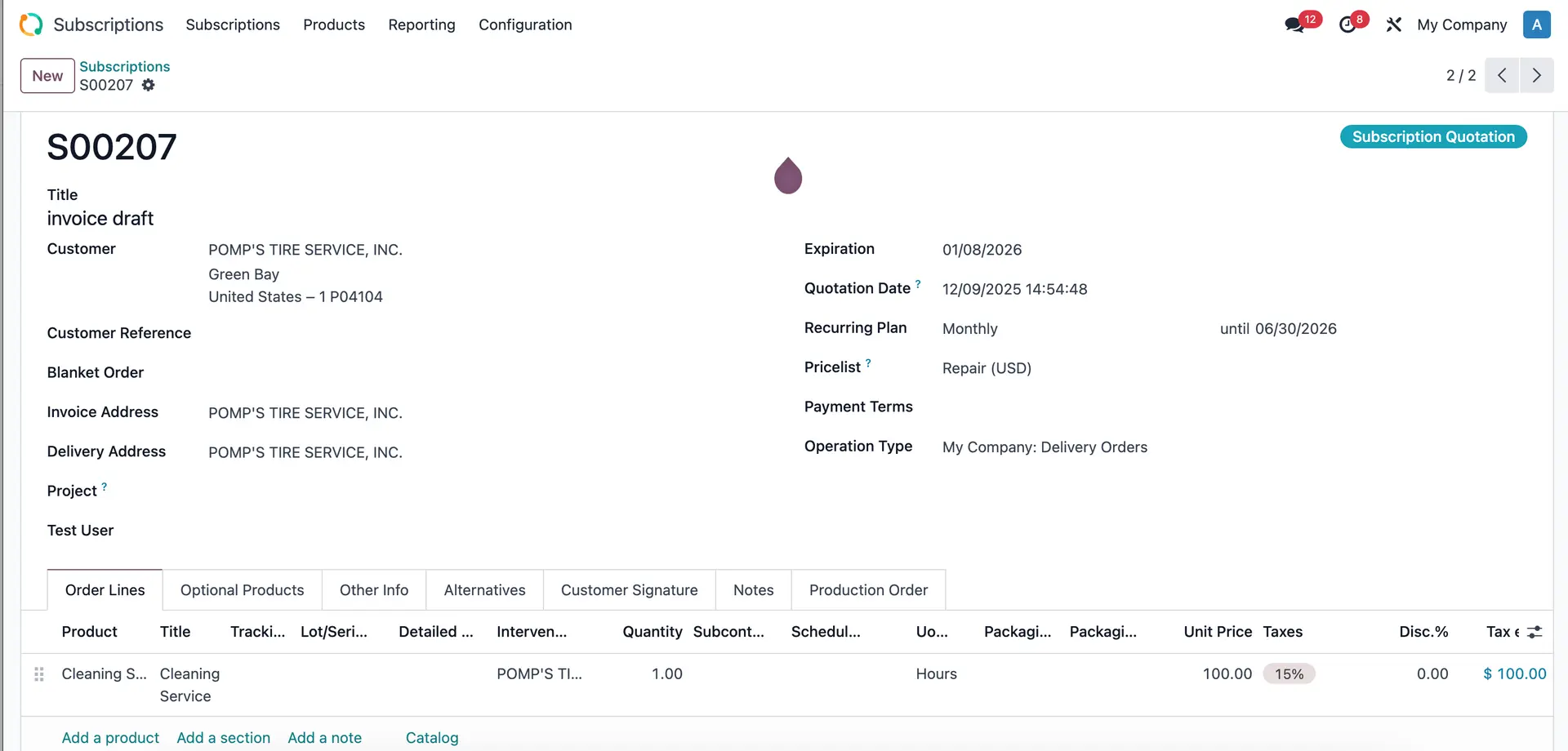 |
Note: Make sure that the Online Payment field is unchecked. It is in the Other Info tab. If it is checked, we need to make sure the payment token is available. | 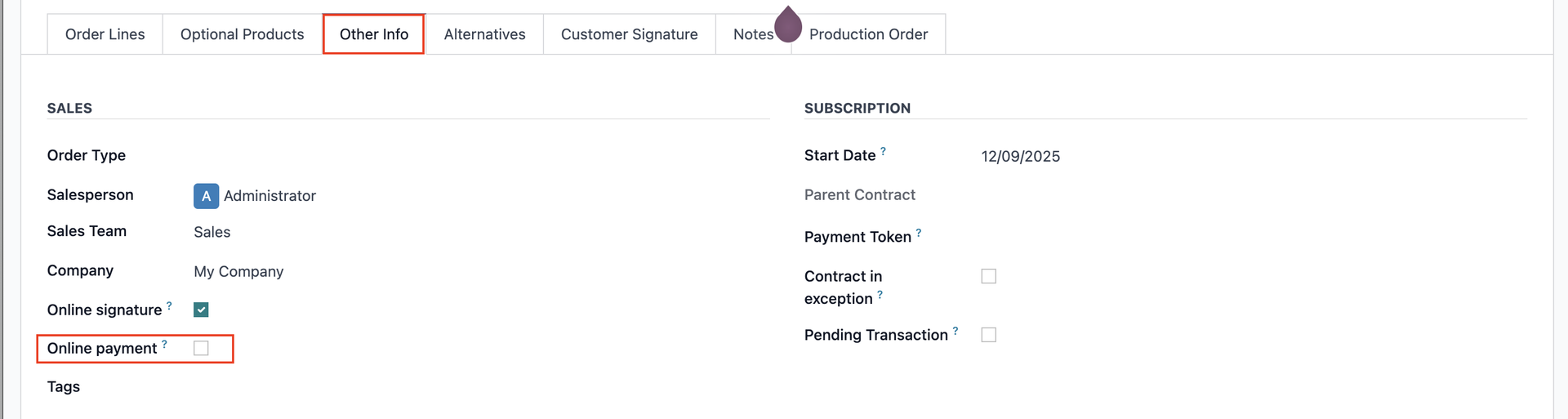 |
3. Look at the Date of Next Invoice | 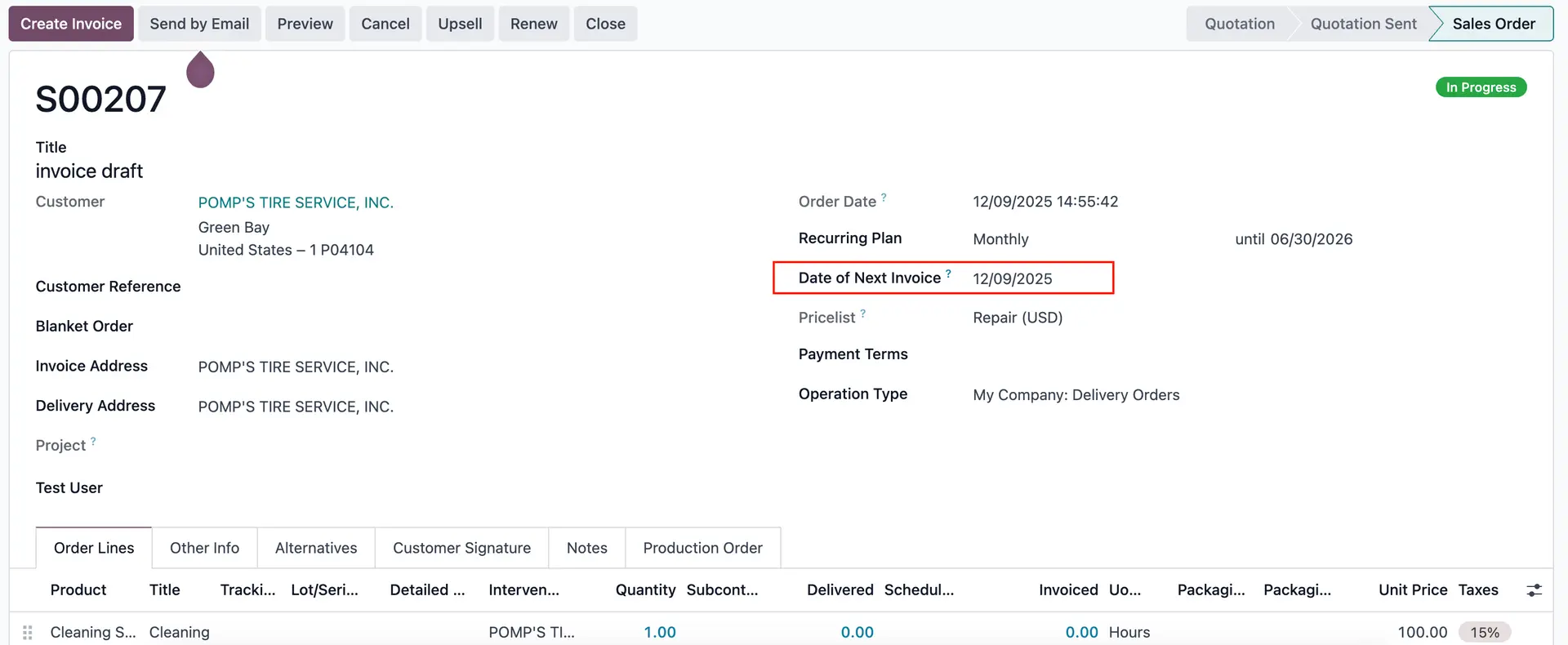 |
Go to Scheduled Actions and run Sale Subscription: generate recurring invoices and payments. It will generate the invoice for this Subscription Order but only in draft. | 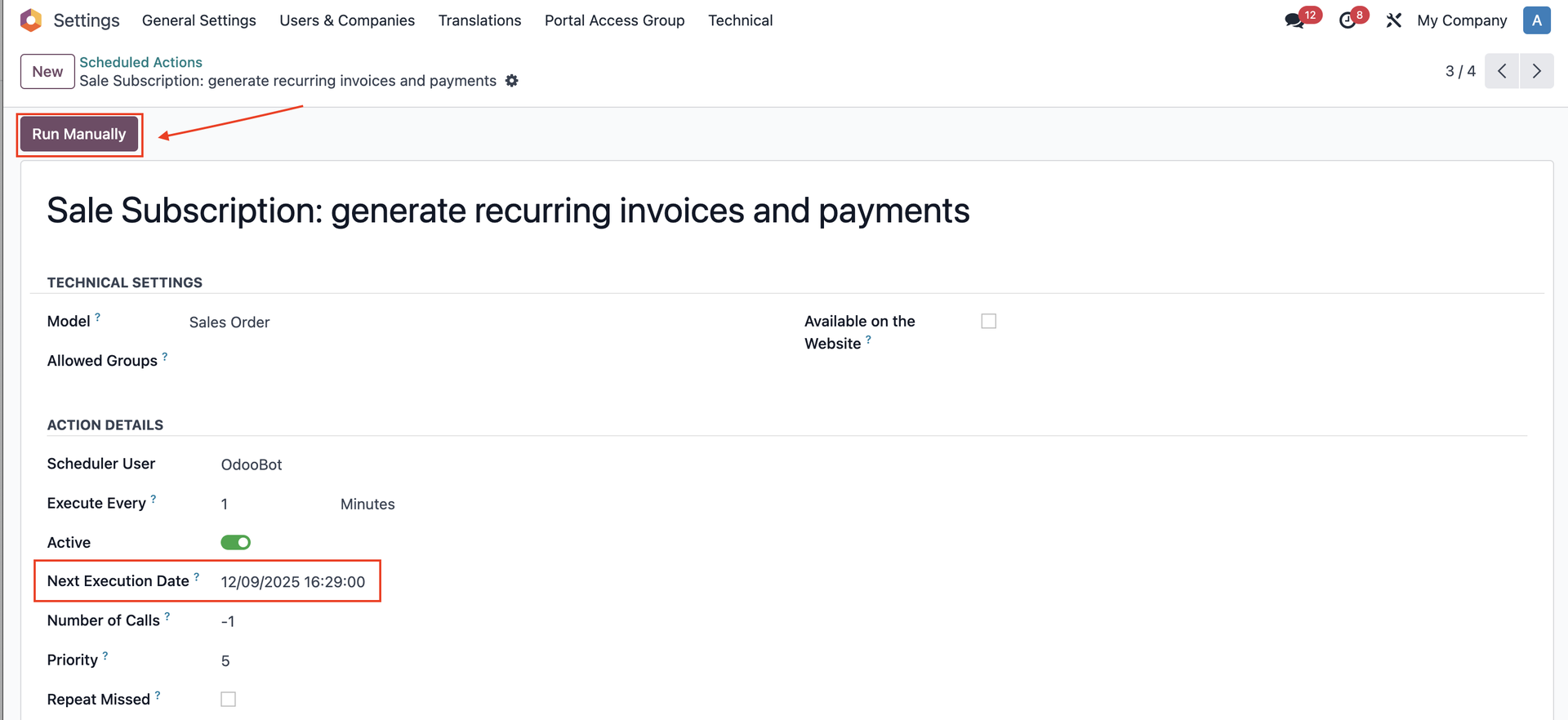 |
4. Go back to Subscription Order > Click on the Invoices smart button | 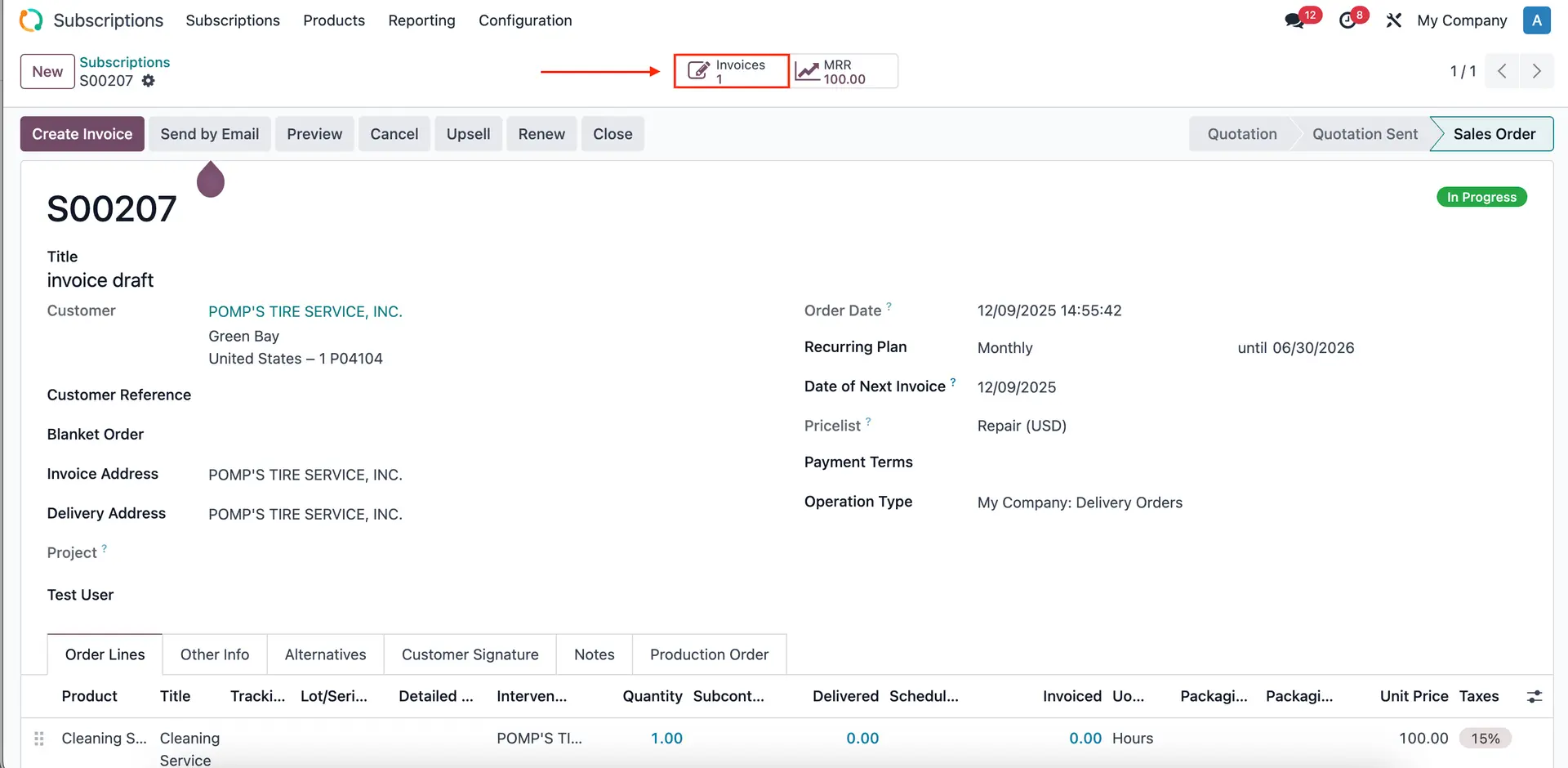 |
A draft invoice has been created. | 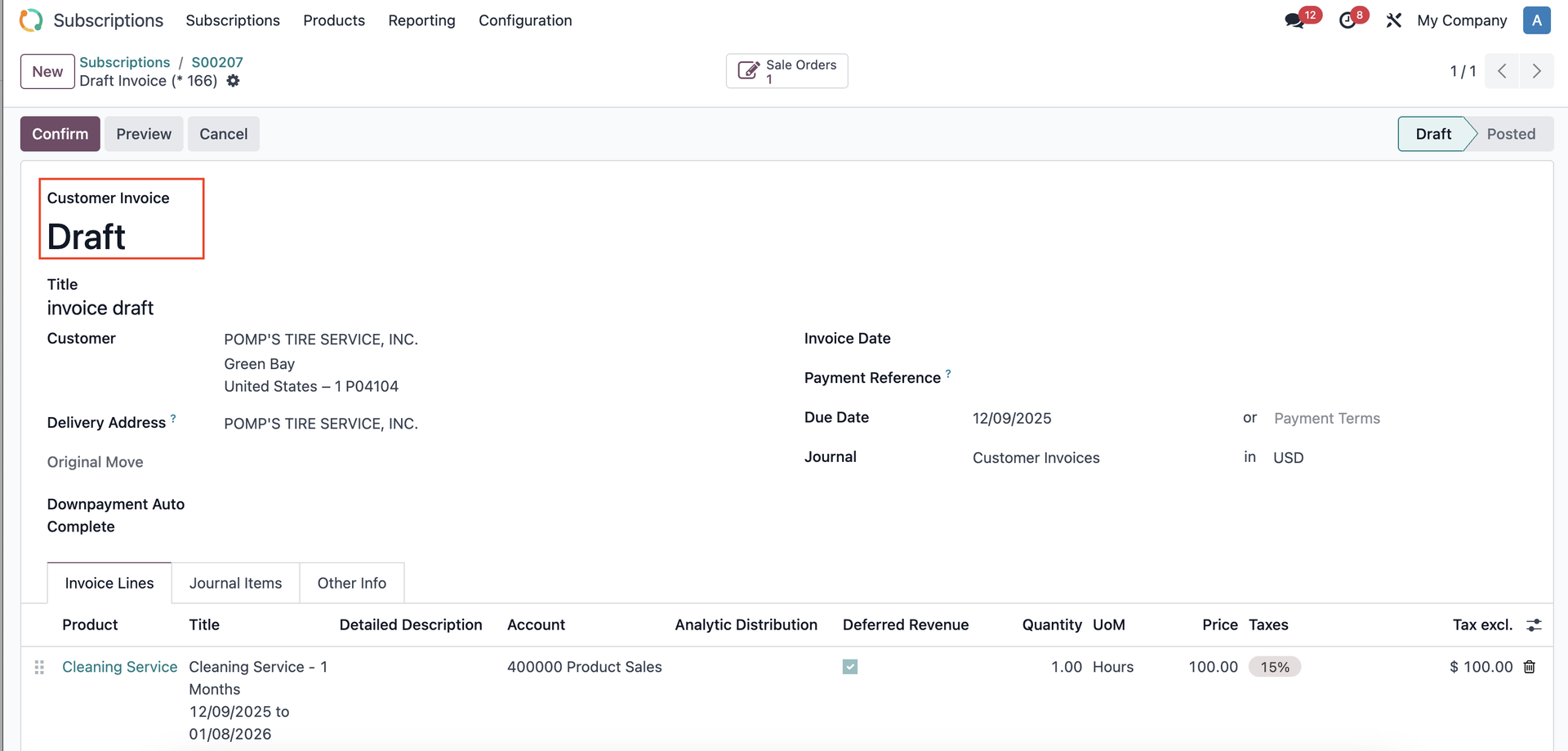 |