



ODOO'S FUNCTION
By default, Odoo’s Repairs module allows users to create Repair Orders (ROs) and define products for repair, but it does not support the creation of reusable Repair Templates to standardize repair processes. Additionally, there is no functionality to specify product variants within a repair configuration, requiring users to manually select products or variants for each RO.
CLUEDOO'S FUNCTION
Module enables the creation of Repair Templates under the Repairs module, allowing users to define standardized repair processes, and supports specifying Product Variants within a Repair Template, ensuring only selected variants are associated with the template.
Step 1: Create new repair configuration template Go to Repairs - Configuration - Repair Order Template - Create New |  |
Step 2: Input relevant information for the repair order template, such as product template, product variant... Then add Line and Operation and Save. | 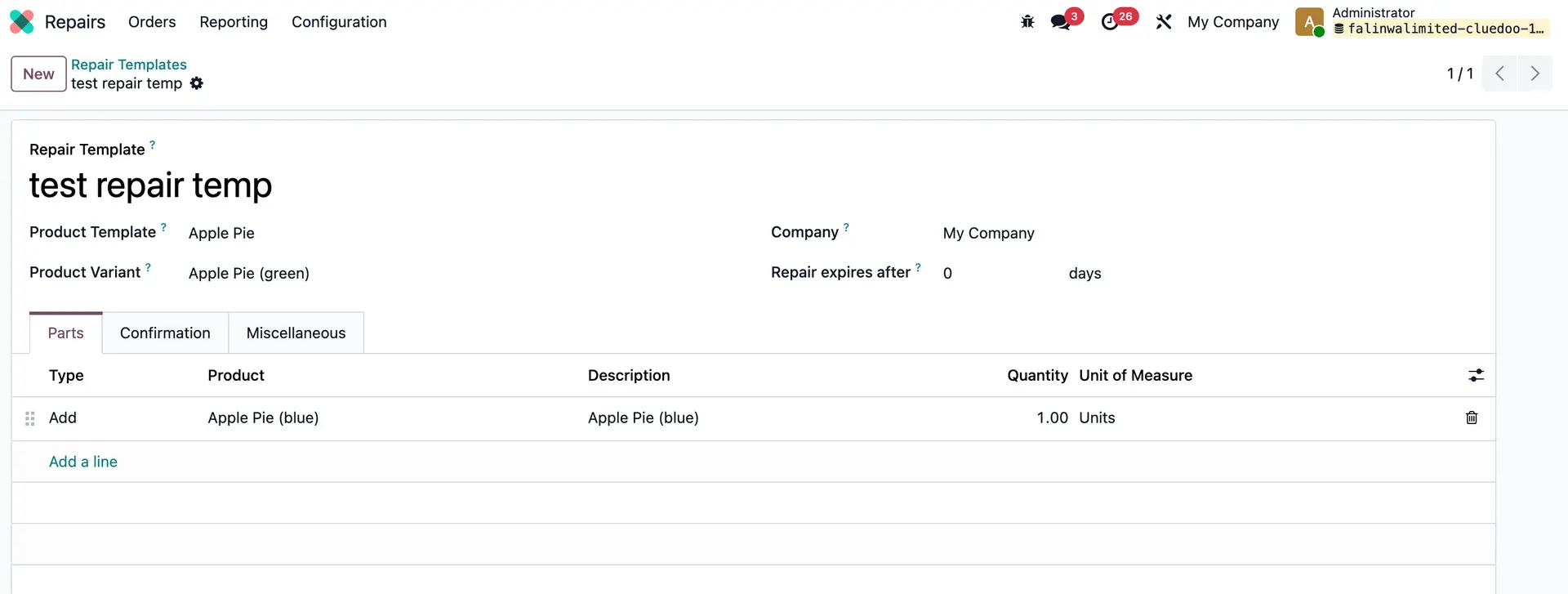 |
| Step 3: Create new repair order: Repairs - New Create repair order and if we choose the repair template, the product to repair and the parts will be auto filled based on the template. | 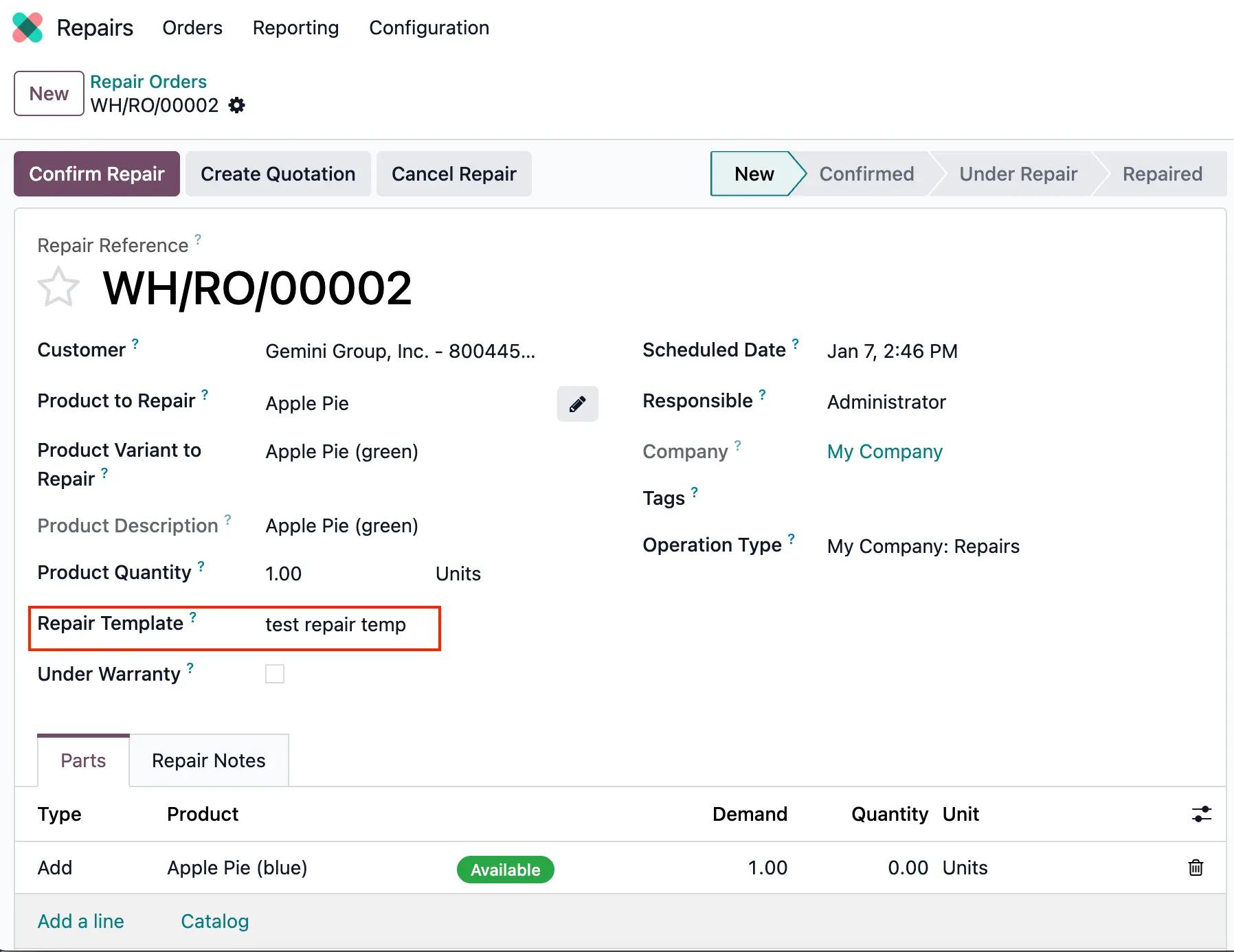 |