ODOO'S FUNCTION
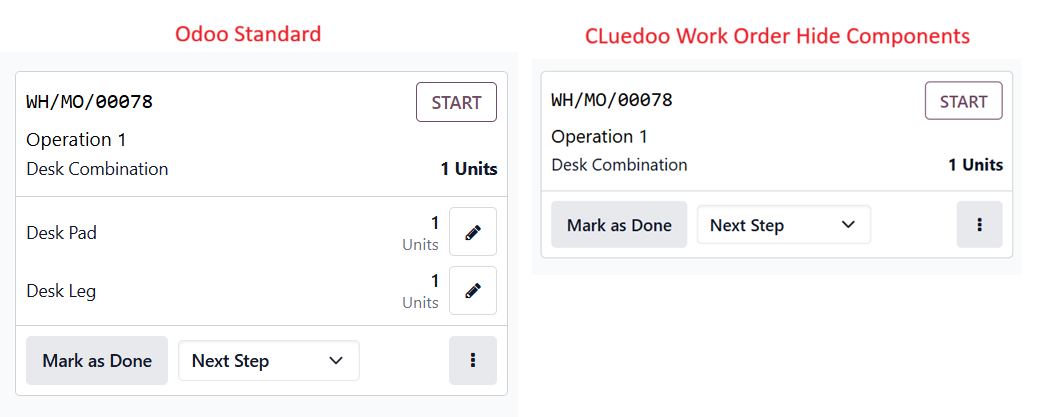
In standard Odoo, the Shopfloor interface displays the entire list of components by default, which quickly consumes valuable screen space. This, while useful for inventory tracking, often creates visual clutter for the actual operators at the machines. As a result, it is hard for workers to navigate through their specific work orders and find the exact steps they need to execute.
CLUEDOO'S FUNCTION
CLuedoo resolves this by instantly optimizing the screen on the Shopfloor. By hiding the material lists, it provides operators with a clean, streamlined, and distraction-free workspace. This minimalist layout significantly improves user navigation, allowing workers to easily click through their tasks and focus entirely on the manufacturing process without scrolling through redundant data.
CONFIGURATION1. Create a new product or select an existing one > In the Inventory tab, set Routes to Manufacture. | 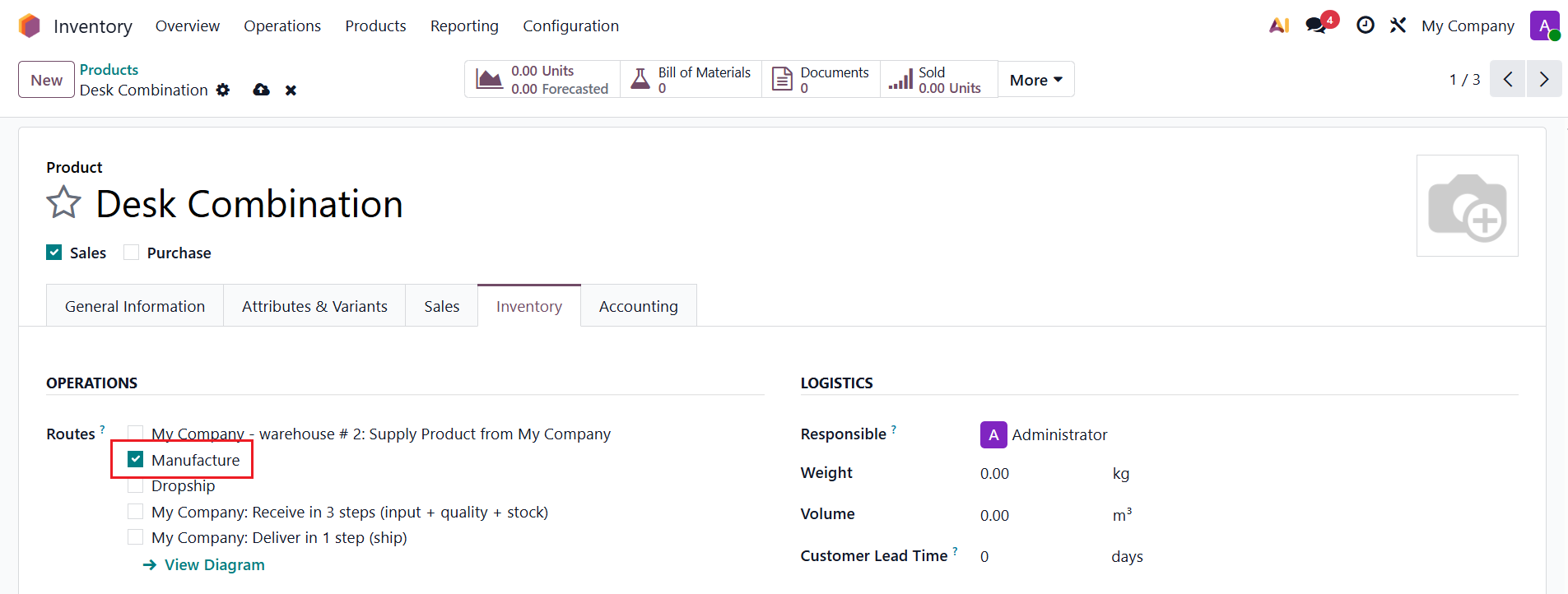 |
2. Open Bill of Materials > Fill in the Components and Operations > Enable the "Hide Consumed Components on WO" option. | 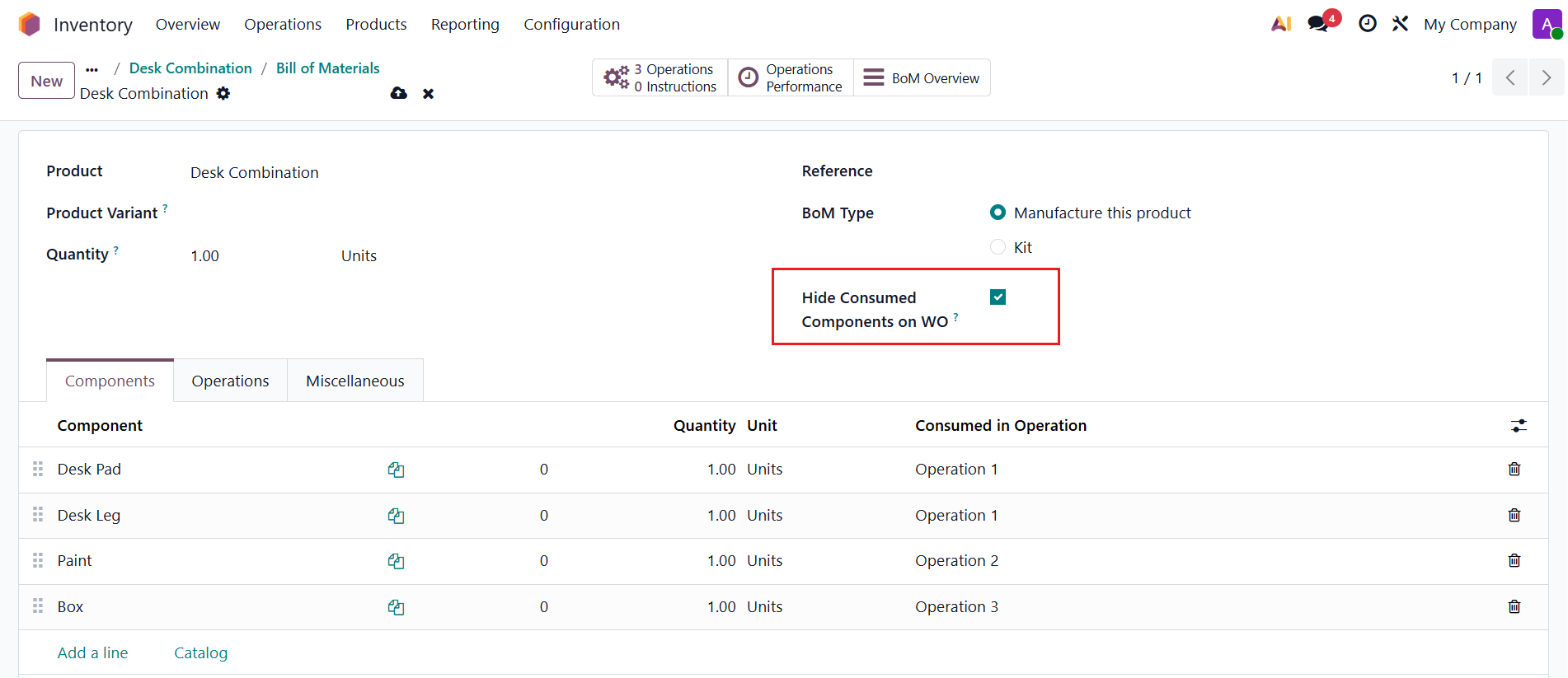 |
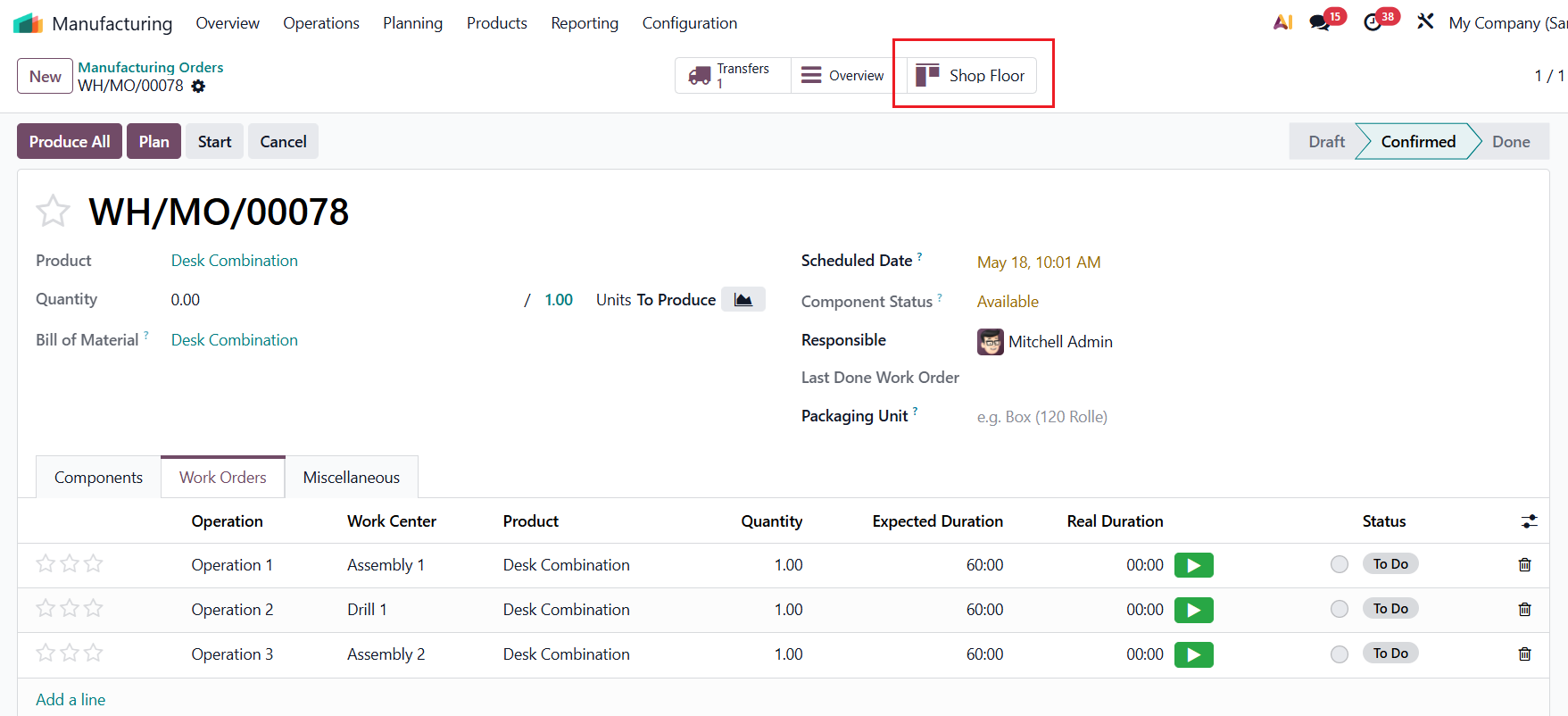
USAGE1. Navigate to Manufacturing > Operations > Manufacturing Orders. Create a new MO > Select the product, enter the quantity, then click Confirm | 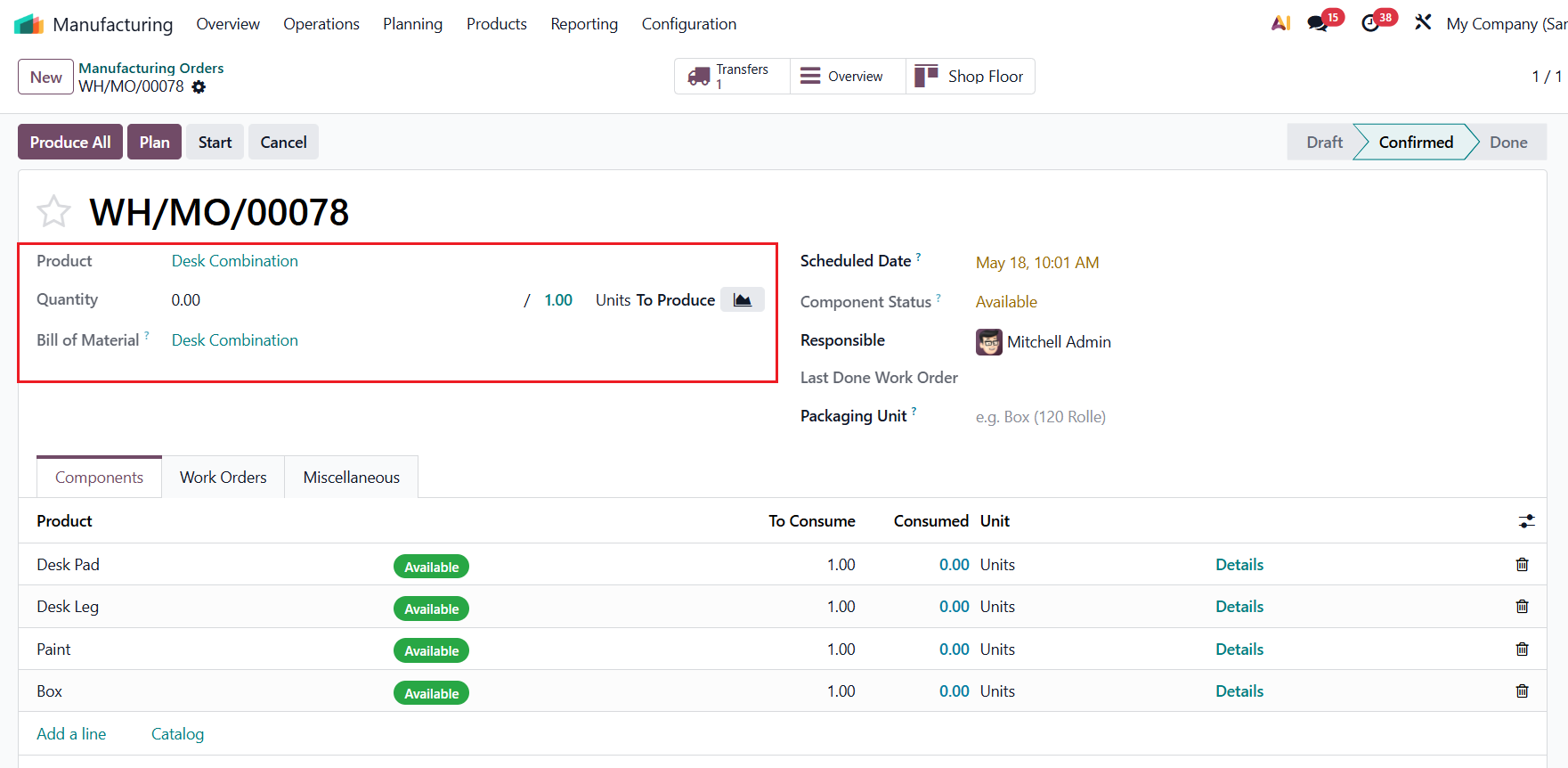 |
Access the Shop Floor
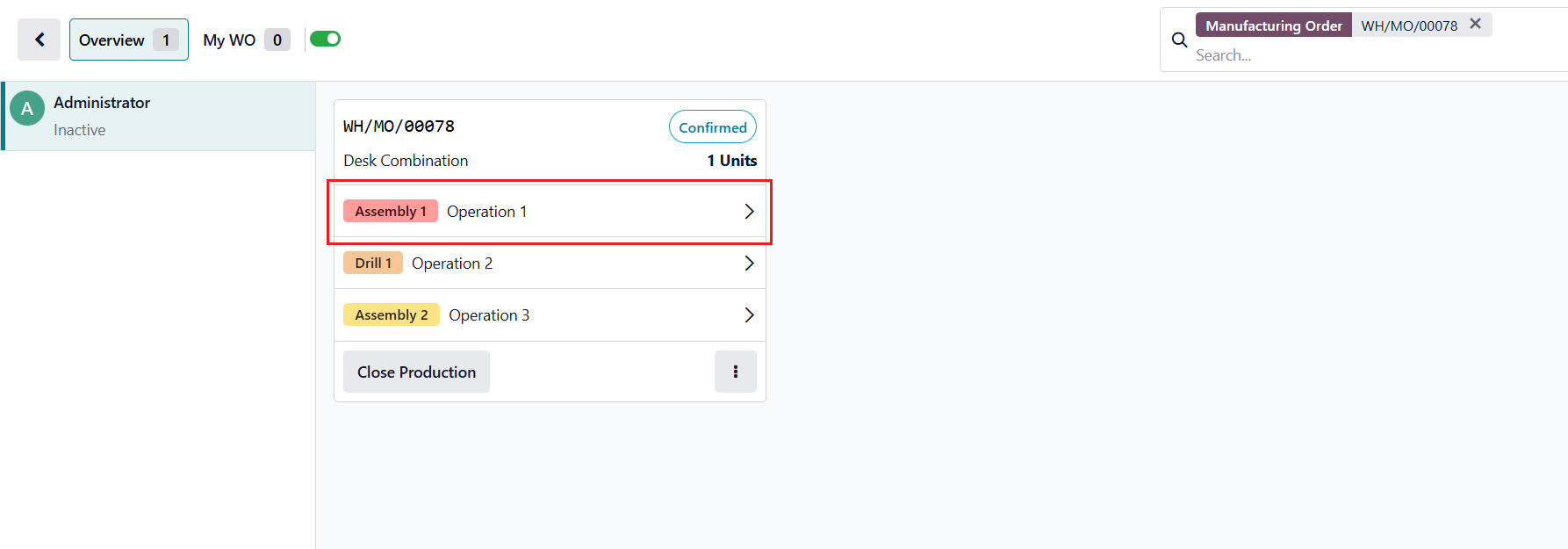
and open the Operations view |
|
On the Shopfloor interface, the Components section behind each Operation is now hidden. |
|