ODOO'S FUNCTION
Standard Odoo manages priority solely at the individual Manufacturing Order (MO) level. It lacks an overarching "Production Order" structure to group MOs, meaning you cannot set a high-level priority that automatically cascades down to associated MOs and Work Orders (WOs).
CLUEDOO'S FUNCTION
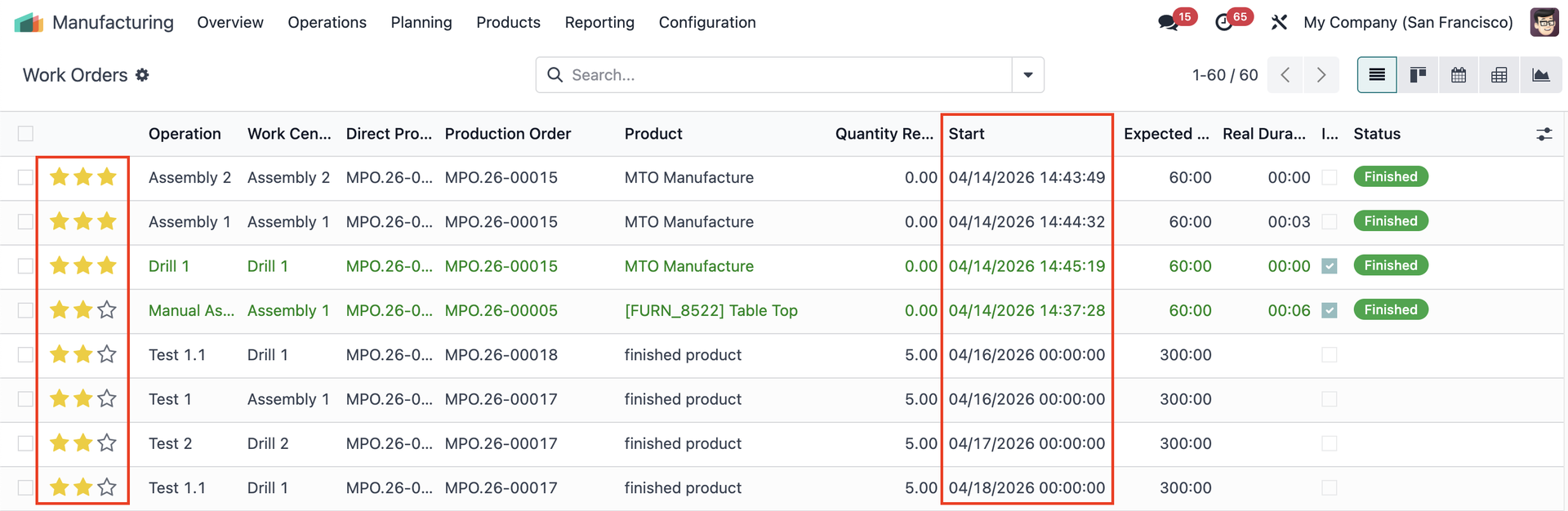
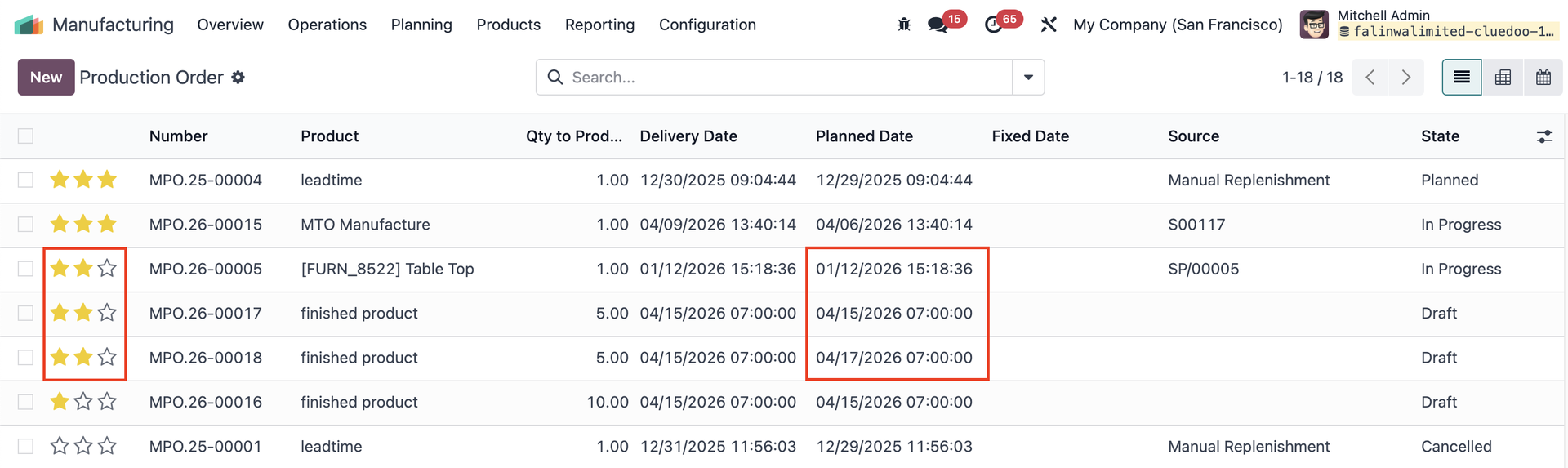
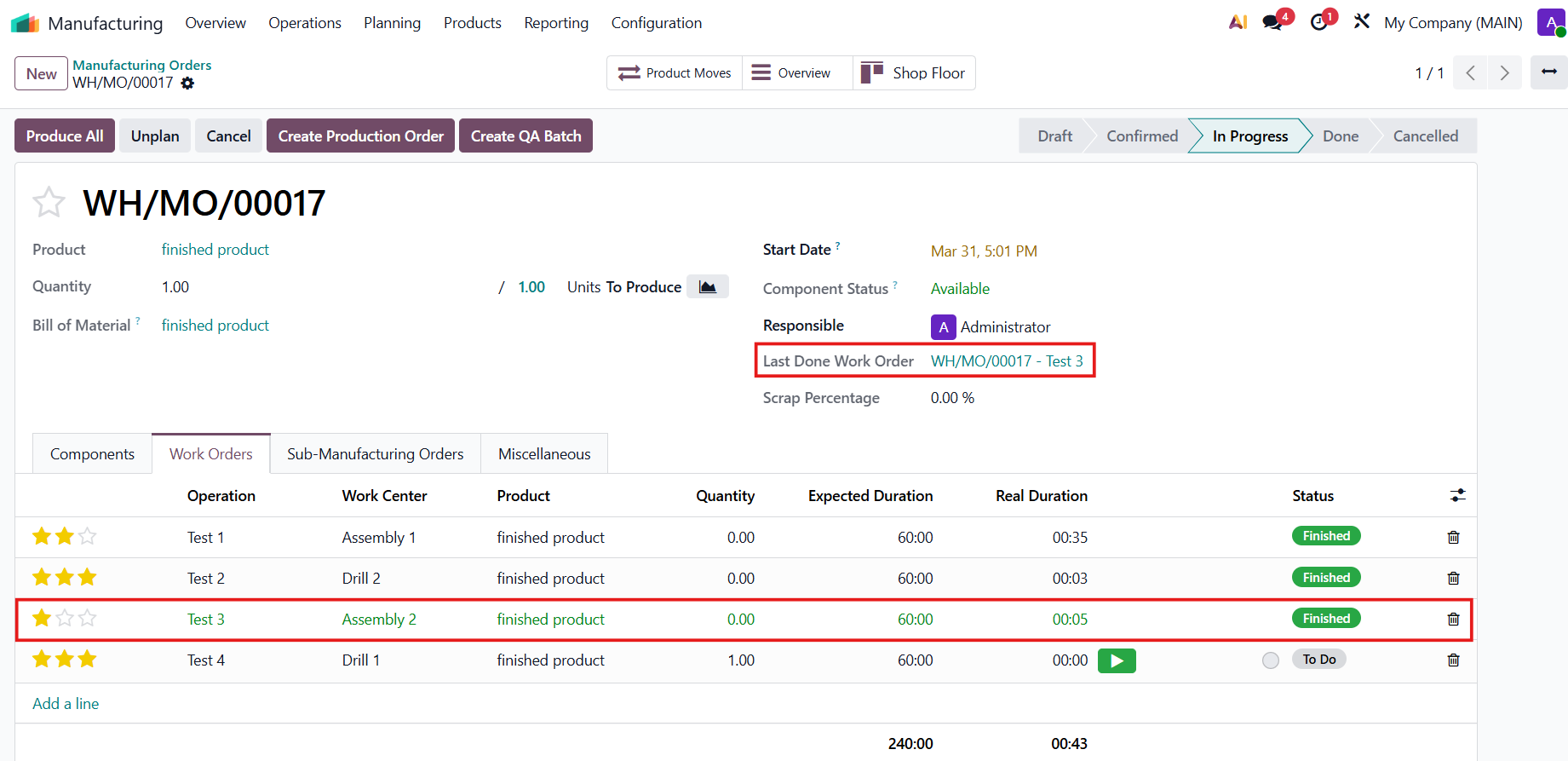
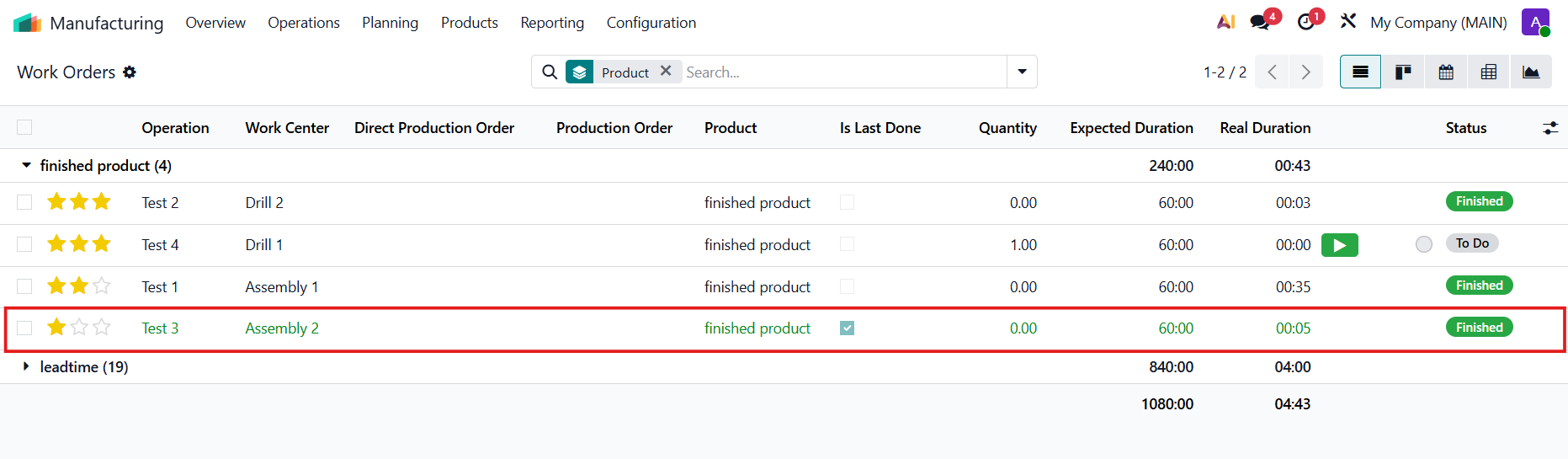
CLuedoo introduces a clear, priority-driven workflow to the Production Order list, with a cascading 4-tier priority system (displayed via a star widget) that automatically propagates to all associated MOs and WOs. It strictly sorts your production queue by Priority (Highest to Lowest) and then by Date, while simultaneously calculating and visually highlighting the Last Done Work Order for each MO so you can instantly see the latest production progress.
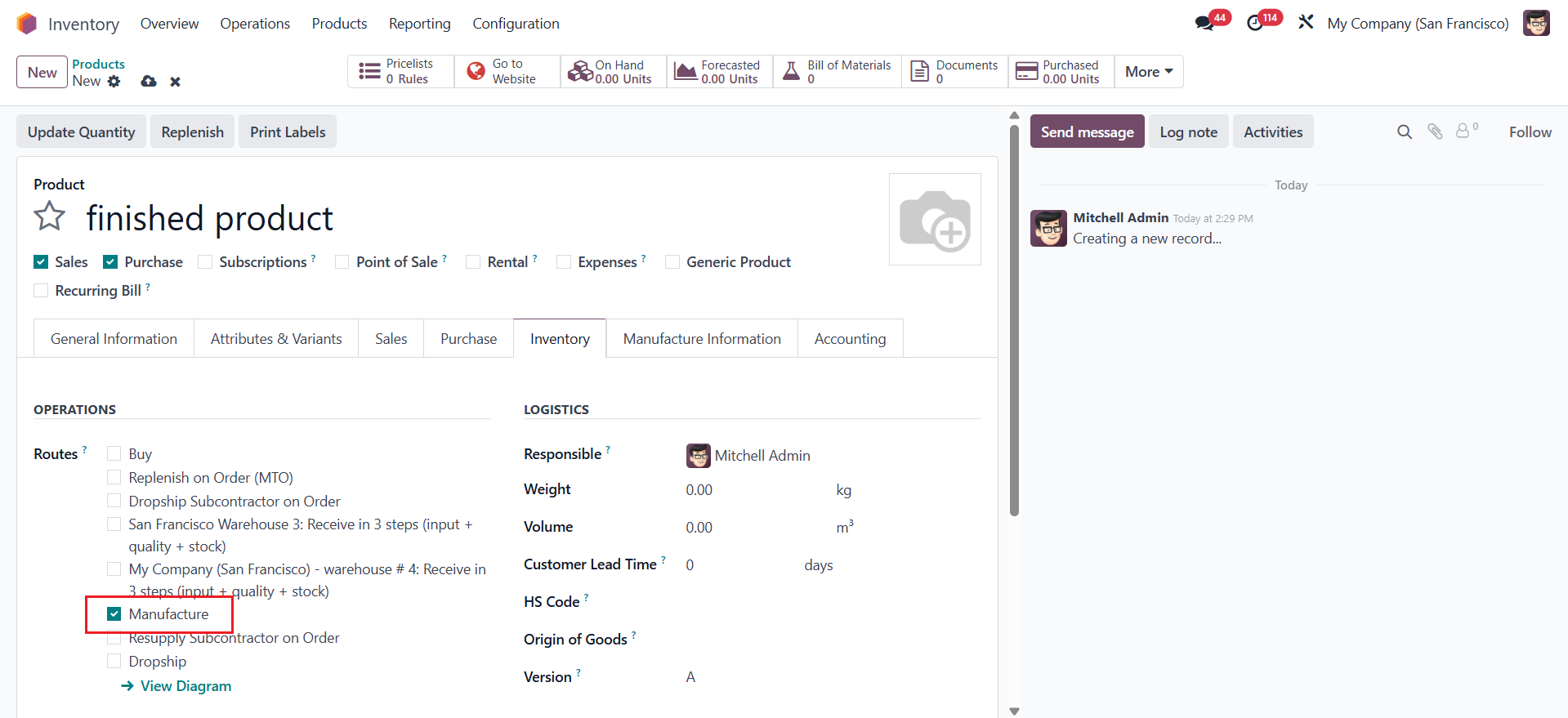
CONFIGURATION1. Create a finished product > Set up the Route: Manufacture for the product. |
|
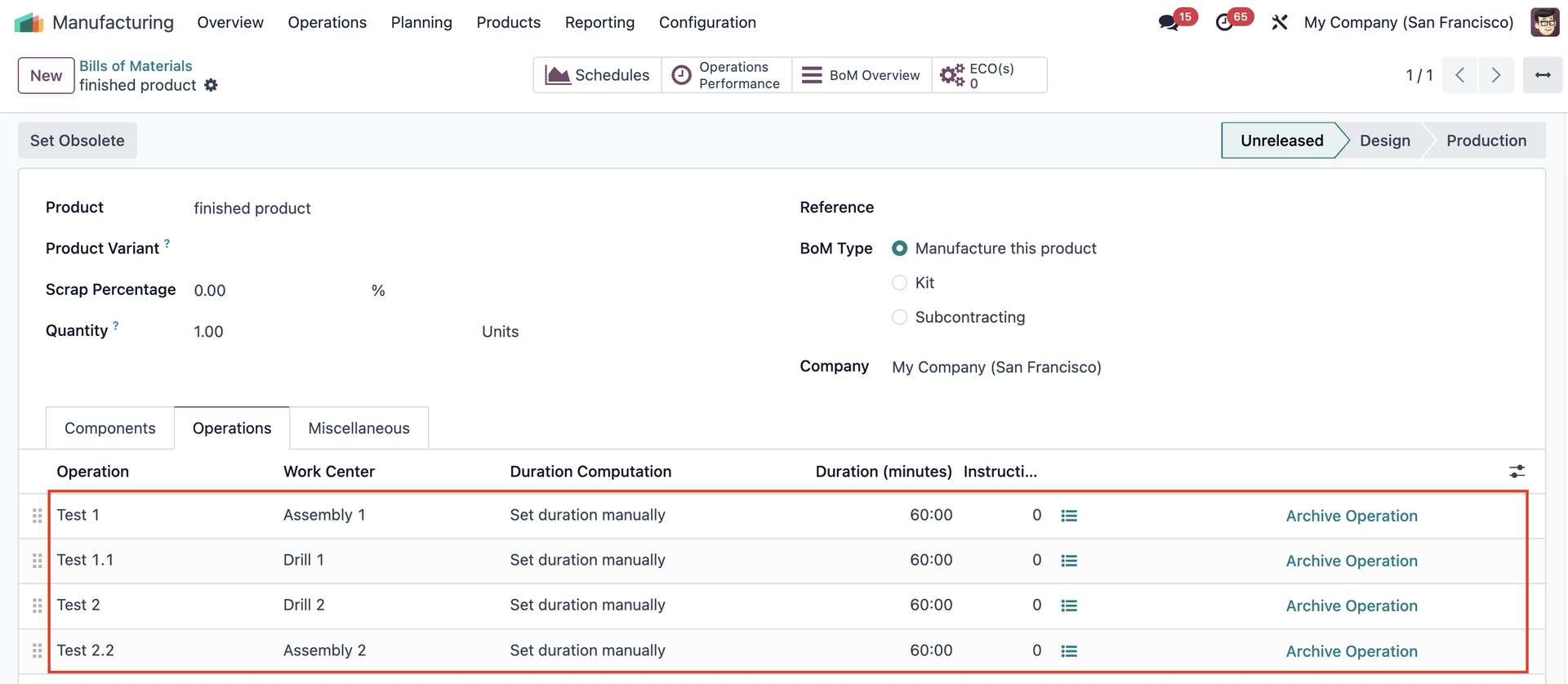
Create a Bill of Material and add the operations |
|
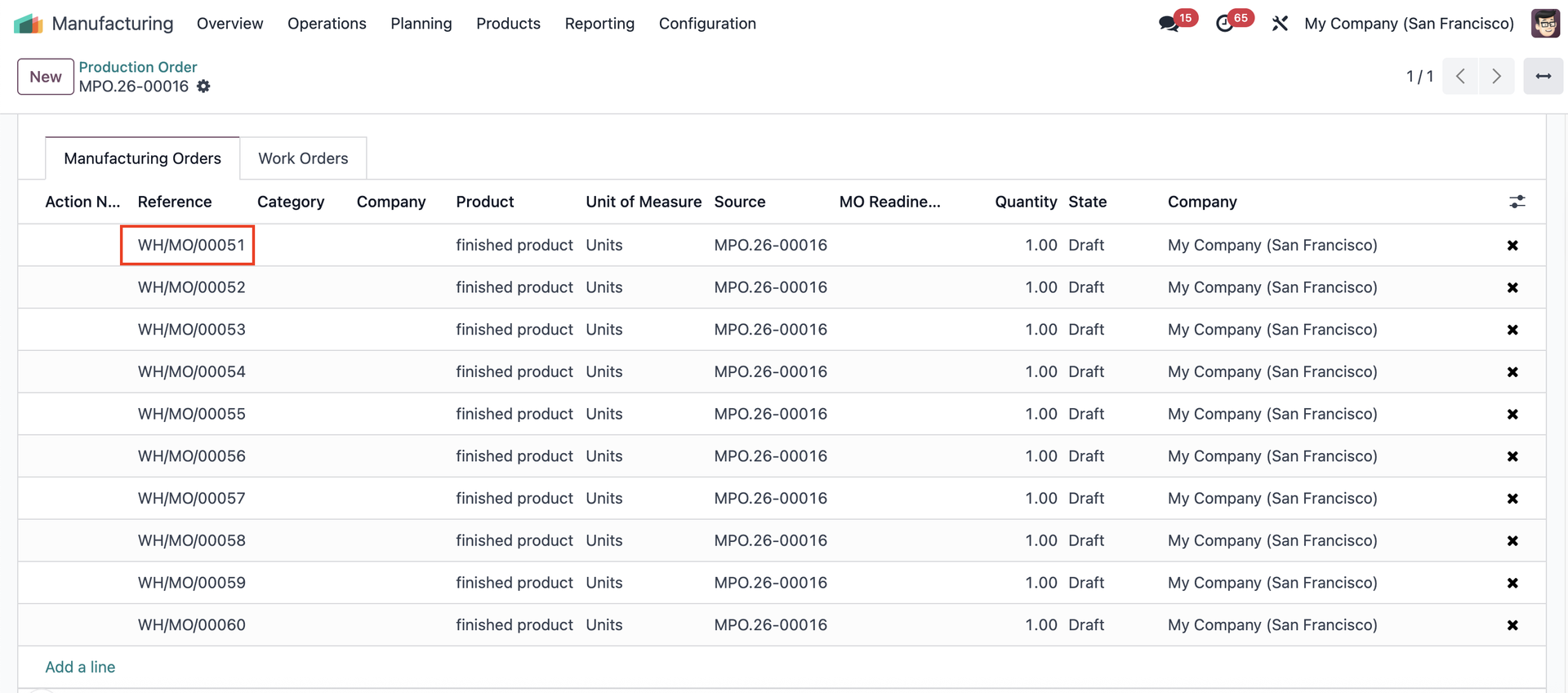
PRODUCTION ORDERS PRIORITYGo to Manufacturing > Operations > Production Order Create a Production Order > There is a new field to select the priority (Normal / Low / Medium / High) Fill in the product > Create Manufacturing Orders / Split Manufacturing Orders | 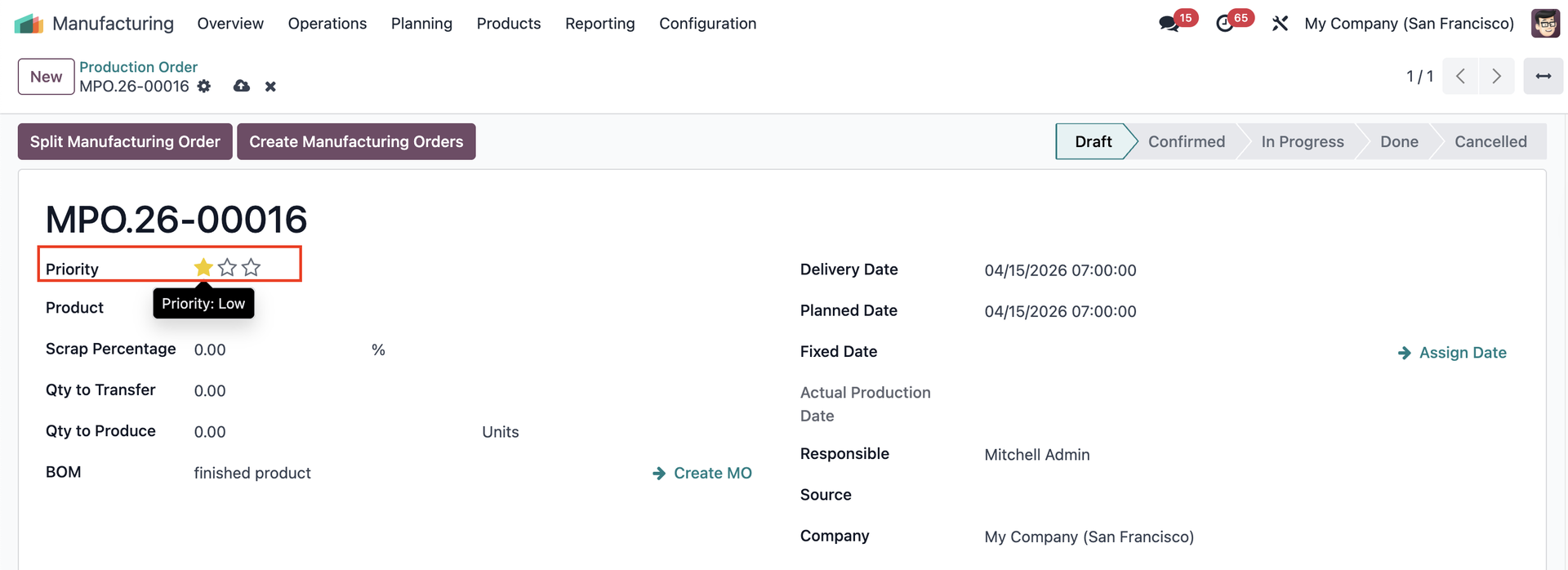 |
| |
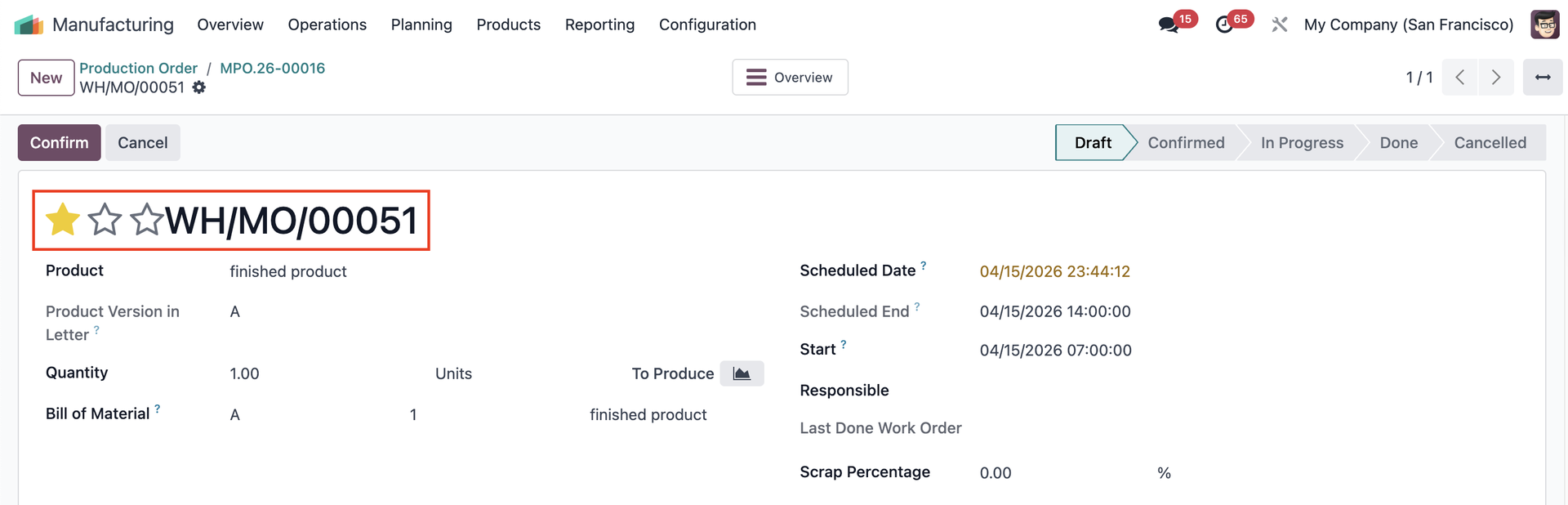
The Prduction Order priority will transfer to its associated Manufacturing Orders |
|
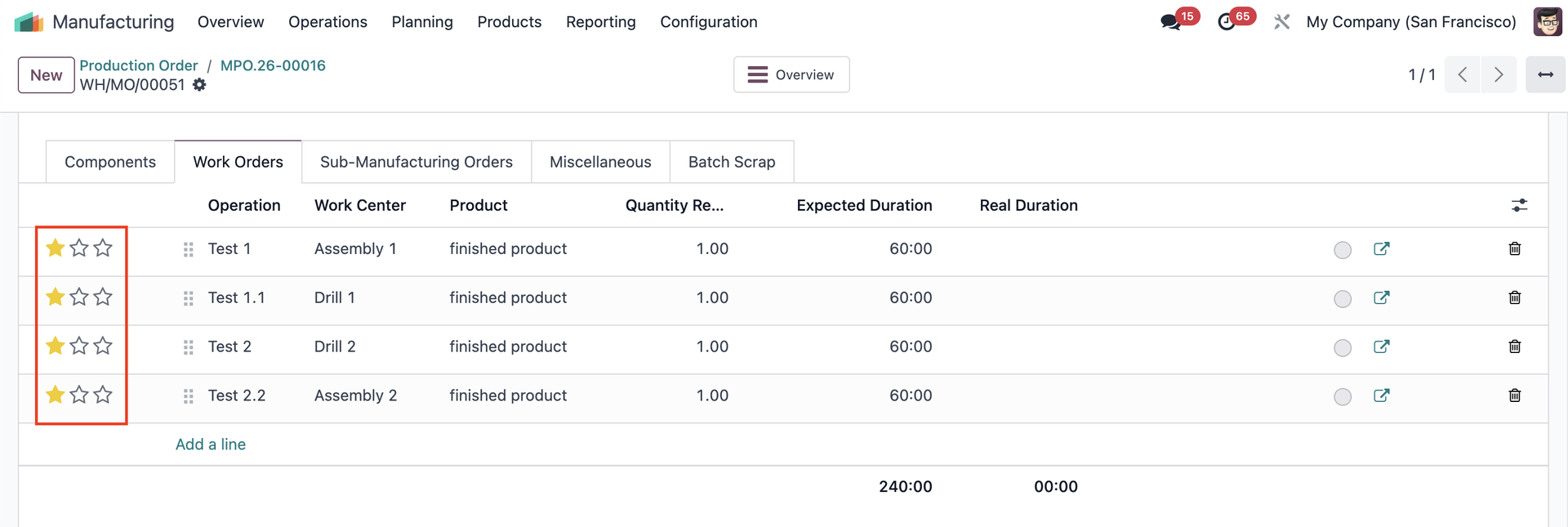
and Work Orders as well, with no ability to change. |
|
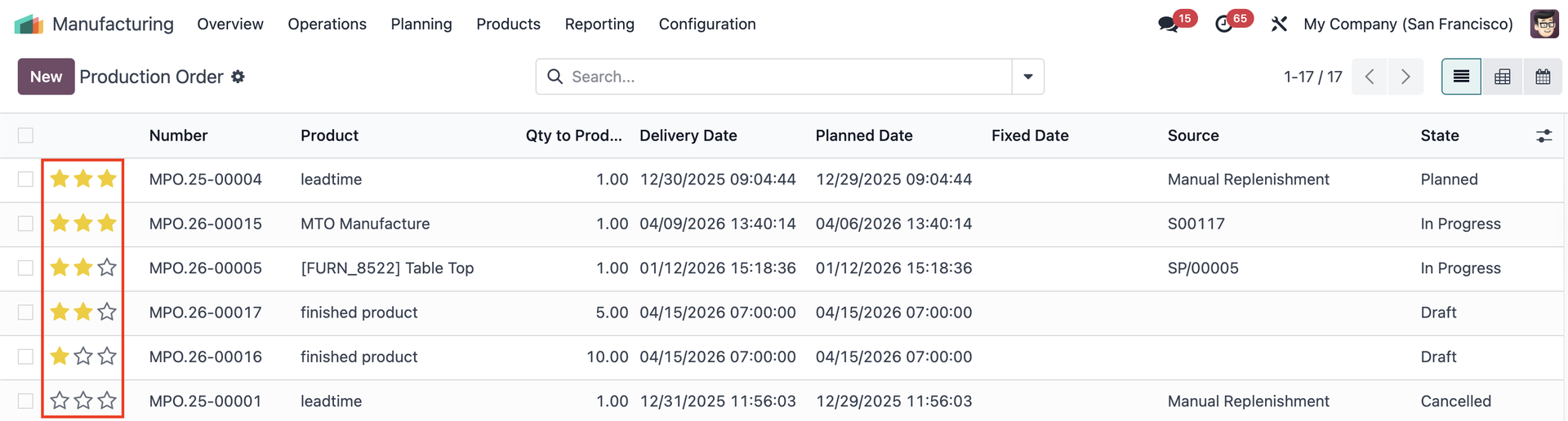
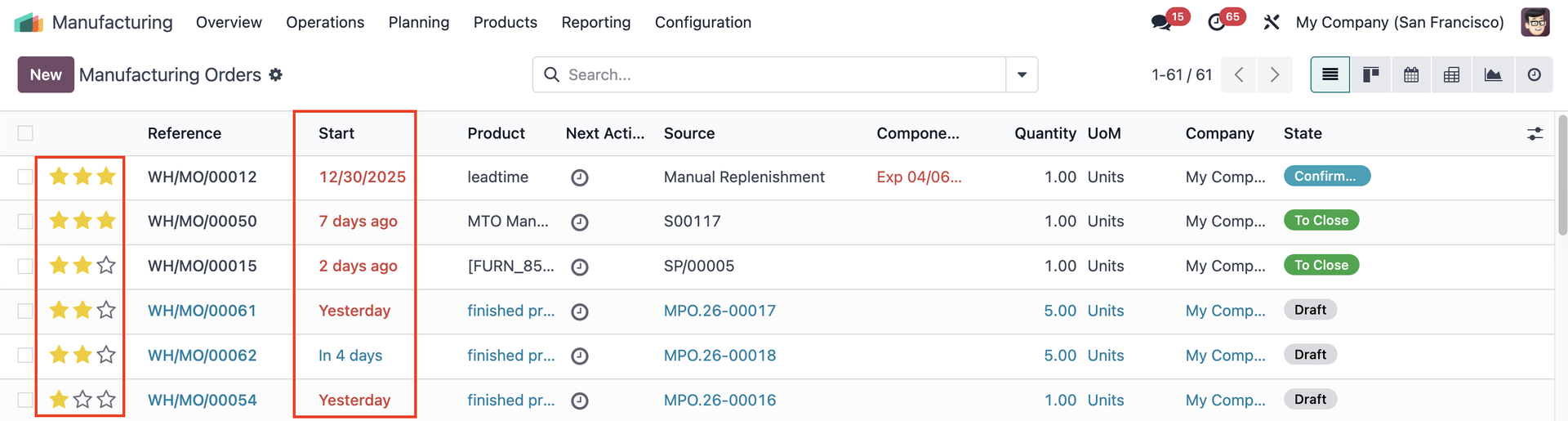
The priority is displayed in the first column in the list view of Production Orders, MOs, and WOs. |
|
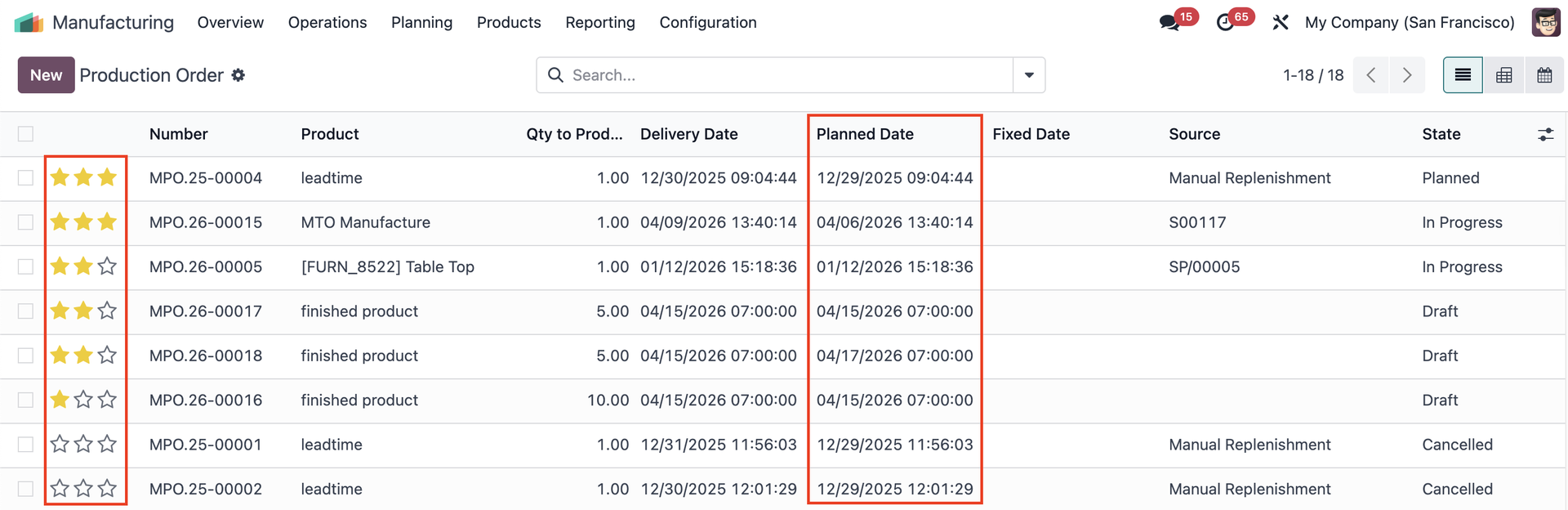
SORTING METHODThe system will sort by Priority first, and uses the Date as a "tie-breaker". | Production Orders
Manufacturing Orders
Work Orders
|
|
|
LAST DONE WORK ORDEROn the Manufacturing Order, we have a field called Last Done Work Order that will take the newest work order that is done/finished. |
|
You can check the last WO done on the Work Orders list view as well. Note: The last done WO will not affect the sorting of the WOs. |
|