


STORY BEHIND THE FEATURE
ODOO BEHAVIOR
CLUEDOO BEHAVIOR
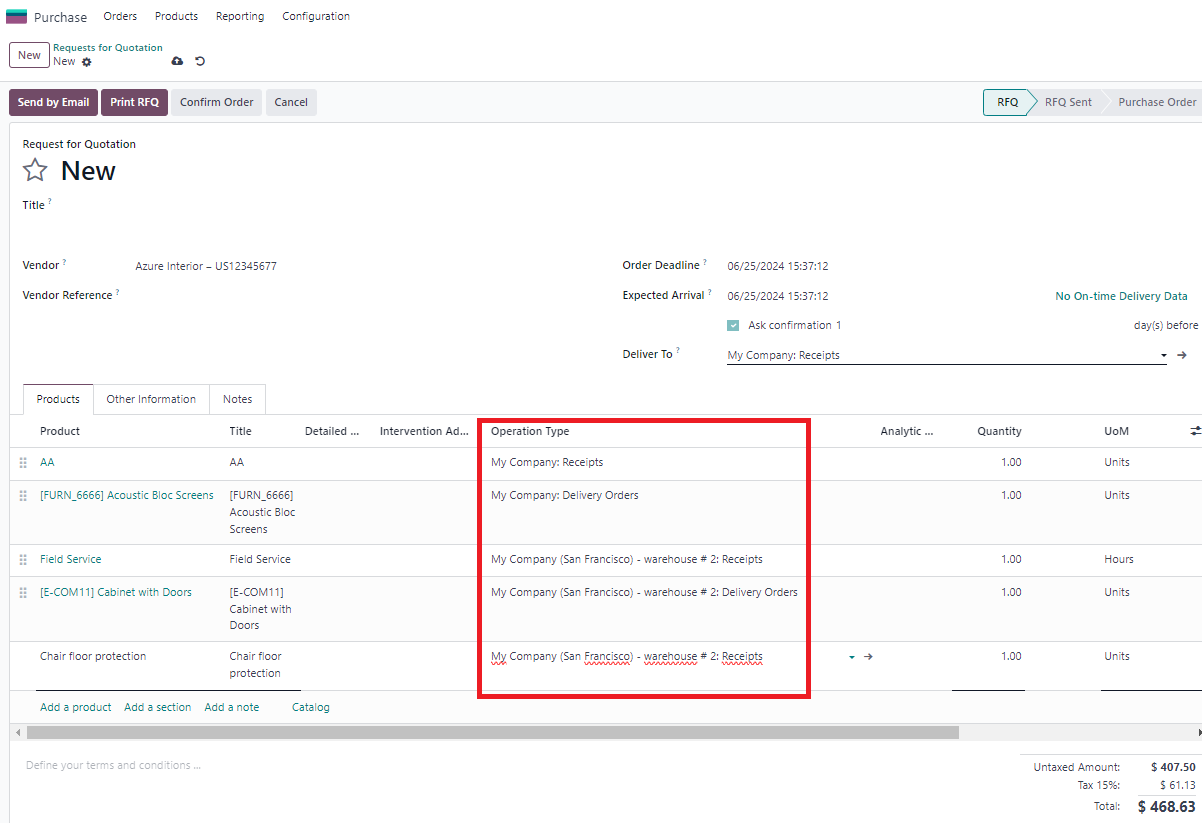
This module allows users to choose an operation type in POL. By enabling users to specify the nature of the operation (such as incoming, outgoing, or internal transfers) directly at the PO, it enhances flexibility and control over logistics or inventory processes. This feature helps streamline workflows, improve tracking accuracy, and optimize overall operational efficiency within Odoo.
MODULE +
HOW TO USE THIS MODULE
1. Create a new PO with several types of Operation Type > Confirm For ex: I set 4 types of Operations Type
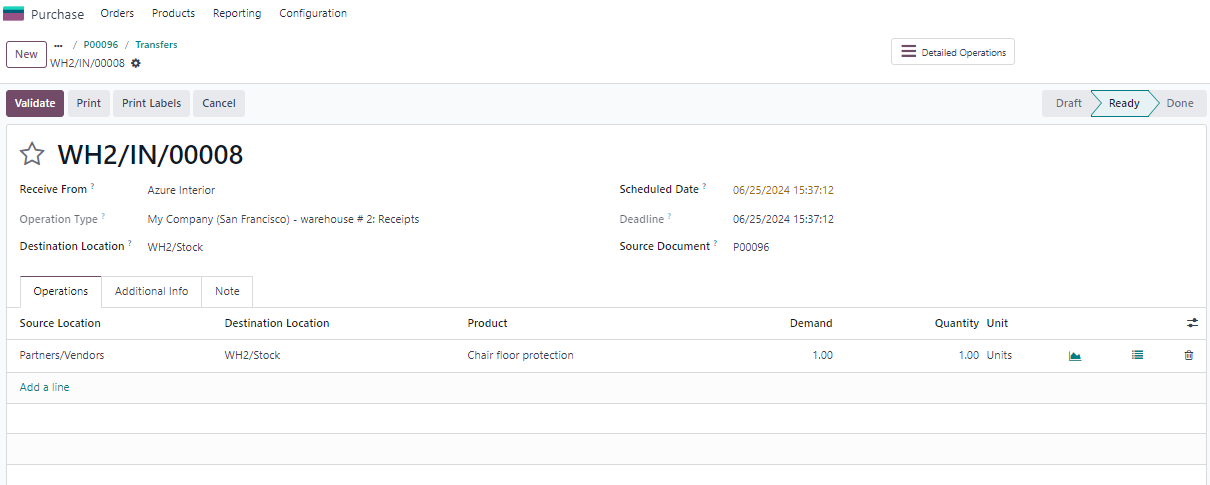
Note: Product with service type does not create transfer
|
|
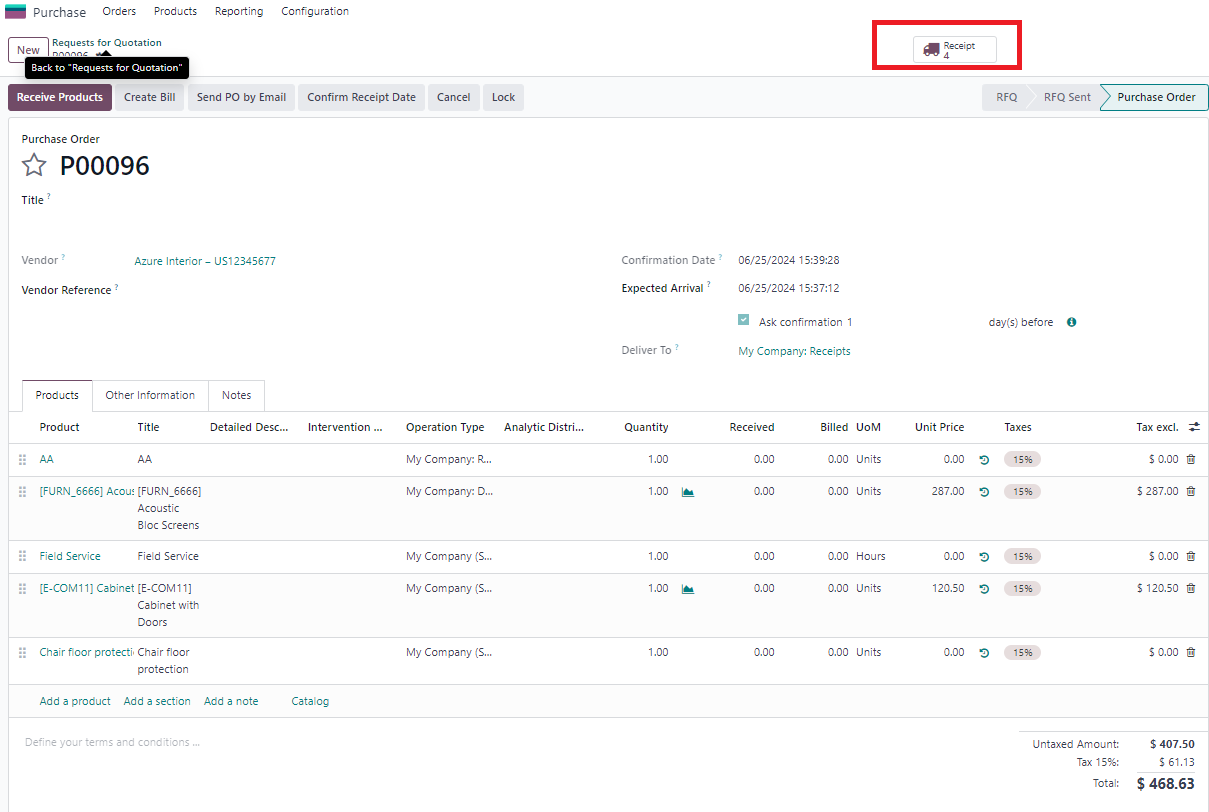
2. Go to Receipts > There are 4 receipts created based on 4 types of Operation types |
|
3. Check that products "Field Service" and "Chair floor protection" have the same operation type but the product with service type does not create transfer so there is only "Chair floor protection" |
|