



ODOO'S FUNCTION
Odoo provides an engine to configure the product and choose the product variant from Sales Order.
CLUEDOO'S FUNCTION
CLuedoo enhances the product configurator workflow by introducing:
- 1️⃣ The ability to configure your product directly from a Production Order.
- 2️⃣ The automatic transfer of configuration information directly from your Sales Order (SO) to your MO/Production Order (PO) when using the Make To Order route.
This allows you to have full details of your product in the MO/PO, which helps save time and avoid human error by eliminating the need for re-inputting the data.
1. Create a Sales Order with a MTO + Manufacturing product. Configure a product and select custom. > Confirm the Sales Order | 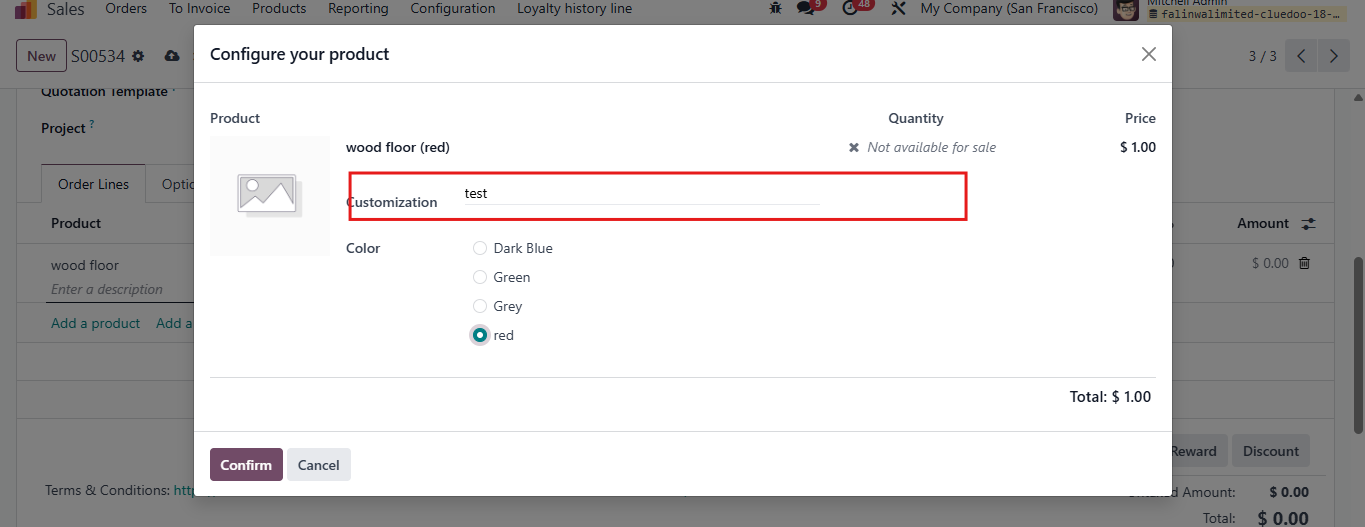 |
Note: Make sure the product routes set as Manufacture and Replenish to Order, and the product has Bill of Materials for manufacturing | 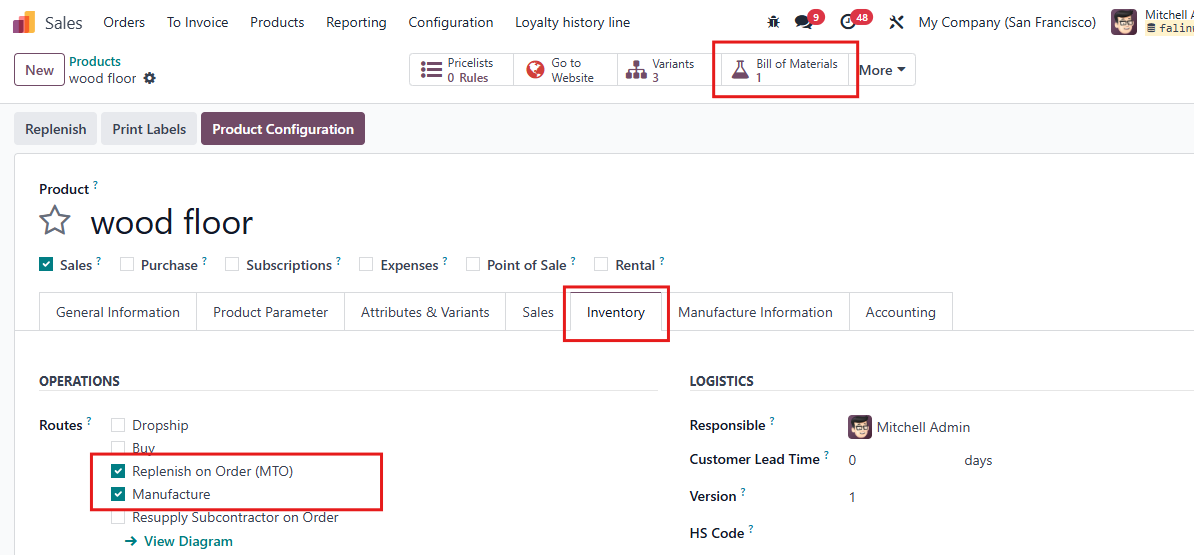 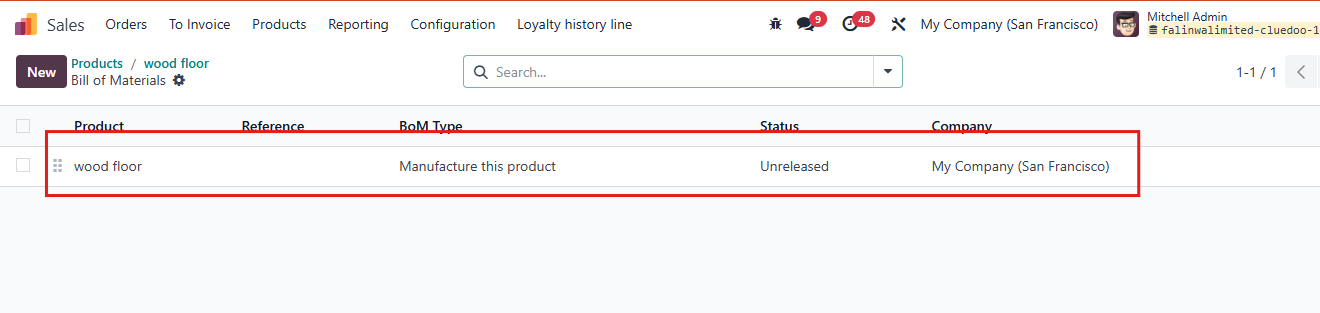 |
2. It will pass the value in Production Order and Manufacture Order. | 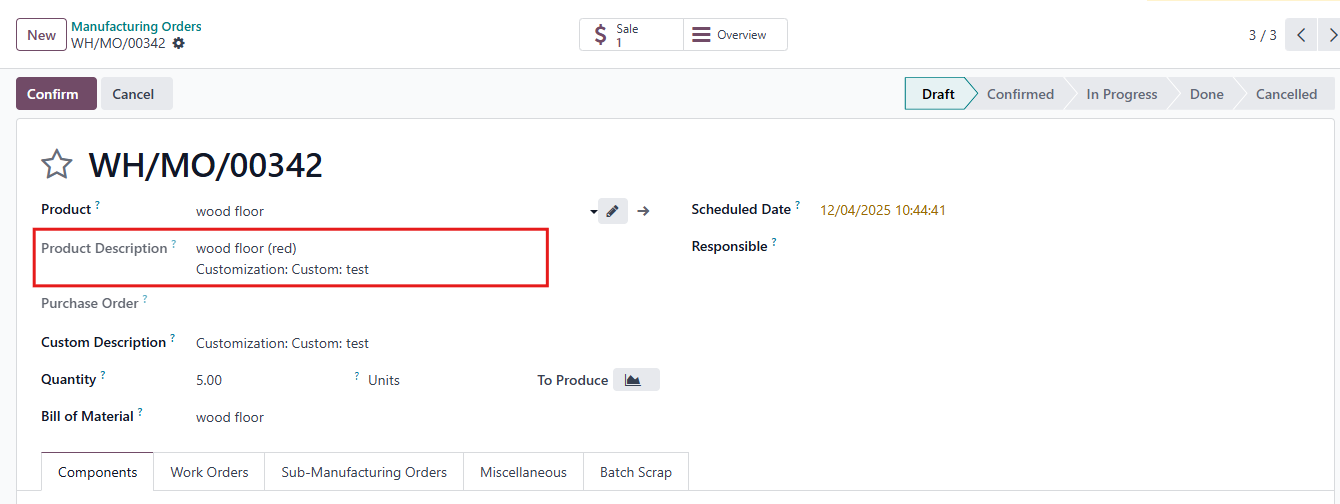 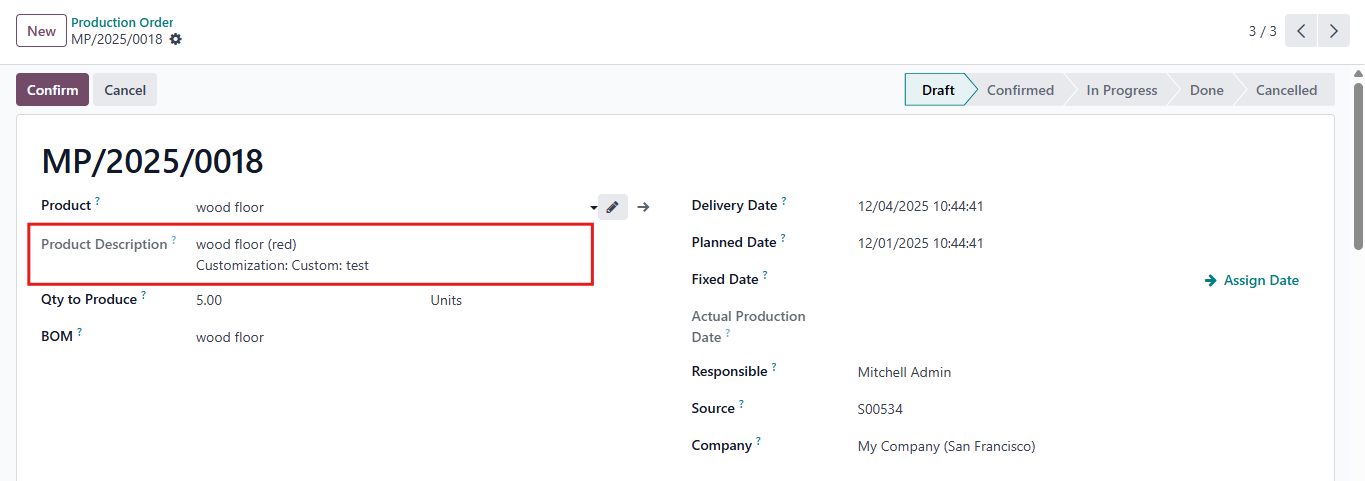 |
3. You can also change the configuration in Manufacturing Order and Production Order. | 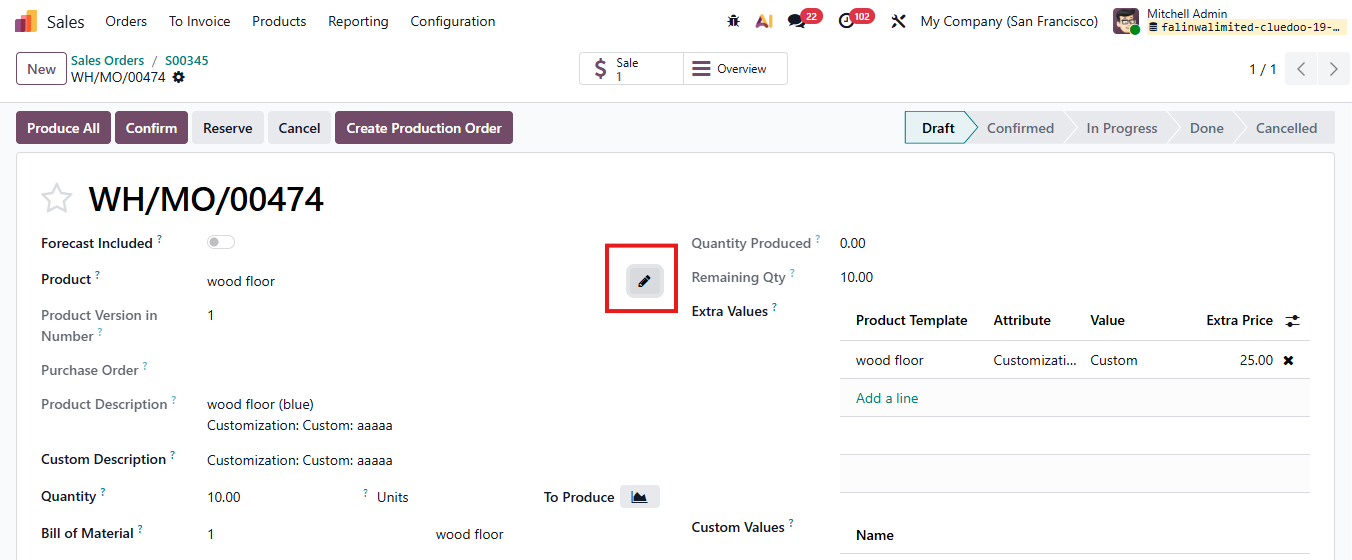 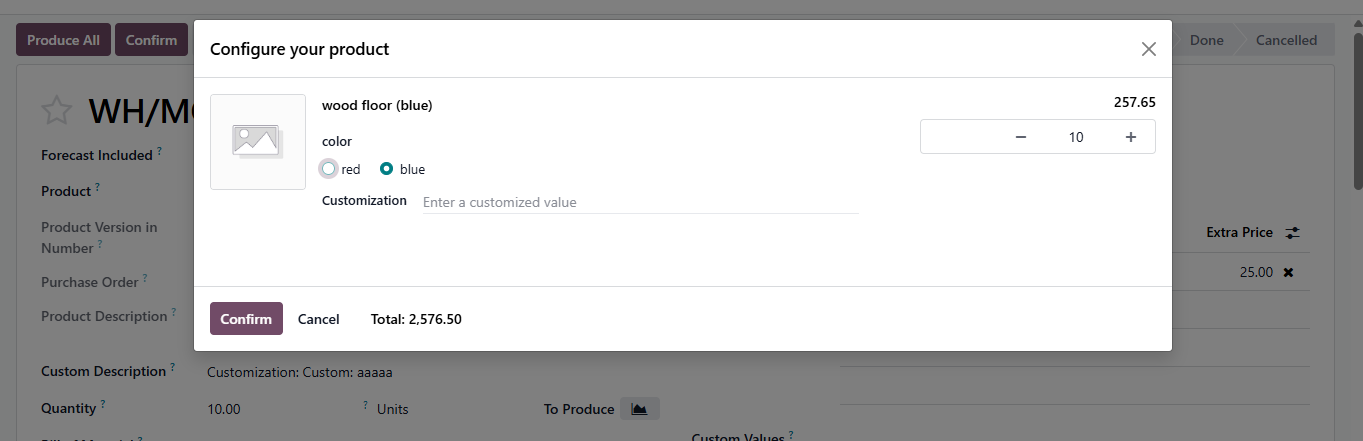 |