


ODOO'S FUNCTION
In Odoo, Purchase Orders do not offer an easy way to locate critical documents like the order's signed source file. The most significant limitation is the lack of automated financial oversight: Odoo fails to automatically calculate and manage the gap (variance in amount, unit price, or percentage) that exists between a confirmed PO and the corresponding Vendor Bill.
CLUEDOO'S FUNCTION
1️⃣ Reference Attachment to track all the signed quotations and/or supplier purchase orders and ensure that you have a contractual document for all the purchase orders you are working on.
2️⃣ Archive: to keep clean the list view and hide all the closed purchase orders.
3️⃣ Automatic Gap Calculation: Automatically compute gaps between PO and Bill values
4️⃣ Visibility of Gap Information: Display gap details directly on both PO and Bill forms, ensuring transparency and easy access to critical information.
Go to the Purchase Module > Click on the 'New' button. | 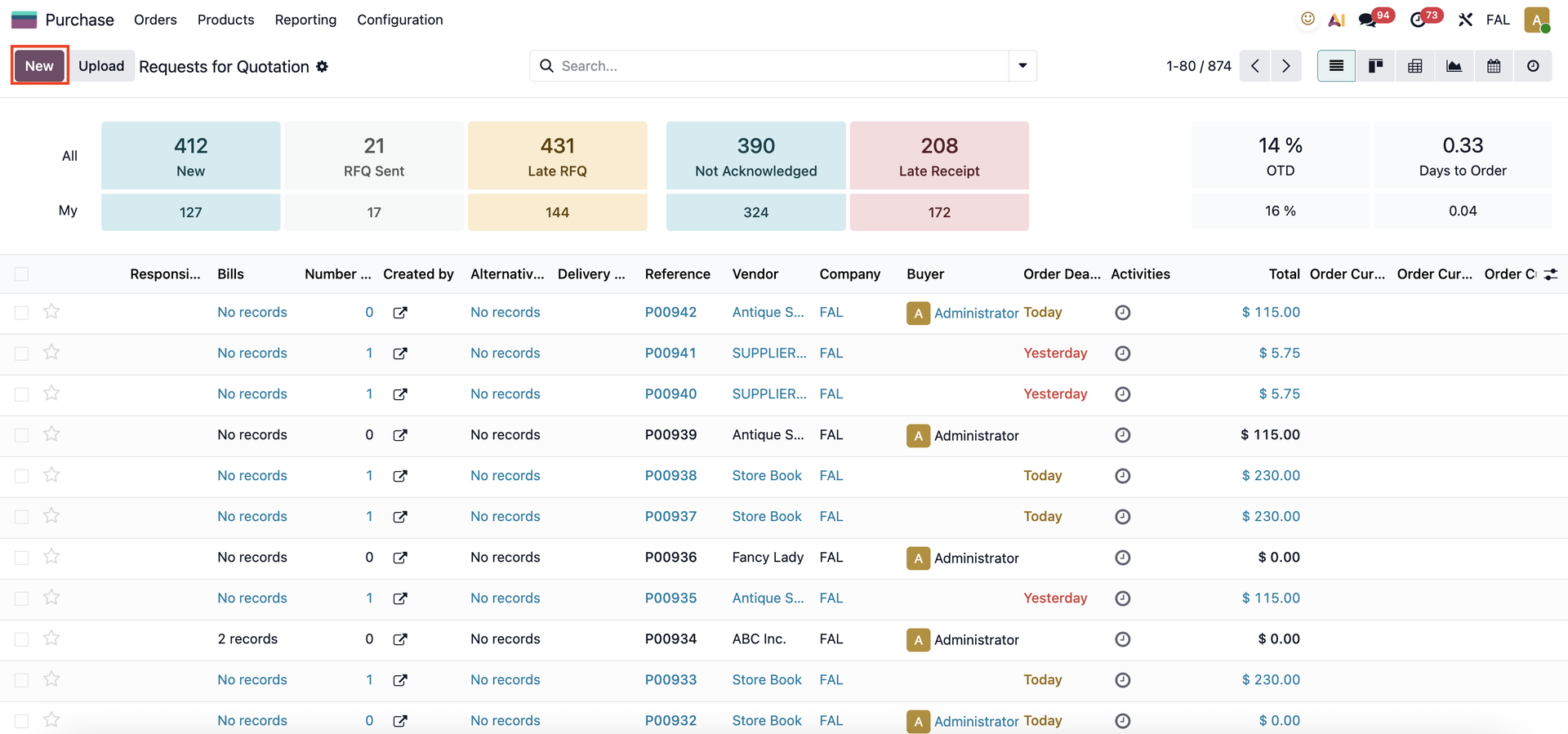 |
REFERENCE ATTACHMENTYou can add a reference attachment (such as the product's specifications) to the Purchase Order. | 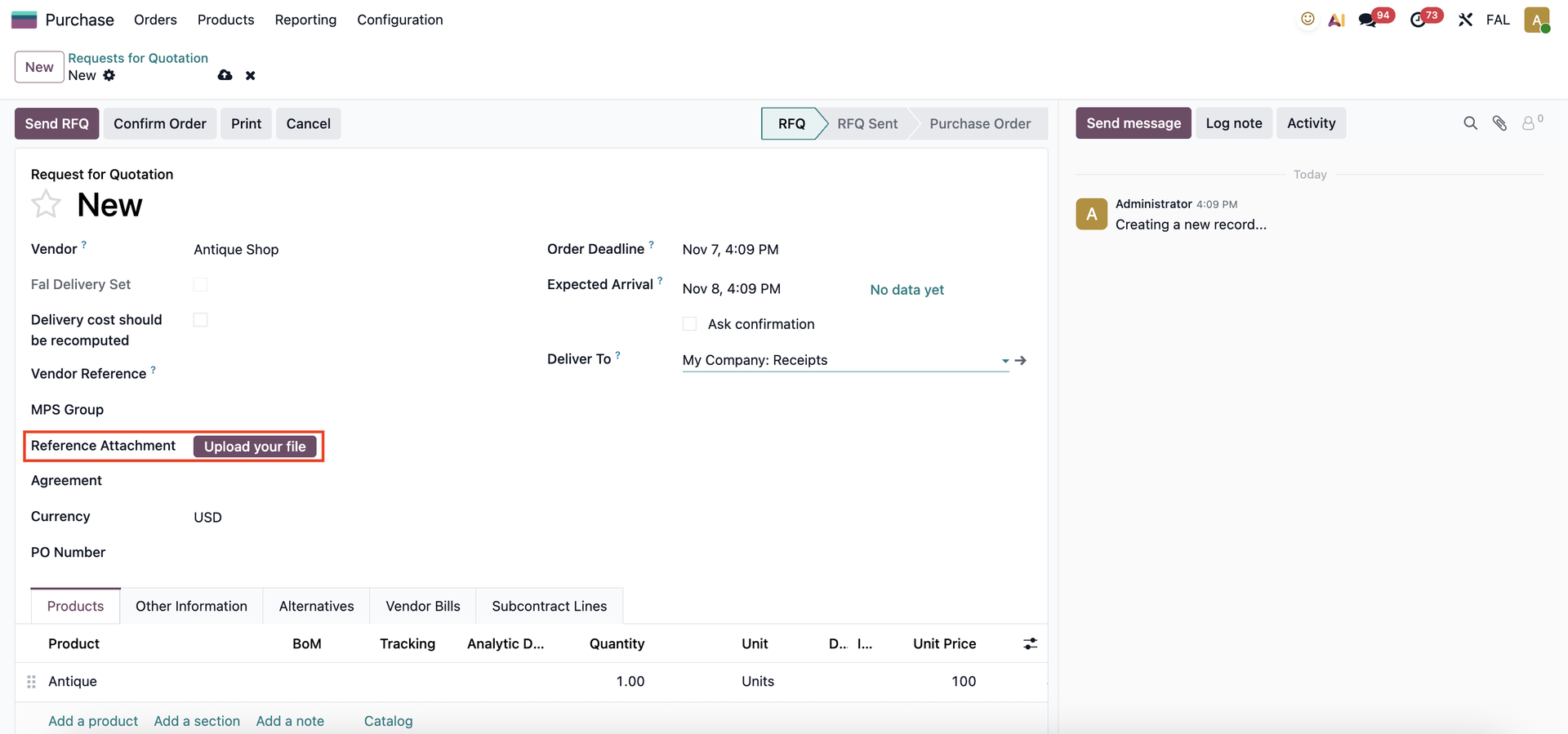 |
ARCHIVEIn the Request for Quotations list view, you can archive multiple old/unused quotations/purchase orders simultaneously to keep the display organized and clutter-free. | 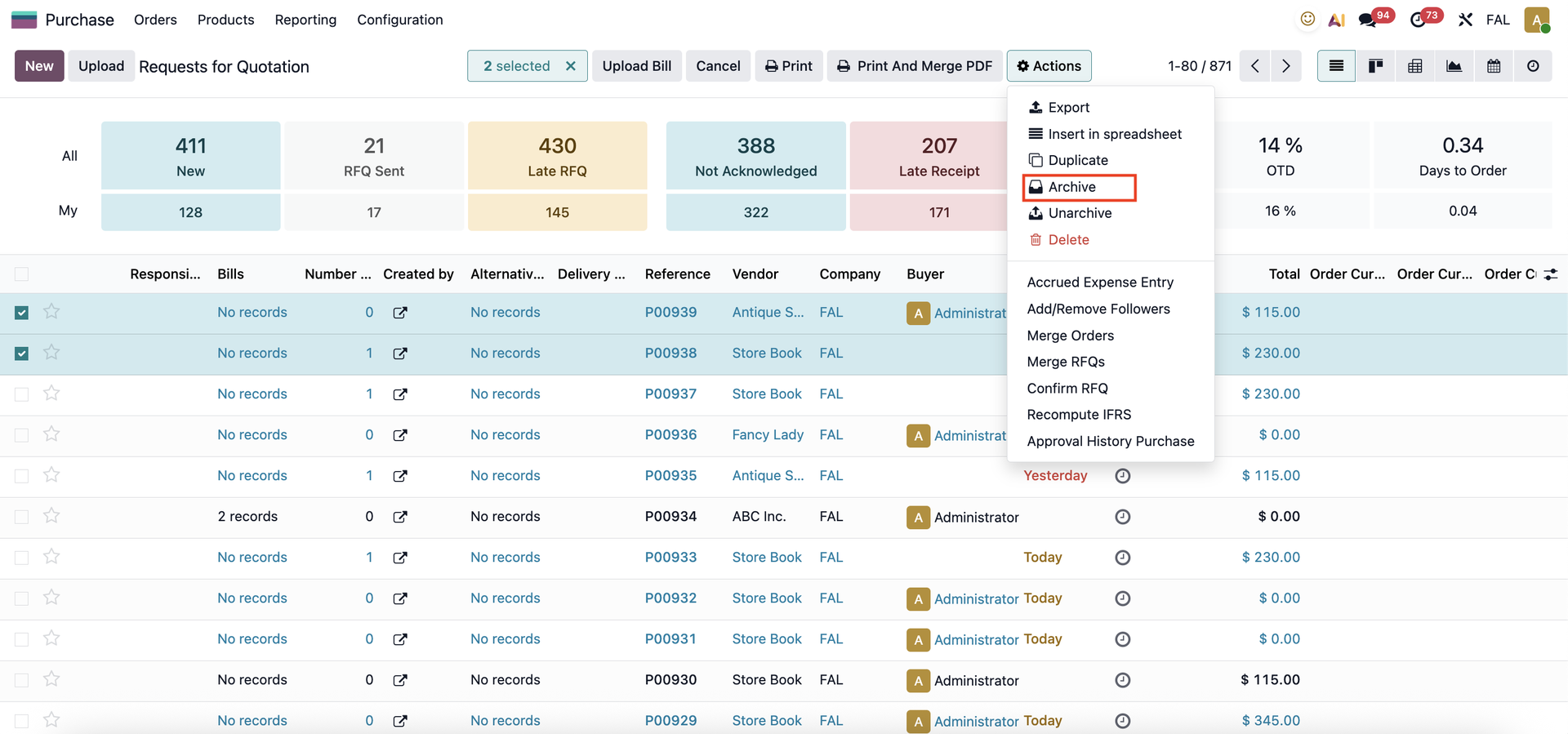 |
MULTI-CONFIRM PURCHASE ORDERSYou can also confirm multiple RFQs at once, streamlining the order management process. | 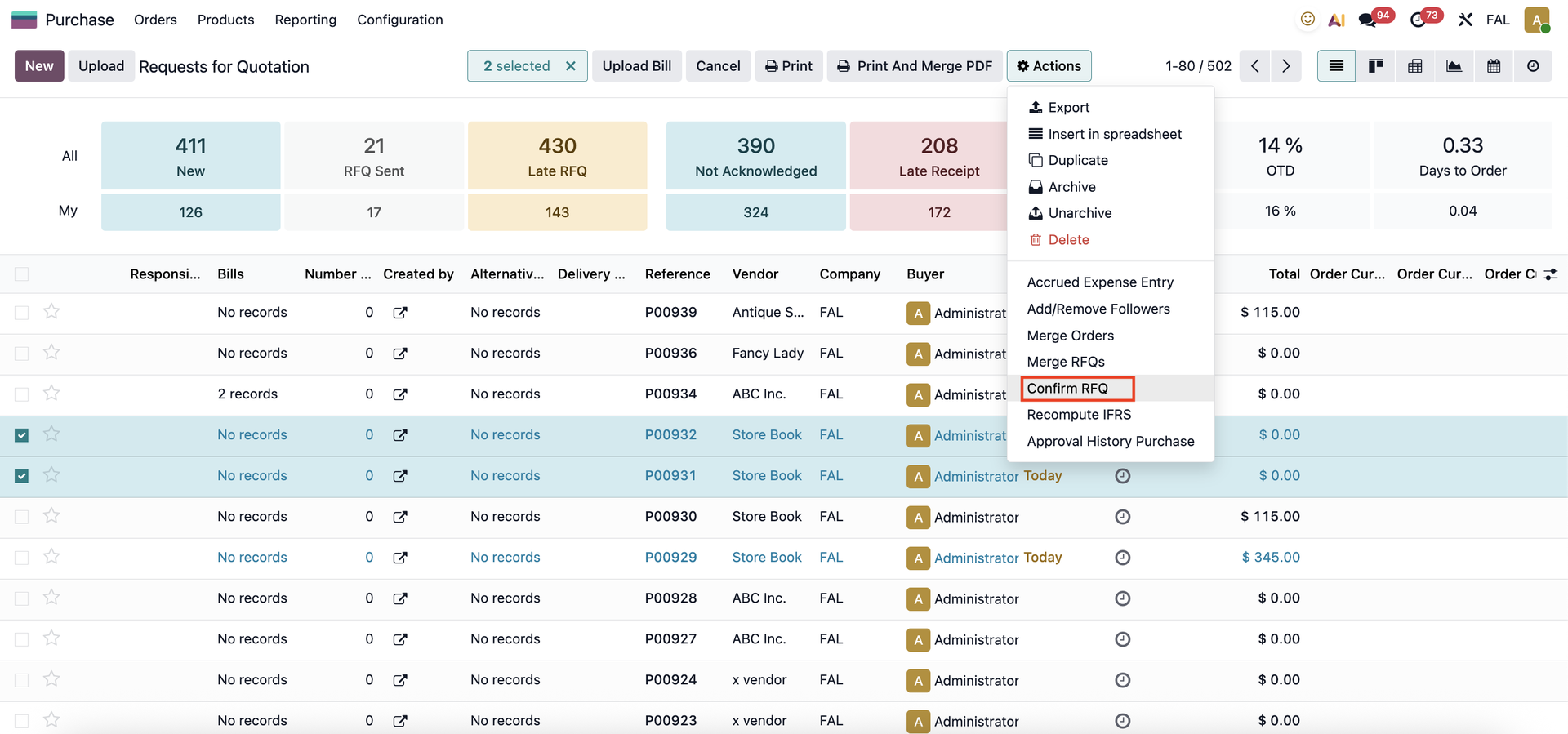 |
GROUP BY PARENT COMPANYYou can also group Quotations and Sales Orders by Parent Company for better visibility and organization. | 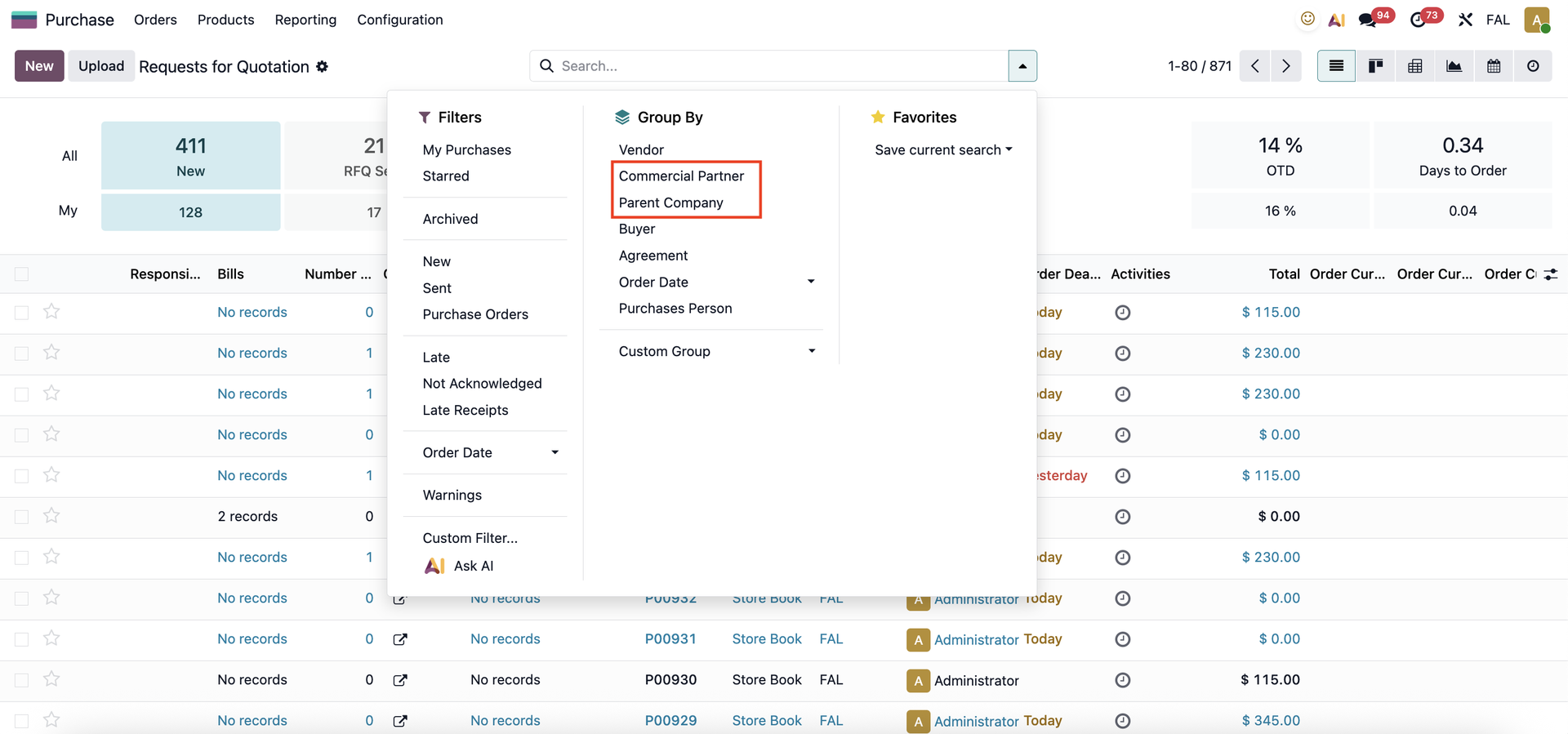 |
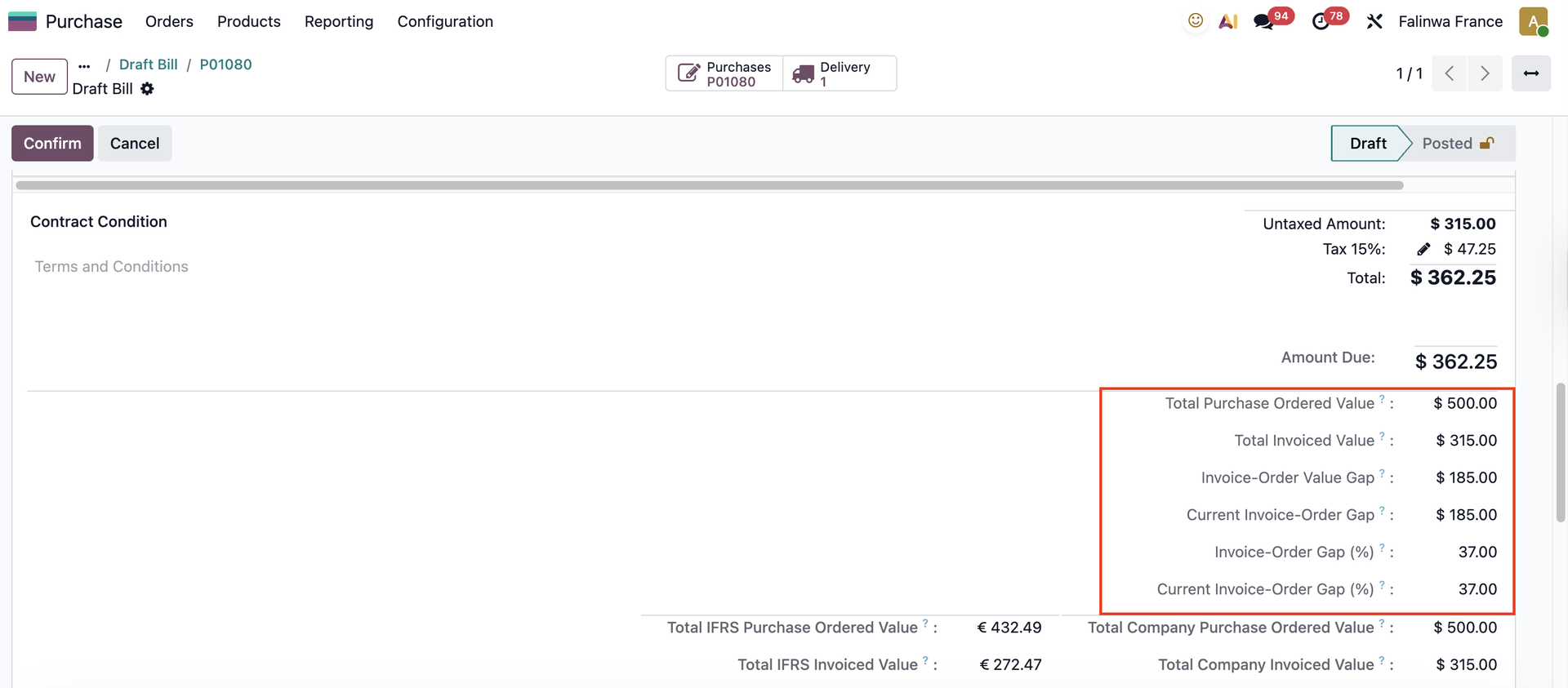
INTEGRATING GAP COMPUTATIONSCreate a Purchase Order > Receive the product > Create Bill > In the bill, adjust the quantity and unit price, you will see a Unit Price Gap (%) field showing the difference | 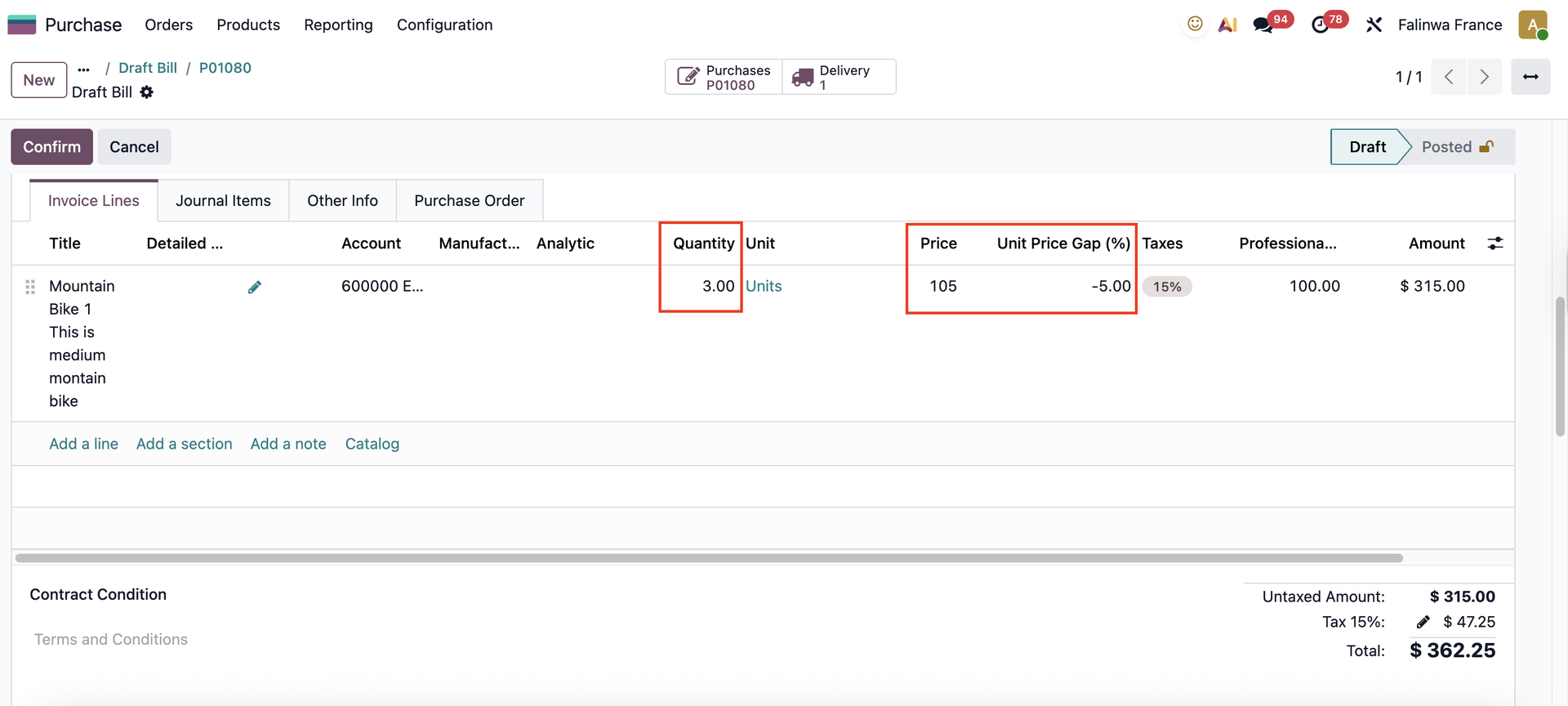 |
Scroll down and you will find the total PO value, total invoiced value, the invoicing gap value, and the percentage of the invoicing gap relative to the ordered amount. |
|
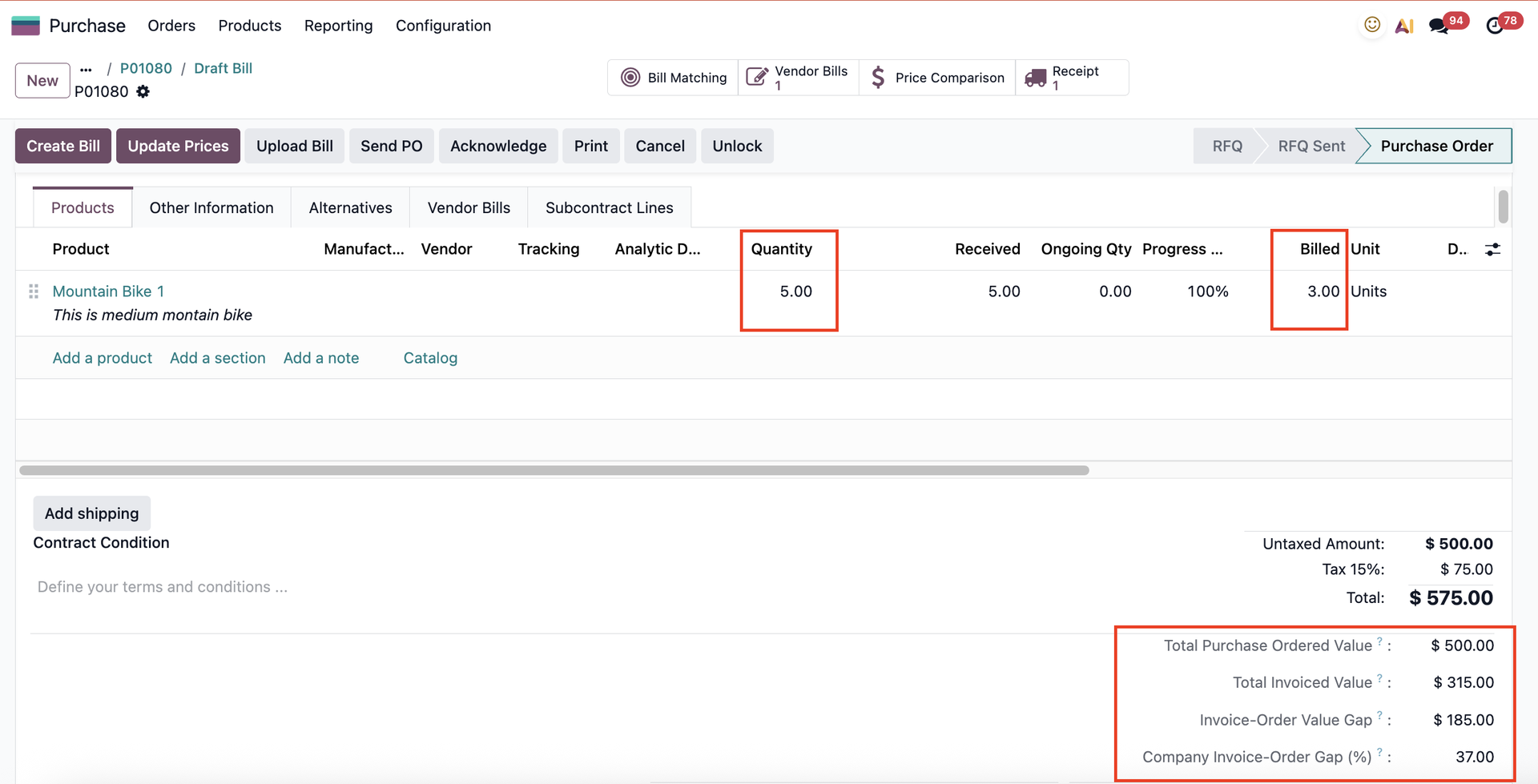
This information will also appear on the PO. |
|
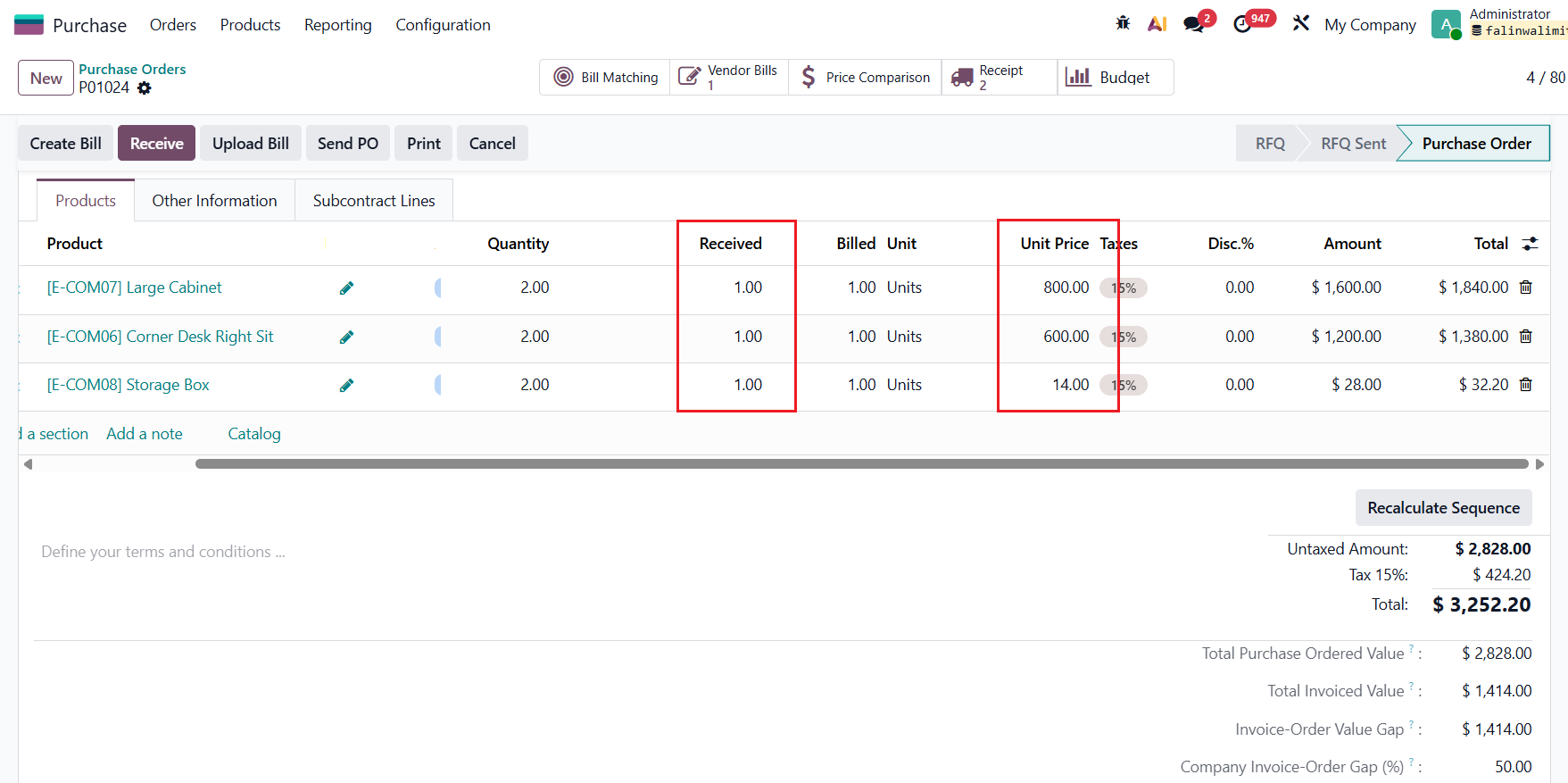
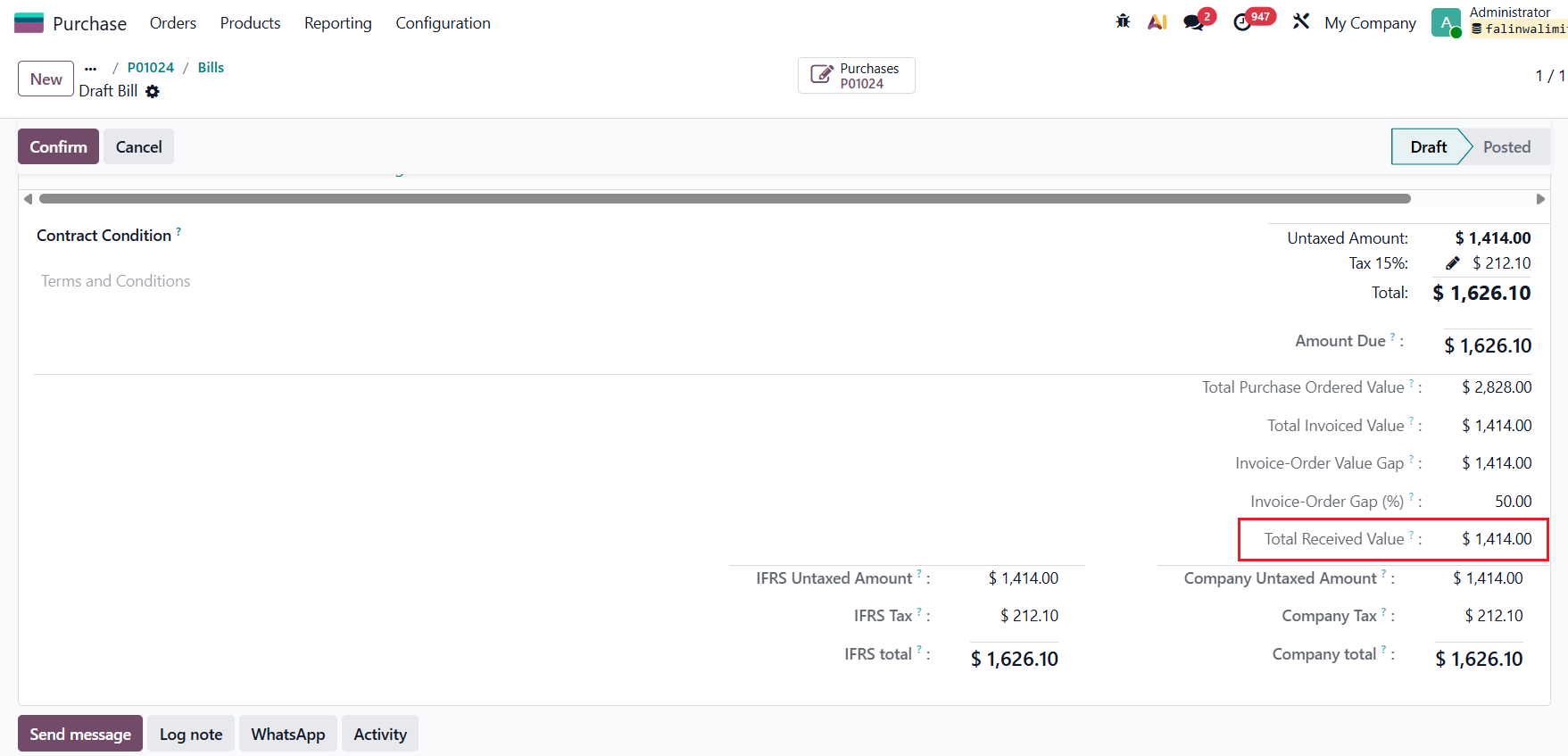
TOTAL RECEIVED VALUESince v19, a new field Total Received Value is added. This represents the total value of the products physically delivered to your warehouse, as opposed to what was ordered or billed. Calculation: Total Received Value = Unit Price on POL * Received Quantity |
|
STUDIO INTEGRATION RULEGo to Studio, set condition for approval > we can set rule (e.g can't confirm Bill if Invoiced Gap value > 100 or <-10), then do process for approval. |  |