
ODOO'S FUNCTION
The "Wide Open" Menu
In standard Odoo, the self-order menu is open to the entire internet. Once activated, anyone with the link can access the menu and place an order from miles away. It is great for remote ordering, but can be a real headache when you only want to serve customers who are actually at your venue.
CLUEDOO'S FUNCTION
The "On-Site Only" Menu
With CLuedoo, you take full control over where your customers can order! Using smart geolocation, the system automatically checks the customer's location and only unlocks the menu if they are physically inside or right next to your store. It stops faraway orders in their tracks and keeps your team focused on the guests right in front of you.
CONFIGURATION | |
1. Go to Point of Sale > Configuration > Settings and make sure you have already enabled the Self Ordering feature | 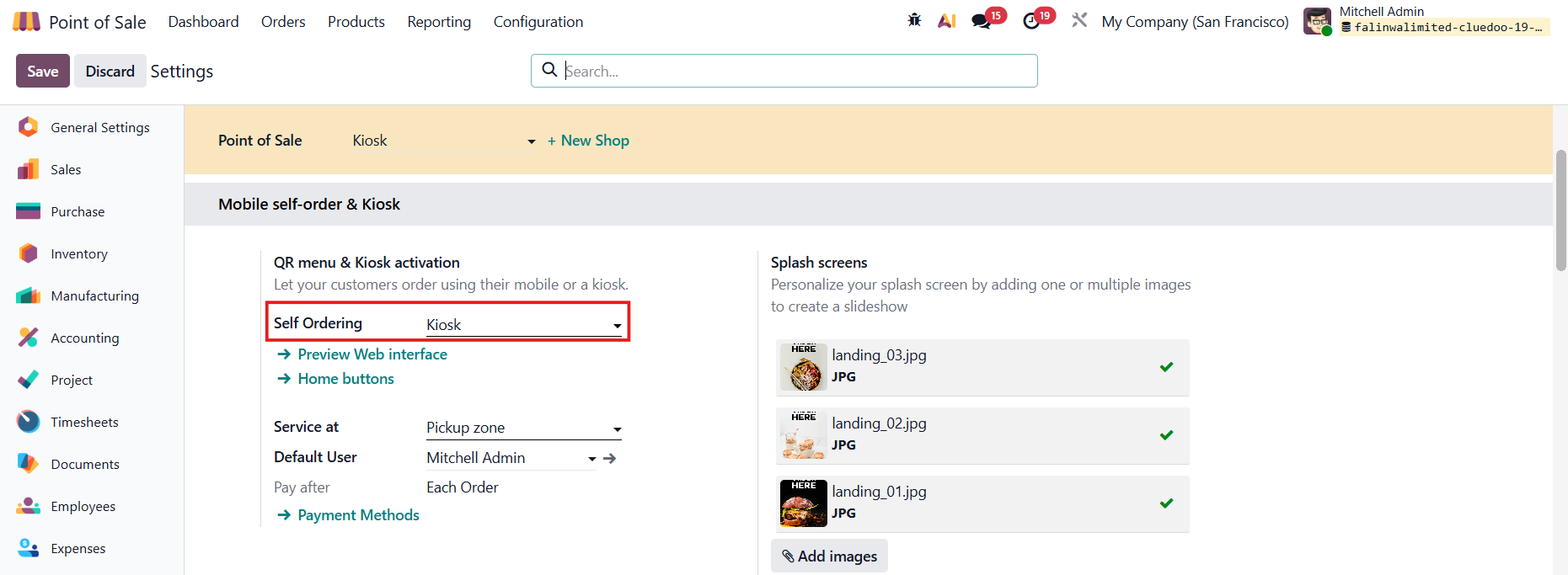 |
2. Go to POS dashboard > Choose the self-order kiosk and click Configure | 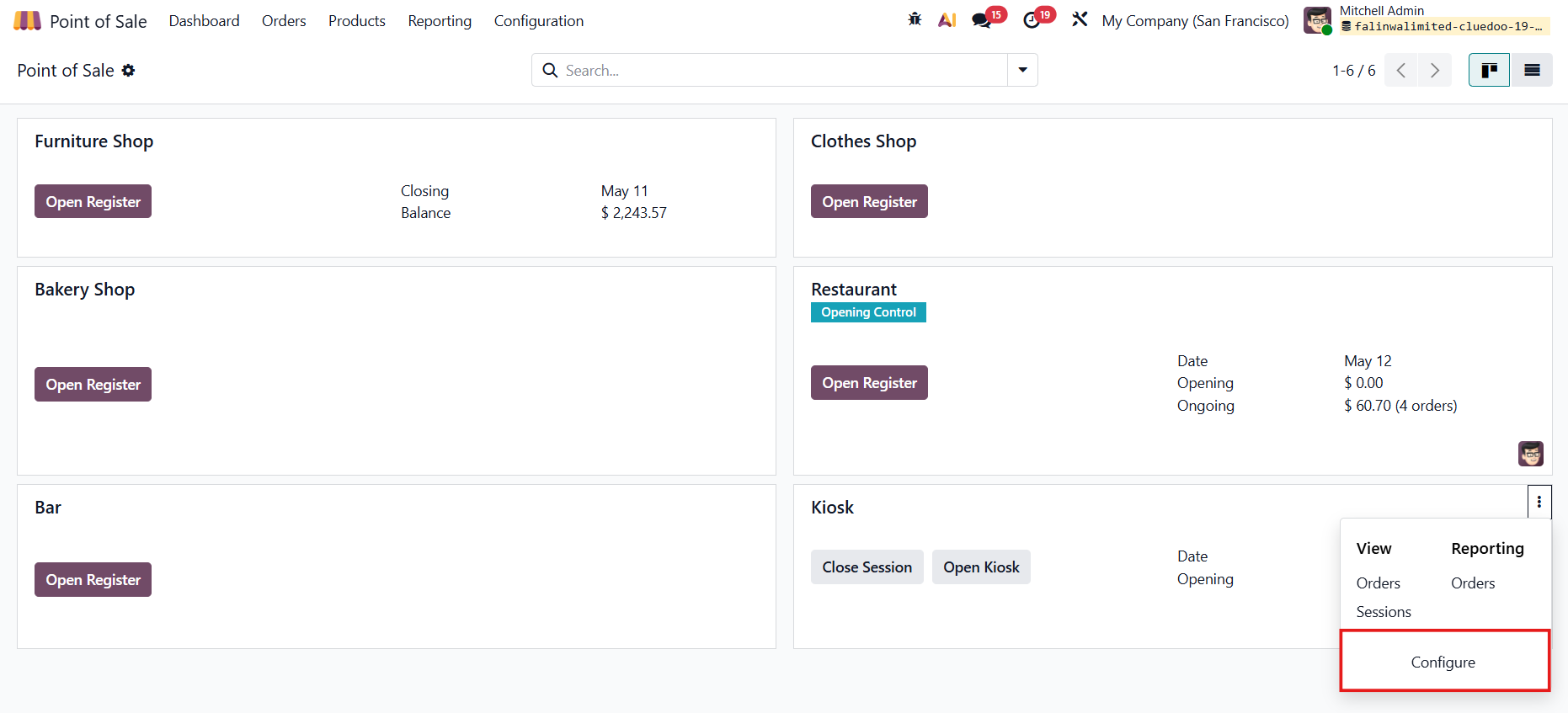 |
3. Fill in the Latitude, Longitude, and Radius limit for your store. | 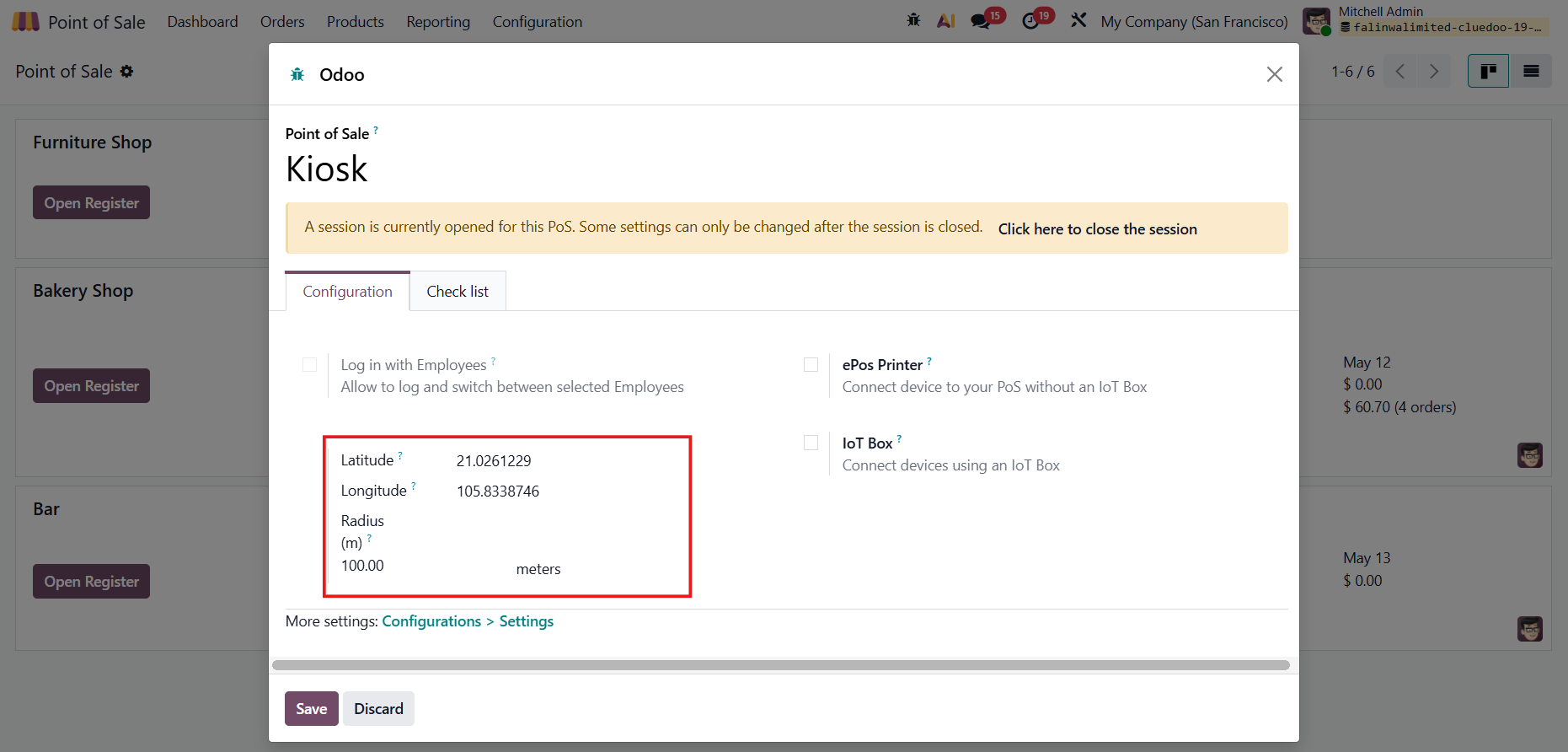 |
Where to get the numbers? Go to Google Maps and right-click on your store location! |  |
USAGE | |
Open Kiosk > Order Now Remember to allow your location. You can access the site and place your order as long as you are within the store's approved ordering zone. |
|
If you are outside the store's approved ordering zone, you won't be able to place an order. |
|