


STORY BEHIND THE FEATURES
ODOO'S FUNCTIONS
Odoo allows users to create BoMs and define components for finished products. However, it does not automatically assign or display component hierarchy levels, making it challenging to visualize and manage product structures, especially in multi-level BoMs.
CLUEDOO'S FUNCTIONS
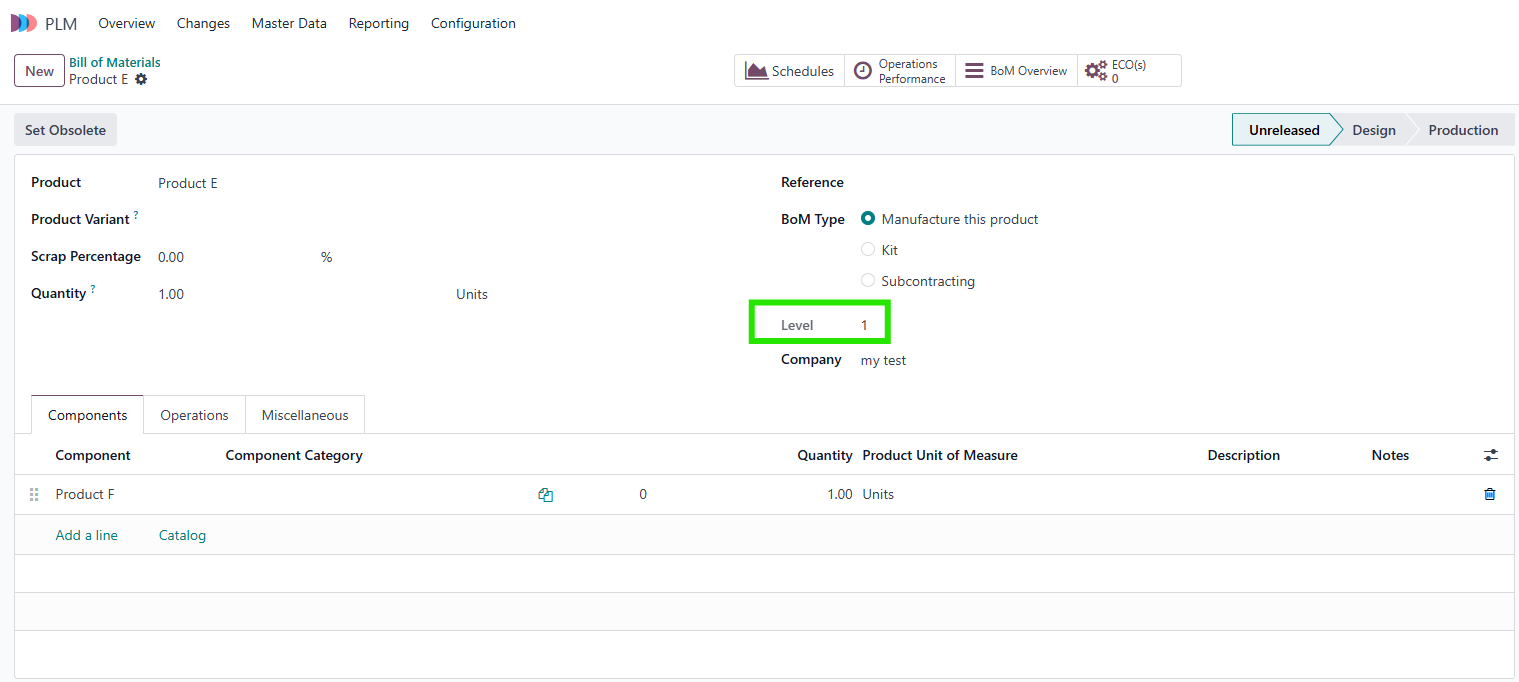
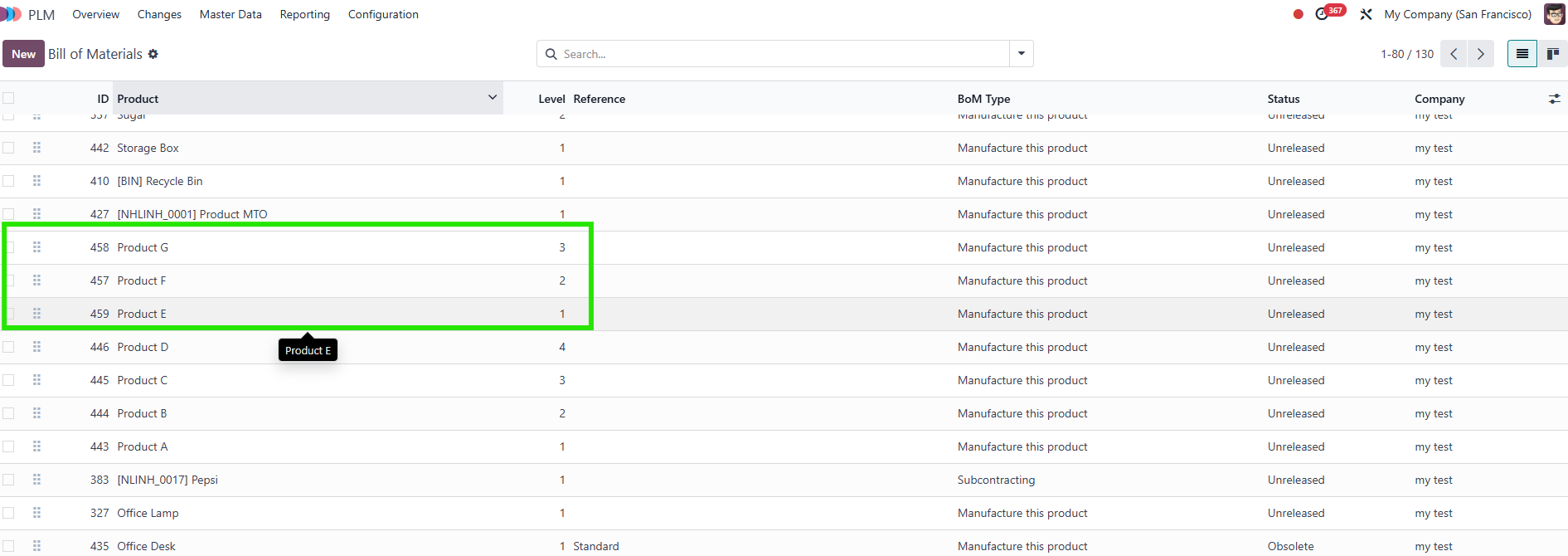
Cluedoo enhances the BoM functionality by introducing an automatic level calculation for product components. This feature assigns a default level of 1 to finished goods and increases the level for each component found in BoM lines. The system automatically updates and displays these levels in the BoM and list view, making it easier to analyze product hierarchies.
CLUEDOO RECOMMENDATION
In manufacturing, managing multi-level Bills of Materials (BoM) is crucial for understanding product structures and dependencies. Odoo provides a BoM system, but it lacks a clear hierarchy display, making it difficult to track component levels efficiently.
This module is highly recommended for businesses that manufacture complex products with multi-level BoMs, as it improves product structure visualization and simplifies manufacturing planning.
OUR FEATURES AS SOLUTIONS
BoM level decomposition
HOW TO USE THIS MODULE
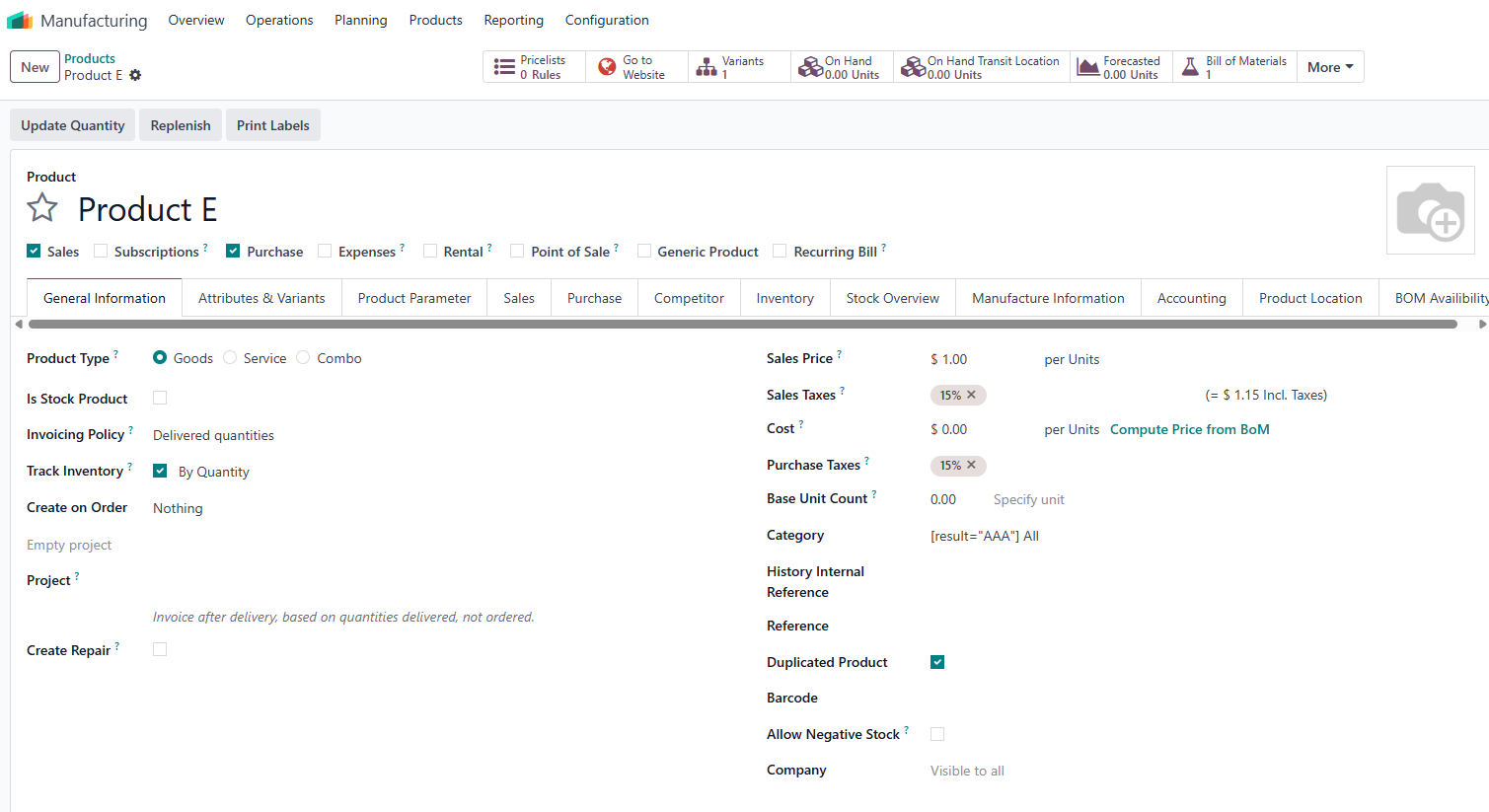
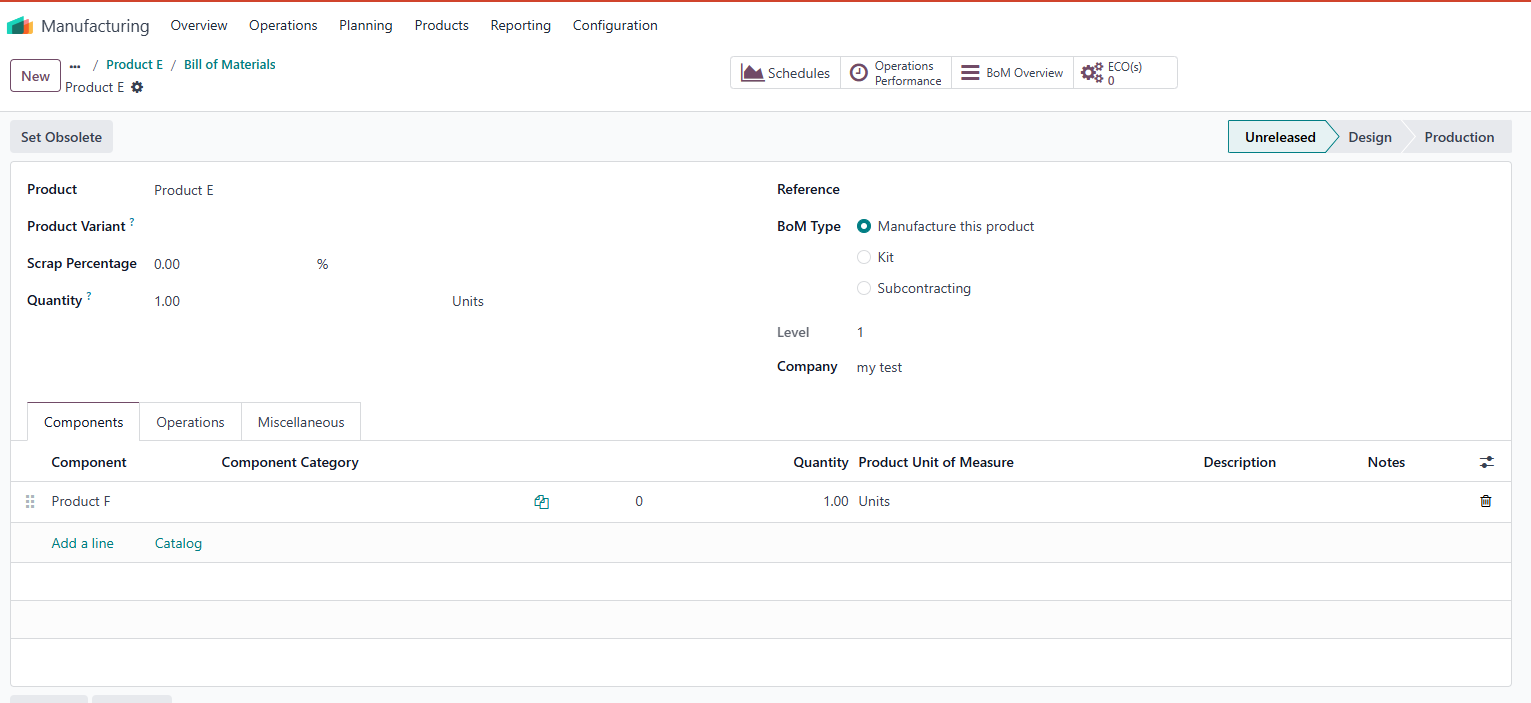
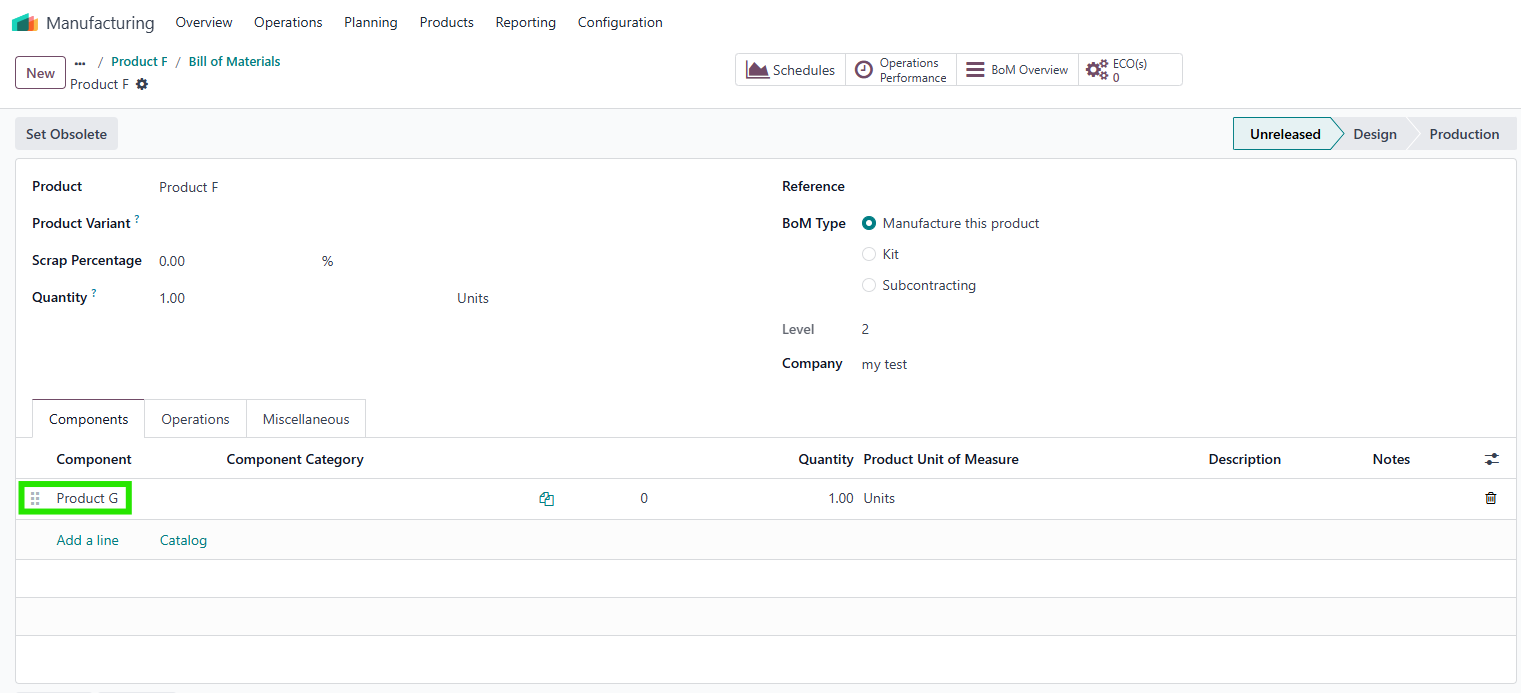
1. Create 3 new products and their BoMs e.g., product E, product F, and product G 1.1. This field level always calculates the level from counting finished goods products in BoM lines - on every product found at BoM lines, it counted as one level increased with default level = 1 |
|
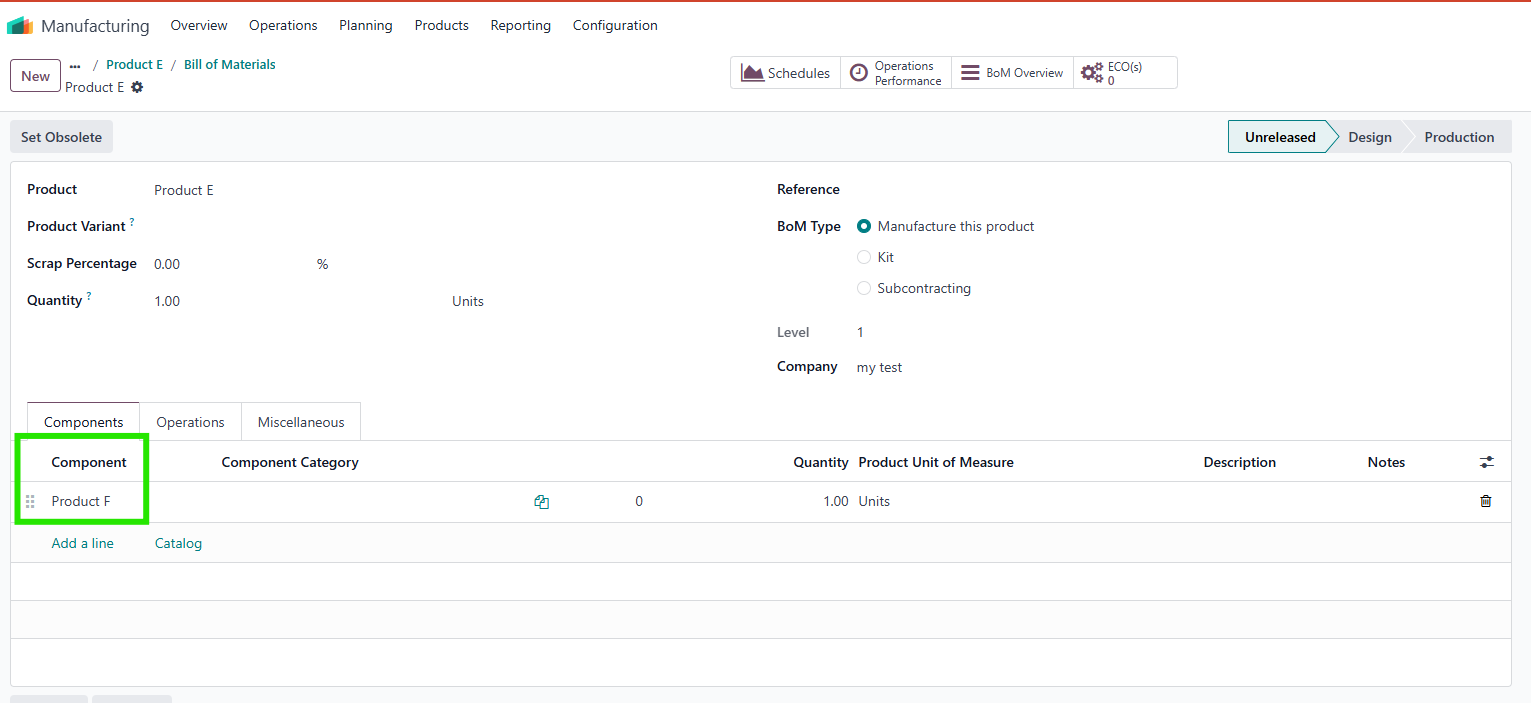
2. Add product F as a component of product E, product G as a component of product F |
|
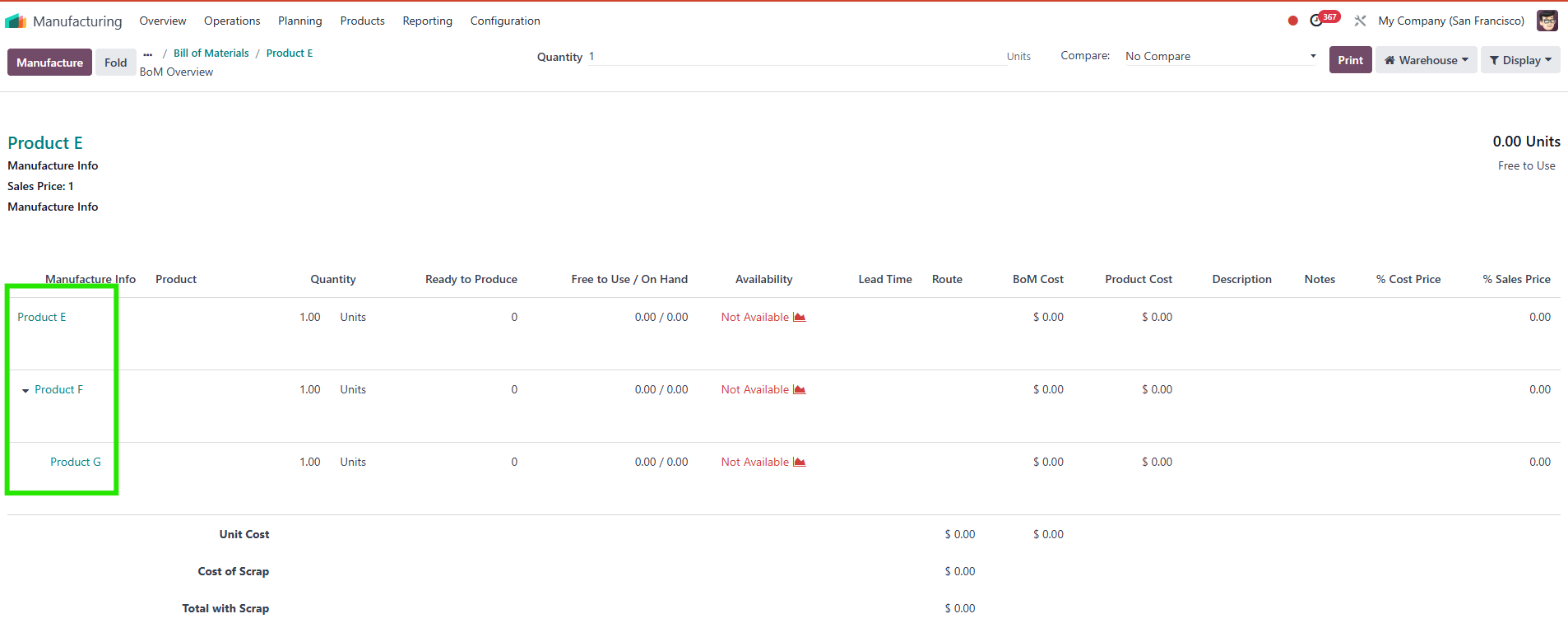
3. We can see the hierarchy in the BoM Overview. |
|
4. We can also see the levels in the BoM's list view Note: - If we add two products as components, it will have the same level - If you add product level 1 as component of product level 3, validation error will display - If two products have same component, module will prioritize the product that have already added new component |
|