



ODOO'S FUNCTION
Odoo has an engine to show how many product we can produce now based on the current stock and the replenishment date, but it is only on BOM overview.
CLUEDOO'S FUNCTION
CLuedoo extends this production planning capability by introducing detailed visibility into key metrics per variant, including Warehouse, On-hand quantity, Quantity Ready to Produce, and the Next Date when more stock is expected to be available in product variant.
This allows production managers to assess feasibility and plan manufacturing orders directly from the product level without needing to navigate to the BOM overview for every check.
1. Go to Inventory → Products → Choose a product → Actions button → Choose the server action Update BOM Availability | 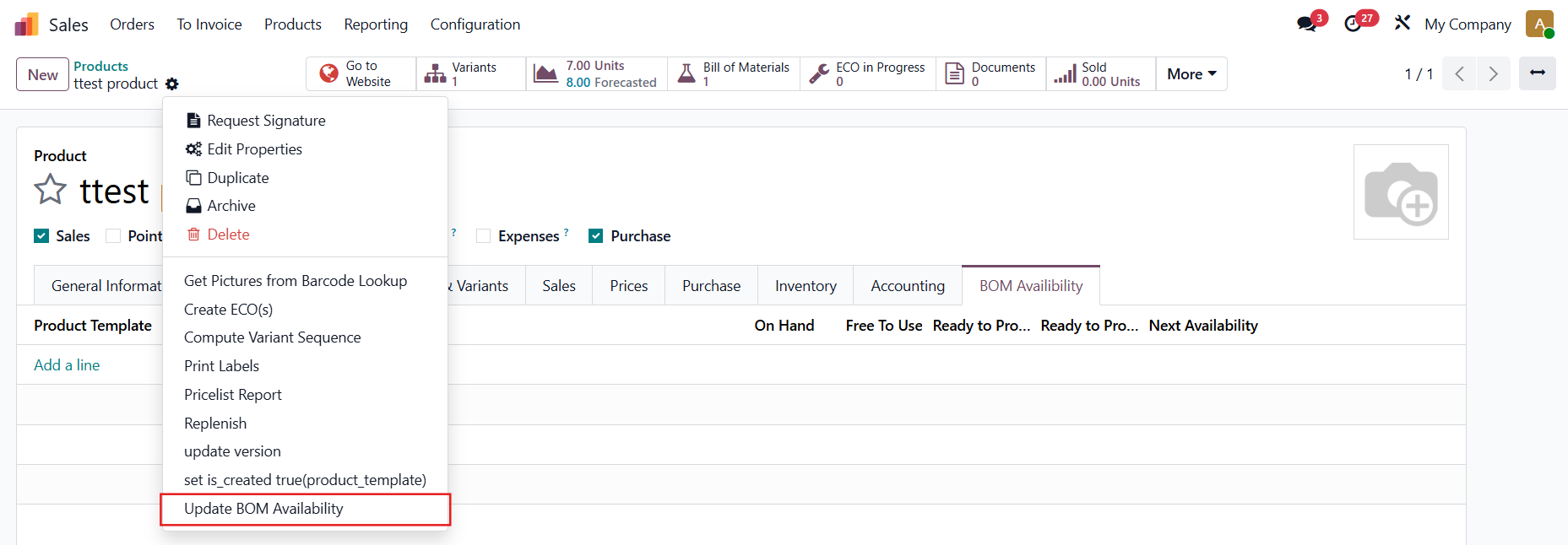 |
2. After updating → The information about quantity available to produce (based on the warehouses) appears under the BOM Availability tab | 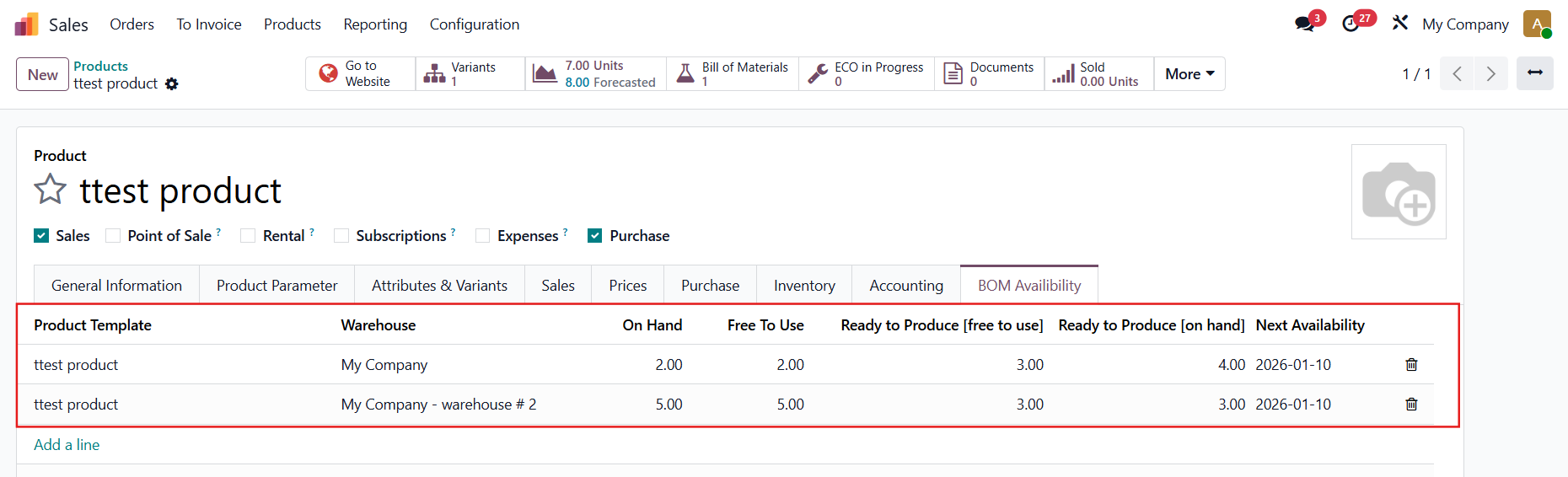 |
3. Go to BOM Overview → You can see that the information is the same as the one under the BOM Availability's tab | 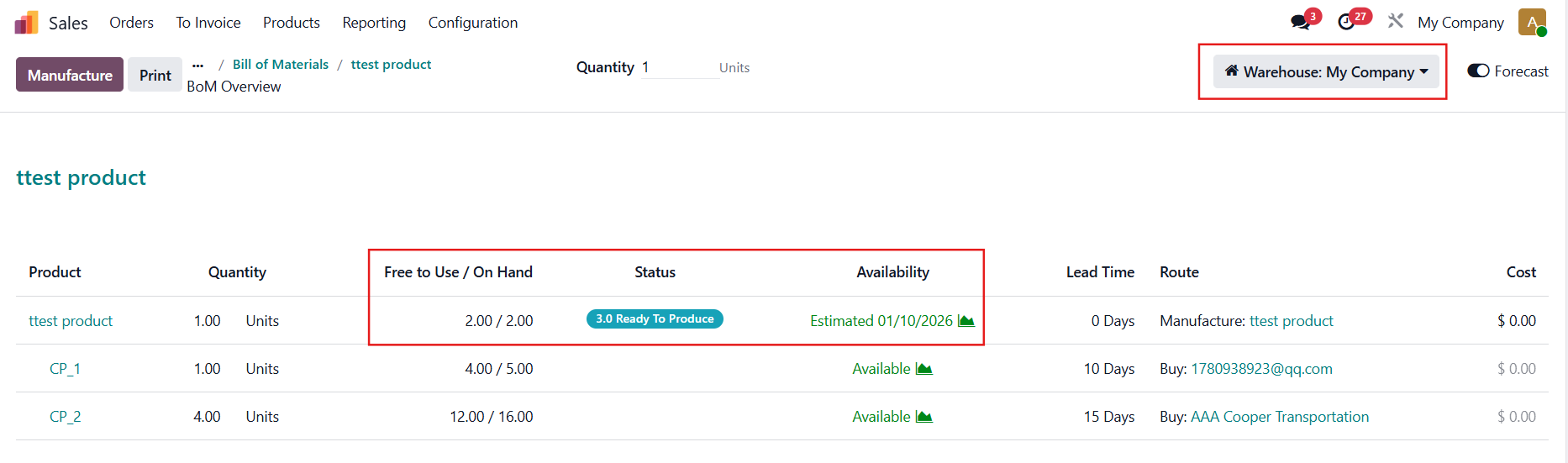 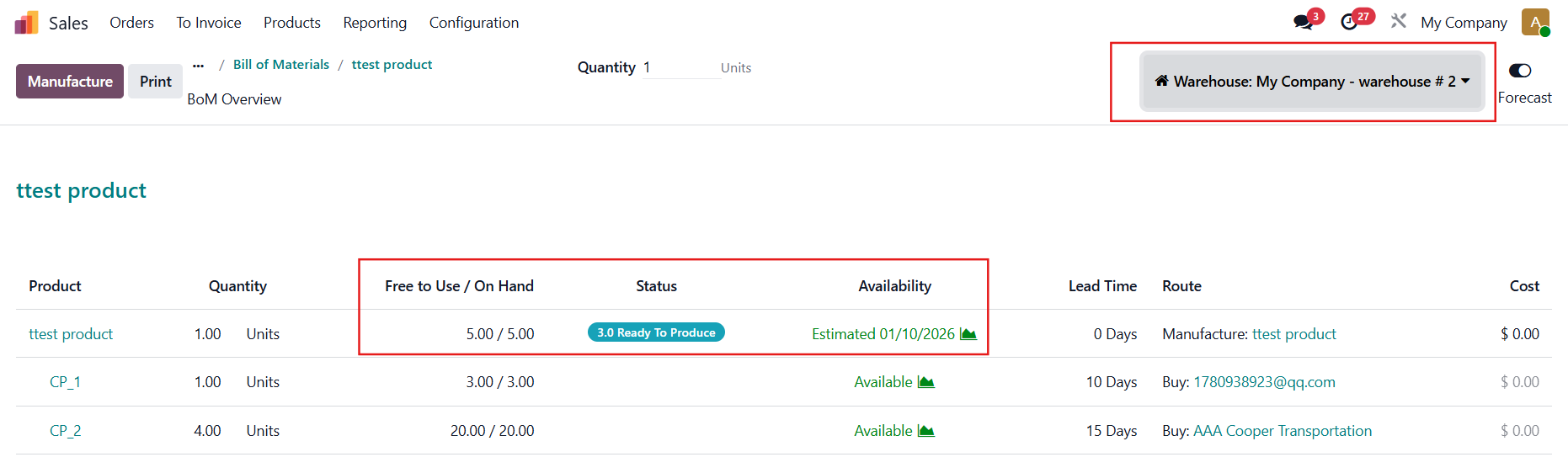 |
Note: In v19, you have to turn on the Forecast boolean in BoM Overview to see all the information |  |
INFORMATION SHOWN ON THE PRODUCT
| 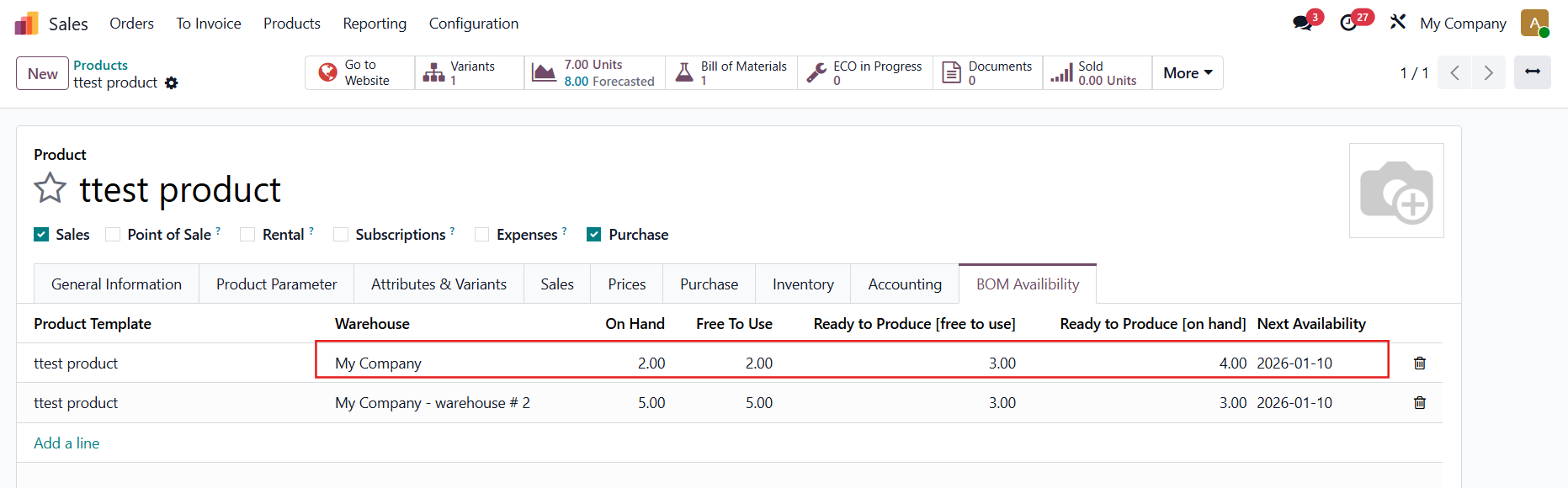 |
| 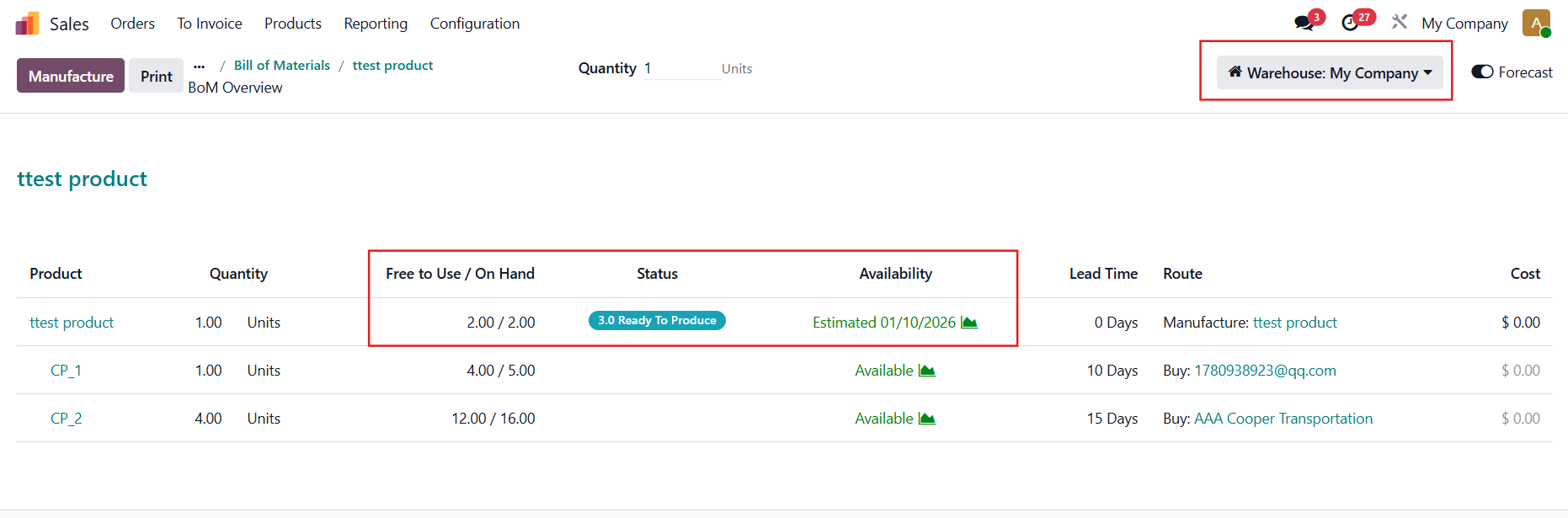 |
If there are multiple components, taken from the component with the smallest on hand quantity e.g., To produce 1 ttest product, we need 1 CP_1 and 4 CP_2, since there are 5 CP_1 and 16 CP_2 on hand → the maximum ttest produce that is ready to produce is 4 | 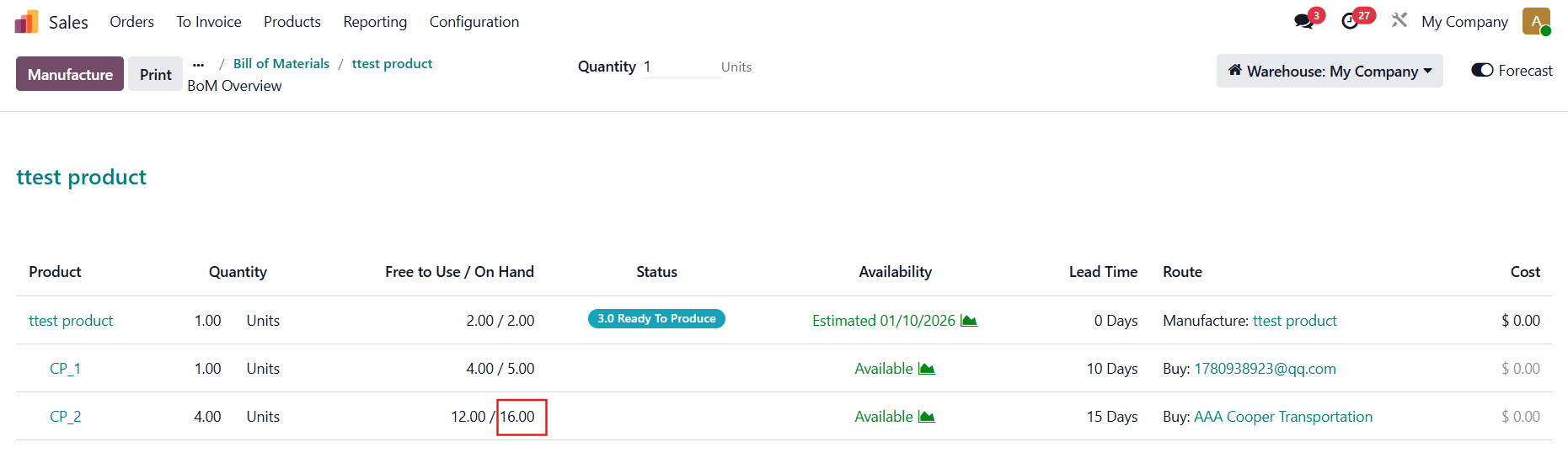 |
Similarily, for warehouse #2, the maximum ttest produce that is ready to produce is 3. If you want to produce more than that (5), you will need to wait until 2 CP_1 are available | 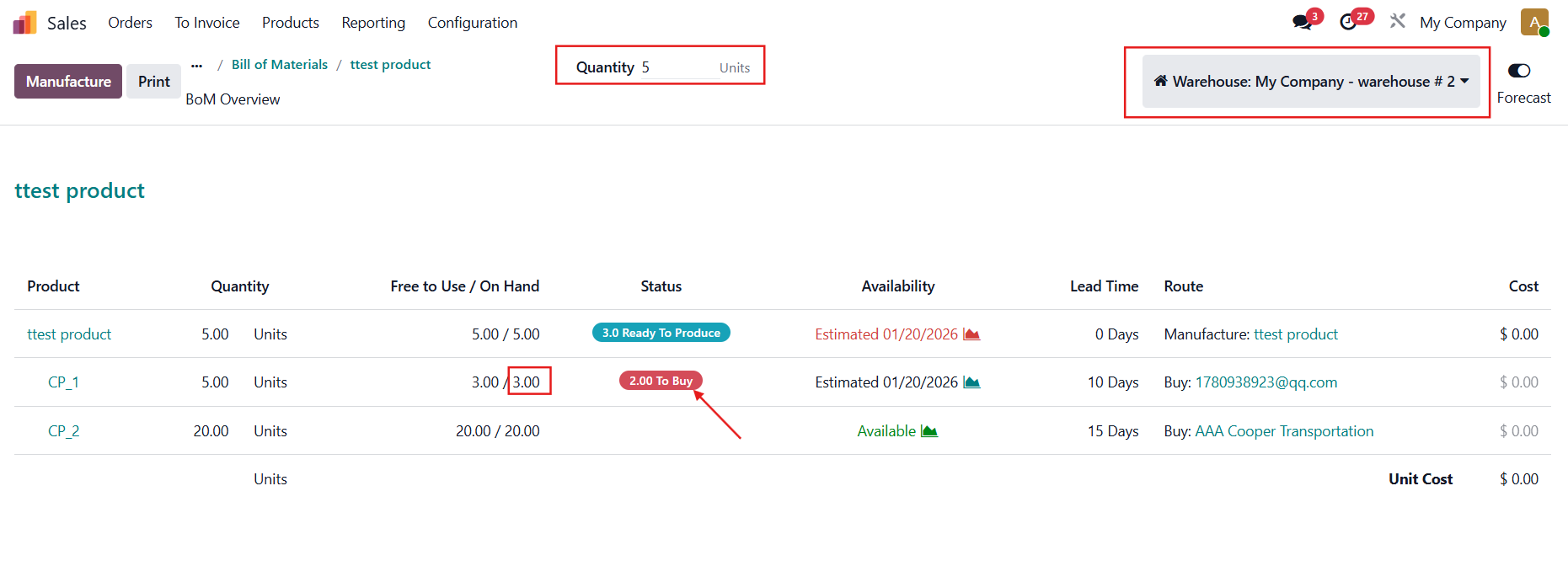 |