


ODOO'S FUNCTION
In Odoo, different teams may simultaneously work on the same product. This may result in multiple Engineering Change Orders (ECOs) being created for the same product (with the same “Apply On” criteria) without the teams being aware of each other’s changes, potentially causing duplicated work or potential conflicts.
CLUEDOO'S FUNCTION
CLuedoo enhances this process by:
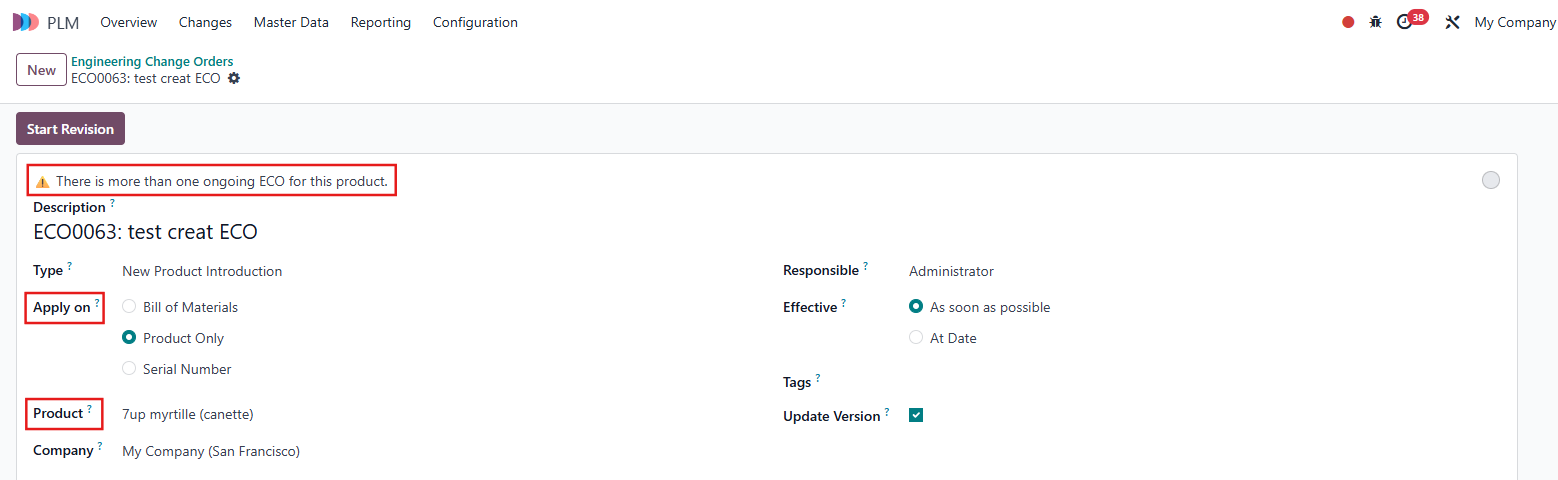
1️⃣ Displaying a small warning when opening any existing ECO for the same product and same "Apply On"
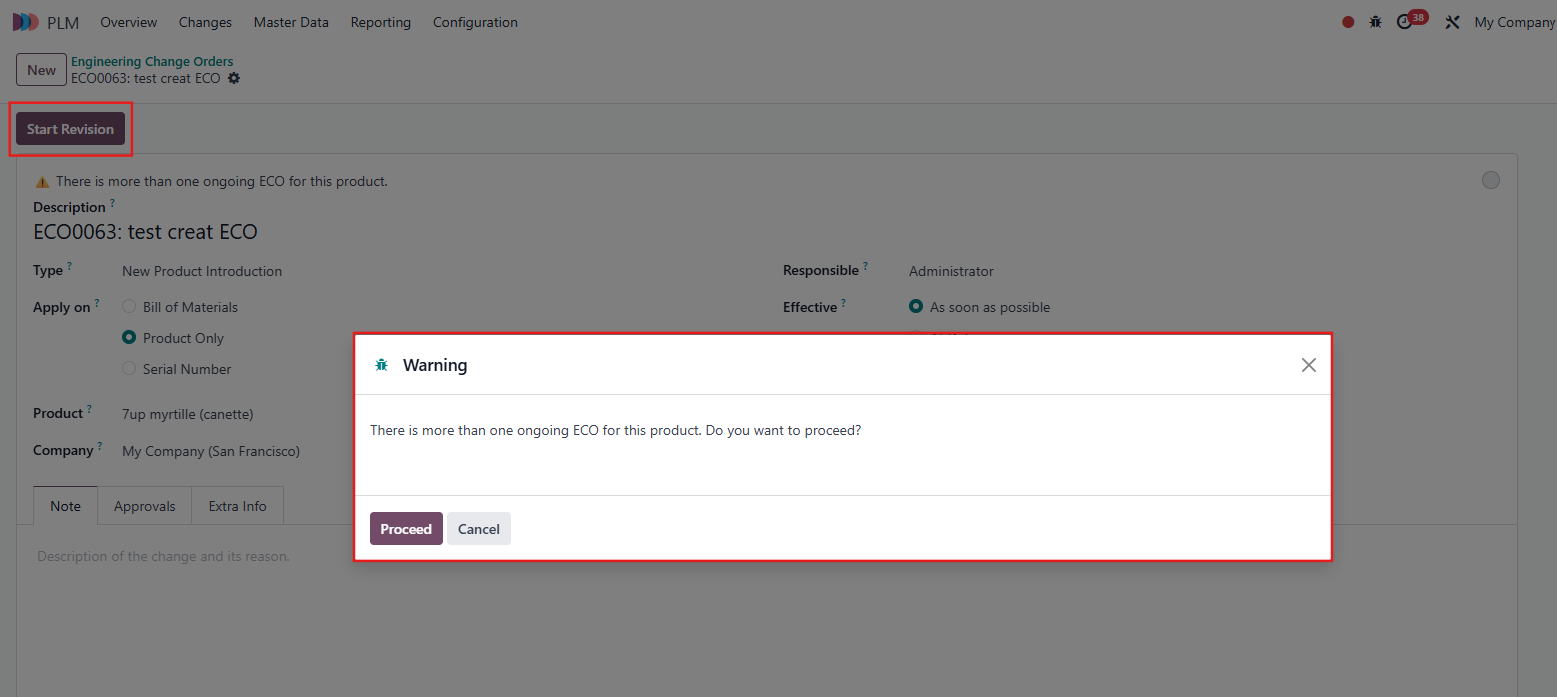
2️⃣ Showing a warning after clicking Start Revision when creating a new ECO for the same product and same "Apply On"
This ensures that users are alerted to parallel work in progress, can coordinate with other teams before proceeding, and ultimately reduce duplication or misalignment in the product change process.
1. Go to PLM > Changes > Engineering Change Orders > Select the ECO that you want to work on > If there is another ongoing ECO with the same Product and same Apply On, a small warning "There is more than one ongoing ECO for this product" will appear. Note: Any existing ECOs with the same Product and Apply on will display this notification |
|
2. When creating a new ECO, you will immediately see a warning "There is more than one ongoing ECO for this product. Do you want to proceed?" after clicking Start Revision if another ECO already exists for the same Product and Apply on. Note: These warnings are non-blocking, they are purely informational, helping you avoid duplication or conflicting changes. |
|