
ODOO'S FUNCTION
By default, Odoo’s Master Production Schedule (MPS) automatically calculates the Indirect Demand Forecast whenever quantities are updated, which can lead to slower performance when handling large volumes of data.
CLUEDOO'S FUNCTION
CLuedoo prevents indirect demand from being automatically calculated when loading the view or updating quantities in the MPS. Instead, the Indirect Demand Forecast is only displayed after the user manually triggers it by clicking the “Load Indirect Demand” button.
Go to Manufacturing > Planning > Master Planning Schedule > The "Indirect Demand Forecast" will not displayed. | 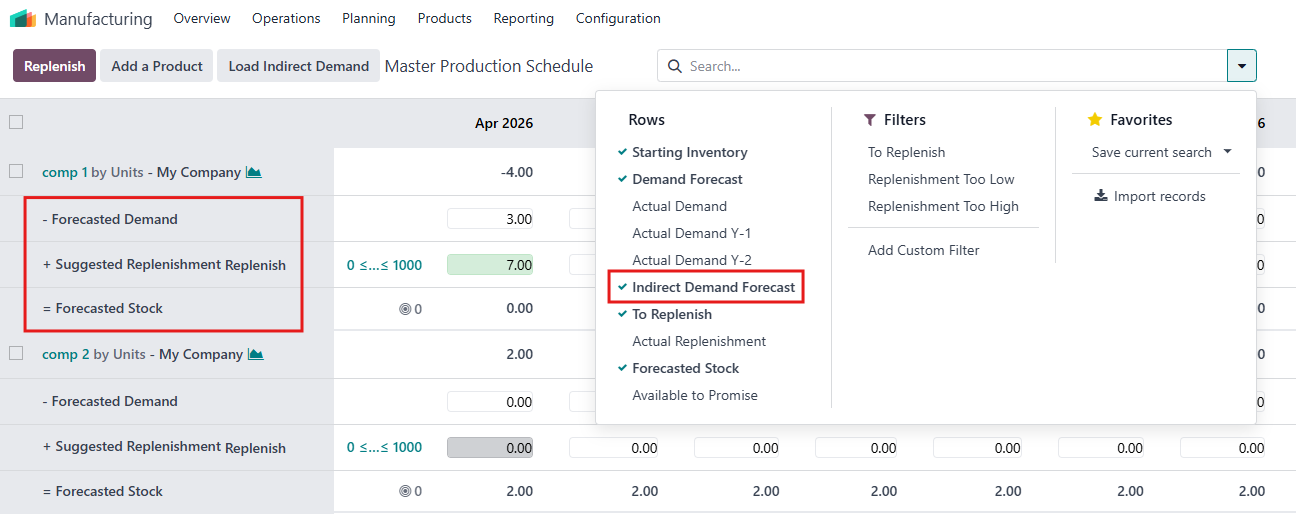 |
The Indirect Demand Forecast only appears after clicking the “Load Indirect Demand” button, as the calculation is handled manually rather than automatically. | 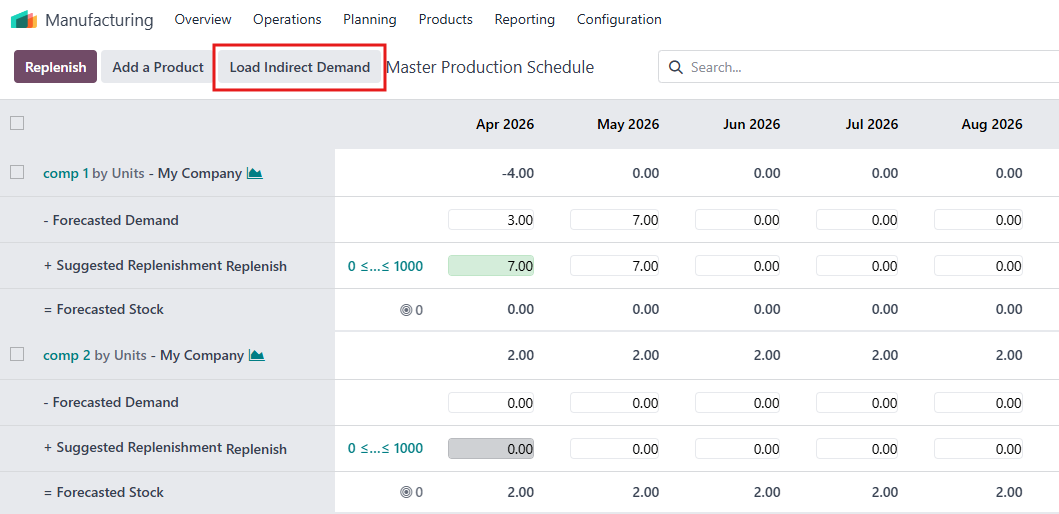 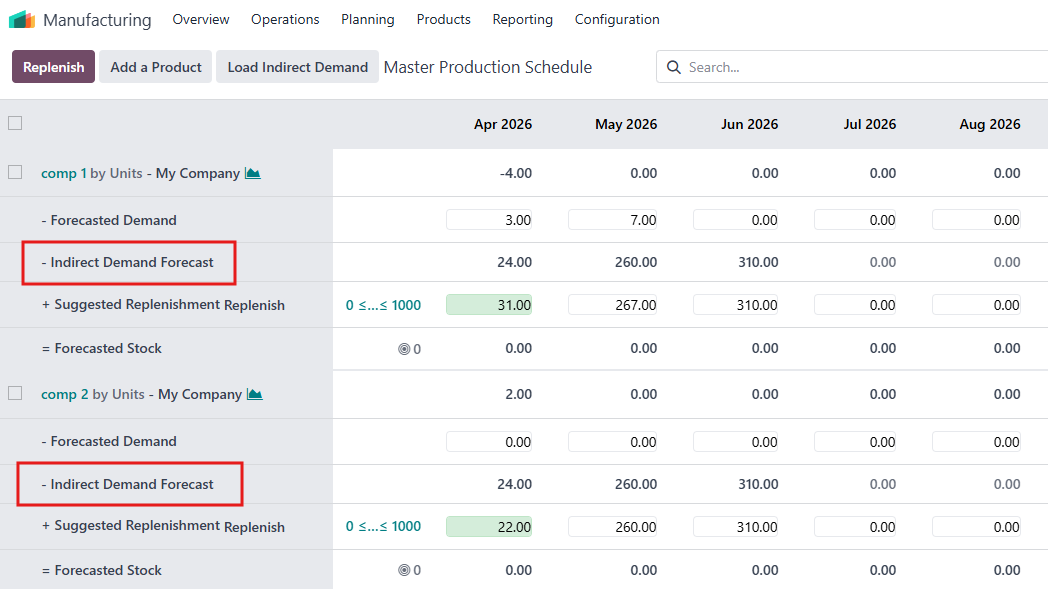 |