


ODOO'S FUNCTION
In Odoo, a subcontracting BOM cannot be directly linked to a specific vendor. The system relies on general vendor pricelists or purchase agreements to manage subcontracting costs, without assigning a supplier at the BOM level.
CLUEDOO'S FUNCTION
With CLuedoo, each subcontracted component in the BOM can be explicitly assigned to a vendor, with its price automatically applied from the vendor setup.
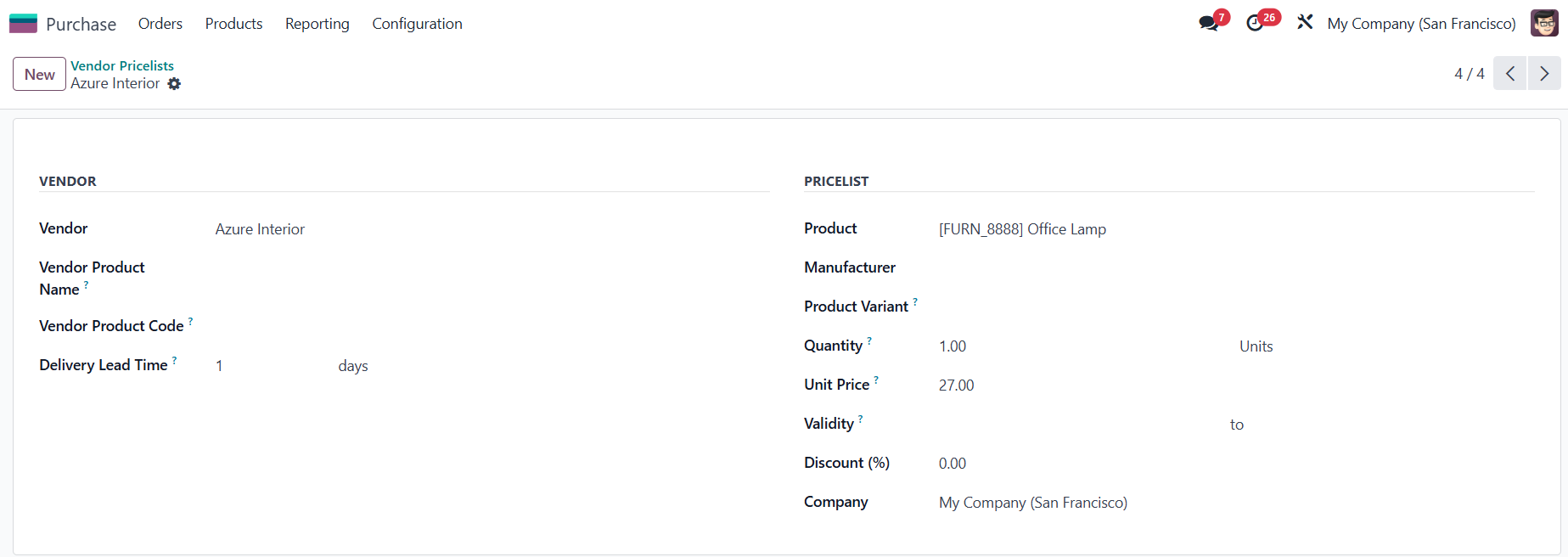
1. Go to Purchase > Configuration > Vendor Pricelists > Set up price list for a product |
|
2. Go to a Product form > Click on Bill of Materials smart button > Create new > Set up the Subcontractor, the BoM Type to Subcontracting and add the Components | 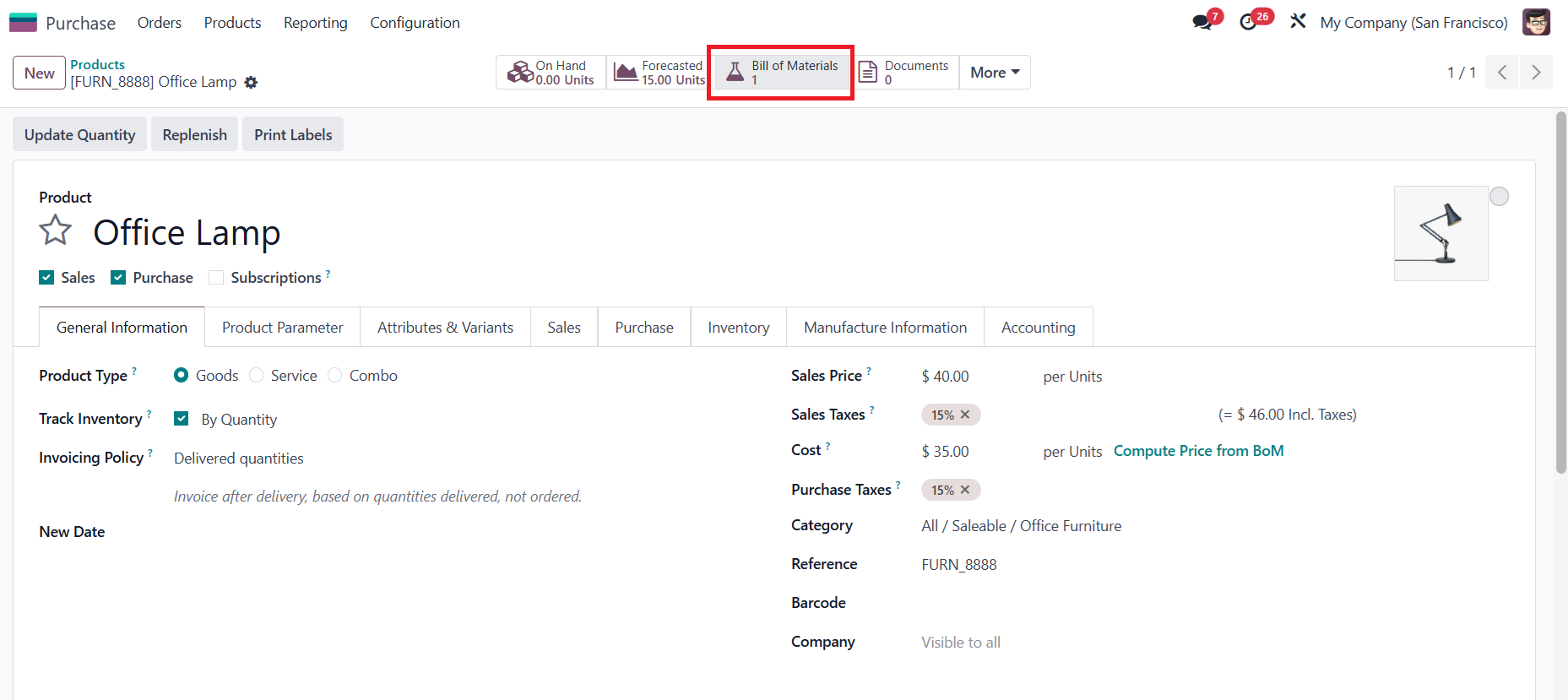 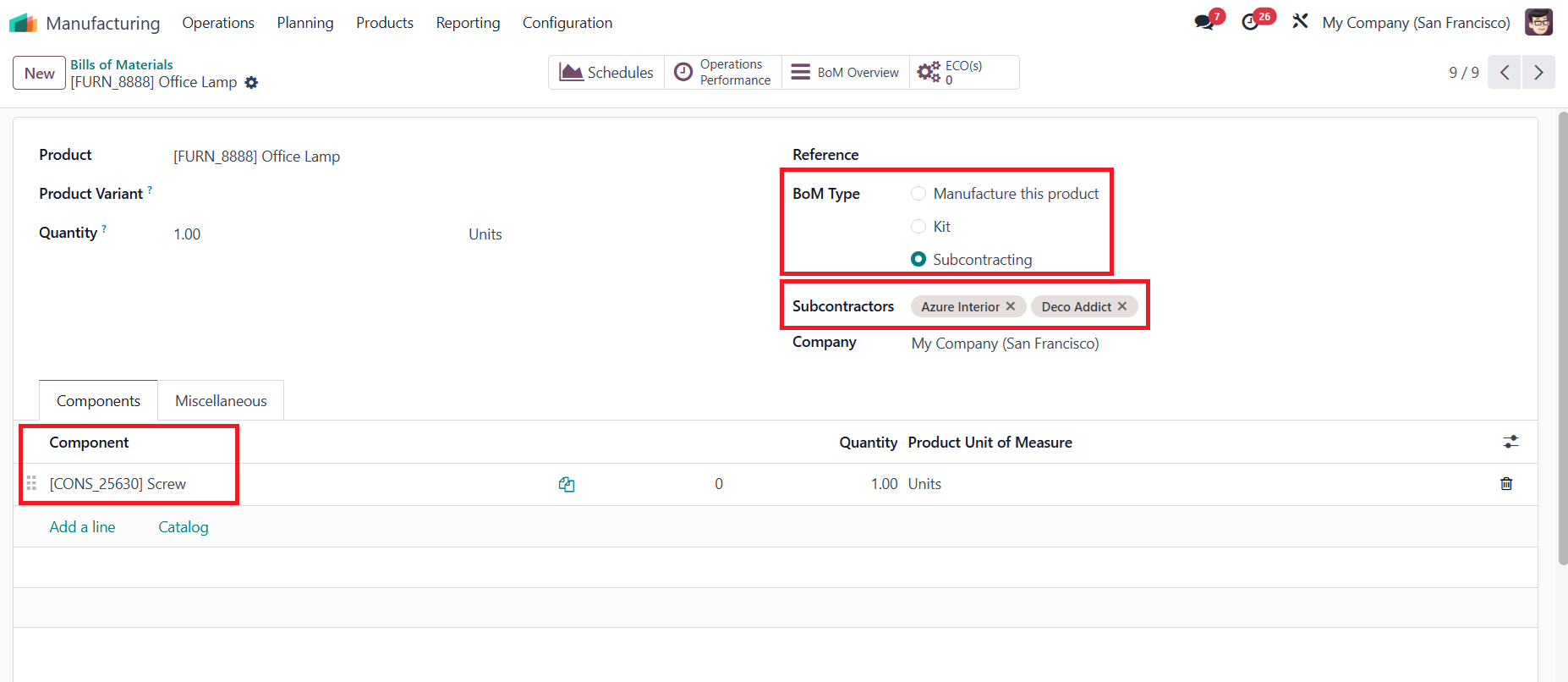 |
3. Click on the BoM Overview smart button | 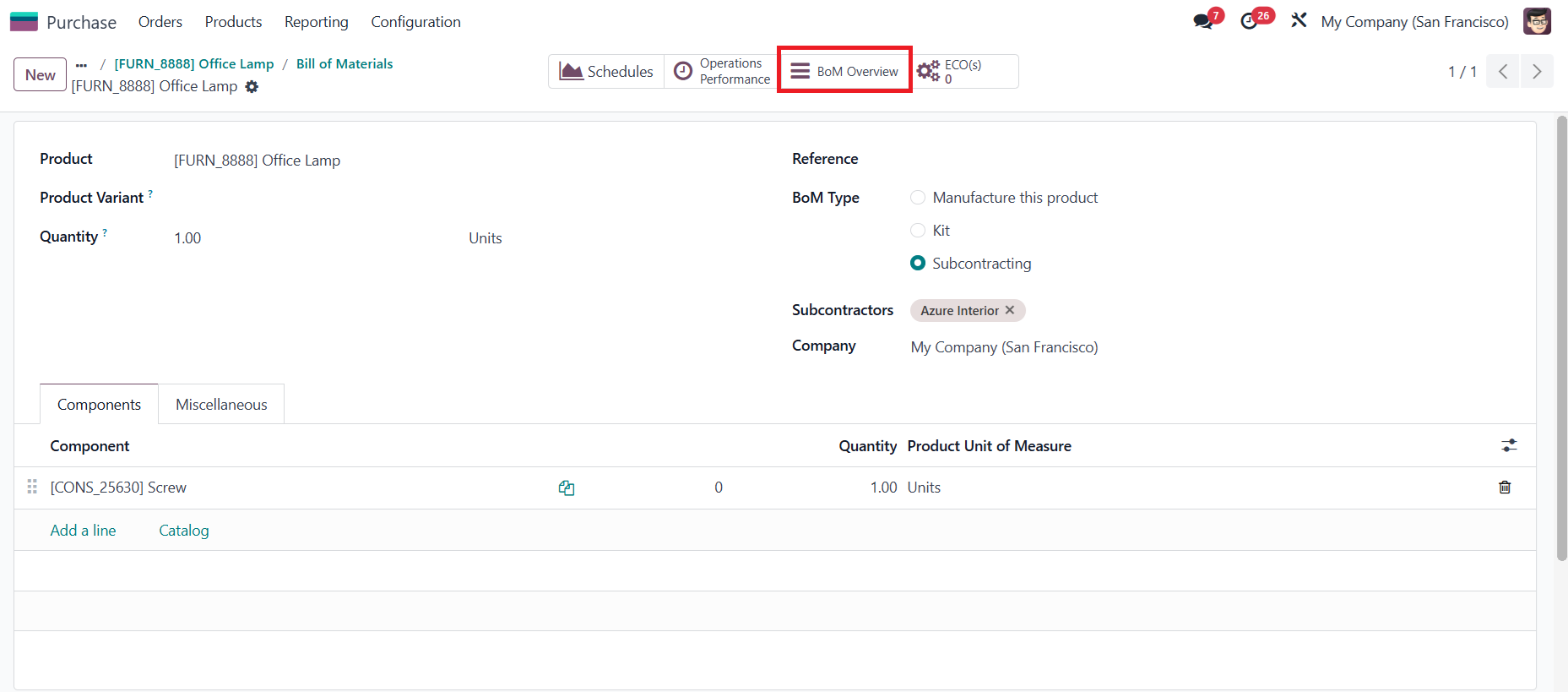 |
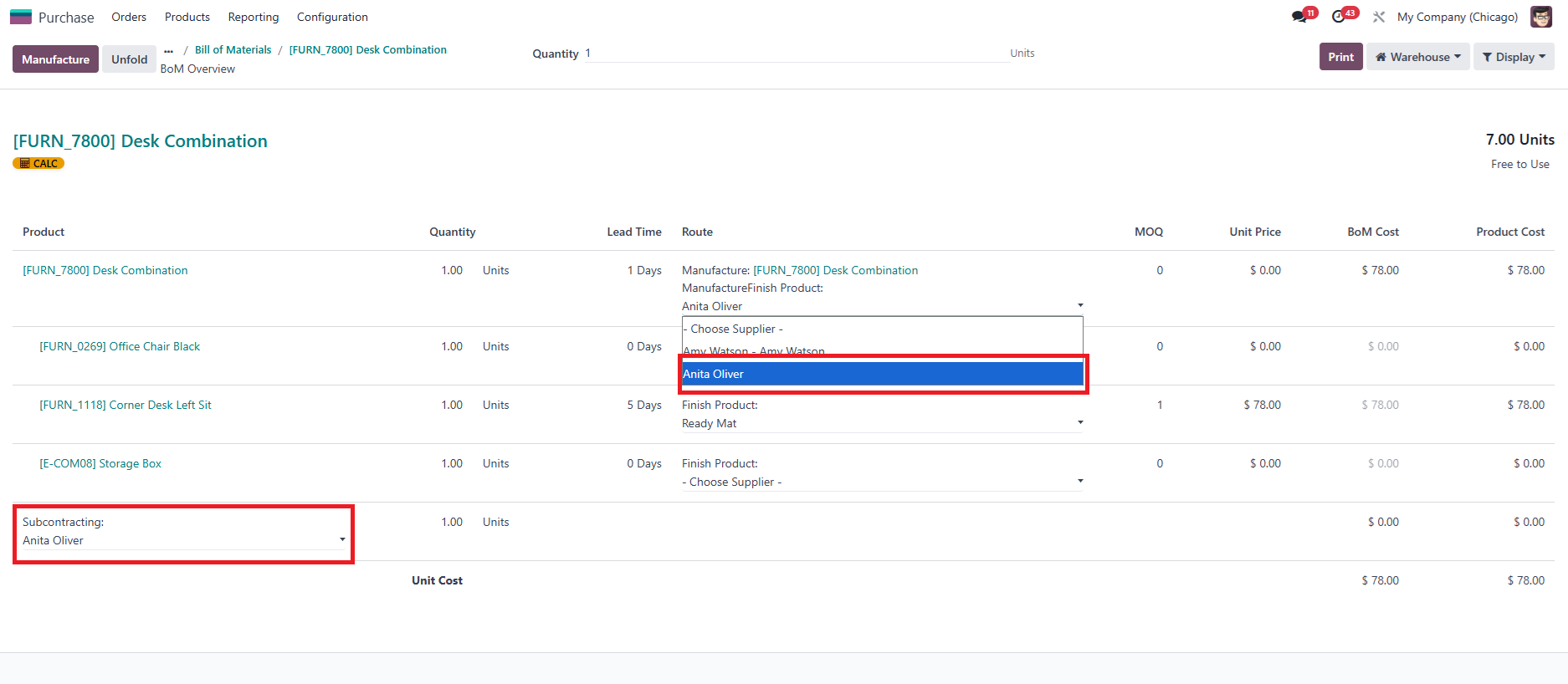
4. You can choose the Vendor for the Subcontracting product(s) | 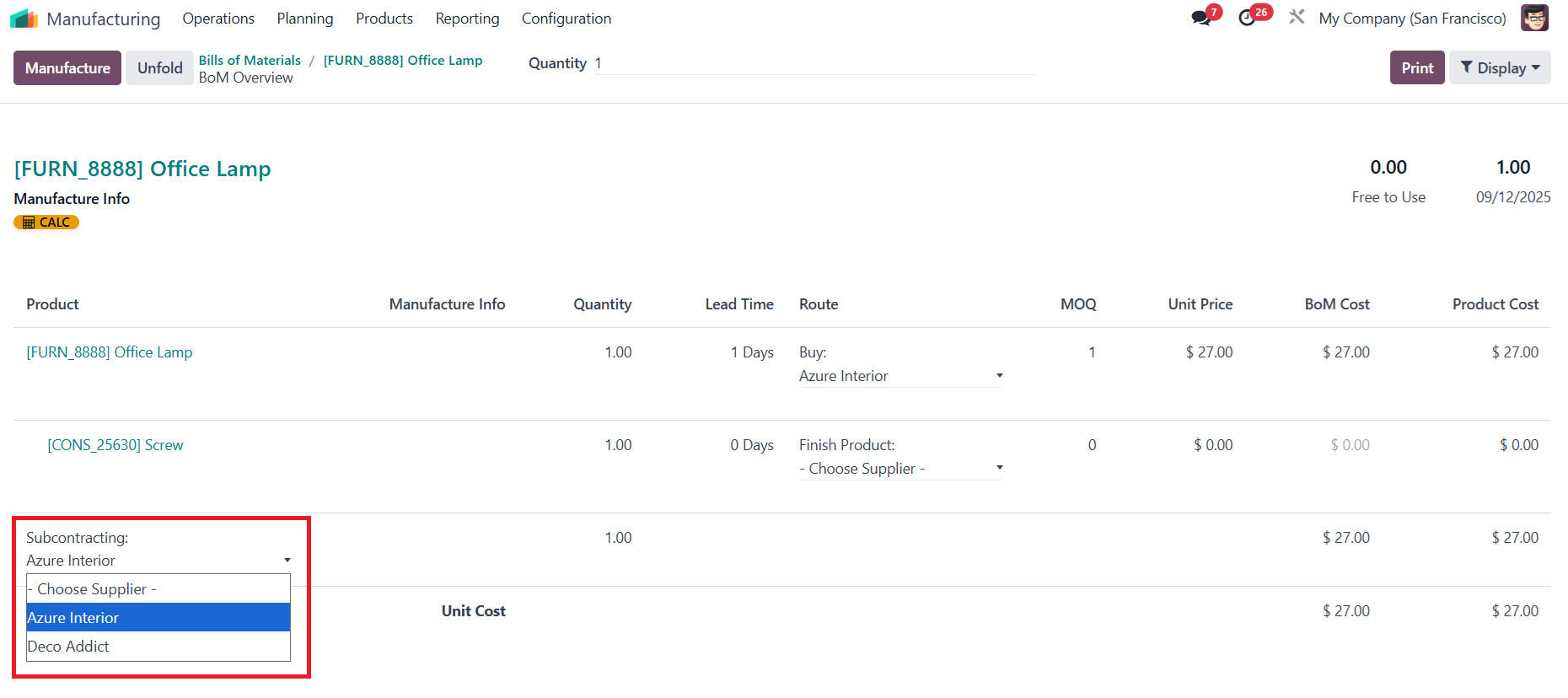 |
5.
Or you can select the vendor route, and the vendor will be automatically inherited in the subcontracting field (if the vendor is subcontracted) |
|