


ODOO'S FUNCTION
Odoo's Master Production Schedule (MPS) only shows actual data starting from the current month onwards. However, in real-world scenarios, planners need a more complete view, including actual quantities from previous months, to assess stock status accurately and plan properly. In addition, determining when to release an order (based on lead time) is crucial for optimizing the supply chain.
CLUEDOO'S FUNCTION
CLuedoo enhances Odoo feature by introducing:
1️⃣ Past Actual: Display previous months' actual transactions in the first visible month of MPS.
2️⃣ Forecasted Order Release
Add a new line called Forecasted Order Release, calculated from Suggested Replenishment, considering the Lead Time.
Let users know when to release the order, not just when the goods are needed.
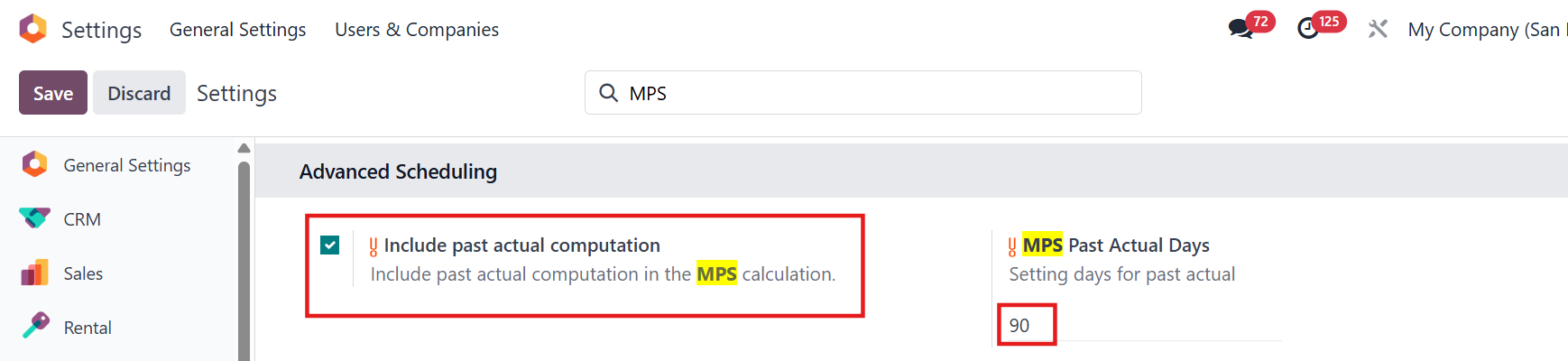
1. Go to Settings > Enable "Include past actual computation" checkbox" and setting days for past actual
|  |
2. Go to Manufacturing > Planning > Master Production Schedule > You can see that both +Actual and -Actual MOL are inclued past actual in the MPS calculation. For example, MPS starts in June. I have in my system a receipt planned for May of qty 50. ODS => on June, nothing planned so actual = 0. Cluedoo => give the visibility on the MPS that we have 0 for June but 50 in May (of RFQ - Receipts - MO - ...). | |
STORY BEHIND THE FEATURES
ODOO'S FUNCTIONS
Odoo's Master Production Schedule (MPS) only shows actual data starting from the current month onwards. However, in real-world scenarios, planners need a more complete view, including actual quantities from previous months, to assess stock status accurately and plan properly.
In addition, determining when to release an order (based on lead time) is crucial for optimizing the supply chain.
CLUEDOO'S FUNCTIONS
The fal_mps_forecast_demand and fal_mps_past_actual module introduces two key features:
1. Past Actual
Displays previous months' actual transactions in the first visible month of MPS.
2. Forecasted Order Release
Adds a new line called Forecasted Order Release, calculated from Suggested Replenishment, considering the Lead Time.
It helps users know when to release the order, not just when the goods are needed.
BUSINESS CASE
A planner wants to prepare production or purchasing plans.
Odoo MPS only shows data from the current month, causing under/over planning.
No insight on when to trigger orders, which may lead to late or early stock arrivals.
HOW TO USE THIS MODULE
fal_mps_past_actual 1. Past Actual Detail about module on actual replenishment of the first month of the MPS, take this month + the past and not only this month. Example: MPS starts in June. I have in my system a receipt planned for May of qty 50. ODS => on June, nothing planned so actual = 0. Cluedoo => give the visibility on the MPS that we have 0 for June but 50 in May (of RFQ - Receipts - MO - ...). 1.1 Go to MPS > Click on the number in "Actual / Suggested Replenishment" line > Create RFQ/Receipt/MO | 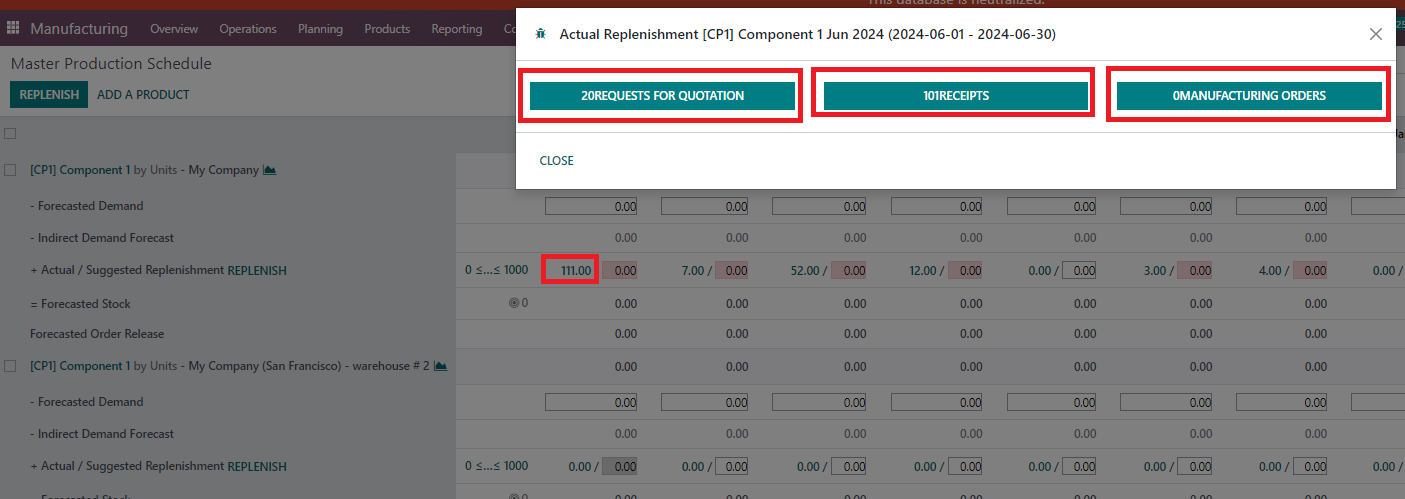 |
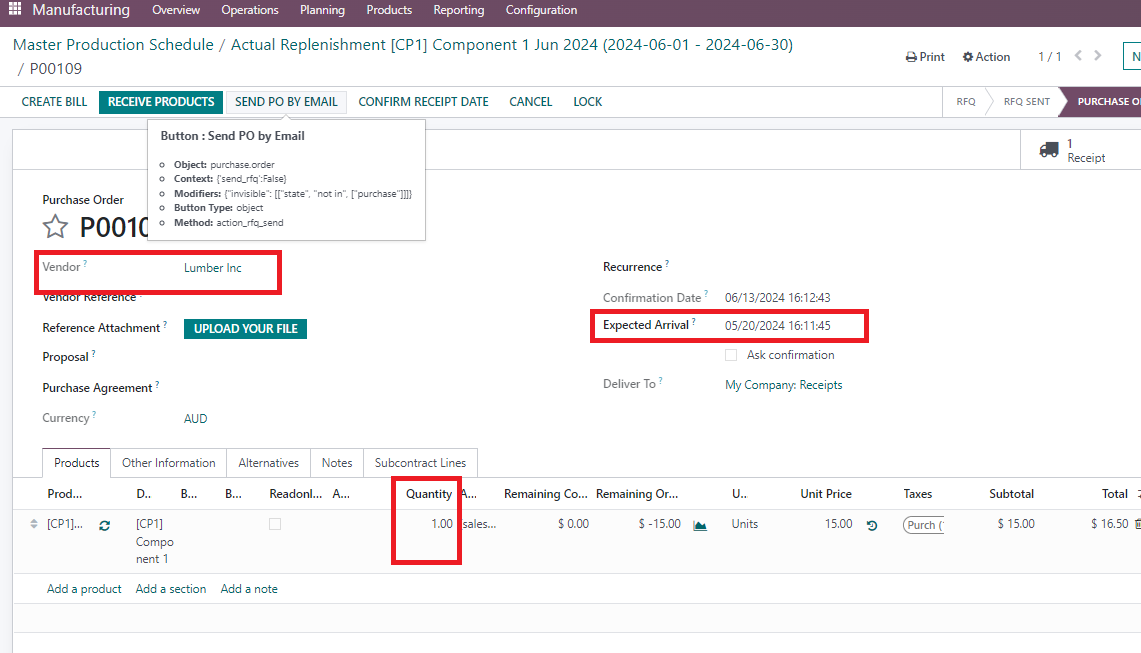
1.2 Create new RFQ > Fill Vendor (set in Purchase tab of Product) > Set qty and Order Deadline/Expected Arrival > Confirm For ex: I set 1 qty, vendor: Lumber Inc and expected arrival is 20/05 |
|
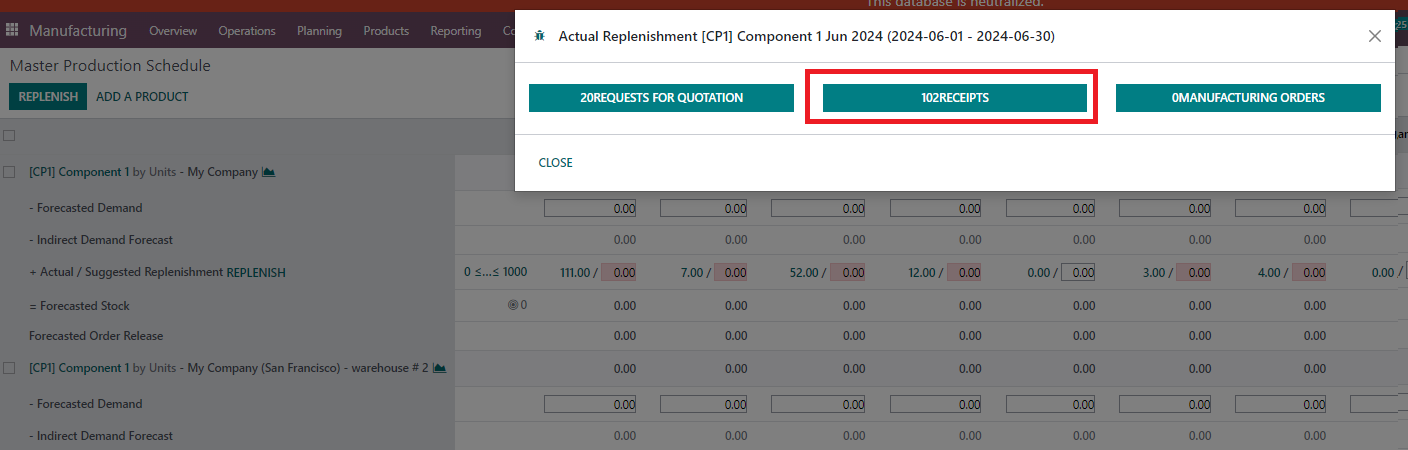
1.3 Go back to MPS > you can check that the receipts increase from 101 to 102 |
|
Note: if the product is added with Indirect Demand Forecast (component), Odoo standard will not show exactly stock picking in Actual when you click on it. For the finished product, it will work. | 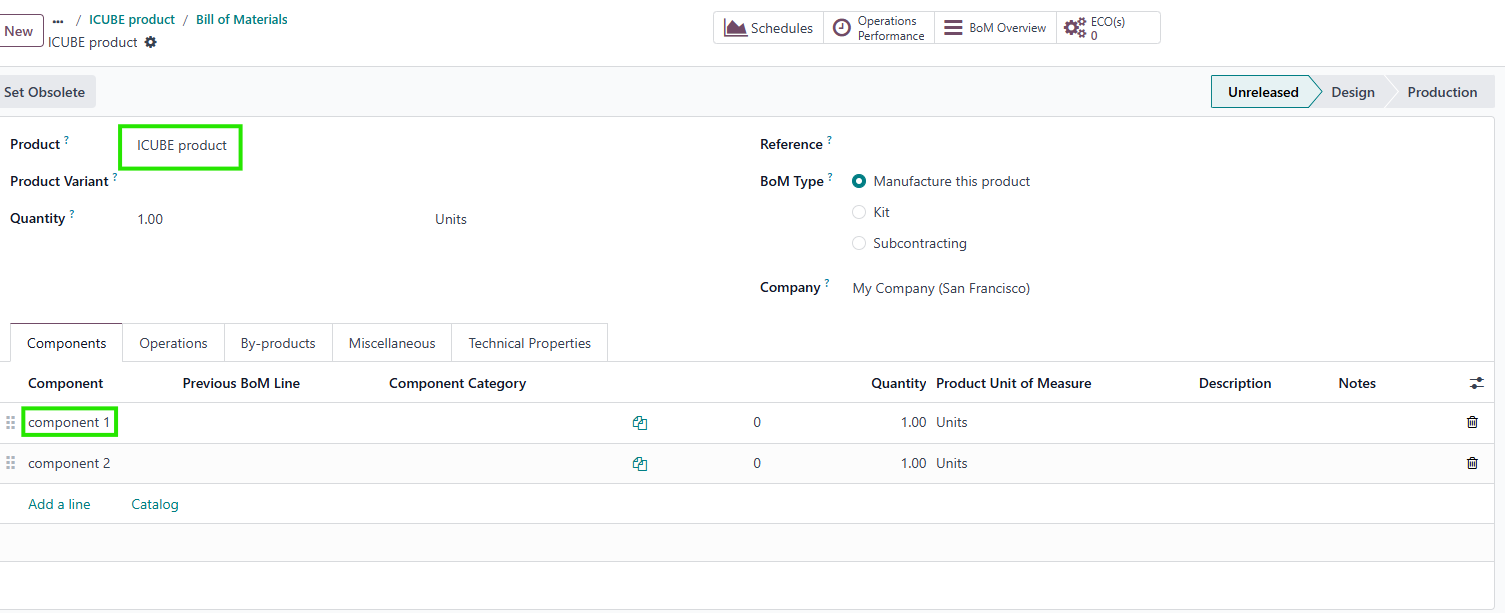 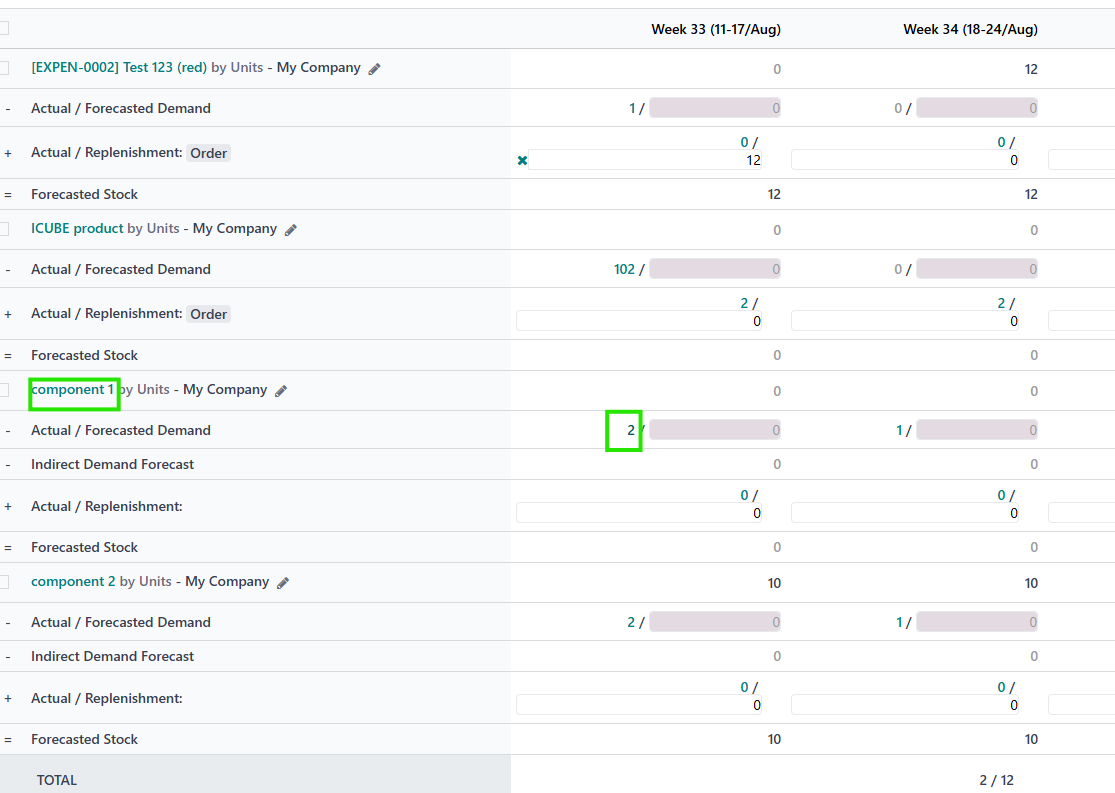   |