
ODOO'S FUNCTION
Odoo replenishment calculates forecast quantities based on multiple lead times such as supplier lead time, security lead time, and operation delays. This provides an advanced planning logic, but in many cases, incorrect lead time configurations can cause inaccurate replenishment estimations and missed future incoming/outgoing quantities.
CLUEDOO'S FUNCTION
CLuedoo adds an option to bypass leadtime in replenishment to ensure that the data in the system are taken into account without a complex leadtime management . When enabled, the system calculates the forecast quantity directly based on the on-hand, incoming, and outgoing quantities, making the replenishment process simpler and easier to manage.
Go to Inventory → Operations → Procurement → Replenishment In the Replenishment list view, a new column “Bypass Leadtime” is added to determine whether the Forecast Quantity should be calculated with or without lead times. | 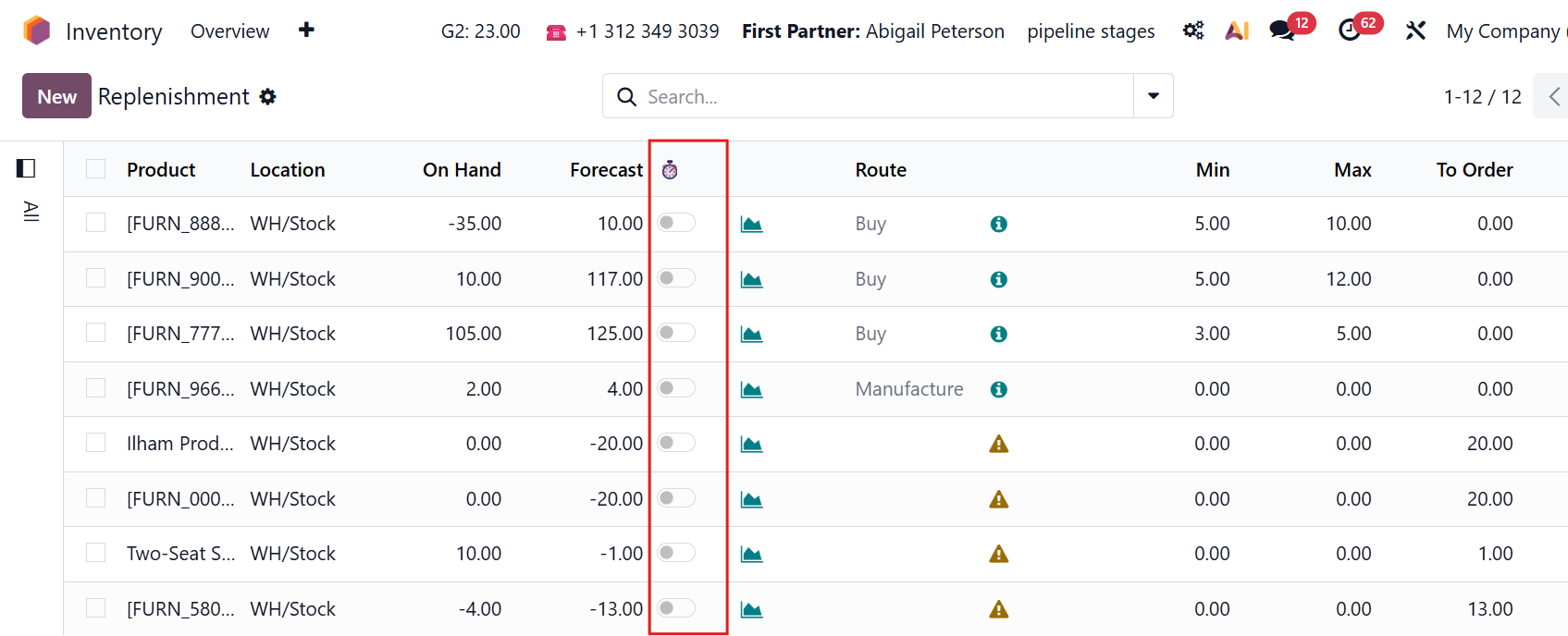 |
If “Bypass Leadtime” is enabled, the Forecast Quantity is calculated directly as: On Hand Quantity + Incoming Quantity - Outgoing Quantity. In this case, the value is the same as the Forecast Quantity displayed on the product page. Note that the bypass leadtime Forecast doesn't take into account the draft purchase quotation/draft manufacturing order. | 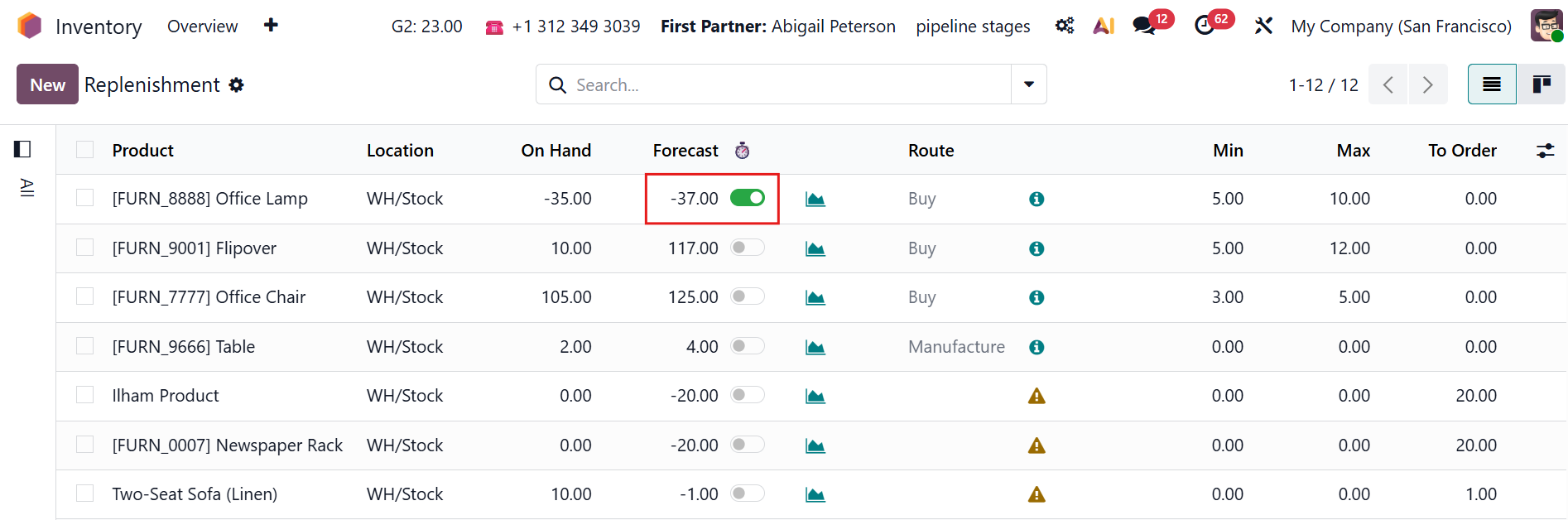 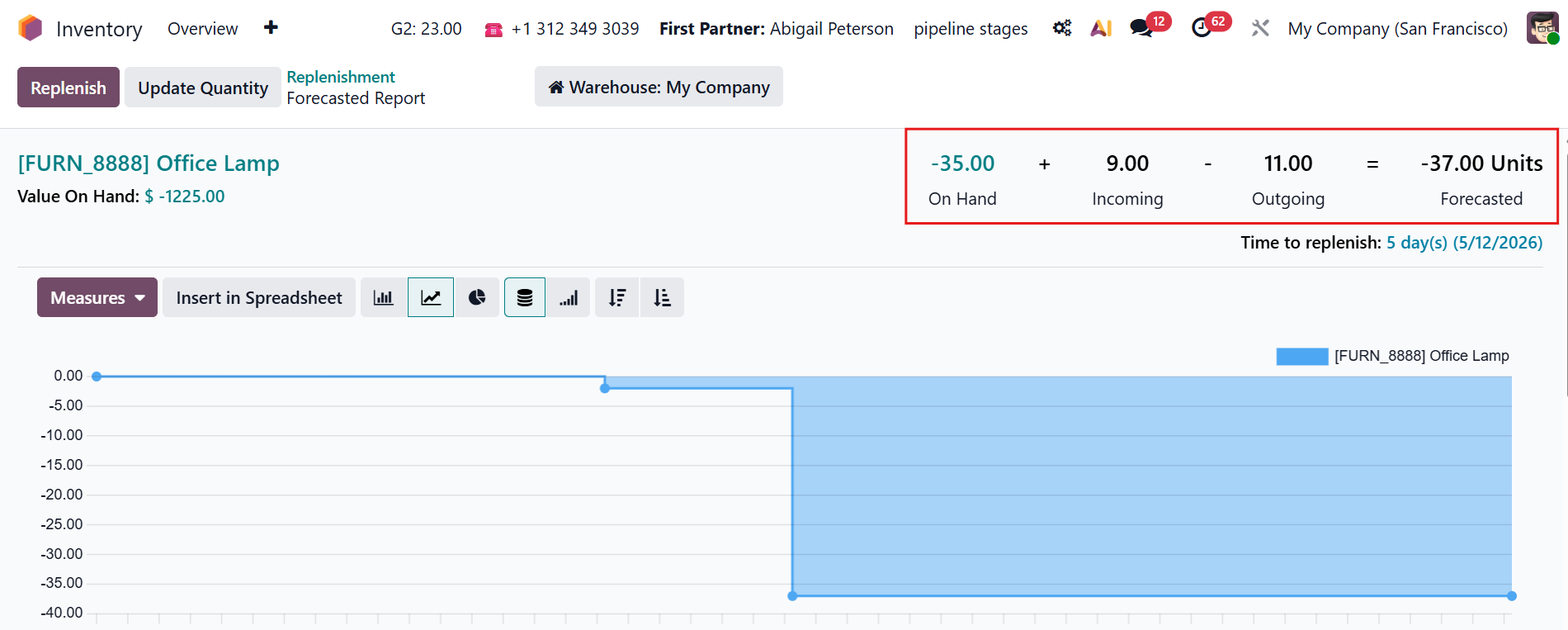 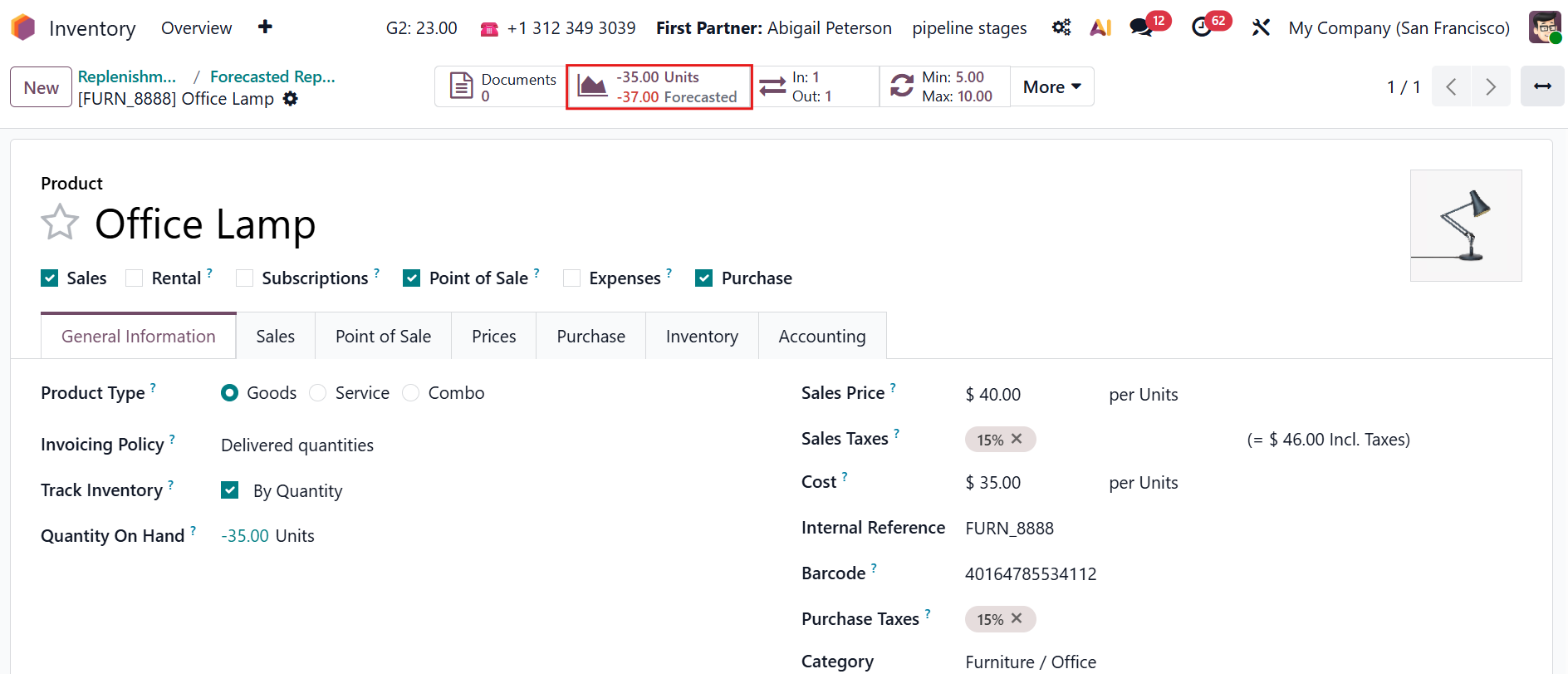 |
If “Bypass Leadtime” is disabled, the Forecast Quantity is calculated according to the standard Odoo behavior, which considers lead times. | 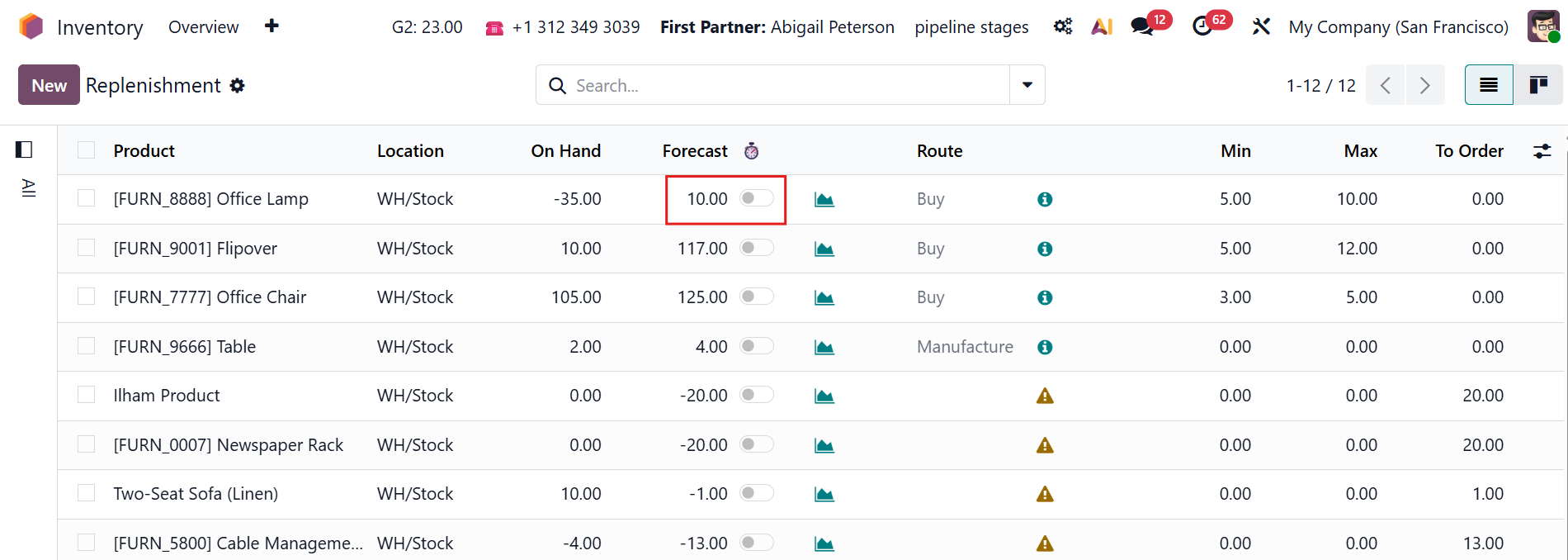 |