



ODOO'S FUNCTION
In Odoo, Stock Valuation Layers (SVL) and stock moves do not carry analytic information. As a result:
1️. Inventory valuation entries lack analytic breakdowns (no COGS by project or cost center).
2️. Analytics from sales/purchase/manufacturing flows do not propagate to SVL or accounting moves.
3. Reporting is limited to product/location/date; managers cannot easily analyze stock costs by analytic dimension.
4. Manual reclassifications or spreadsheets are often needed, creating traceability gaps and extra work.
CLUEDOO'S FUNCTION
CLuedoo adds analytic distribution directly to SVL and stock moves.
1. Go to Inventory → Reporting → Valuation → We can find the Analytic Distribution in the Stock Valuation Layer Note: this function has been removed since v19 because SVL no longer exists | 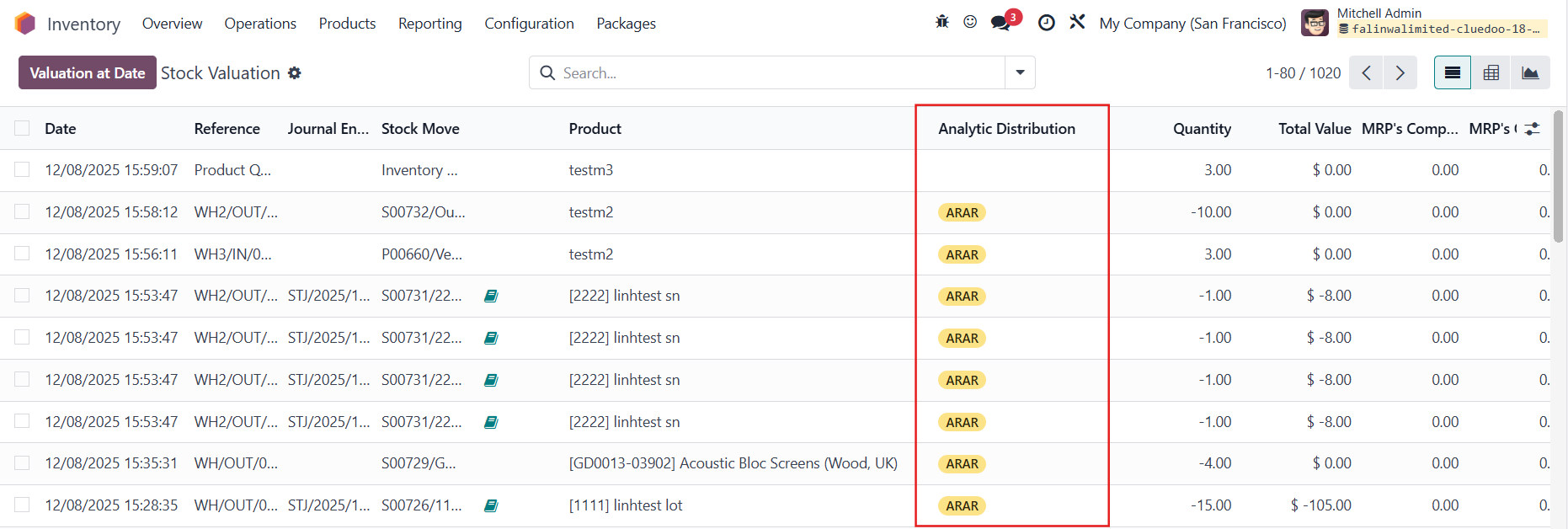 |
2. Go to Inventory → Reporting → Moves History → We can find the Analytic Distribution on the stock move |  |
Note: Since v19, we can also go to Inventory → Reporting → Stock → click on the Total Value number → the Analytic Distribution is inherited to the stock.move model | 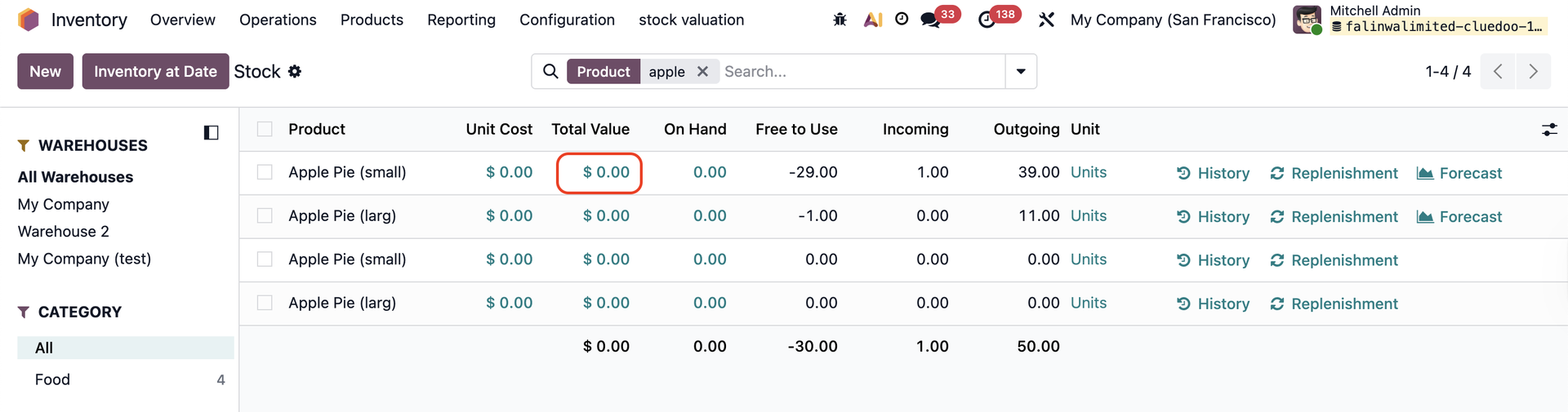 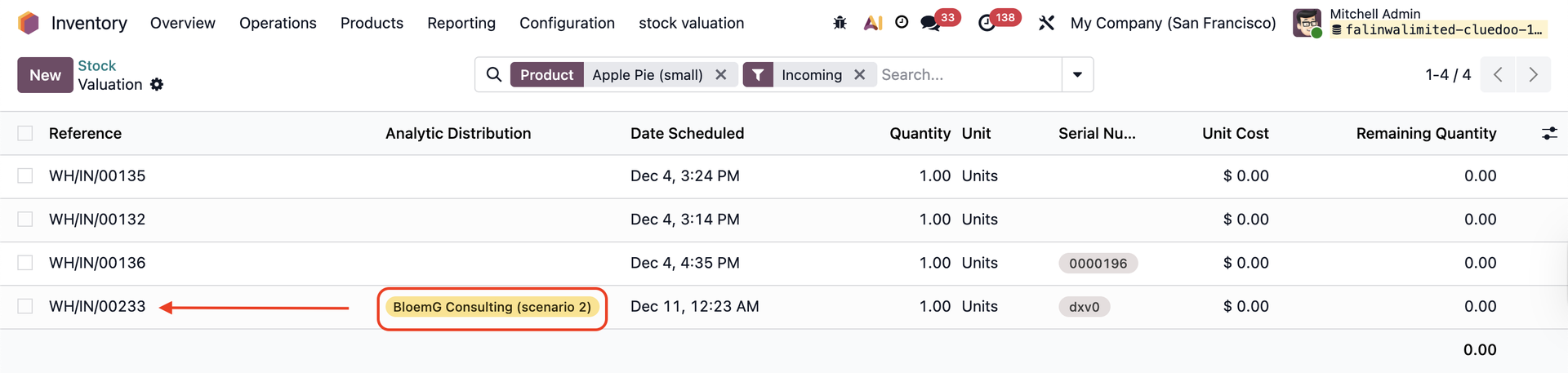 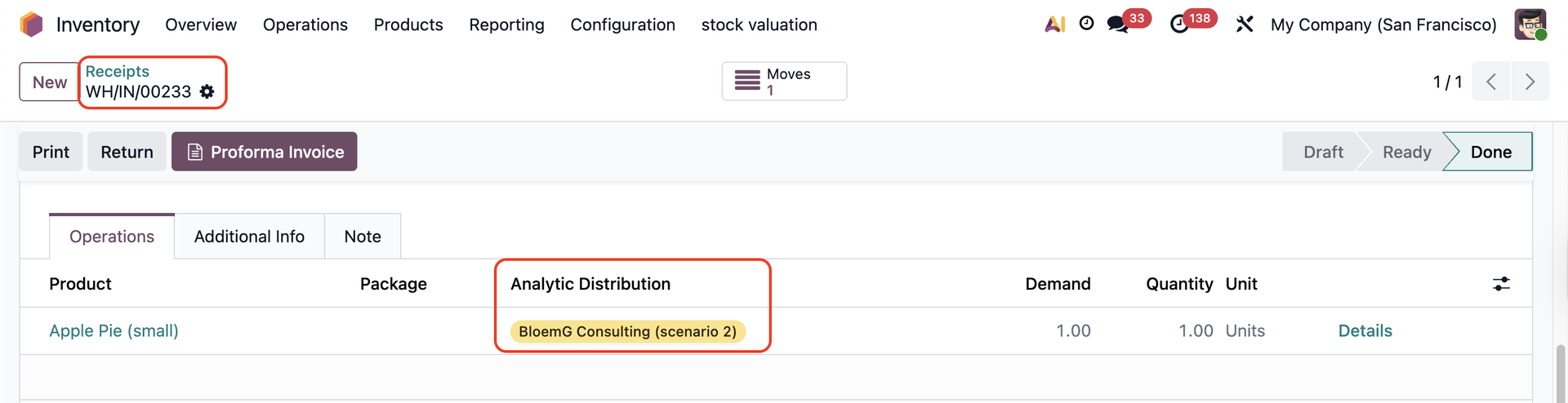 |