



ODOO'S FUNCTION
By default, Odoo’s HR module allows users to create working schedules for employees and manage time-off requests, but it does not support 0-hour schedules in the working calendar. This limitation makes it challenging to manage flexible or non-standard work schedules accurately.
CLUEDOO'S FUNCTION
This module enables the creation of 0-hour schedules in the working schedule, allowing users to define days with no working hours for flexible employee calendars and automatically calculates time-off duration based on the employee’s working schedule, counting days with 0-hour schedules but excluding public holidays.
1. Go to Employees > Configuration > Working Schedules
Note: For setup counted employee Time Off you need go to Time Off Module | 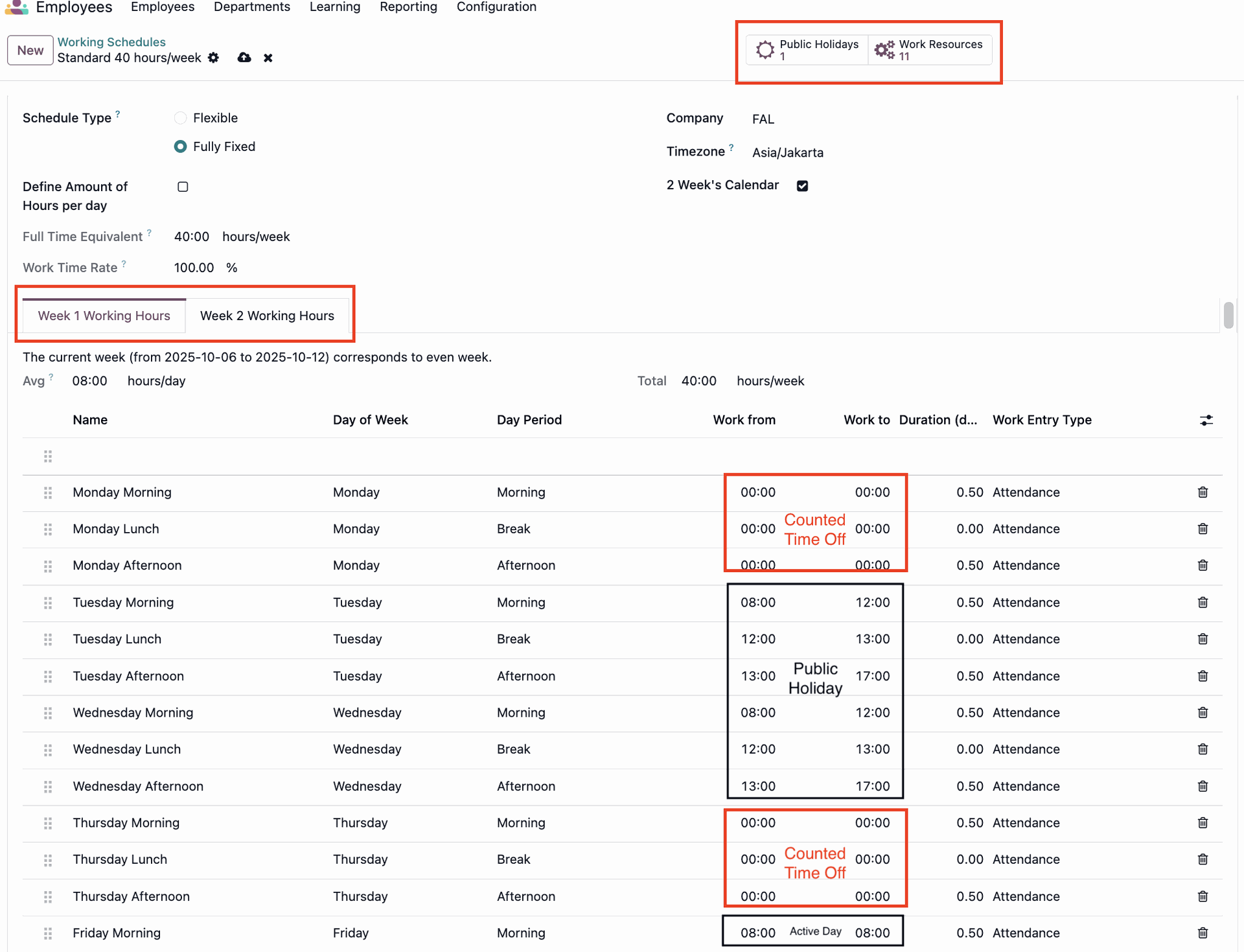 |
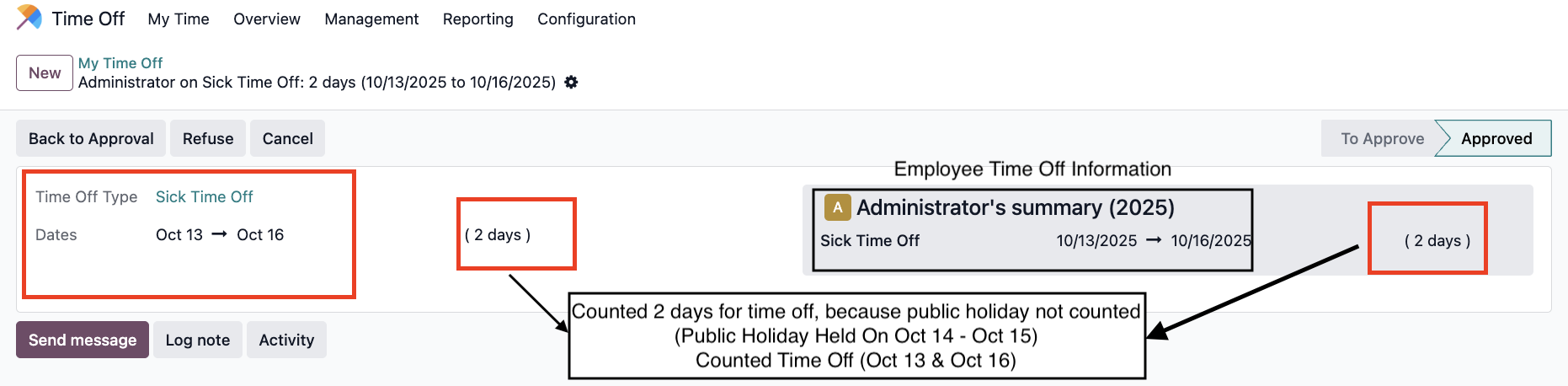
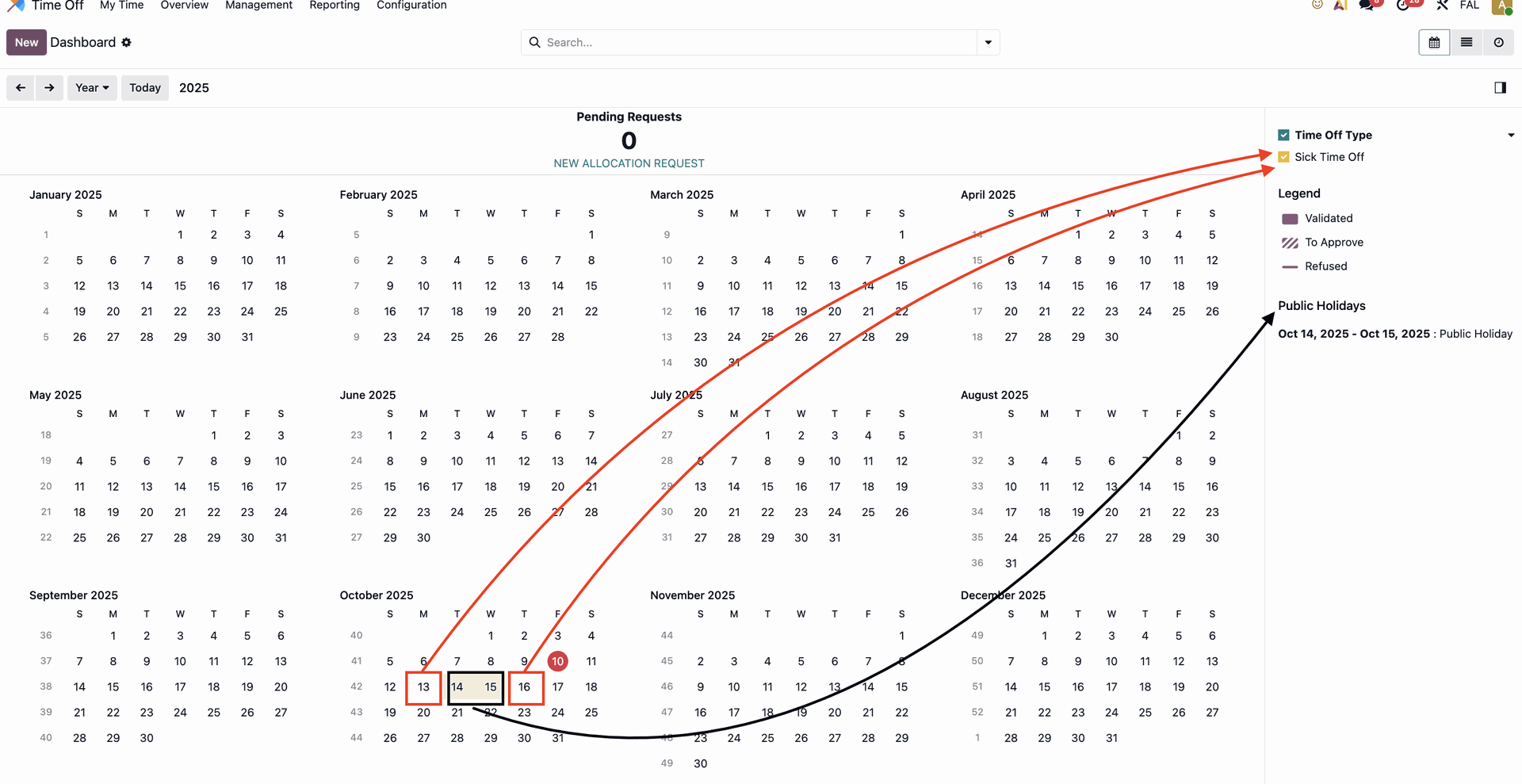
2. Create time off, and choose employee which has working schedule 0 hour. In this example Administrator takes Sick Time Off from 13 Oct until 16 Oct. The duration is 2 days. It counts the days which have 0 hour working schedule but doesn't count the public holiday Note:
|  / / |
3. Make sure Time Off configuration type is Ignore Public Holidays | 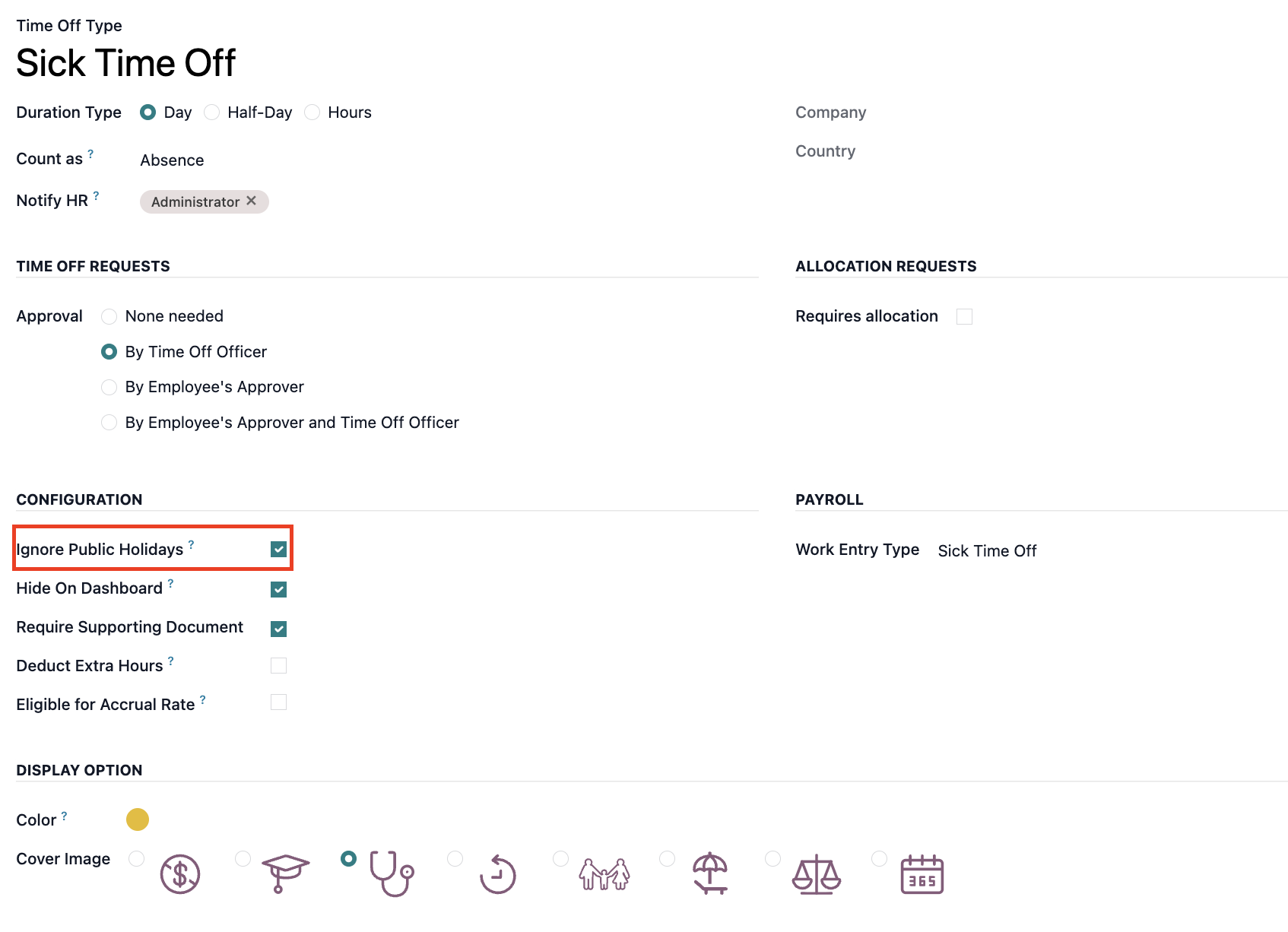 |