



ODOO'S FUNCTION
By default,
- Odoo v17 includes a Ticket Type feature shared across all Helpdesk Teams
- Odoo v18 removes the Ticket Type functionality
CLUEDOO'S FUNCTION
CLuedoo enhances this process by:
1️⃣ Introducing a dedicated setting to configure Ticket Types in the Helpdesk Team.
2️⃣ Enabling users to assign specific Ticket Types to individual Helpdesk Team
3️⃣Adding domain filtering to Ticket Types, ensuring only relevant types are displayed for each team’s tickets.
1. Go to Helpdesk > Configuration > Helpdesk Teams > Select the Helpdesk Team you want to configure |  |
2. Assign the appropriate Ticket Type(s) to that Helpdesk Team | 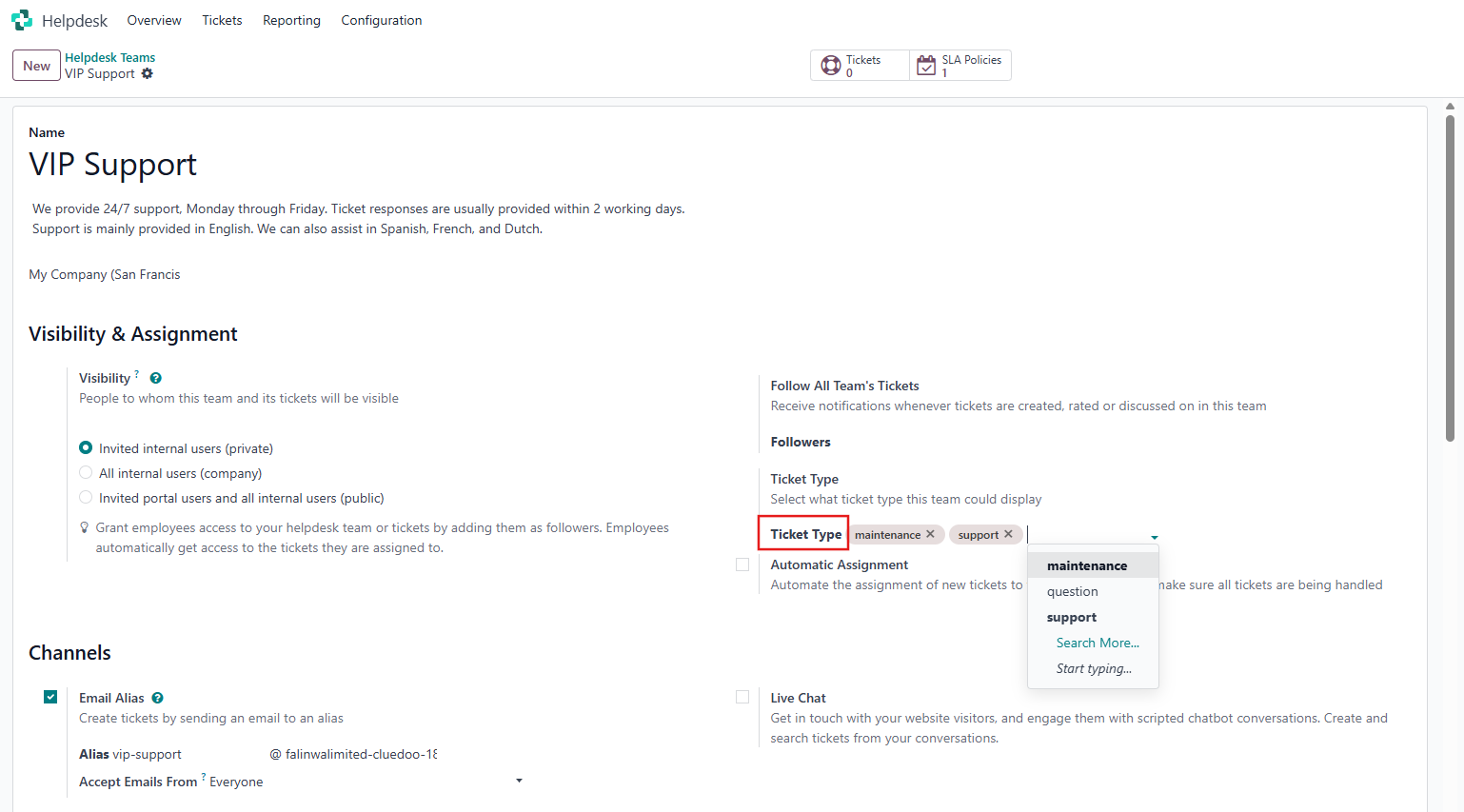 |
3. Create a ticket in the Helpdesk Team you've set > Only the Ticket Types configured for that team will be available for selection. | 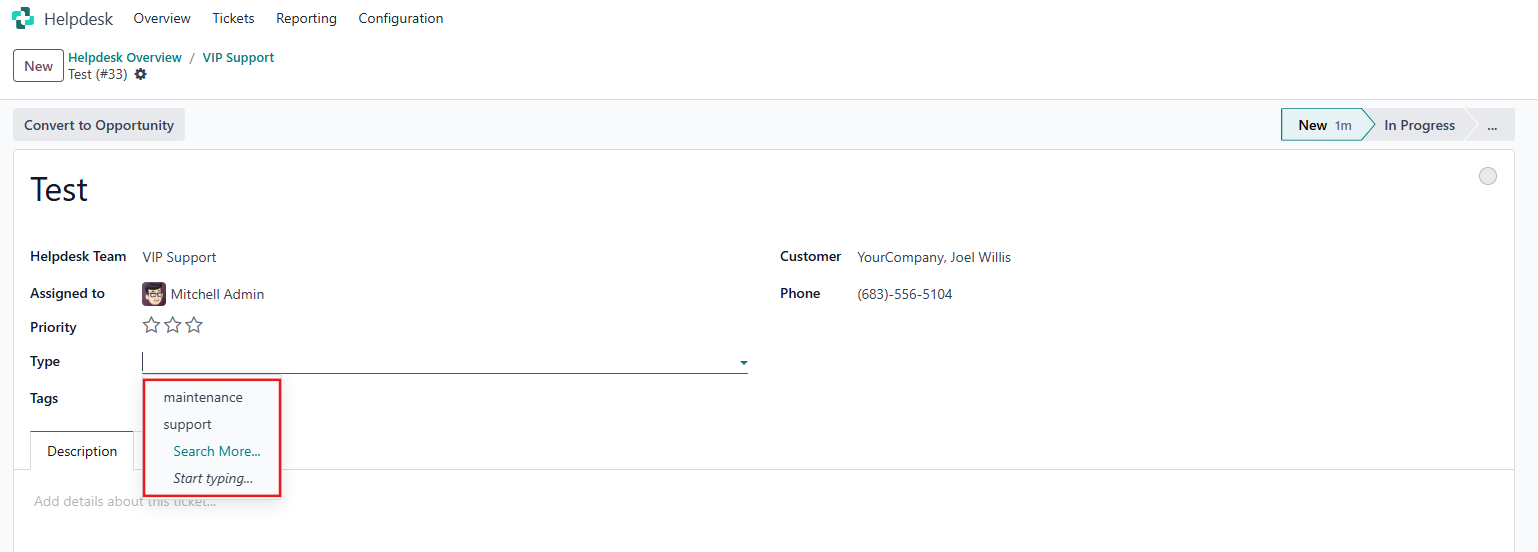 |
Note: In case the Ticket Type in Helpdesk Team setting is blank, all Ticket Types will be available for selection when creating a new ticket. | 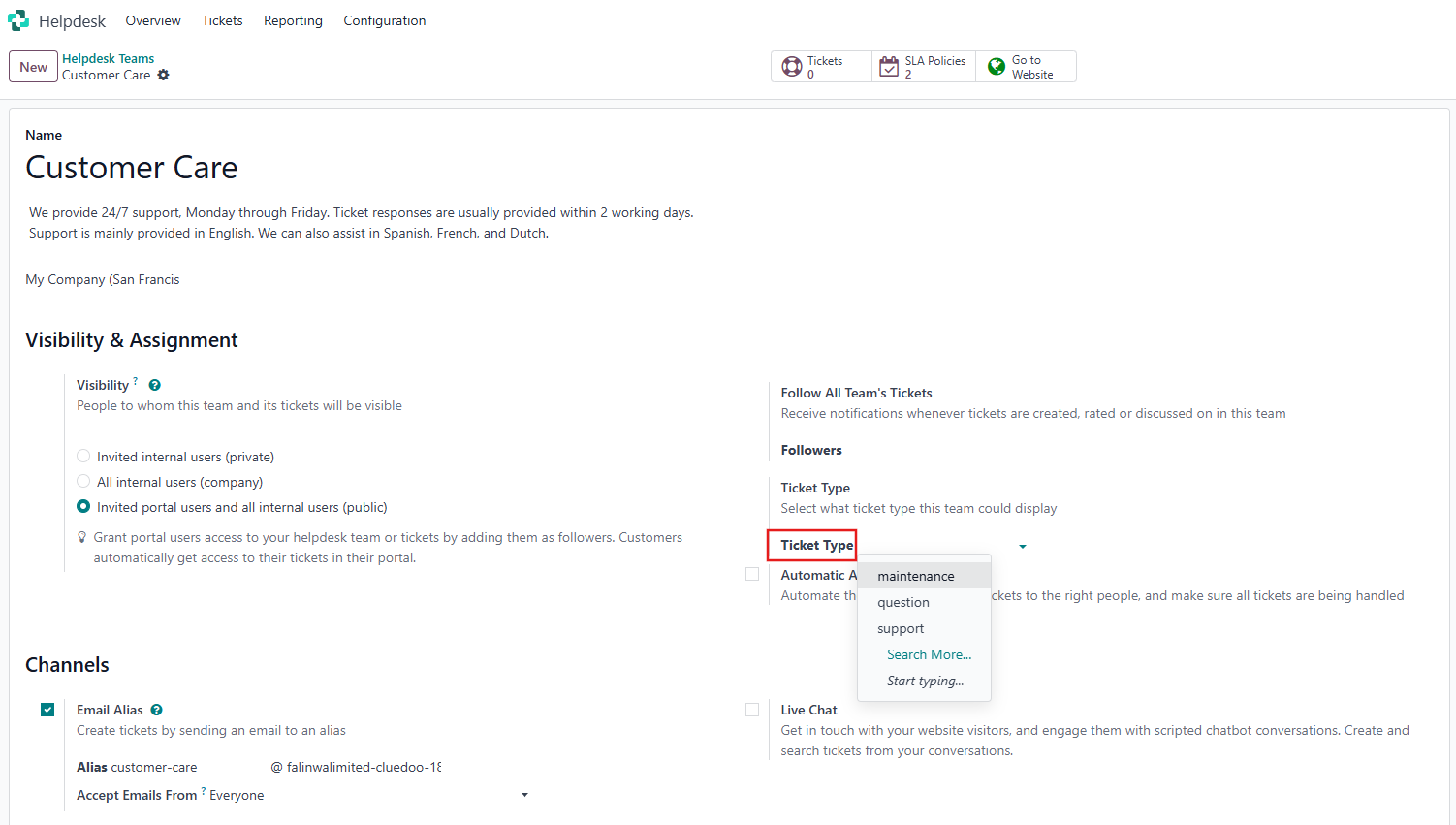 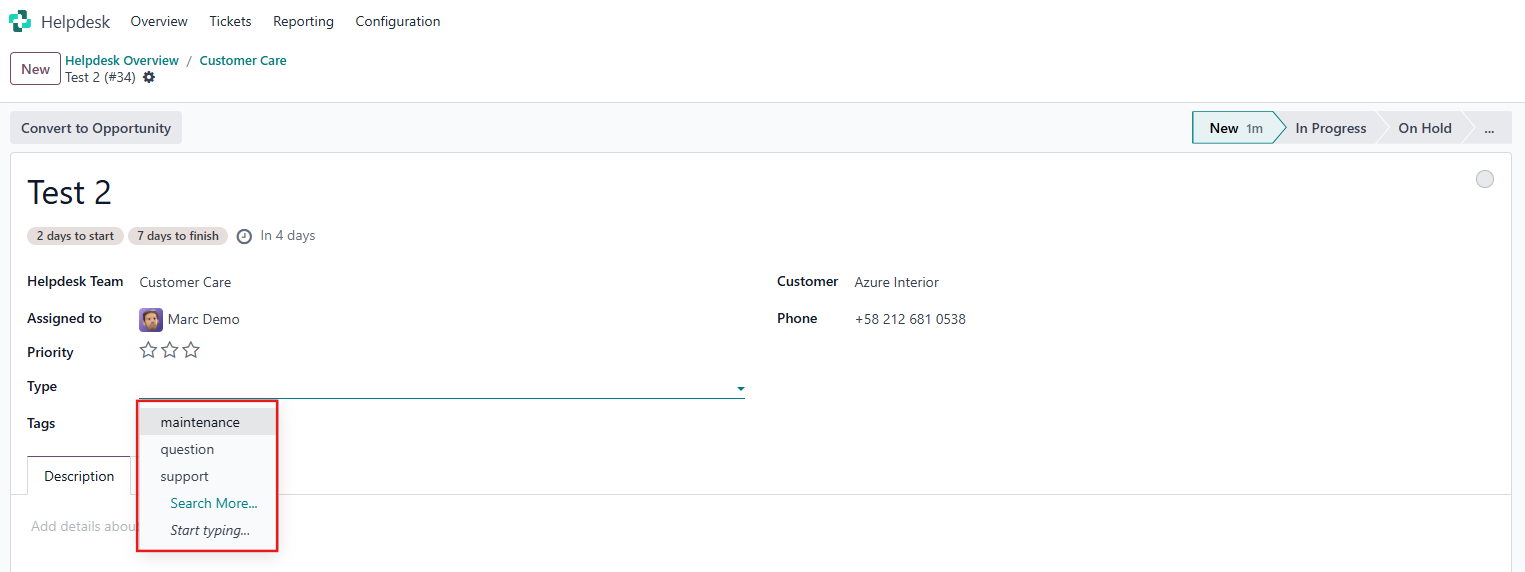 |