



ODOO'S FUNCTION
In Odoo, the sequence of helpdesk tickets is only based on the number sequence even though the helpdesk team is different
CLUEDOO'S FUNCTION
In Cluedoo, the sequence of helpdesk tickets are based on the number sequence by the helpdesk team created.
Users can customize sequence helpdesk tickets based on the helpdesk team created, and also can customize and prefix according to the business needs.
With Cluedoo, you can create customized sequences and propagate shows in ticket sequence, email, and portal.
1. Go to Helpdesk > Configuration > Helpdesk Team > Create a new Helpdesk Team. | 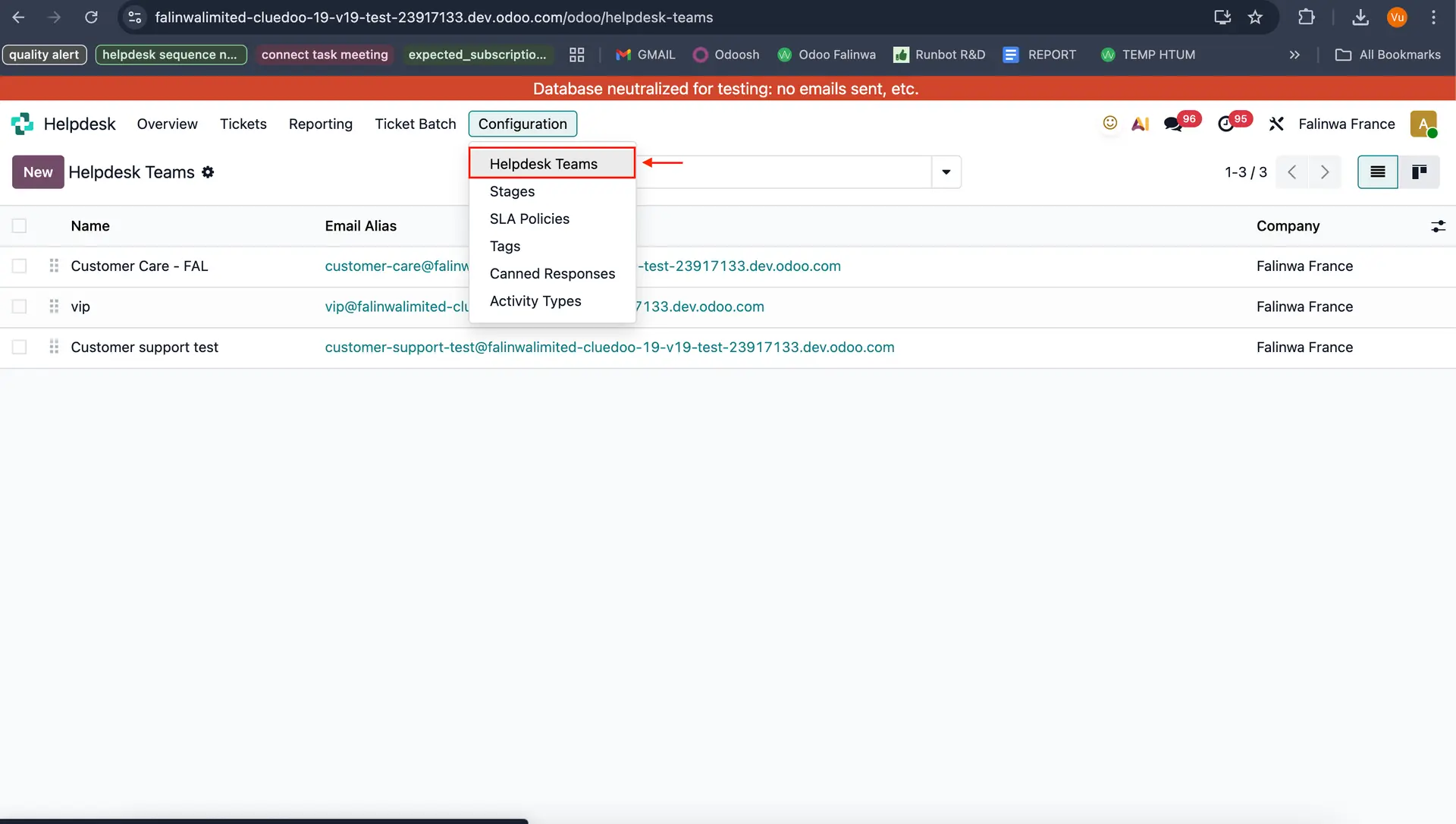 |
2. Fill in the helpdesk team name and save it, which will automatically generate a sequence | 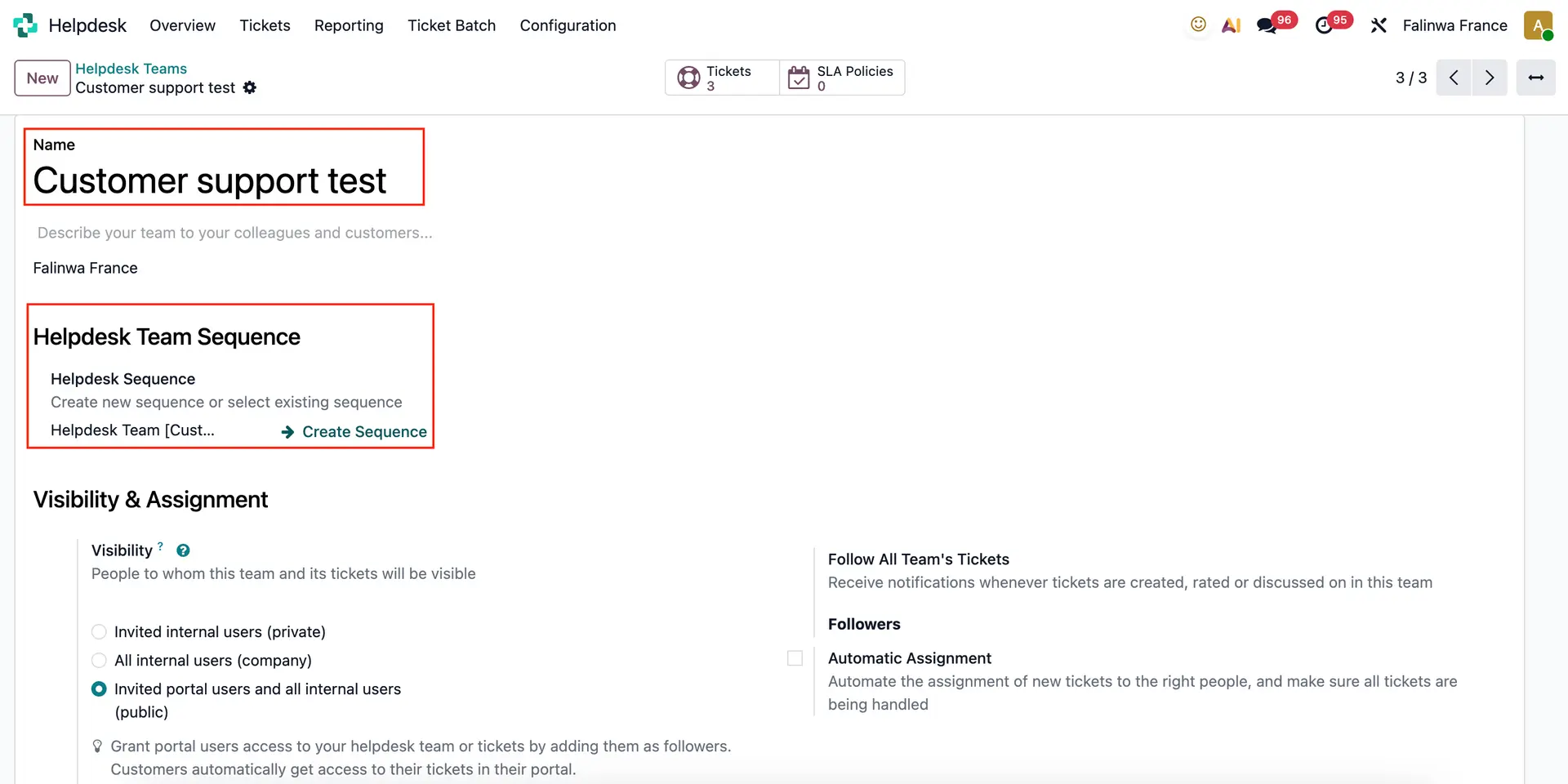 |
3. After the sequence is generated, it can be customized in the Sequence model according to the needs like prefix, suffix, step, and etc. | 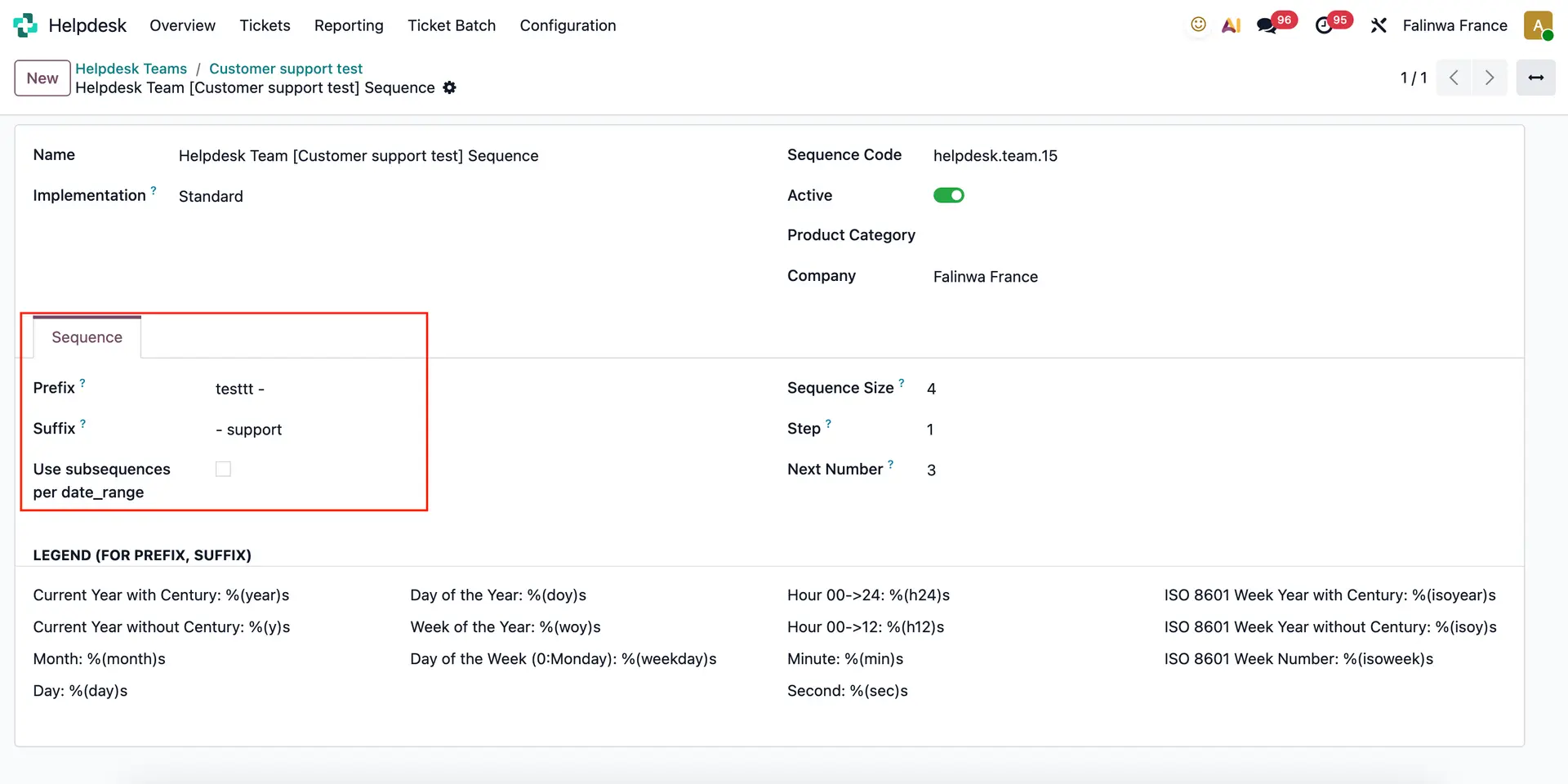 |
4. Go to All Tickets > Create a new ticket > Fill the name and choose helpdesk team. | 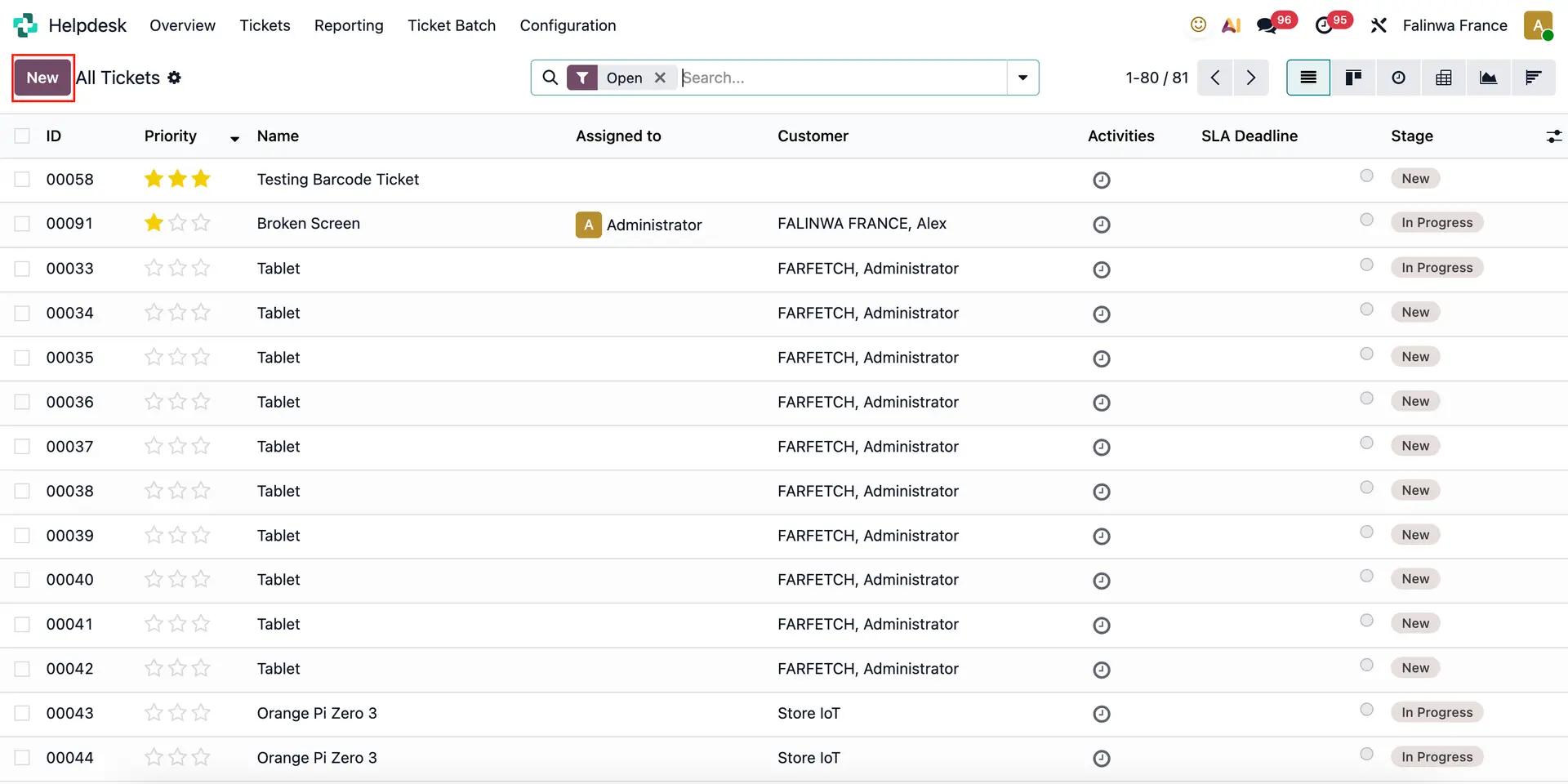 |
| The sequence will be generated automatically in the ticket, corresponding with customized business needs. | 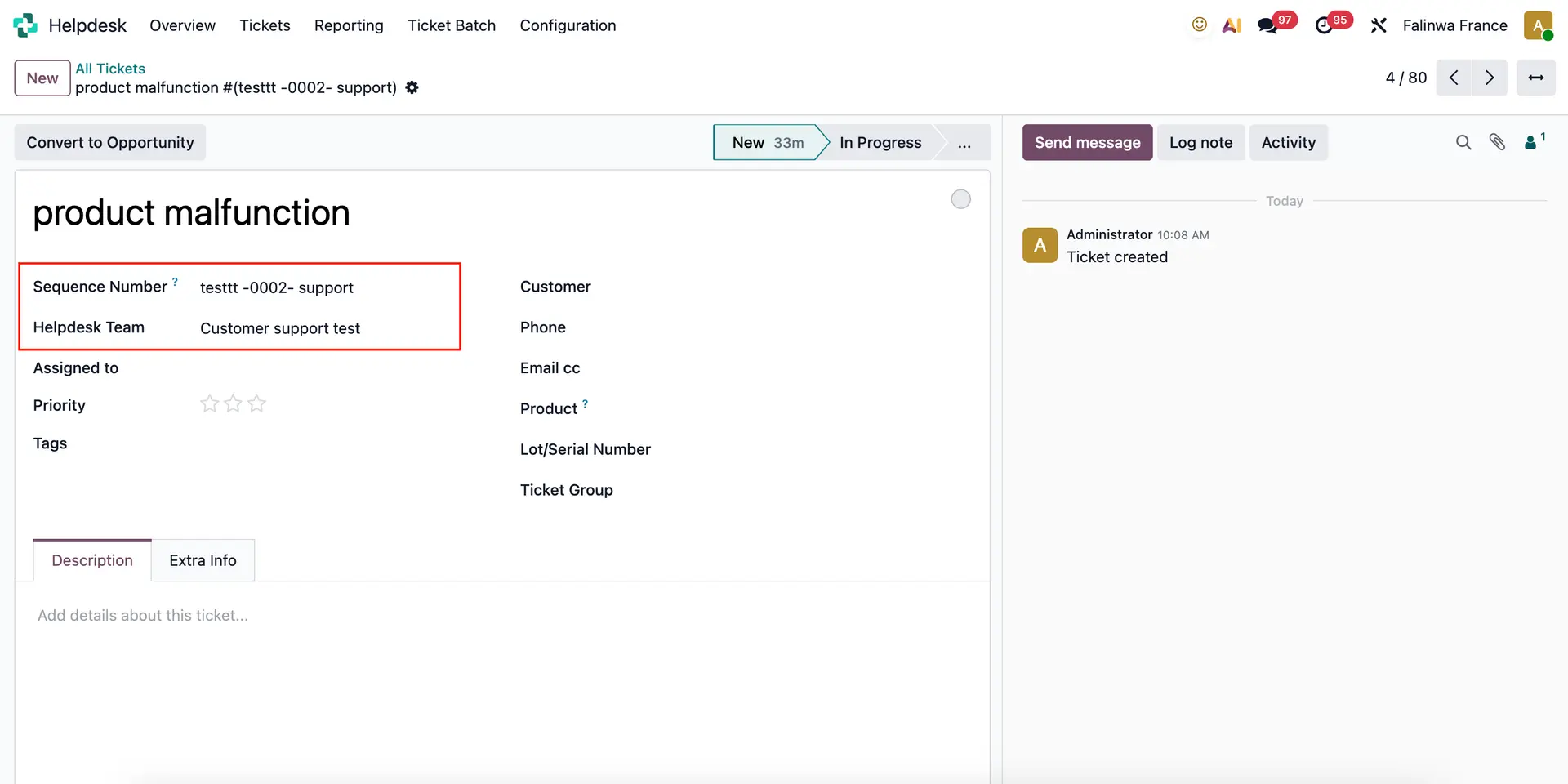 |
Create a Portal User Account: Access Settings > Users > Create a new user Note: Make sure all the fields are empty (Master Data, Sales, Website, Serivices,...) | 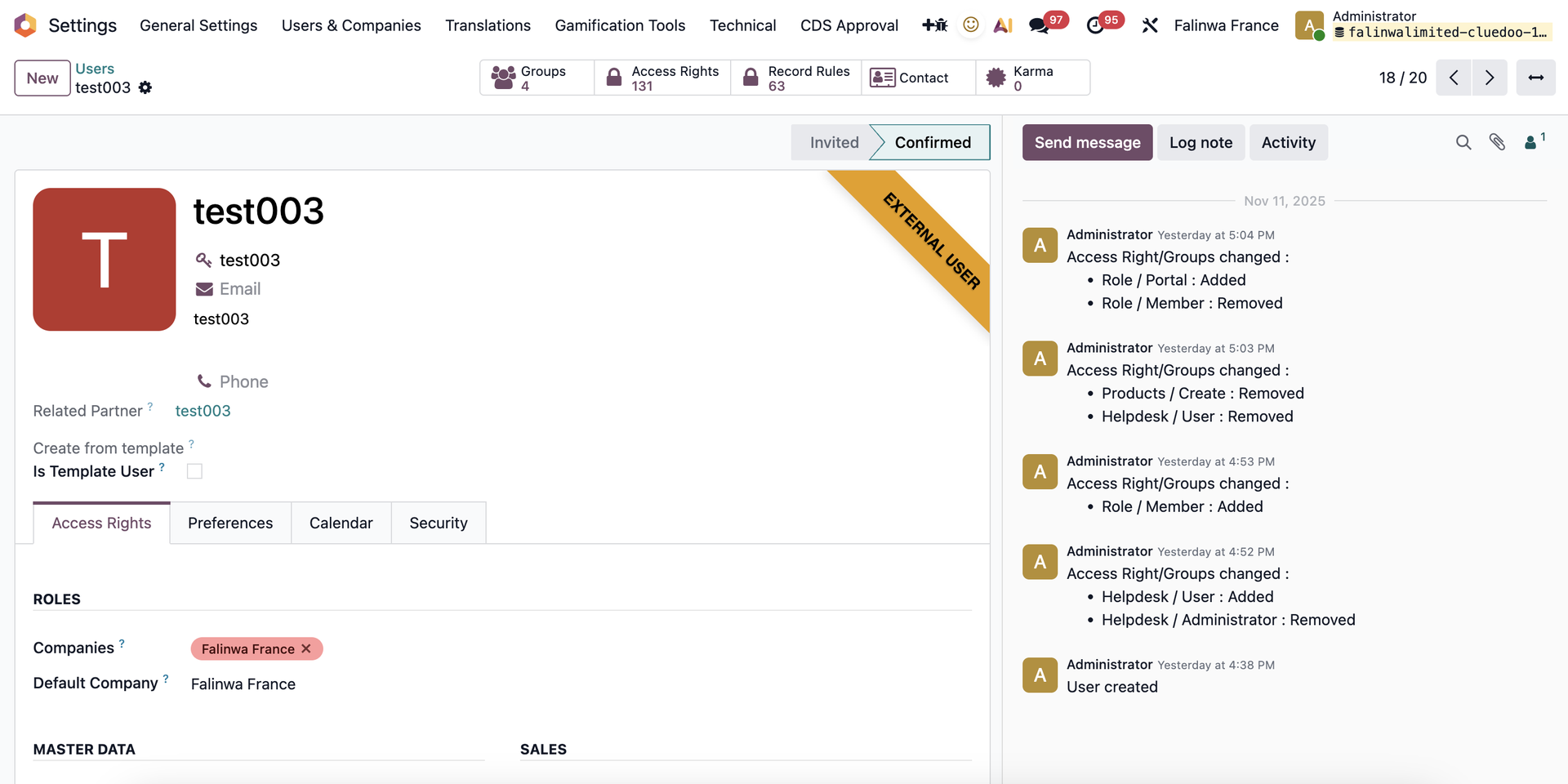 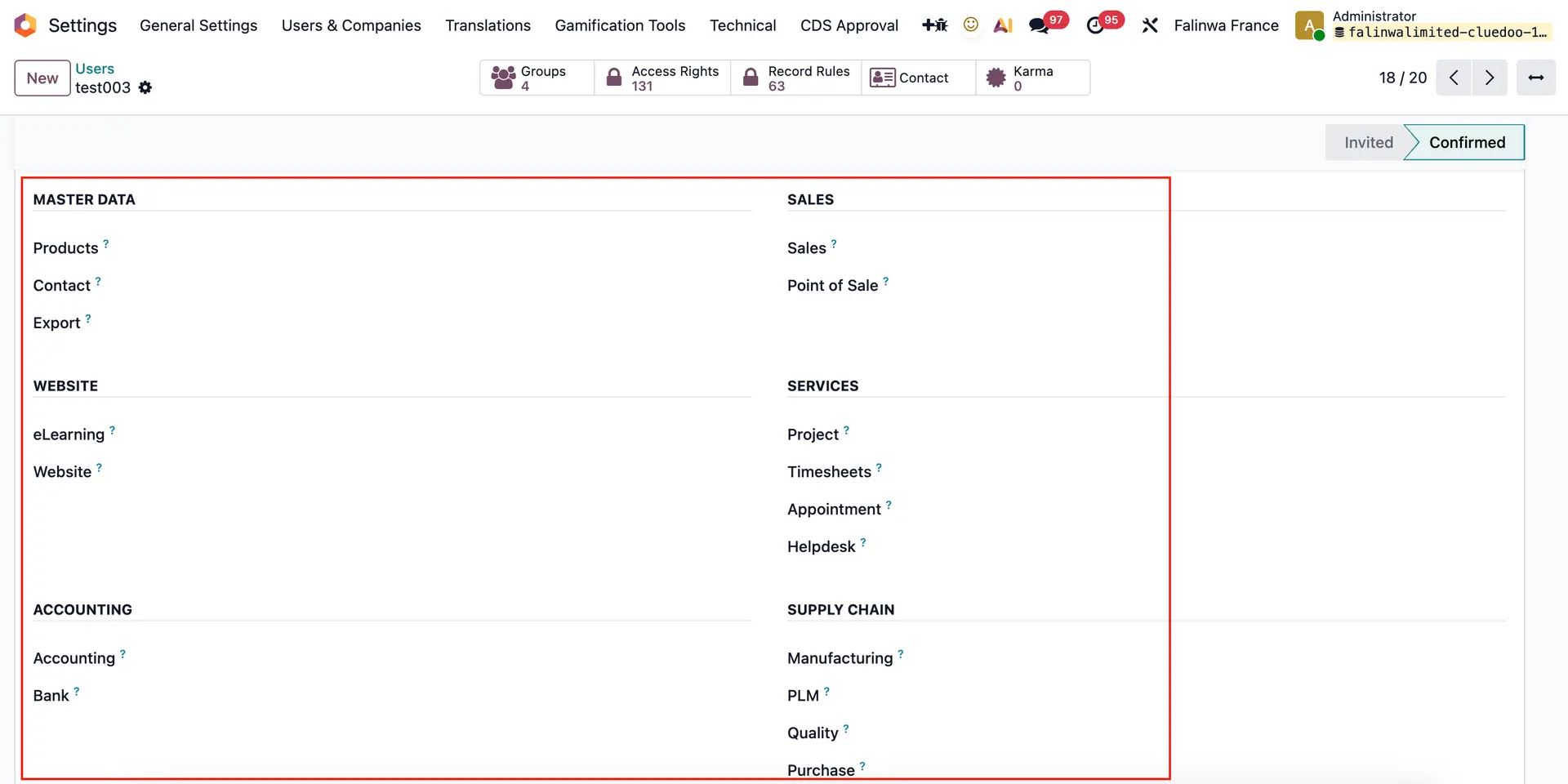 |
Check the "Role Portal" box and uncheck "Role Member" box | 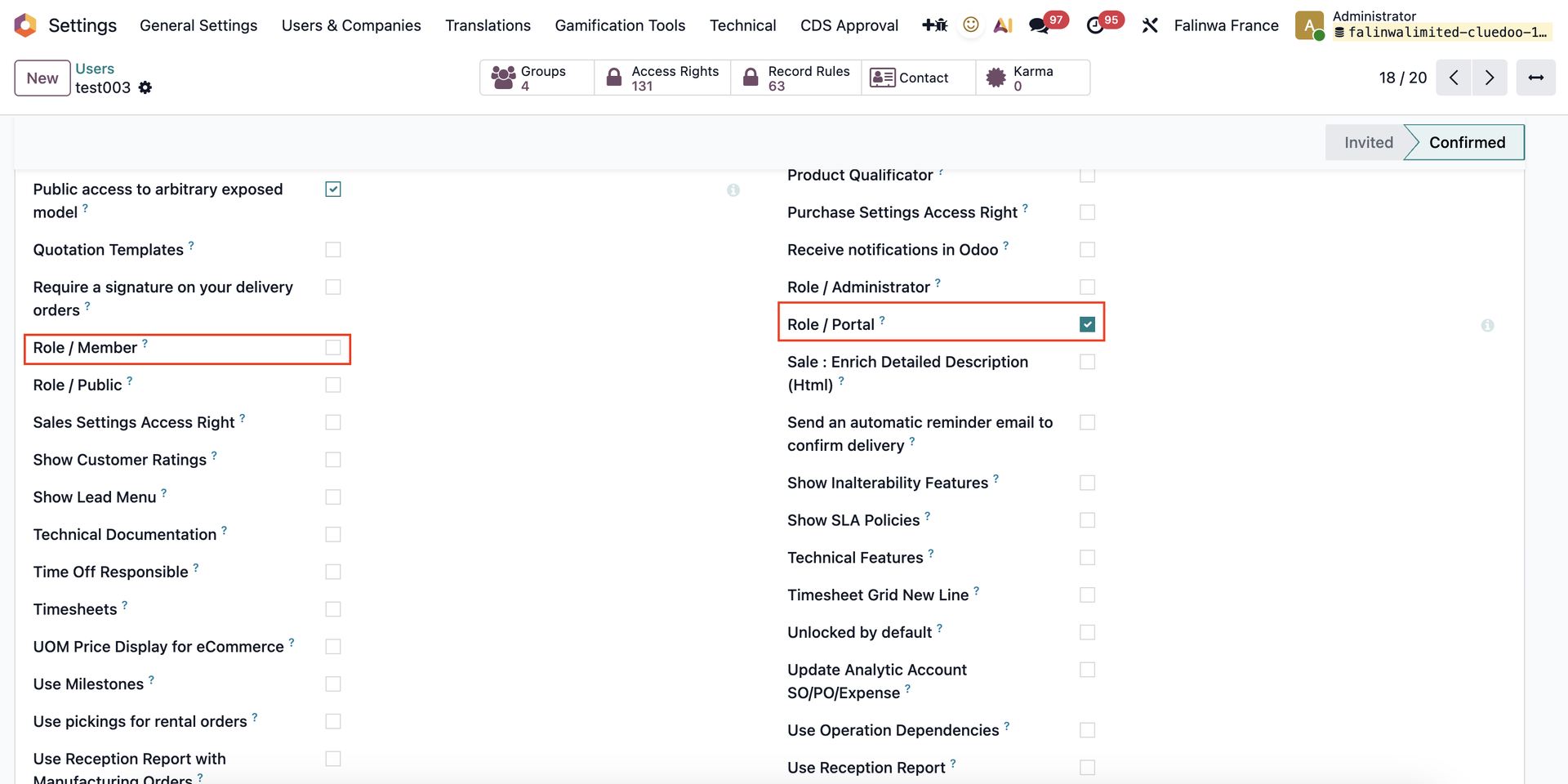 |
Log in to a Portal User Account > Submit a ticket. | 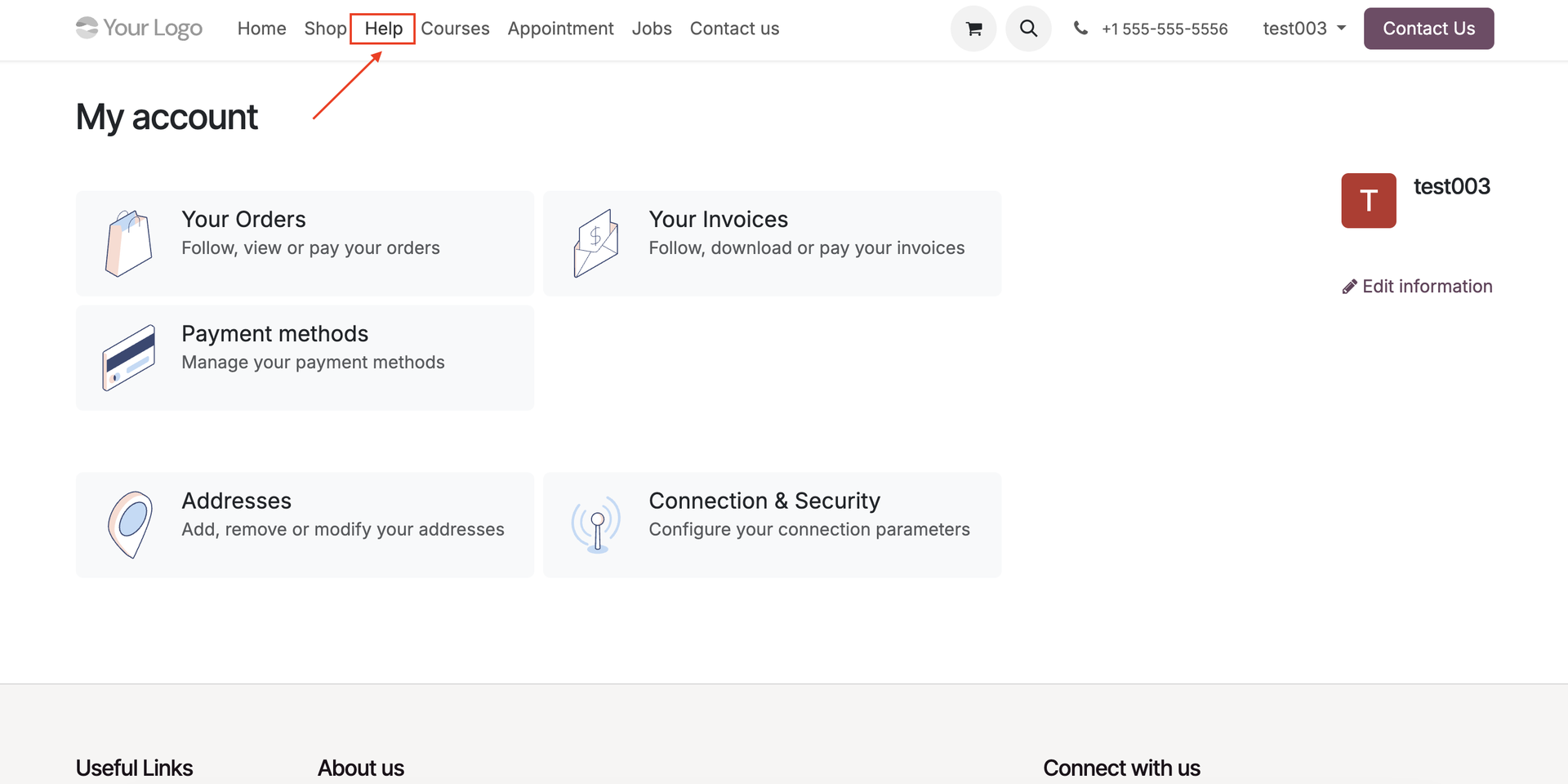 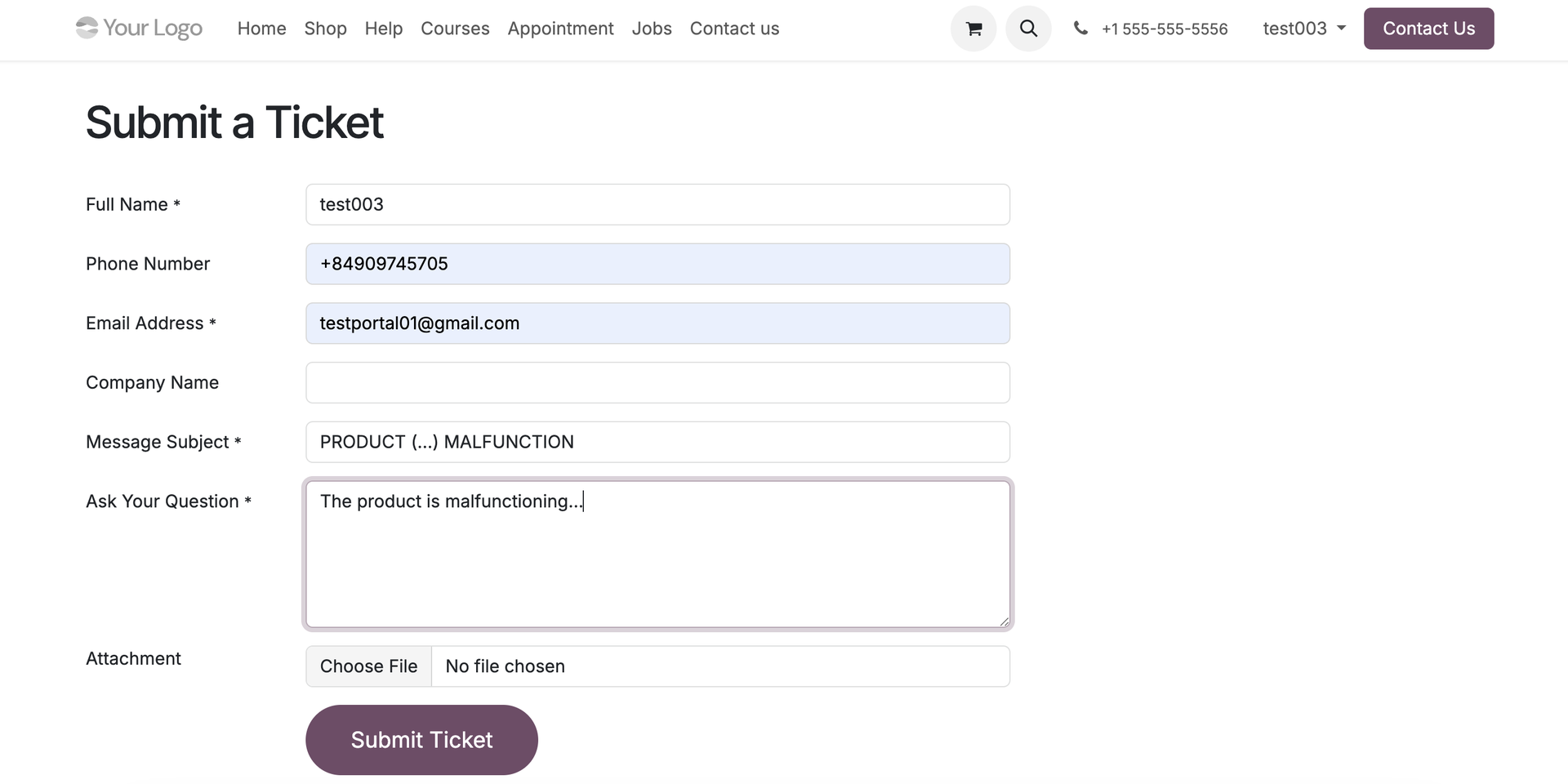 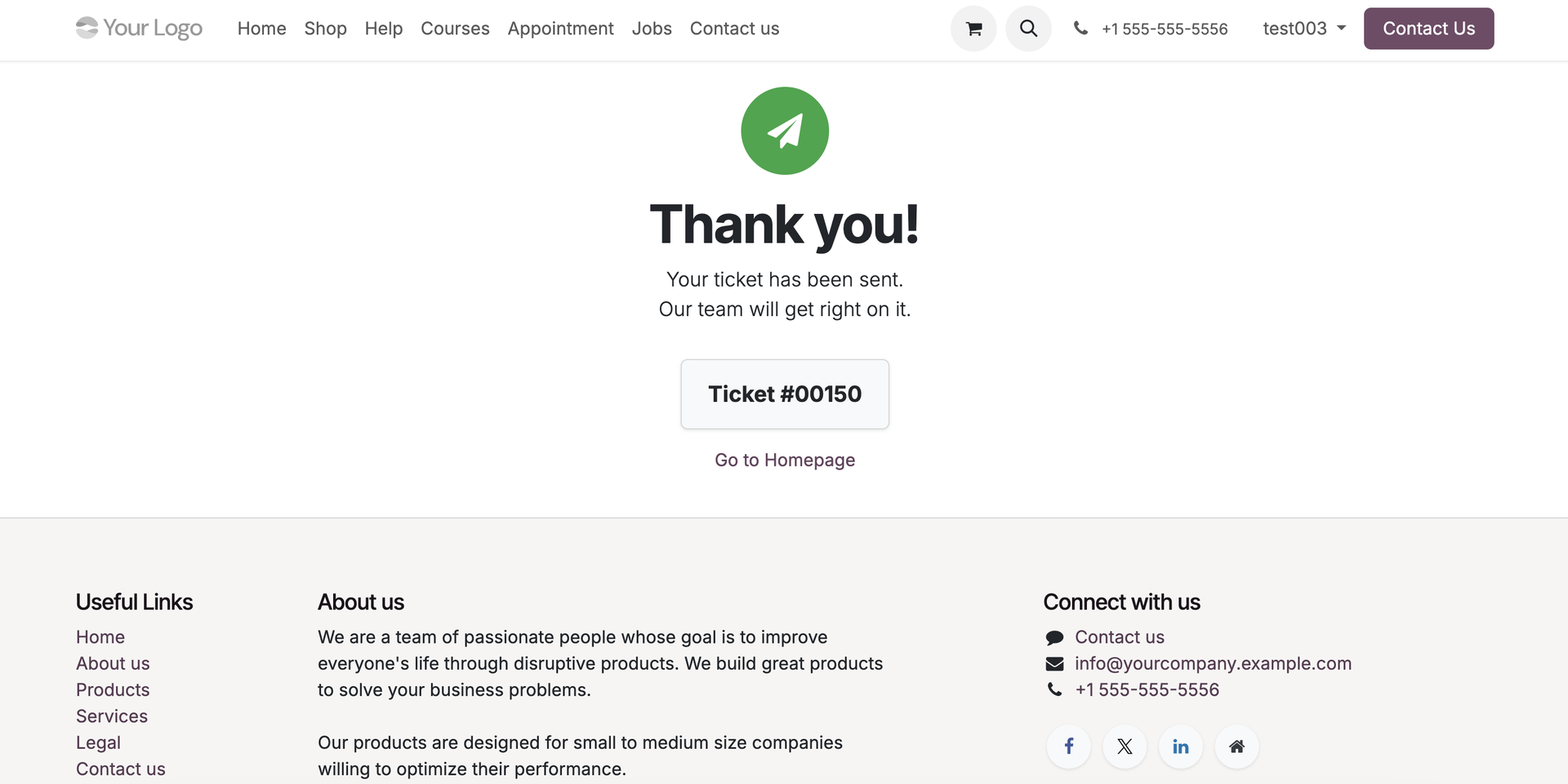 |
Go back to Admin Account > Access All Tickets to search for the submitted ticket > Click on this ticket > We can see that the sequence will be propagated in Email. |  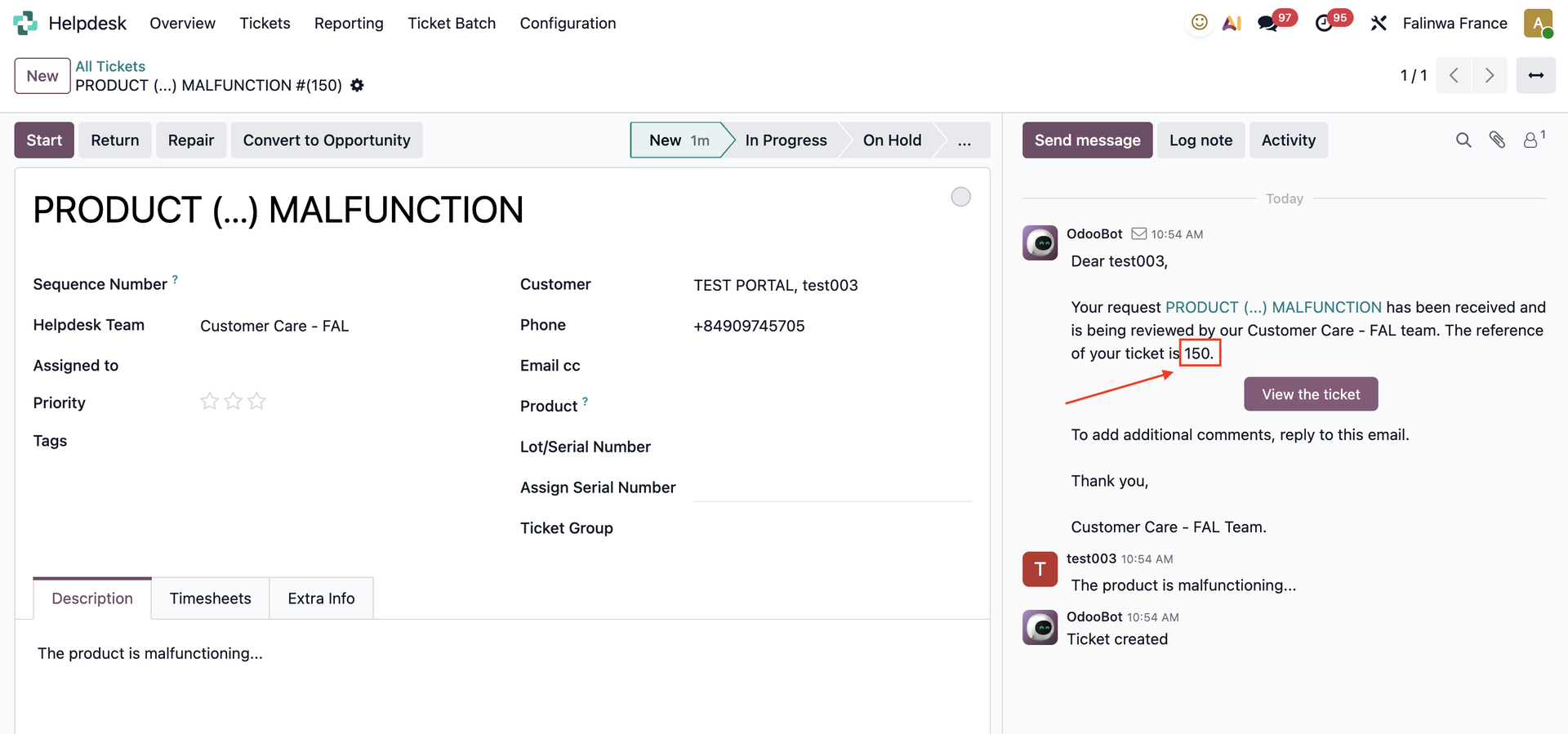 |
Ticket sequence will also be propagated in Portal | 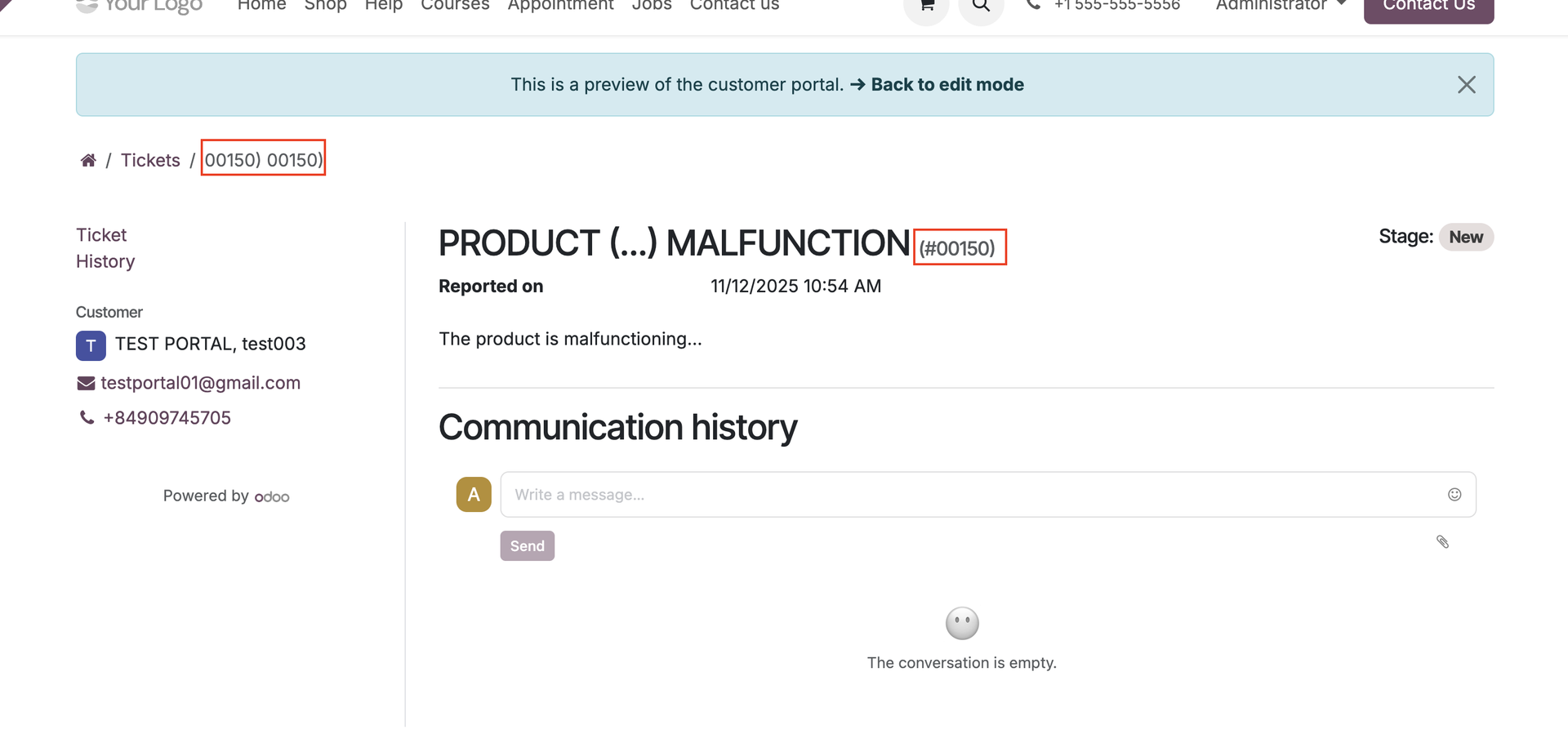 |