


ODOO'S FUNCTION
Odoo Barcode allows users to assign barcodes to individual products and product categories, and track inventory movements using those barcodes. By connecting a barcode scanner, certain inventory processes can be triggered by scanning barcodes.
CLUEDOO'S FUNCTION
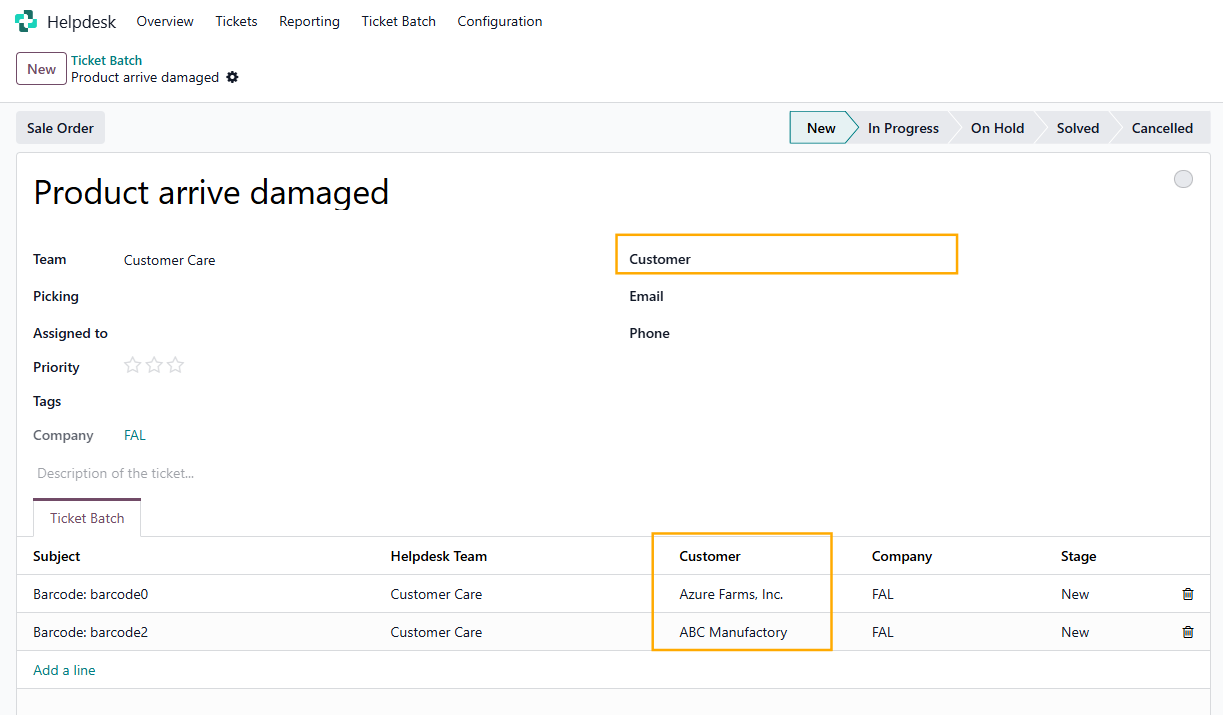
In CLuedoo, we have enhanced this feature: you can now scan the serial number right away, even before adding the product. When you scan the barcode in the ticket batch, the system automatically creates the ticket.
1. Go to Helpdesk > Create a new ticket batch > fill the information field | 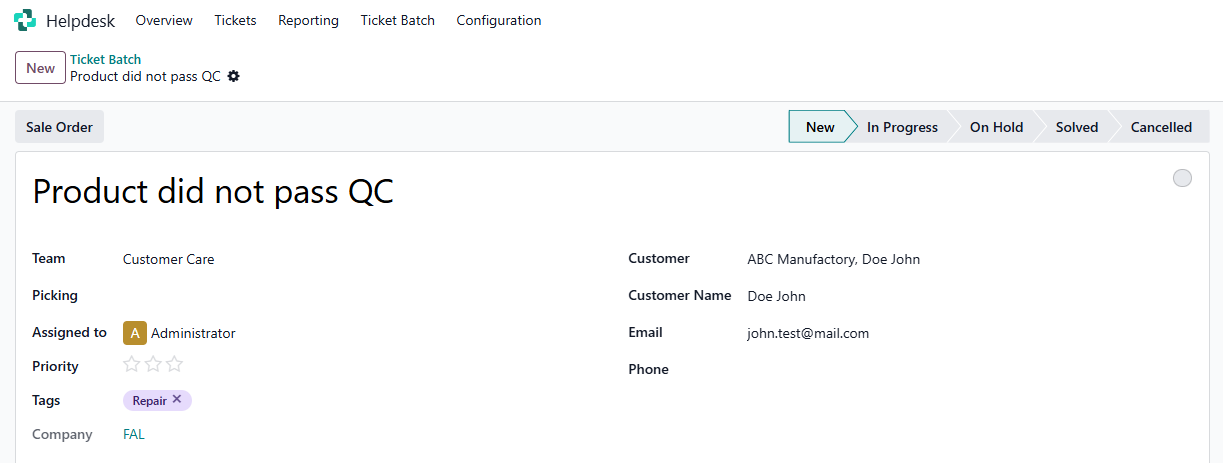 |
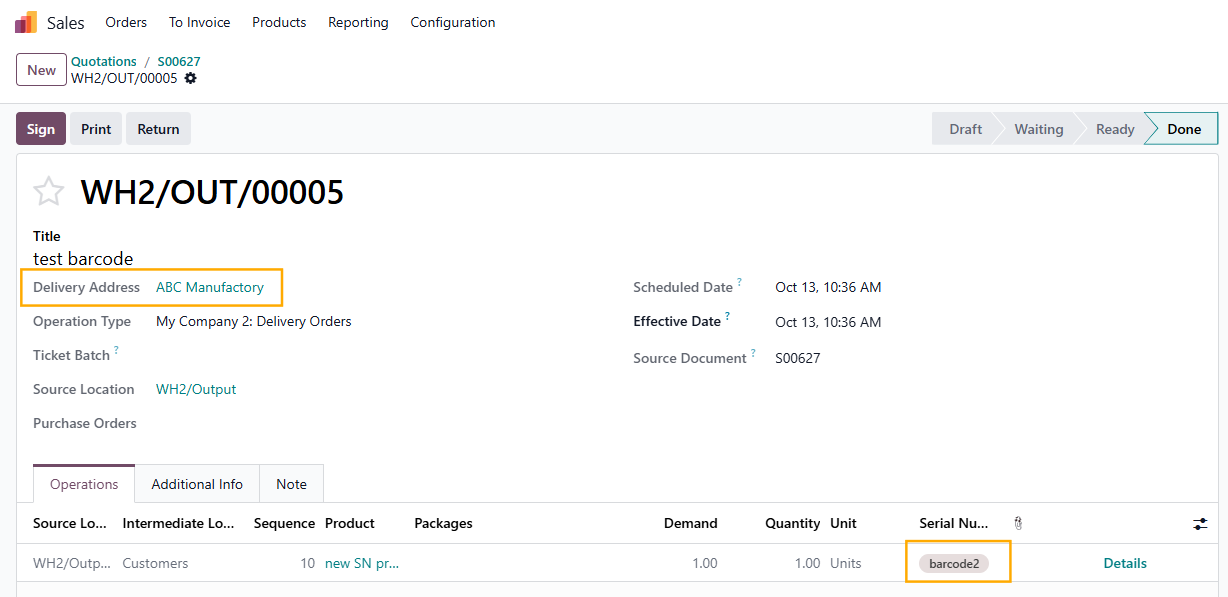
2. Go to Lots/Serial Numbers > choose the product you want to create a ticket > a L/SN will automatically be made for the chosen product | 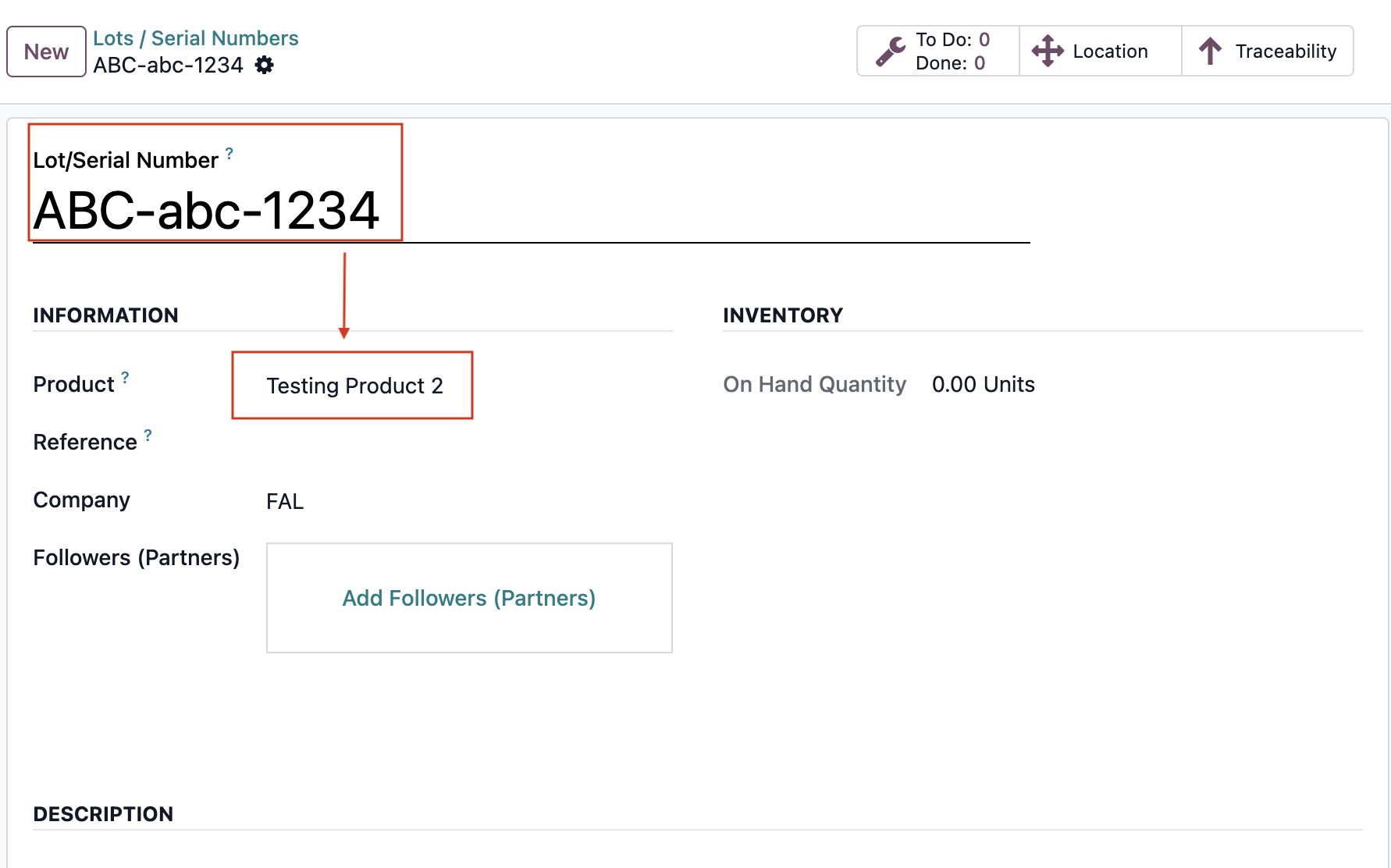 |
3. Create a barcode for that Lot/Serial Number > Scan the barcode using scanner | 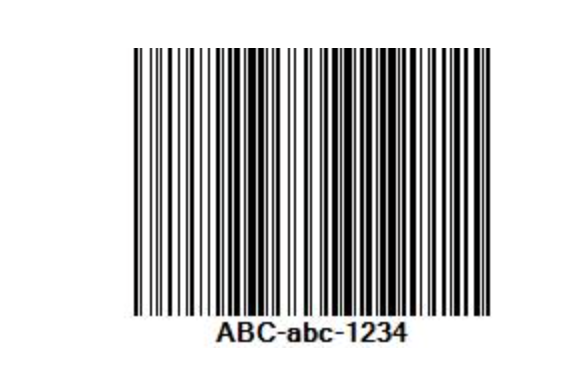 |
4. Go back to the ticket batch > a new ticket for that product will be automatically added | 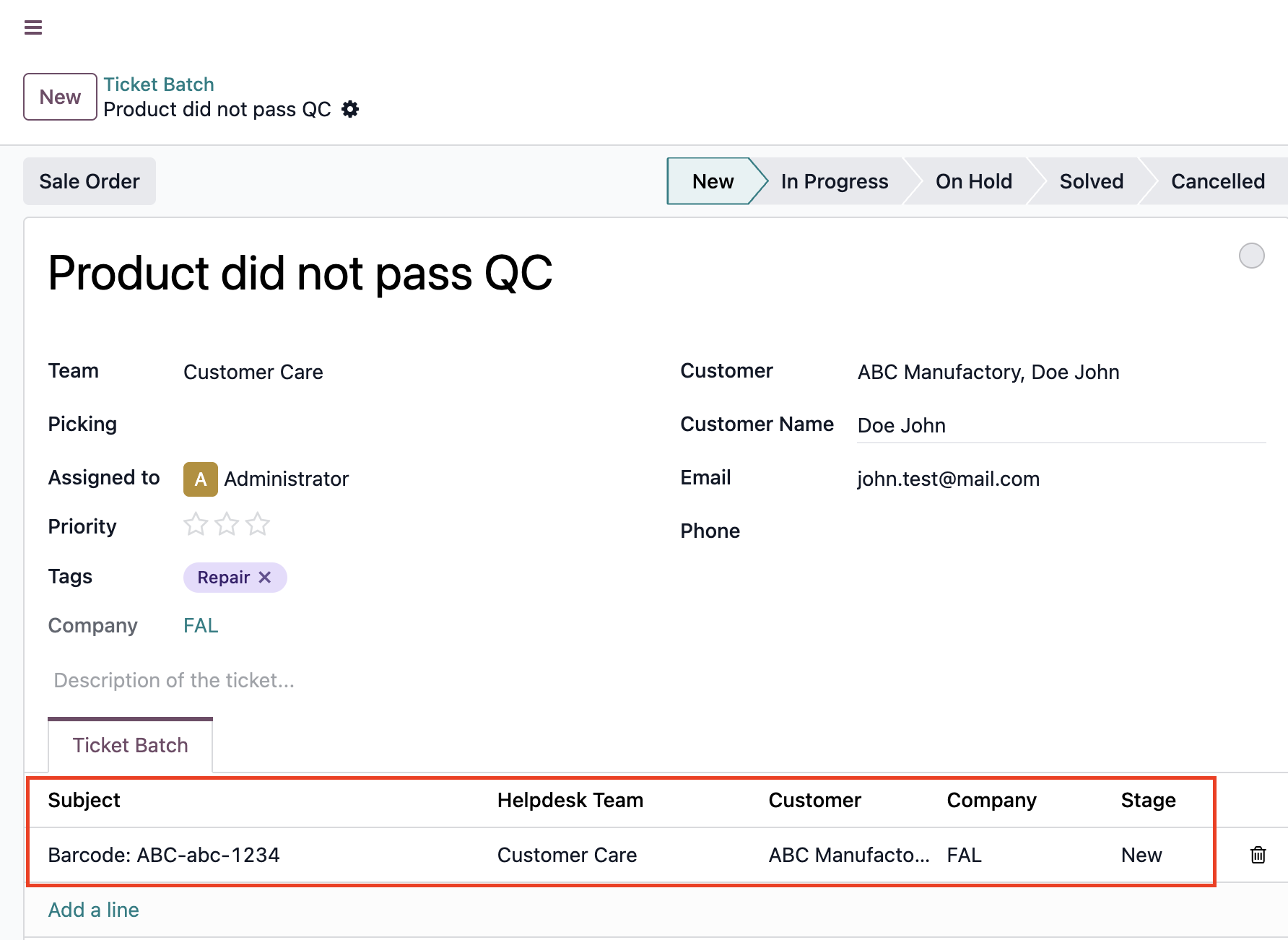 |
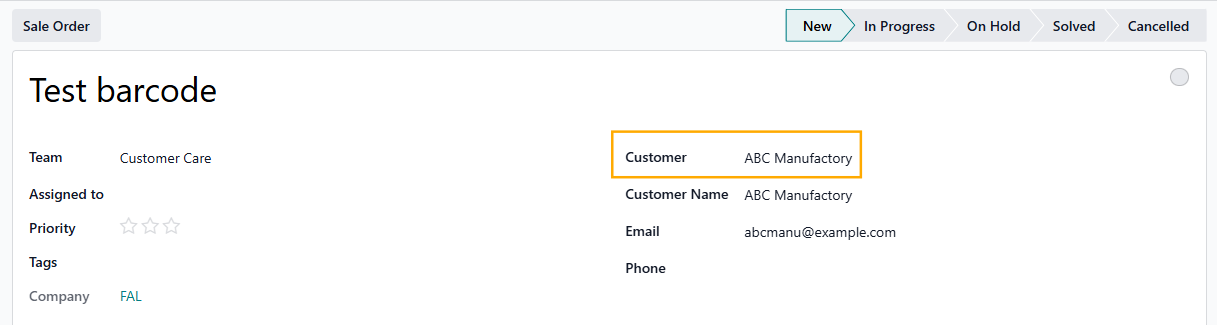
Note: The Customer on each ticket will be inherited from the related transfer If the Customer field on the ticket batch is not defined, you can add tickets from multiple customers |
|
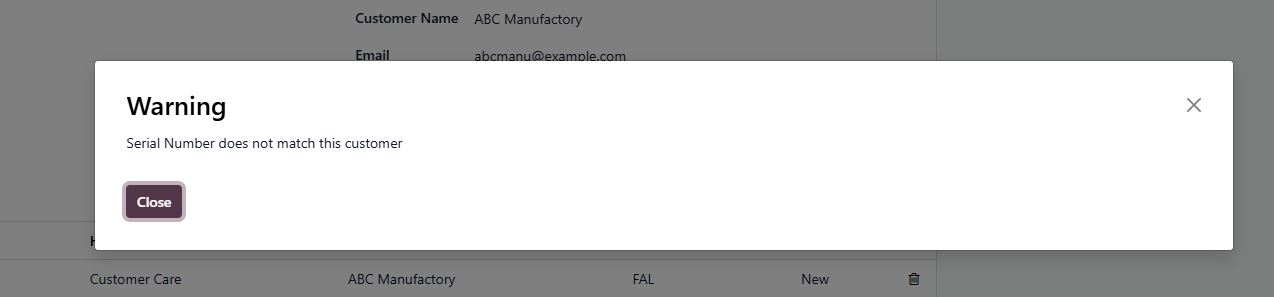
If the Customer field is defined on the ticket batch, when you add a barcode from another customer, there will be a warning (but the ticket can still be added) |
|