



ODOO'S FUNCTION
By default, Odoo’s Inventory and Helpdesk modules allow tracking products by Serial Number (SN) and associating them with customers, but there is no automated process to read or assign a serial number directly within a ticket (e.g., in the Helpdesk module) and populate the related customer information
CLUEDOO'S FUNCTION
On a Helpdesk ticket, this module automates the task of Serial Number (SN) reading and populates a customer related to the SN.
1. Action: - On a new ticket, click on the field Assign Serial Number. - Fill Serial Number/Lot. Then Save | 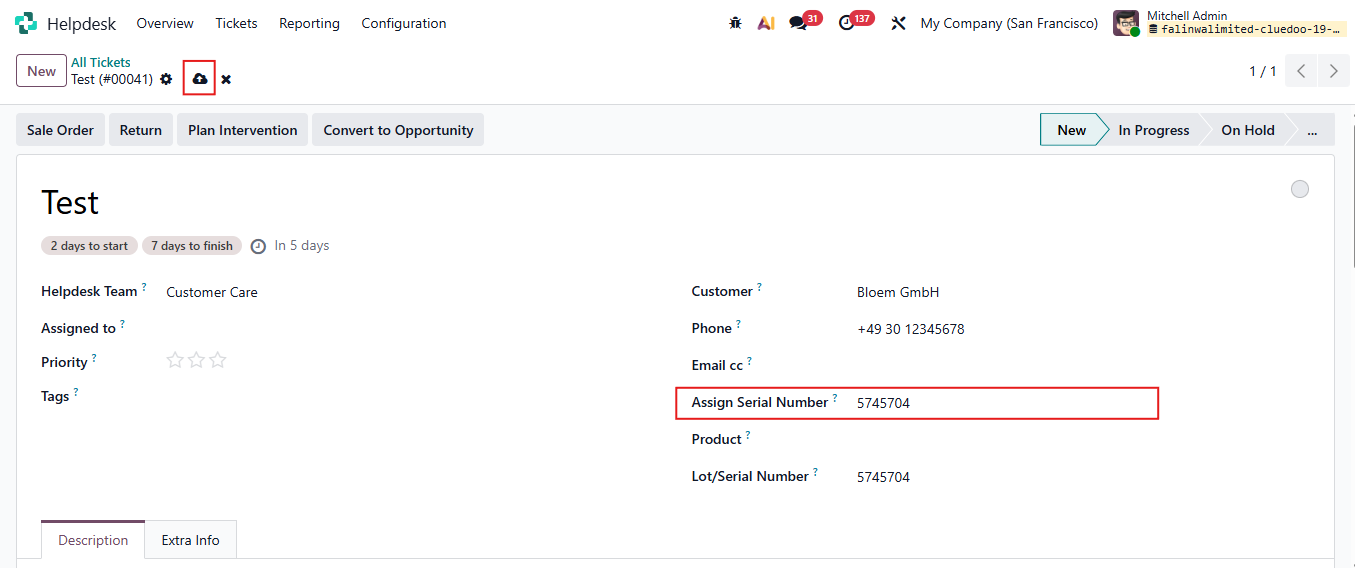 |
Result: - The Serial number is recorded in the field Assign Serial Number - The customer to whom the Serial Number was delivered is populated. Note: From v19 and earlier version, this module supports product track by both SN and Lots | 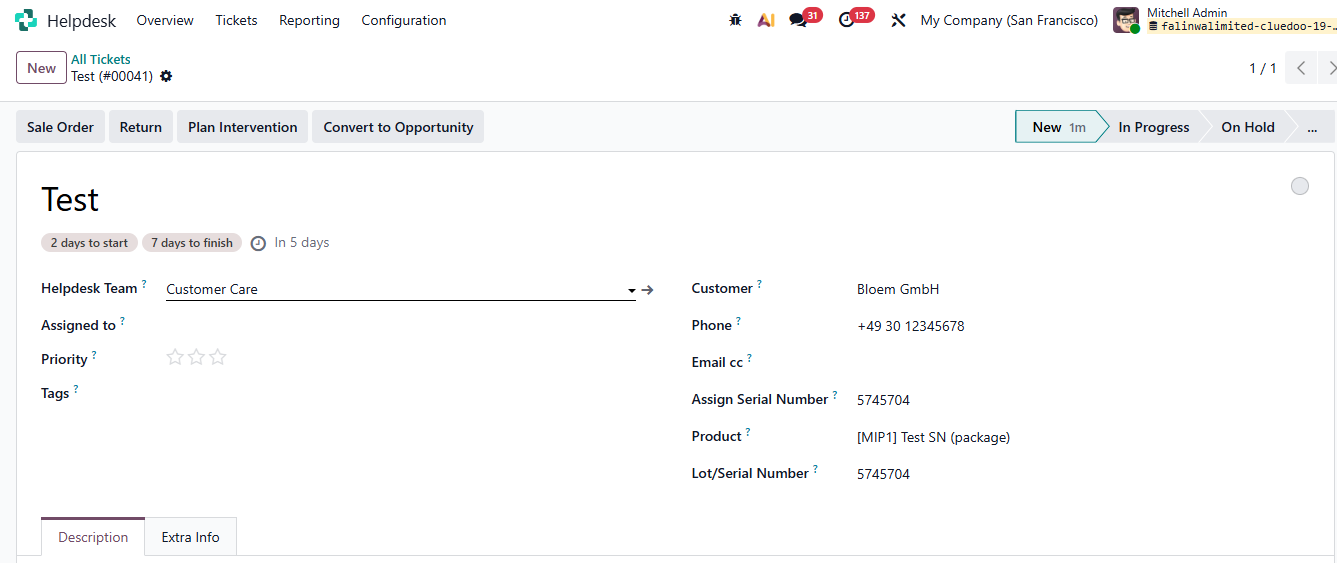 |
In case when 2 products have same Serial Number ID There is a warning after you open ticket or fill the field "Assign Serial Number" For example: SN ID "testsn1" is the SN of two products: Test SN (package) and Ascoustic Bloc Screens (White) Then you have to fill Customer and Product manually | 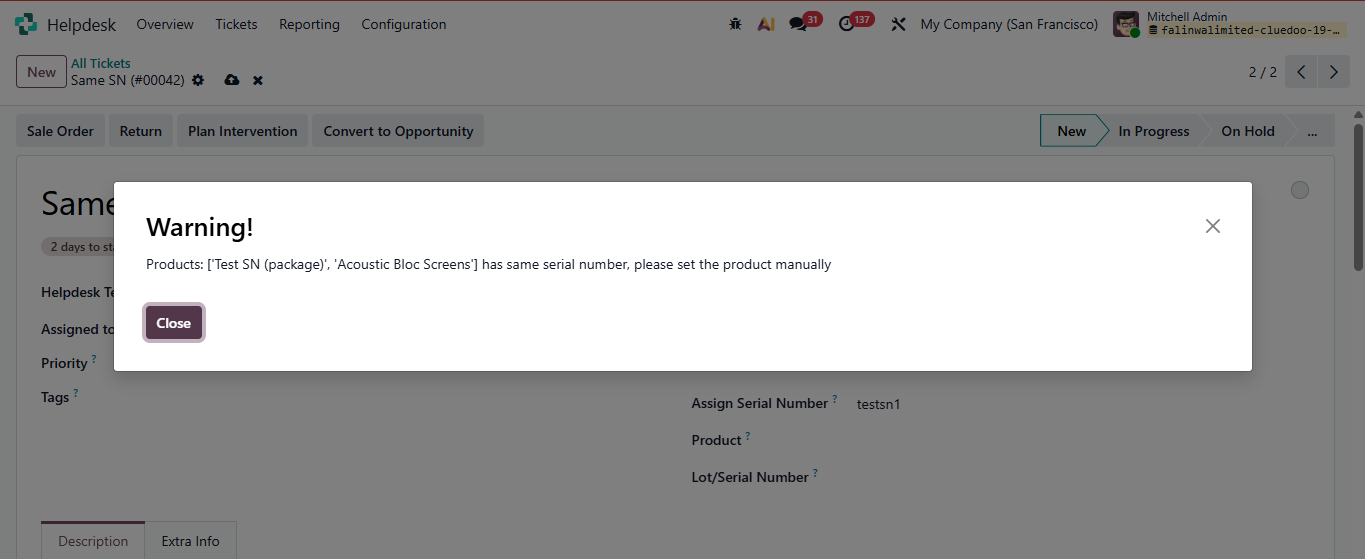 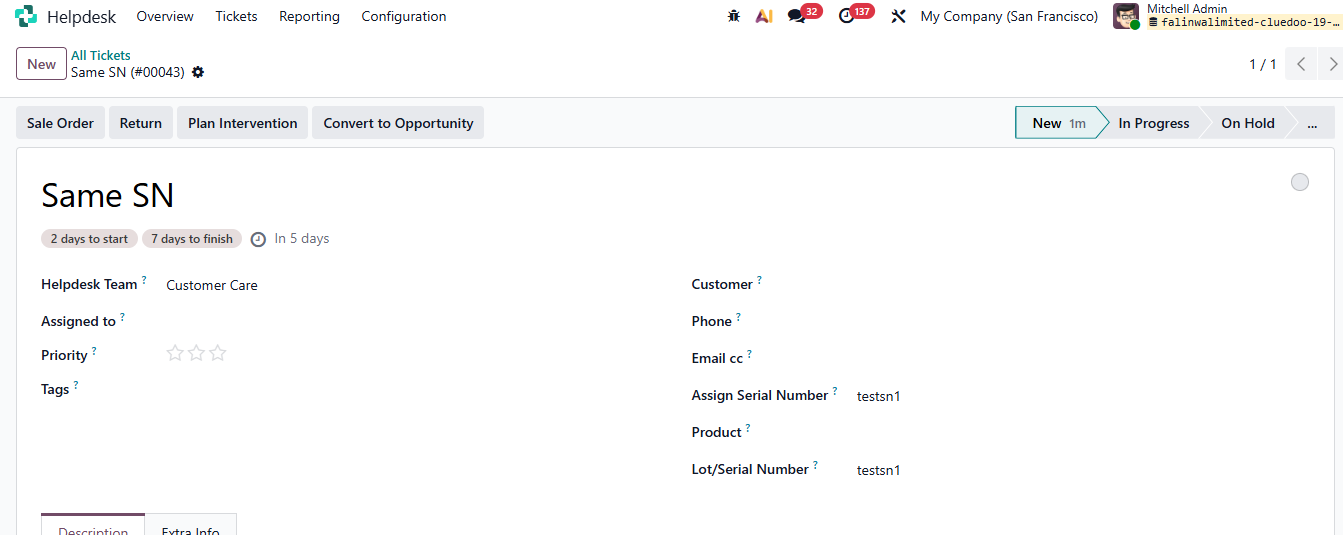 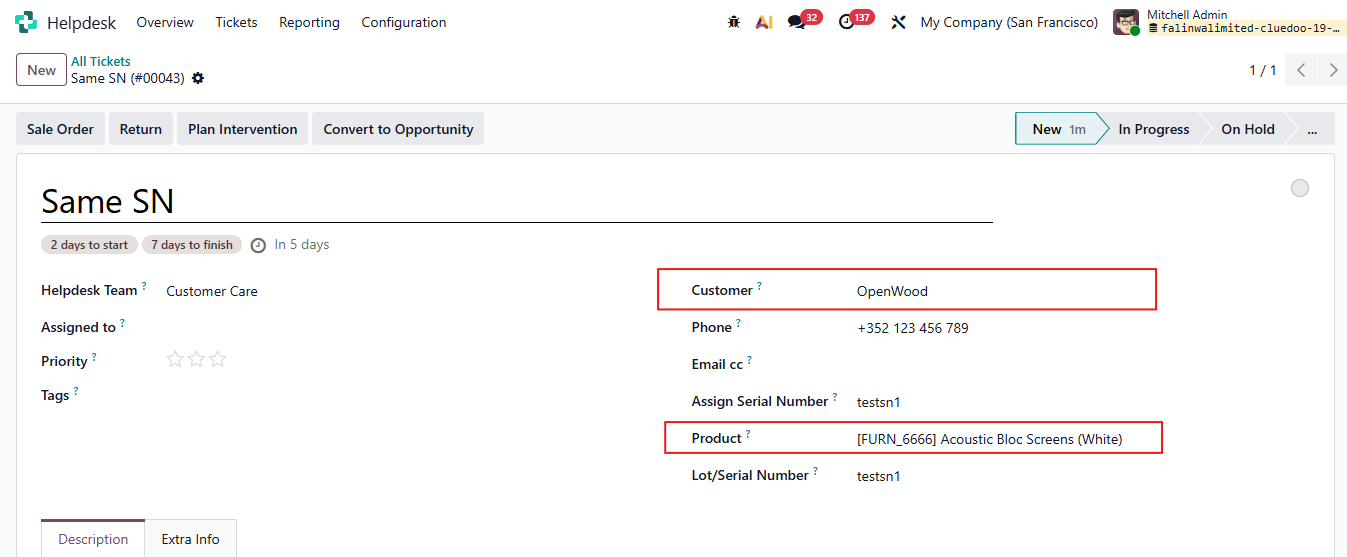 |