



ODOO'S FUNCTION
In Odoo, approvals cannot directly generate or link to expense reports. Users need to create expenses manually, and there is no automatic connection between approvals and expense entries.
CLUEDOO'S FUNCTION
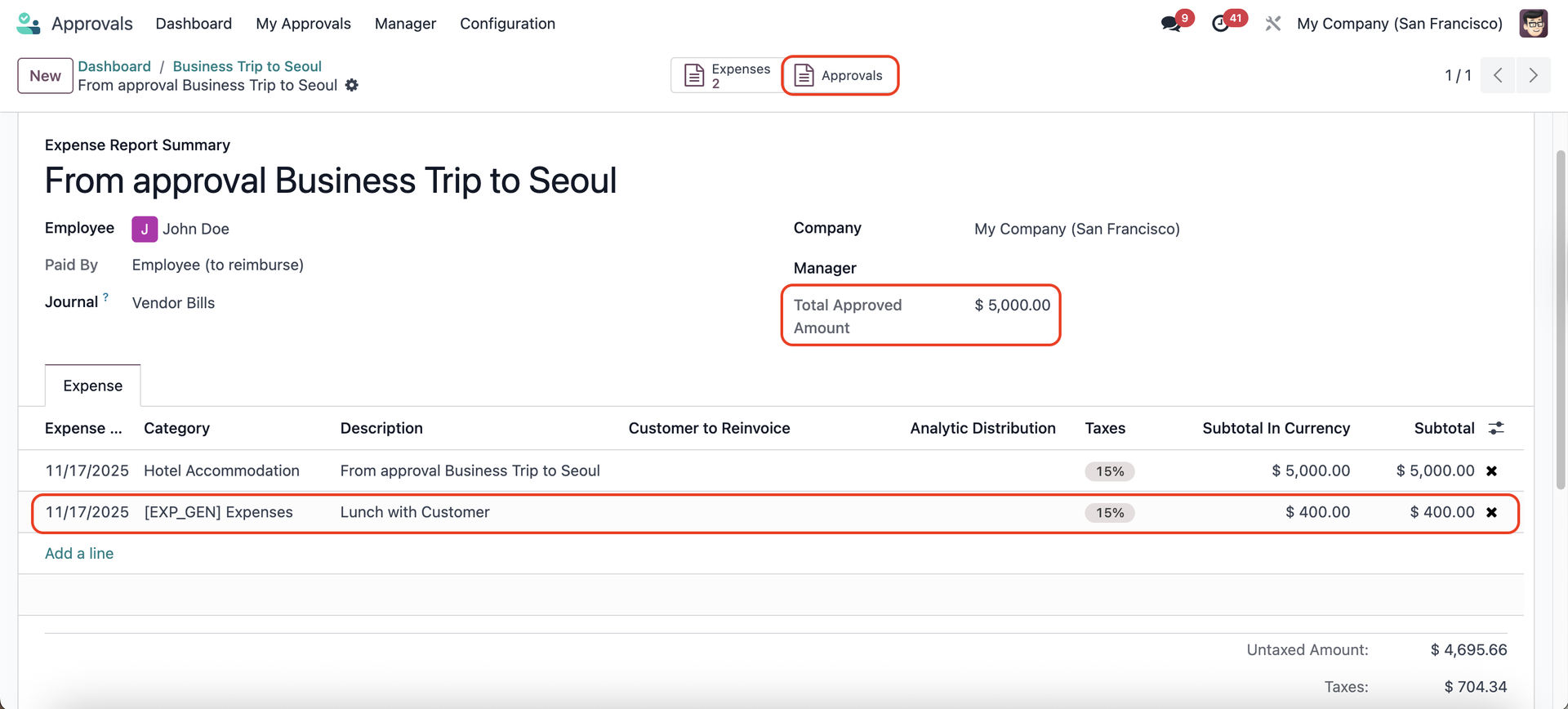
CLuedoo adds a new Approval Type: Create Expense Report. Creating this approval generates a draft expense report linked to the approval. Users can modify it, see a Total Approved amount, access an Expense List tab, and generate PDFs from the approval.
1. Go to Approvals > Configuration > Approval Types > We have a new type: Create Expense Report Note: In v19, Approval Types = Approval Categories | 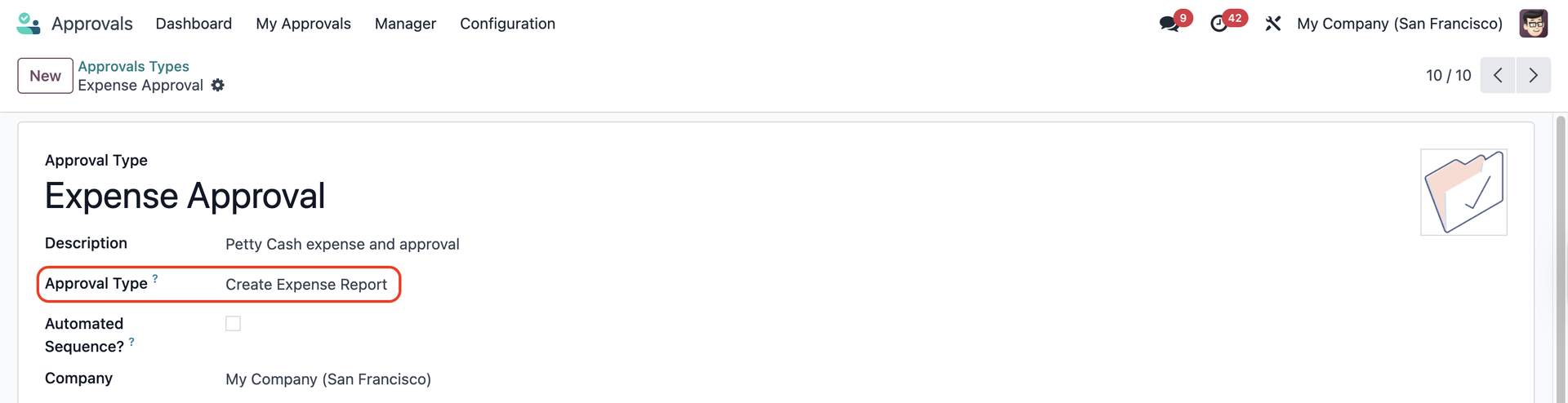 |
2. Go to Approvals Dashboard and submit a New Request | 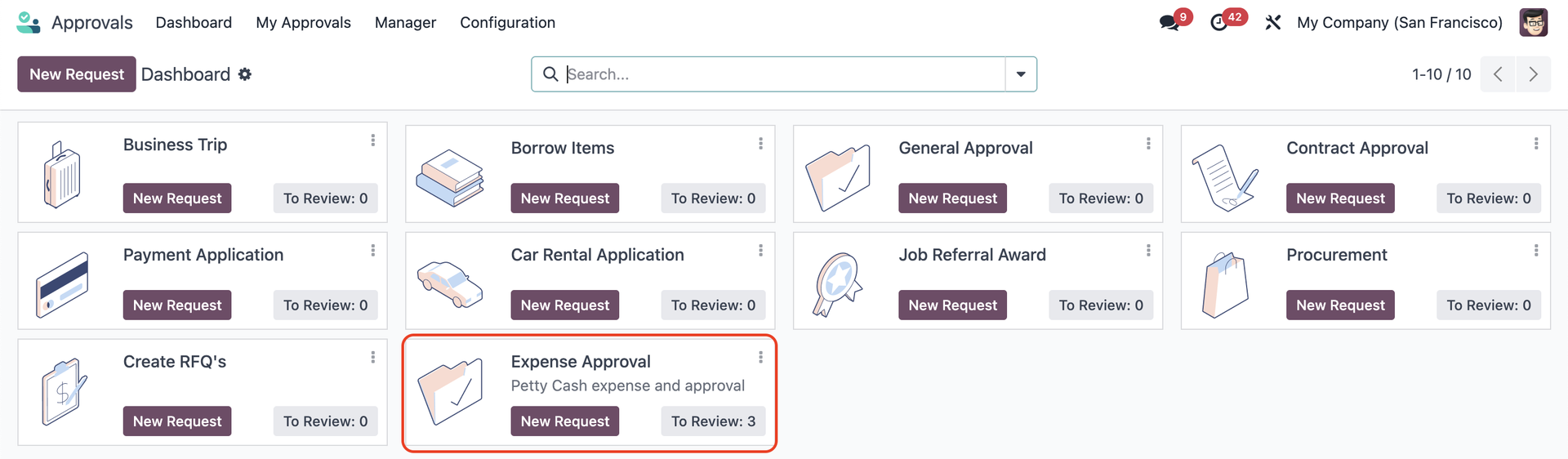 |
Fill in the necessary information like Expense Currency, Product(s), Expense Amount, etc., | 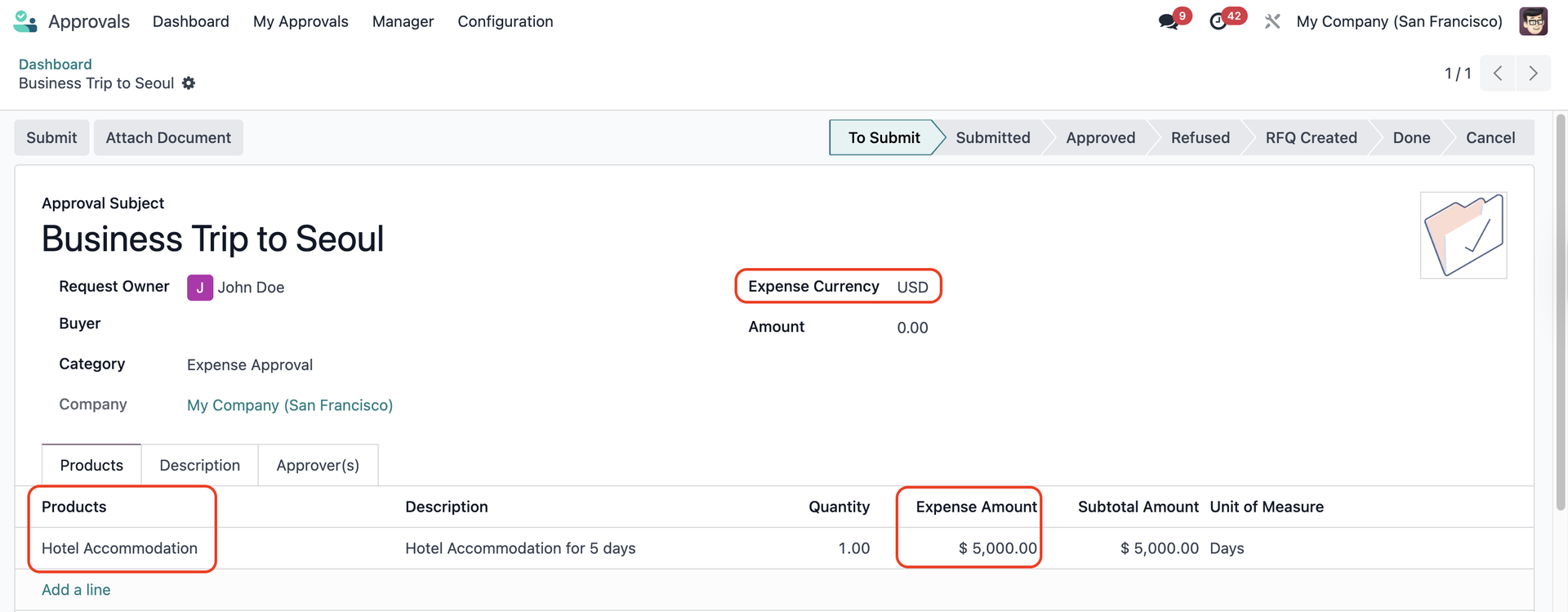 |
3. Submit the request > After the request is approved, there will be option to Create Expense Report > Click on it |  |
An expense report will be created with the following functions:
|  |
You can check all the expenses linked to the expense report via the Expenses smart button | 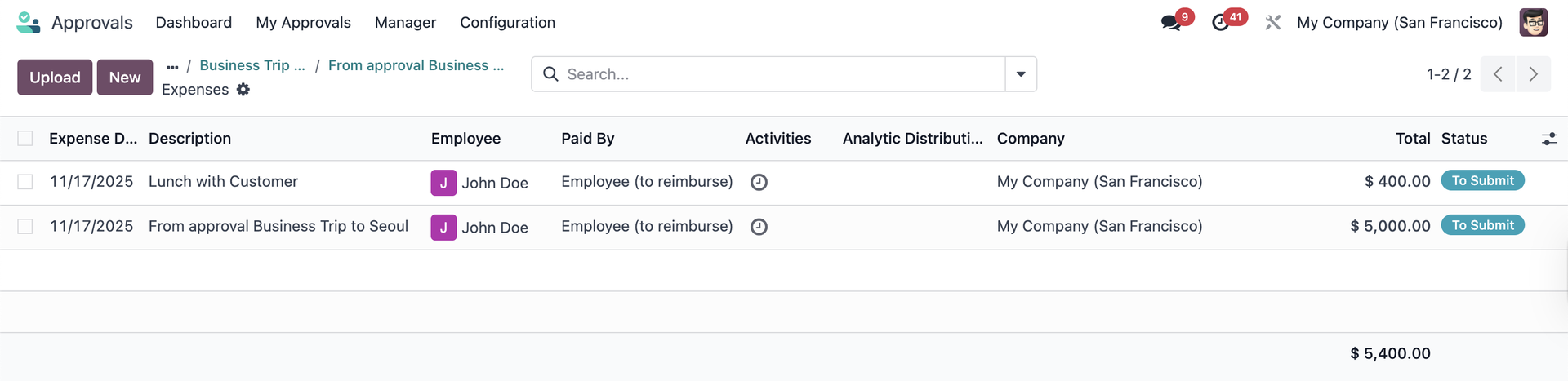 |
4. Return to the approval
| 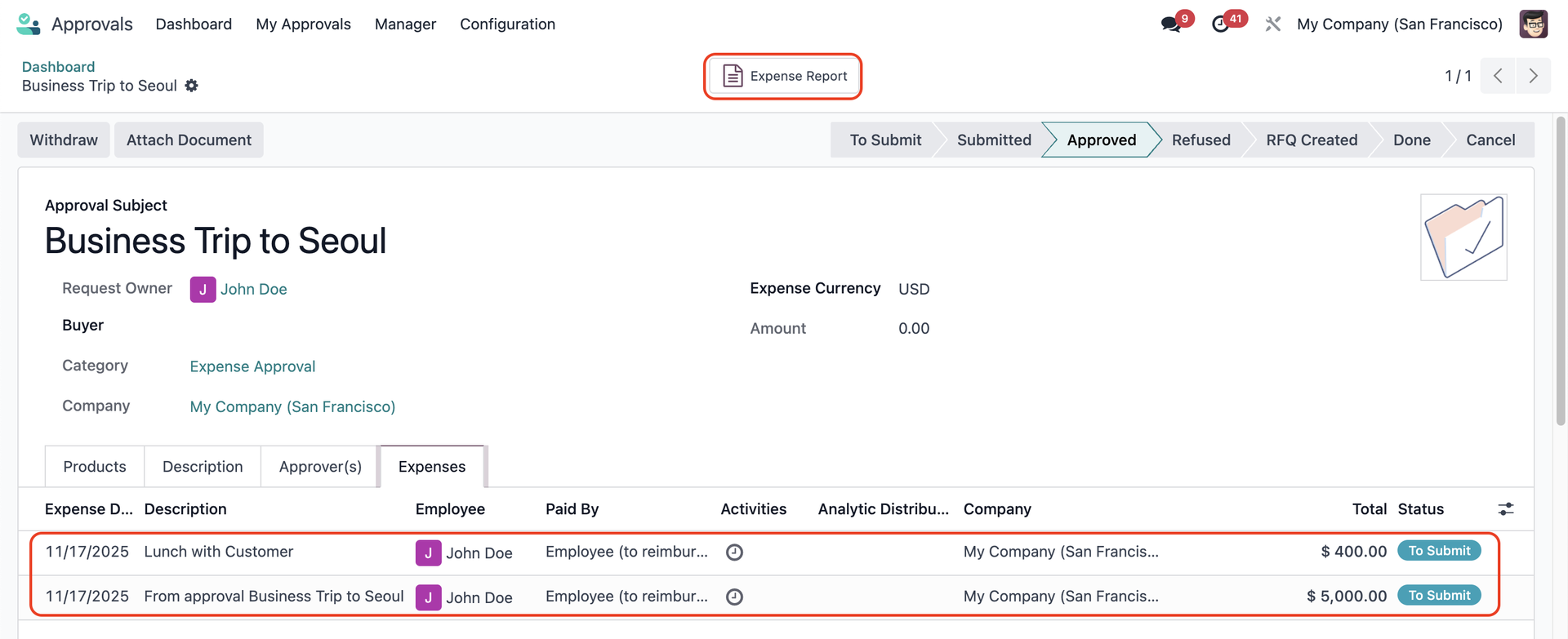 |
5. Click on the saw-edged icon > Print > Expense Approval Request |  |
You will have a PDF report showing all the details from your expense report. | 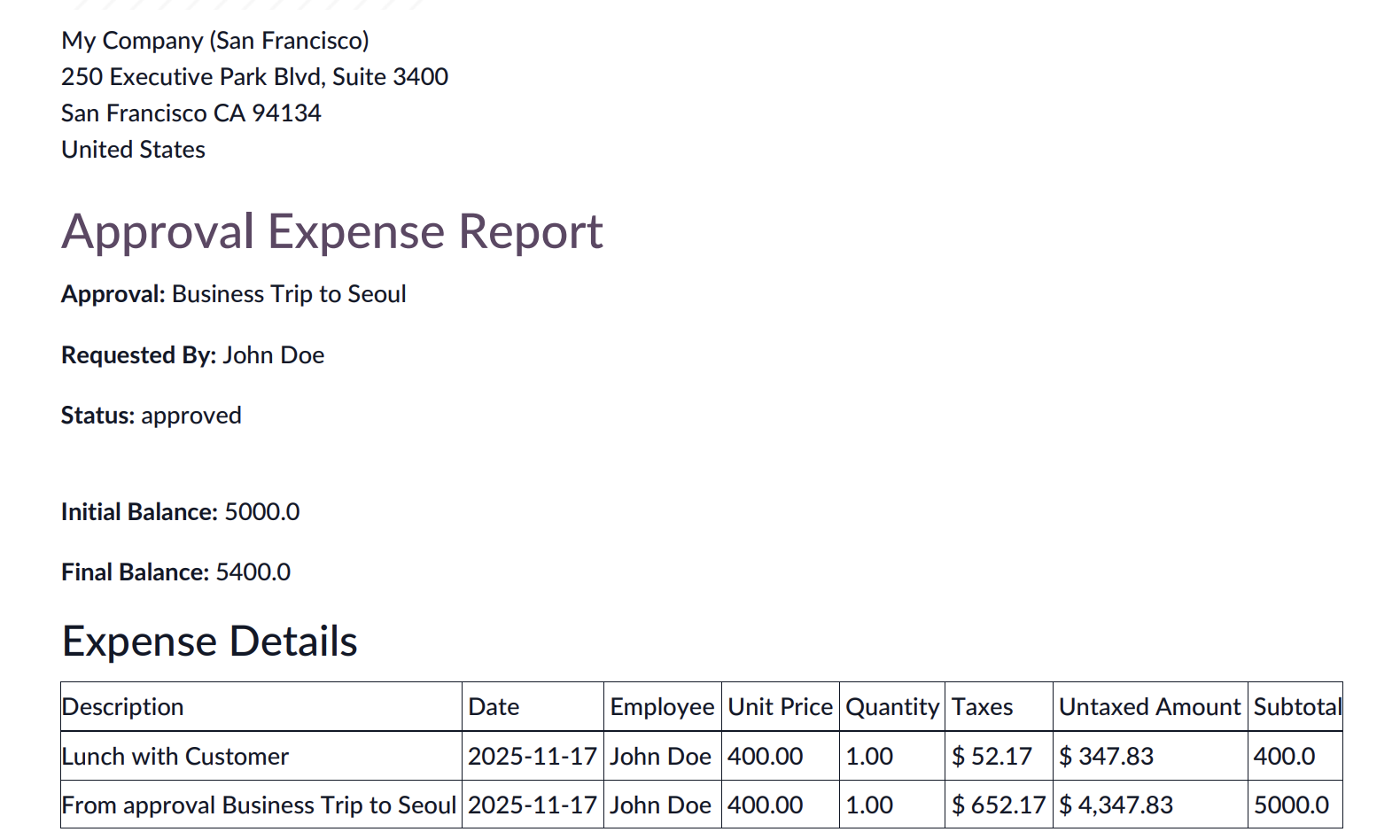 |